








Zoidii Logo

Maintenance Checklists

Never forget critical maintenance tasks again.

Documenting what you do through standardized maintenance checklists helps institutionalize and systemize your maintenance processes within your organization

Zoidii Maintenance Checklists
Maintenance Checklists setup

Quick to Implement

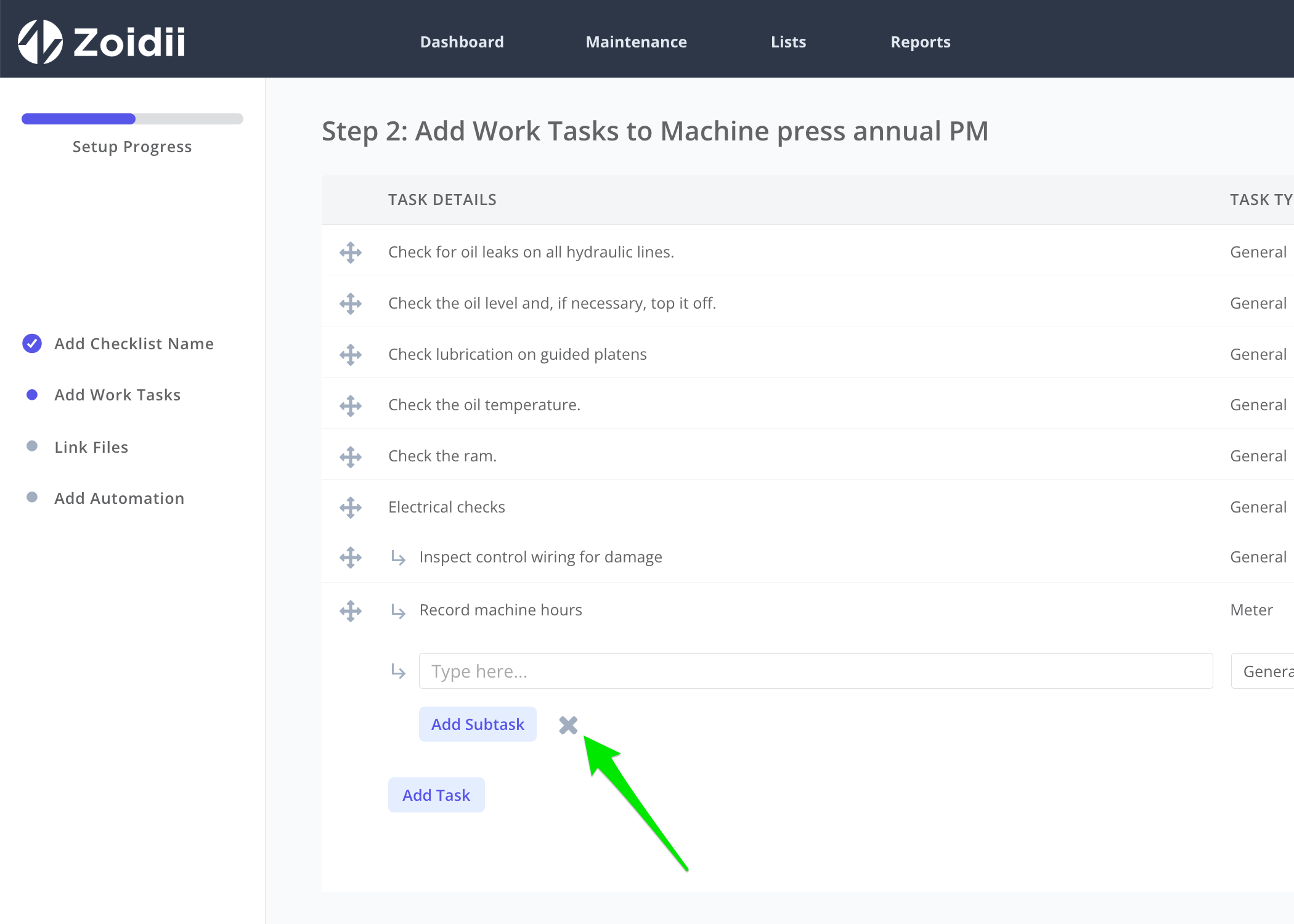
Use the maintenance checklist setup tool to quickly configure your checklists in Zoidii. Add the checklist name, tasks, estimated hours, and linked files.

Add Tasks and Subtasks

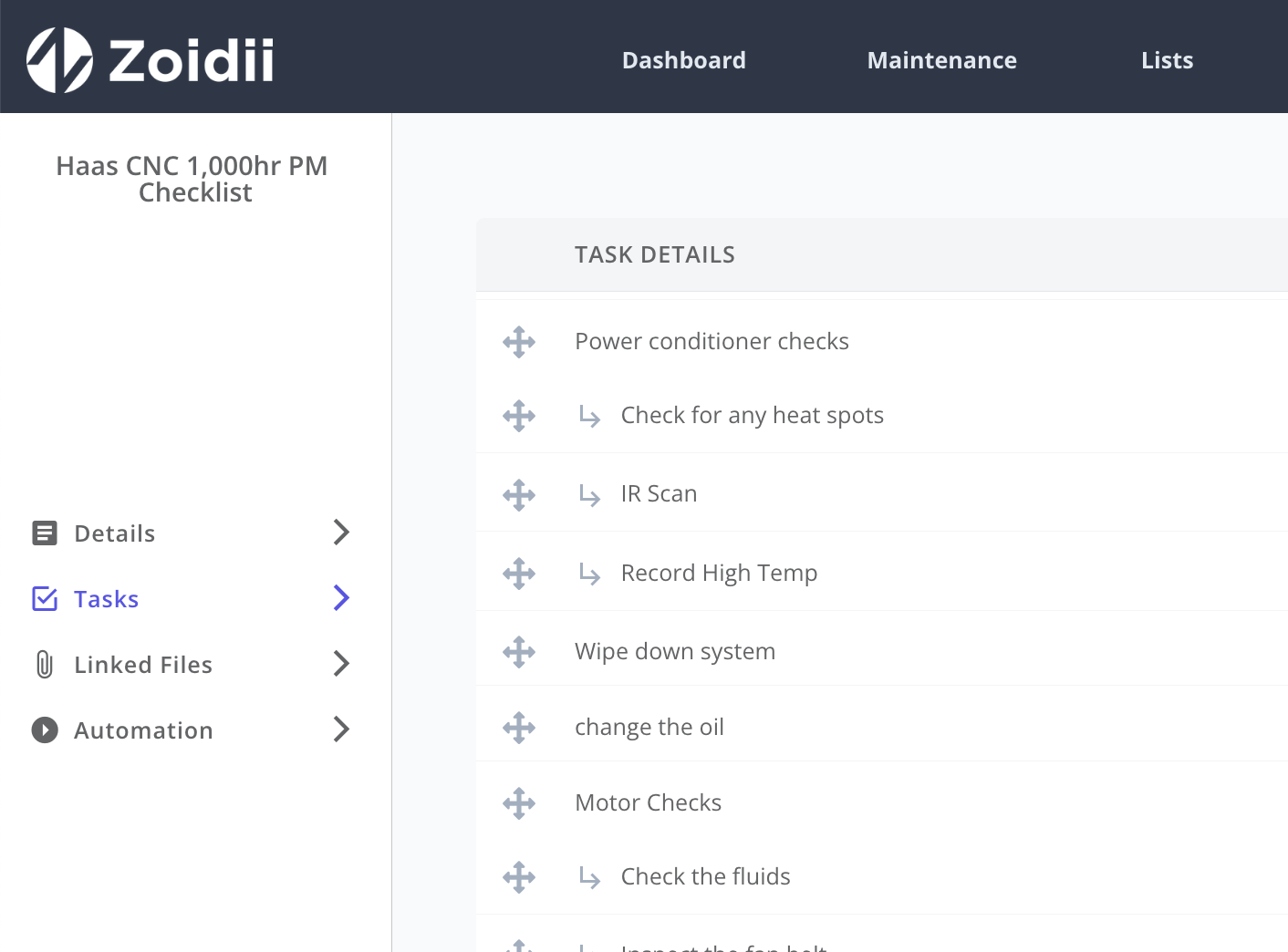
Checklists can be configured with tasks and subtasks. That way, larger checklists can be broken down into more manageable chunks.

Create new CMMS checklist
standard operating procedure

Increase Standardization and Efficiency

Maintenance checklists detail the most efficient route to get the job done, eliminating unnecessary steps and waste. Zoidii's checklists functionality ensures everyone is on the same page through step-by-step instructions to complete a process.

AI Checklist Generator

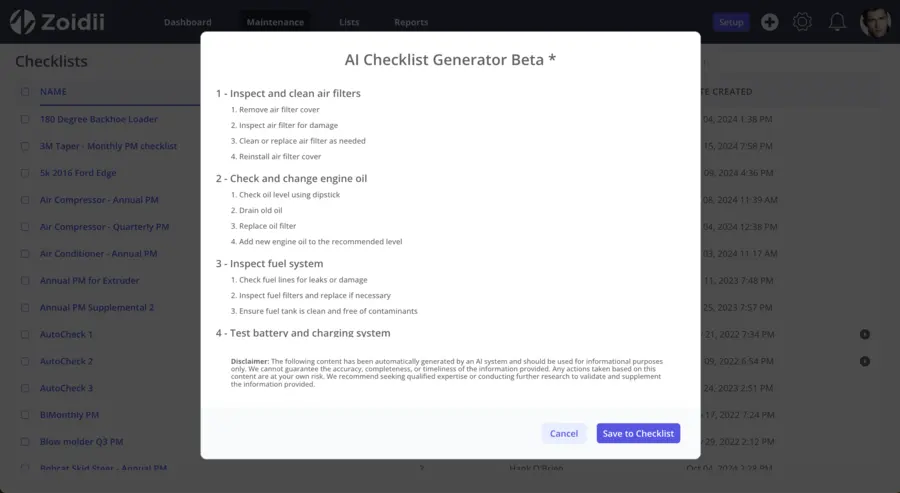
Zoidii's AI Checklist Generator helps accelerate the CMMS implementation process by automatically generating maintenance checklists based on predefined criteria such as make, model, category, and interval.

Zoidii CMMS AI Checklist generator
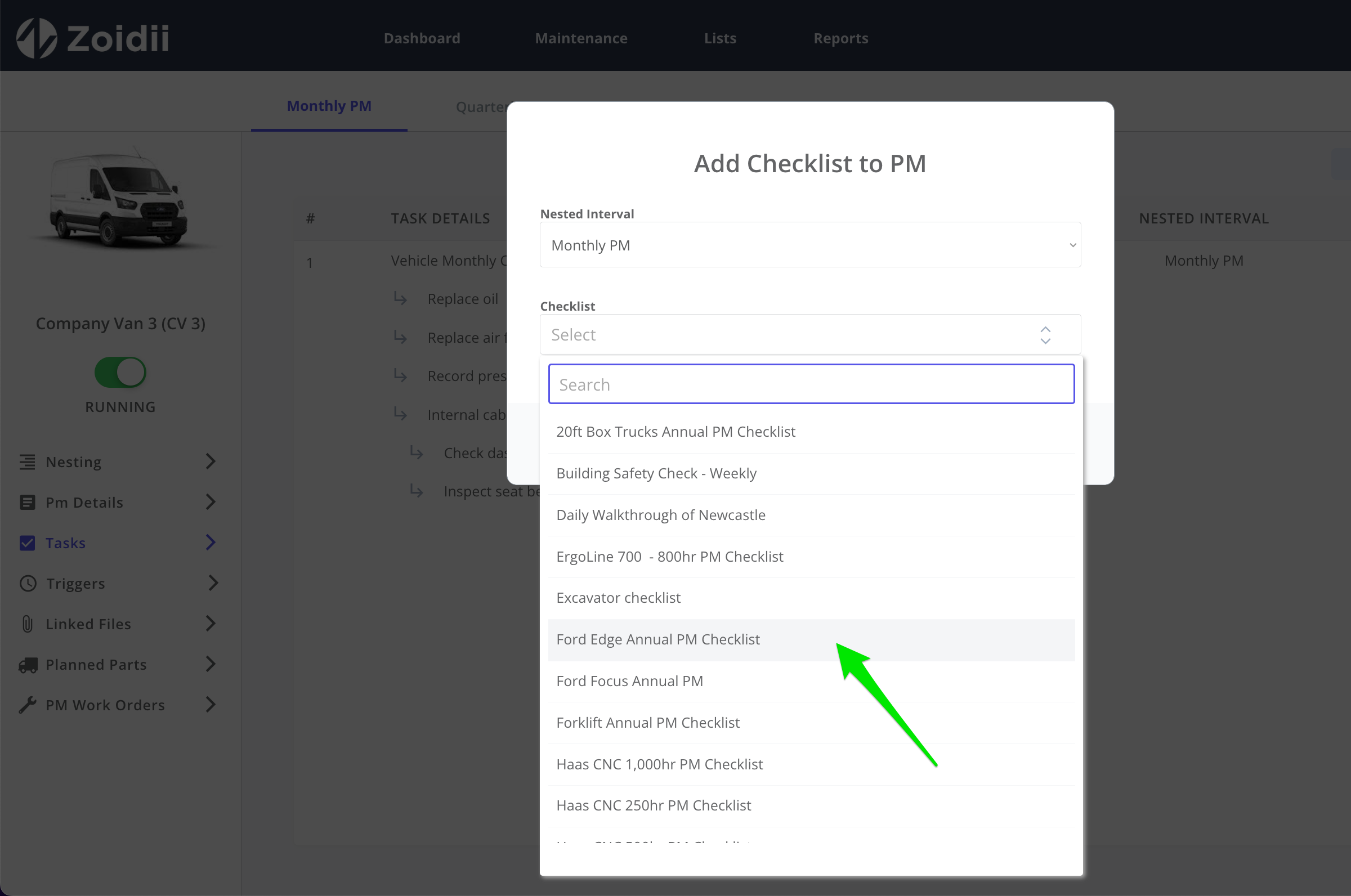
Add Checklists to a PM

Add Checklists to PMs and Work Orders

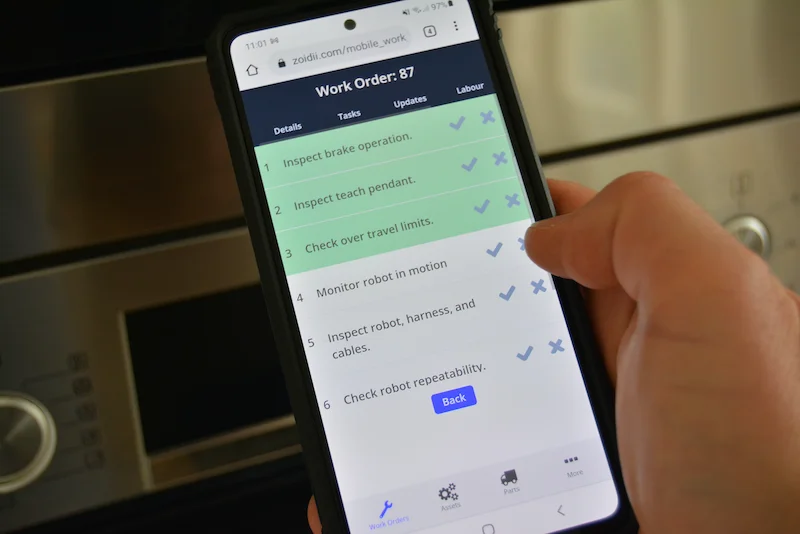
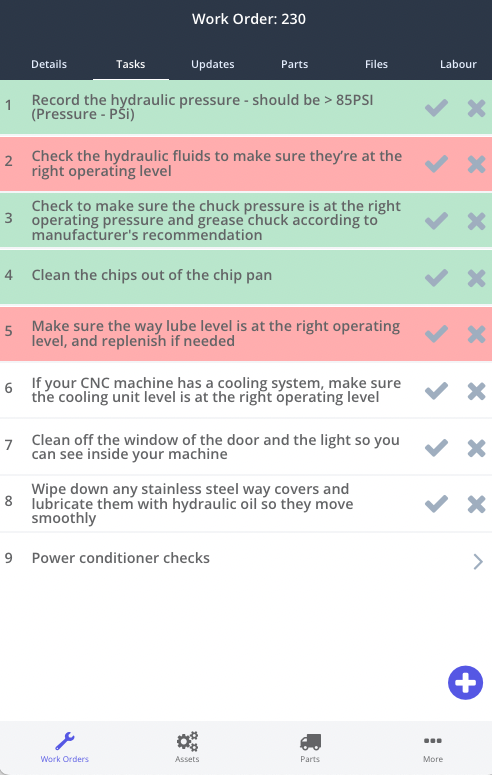
CMMS users can pull checklists into preventive maintenance, nested PMs , and work orders on desktop. They can also load maintenance checklists onto work orders on the mobile app.

Automate your Maintenance Checklists

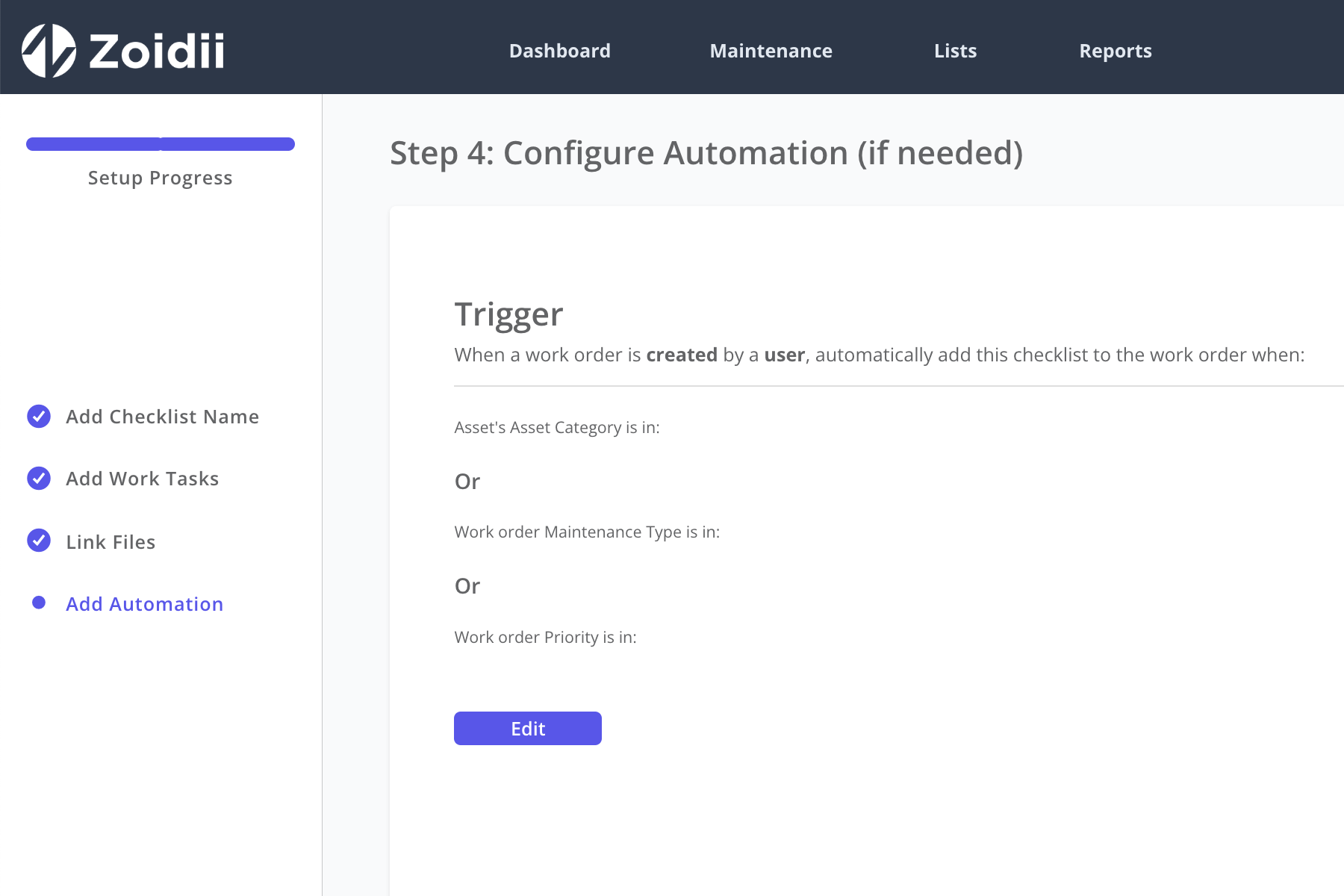
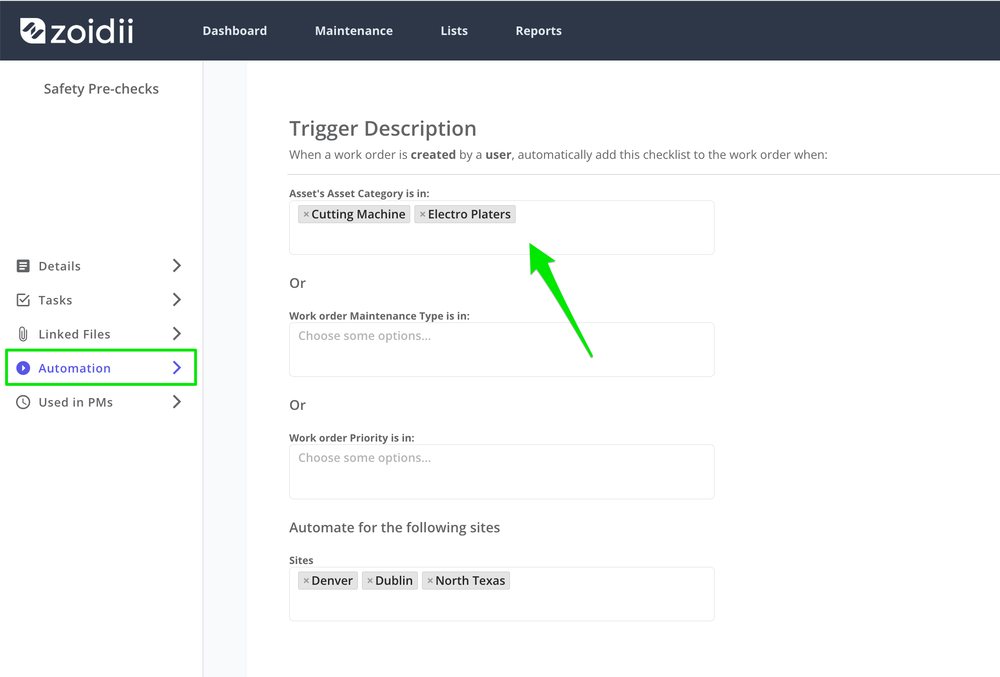
Create triggers to automatically populate checklists whenever a user creates a new work order with certain conditions. Automated maintenance checklists are ideal for organizations looking to standardize the way of working.

Zoidii Automated Checklist Trigger
CMMS Mobile App Tasks

Follow On Work Orders

Technicians can address failed tasks as they complete the checklist, or push failed tasks to one single follow on work order automatically.

When to use maintenance checklists

Preventive maintenance procedures

Use checklists to guide the technician through preventive maintenance procedures, ensuring no steps are missed.

Work order pre-checks

Auto-populate work orders with steps to be completed before the work order commences. For example, automatically load a safety checklist requesting the technician to verify their PPE, check the area for safety issues etc.

Document steps for run-to failure repairs

Maintenance checklists can be used to document the procedures to complete run-to-failure repairs, particularly when the repair is high-risk. For example, the saw blade will be replaced when it's dull, so create a procedure to replace the blade and reduce the chances of a safety incident.

Troubleshooting guides

Use checklists to document equipment troubleshooting guides that provide step-by-step instructions to identify and resolve issues with specific equipment.

4 key advantages to using checklists in maintenance

Utilizing checklists helps your maintenance organization run like a finely tuned machine.

Demonstrates the most efficient way to complete the process, eliminating unnecessary steps and waste, which in turn minimizes costs.

Checklists help clarify how to do the job, which will lead to higher employee engagement.

Documenting your procedures in checklists captures the tribal knowledge within the organization.

Clearly outlining the safest way to get the job done will lead to fewer safety issues.

7 steps to writing effective maintenance checklists

To ensure your maintenance organization reaps the benefits outlined above, follow these seven steps to creating effective maintenance checklists.

1. Identify the activity to be completed, such as preventive maintenance on a machine press.

2. Next, determine the scope of the task, job, PM, process, or activity to be completed. The scope details the extent of the work needed to finish the activity. It could include time, tasks, parts, tools, and resources.

3. Identify and understand the end-user. Understanding the end user will help you tailor the checklist for their use case. That will ensure the target end-users can understand and execute the maintenance checklist.

4. Create a written document. The document should contain a list of steps to complete the activity, including safety cautions, parts replacements, PPE or tools required, etc. Be as detailed as possible to minimize ambiguity.

5. Before rolling out the checklist, test it and tweak it as needed. Ask some end-users and subject matter experts to execute the activity using the checklist and ensure it achieves the desired result.

6. Once the checklist has been signed off by all stakeholders as done, implement the checklist in your CMMS software. That way, the activity is digitally captured when done.

7 Business changes all the time. Regularly review and refine the checklist to ensure it is still effective.

Trusted by the most organized maintenance teams

Tricel logoSiegwerk logoB&M logoThe Anderson DuBose Company logoChubb logoCarhartt logoArcadia logoLily O'Brien logoFaun Trackway logo
★★★★★

The best and only CMMS that you will ever need!!!

As a daily user of Zoidii, I am certain that is the best CMMS program out there! Super intuitive, easy to use on a dialy basis and gives me and my team all the information that we need to keep ourselves compliant and ahead of the curve.

Eduardo Periera

Eduardo Periera : Maintenance Planner

Aug 19, 2025

Top rated CMMS software you can trust

★★★★★
4.8 out of 5 stars
Software Advice Front RunnerCapterra Front Runners 2026Software Advice Front Runner 2025GetApp Category Leader 2025Capterra Best Ease of UseSoftware Advice Most RecommendedCapterra Best ValueSoftware Advice Best Support

Request a call back

Interested in Zoidii software? Chat with a Zoidii product expert to schedule a personal demo, or get your questions answered. Request a call back: