







Zoidii Logo

Work Order Software

Ensure nothing falls through the cracks again

Create, assign, process, and complete your work orders in one simple to use work order software.

CMMS Checklist Setup
CMMS New Purchase Order

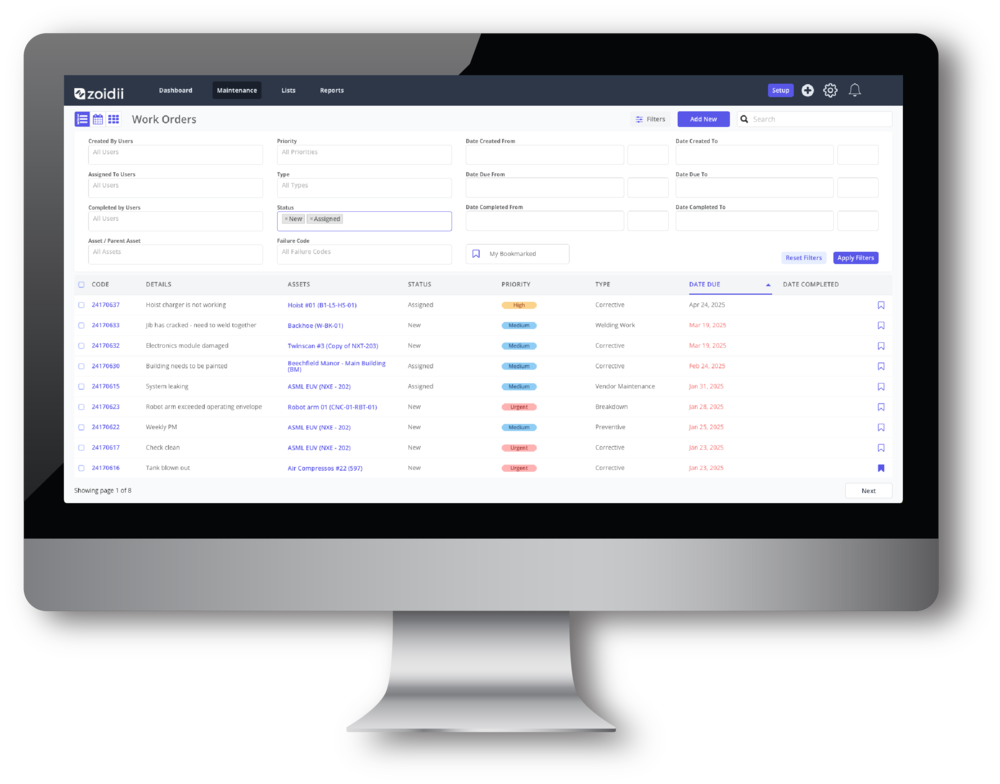
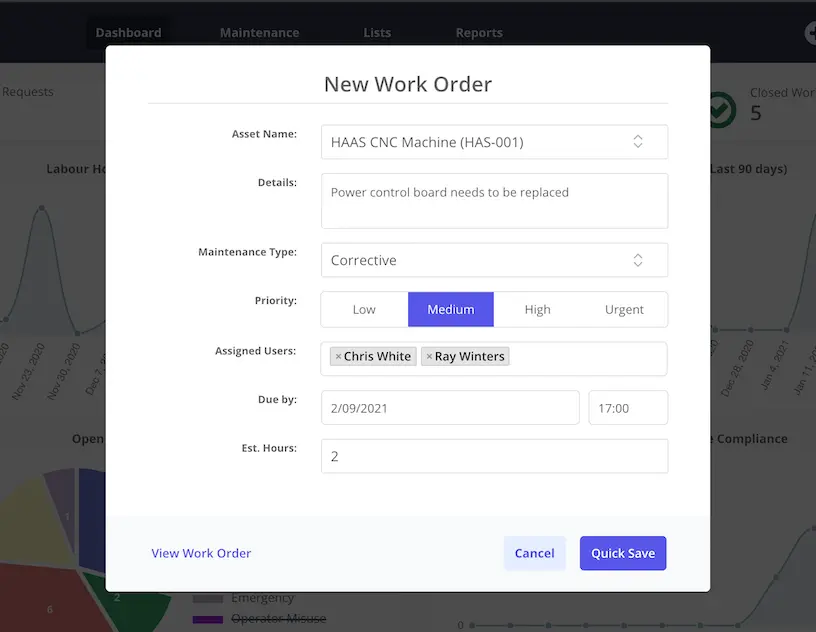
Create Work Orders Quickly

By tracking maintenance jobs in a CMMS system, they are less likely to fall through the cracks, get missed, and turn into something more serious. Over time, work order history becomes a valuable repository of information.

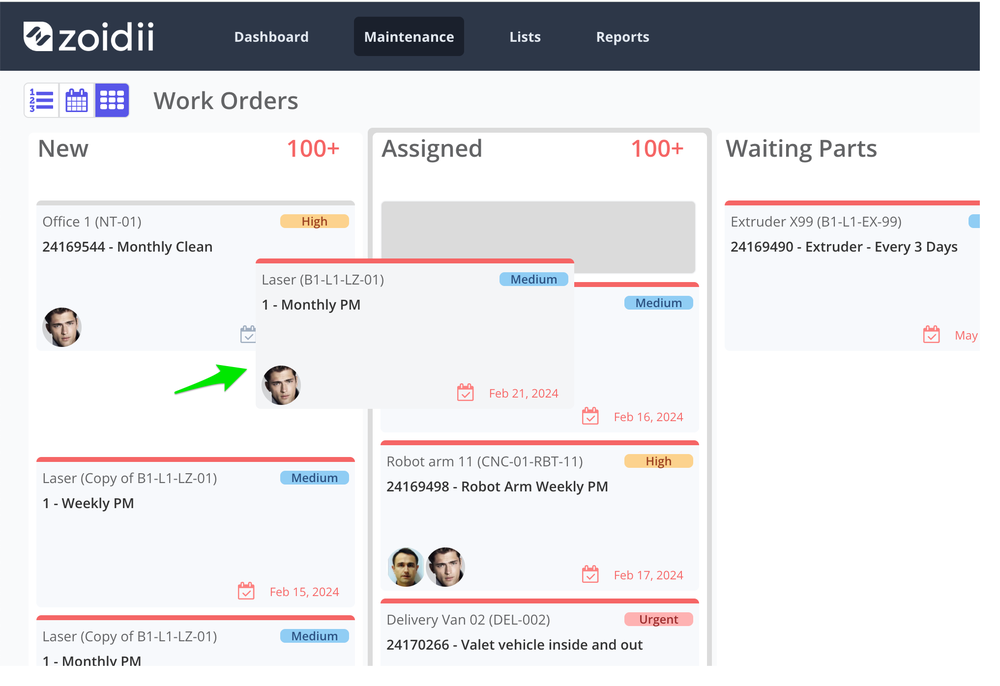
Assign using Drag and Drop

Site managers and CMMS administrators can drag and drop work orders across the work order kanban board to quickly assign, process, or close out work orders.

Automate Purchase Request Creation
Configurable Approvals Hierarchy

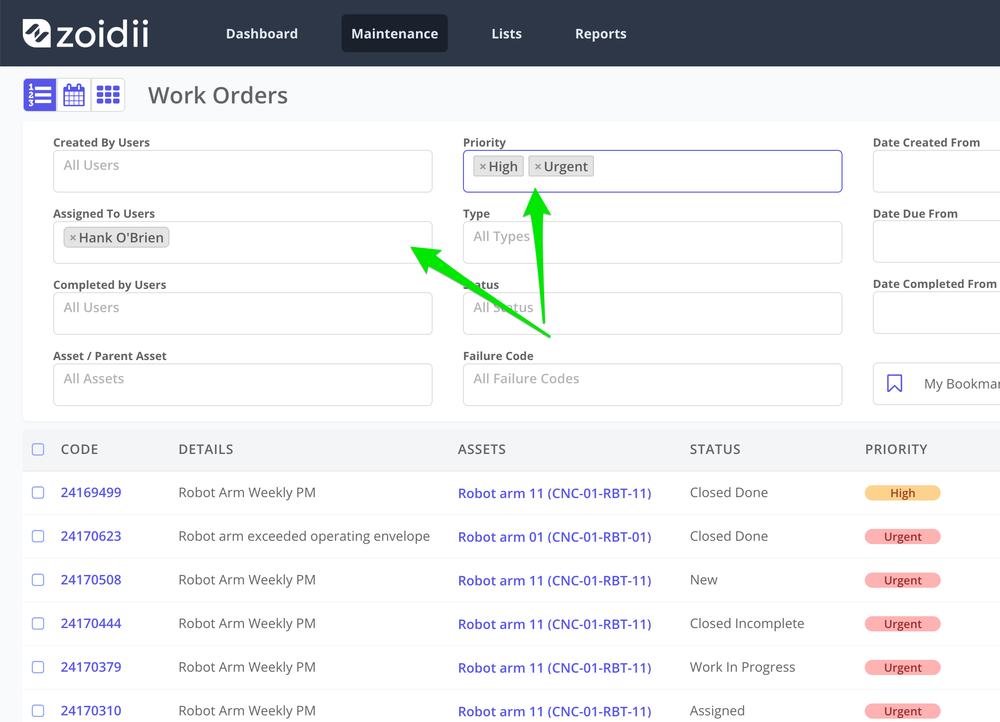
Advanced Filtering

Overtime, work order history becomes a valuable repository of information. Using advanced filtering, users can slice and dice work order data by priority, type, technician, date, status, and asset.

Work Order Scheduler

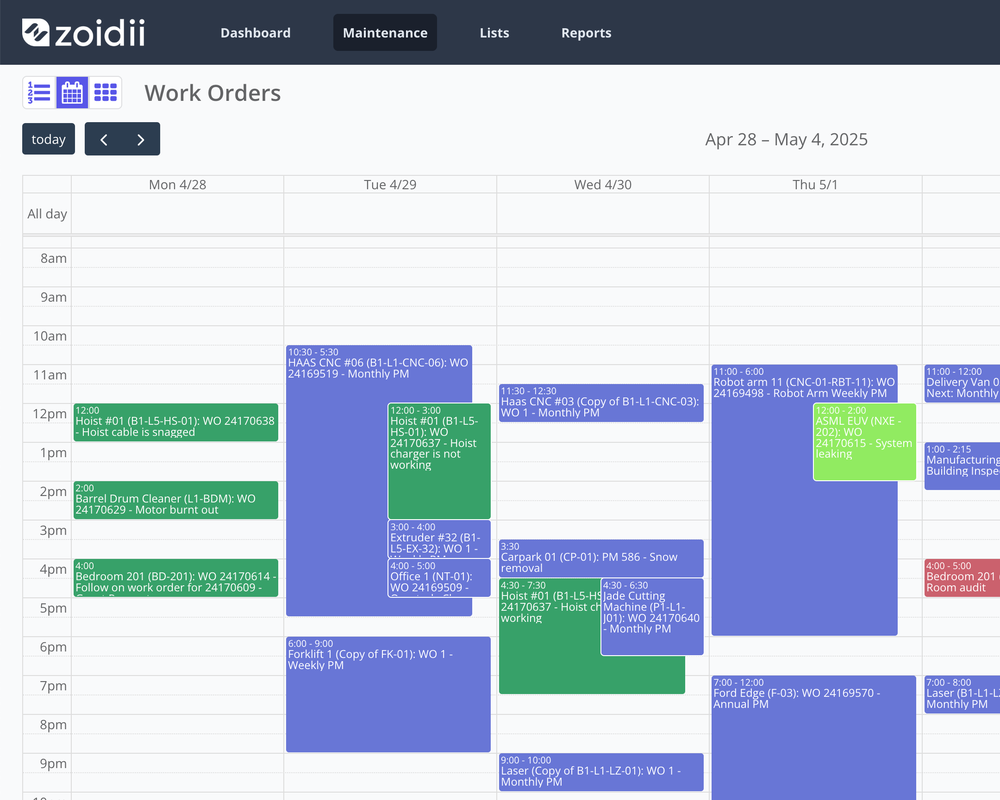
Maintenance managers can schedule work around production plans using the work order scheduler. Users can drag and drop work orders to a new day and timeslot, extend the planned hours for a work order, and reassign work to other technicians.

Work Order Scheduler
Follow On Work Orders

Follow On Work Orders

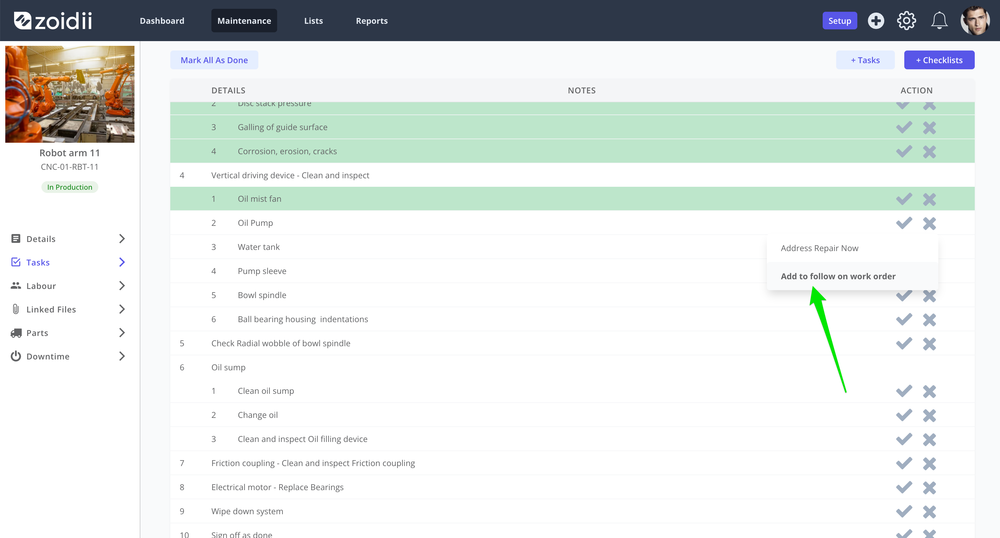
Follow on work orders are created by the system automatically when one or more tasks are marked "Failed, Add to Follow On Work Order". The failed tasks are pooled together into one single follow-on work order.

Tag other CMMS Users

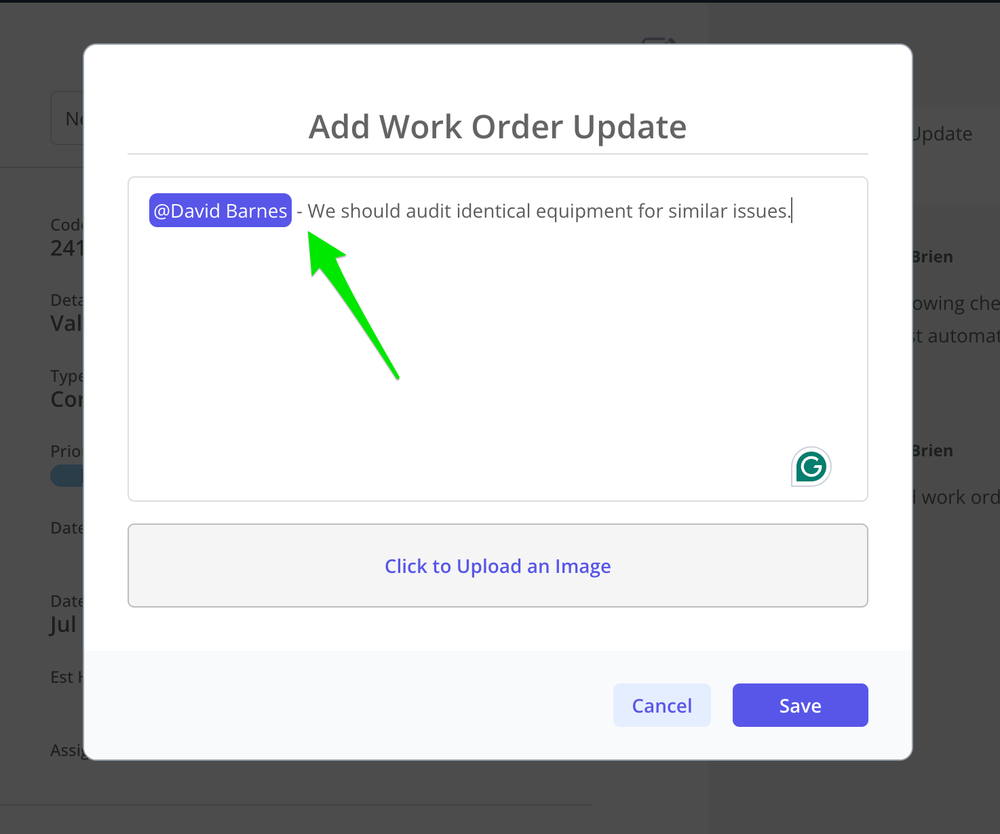
Technicians can tag other CMMS users on the the work order to highlight something related to the work order. Ideal when you want to keep supervisors and production managers in the loop.

CMMS Preferred Vendor
CMMS Checklist Add Tasks

Automatic Notifications

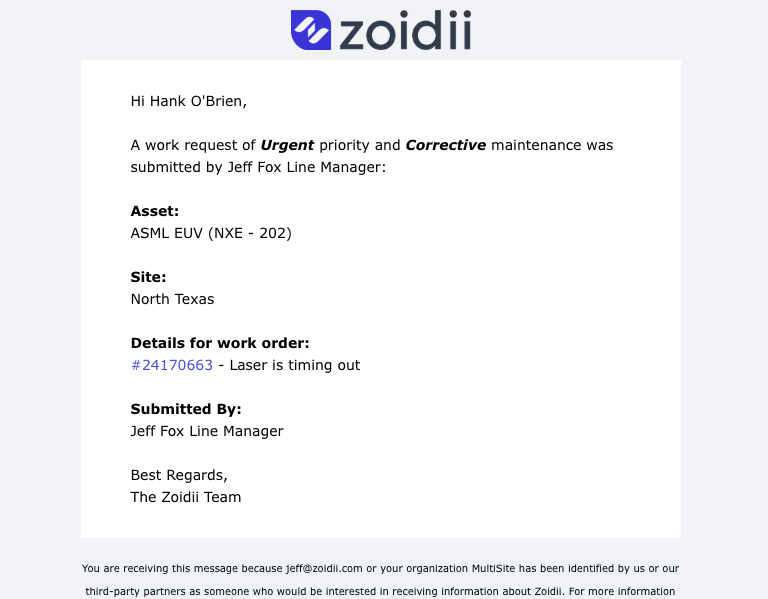
CMMS users get automatic email notifications when work requests are generated, work orders are assigned, and when work orders are processed.

Advantages to using CMMS software to track work orders

Tracking all maintenance helps your organization run like a finely tuned machine.

Users can submit work orders into one centralized system, streamlining the submission process.

Every activity is documented and time-stamped electronically for easy retrieval if audited.

Work orders can be prioritized and assigned with a few clicks of the mouse ensuring issues are addressed quickly.

Work order data can be pulled and analysed easily to help identify trends and areas for improvement.

Trusted by the most organized maintenance teams

Carhartt logo
Arcadia logo
Faun Trackway logo
B&M logo
Siegwerk logo
Tricel logo
Lakeview logo
Holistic logo
★★★★★

The best and only CMMS that you will ever need!!!

As a daily user of Zoidii, I am certain that is the best CMMS program out there! Super intuitive, easy to use on a dialy basis and gives me and my team all the information that we need to keep ourselves compliant and ahead of the curve.

Eduardo Periera

Eduardo Periera : Maintenance Planner

Aug 19, 2025

Top rated CMMS software you can trust

★★★★★
4.8 out of 5 stars
Software Advice Front RunnerCapterra Front Runners 2026Software Advice Front Runner 2025GetApp Category Leader 2025Capterra Best Ease of UseSoftware Advice Most RecommendedCapterra Best ValueSoftware Advice Best Support

Request a call back

Interested in Zoidii software? Chat with a Zoidii product expert to schedule a personal demo, or get your questions answered. Request a call back: