






Zoidii Logo

Inventory Management Software

Never run low on spare parts again.

Reduce downtime by ensuring the right spare parts are available when you need them without maintaining too much inventory and the associated carrying costs.

CMMS Search Parts
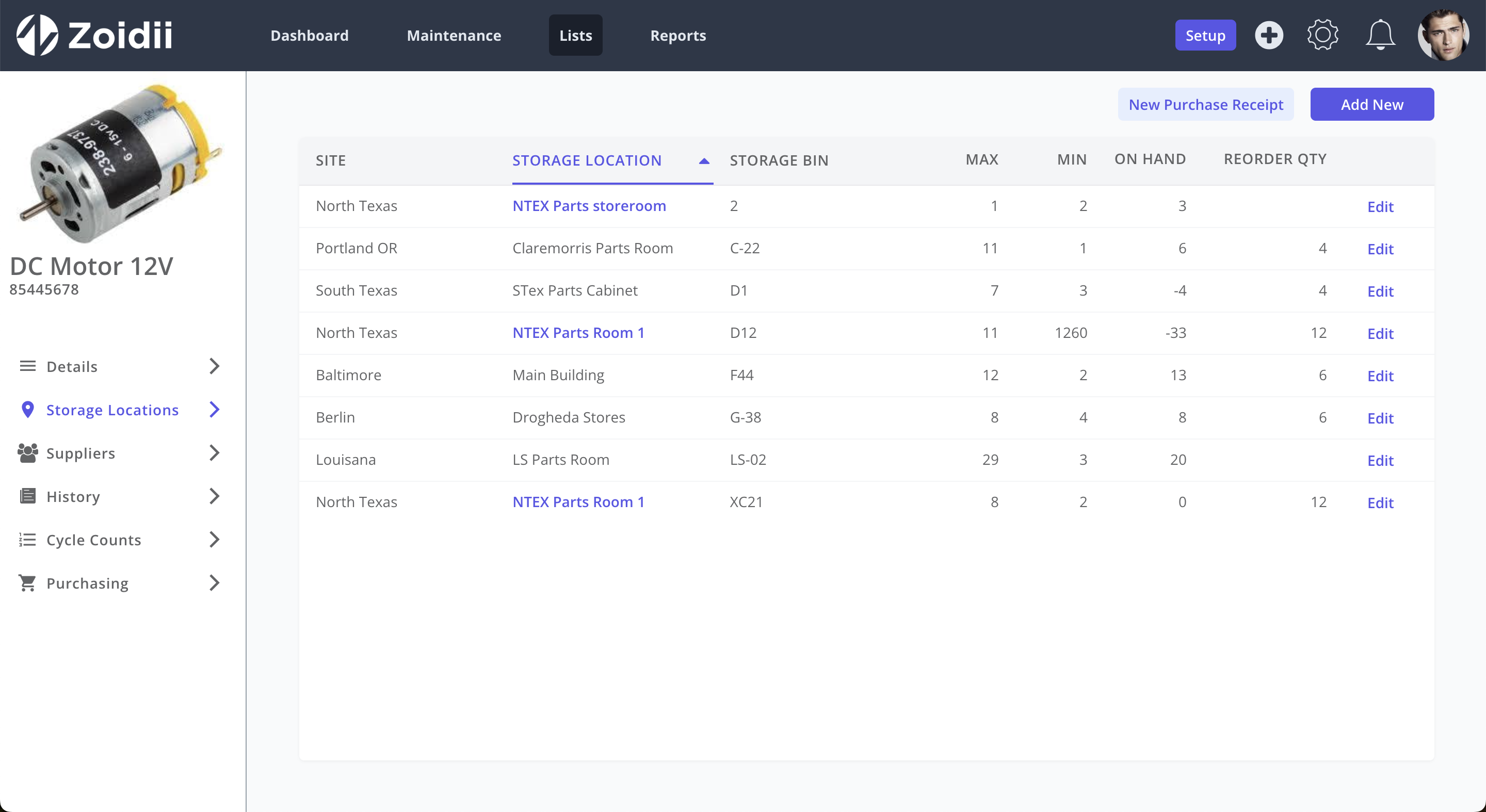
CMMS Parts List

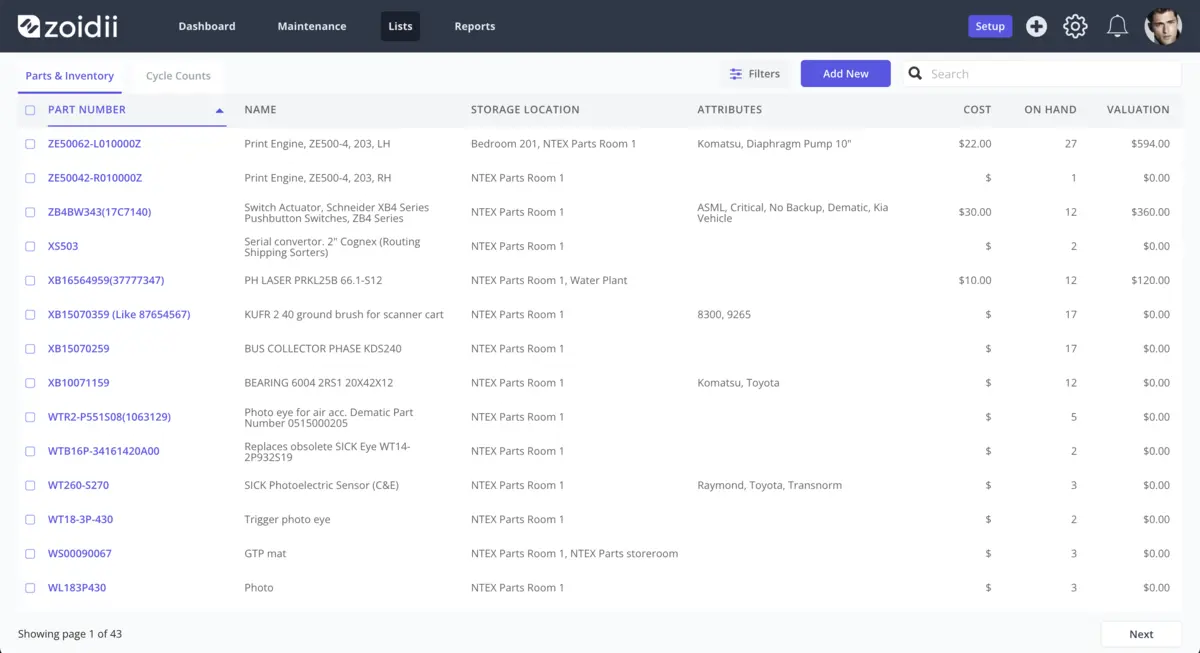
Find spare parts quickly

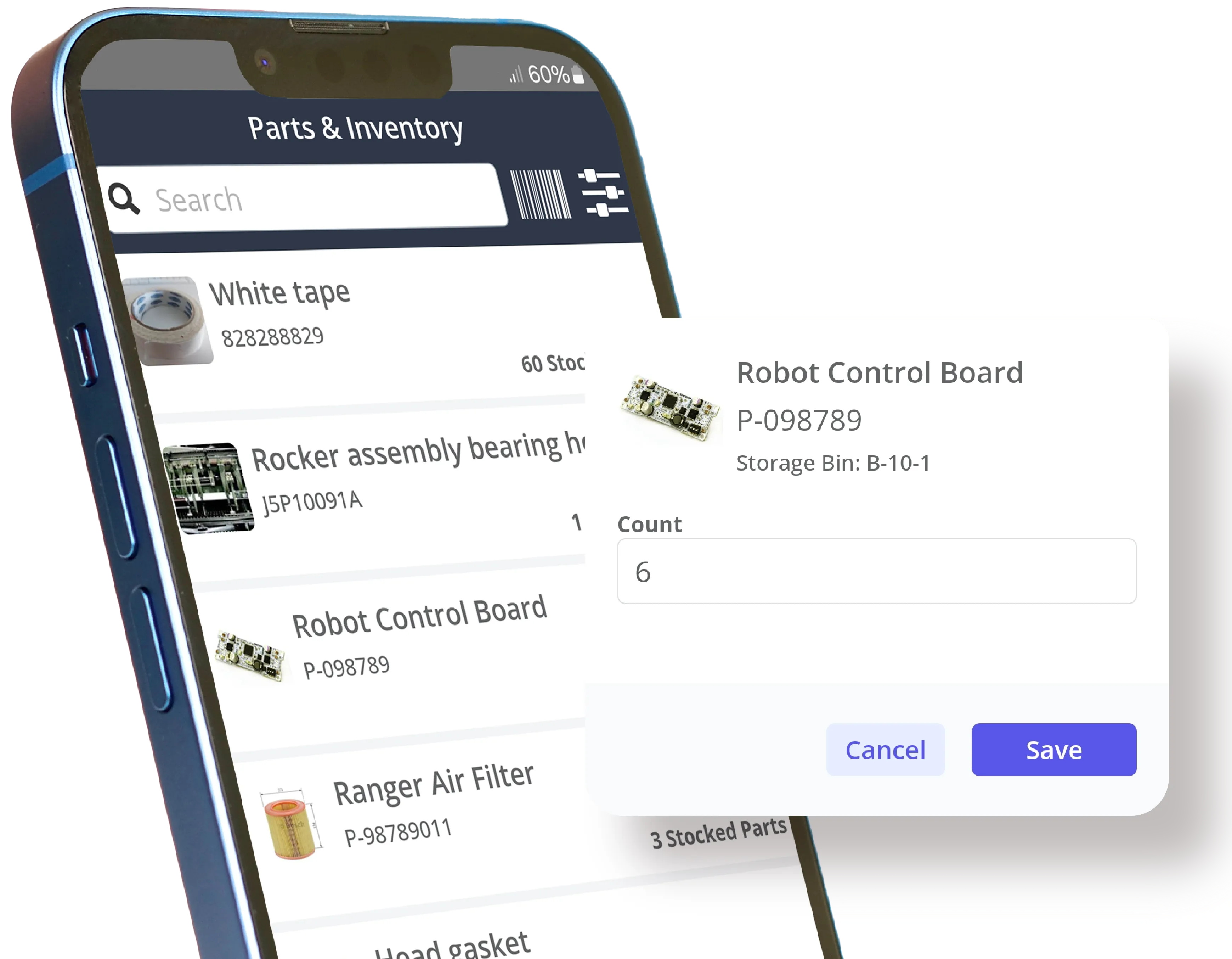
Access inventory information from anywhere using desktop or mobile. Search inventory by part number, part description, supplier part numbers, type, storage location, and more.

Low Stock Alerts

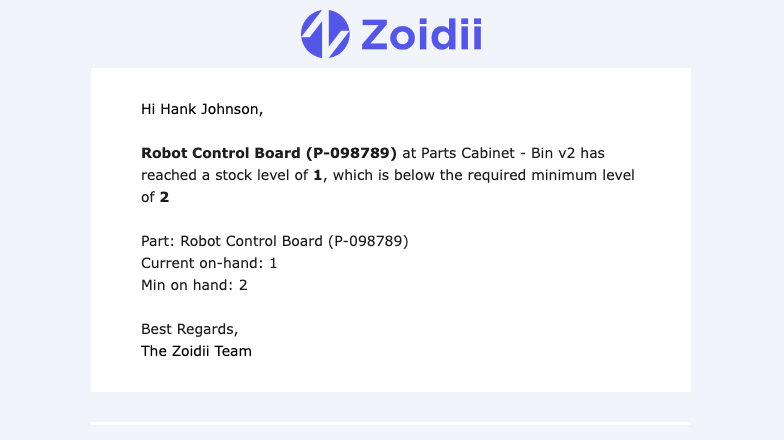
Never run low on critical spares again. Set minimum quantity levels and receive notifications when stock is running low.
Automated CMMS Low Stock Alert
CMMS Part QR Code

QR Code Scanning

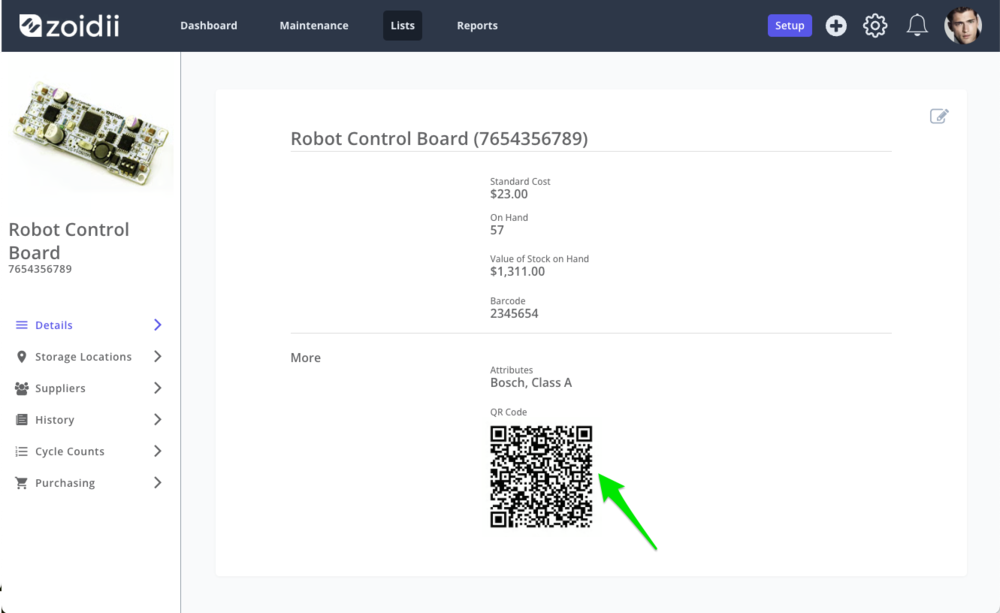
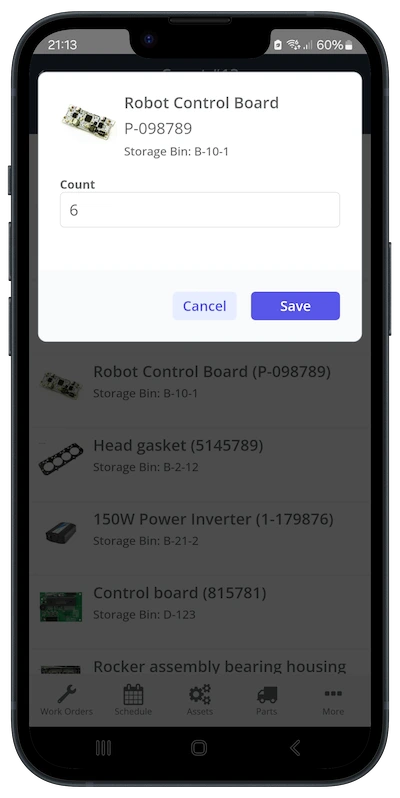
Make parts management easy. Scan QR codes in the CMMS mobile app to quickly check inventory levels, add parts to work orders, or perform stock counts.

Global Parts Room

Users can see inventory at all sites, creating one virtual parts storeroom. Sharing parts helps reduce stockouts and costly last-minute orders.
CMMS Multi Site Parts
CMMS Checklist Add Tasks

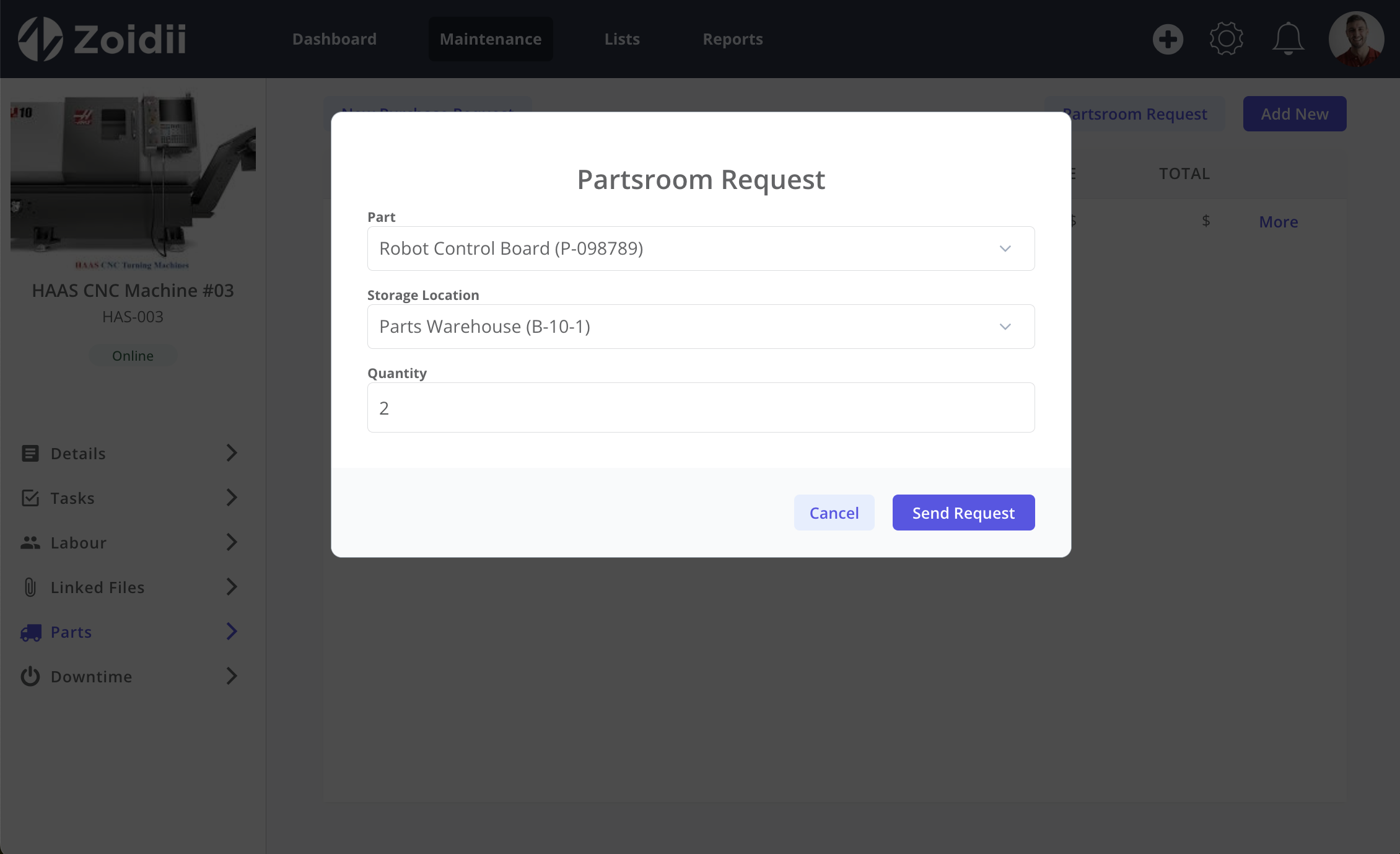
Parts Room Requests

Send partsroom request to inventory folks to minimize wait times. When the partsroom request is created, a notification email is sent to the relevant parts room folks to prep required parts.

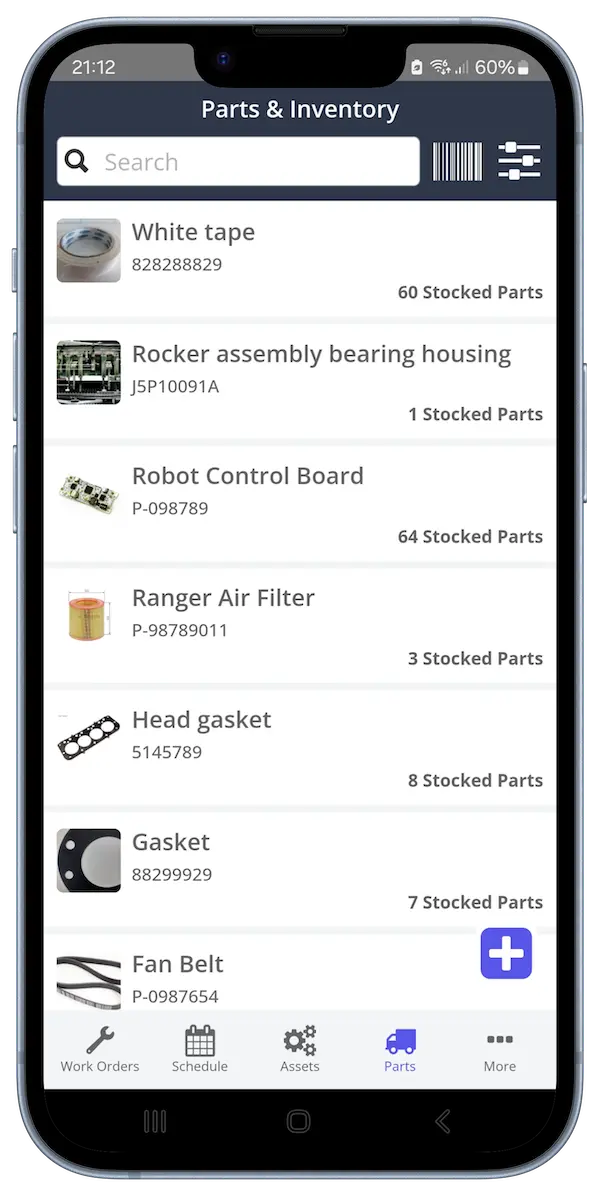
Access Inventory Information on the Go

Technicians can easily search for stock while they work using the mobile app. CMMS users can also quickly add parts to work orders by scanning QR codes.
CMMS Mobile Parts List
CMMS Checklist Add Tasks

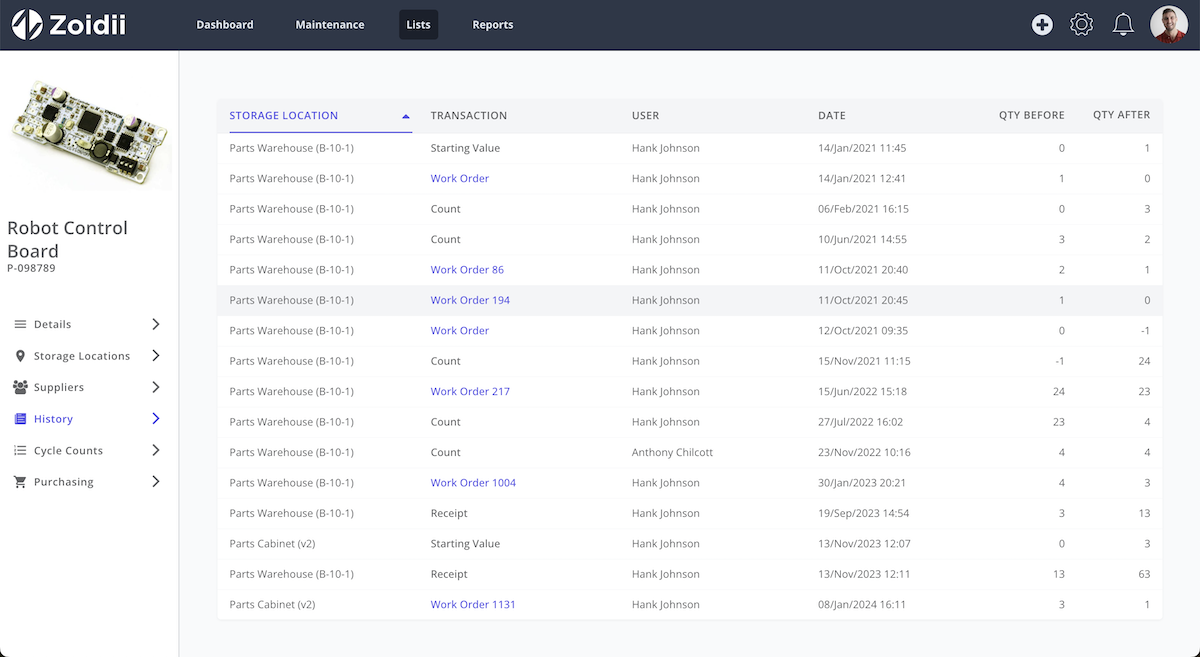
View Full Parts History

The part history tab displays each inventory transaction including parts consumed on work orders, part count deltas, parts receipts, and inventory adjustments.

Inventory Stock Counts

Get better inventory control, fewer stockouts, and more accurate counts, so parts are available when needed. Inventory teams can count specific groups of parts using attributes.
Automated CMMS Low Stock Alert
CMMS Low Stock Purchase Request

Automatic Purchase Requests

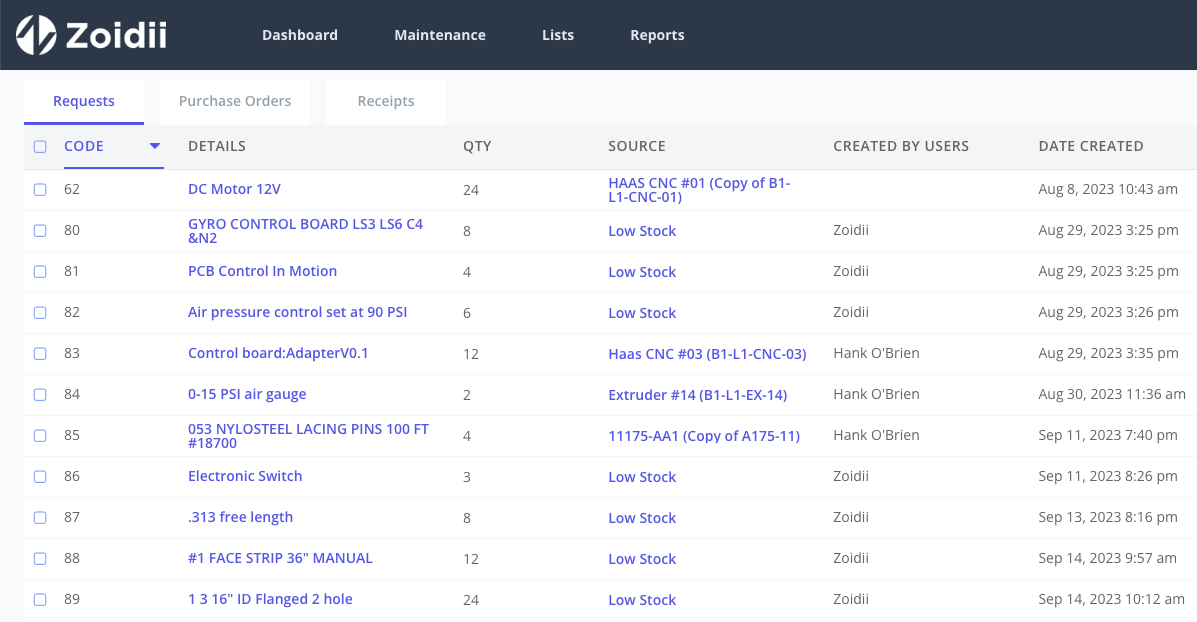
Never run out of stock again. Purchase requests are automatically generated by the CMMS when stock falls below minimum inventory levels.

Benefits of spare parts management system

Improved Inventory Accuracy

By tracking spare parts in real-time and automating inventory updates, the system helps maintain accurate inventory records, reducing the risk of stockouts or overstocking.

Optimized Inventory Levels

With automated reorder points and inventory analysis, organizations can optimize stocking levels, ensuring that critical spare parts are available when needed while minimizing associated carrying costs.

Reduced Equipment Downtime

A digital system helps track spare parts so the right parts are available when needed. This saves technicians time, speeds up repairs, and reduces downtime.

Improved Operational Efficiency

A spare parts management system plays a crucial role in ensuring the smooth operation of manufacturing processes, reducing downtime, and ultimately, increasing the overall productivity of a business.

Cost Savings

Managing spare parts with the right system helps control costs by forecasting demand, automating reorders, and reducing stockouts. It also cuts down on expensive rush orders and gives insights to make smarter inventory decisions.

Increased Productivity

With centralized data and real-time visibility, technicians can quickly locate spare parts, track their availability, and ensure timely repairs or replacements. This efficiency translates into faster response times, reduced downtime, and improved overall productivity.

Greater Technician Satisfaction

Real-time inventory tracking and low stock alerts can help prevent stockouts, ensuring that the right spare parts are always available when needed. These factors, combined with faster response times, contribute to enhanced technician satisfaction and loyalty.

Improved Compliance and Accountability

Detailed tracking and parts consumption audit trails provide transparency and accountability, facilitating compliance with regulatory requirements and internal policies.

Key Features of an Effective Parts Management System

Utilizing the parts management module in your CMMS helps your maintenance organization run like a finely tuned machine.

A central repository ensures real-time visibility and easy access to information, eliminating the need for manual searches and reducing the risk of errors or misplaced parts

Quickly scan QR codes for tasks such as checking inventory levels, adding parts to work orders, or conducting stock counts.

When stock levels reach a specified threshold, the system automatically generates alerts, ensuring that inventory is replenished in a timely manner.

Mobile CMMS enables on-the-go access to inventory information and functionality.

10 steps to setup the parts module in CMMS software

By following these steps, you can effectively set up the parts module in your CMMS software and establish a robust system for managing spare parts inventory and maintenance activities.

Step 1:- Create a parts catalogue

Start by creating a catalog of all the spare parts and components used in your organization's equipment and facilities. For each part, enter relevant information such as part number, description, standard cost, stock levels, and criticality.

Step 2:- Load your data into the CMMS Software

Parts can be added manually one at a time, or bulk loaded using the import tool. If you have existing parts data stored in spreadsheets or other formats, consider importing this data into the CMMS software to streamline the setup process.

Step 3:- Configure Storage Locations

Parts can be stored in multiple locations at multiple sites. Add the storage location information for each part including partsroom name and aisle/row/shelf/drawer/bin location details.

Step 4:- Set Min, Max, and Reorder Points

Determine the minimum and maximum stock levels (reorder points) for each part based on usage patterns, lead times, and criticality. This helps ensure that you maintain adequate inventory levels and avoid stockouts.

Step 5:- Establish Vendor Relationships

Enter vendor information for each part, including vendor, contact details, vendor part number, lead times, links, and preferred suppliers. This enables efficient procurement of parts when reordering is required.

Step 6:- Link Parts to Equipment Types

Associate each part with the equipment or assets it's used for through BOMs or attributes. This allows maintenance technicians to easily identify the parts needed for specific equipment types during repairs.

Step 7:- Print QR Codes

You can mass print QR codes directly in Zoidii and then stick them on each part bin, drawer or shelf. Scanning the QR code on a part can display essential information such as stock levels, reorder points, and order history. Be sure to read the Printing QR codes within CMMS software guide before proceeding.

Step 8:- Perform a Stock Count

Performing a maintenance spares stock count within the CMMS software at go-live is the best way to ensure inventory levels in the CMMS software are accurate.

Step 9:- Training and Documentation

Provide CMMS parts training to users who will be responsible for managing parts data in the CMMS software. Create documentation or user guides to assist them in navigating the parts module and performing tasks such as adding, editing, or searching for parts.

Step 10:- Ongoing Maintenance and Optimization

Regularly review and update parts data, reorder points, vendor information, and other settings to keep the parts module current and optimized for your organization's needs. Solicit feedback from users to address any issues and identify areas for improvement.

Trusted by the most organized maintenance teams

Snowdon Mountain Railway logoHolistic logoB&M logoFaun Trackway logoLily O'Brien logoArcadia logoCarhartt logo
★★★★★

The best and only CMMS that you will ever need!!!

As a daily user of Zoidii, I am certain that is the best CMMS program out there! Super intuitive, easy to use on a dialy basis and gives me and my team all the information that we need to keep ourselves compliant and ahead of the curve.

Eduardo Periera

Eduardo Periera : Maintenance Planner

Aug 19, 2025

Top rated CMMS software you can trust

★★★★★
4.8 out of 5 stars
Software Advice Front Runner 2025Software Advice Most Recommended BadgeSoftware Advice Front Runner 2025GetApp Category Leader 2025Capterra Best Ease of Use BadgeSoftware Advice Most Recommended BadgeCapterra Best Value BadgeSoftware Advice Customer Support Badge

Request a call back

Interested in Zoidii software? Chat with a Zoidii product expert to schedule a personal demo, or get your questions answered. Request a call back: