



Zoidii Logo

Guest Work Requests

Streamline Work Requests so Nothing Gets Missed

Give employees outside the maintenance team the ability to report issues through one centralized CMMS Software work request portal.

CMMS Parts List
CMMS Work Request Portal

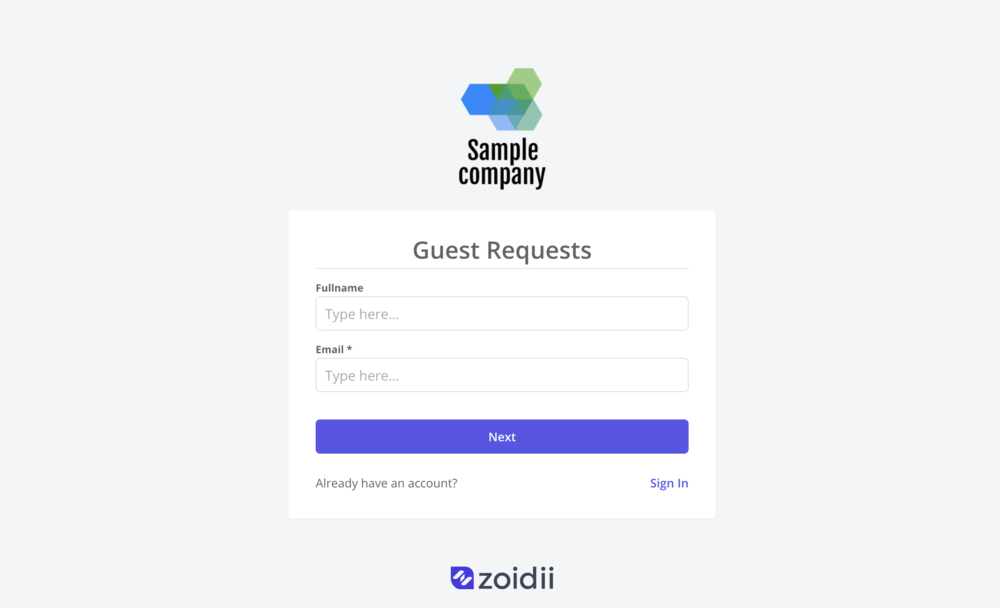
Custom Request Portal

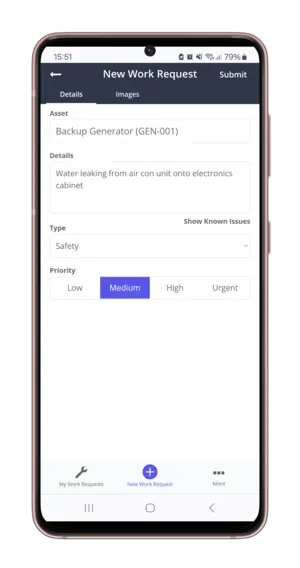
Put an end to receiving work requests via text message, WhatsApp, post-it note, email, or phone. Folks outside the maintenance team can submit work requests through a branded work request portal. No downloading or installing of special software or apps required.

QR Code Scanning

Install QR codes on assets to streamline the guest request portal. Guest users can scan the code to report an issue.
Automated CMMS Low Stock Alert
CMMS Part QR Code

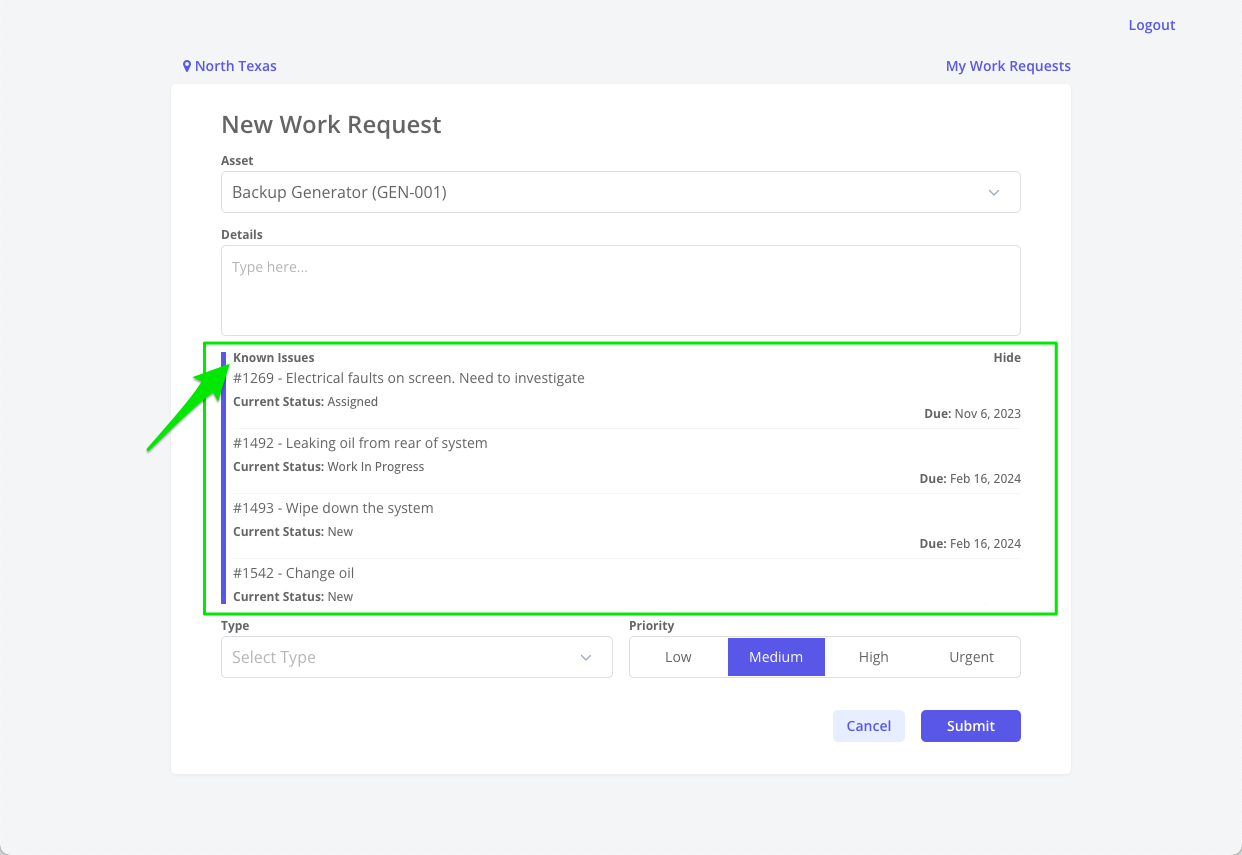
View Known Issues

Guest users can see view known issues on an asset before logging a new work requests, helping to eliminate unnecessary duplication.
CMMS Multi Site Parts

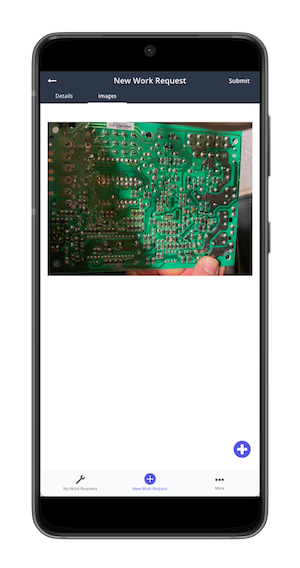
Attach Repair Images

Guest users can point and shoot using their mobile devices and upload a repair image to the work request; helping maintenance team locate and resolve the issue faster.
CMMS Guest Work Request Notification

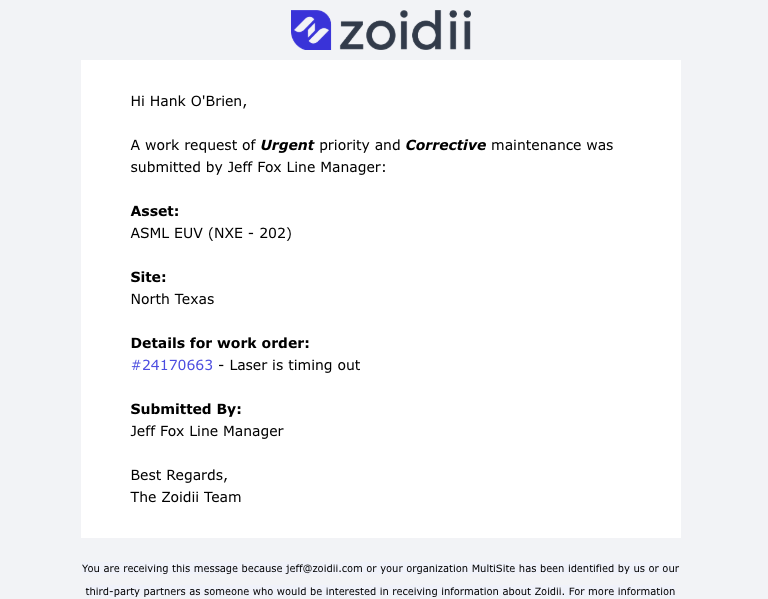
Automatic Notifications

Guest users can track the status of their work request through automatic notifications. Zoidii emails the guest user as the work request is processed.

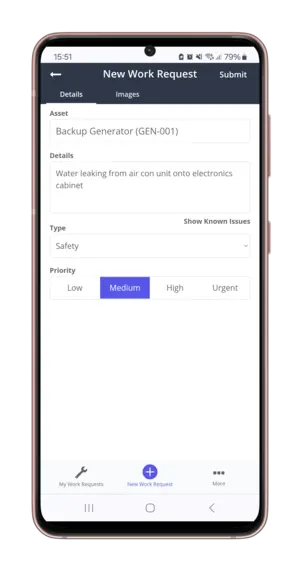
Mobile Work Requests

Guest users can log work requests in the field on their mobile devices as they spot issues. They can also log in and check progress on their work requests.
CMMS Mobile Parts List
CMMS Checklist Add Tasks

View Work Request History

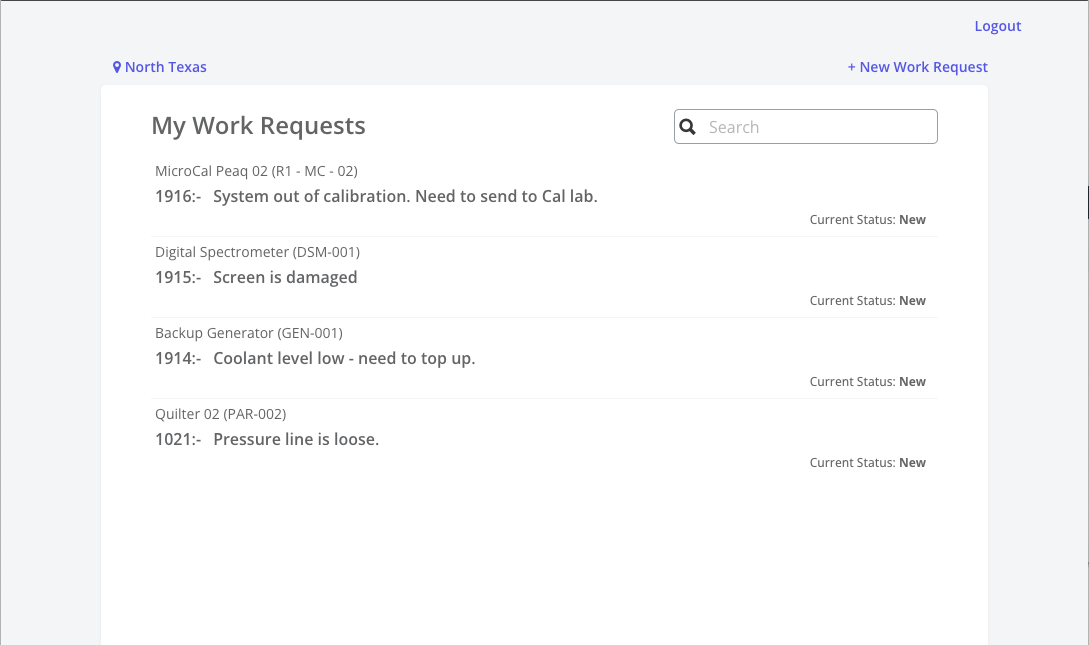
Guest users can check the status of their submitted work requests through the guest request portal.

Assign Work Requests in Seconds

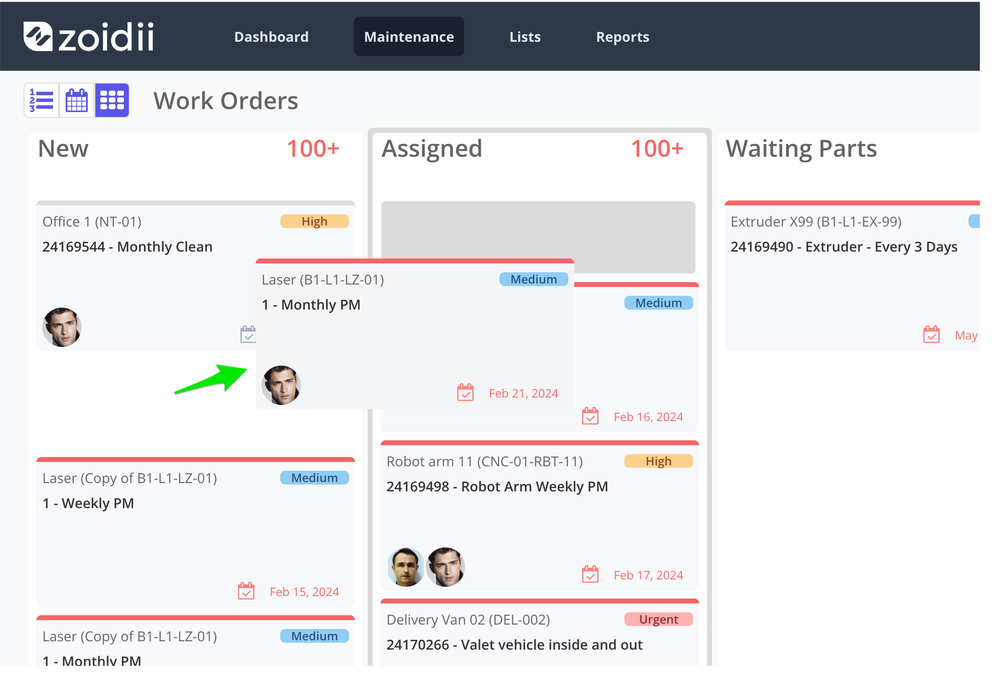
Maintenance managers can simply drag and drop work requests from the New to Assigned column to get technicians working on the issues immediately,
CMMS Low Stock Purchase Request

Benefits of a guest work request system

Improved Accuracy

The guest request portal makes it easy for people outside the maintenance team to report problems. It lets factory floor staff send issues to maintenance from one central place, so nothing gets missed

Streamlined Communication

Simplifies the process for guests to request maintenance or services, ensuring clear communication between guests and maintenance folks.

Greater Guest User Satisfaction

Guests get automatic updates as their work request moves through the system and can see the progress, helping build better communication and trust.

Improved Operational Efficiency

Quickly assigns tasks to appropriate personnel, reducing response times and improving service quality. This efficiency translates into reduced downtime and improved overall productivity.

More Accountability

Tracks requests and actions taken, ensuring tasks are completed and preventing issues from being overlooked.

Improved Regulatory and Audit Compliance

Detailed tracking and work request audit trails provide transparency and accountability, facilitating compliance with regulatory requirements and internal policies.

Key feature requirements in a CMMS Guest Request System

Public Request Portal:

  • CMMS systems often provide a web-based or mobile-accessible portal where guests can submit maintenance requests without needing a user account.
  • Preferably, the portal is usually accessible via a web link that can be posted to the organization’s website or intranet.
  • Avoid CMMS applications that require the guest user to download an app before submitting the request. The guest user will most likely not want additional apps on their personal phones, so they will leave the issue unreported.

Simple Submission Process:

  • Guests can easily submit requests by providing details such as the nature of the issue, location, and contact information.
  • Some systems may allow guests to upload photos or documents to provide additional context.
  • Some portals like Zoidii display known issues, so guest users can see if someone else has reported the issue, and avoid duplicate requests.

Automatic Work Order Creation:

  • Once a guest submits a request, the CMMS automatically generates a work order. The supervisor can prioritize and assign these requests based on predefined criteria.

Status Tracking and Updates:

  • Guests may receive automated notifications or email updates about the status of their request, such as when it is received, assigned, or completed.
  • Some systems like Zoidii allow guests to check the status of their requests through the same portal they used to submit them.

Integration with Internal Processes:

  • Guest work requests are integrated into the organization's overall maintenance workflow, ensuring that these external requests are handled with the same efficiency and tracking as internal requests.

Reporting and Analytics:

  • The CMMS can track guest requests for reporting purposes, helping the organization identify common issues, response times, and areas for improvement.

Advantages to using CMMS software to track work requests

Tracking all work requests in a CMMS helps your organization run like a finely tuned machine.

Users can submit work orders into one centralized system, streamlining the submission process.

Every activity is documented and time-stamped electronically for easy retrieval if audited.

Work requests can be prioritized and assigned with a few clicks of the mouse ensuring issues are addressed quickly.

Work request data can be pulled and analysed easily to help identify trends and areas for improvement.

Trusted by the most organized maintenance teams

Chubb logo
Snowdon Mountain Railway logo
B&M logo
Slegg logo
Lily O'Brien logo
Tricel logo
Anderson logo
Siegwerk logo
Holistic logo
Carhartt logo
★★★★★

The best and only CMMS that you will ever need!!!

As a daily user of Zoidii, I am certain that is the best CMMS program out there! Super intuitive, easy to use on a dialy basis and gives me and my team all the information that we need to keep ourselves compliant and ahead of the curve.

Eduardo Periera

Eduardo Periera : Maintenance Planner

Aug 19, 2025
Top rated CMMS software you can trust

★★★★★
4.8 out of 5 stars
Software Advice Front Runner 2025Software Advice Most Recommended BadgeSoftware Advice Front Runner 2025GetApp Category Leader 2025Capterra Best Ease of Use BadgeSoftware Advice Most Recommended BadgeCapterra Best Value BadgeSoftware Advice Customer Support Badge

Request a call back

Interested in Zoidii software? Chat with a Zoidii product expert to schedule a personal demo, or get your questions answered. Request a call back: