
A Web-Based Computerized Maintenance Management System (CMMS) is a software solution hosted on the cloud that helps manufacturing organizations manage and streamline their maintenance operations.
It enables maintenance teams to schedule, track, and manage maintenance tasks, work orders, and asset performance via a web browser. Unlike traditional on-premise CMMS, web-based systems are accessible from anywhere with an internet connection, making them a modern, flexible solution for organizations of all sizes.
In this article, we'll delve into the history of CMMS, explore how web-based CMMS works, compare its benefits with on-premise solutions, and discuss the future of web-based CMMS.
The History of CMMS
The journey of CMMS began in the mid-20th century with the growing complexity of industrial maintenance processes. Here's a brief timeline of its evolution:
The 1960s and 1970s: The Emergence of Computerized Maintenance
The concept of CMMS originated during the early adoption of computers in the 1960s. Industries such as manufacturing, oil and gas, and utilities began using mainframe computers to manage maintenance records and schedules. These early systems were rudimentary and mainly used for storing data and generating simple reports.The 1980s: The Rise of Dedicated CMMS
With the advent of personal computers in the 1980s, CMMS became more accessible. Software developers began creating dedicated applications for maintenance management. These systems were installed on individual computers, allowing organizations to move from paper-based systems to more automated processes.The 1990s: Networked and On-Premise CMMS
In the 1990s, client-server architectures enabled networked CMMS solutions. Maintenance teams could now access shared databases, which significantly improved collaboration. On-premise CMMS systems became the standard, and they were installed on local servers and required significant IT infrastructure and support.The 2000s: The Move to the Internet
The rise of the Internet in the late 1990s and early 2000s paved the way for internet software. Organizations began to explore web-based solutions, where data is hosted remotely and accessed through web browsers. The end of the decade marked the beginning of the shift toward Software-as-a-Service (SaaS) models.The 2010s: The Cloud Revolution
In the 2010s, CMMS software moved to the cloud, transforming maintenance management by offering unprecedented accessibility, scalability, and cost-efficiency. Cloud-based CMMS enables users to access maintenance data anywhere via web browsers or mobile devices.Cloud hosting eliminated the need for costly hardware and IT infrastructure, shifting to a subscription-based model with automatic updates. It improved data security and backup reliability while simplifying implementation and scaling for organizations of all sizes.
The Present: Web-Based CMMS as the Norm
Today, web-based CMMS solutions dominate the market. These platforms offer advanced features such as mobile compatibility, predictive maintenance tools, and integration with Internet of Things (IoT) devices, making them indispensable for modern businesses.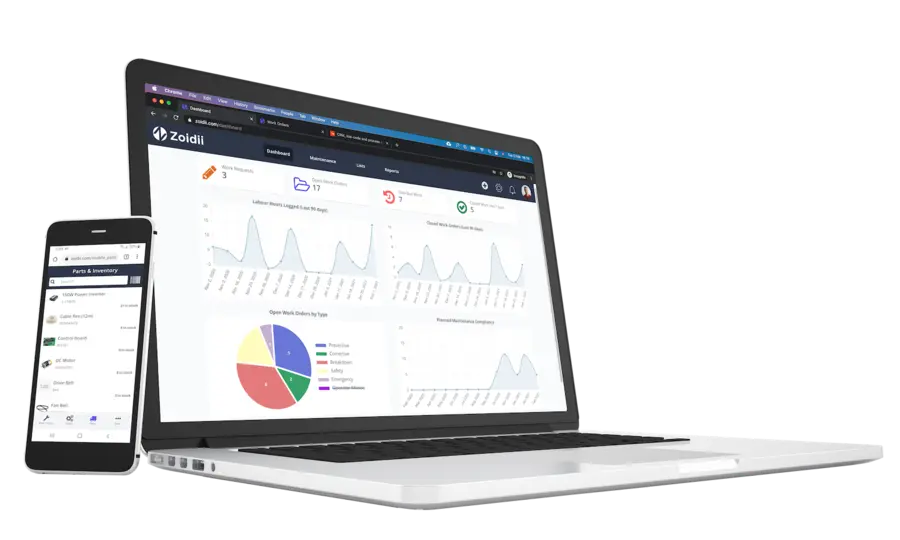
How Does Web-Based CMMS Work?
Web-based CMMS operates through cloud-based infrastructure, which allows users to access the maintenance software via a web browser on any internet-connected device. Here's how it typically works:
1. Data Hosting and Security
- Cloud Infrastructure: Data is stored on secure cloud servers managed by reputable third-party providers like Amazon Web Services (AWS), Microsoft Azure, or Google Cloud.
- Data Backup: Automatic backups ensure data security and availability even in cases of hardware failure.
- Access Control: Role-based permissions regulate who can view and edit specific information, ensuring data integrity.
2. User Access and Interfaces
- Browser-Based Access: Using credentials, users log in to the CMMS through a secure URL.
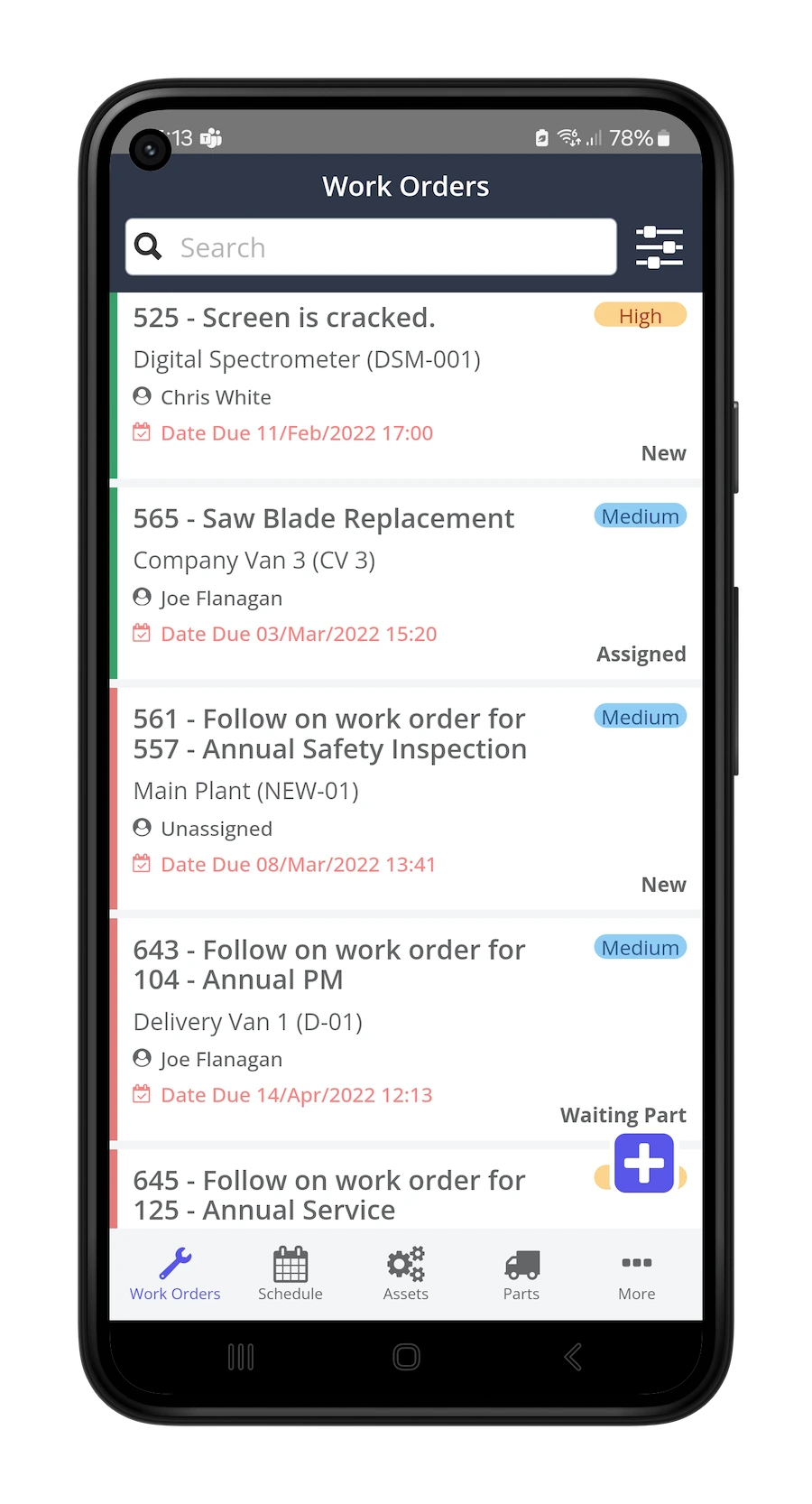
- Mobile Apps: Many web-based CMMS platforms offer mobile applications, enabling on-the-go access for field technicians.
- Intuitive Dashboards: Customizable dashboards provide a real-time overview of key performance metrics (KPIs).
3. Core Functionalities
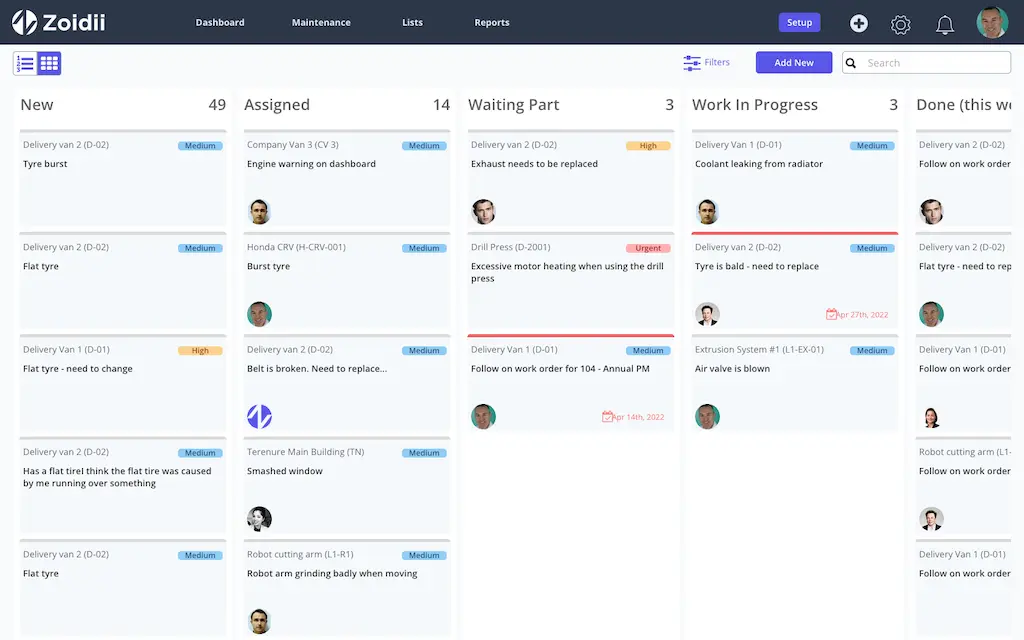
- Work Order Management: Maintenance requests are created in the CMMS, assigned to technicians, and tracked to completion.
- Asset Management: Detailed records of equipment, including maintenance history and performance data, are maintained.
- Inventory Management: Spare parts and supplies are tracked to prevent stockouts.
- Preventive Maintenance: Automated schedules ensure technicians perform routine maintenance on time.
- Reporting and Analytics: Data-driven insights help optimize maintenance strategies and reduce costs.
- Enterprise Resource Planning (ERP): For financial and procurement data.
- IoT Devices: For real-time equipment monitoring and predictive maintenance.
- Building Management Systems (BMS): For managing facility infrastructure.
Benefits of Web-Based CMMS vs. On-Premise CMMS
Switching to a web-based CMMS offers numerous advantages over traditional on-premise solutions. Here are the key benefits:
1. Accessibility
- Web-Based CMMS: Accessible from any location with internet connectivity, allowing remote teams to collaborate seamlessly.
- On-Premise CMMS: Limited to devices connected to the local server, restricting flexibility.
2. Cost-Effectiveness
- Web-Based CMMS: Operates on a subscription-based pricing model, eliminating upfront costs for servers and infrastructure. Maintenance, fixes, security patches, and updates are included in the subscription.
- On-Premise CMMS: Requires significant upfront investment in hardware, software, and IT support, with additional costs for upgrades and maintenance.
3. Scalability
- Web-Based CMMS: Easily scalable to accommodate growing businesses or multiple sites without additional hardware.
- On-Premise CMMS: Scaling often requires expensive hardware upgrades and extended implementation timelines.
4. Implementation Speed
- Web-Based CMMS: Web-based CMMS software is quick to deploy because it is hosted on cloud servers, eliminating the need for complex local installations and upgrades.
- On-Premise CMMS: Time-consuming implementation, including server setup and software installation.
5. Automatic Updates
- Web-Based CMMS: Regular software updates are automatically applied, ensuring all end-users have simultaneous access to the latest features and security patches.
- On-Premise CMMS: Updates must be manually applied, often requiring downtime and IT resources.
6. Integration and Modern Features
- Web-Based CMMS: Supports integration with IoT, mobile devices, and analytics tools, enhancing functionality.
- On-Premise CMMS: Limited integration capabilities and outdated features.
7. Data Security
- Web-Based CMMS: Hosted on professionally managed servers with robust security protocols, including encryption and intrusion detection.
- On-Premise CMMS: Security depends on the organization's IT infrastructure, which may lack advanced protections.
The Future of Web-Based CMMS
The evolution of web-based CMMS is far from over. Emerging technologies and industry trends are shaping the future of maintenance management in significant ways:
Integration with IoT
Internet of Things (IoT) devices are revolutionizing maintenance by providing real-time data on equipment performance. Future CMMS platforms will increasingly integrate IoT sensors to enable:- Predictive maintenance based on real-time data.
- Automatic alerts for anomalies or potential failures.
- Enhanced asset performance tracking.
Artificial Intelligence (AI) and Machine Learning (ML)
AI and ML will play a starring role in the future of web-based CMMS by:- Assisting with CMMS implementation with advanced tools such as an AI checklist generator
- Optimizing maintenance schedules using predictive algorithms.
- Providing intelligent insights through data analysis.
- Automating repetitive tasks, such as work order assignments.
Augmented Reality (AR) for Maintenance
AR technology is expected to enhance the capabilities of CMMS by enabling:- Interactive troubleshooting guides for technicians.
- Remote assistance through AR overlays.
- Real-time visualization of equipment data during inspections.
Mobile-First CMMS
The increasing reliance on mobile devices will drive further innovations in mobile-first CMMS solutions featuring:- Enhanced user interfaces optimized for small screens.
- Offline access for remote locations.
- Advanced geolocation features for asset tracking.
- NFC integration for parts tracking.
Sustainability and Energy Efficiency
As organizations prioritize sustainability, future CMMS solutions will incorporate tools to:- Monitor and reduce energy consumption.
- Support green maintenance practices.
- Track the environmental impact of maintenance activities.
Advanced Analytics and Reporting
Data-driven decision-making will be a hallmark of future CMMS systems, with:- Predictive analytics for cost forecasting.
- Dynamic KPI dashboards tailored to organizational goals.
- Integration with business intelligence tools.
Greater Customization
As organizations demand more tailored solutions, web-based CMMS platforms will offer:- Modular features that can be customized per industry needs.
- Flexible workflows to match unique maintenance processes.
- Industry-specific templates and best practices.
The Future is Bright for Web-Based CMMS
Web-based CMMS is transforming maintenance management by offering accessibility, scalability, and advanced features unimaginable in the early days of CMMS. As technology advances, web-based CMMS systems will become increasingly powerful, integrating cutting-edge tools such as IoT, AI, and AR to streamline maintenance operations and drive organizational efficiency.
Adopting a web-based CMMS, such as Zoidii, is no longer optional—it's essential for organizations seeking to remain competitive and efficient.
By embracing the future of maintenance technology, businesses can achieve better asset reliability, lower operational costs, and a more sustainable approach to facility management.

