

If you’re responsible for uptime in 2026, you’re balancing more than work orders. You’re navigating a shrinking talent pool, trying to scale AI from promising pilots to predictable outcomes, stabilizing spare parts in a still-uneven supply environment, stretching every dollar, and turning plans into execution week after week.
The good news: each challenge has a practical playbook—and a modern CMMS (Computerized Maintenance Management System) can be your execution engine.
Below are the five biggest challenges and concrete ways to beat them—plus where a CMMS slots in to make the fixes stick.
1. The talent crunch and knowledge drain
What’s happening Retirements continue, new hires are scarce, and equipment keeps getting smarter (controls, sensors, software). Tribal knowledge—the “how we actually fix this” know-how—still lives in notebooks or in the heads of a few veterans.
Symptoms to watch
- Backlog creeping from 2–3 weeks toward 5+
- PM compliance slipping under 85–90%
- MTTR is rising on failures you’ve seen before because the expert has left
- Training that’s ad hoc and not tied to real work
- Design the work, then staff it. Create job plans with photos, torque values, LOTO steps, tolerances, and “what good looks like.”
- Standardize codes and language. Use a short, concise list of failure codes (10–20 items) to maintain data integrity.
- Capture and reuse knowledge. Every corrective job records cause, fix, and a quick photo/voice note; turn the best into one-point lessons.
- Build a skills matrix. Map assets to required skills and plan cross-training to eliminate single points of failure.
- Protect planning. A dedicated planner/scheduler raises wrench time without adding headcount.
- Job plans & checklists right in the work order (with photos, tolerances, safety steps).
- Mobile capture of notes, images, and readings in the flow of work—no paperwork pileup.
- Knowledge base linked to assets/PMs so lessons don’t walk out at retirement.
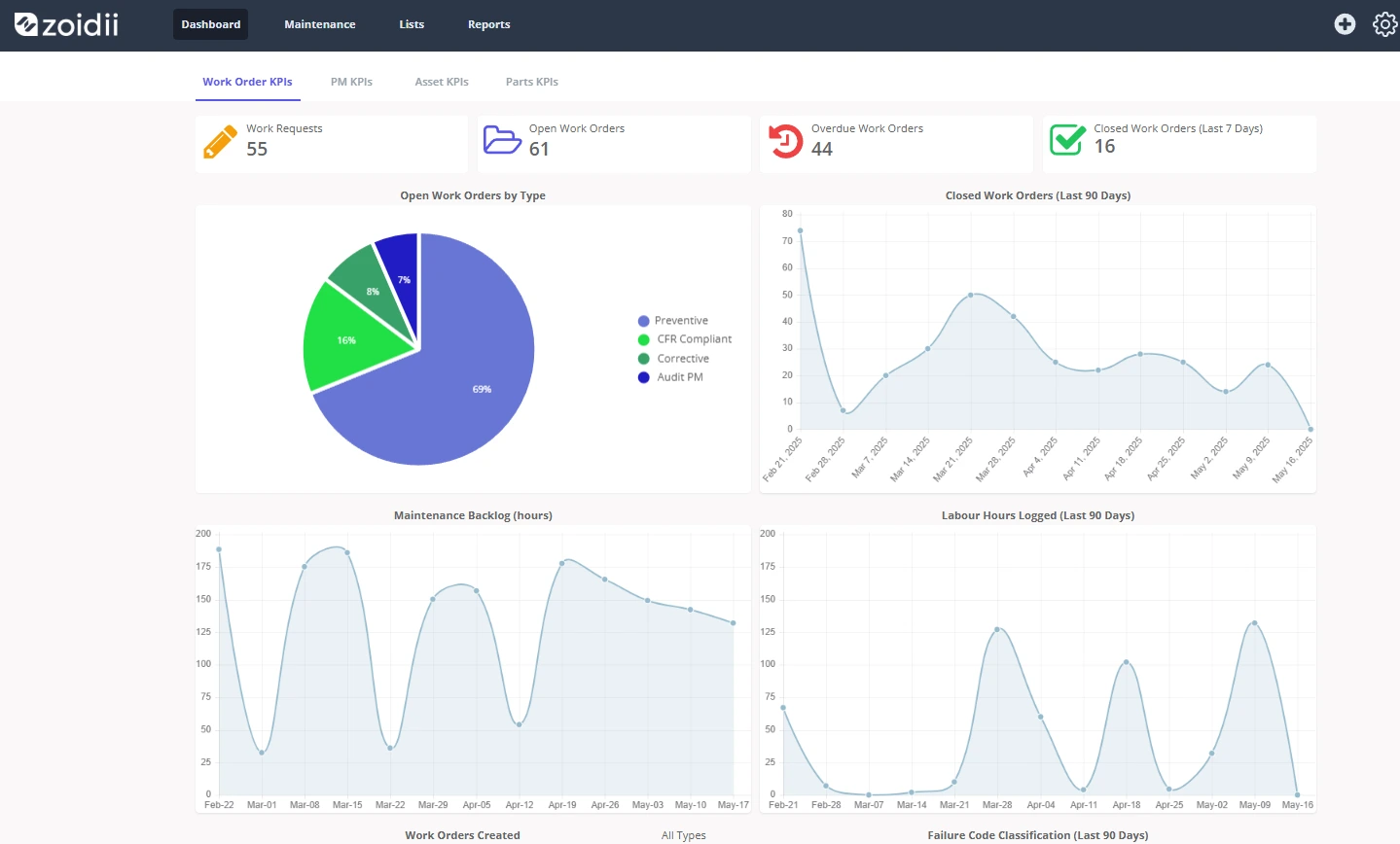
- KPIs (PM compliance, backlog weeks, MTTR) on dashboards to spot gaps early.
2. From AI and predictive “pilots” to plant-wide impact
What’s happening Most teams ran pilots in 2024–2025, including anomaly alerts, vibration routes, and possibly a chatbot for manuals. In 2026, leadership wants repeatable ROI, not more demos.
Symptoms to watch
- Many alerts, few work orders—“red dot fatigue”
- Models tuned to vendor test benches, not your conditions
- Techs don’t trust the signals; analysts are drowning in data wrangling
- Start with three business-tied use cases. Example goals: reduce bearing failures on top-10 motors by 50%, decrease compressed-air leaks by 30%, and predict chiller fouling two weeks in advance. Define the KPI before the model.
- Close the loop by design. Alerts must be converted into work orders with owners, SLAs, and playbooks (“if X vibration band, then Y task”).
- A/B your results. Compare asset groups with and without PdM to show changes in MTBF, MTTR, and energy.
- Industrialize what works; sunset what doesn’t. Quarterly reviews: prune low-signal sensors; scale the wins.
- Data foundation: unique asset IDs, meters, BOMs, enforced failure codes.
- Alert-to-work automation: thresholds from PdM tools create or escalate WOs with the right template and parts.
- Evidence and analysis: tie actual findings to the originating signal; trend MTBF/MTTR and “alert-to-action” conversion.
- Reporting: side-by-side KPI views for pilot vs. control group.
3. Parts volatility, obsolescence, and inventory resilience
What’s happening Lead times have been normalized in some categories but remain inconsistent; electronics obsolescence is more rapid. Finance still prefers lean storerooms, while operations expect zero stockouts.
Symptoms to watch
- Premium freight and emergency buys are trending up
- A-class stockouts, C-class dust collectors
- Unlabeled “treasure drawers” and undocumented alternates
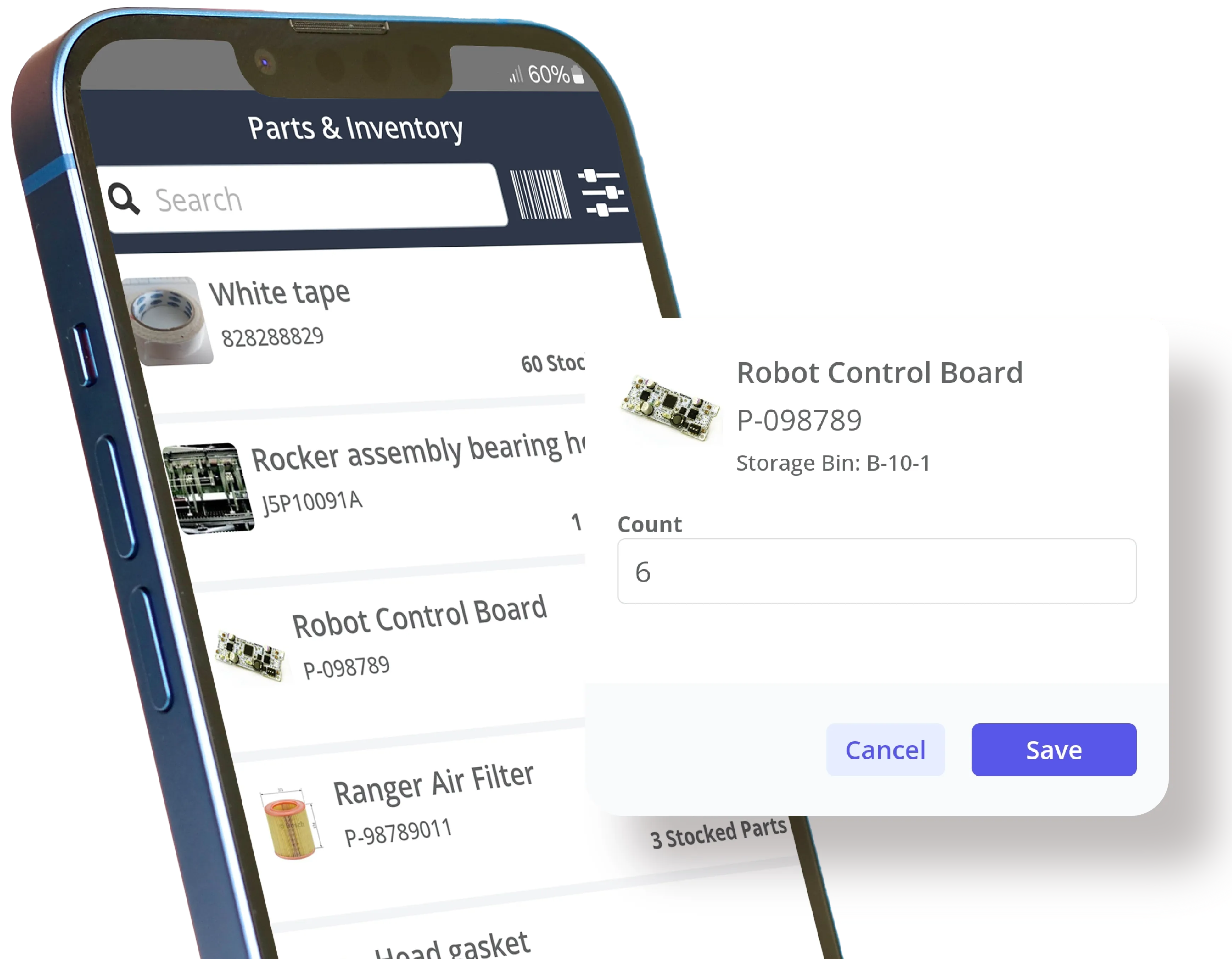
- Rebuild MRO master data. Clean descriptions, units, manufacturers; define alternates/supersessions; QR everything.
- Link parts to assets with BOMs. So the right items appear at the right time.
- Service-level tiers. Use ABC (value) × VED (vital/essential/desirable) to set availability targets and reorder points that reflect risk.
- Diversify risk. Qualify second sources or reman; consider consignment/VMI for A-class; plan lifecycle buys for true obsolescence.
- Make stores a function, not a room. Cycle counts, kitting for common jobs, and governance (no issue without a WO).
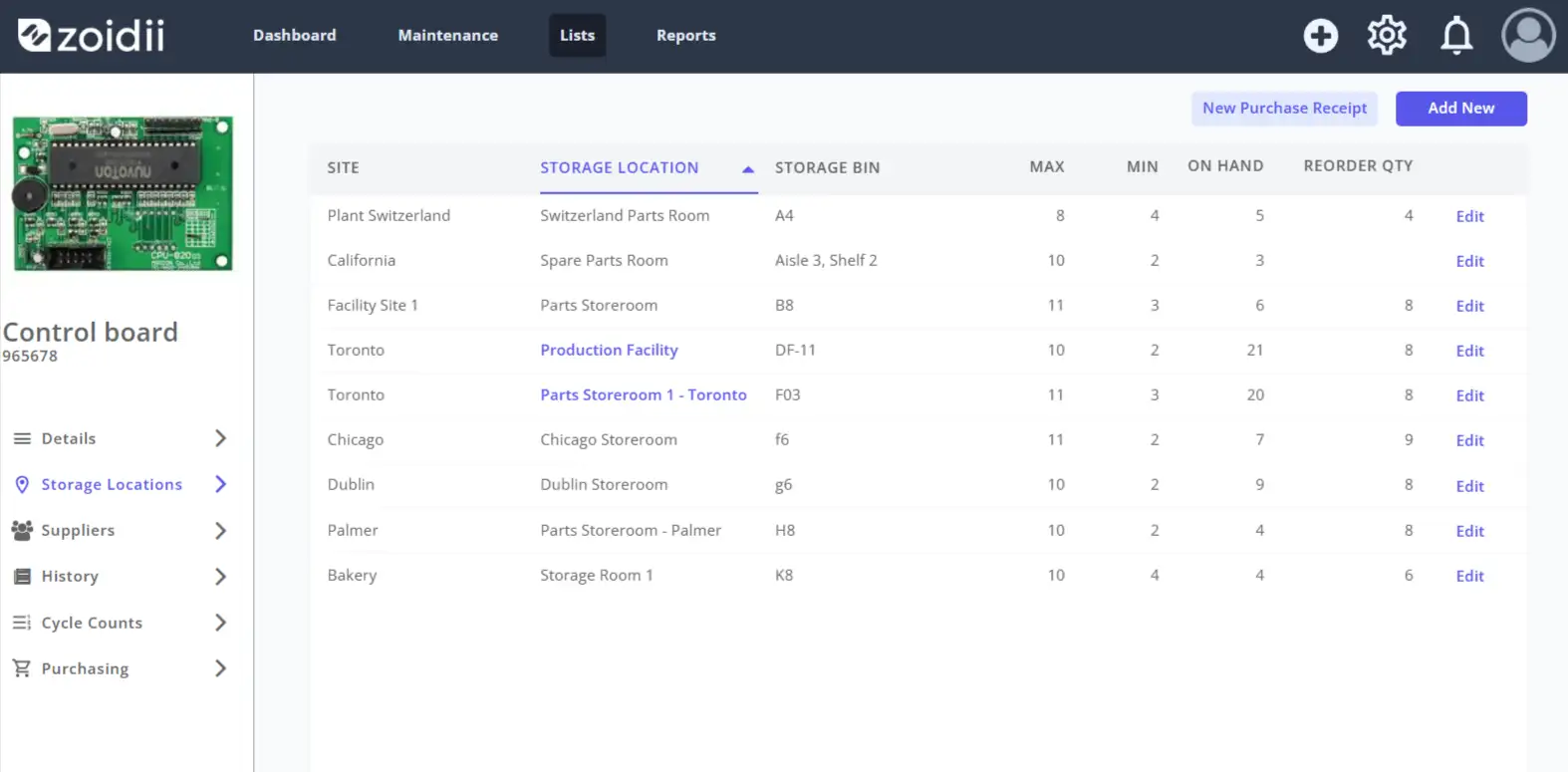
- Integrated inventory: min/max, reorder points, multi-location bins.
- BOMs & kitting: pull the correct kit automatically when a WO opens.
- Purchasing flows: RFQs/POs tied to parts and WOs for traceability.
- Vendor performance: lead times and fill rates visible; alternates embedded in the part record.
- KPIs: stockout rate by class, turns, emergency spend %, and premium freight.
4. Budget constraints
What’s happening Costs have climbed, capital is tighter, and every department is justifying spending line by line. Yet downtime still costs more than software, training, and parts combined.
Symptoms to watch
- “Do more with less” without a clear priority framework
- Deferred PMs that come back as costly reactive repairs
- Difficulty proving savings from uptime and energy improvements
- Rank by criticality and payback. Tie every initiative to safety, compliance, throughput, quality, or cost.
- Optimize PMs. Prune low-value checks; switch from calendar to meter where usage varies; add condition checks where the P-F window is long.
- Quantify downtime. Agree on the cost per hour for top assets with finance and operations.
- Stage investments. Pilot with one line or building, measure, then scale.
- Align incentives. Share verified savings with operations to co-fund improvements.
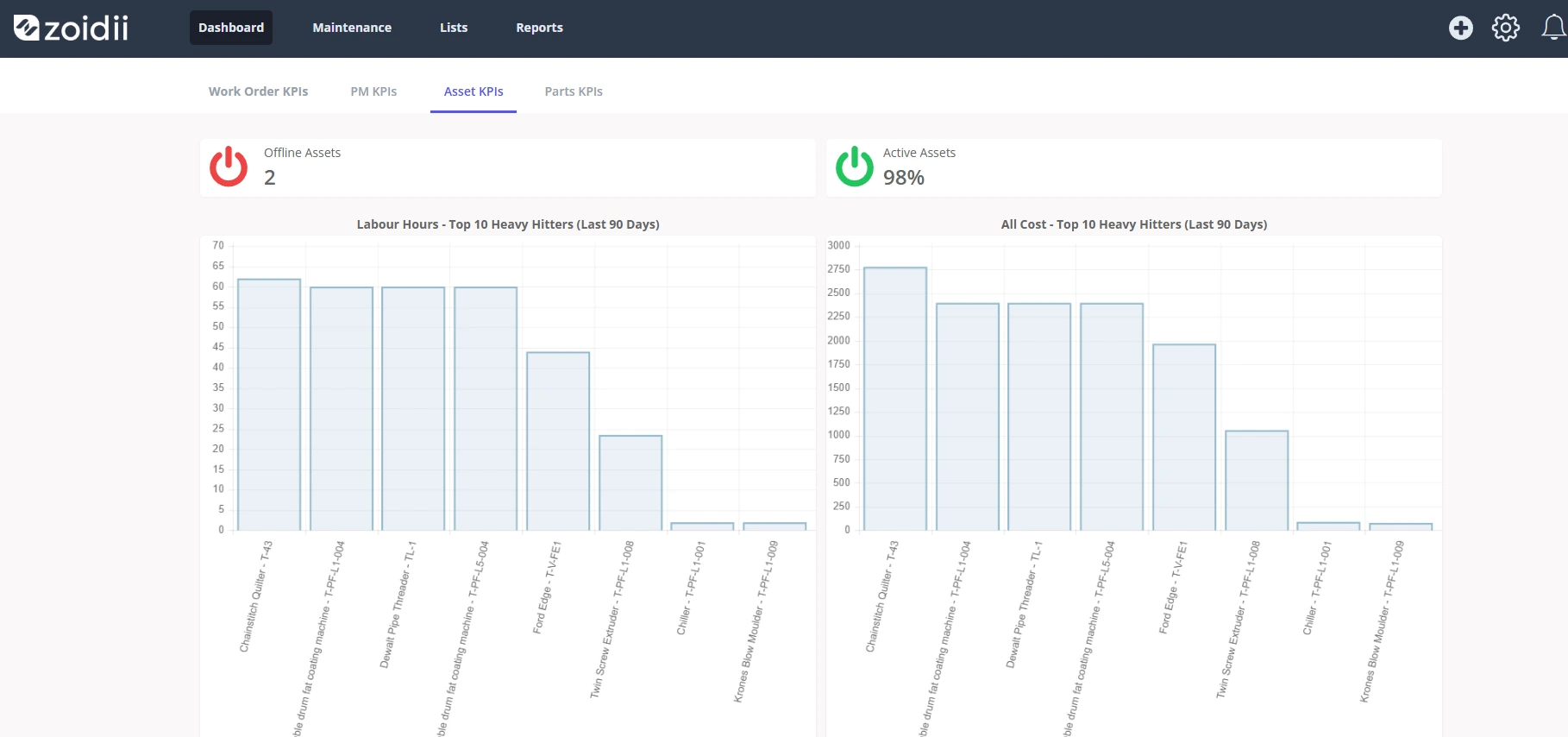
- Cost capture by asset/WO: labor, parts, and downtime (if tracked) to show the true cost of failure vs. PM.
- Budget vs. actual: see spend by line/site and variance to forecast.
- ROI storytelling: dashboards that connect PM compliance and fewer failures to cost trends.
- Scenario planning: backlog and PM calendars to simulate the impact of resource cuts or additions.
5. Planning and execution
What’s happening The gap between “what we planned” and “what actually got done” remains stubborn. Urgent requests cannibalize PMs; crews bounce between priorities; parts arrive late; paperwork drags.
Symptoms to watch
- PMs slipping month after month
- Rework and callbacks on the same assets
- Techs waiting—for permits, parts, or clarifications—more than they’re wrenching
- Make planning a role, not a hobby. Planners develop job plans, estimate durations, assemble kits, and stage work within scheduled windows.
- Triage by rules. Use criticality, risk, and aging to prioritize; avoid daily reprioritizing of everything.
- Bundle and level-load. Group work by system/area and balance crews by skills and shifts.
- Protect PM windows. Don’t allow unbounded “urgent” work to swallow them; set clear escalation paths.
- Close the loop fast. Capture findings at closeout and auto-generate follow-ups when tolerances are not met.
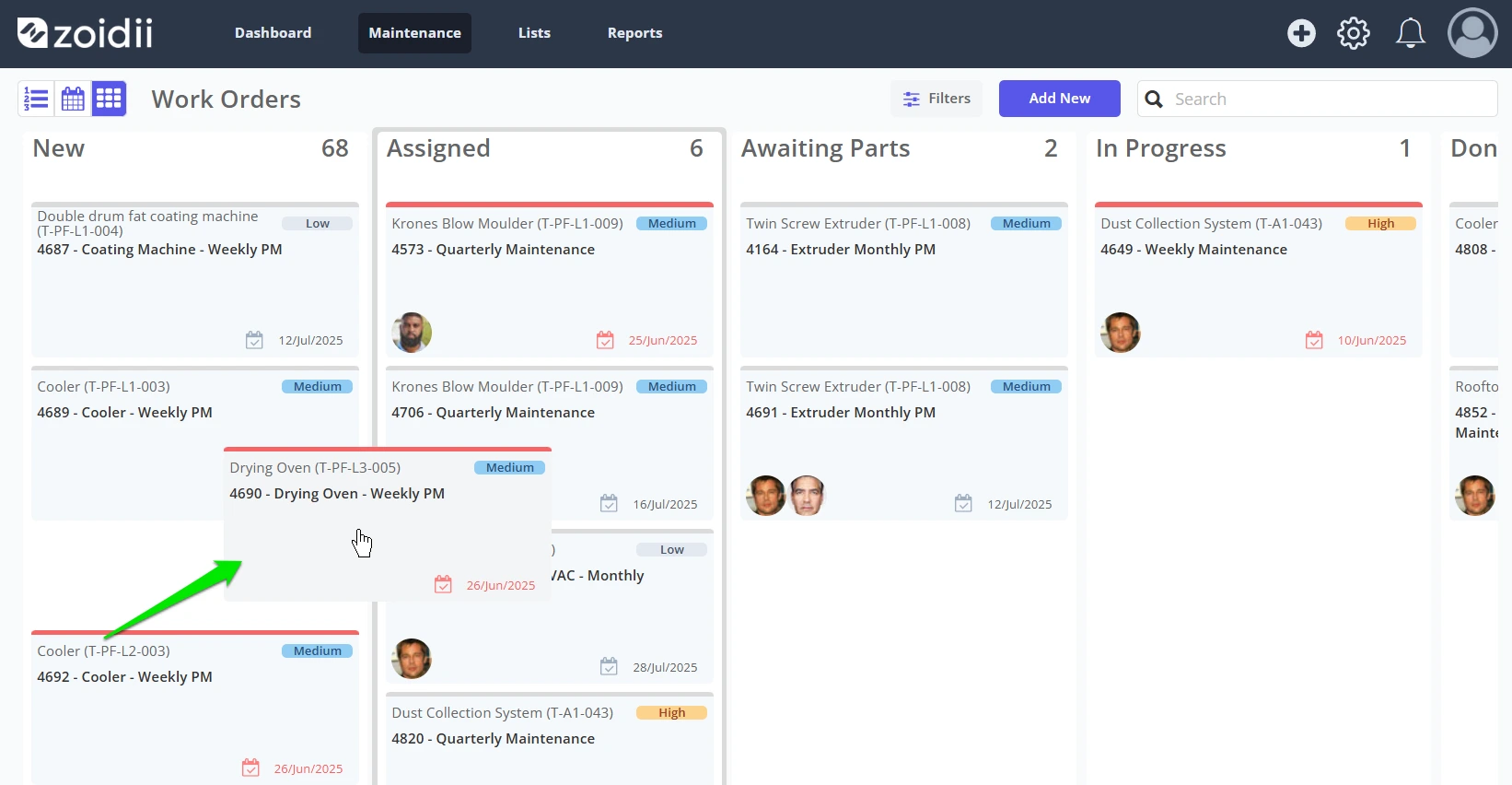
- Drag-and-drop schedules for easy assignments.
- Workflow rules to route requests, set SLAs, and escalate overdue items.
- Mobile execution with photos/voice notes makes documentation fast.
- Auto-follow-ups ensure that readings that breach limits are addressed; nothing falls through the cracks.
- Execution KPIs: schedule compliance, rework rate, aging WOs, wrench time.
A 90-day CMMS-powered plan (you can actually run)
Days 1–30: Get the foundations right
- Build a critical asset list and a top-200 parts list with BOM links.
- Standardize failure codes (short list) and enforce cause/correction at close.
- Establish a planner/scheduler cadence and publish the backlog and PM compliance reports every week.
- Convert top PMs to checklists with photos and tolerances; enable mobile capture.
- Clean min/max on A-class parts; enable kitting for the top 10 recurring jobs.
- Configure alerts - WO automation for one predictive use case.
- Run an A/B on one asset family (with/without PdM); track MTBF/MTTR and downtime cost.
- Publish a monthly budget vs. actual, downtime, and stockout dashboard.
- Lock in PM windows and measure schedule compliance; escalate any missed deadlines.
At-a-glance KPI cheat sheet
- Reliability: MTBF ↑, MTTR ↓, unplanned downtime ↓
- Execution: PM compliance ≥90%, schedule compliance ≥85%, backlog 2–4 weeks
- Parts: A-class stockouts → near zero, emergency spend % ↓, premium freight % ↓
- Financial: Cost by asset/line/site visible, variance vs. plan managed, ROI documented
- Adoption: % WOs with cause/correction + attachments, mobile usage %, wrench time %
Final thought
In 2026, maintenance leadership is a strategic job. Winning teams won’t drown in pilots, paperwork, or parts drama. They’ll design work that any trained tech can execute, turn signals into scheduled actions, stabilize spares with data, use cost visibility to win budgets, and plan the week like a promise.
A modern CMMS is the backbone that makes each of those habits repeatable: one place to plan, execute, learn, and prove value. Start with the foundations, show results in 90 days, and scale what works—the rest is noise.
FAQs
1) What’s the right ratio of planners to technicians—and what schedule compliance should we target? A common rule of thumb is one planner for every 15–20 technicians, adjusted for asset complexity and the volume of contractor work managed. For execution, aim for ≥85% schedule compliance (work completed as scheduled) and ≥90% PM compliance (on-time preventive maintenance). A CMMS helps by centralizing job plans, kit lists, and calendars, allowing planners to level-load crews and protect PM windows.
2) How do we quantify downtime cost to win budget in tight years?
Use a simple, transparent formula that leaders can agree on:
Downtime Cost/Hour = (Lost Throughput × Contribution Margin) + Overtime Premiums + Expediting/Premium Freight + Penalties/Service Credits (if any).
Apply it to your top assets and compare the cost to the proposed fix (including PM time, spares, and sensors). Your CMMS strengthens the case by attributing labor, parts, and downtime to specific assets and work orders—turning “we think” into “we know.”
3) How much safety stock should we carry for critical spares? Classify parts with ABC (by value/usage) and VED (Vital/Essential/Desirable) or a risk score tied to asset criticality. For A/Vital items, target 98–99% availability using reorder points that include demand and lead-time variability. Link parts to assets via BOMs in your CMMS so the right kit is suggested automatically when a work order opens. Review service levels quarterly for the top movers and any parts with volatile lead times.
4) How can a CMMS speed up onboarding and reduce the knowledge drain? Embed know-how where work happens. Store SOPs, one-point lessons, photos, and torque/tolerance values in job plans tied to each asset. Require cause and correction notes (with a quick photo or voice memo) on closeout. New hires scan a code, open the asset, and see exact steps plus prior fixes—no scavenger hunt. Over time, this becomes a searchable knowledge base that reduces your team’s dependency on a few veterans.



