

Keeping a school running smoothly is a lot more than fixing a flickering light. School maintenance teams juggle aging buildings, safety inspections, bus fleets, labs, gyms, and budget scrutiny—all while trying to minimize disruption to teaching and learning. Paper forms, email chains, and sticky notes can’t keep up.
Modern work-order software (also known as a CMMS) gives schools a single place to capture requests, schedule preventive maintenance, track assets, and report on costs and performance. The result: fewer surprises, safer campuses, and happier staff.
Below are the best work order software options for schools today—with Zoidii at #1, especially strong if you want a simple, mobile-first platform that won’t overwhelm your team.
What to look for in school work order software
Before we get into specific tools, it helps to know what “good” looks like for K-12 districts and higher-ed campuses: Easy ticketing for non-technical users Teachers and office staff should be able to submit requests in seconds via a simple web form or guest portal, without needing full accounts.
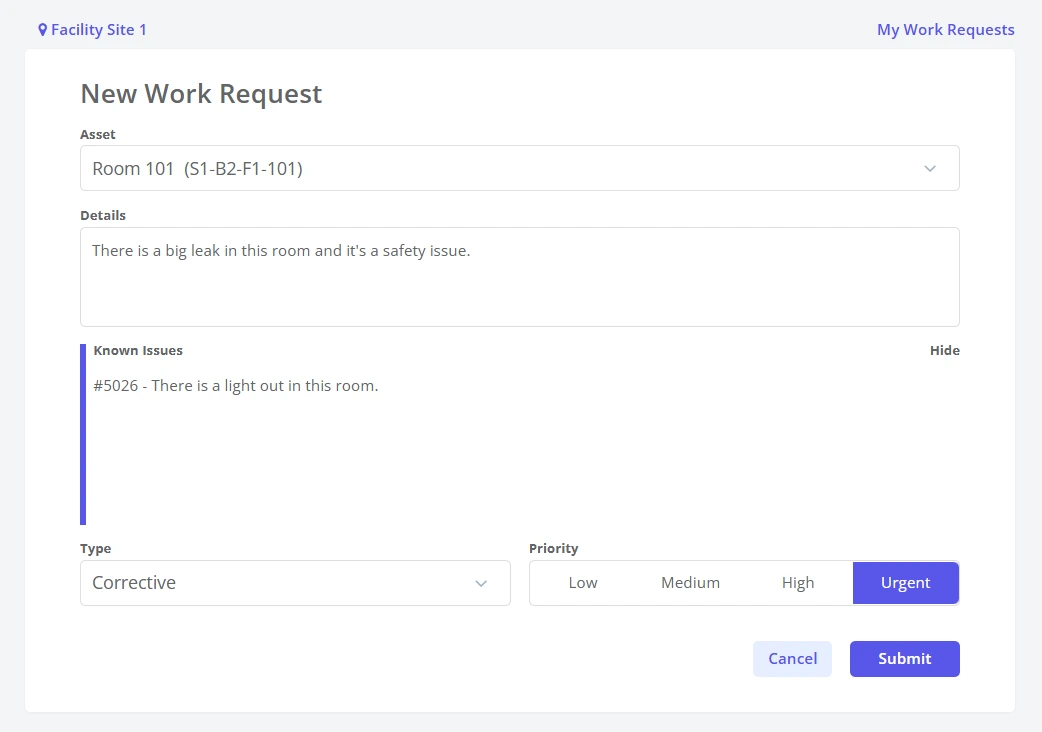
Mobile-first for technicians Scchols can be large, complex buildings so maintenance needs to be on the go! Custodians and maintenance techs need to view, update, and close work orders from their phones, ideally with photo uploads, checklists, and parts usage tracking.
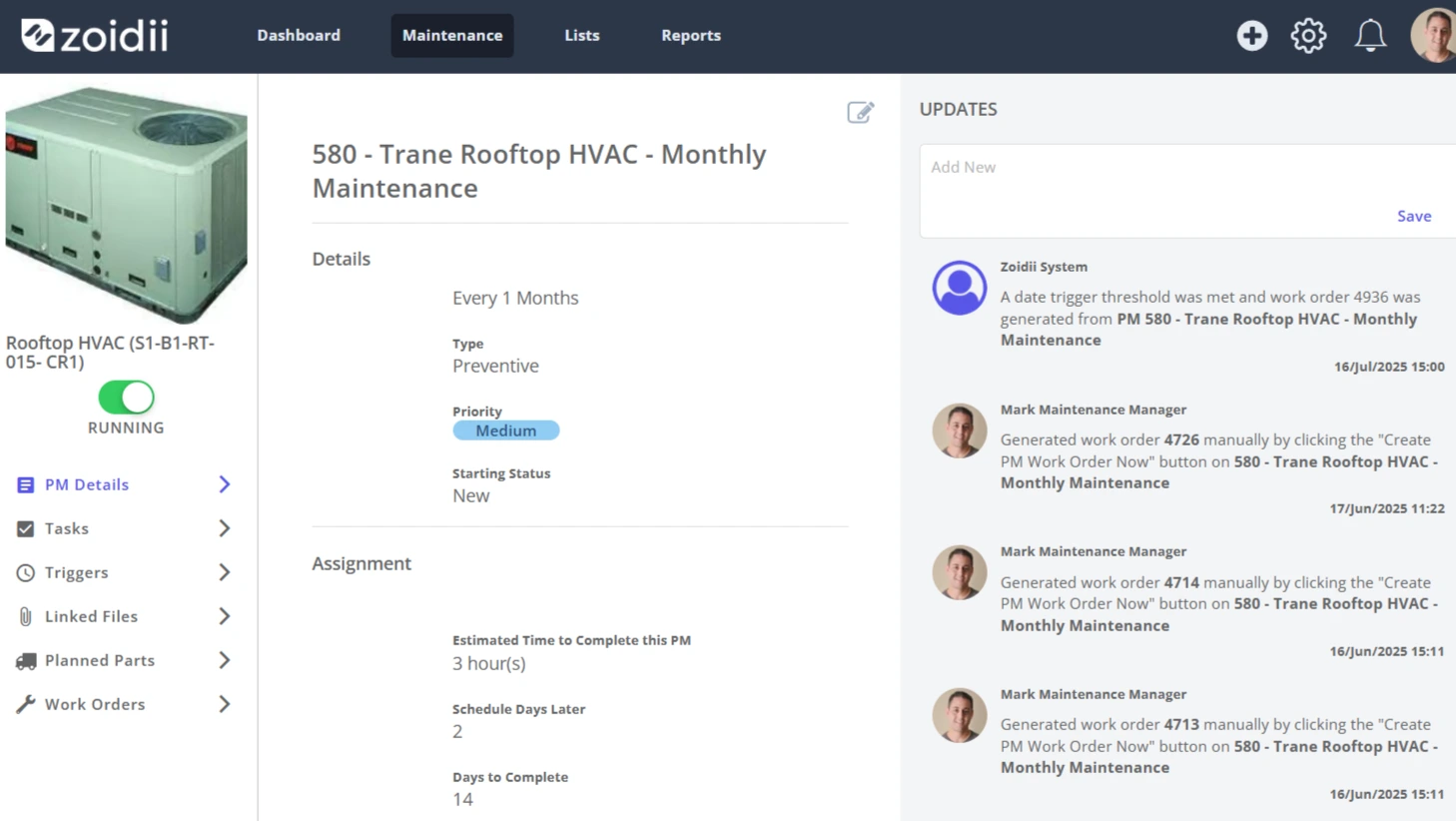
Strong preventive maintenance (PM) You want to schedule recurring tasks for HVAC, fire systems, playground inspections, lab equipment, buses, etc., rather than just chasing emergencies.
Asset and inventory management Track equipment, rooms, and buildings, along with parts inventory, so you know where money is going and what’s failing frequently.
Multi-site and role-based access Districts need to support multiple schools with different permissions for principals, custodians, IT, and central facilities teams.
Reporting and compliance Good reporting makes it easier to justify budgets, demonstrate that inspections are conducted, and support audits or accreditation.
With that in mind, here are the top platforms to consider.
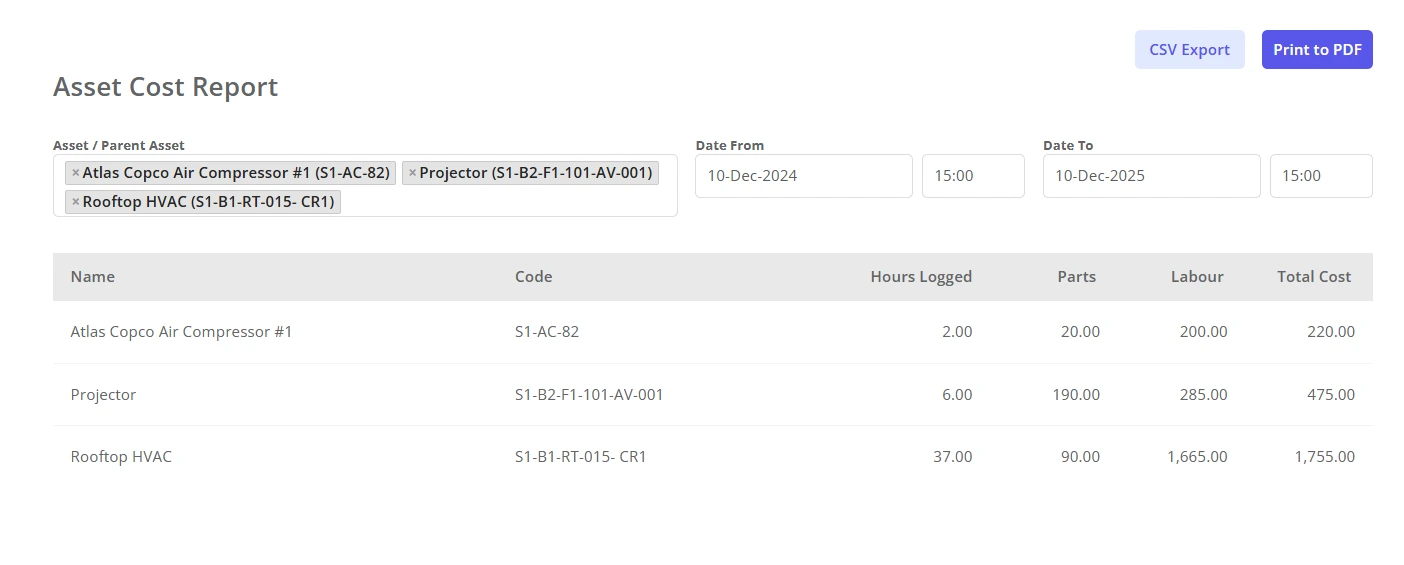
1. Zoidii – Best overall for simple, mobile-first school maintenance
Zoidii is a cloud-based CMMS designed to be easy to learn while still covering the essentials: work orders, preventive maintenance, asset tracking, and inventory.
They offer dedicated content and configurations for educational facilities, emphasizing streamlined maintenance tasks, scheduled preventive work, and repair tracking to keep campuses looking good and operating safely.
Why does it work so well for schools?
- Very approachable UI – Reviews consistently highlight Zoidii as intuitive and simple, which matters when your team includes techs who don’t live in software all day.
- Mobile and multi-location – Techs can update work orders, log parts, and close tasks from the mobile app, while district teams can manage multiple schools in one system.
- Education-ready workflows – Asset logbooks, PM scheduling, and guest request portals map nicely to classrooms, labs, dorms, and student housing.
2. FMX – Best for K-12 districts with heavy scheduling needs
FMX is widely used in K-12 and higher education, combining work order management, facility scheduling, asset tracking, and inventory management in a single platform.
Why schools like FMX
- Built with schools in mind – FMX markets specifically to K-12 districts and universities, with features that span maintenance, events, transportation, and IT.
- Strong work request handling – Staff can submit and track requests, while maintenance teams see labor hours and costs associated with each work order.
- Calendar & mapping views – Tasks and asset locations can be visualized on calendars and floor plans, helping teams prioritize and route work efficiently.
3. MaintainX – Best for mobile-first teams and automation
MaintainX positions itself as a modern, mobile CMMS and is frequently used by schools and education organizations to manage work orders and preventive maintenance.
Highlights for schools
- Excellent mobile experience – Techs can create, assign, and prioritize digital work orders, track work from start to finish, and attach photos—all from their phones.
- Automation capabilities – MaintainX emphasizes automating work order workflows to ensure tasks don’t fall through the cracks, which is huge for busy maintenance departments.
- Cross-industry maturity – While not education-specific, it’s a proven platform across many industries, giving you a robust feature set and ongoing development.
4. Brightly Asset Essentials – Best for large districts and long-term planning
Brightly (formerly Dude Solutions) is a major player in education facility management, and its Asset Essentials product is a powerful CMMS widely used in K-12.
Why do bigger institutions choose Brightly?
- Enterprise-grade CMMS – Supports asset and work order tracking in real time, with map-based views and GIS integration (Esri ArcGIS) for complex campuses.
- K-12 capital planning – Brightly leverages asset lifecycle management and capital planning to help districts justify long-term investments in buildings and equipment.
- Highly configurable – It’s powerful, but often best suited to larger districts or universities that have the resources to configure and manage a more complex system.
5. Maintenance Care – Best for schools wanting unlimited users
Maintenance Care offers CMMS and facility management software with a dedicated focus on education, including work orders, mobile apps, and facility scheduling.
Why it stands out
- Education-focused features – Schools use it for work orders, ticketing, asset tracking, and preventive maintenance, with support for multiple locations across a district.
- Unlimited user model (on some plans) – Some editions are priced per account rather than per user, which can be attractive for large teams or districts that want everyone in the system.
- Mobile convenience – Their mobile app helps staff access maintenance info on the go and reassign tasks without constant trips back to the office.
6. eMaint – Best for universities and complex campus operations
eMaint is a mature CMMS platform with robust work order, asset, and preventive maintenance features. They provide specific solutions for schools and universities.
What makes eMaint a good fit
- Flexible work request intake – Instructors, coordinators, and students can submit work requests via web forms, email, or integrated systems, which is ideal for large campuses.
- Integration capabilities – Case studies highlight integrations with student housing systems, such as StarRez, to automatically generate work orders from student requests.
- Advanced reporting & analytics – eMaint focuses heavily on tracking asset conditions, prioritizing work, and reducing downtime through data-driven maintenance.
Choosing the right work order software for your school
All of the tools above can dramatically improve how your school handles maintenance—but they’re not interchangeable. As you shortlist options:
1. Map your workflows first List how requests come in today (email, phone, walk-up), what types you get (maintenance, IT, safety, transportation), and who needs visibility.
2. Prioritize must-have features For many schools, that means: simple request portal, mobile app for techs, PM scheduling, and basic reporting.
3. Start with a pilot Try your top two or three systems in one building or department for 30–60 days. Pay attention to adoption: if your techs avoid the app, it won’t matter how powerful it is.
4. Think long term Consider the total cost (licenses, training, and change management) and how the system will scale as you add more schools or facilities.
If you want a clean, easy-to-adopt platform that still covers the core CMMS needs of a school or district, Zoidii is an excellent place to start—which is why it tops this list. From there, FMX, MaintainX, Brightly, Maintenance Care, and eMaint each bring strengths tailored to different sizes and styles of educational institutions.



