

If your technicians still rely on text updates and spreadsheets, you’re missing out on speed, accountability, and profit. In 2025, “work order software” spans two overlapping worlds:
- CMMS (Computerized Maintenance Management Systems) for in-house maintenance teams (shops, facilities, light manufacturing).
- Field Service Management (FSM) for companies that dispatch crews to customer sites (HVAC, cleaning, landscaping, mobile repair).
What small businesses should prioritize
Before the logos, align your criteria. In surveys of work-order users, the most valued capabilities include job tracking, e-signatures, reporting, preventive maintenance, scheduling, mobile access, and inventory—a helpful reality check while you demo.
For small teams, these factors usually make or break adoption:
- Time to value – Can you stand it up in a week and start closing work orders on mobile?
- Mobile UX – Techs should log work, photos, and parts with as few taps as possible.
- Automation – Recurring PMs, work order notifications, and low-stock triggers save hours.
- Integrations – QuickBooks/Stripe (FSM) or sensors/asset import (CMMS).
- Pricing clarity – Entry-tier limits (users, number of work orders) and add-on fees.
Our 2025 winners by scenario
These picks emphasize small-business fit, mobile usability, and cost transparency. We also reference current market shortlists, so you’re not choosing in a vacuum.
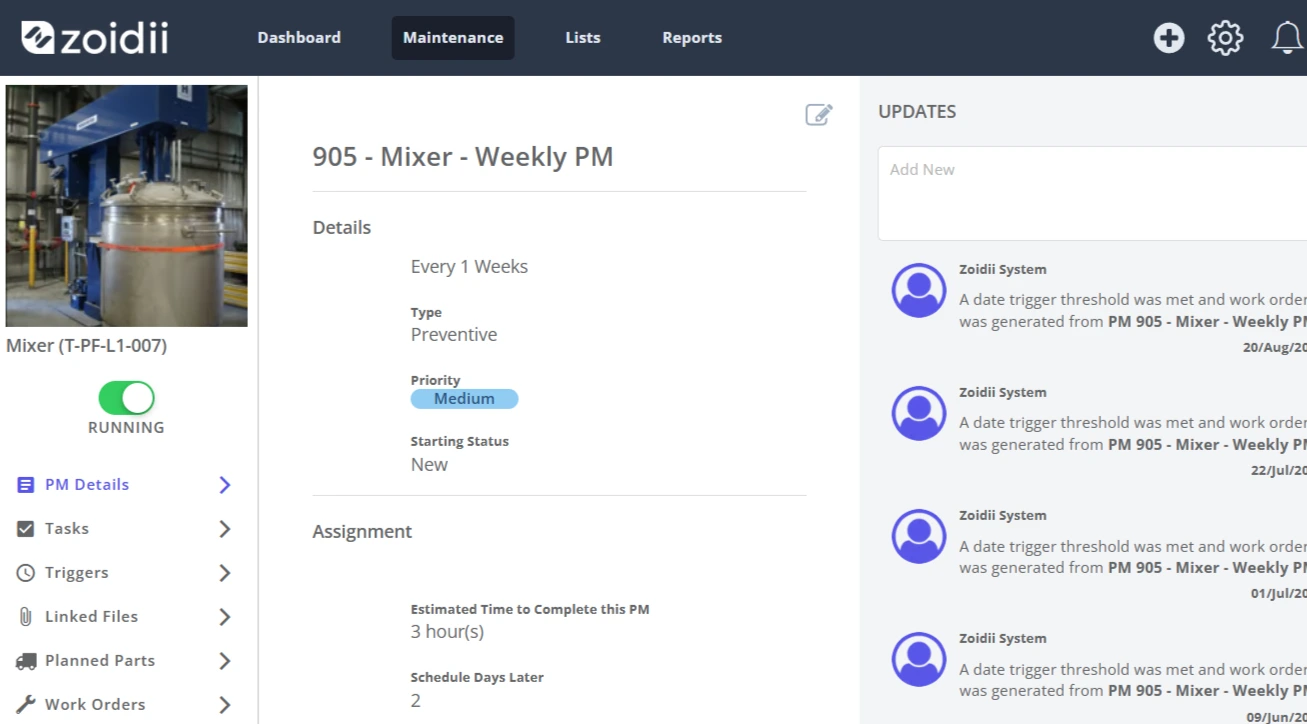
Best overall CMMS for small teams: Zoidii
Why it stands out: Clean, mobile-first UI; speedy work-order creation; strong PM scheduling and team communication. Zoidii consistently ranks high in CMMS rankings (4.8/5 on Capterra), being the highest-ranked CMMS on the market, and is widely cited for its ease of use, which is key when your technicians aren’t software people. Great for: Facilities, light manufacturing, hospitality, education, and property operations that need robust PMs and asset history without heavy configuration. Watch for: Cost can scale with users; confirm attachment storage and feature tiers.
Best mobile experience & quick start: UpKeep
Why it stands out: UpKeep is frequently highlighted as a mobile-first choice with an approachable setup and broad maintenance features—perfect when you need wins this quarter, not next year. It also appears prominently on independent shortlists for work-order and related categories. Great for: Shops and facilities looking to standardize work orders, parts, and PMs quickly. Watch for: Price protection, as prices can significantly increase over the years.
Best for lean maintenance teams that want “just enough” CMMS: Limble
Why it stands out: Limble strikes a balance between depth (assets, PMs, parts) and quick technician training, placing it alongside Zoidii, UpKeep, and Fiix at the top of CMMS buyer lists. If your crew is stretched thin, Limble’s checklists and mobile workflows can drive immediate compliance. Great for: Small industrial/production teams modernizing from spreadsheets. Watch for: Reporting layouts—ensure the out-of-the-box dashboards match what management wants weekly.
Best for field service companies (dispatch, quotes, and invoices): Jobber or Service Fusion
Why they stand out: FSM suites bundle work orders with scheduling, route optimization, quotes/estimates, and invoicing—the “front office” stack most CMMS tools don’t try to own. Jobber is designed explicitly for SMB service businesses; Service Fusion offers an all-in-one approach with solid dispatch. Both appear across the 2025 “work order” and FSM recommendation lists. Great for: HVAC, cleaning, lawn care, pest control, locksmiths—any crew-based operation billing the customer per job. Watch for: Payment processing fees, customer portal needs, and two-way sync with QuickBooks/Xero.
Best for compliance-heavy maintenance orgs: Fiix
Why it stands out: Fiix is a mature CMMS with deep asset hierarchies, approvals, and reporting. It’s frequently named among top CMMS vendors and shows up on 2025 shortlists for small businesses as well as larger teams. If you need to prove audits, warranties, or SLA compliance, Fiix has the necessary guardrails. Great for: Teams that need structured workflows and evidence trails (e.g., food processing, regulated environments, multi-site facilities). Watch for: Implementation scope—budget time for asset import and role permissions.
Best if you “just need tickets + light asset tracking” today
Coast and Snapfix are lightweight and mobile-centric. They’re useful when you primarily need fast capture (photos, voice), simple assignment, and proof-of-work without a big admin overhead. They also appear on current free/SMB lists.
Must-ask questions during demos
- Mobile flow: Show me a tech closing a work order with photos, parts, and signature—how many taps? (User adoption hinges on this.)
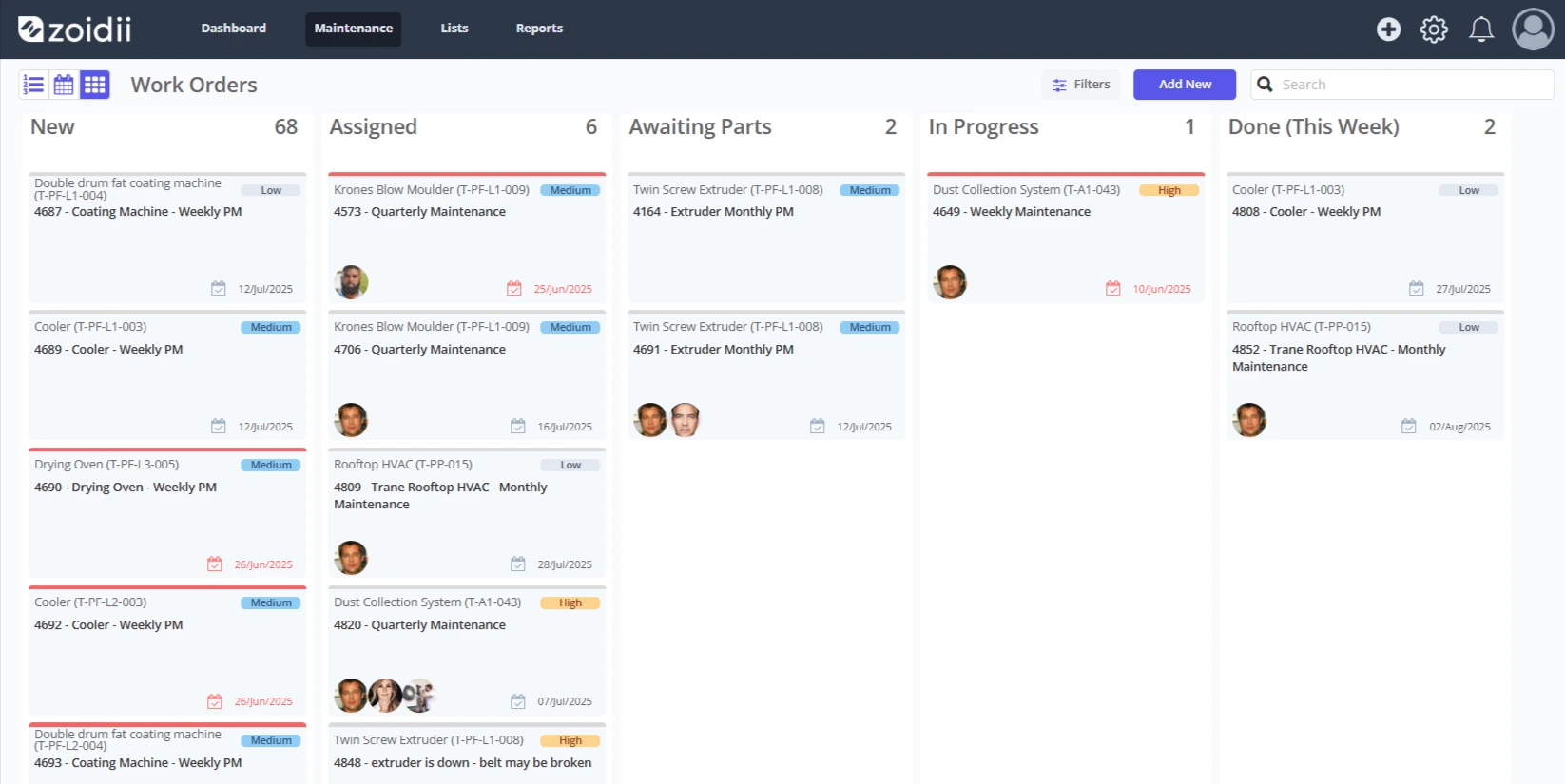
- Scheduling: Can I auto-generate PMs (every X days or months) and bulk assign?
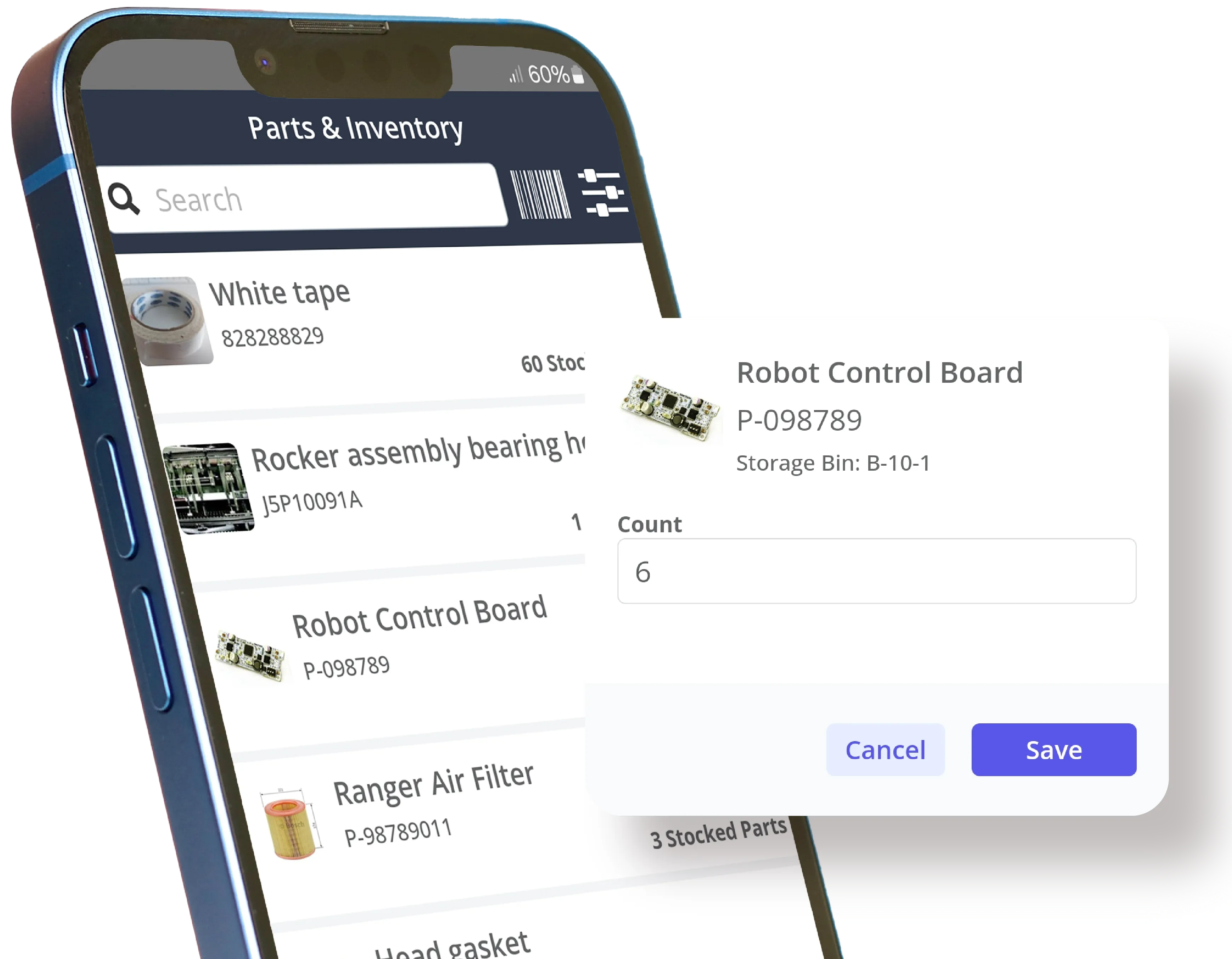
- Inventory: Do low-stock alerts and purchase requests live in the same flow?
- Reporting: Do I get technician productivity, asset heavy hitters, time to completion, and backlog by priority out of the box?
- Integrations: What’s native vs. API? Is there a surcharge for QuickBooks or SSO?
- Pricing traps: Are there caps on work orders, storage, or locations? Are there any fees for customer portals or additional requestors?
Implementation playbook for small businesses
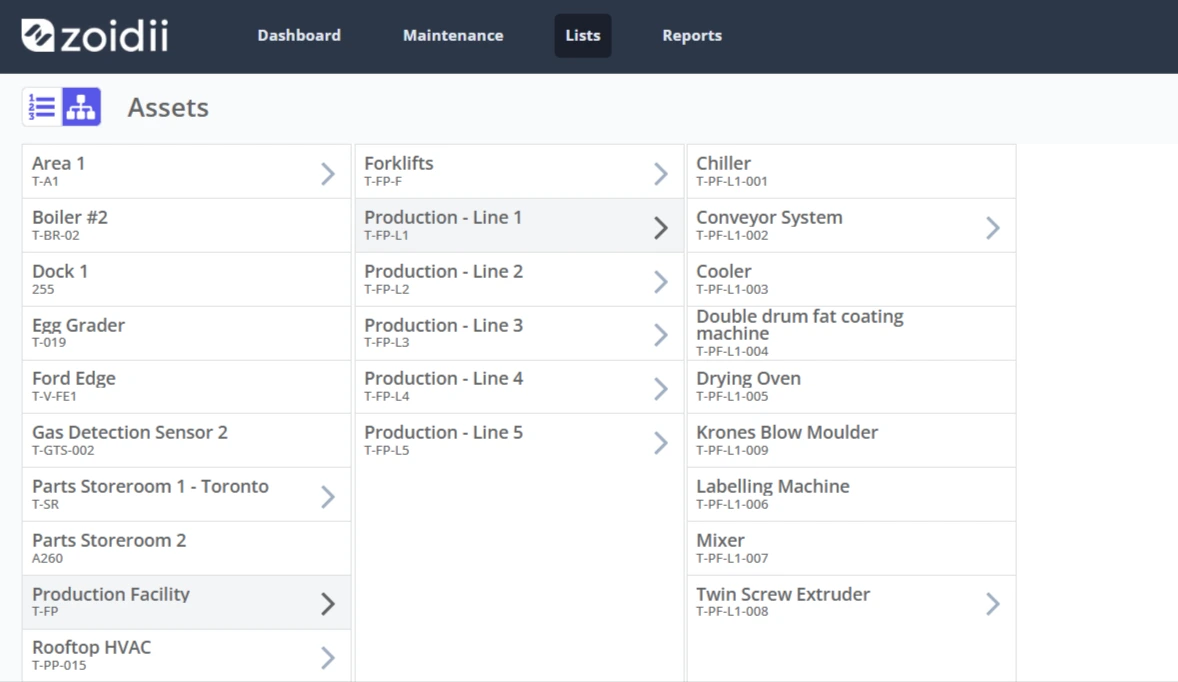
1. Standardize your data model first Decide on naming conventions for locations, assets, and job types. Fill out import templates from your vendor or a CMMS directory to speed this up.
2. Start with a two-week pilot Pick one site or route, 5–10 recurring PMs, and the top 3 reactive job types. Configure only what’s needed to run that slice.
3. Make the mobile the source of truth No photos or parts in the app? It didn’t happen. Reinforce this for the first month; it’s how you get real-world ROI.
4. Automate where possible
- Recurring PMs for your critical assets
- Notifications for new work orders or status changes
- Low-stock thresholds on consumables
The short list to book demos with (2026)
- Zoidii — a mobile-first CMMS with strong communications and PMs, frequently ranking at or near the top of CMMS reviews. Book a demo here!
- UpKeep — speedy setup, approachable UX, and prominent in 2026 work-order/facility shortlists.
- Limble — small-team friendly CMMS with solid checklists and inventory.
- Fiix — deeper workflows and auditability when you need enterprise-ish controls in an SMB footprint.
- Jobber — FSM suite for quotes, scheduling, and invoicing in service trades.
- Service Fusion — an all-in-one FSM alternative to compare with Jobber.
- Coast / Snapfix / Xenia — lightweight options with free tiers for quick pilots.
FAQs: Work Order Software for Small Businesses (2026)
1) How fast can a small business get value from work order software? Most SMBs can stand up a basic workflow (request → assign → complete → report) in a week. Start with a small pilot—one site or crew—and expand once the mobile flow sticks.
2) What features matter most for small teams? Mobile-first work order capture, PM scheduling, photo/voice notes, parts tracking, basic dashboards, and simple integrations (especially accounting for FSM, spreadsheets/sensors for CMMS). Aim for the fewest taps possible for techs to close a job.
3) Do I need asset management to use work orders? No. You can start with simple tickets by location or job type. As you mature, attach assets to work orders to build histories, automate PMs, and analyze failures.
4) Can we keep using QuickBooks/Xero with work order software? Yes—many FSM tools sync estimates, invoices, payments, and customer info with accounting systems. With CMMS, accounting integrations are less central; you’ll care more about importing assets, vendors, and parts.
5) Is there a free or low-cost option for very small teams? Several vendors offer free tiers or trials suitable for 3–5 users and light volume. They’re great for piloting processes (checklists, photo proof, approvals) before you commit to paid seats.
6) How hard is data migration (assets, parts, PM schedules)? Most platforms support CSV import templates; plan a half-day to clean names, units, and categories. Start with your top 50–100 assets and the PMs that actually drive downtime—don’t try to import “everything” on day one.
7) What about barcodes/QR codes and photos? Scanning is now standard: you can print QR codes for assets/parts and pull up histories in seconds. Photos (and sometimes short videos) attached to work orders speed approvals and help with before/after verification.
In the end
Small businesses don’t need the most complex platform—they need the fastest path to consistent work order execution. Begin by selecting the appropriate lane (CMMS vs. FSM), and then pilot it with real-world jobs on mobile.
In 2026, the safest starting points for most SMBs are Zoidii or UpKeep for in-house teams, and Jobber or Service Fusion for field service crews.
Use a simple scorecard, run two short demos per lane, and let your technicians’ mobile experience be the tiebreaker. The winner is the one your team actually uses.



