What Is CMMS Software?
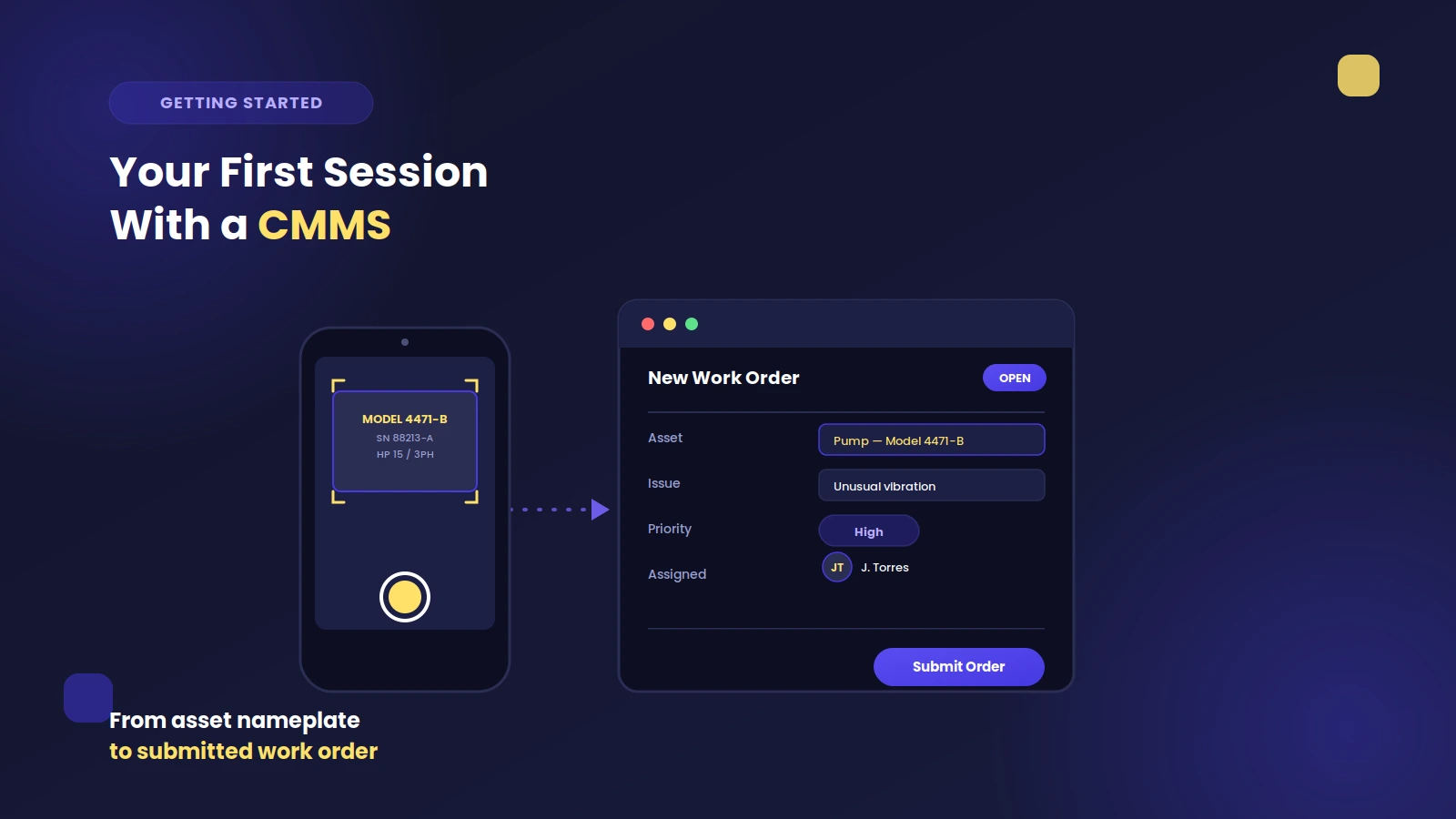
A Computerized Maintenance Management System (CMMS) is software that helps maintenance teams manage work orders, track assets, schedule preventive maintenance, and control spare parts inventory. As organizations move away from spreadsheets and paper-based systems, CMMS software has become a cornerstone of modern maintenance operations.
The global CMMS market reached $1.45 billion in 2026 and is projected to grow to $3.56 billion by 2035, driven by a 10.51% compound annual growth rate (CAGR). With over 52% of organizations now prioritizing cloud deployment and nearly 58% adopting predictive maintenance tools, the choice between cloud-based and on-premise CMMS has never been more consequential.
Cloud-Based vs. On-Premise CMMS: Understanding the Difference
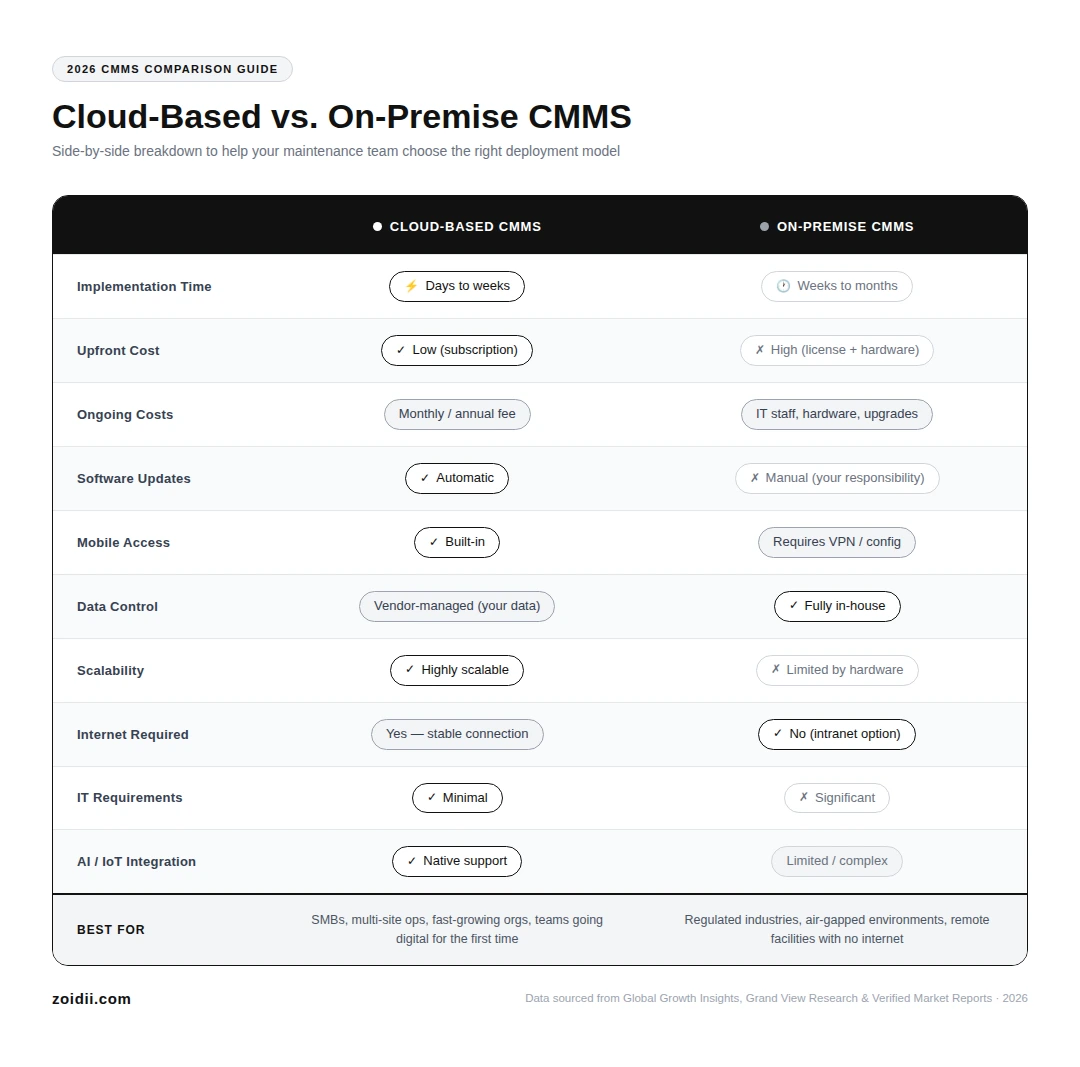
When you're evaluating CMMS software, the deployment model is one of the most important decisions you'll make. Here's a quick breakdown:
- Cloud-based CMMS (also called SaaS CMMS or web-based CMMS) is hosted on the vendor's servers and accessed through any internet-connected device — desktop, tablet, or mobile.
- On-premise CMMS is installed on your own servers, managed by your internal IT team, and accessed through your local network.
Cloud-Based CMMS Software: Pros and Cons
Benefits of Cloud-Based CMMS
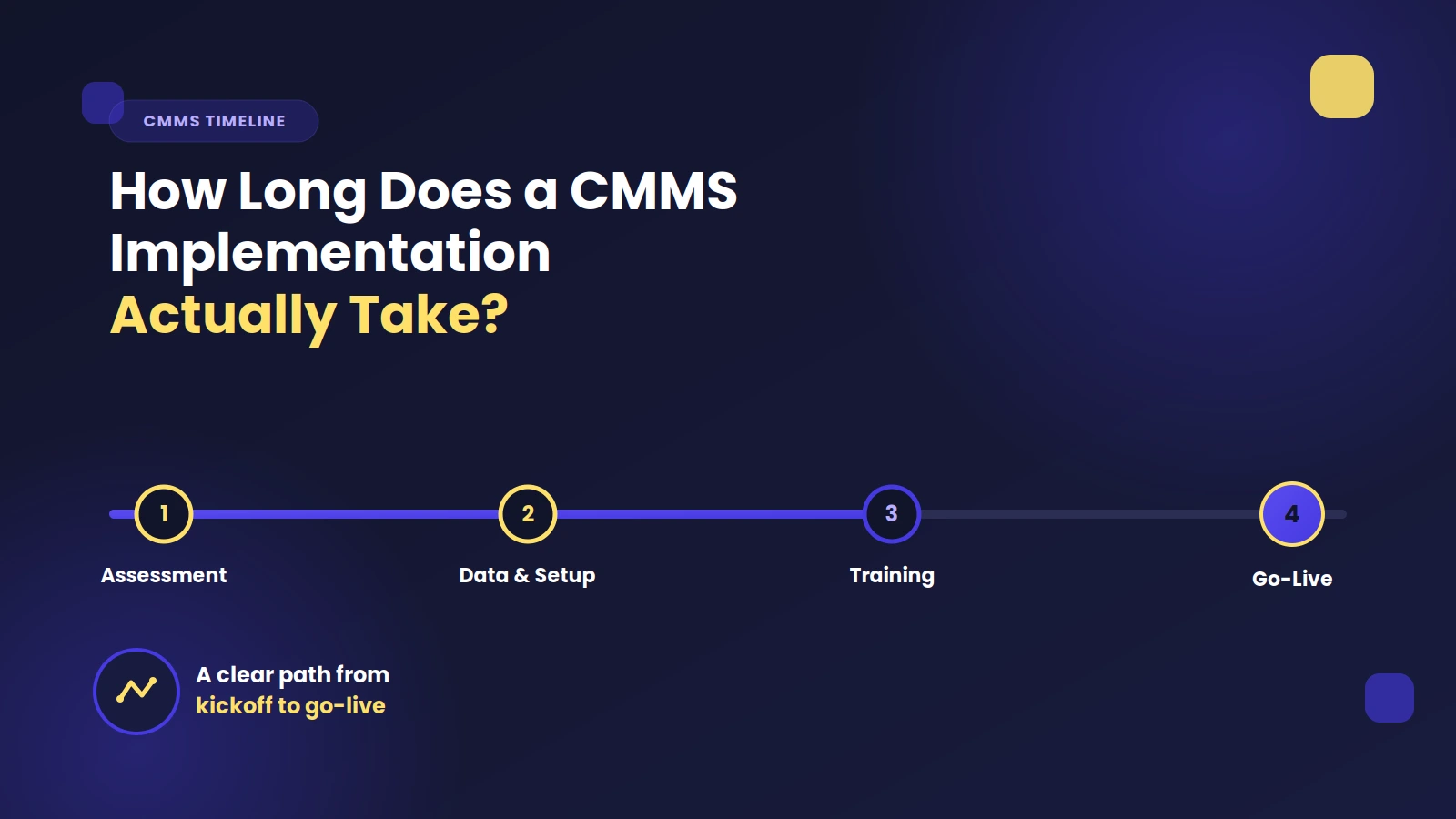
1. Fast Implementation: Cloud CMMS deployments can go live in days, not months. There's no server procurement, no complex installation, and no internal IT configuration. Your maintenance team can start logging work orders and tracking assets almost immediately.
2. Lower Upfront Cost: Rather than paying a large license fee upfront, cloud CMMS uses a subscription pricing model (typically per user, per month). This dramatically lowers the barrier to entry, especially for small and mid-sized businesses. In 2026, over 44% of SMBs are actively transitioning from legacy systems to cloud-based CMMS platforms for exactly this reason.
3. Automatic Updates and New Features: The vendor handles all software updates, security patches, and new feature rollouts — at no extra cost and with no disruption to your operations. You're always on the latest version without lifting a finger.
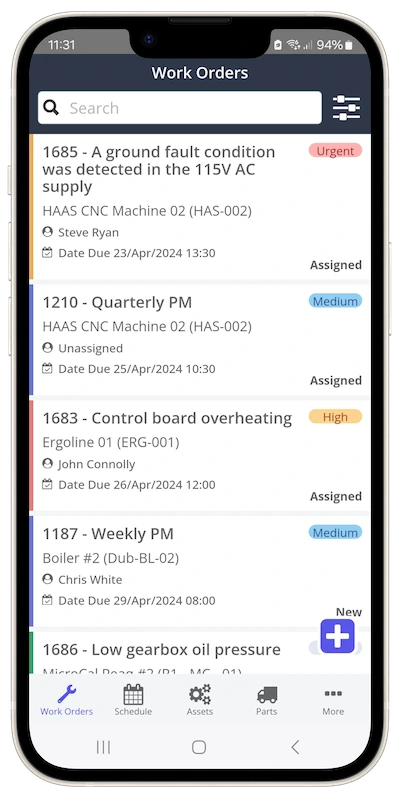
4. Access from Anywhere, on Any Device: Maintenance teams can log work orders, view asset histories, and update task statuses from the shop floor, the field, or even across multiple facilities — all from a mobile device. Mobile-enabled CMMS adoption has risen by 52% among technicians as of 2026.
5. Reduced IT Overhead: Because the vendor manages the infrastructure, your organization doesn't need dedicated server hardware, IT staff for maintenance, or backup systems. This significantly reduces the total cost of ownership (TCO) over time.
6. Built-In Data Security and Backups: Reputable cloud CMMS vendors host data in professionally managed, redundant data centers with automatic backups. No more worrying about local hard drive failures, on-site disasters, or data loss events.
7. Scalability: Whether you're adding users, onboarding a new facility, or integrating with ERP and IoT systems, cloud CMMS scales with your organization. You're never locked into the capacity of a single server.
Limitations of Cloud-Based CMMS
- Requires a stable internet connection: If your facility has unreliable connectivity, real-time access may be disrupted.
- Ongoing subscription costs: While lower upfront, cumulative subscription costs over many years can exceed the price of an on-premise license for some large enterprises.
- Less direct control over data storage location: Regulated industries may have specific data residency requirements that need to be verified with the vendor.
On-Premise CMMS Software: Pros and Cons
Benefits of On-Premise CMMS
1. Full Control Over Data: Your data lives on your own servers. For highly regulated industries — defense contractors, pharmaceutical manufacturers, and government agencies — this can be a non-negotiable compliance requirement.
2. Works Without Internet Access: On-premise CMMS can be configured as an intranet application, meaning your team can access it regardless of internet connectivity. This is particularly valuable in remote industrial facilities or areas with limited bandwidth.
3. One-Time License Cost: Some on-premise systems are sold as a perpetual license, meaning you pay once rather than on a recurring subscription basis. For very large organizations with long planning horizons, this can be financially advantageous.
4. Customization Depth: On-premise solutions sometimes offer deeper customization options for organizations with very specific workflows or integrations that need to tie directly into existing on-site IT infrastructure.
Limitations of On-Premise CMMS
1. High Upfront Costs: Purchasing, configuring, and deploying on-premise server infrastructure can cost as much — or more — than the software itself. Add in hardware refresh cycles and ongoing IT staffing, and costs add up quickly.
2. Slower Implementation: Getting an on-premise CMMS operational can take weeks or months. Complex server setup, network configuration, testing, and deployment require dedicated IT resources and careful project management.
3. You're Responsible for Updates: Every software update, security patch, and version upgrade is your team's responsibility to plan, test, and deploy. Falling behind on updates can introduce security vulnerabilities or compatibility issues.
4. Limited Remote and Mobile Access: On-premise systems typically require VPN configurations or remote desktop access to use outside the facility — a friction point for modern maintenance teams used to mobile-first workflows. 5. Scalability Challenges: Expanding an on-premise CMMS to additional sites, users, or data volumes requires additional hardware procurement and IT planning. Growth is slower and more expensive than with a cloud deployment.
The 2026 Shift: Why Cloud CMMS Is Winning
The data from 2026 makes the trend clear. The cloud-based CMMS segment alone was valued at $2.5 billion in 2024 and is expanding at a 12.3% CAGR through 2033 — outpacing the overall market. Here's why:
- Over 65% of maintenance managers now rely on cloud-based CMMS solutions to monitor asset health and reduce unplanned downtime.
- 63% of enterprises prefer digital CMMS tools for real-time operational visibility.
- North America leads adoption, with approximately 52% cloud deployment rates driven by demand for scalable, mobile-first maintenance platforms.
- 48% of users now prioritize cloud deployment, with subscription-based models accelerating time to value.
- AI and IoT integration is nearly exclusive to cloud platforms — 44% of enterprises are leveraging sensor-based, IoT-connected CMMS, and 37% have adopted AI-enabled features for automated work order generation.
Who Should Choose Cloud-Based CMMS?
Cloud CMMS is the right choice for most organizations, including:
- Small to medium-sized businesses looking to get up and running quickly with a predictable monthly cost.
- Multi-site operations that need centralized visibility across locations
- Organizations transitioning from paper, Excel, or outdated legacy systems for the first time.
- Teams that rely on mobile access to manage work orders from the field.
- Companies pursuing digital transformation with IoT, predictive maintenance, or ERP integration on the roadmap.

Who Should Consider On-Premise CMMS?
On-premise may still make sense if your organization:
- Operates in a highly regulated industry (e.g., defense, classified government, certain pharmaceuticals) with strict data sovereignty requirements.
- Works in remote locations with no reliable internet access and needs a fully local intranet deployment.
- Has significant existing IT infrastructure and internal technical resources already managing enterprise software.
- Has already evaluated cloud options and determined that the total cost of ownership at scale favors a perpetual license model.
Why Zoidii? Cloud CMMS Built for Teams Getting Started
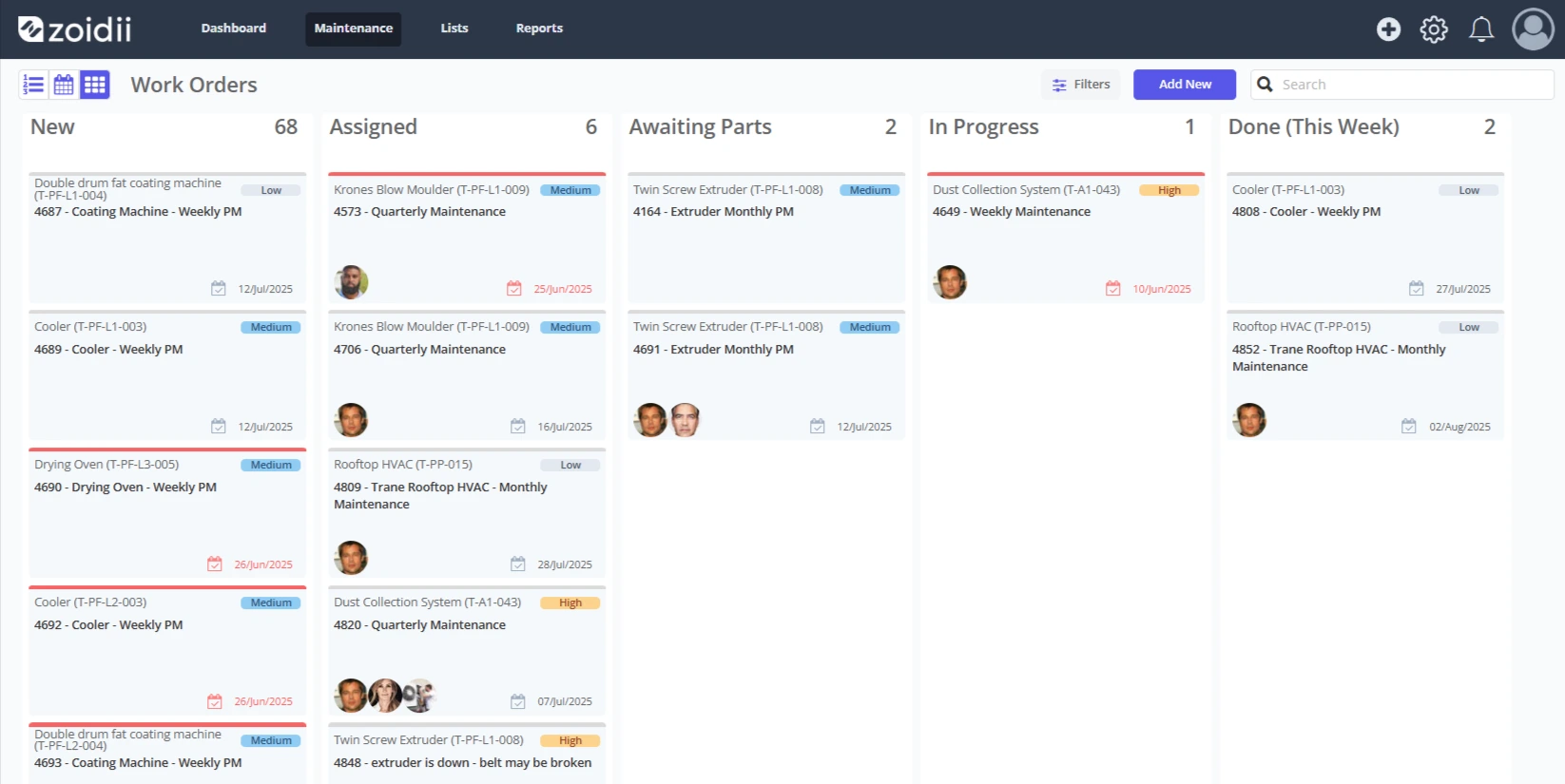
Zoidii is a purpose-built cloud-based CMMS designed specifically for organizations making the move from paper, Excel, or manual processes to digital maintenance management for the first time. It's engineered to be simple, fast, and powerful — without the learning curve or implementation cost of enterprise platforms.
With Zoidii, you can:
- Get up and running in days, not months.
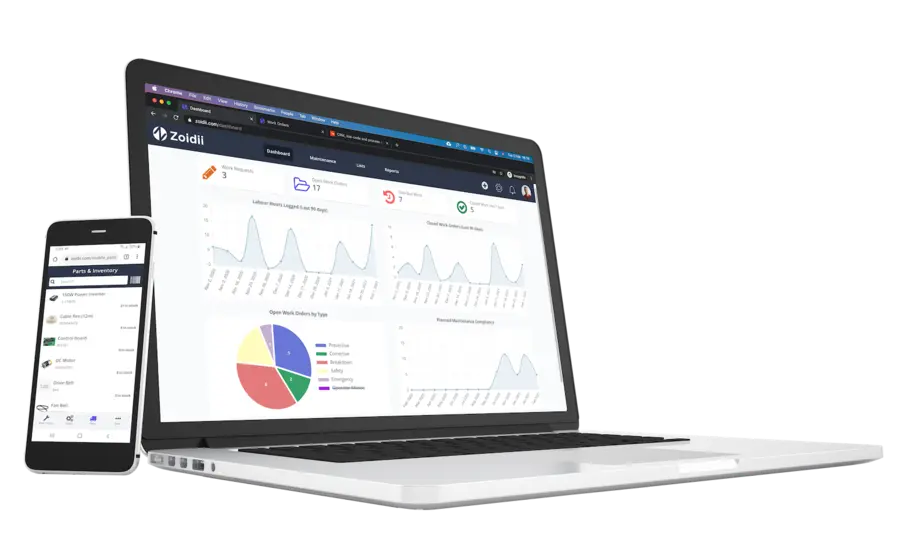
- Manage work orders, assets, PMs, and parts from the web or mobile.
- Give your whole team real-time visibility into maintenance operations.
- Scale from a single facility to multiple sites as you grow
Frequently Asked Questions About CMMS Software
What does CMMS stand for? CMMS stands for Computerized Maintenance Management System. It's software used to manage maintenance work orders, assets, preventive maintenance schedules, and spare parts inventory.
Is cloud-based CMMS secure? Yes. Reputable cloud CMMS providers host data in professionally managed, redundant data centers with encryption, automatic backups, and regular security audits — often providing stronger security than most on-premise setups.
How much does CMMS software cost in 2026? Cloud CMMS typically ranges from $30–$100+ per user per month, depending on features and scale. On-premise CMMS involves large upfront license costs plus ongoing IT infrastructure expenses. Zoidii offers plans starting at $39/user/month.
Can CMMS software work on mobile devices? Cloud-based CMMS solutions are built for mobile. Technicians can access work orders, update asset records, and complete inspections from any smartphone or tablet. Mobile CMMS adoption has grown 52% among technicians in 2026. What industries use CMMS software? CMMS is used across manufacturing, healthcare, logistics, property management, education, government, energy, and utilities — any industry with physical assets and maintenance teams.