

Choosing between a CMMS and Field Service Management software is less about which tool is “better” and more about which one maps to your operating reality.
Both systems digitize work, reduce chaos, and surface insights—but they start from very different assumptions about what work you do, where it happens, and who your “customer” is.
This guide breaks down the differences, highlights where each shines, and provides a practical framework to select the right fit (or blend) for your organization.
Quick definitions
CMMS (Computerized Maintenance Management System)
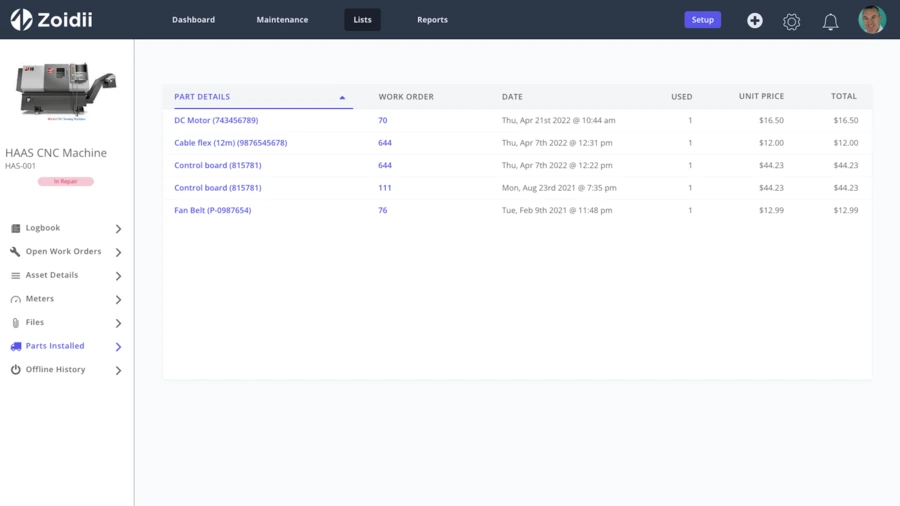
A CMMS is built for maintenance of physical assets you own or operate—think plants, fleets, facilities, utilities, hospitals, campuses. It centralizes assets, preventive maintenance (PM) schedules, work orders, parts inventory, compliance logs, and technician labor data.The primary “customer” is your organization: uptime, reliability, cost control, and compliance are the core outcomes.
FSM (Field Service Management)
FSM software orchestrates mobile service work delivered to external customers across dispersed sites—HVAC service firms, telecom installers, medical device service providers, residential/commercial contractors. It handles quotes, dispatch, route optimization, SLAs, customer communications, job costing, and invoicing.The primary “customer” is the paying client; revenue, responsiveness, and customer experience are the core outcomes.
Core differences at a glance

When a CMMS is the right call
You likely need a CMMS if most of these statements sound familiar:
- You own critical assets whose downtime impacts production, safety, or regulatory status (compressors, chillers, lines, boilers, fleets).
- Preventive and predictive maintenance are your chief levers; you plan PMs by calendar, meter, or condition, and you care about MTBF, MTTR, and backlog health.
- Regulatory compliance is heavy (FDA, OSHA, ISO, utility, or aviation standards), and you need auditable records, e-signatures, and version control.
- Storerooms and parts matter: you must track spares, min/max levels, lead times, and vendor performance.
- Work originates from assets, not customers: inspections, rounds, and sensor alerts trigger work orders.
- Cost control requires tracking internal labor, parts, and external services against assets and cost centers.
- Facilities or plants drive the footprint, with some mobile work, but not the majority.
High-ROI CMMS scenario
- A plant running reactive: 60%+ corrective maintenance, recurring failures, unclear PM compliance.
- A hospital must juggle Joint Commission audits while needing accurate histories per asset.
- A municipal fleet with poor parts visibility and long vehicle downtime.
When FSM is the better fit
You likely need FSM if these resonate:
- You serve external customers on-site (residential, commercial, or industrial), across many locations.
- Dispatch is your heartbeat—you optimize routes, balance workloads, and must hit specific arrival windows and SLAs.
- Revenue events—estimates, approvals, change orders, and invoicing—live inside the same workflow as the work itself.
- Customer experience is core: appointment reminders, live ETAs, portal updates, signatures, and on-site payments.
- Contracts, warranties, and entitlements define what’s covered, rates, and response times.
- First-time fix rate and technician skills/van stock planning drive profitability.
- Quoting and upsell opportunities arise in the field, necessitating cataloged services and margin visibility.

High-ROI FSM scenarios
- A growing HVAC firm is missing SLAs and suffering repeat visits due to poor scheduling and parts preparedness.
- A telecom contractor that requires turn-by-turn routing, job bundles, and bulk site rollouts for its crews.
- A medical device service team is responsible for managing warranties, calibrations, and billed field work.
Edge cases and hybrids
Many organizations straddle both worlds. Common hybrids include:
- OEMs and equipment dealers: They maintain their own demo/loaner assets (CMMS need) and service customer equipment (FSM need).
- Universities or hospitals: They manage internal facilities (CMMS) while operating billable service centers (FSM) for specialty equipment.
- Facility services providers: They maintain assets under contract at client sites. You’ll need asset histories (CMMS-like), SLAs, dispatch, and invoicing (FSM).
- Pick a dominant system based on your revenue/cost center and integrate the other’s critical functions (e.g., CMMS + lightweight dispatch tool).
- Adopt a platform that offers both modules and shares data structures (assets ↔ customer sites, contracts ↔ PM programs).
- Integrate best-of-breed via APIs: CMMS for asset rigor plus FSM for customer operations.
Features that actually move the needle
Regardless of acronyms, prioritize capabilities that impact outcomes you care about.
For CMMS outcomes (uptime & cost control):
- Asset registry with hierarchy, criticality, locations, and BOMs.
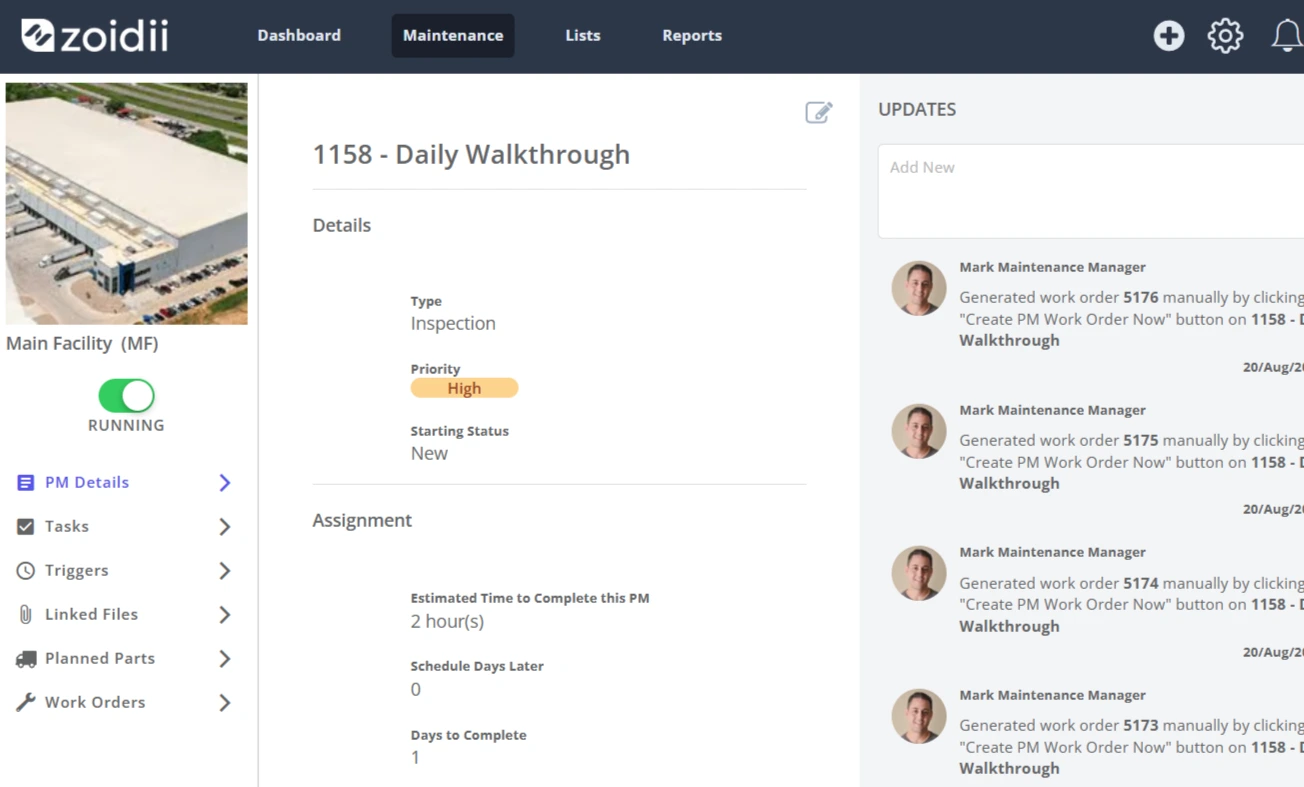
- PM templates with calendar/meter/condition triggers; bulk generation and auto-assignment.
- Failure codes and root cause libraries to support reliability analysis.
- Parts management: min/max, lead times, alternates, and vendor links.
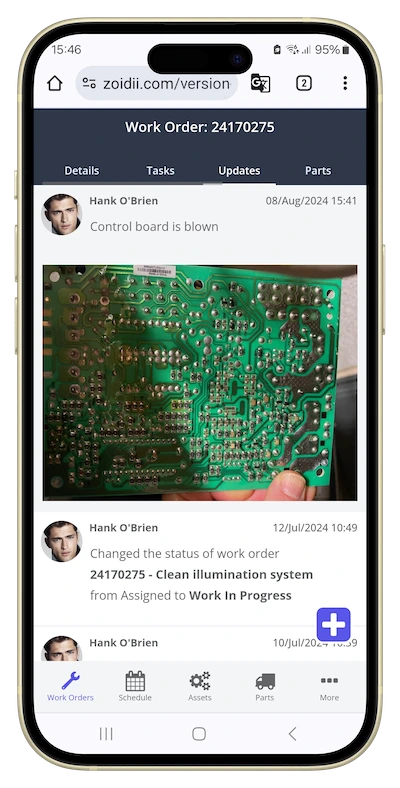
- Mobile work orders, barcode/QR code scanning, and step-by-step procedures.
- Analytics: planned vs. unplanned %, PM compliance, backlog aging, wrench time, cost per asset.
For FSM outcomes (speed, margin, CX):
- Smart scheduling and dispatch: skills, certifications, parts-on-van, geofencing, and travel-time aware routing.
- Customer-facing features: portals, SMS/email notifications, live technician tracking, e-signatures.
- Quotations, change orders, and price books are tied to jobs, and configurable approvals are available in the field.
- Contract/warranty/entitlement management (response times, coverage, rates).
- Time, parts, and expense capture on mobile, along with automatic invoice creation and payment capture.
- SLA monitoring, escalation, and on-time performance dashboards.
- CRM/account sync to keep customer/site records accurate.
Total cost, implementation, and change management
Licensing model:
- CMMS is often priced per user (techs, planners, managers). FSM typically layers dispatcher and mobile field licenses, with optional charges for SMS, payments, or route optimization.
- CMMS implementations hinge on data discipline: asset hierarchies, PM tasks, parts catalogs, and failure coding. Plan a phased rollout—start with critical assets and core PMs, then expand.
- FSM implementations hinge on operational choreography: appointment windows, routing rules, price books, contract entitlements, and customer communications.
- In CMMS, technicians must close work orders with accurate labor, parts, and failure codes; planners must manage PMs and backlog.
- In FSM, dispatchers and field techs must follow standardized steps for quoting, approvals, and job wrap-up to avoid leakage and rework.
Compliance and safety considerations
- CMMS: Audit trails, calibration histories, electronic sign-offs, controlled document libraries, and SOPs embedded in work orders. Industries such as pharmaceuticals, food, aviation, and energy often require these to pass audits.
- FSM: Workforce safety (vehicle checks, JSA/LMRA prompts), proof-of-presence, photo documentation, and incident reporting—often combined with customer communications and consent artifacts.
A decision framework you can use today
Answer the questions below; whichever column gets more “yes” answers probably matches your needs.
Asset-centric (CMMS)
- Do we own/operate the assets being serviced?
- Will PM schedules, inspections, and reliability engineering drive most work?
- Do we need deep parts/storeroom management tied to work orders?
- Are compliance, audit trails, and asset histories mission-critical?
- Are success metrics mostly internal (uptime, cost per asset, time to close)?
- Is most work performed at customer sites with tight arrival windows?
- Do we quote, get approvals, and invoice as part of the job flow?
- Do contracts, warranties, and SLAs define how we respond and bill?
- Is dispatch/route optimization essential to hit targets?
- Are success metrics external (SLA attainment, NPS, first-time fix, margin)?
Common pitfalls (and how to avoid them)
- Buying by features, not outcomes. A shared checklist can make CMMS and FSM look interchangeable. Anchor on outcomes: uptime and compliance vs. responsiveness and revenue.
- Underestimating data readiness. A CMMS without a clean asset hierarchy or PMs becomes a digital filing cabinet. An FSM without accurate price books or entitlements bleeds margin.
- Ignoring mobile reality. If techs are always on the move, the UI will make a big difference in adoption. Test on real devices in real environments.
- Forgetting the back office. Dispatch and planning roles change dramatically. Budget time for training, SOP rewrites, and feedback loops.
Implementation roadmap (90-day sketch)
1. Clarify outcomes & KPIs. Choose 5–7 measurable targets (e.g., PM compliance from 60% → 90%; first-time fix from 68% → 80%; on-time arrival 95%).
2. Map processes. Whiteboard current vs. desired flows for request → schedule → execute → closeout; include exceptions (emergency, warranty, change order).
3. Data prep.
- CMMS: asset master, PM plans, parts lists, vendors, failure codes.
- FSM: customer/sites, contracts/SLAs, price books, standard services, van stock.
5. Scale. Roll out in waves, lock SOPs, and formalize governance (data ownership, changes, and quarterly KPI reviews).
The bottom line on CMMS V FSM
- Choose CMMS when your world revolves around assets you own, reliability, and compliance.
- Choose FSM when your world revolves around customers you serve, speed, and profitable jobs.
Decide on outcomes, not acronyms. When your KPIs move in the right direction—less downtime or more on-time, first-time revenue—you’ll know you picked correctly.



