Implementing a Computerized Maintenance Management System (CMMS) is one of the smartest operational investments a maintenance team can make - but only if your technicians and supervisors actually use it. Getting buy-in for a CMMS isn’t just a nice-to-have; it’s the single biggest predictor of whether your CMMS investment pays off or becomes an expensive ghost town.
In 2026, the stakes are higher than ever. The global CMMS market is projected to reach USD 2.4 billion this year and is forecast to nearly triple to USD 5.9 billion by 2036, growing at a 9.3% CAGR. Organizations that master CMMS adoption will separate themselves from those still chasing reactive maintenance fires.
This guide walks you through exactly how to win over your maintenance team, overcome resistance, and build lasting CMMS adoption across your facility.
Why CMMS Buy-In Is So Hard to Get (And Why It Matters)
Low user adoption is the number-one reason CMMS implementations fail - not software bugs, not bad data, not implementation errors. When technicians don’t use the system, work orders go back to paper, asset histories disappear, and the CMMS becomes shelfware.
The resistance is understandable. Maintenance technicians are hands-on, time-pressured, and often skeptical of software that was chosen without their input. Common objections include:
• “This is just management tracking us.” • “I already know how to do my job without software.” • “The old system worked fine. Why change?” • “I don’t have time to learn something new on the floor.”
Plants running desktop-only CMMS (without a proper mobile experience) see 23–31% lower adoption rates from field technicians. That drop in adoption directly degrades data quality, which undermines every downstream decision the CMMS is supposed to support. The good news: buy-in is winnable. The teams that succeed treat CMMS rollout as a people project first and a technology project second.

Step 1: Lead With the “What’s In It For Me” Conversation
Before you show a single screenshot, sit down with your technicians and ask them what frustrates them most about maintenance today. Listen. You’ll typically hear the same themes: chasing down parts, redoing work because nobody documented the last fix, and scrambling to remember which assets need service this week.
A CMMS directly solves all of these. Your job is to connect those pain points to specific features before you ever talk about the software itself. Technicians don’t need to care about the CMMS - they need to care about working smarter.
CMMS Benefits to Highlight to Your Team in 2026
- No more hunting for parts: A CMMS tracks inventory in real time, so technicians know exactly what’s in stock before they walk to the parts room.
- Complete job history at your fingertips: Every repair, every note, every previous issue is logged against the asset. New techs can walk up to any machine and understand its full history instantly.
- Mobile-first work orders: In 2026, leading CMMS platforms are mobile-first by design. Techs can open, update, and close work orders from a smartphone or tablet right on the floor - no desktop trip required.
- Less emergency chaos: Preventive maintenance scheduling reduces unplanned downtime by an average of 32%.
- our expertise gets captured: When experienced techs document what they know, that knowledge stays in the organization. This matters especially as 65% of maintenance teams plan to leverage AI-assisted knowledge capture by the end of 2026.
Step 2: Involve Technicians in the CMMS Selection Process
One of the most reliable ways to kill CMMS adoption before it starts is the top-down mandate: a decision made in a boardroom, software purchased and configured by IT, then “presented” to the maintenance team as the new way of doing things. The immediate reaction from experienced technicians is suspicion - this tool feels less like something to help them and more like a surveillance system.
Instead, involve key technicians and team leads early in the evaluation. Have them:
• Sit in on CMMS demos and ask their own questions • Test usability during trial periods (which most cloud-based CMMS providers offer for free) • Flag workflows that would be complicated or slowed down by the software • Recommend features that would actually help them day-to-day When technicians have input in the decision, they have a stake in the outcome. They become advocates rather than obstacles.
Step 3: Choose a CMMS Your Team Will Actually Use
In 2026, user experience (UX) has become a primary criterion for CMMS selection - not a secondary feature. The most powerful, feature-rich CMMS on the market will fail if your technicians find it confusing, slow, or painful to use on a mobile device in the field.
Key CMMS usability factors to evaluate:
- Mobile-first design: Can technicians open, update, and close work orders from their phone in under 60 seconds? If not, they won’t use it.
- Minimal required fields: Every unnecessary field is a friction point. Look for a CMMS that captures what matters without adding overhead.
- Intuitive navigation: If a new technician needs more than 15 minutes of training to submit a work request, it’s too complex.
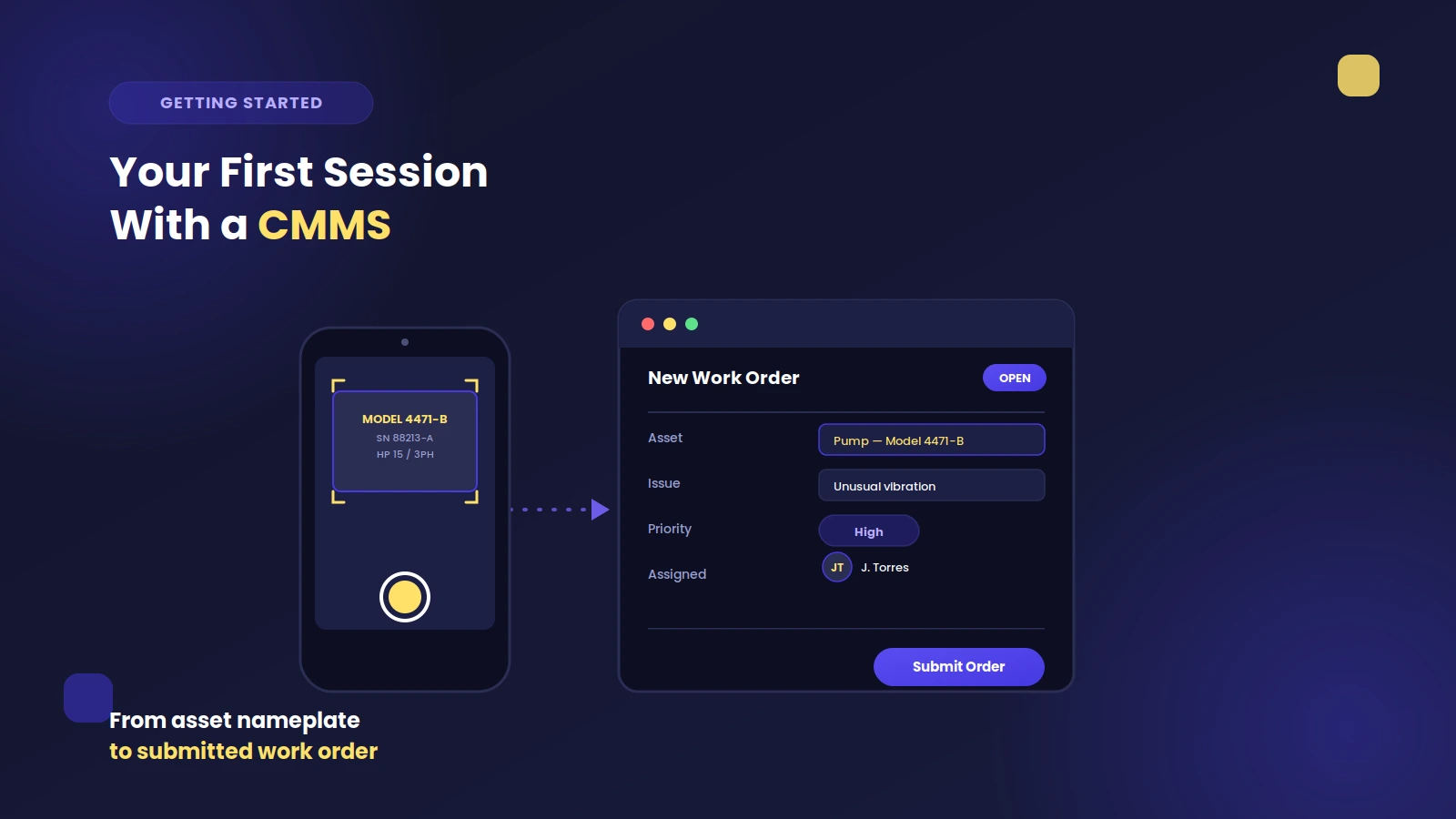
- QR code asset scanning: Letting techs scan a QR code to pull up an asset’s history eliminates typing and speeds up every interaction.
Step 4: Build a Realistic Onboarding and Training Plan
Even the most intuitive CMMS requires a deliberate onboarding process. Throwing technicians into a new system with a one-hour walkthrough and a user manual is a recipe for frustration and abandonment.
CMMS Training Best Practices
- Start small: Begin with the core workflows - creating and closing work orders, logging parts usage, and updating asset notes. Master these before activating more advanced features.
- Use real data from day one: Train on your actual assets, your actual work orders. Abstract demos don’t build muscle memory.
- Designate CMMS champions: Identify two or three motivated technicians who become the go-to experts on the floor. Their peer credibility accelerates adoption faster than management mandates.
- Schedule refresher sessions at 30 and 90 days: Adoption dips are common after the initial launch excitement fades. A short follow-up session catches questions and reinforces habits.
- Celebrate early wins publicly: When a tech uses the CMMS to catch a recurring failure pattern or reduce time-to-close on a work order, share that story with the team.

Step 5: Show the Data - Make the ROI Visible to Your Team
One of the most powerful tools for sustaining CMMS buy-in is showing your team the impact of their work in numbers. When technicians can see that their consistent CMMS usage is reducing downtime and catching failures earlier, the system goes from “management’s tool” to “our tool.”
Share metrics like:
- Work orders completed on time vs. backlog
- Unplanned downtime hours per month (before and after CMMS)
- Mean time to repair (MTTR) trends
- Parts costs and inventory accuracy improvements
- Preventive vs. reactive maintenance ratio
Companies implementing CMMS solutions frequently report maintenance cost reductions of 25–35% within the first year. Manufacturers that have implemented CMMS solutions often see spending reductions of up to a third, thanks to improved scheduling, proactive servicing, and fewer emergency call-outs. Most facilities see positive CMMS ROI within six to twelve months of implementation.
Post these numbers on a board in the maintenance room. Include them in team meetings. Make the success shared.
Step 6: Address Resistance Directly - Don’t Ignore It
When you encounter pushback, engage with it rather than dismissing it. Unaddressed resistance festers and spreads. The most common objections and how to respond:
“This is just management watching us.”
Acknowledge the concern honestly. CMMS data does give managers visibility - but that visibility protects the team as much as it holds them accountable. When a failure happens, documented maintenance history shows the team did everything right. Without it, they’re exposed.“I’m too busy. I don’t have time to log everything.”
Show them that a well-designed CMMS saves more time than it takes. QR code scanning, mobile work orders, pre-built PM checklists, and auto-populated asset history reduce total administrative time per work order - not add to it.“The old way worked fine.”
This being said is often code for “I’m comfortable with how things are.” Don’t argue with the past - focus on future challenges. An aging technical workforce means institutional knowledge is at risk of walking out the door when experienced techs retire. A CMMS captures and preserves that knowledge permanently. In fact, knowledge capture is the top-ranked benefit of maintenance technology reported by teams in 2026 - ahead of even failure reduction.Step 7: Build Habits Through Consistent Process, Not Enforcement
Mandating CMMS use without building genuine habits creates compliance theater: technicians log into the system to check a box, then immediately revert to paper. Sustainable CMMS adoption comes from making the system the easiest path, not the required path.
Practical ways to build CMMS habits:
- Make the CMMS the first stop for any work order - every time, without exception. Consistency reinforces habit.
- Tie shift handovers to CMMS work order status reviews, so technicians naturally check the system when arriving and departing.
- Use the CMMS for team meetings: pull up the dashboard during weekly briefings so the data becomes part of the normal conversation.
- Remove parallel systems. As long as a paper clipboard or shared spreadsheet is available as a workaround, some technicians will use it.
- Link CMMS completion rates to team performance conversations - not punitively, but as a shared metric the whole team owns.
2026 CMMS Statistics: The Business Case at a Glance
When presenting CMMS buy-in to skeptical team members or leadership, these 2026 figures make a compelling case:
- The global CMMS market is projected to reach USD 2.4 billion in 2026, growing to USD 5.9 billion by 2036 (Future Market Insights).
- Organizations using CMMS report an average 32% reduction in unplanned downtime.
- 74% of CMMS users reported stabilized or decreased unplanned downtime in 2025.
- Predictive and preventive maintenance scheduling reduces unplanned downtime by 40–60%.
- Companies using CMMS report an average 28% reduction in maintenance costs.
- 78% of businesses reported longer asset lifespans after implementing a CMMS.
- Most facilities achieve positive CMMS ROI within 6–12 months.
- 65% of maintenance teams plan to adopt AI-assisted maintenance capabilities by the end of 2026.
- Plants running desktop-only CMMS see 23–31% lower adoption rates from field technicians.
- 71% of maintenance professionals now use preventive maintenance as their primary strategy.
Common CMMS Implementation Mistakes That Kill Buy-In
Even well-intentioned CMMS rollouts stumble on predictable mistakes. Watch out for:
- Over-engineering from day one. Activating every module and requiring every field on day one overwhelms technicians. Launch lean, then expand as the team builds confidence.
- Skipping change management. A CMMS is a change management project with software attached, not a software project with a bit of training. Invest proportionally.
- Choosing the wrong champion. CMMS champions need credibility on the shop floor, not just enthusiasm. A well-respected senior technician will do more for adoption than a manager mandate.
- Neglecting mobile access. In 2026, a CMMS without a fully capable mobile app is not competitive for field-deployed teams. Evaluate mobile experience as a primary selection criterion.
- Failing to follow up after launch. The post-launch period is when adoption either solidifies or collapses. Schedule check-ins at 30, 60, and 90 days.
Final Thoughts: CMMS Buy-In Is a Long Game Worth Winning
Getting your maintenance team on board with a CMMS isn’t a one-time event - it’s an ongoing investment in culture, communication, and trust. The teams that win aren’t the ones with the most advanced software; they’re the ones where every technician understands why the CMMS helps them personally and uses it as a natural part of their daily work.In 2026, the case for CMMS adoption has never been stronger - and the competitive gap between teams that operate with clean, real-time maintenance data and those that don’t will only widen. The organizations that master CMMS adoption now are building a durable operational advantage that will compound for years.
Start with your people. Choose a CMMS that they’ll genuinely want to use. Make the wins visible. The technology will take care of the rest.
Ready to see how Zoidii CMMS makes technician adoption easy? Try it free at zoidii.com - no credit card required.