

If your maintenance team is still running on spreadsheets, you're not alone — but you're falling further behind every month. According to recent industry data, 49% of facilities still rely on in-house spreadsheets or manual schedules even after implementing some form of digital tool. The problem? Spreadsheets were never built for maintenance management. They don't send alerts when a PM is due, they can't be updated in real time from the shop floor, and they tell you nothing until something has already gone wrong. A CMMS is purpose-built to fix exactly that. And in 2026, the business case for making the switch has never been stronger. The global CMMS market is valued at $2.4 billion and growing at a 9.3% CAGR through 2036, driven by organizations that are tired of reacting to failures and ready to get ahead of them. So how about it? Here are the seven clearest signs your team has outgrown spreadsheets — and what a CMMS can do about it.

1. You're Spending More Time Managing the Spreadsheet Than Managing Maintenance
Spreadsheets require constant manual upkeep. Every completed work order, every new asset, every schedule change — someone has to manually enter it, update a formula, and hope nothing breaks. For small teams tracking a handful of assets, that's manageable. For anyone else, it becomes a part-time job.
A modern CMMS automates the administrative burden entirely. Work orders are created, assigned, tracked, and closed within a single system. Preventive maintenance tasks are scheduled automatically based on time intervals, meter readings, or condition triggers — no manual calendar monitoring required.
The time savings are real: A Deloitte study on smart factory initiatives found that connected maintenance tools, including mobile CMMS platforms, can boost labor productivity by up to 20% by reducing wrench time lost to paperwork and manual coordination. If your technicians are spending more time filling out spreadsheets than turning wrenches, that's your first sign.
2. Unplanned Downtime Is Eating Into Your Budget
Unplanned equipment failures are the most expensive problem in maintenance, and spreadsheets make them worse by hiding the warning signs. There's no trend analysis, no failure history dashboard, and no automated alert when an asset is overdue for service.
The numbers in 2026 are stark:
- Fortune 500 companies now lose $1.4 trillion annually to unplanned downtime — a 62% increase since 2019.
- The average large manufacturing plant loses $253 million per year to unplanned downtime.
- SMBs typically experience $427 per minute in downtime costs.
- The average facility experiences 25 unplanned breakdowns per month — that's 326 hours of lost production every year.
- Mean time to repair has increased from 49 minutes to 81 minutes on average, driven by skills gaps and supply chain delays.

3. Your Team Has No Real-Time Visibility Into Work Orders
Here's a common scenario: a technician finishes a repair on the floor. The job is done — but no one in the office knows until the paper form lands on someone's desk (or doesn't). Meanwhile, a manager is trying to figure out work order status via email, phone calls, or a spreadsheet that hasn't been updated since Tuesday.
This is a collaboration and visibility problem that spreadsheets fundamentally cannot solve. They're static files — not live operational systems.
A CMMS gives every stakeholder — from technicians to supervisors to operations directors — a real-time view of:
- Open, in-progress, and completed work orders
- Technician assignments and availability
- Asset status and service history
- Parts consumption and inventory levels
4. Compliance and Audit Readiness Keeps You Up at Night
If your facility operates in a regulated industry — manufacturing, healthcare, food production, utilities — you need auditable, timestamped maintenance records. Regulators and auditors don't accept "it's in the spreadsheet somewhere."
Spreadsheets have no version control, no access logs, and no way to prove that a specific task was completed by a specific person at a specific time. A single corrupted file or accidental overwrite can wipe out months of maintenance history.
A CMMS creates a complete, tamper-evident audit trail for every work order, inspection, and PM task. When auditors arrive, you produce documentation instantly — not by scrambling through filing cabinets or reconstructing records from memory.
The regulatory stakes are rising. In 2026, manual logs are increasingly considered insufficient to prove compliance with OSHA and EPA requirements. As one industry report puts it: compliance is no longer optional, and it's accelerating.
5. You're Flying Blind on Asset Performance and Maintenance Costs
What did it cost to keep your most critical piece of equipment running last year? How many times did it fail? What parts did you replace, and when are they due again?
If the honest answer is "I'd have to dig through a lot of spreadsheets to find out," you're missing the data you need to make good decisions. Spreadsheets can store records, but they can't surface insights. There's no built-in way to calculate MTBF (Mean Time Between Failures), MTTR (Mean Time to Repair), or maintenance cost per asset without hours of manual formula-building — and even then, the data is only as good as what was entered.
A CMMS turns maintenance history into actionable intelligence:
- Full asset lifecycle tracking from purchase to disposal
- Automatic calculation of key KPIs like MTBF, MTTR, and PM compliance rate
- Maintenance cost breakdowns by asset, department, or location
- Trend analysis to identify which assets are costing the most
6. Managing Inventory and Parts Is a Constant Firefight
Running out of a critical spare part during an emergency repair is one of the most avoidable — and most common — problems in maintenance. Spreadsheet-based inventory tracking relies entirely on manual updates that rarely happen in real time. The result: technicians discover a part is out of stock only when they need it most.
A CMMS connects parts inventory directly to work orders. Every time a part is used on a job, the inventory count updates automatically. When stock drops below a set threshold, the system alerts you or triggers a purchase order automatically. No more emergency trips to the supplier. No more overstocking parts that never get used.
For maintenance teams managing multiple locations, this becomes even more critical. A CMMS gives you a consolidated view of parts availability across every site — something that a collection of separate spreadsheets can never provide.
7. Your Team Is Growing — and the Spreadsheet System Is Breaking Down
Spreadsheets scale poorly. What worked for a two-person maintenance team managing 20 assets becomes a liability when you have 10 technicians, 200 assets, and multiple facilities. Version control falls apart. People work from outdated files. Data gets duplicated, lost, or overwritten.
The maintenance workforce challenge is real in 2026: 45% of maintenance leaders cite lack of resources as their biggest obstacle, and the U.S. faces a 1.7 million annual shortfall in skilled trades workers. When your experienced technicians leave, the institutional knowledge stored in their heads — and in disconnected spreadsheets — leaves with them.
A CMMS is your team's institutional memory. Every repair procedure, every asset history and every PM schedule lives in one centralized, searchable system. New technicians can get up to speed faster. Senior knowledge is captured and preserved. And as your team grows, the system scales with you without breaking down.
What to Look for in a CMMS in 2026
Not all CMMS platforms are created equal. As you evaluate your options, prioritize these capabilities:
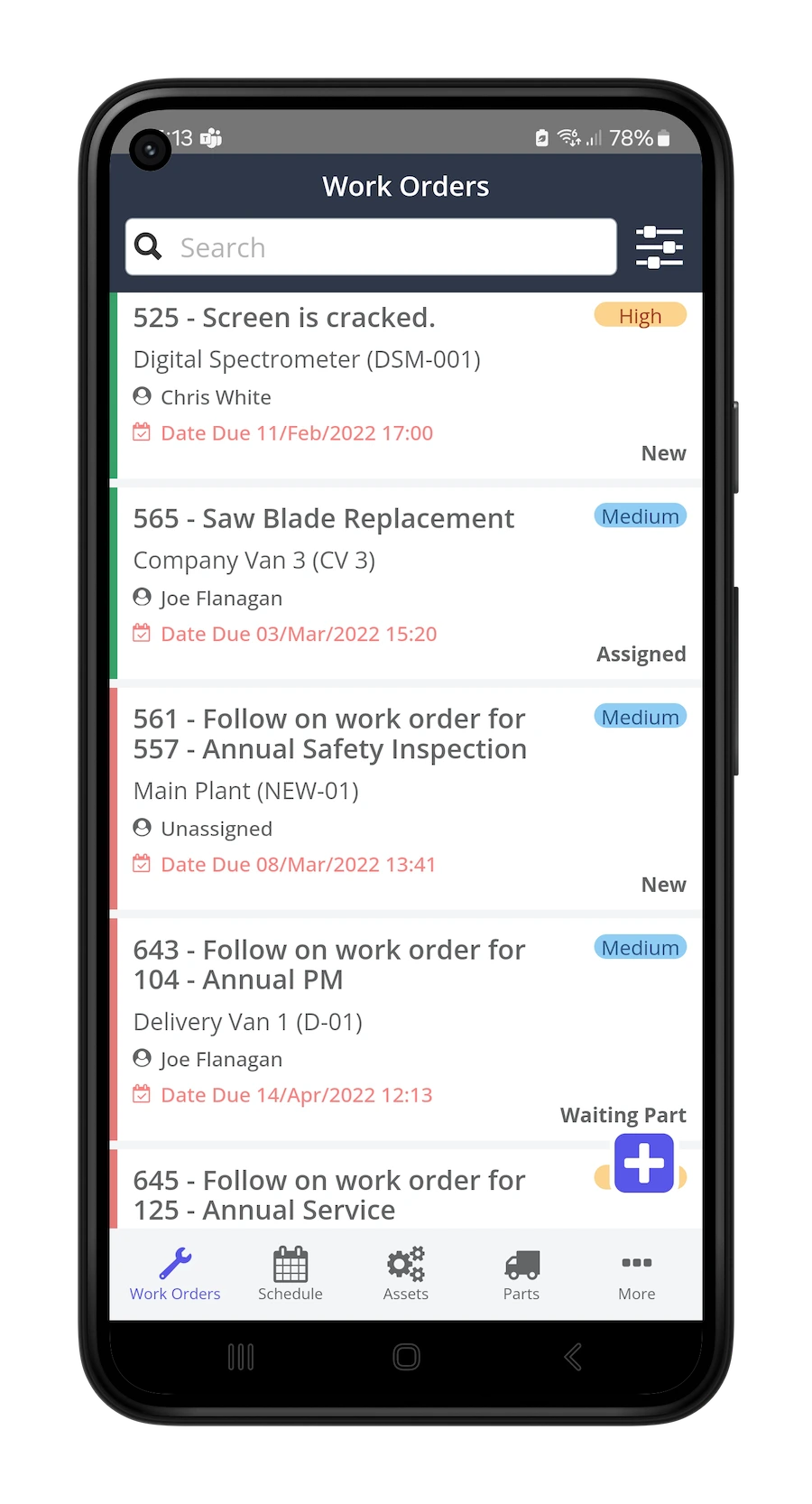
Ease of use and mobile access. The best CMMS is one that your technicians will actually use. Look for an intuitive interface with a native mobile app — field technicians shouldn't need to return to a desk to close out a work order.
Preventive maintenance automation. Automatic scheduling based on time, usage, or condition is the core value proposition of a CMMS. Make sure it supports flexible PM triggers.
Work order management. End-to-end work order tracking from request submission through completion and sign-off — with full history retained.
Asset management. A complete asset register with service history, specifications, warranty data, and associated parts for every piece of equipment.
Reporting and analytics. Out-of-the-box KPI dashboards for downtime, PM compliance, maintenance costs, and technician productivity — without hours of manual data prep.
Inventory and parts management. Integrated spare parts tracking with automatic reorder triggers tied directly to work orders. Compliance and audit readiness. Timestamped records, digital sign-offs, and exportable documentation for regulatory requirements.
The ROI of Switching to a CMMS
The return on investment from a CMMS isn't theoretical — it shows up in measurable operational outcomes:
- 25–40% reduction in maintenance costs with systematic preventive maintenance
- 10–20% improvement in equipment uptime through proactive scheduling
- 15–25% reduction in unplanned downtime with data-driven decision making
- Up to 20% increase in labor productivity by eliminating manual administrative tasks
- 70% reduction in reporting time when maintenance data is centralized and standardized (Nestlé case study, McKinsey)
Ready to Make the Switch?
If any of the seven signs above resonated, your spreadsheets have done their job — and outgrown their usefulness. A CMMS like Zoidii is designed to make the transition straightforward, with an intuitive interface that your team can adopt quickly and the features that matter most for managing preventive maintenance, work orders, and assets at scale.
The global shift toward automated maintenance management is already underway. The question isn't whether a CMMS will become the standard — it already is. The question is when your team makes the move. Start your free trial of Zoidii today and see how quickly a modern CMMS can transform your maintenance operations.



