

New Features
Mobile App - users can now scan parts onto work orders
- Open a work order
- Navigate to the parts tab
- Click add part
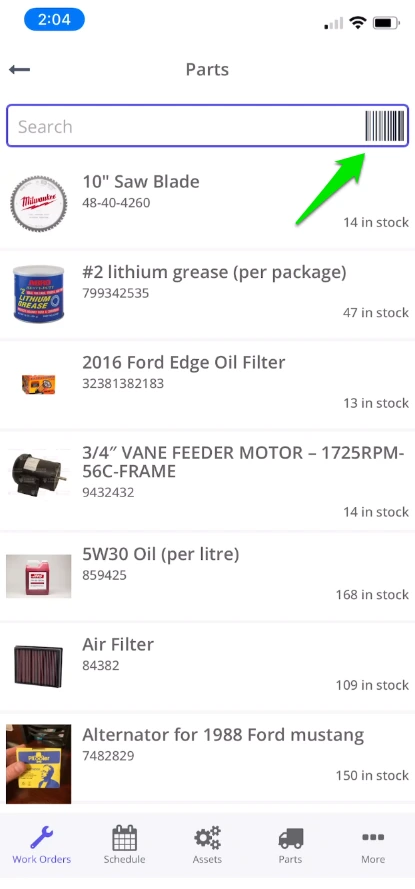
- On the parts selection page, click the barcode to start the scanner:
Search for answers or browse our knowledge base
Mobile App - users can now scan parts onto work orders