

New Features
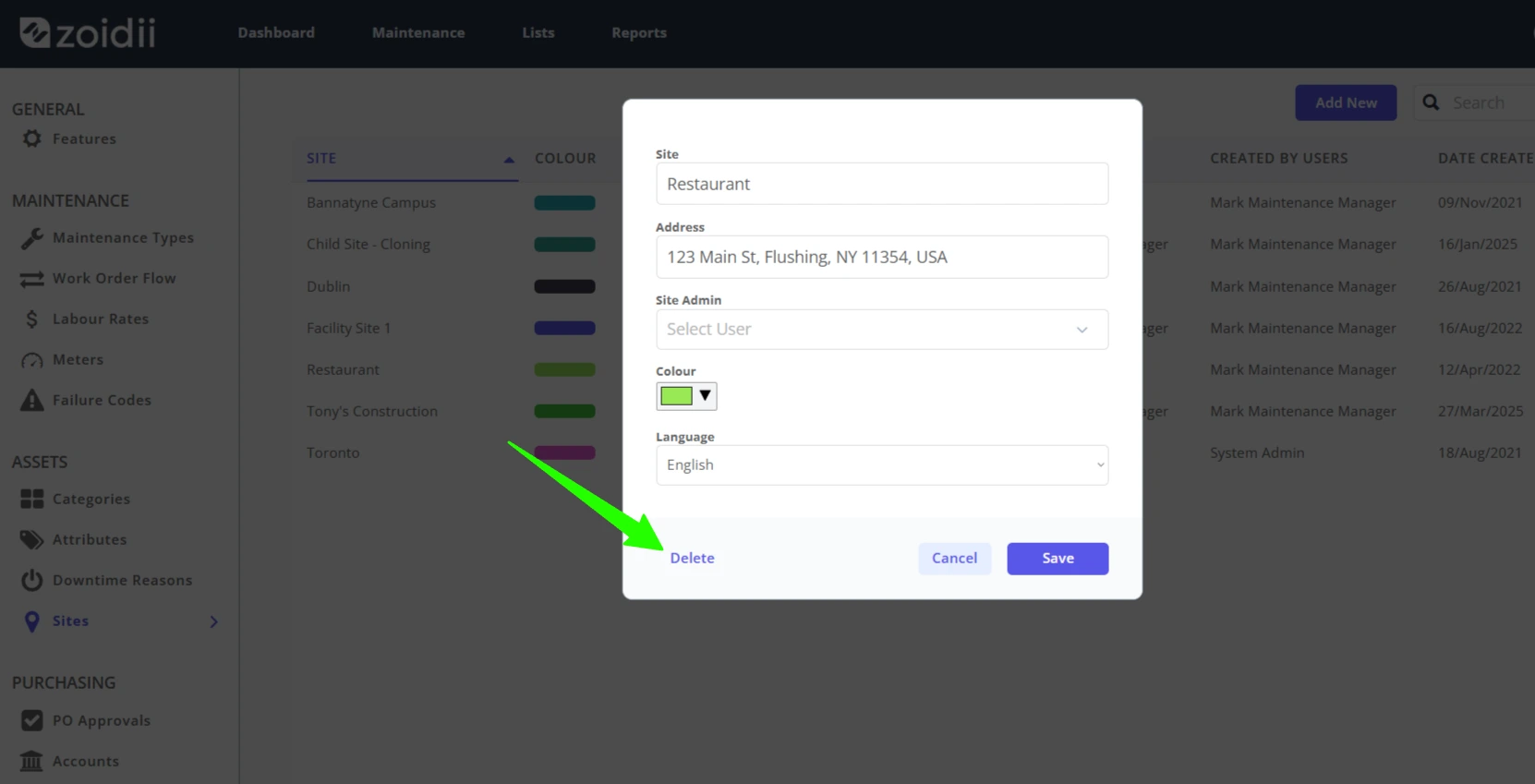
Delete Sites - System administrators can now delete sites in the settings section of the CMMS. Click Edit opposite the site to be deleted, click Delete.
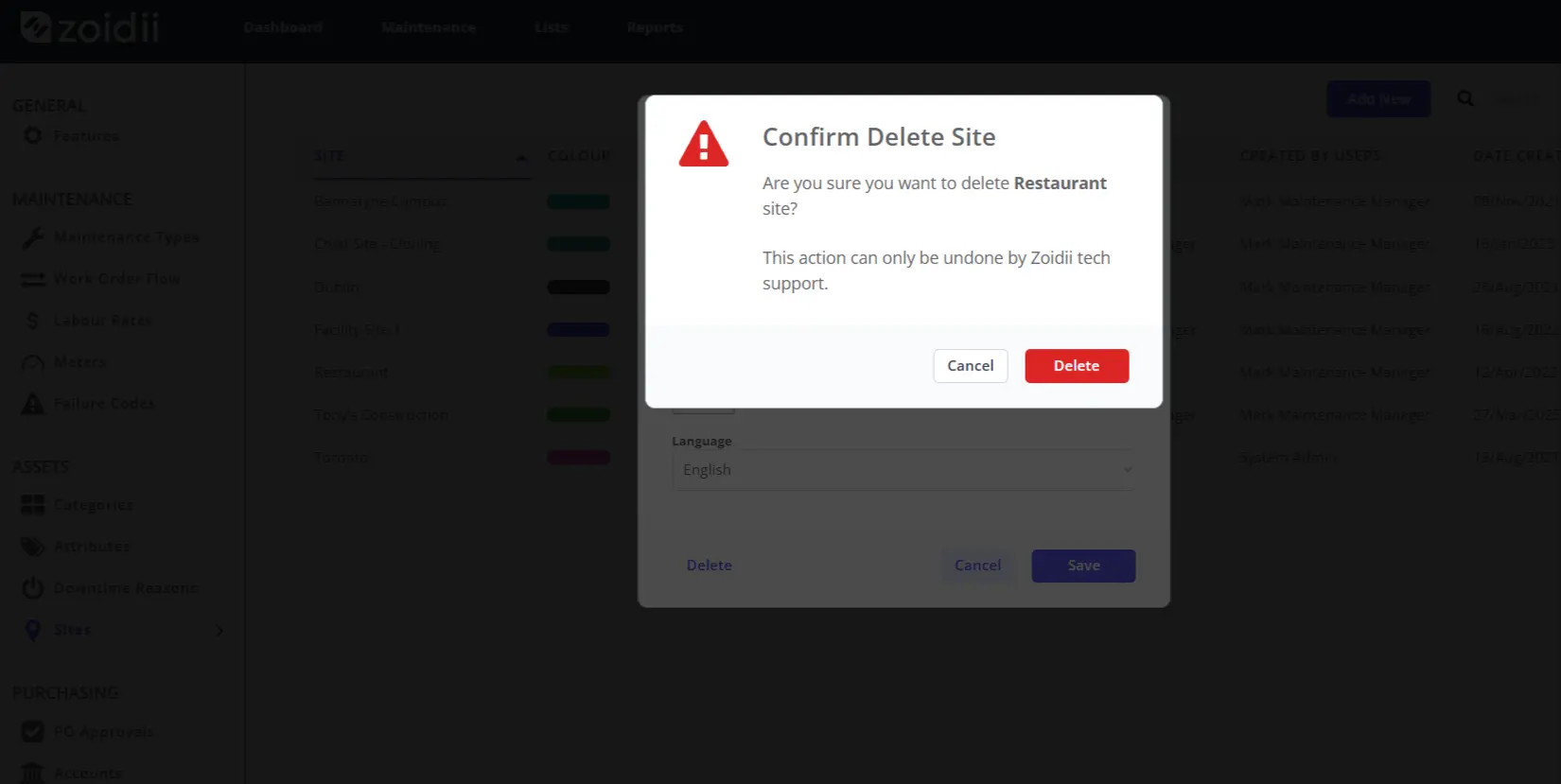
Click the red Delete button to confirm the delete. The site will be deleted from the CMMS.
Note the delete action is a "soft delete", marking the record as no longer active or valid without actually deleting it from the database. As a result, the site can be recovered if needed.
Improvements
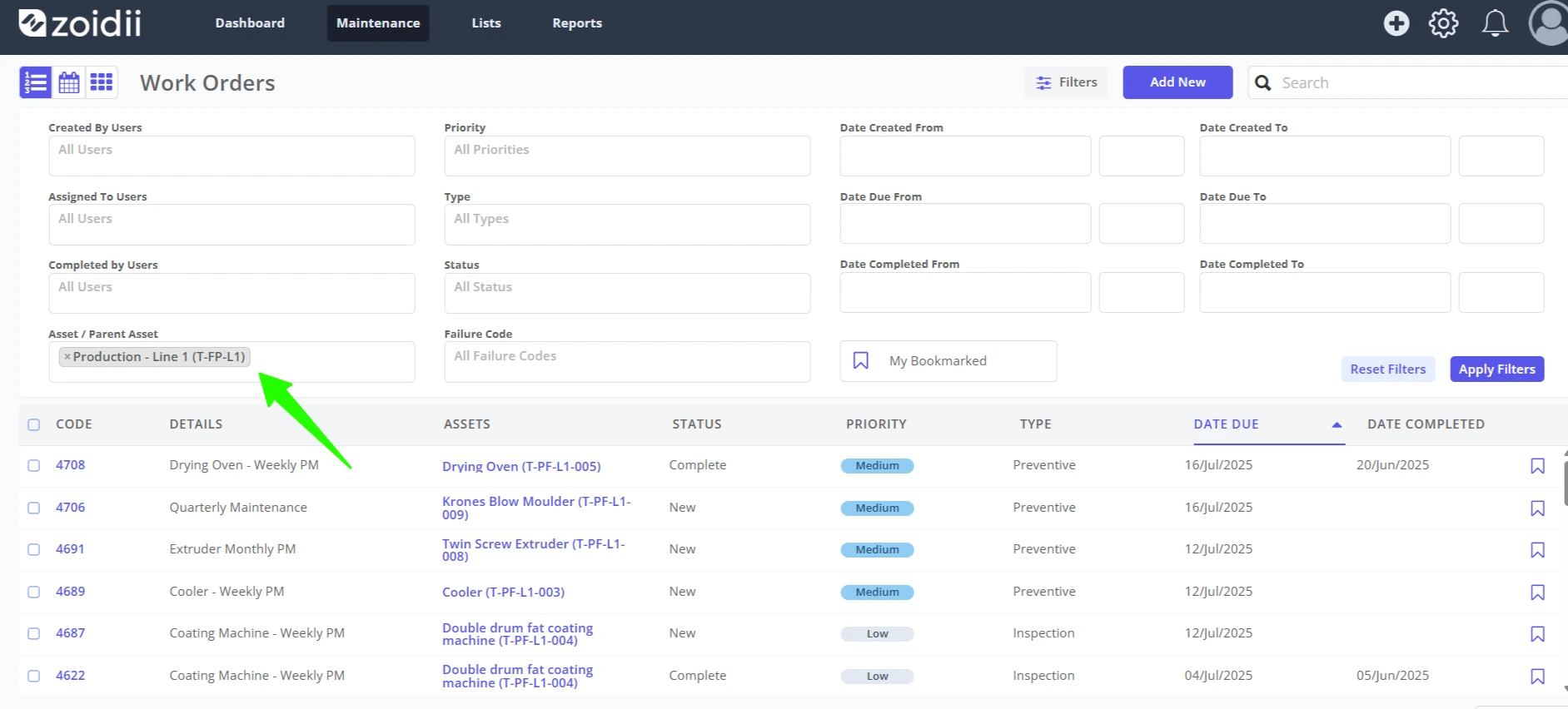
Work Order Screen Asset Filter - Users can now select the asset or a parent asset when filtering work orders. In the below example, the user filters by Line 1, showing all the work orders for the equipment assets in line 1.
Fixes
1. The guest portal on mobile was showing deleted maintenance types
2. Guest users unable to select the asset on mobile
3. Users unable to search by asset code on the PM screen