

Improvements
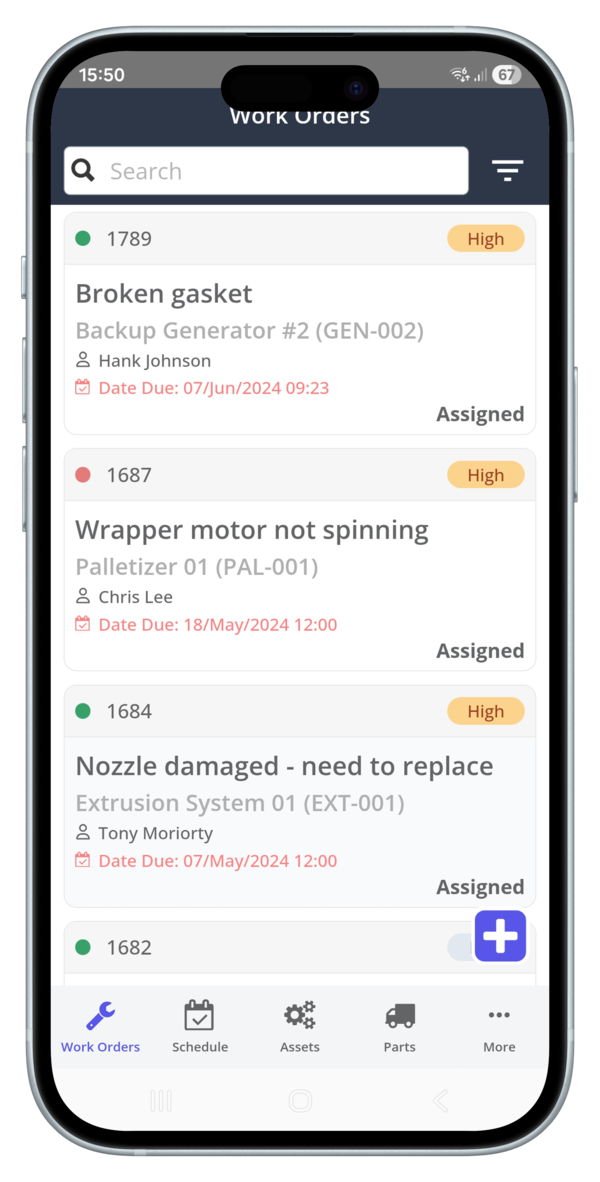
New mobile work order list view - Meet a faster, cleaner Work Order experience on mobile. Key details (code, status, details, priority, due date, and assignee) are front and center.
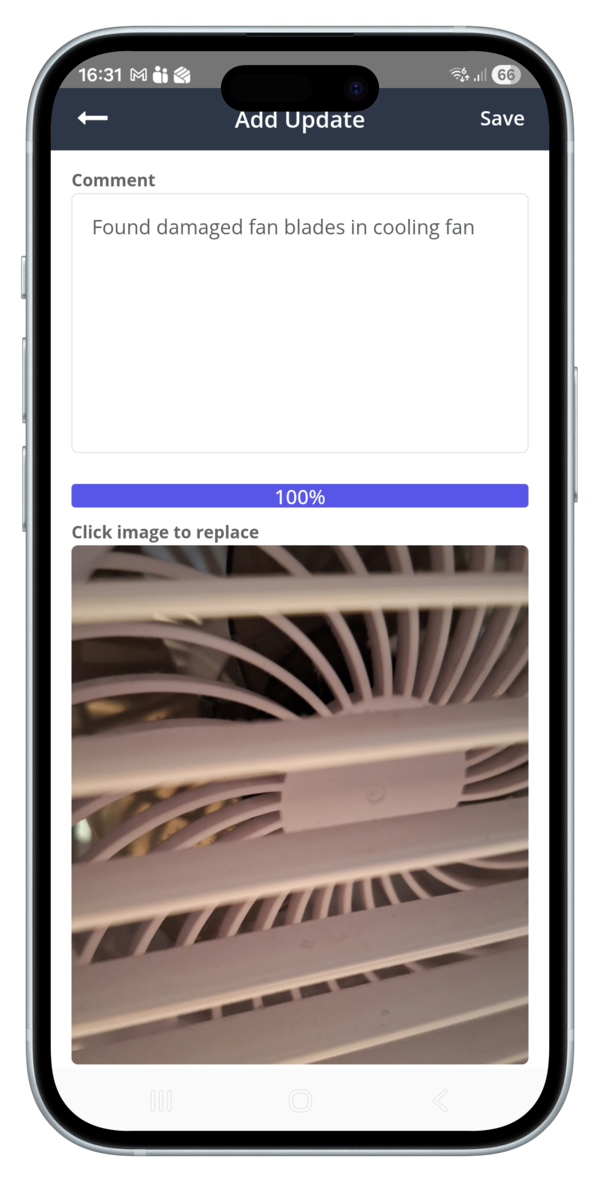
Redesigned Work Order Add Activity screen - previously, users had to choose between adding text or a phone when adding a new activity. Now, users can add text and an image on one screen.
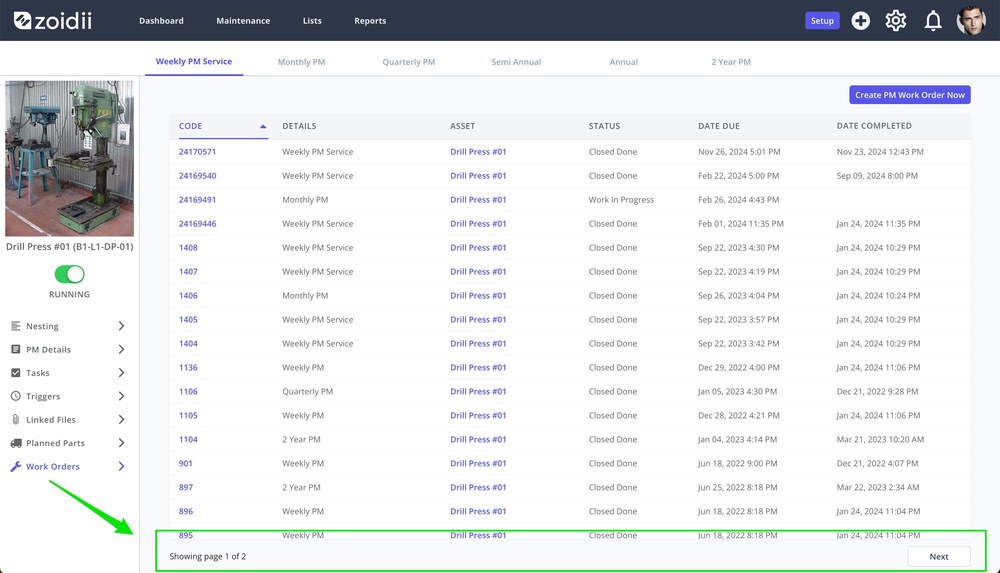
Pagination on the PM - Work Order tab: The PM Work Orders tab now uses pagination for faster, smoother browsing—especially with large lists. Use Next/Previous buttons to move pages.
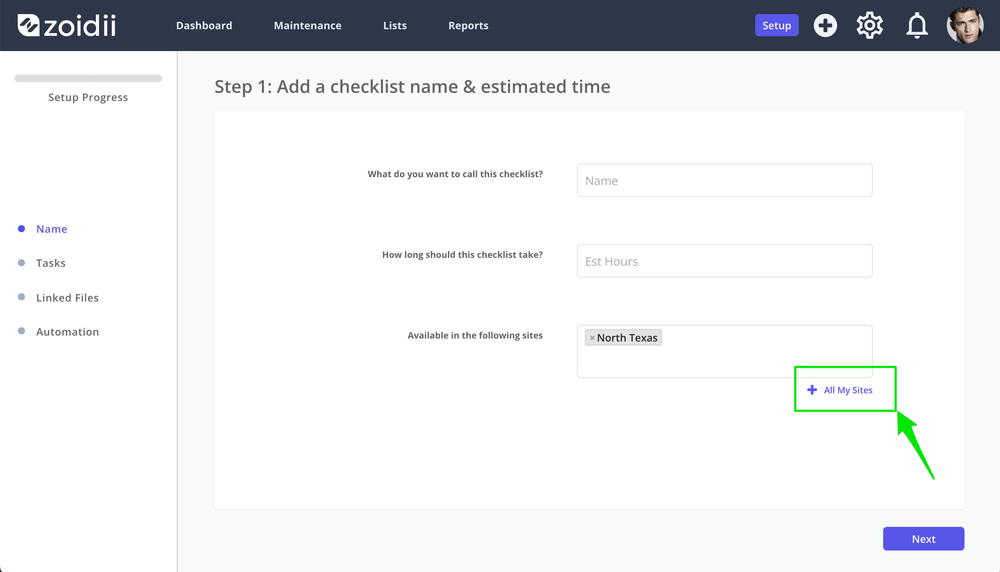
Add All Sites button when creating checklists: Rolling out checklists across the business just got faster. When creating a checklist, you can now add it to every site in a single tap with the new Add All Sites button.
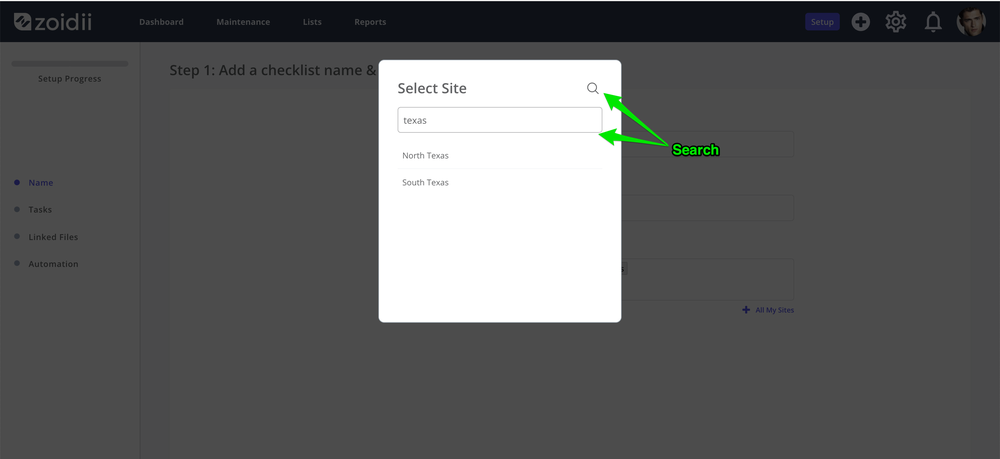
Search Sites: No more endless scrolling. The Sites list now has a search bar so you can jump straight to the site you need by typing its name.
Fixes
User stuck in sites limbo: A User created in a site, and then subsequently removed from that site and reassigned to another site, could be stuck in sites limbo if the change was made before they logged in for the first time. Users with one site now have access to the sites toggle.
Work Order Activity missing code: Work order activity feed entries now have the work order code included in the comment.