

Improvements
1. Photo to Asset
The smart feature that turns equipment photos into complete asset records in seconds. Just snap a photo of any equipment — no typing, no paperwork, no delays.Zoidii’s AI reads the image and extracts key details like make, model, serial number, location, and asset type. Watch as asset fields fill automatically — accurate, standardized, and ready to go.
Confirm or edit the details, tap save, and your asset is securely stored in your CMMS. No manual entry. Fewer errors. Faster onboarding of new equipment.
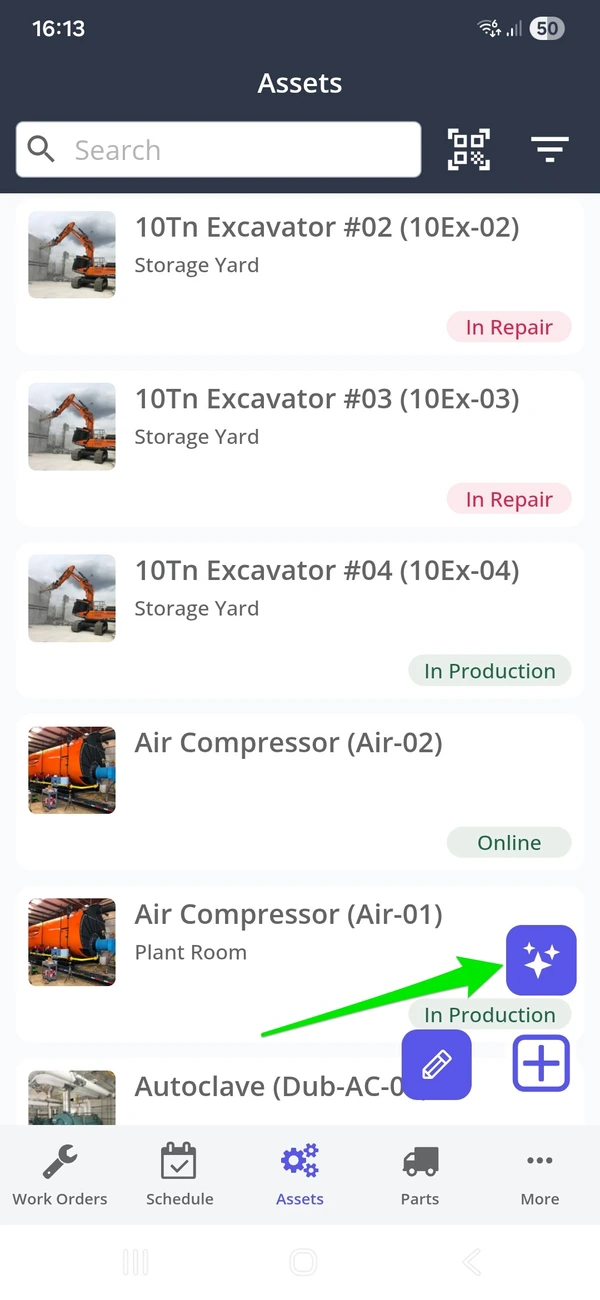
1. To access Photo to Asset, navigate to the Asset screen on your mobile device. Click Add New and click the AI Add button
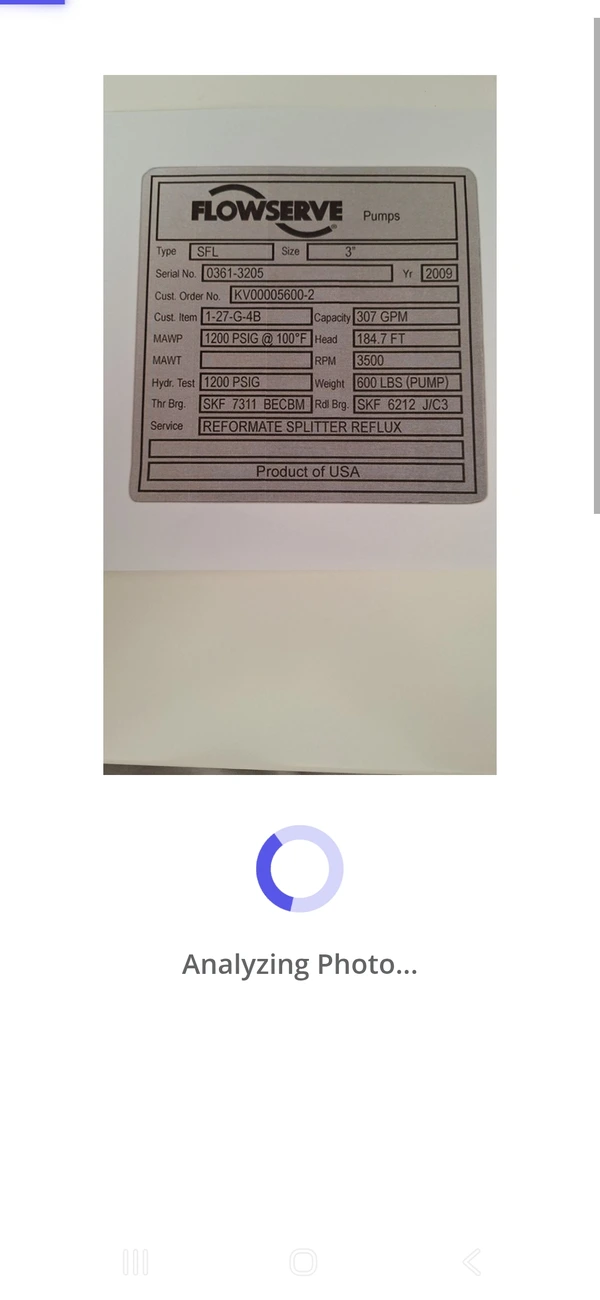
2. Once the user has snapped a photo of the asset nameplate or the asset itself, the AI tool starts extracting information from the image.
Pro Tip - To capture the maximum amount of information, snap a photo of the asset name plate.
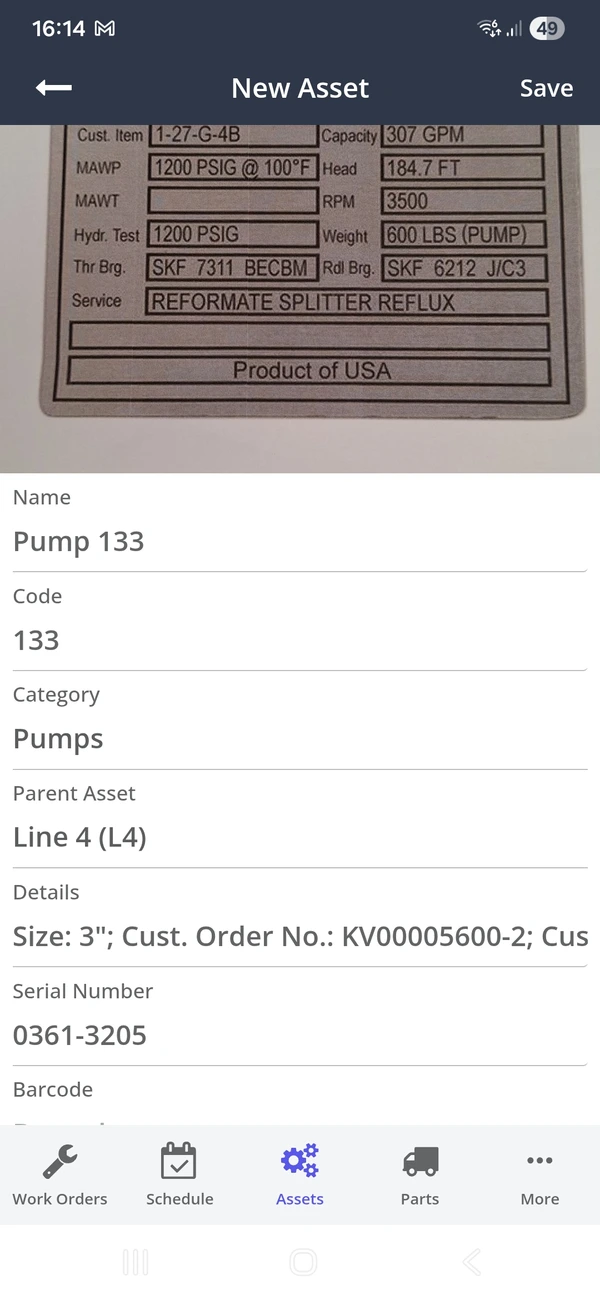
Step 3 - AI returns the asset information. System administrators can make any changes, assign the asset to a parent, and click Save.
2. Photo to Part
Just like Photo to Asset, users can snap images of parts and load them into Zoidii. Zoidii's photo to part speeds up CMMS implementation by turning part photos into complete part records in seconds.
Zoidii’s AI reads the image and extracts key details like part name, part number, barcode, and standard cost. The AI tool crawls online parts stores to determine the standard cost. Watch as asset fields fill automatically — accurate, standardized, and ready to go.
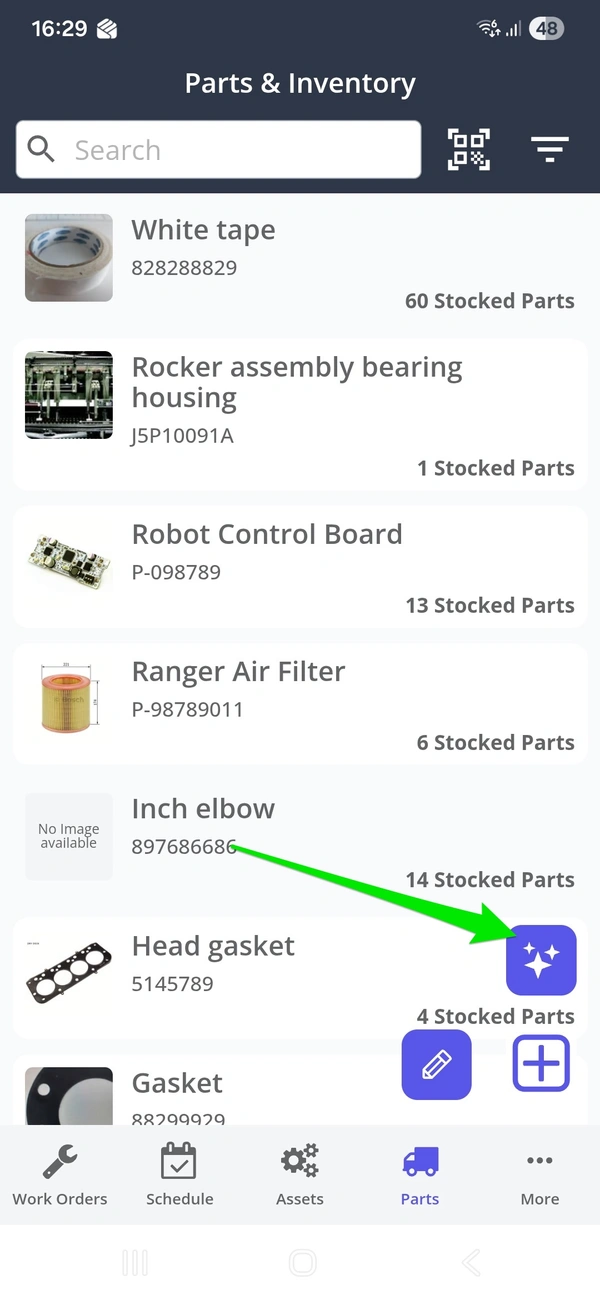
To access Photo to Part, navigate to the Part screen on your mobile device. Click Add New and click the AI Add button
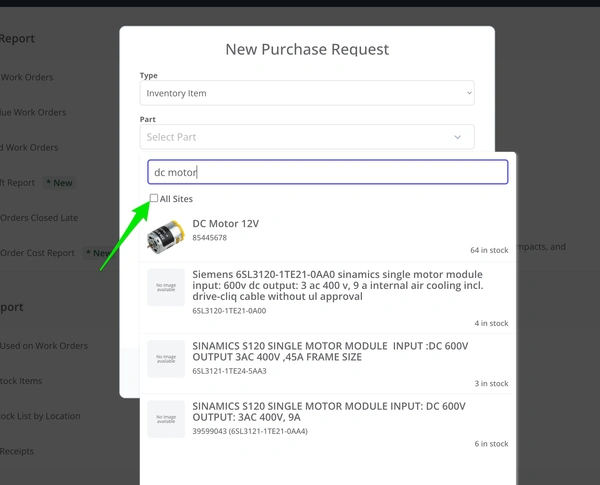
3. Part Search Home Site
When searching for parts, the system now shows all parts at the current site first. Users must now check a checkbox to see all parts at all sites.
Fixes
1. Missing Asset Hierarchy when Searching - When moving an asset to a new parent asset, the asset is not linked to grandparent assets. That means the asset hierarchy is incomplete when searching for those moved assets. Issue resolved - the asset is now linked to all grandparent assets, and the hierarchy is correctly displayed
2. Passwords not respecting 12 character rule. Users could save strong passwords, even if fewer than 12 characters. Issue now resolved - users must create strong passwords that are 12 characters or more.
3. Users unassigned to work orders still show up on the work order dashboard KPIs. Issue resolved - if a user is removed from a work order, they will no longer show up on the User - Assigned Users KPI.