

New Features
1. AI Work Order Summary: We’re excited to introduce AI Work Order Summary, a powerful new feature designed to give maintenance teams instant summaries of their work orders. With AI-driven analysis, you can now get an AI-generated summary of completed work orders at a glance.
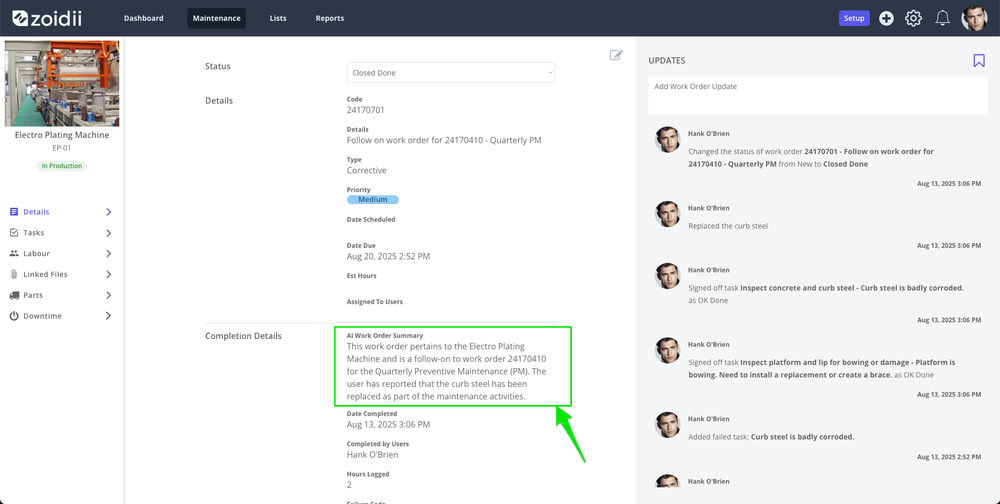
The AI work order summary is generated when the work order is closed. Site managers and system administrators can edit the summary by clicking the edit icon at the top right-hand side of work order details.
The AI summary is visible in Report #3 - Closed Work Orders CSV view.
This feature helps you move from reactive tracking to proactive decision-making, boosting efficiency across your maintenance operations.
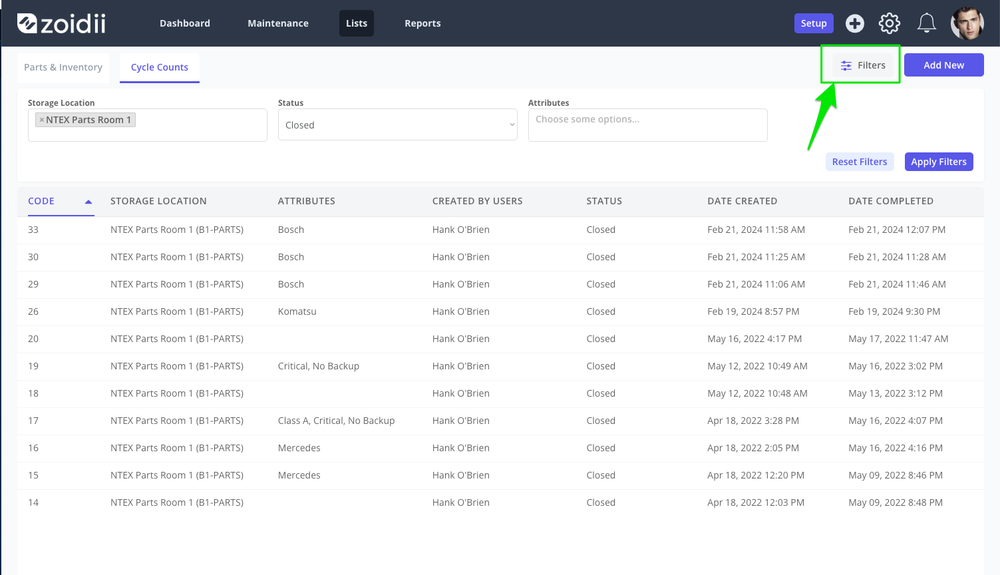
2. Filters on Stock Take Screen
Users can now filter by Stock Location, Status, and Attributes on the Parts - Stock Take screen.
Improvements
1. Duplicate follow-on work orders when a work order is closed and then reopened. The system now generates one follow-on work order with failed tasks when the work order is closed for the first time.
2. The system does not reschedule a PM in the Work Order Scheduler View after the PM has been paused for a long period and then reactivated. Issue resolved - when the PM trigger is adjusted to the correct next due date, the change is reflected in the work order scheduler.
3. The master task is not marked as complete when the last subtask is a meter reading. Issue resolved - the master task is marked as complete when the last subtask completed is a meter reading task.