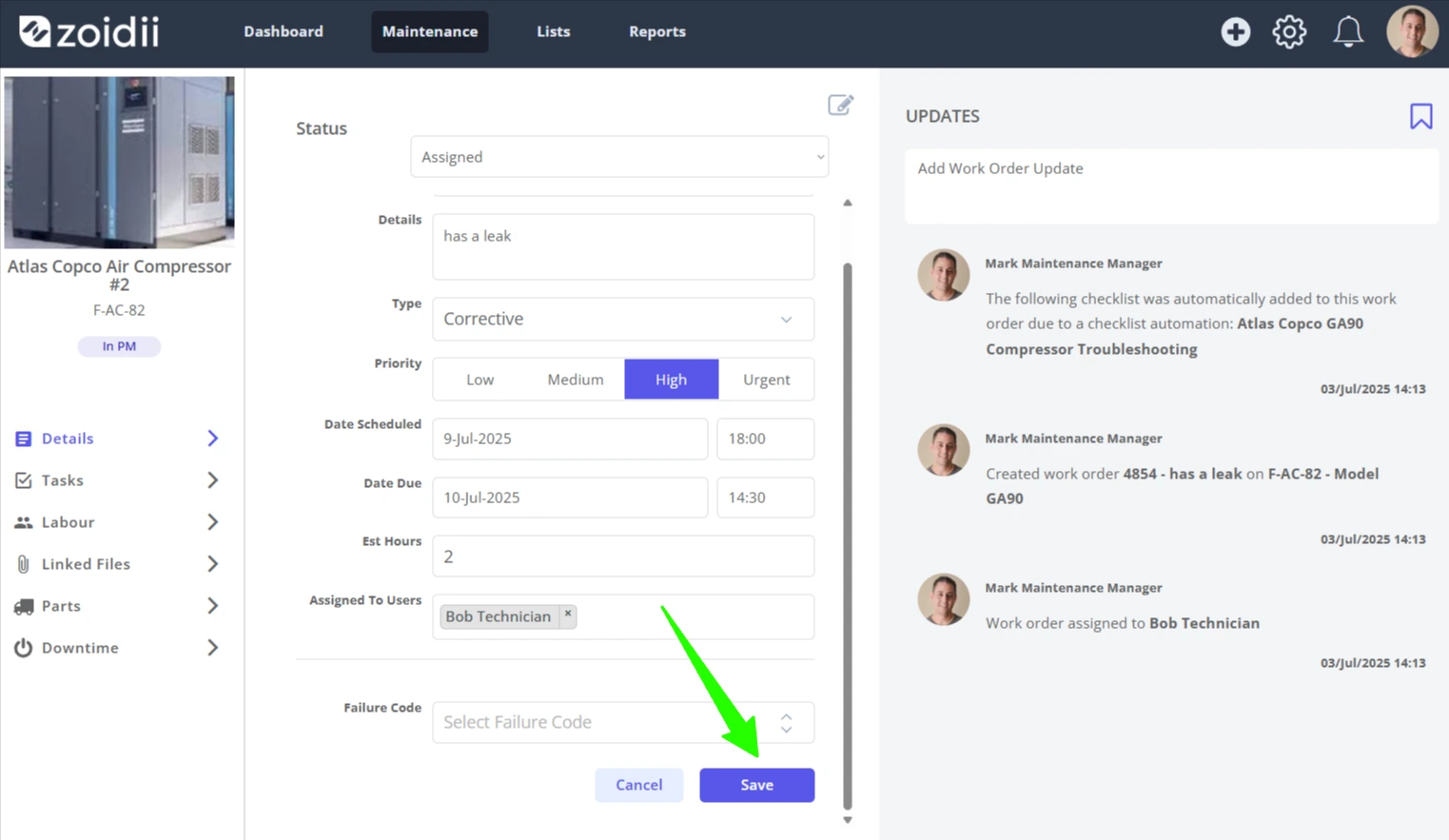
There are several ways to reschedule a work order:
1. Drag and drop on the scheduler itself
Schedule work orders can be dragged, dropped, extended, and shortened as needed:
Drag and Drop Work Order Scheduler - Watch Video
2. In the work order snapshot
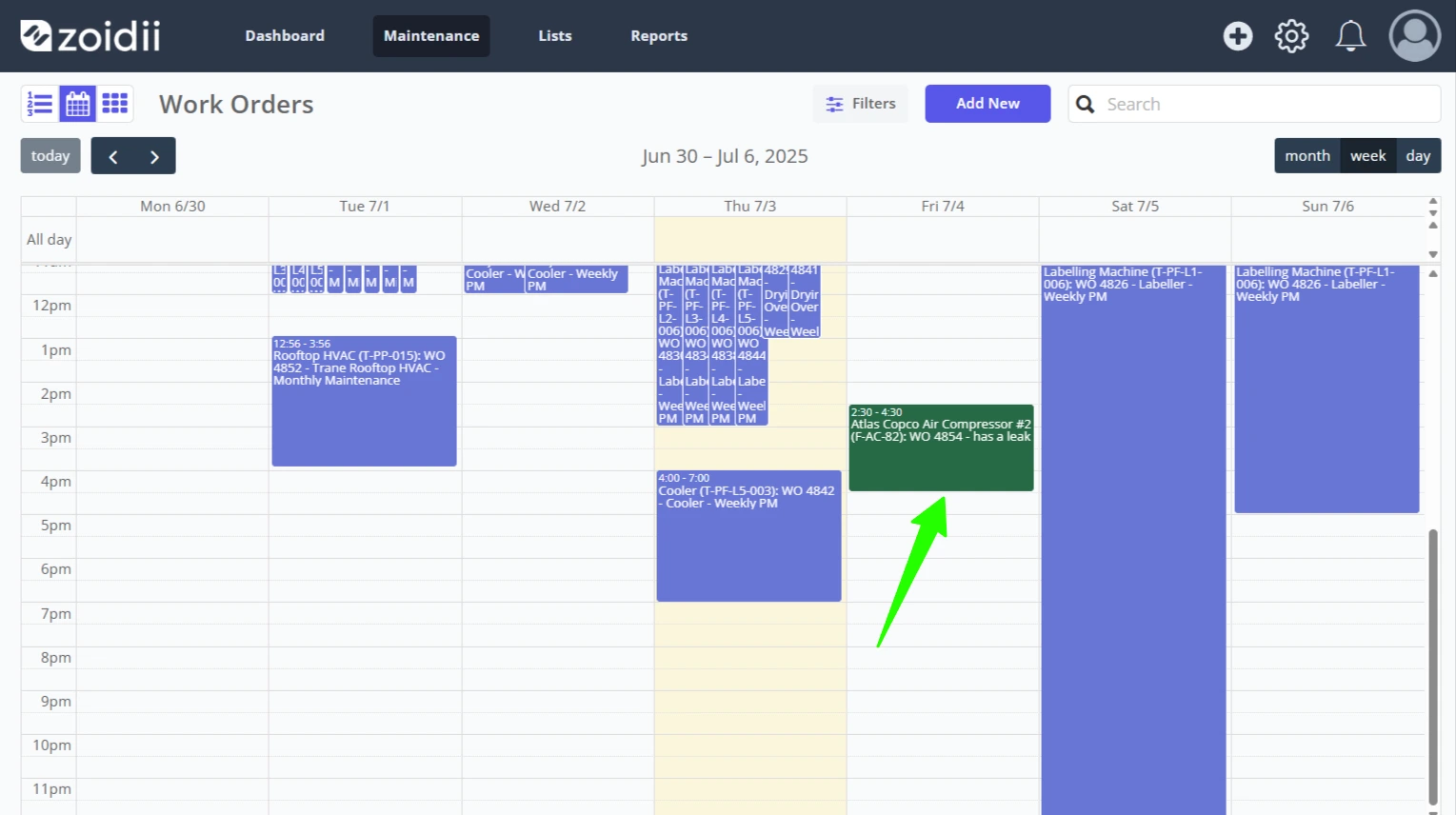
1. Click the work order on the scheduler
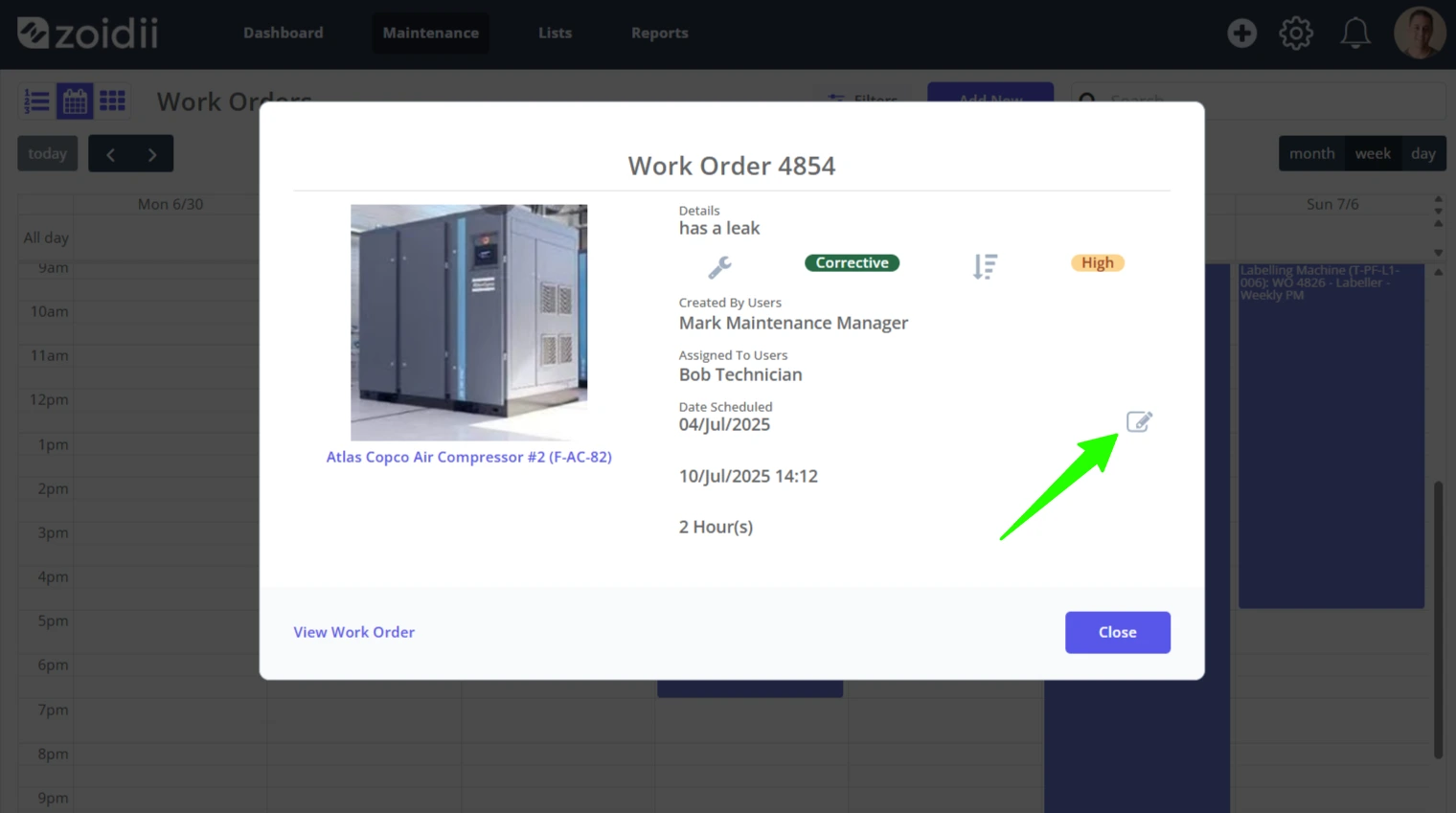
2. In the work order snapshot window, click Edit opposite the scheduled date
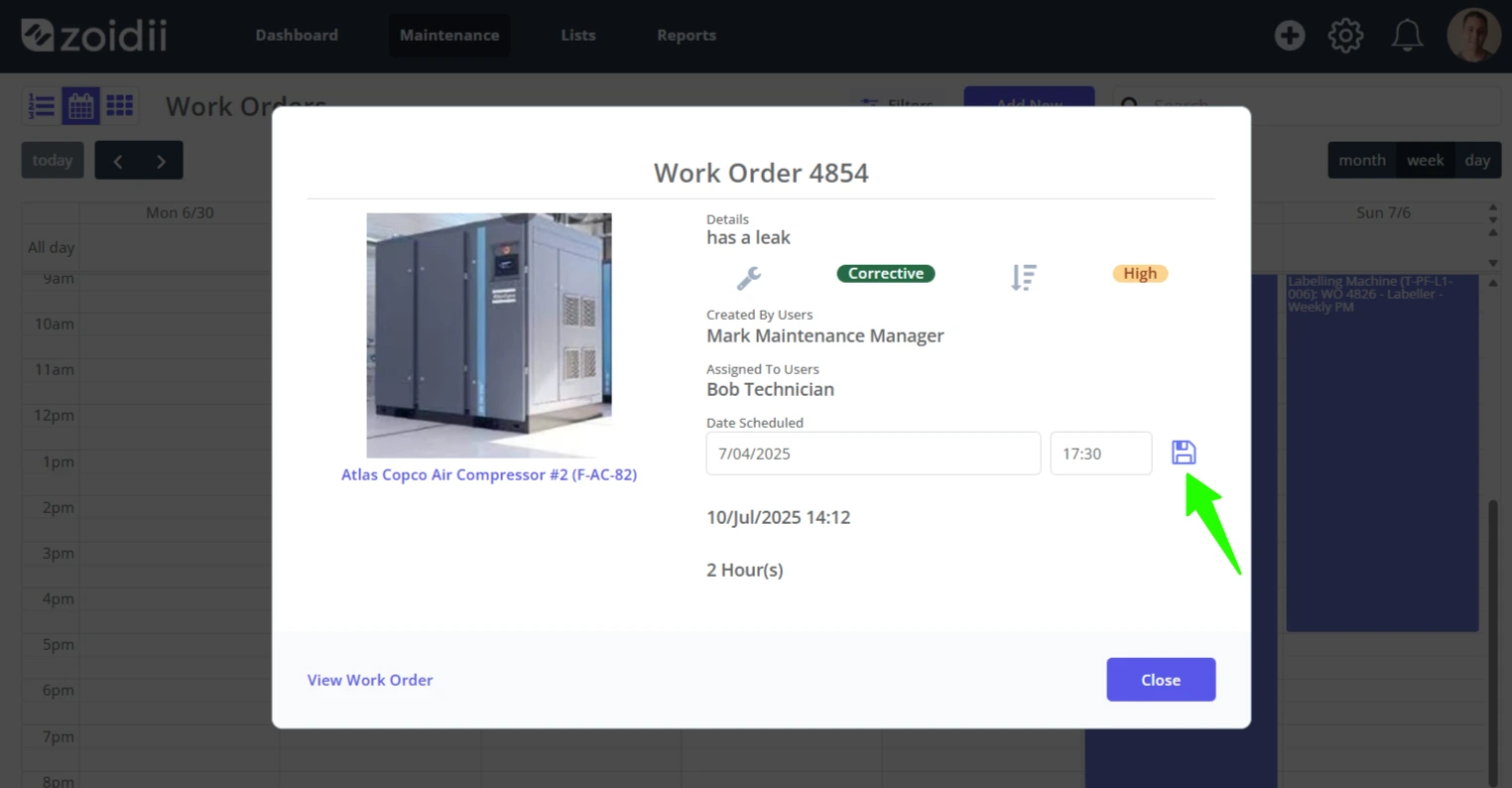
3. Edit the scheduled start date and click the Save icon when done
3. Edit the scheduled date on the work order
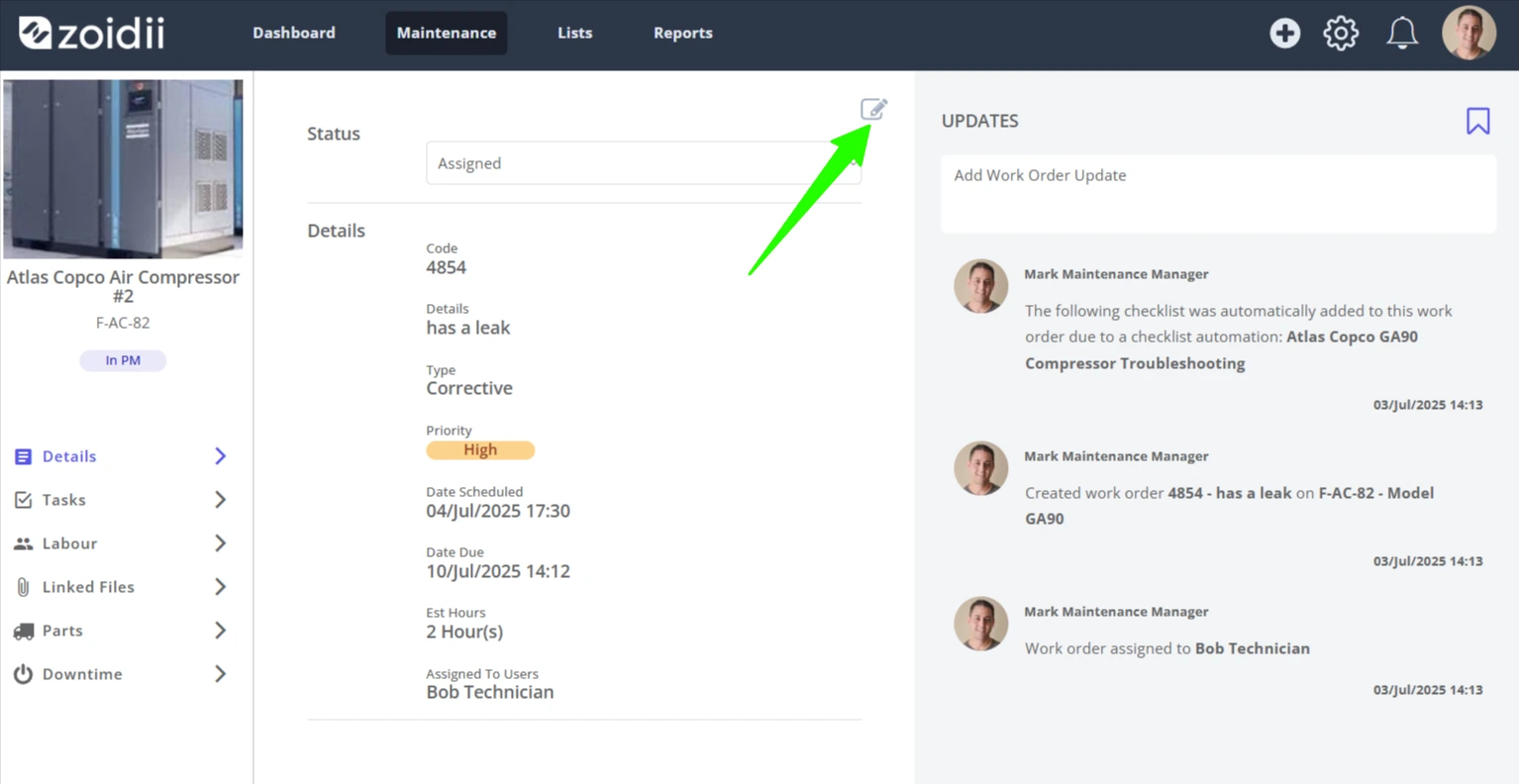
1. Click into the work order and click the Edit icon on the top right-hand side
2. Adjust the Scheduled for Date as needed
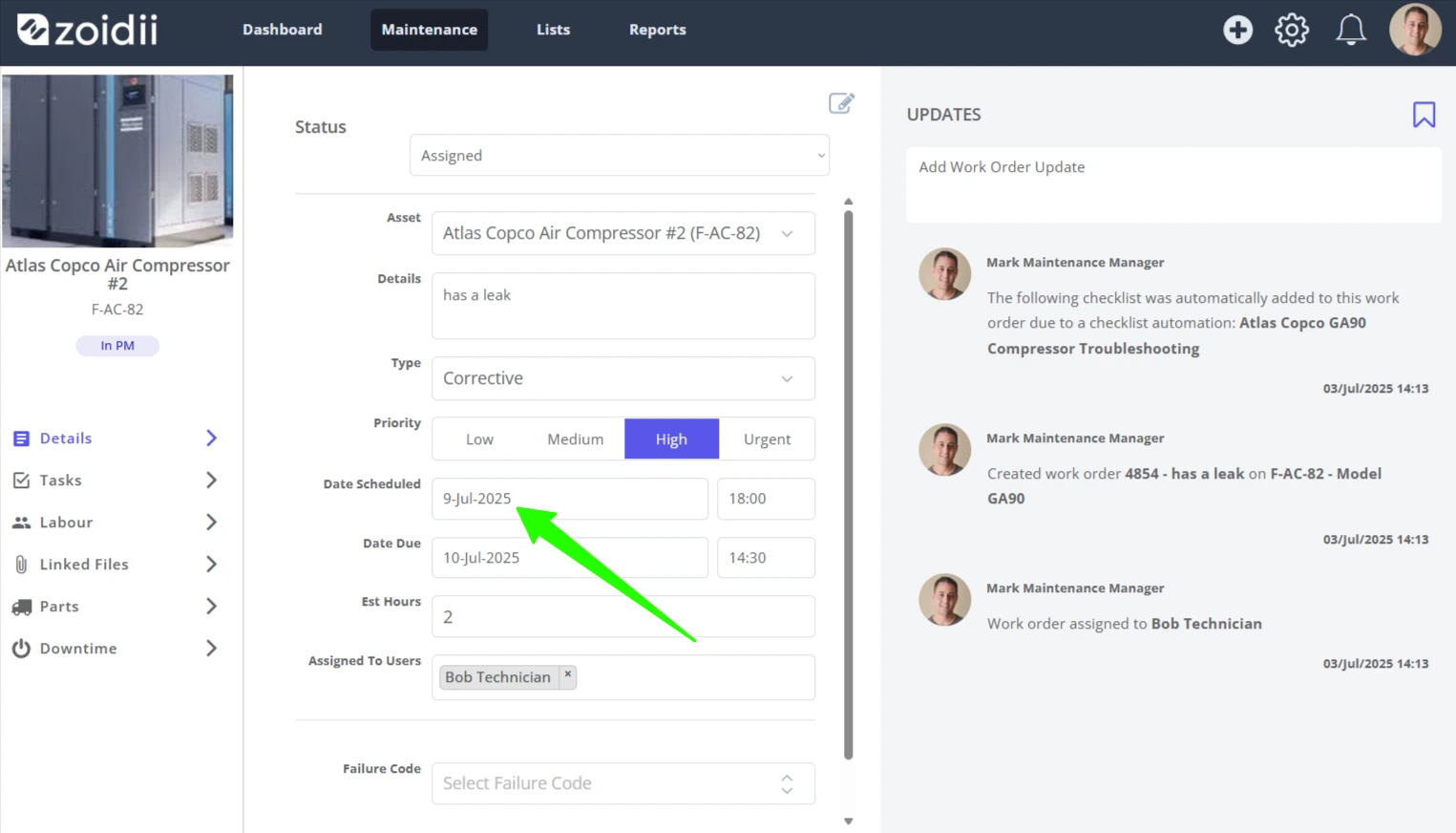
3. Click Save when done