Today, we are delighted to launch our work order scheduler. Our new work order scheduler allows managers to allocate resources, plan their activities, and coordinate multiple teams more efficiently. By planning and scheduling maintenance, companies can optimize efficiency, improve workflow and enhance customer service.
First, why schedule work?
Planning and scheduling work ahead of time is more efficient and cost-effective. Planners can prep for the job by ordering the parts needed, preparing tools, and writing the instructions to complete the repair. When the prep is complete, maintenance schedulers can schedule the job at a time that makes sense. This process maximizes the use of resources, limits the use of outside contractors, reduces the number of emergency parts shipments needed, maximizes production capabilities, limits scrap and rework, and helps control the budget.
How do you access the new work order scheduler?
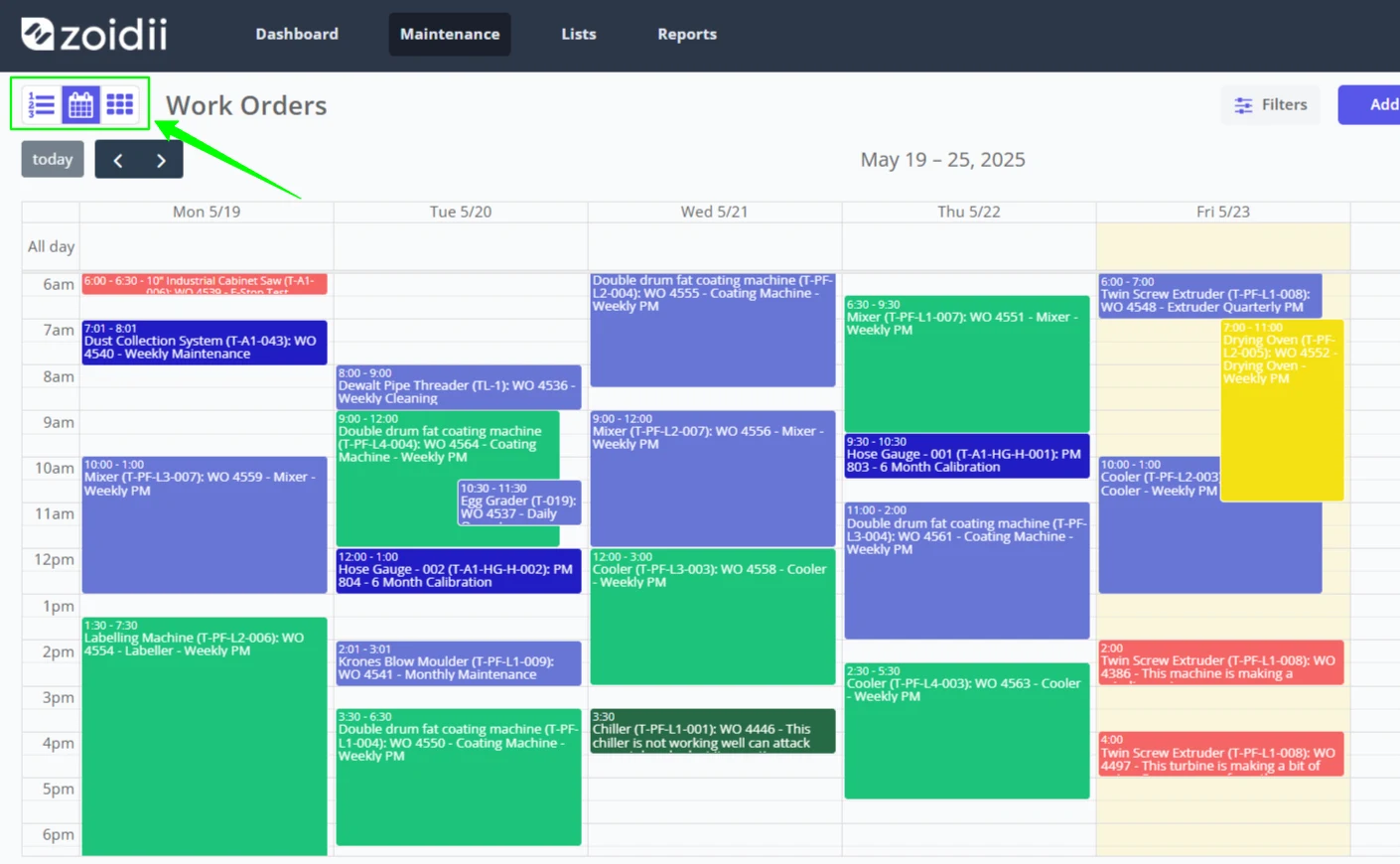
Zoidii's new work order scheduler helps maintenance managers, planners, and schedulers optimize efficiency, improve workflow, and enhance customer service. The new work order scheduler is available only on the Enterprise CMMS tier and is accessed by clicking the calendar icon on the work order page. The feature is optional and turned on by request.
How does the work order scheduler work?
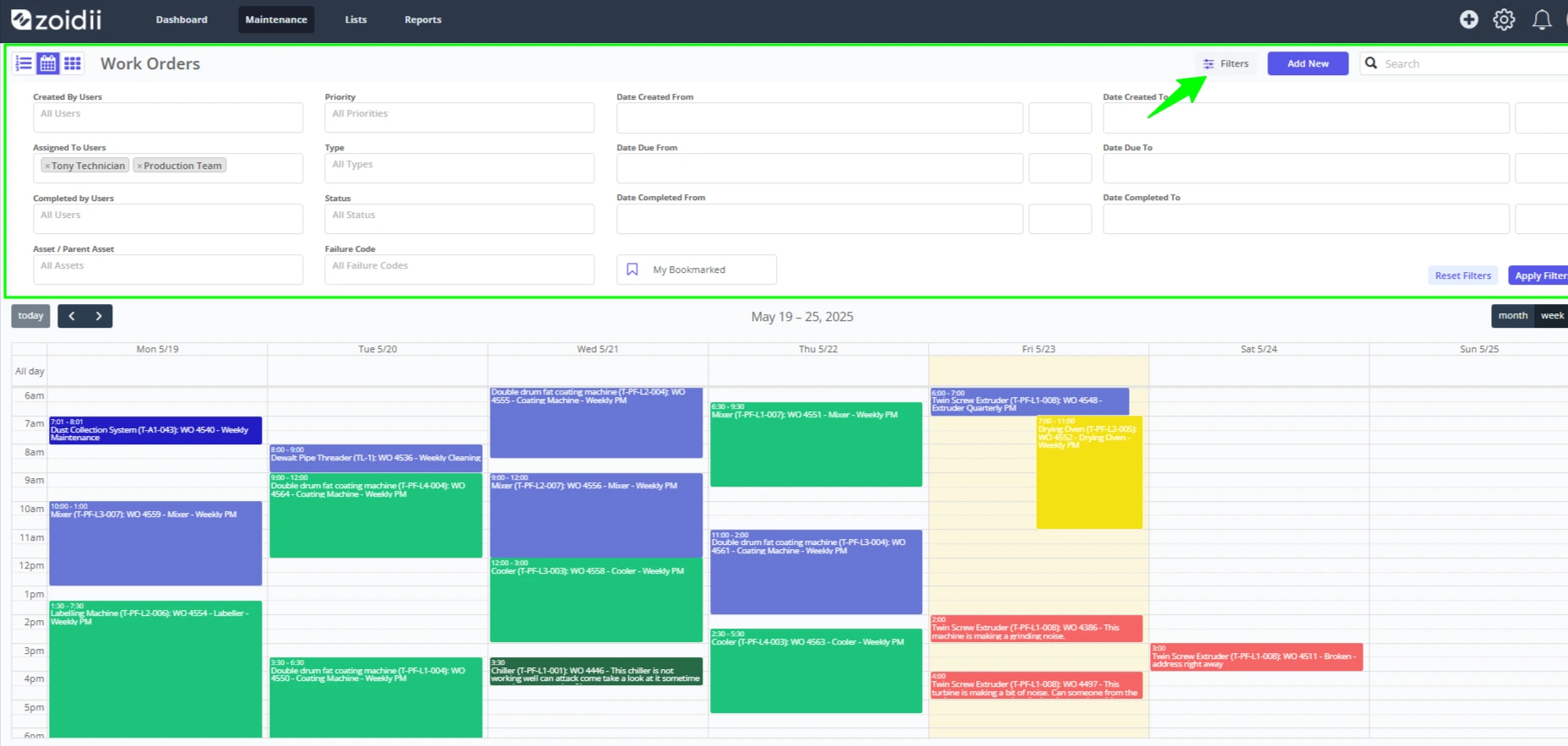
The work order scheduler functions just like your Google or Outlook calendars. It's called a "work order scheduler," but it also shows the next due PMs on the scheduler. System administrators can view the work on a monthly, weekly, or daily outlook:
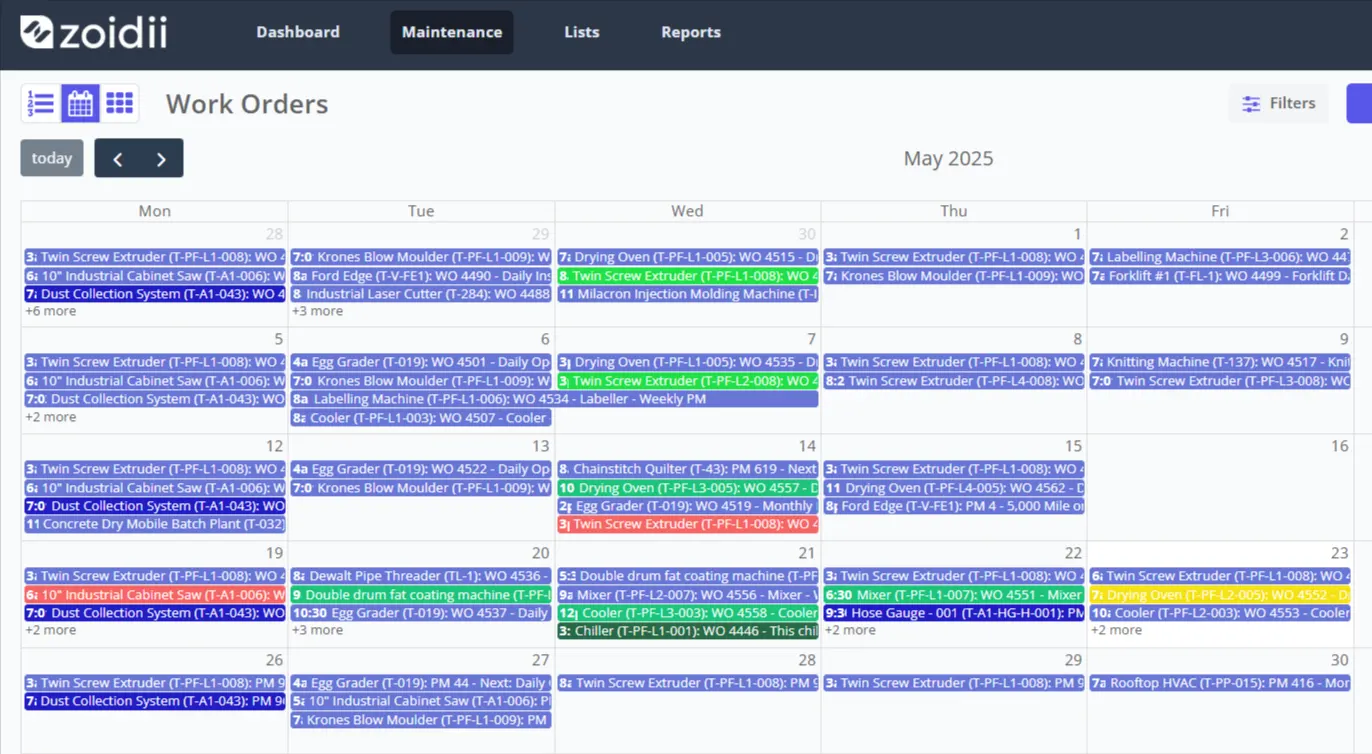
They can schedule the work, drag and drop work orders to a new day and timeslot, extend the planned hours for a work order, and reassign work to other technicians:
Color-coordinated events on the schedule as per the maintenance types mean you can see exactly what kind of work is scheduled:
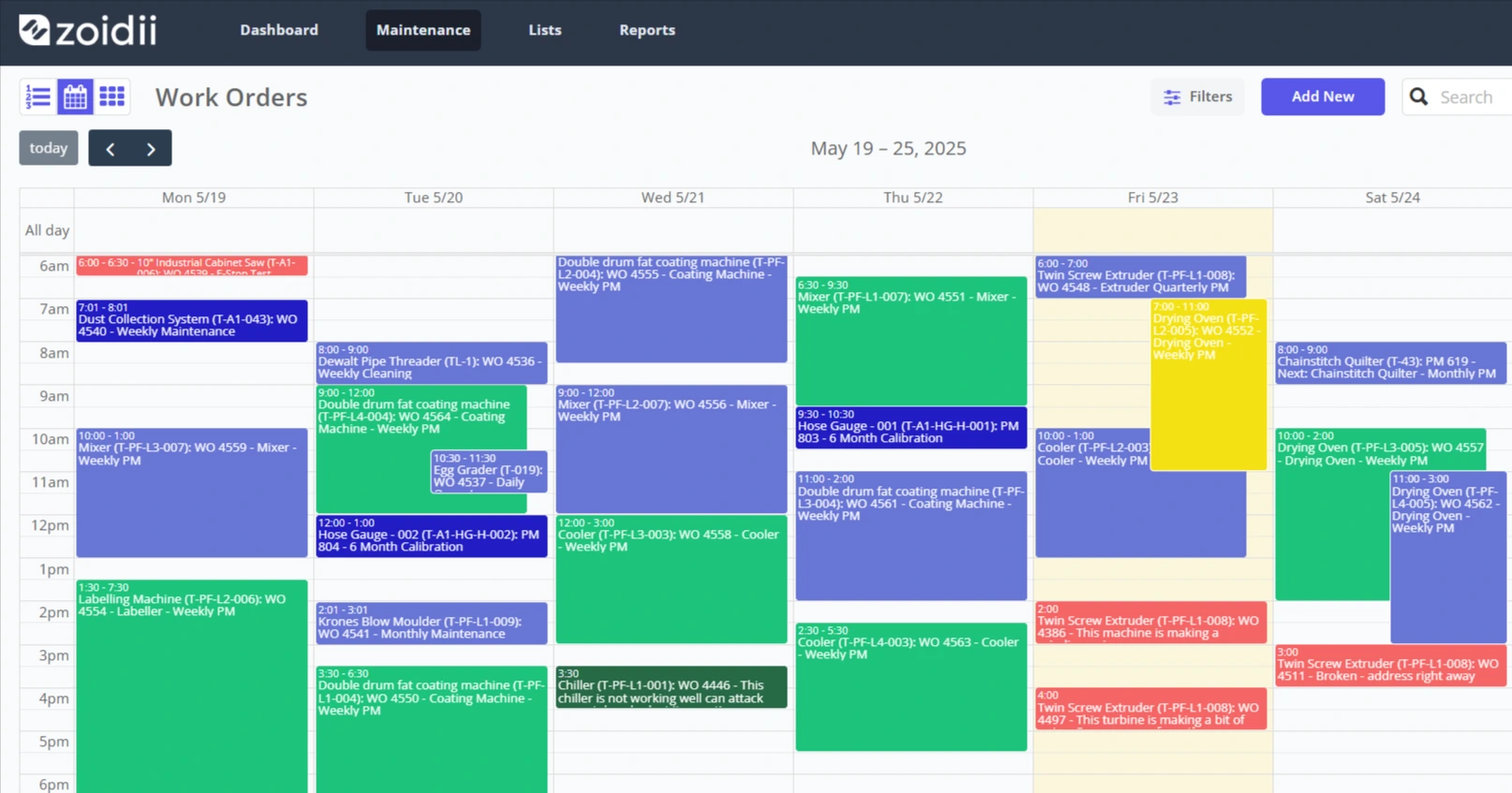
Maintenance schedulers can slice and dice the schedule using filters and advanced search. For example, they can see the scheduled work for each technician or on a particular machine or production line:
Technicians can log into the CMMS mobile app and see their schedule for the day:
Best practices when using the work order scheduler
The goal is to develop a one-week work schedule in advance based on the available technician hours and work order priorities that maximize productivity.
- Identify the assets at the most risk for failure and prioritize the corresponding work orders.
- Select one week of work from the work order backlog based on priority and age. Consider work order age, so lower priority issues don't get continuously postponed and become more serious.
- Schedule and assign the work, ensuring it maximizes the capabilities of each technician. Be sure to schedule for every available hour.
- The maintenance supervisor should review the schedule at the daily morning huddle. Refine the daily schedule based on current priorities, the progress of existing work, and any new high-priority work that has come in.
- Complete the work.
- Review and measure performance against the schedule.
Advantages of using the new work order scheduler
Unplanned work costs 3-9 times more than planned work for several reasons, such as vendor emergency call-out rates, emergency parts shipments, and technician overtime. So it makes sense to plan and schedule as much work as possible. Here are just a few advantages of using the new work order scheduler:
- Reduces the delays between jobs, so it helps increase productivity and maximizes wrench time
- Better match the skills of the technician to the requirements of the job when it can be planned and scheduled in advance
- Control budgeting by controlling resources associated with maintenance
- Prioritizing advanced scheduling helps ensure sufficient workloads are assigned, and critical work orders are completed first.
- Increase equipment availability
- A reduction in emergency parts and spare parts usage
- Increase in employee morale. Technicians know what they have to do every day and have fewer surprises.