

Keeping campuses safe, compliant, and inspiring is a full-time job—and then some. Between aging buildings, tight budgets, and a constant flow of work requests from students, faculty, and staff, maintenance teams need software that’s equal parts practical and powerful.
That’s where a computerized maintenance management system (CMMS) earns its keep.
This guide explains what makes education-ready CMMS different, the features you should prioritize, and a curated shortlist of platforms that consistently fit K-12 districts, colleges, and universities.
Use it as your playbook for evaluating vendors and writing a confident shortlist.
What makes education maintenance unique?
Educational environments stretch a CMMS in ways that traditional industrial settings often don’t. You’re juggling:
- High request volume from non-technicians. Students and faculty need an intuitive way to submit issues and track progress without training.
- Complex, distributed assets. From HVAC and life-safety systems to lab equipment, buses, dorms, and athletic facilities—often across multiple campuses.
- Safety and compliance. Fire/life safety, ADA, and state or provincial regulations require documented preventive maintenance (PM) and clean audit trails.
- Budget accountability. Leadership seeks evidence of backlog reduction, improved uptime, and enhanced capital planning.
Must-Have CMMS Features for Schools and Campuses.
When you’re assessing systems, prioritize:
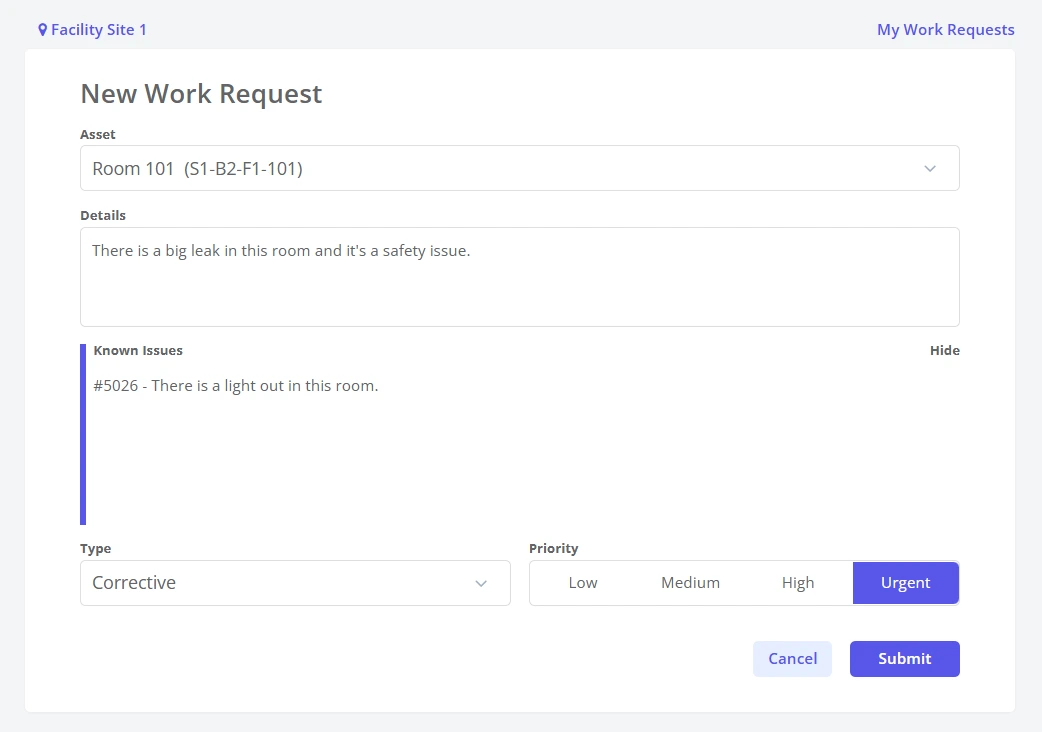
1. Frictionless intake. Implement branded request portals, QR codes on assets and areas, and—ideally— offer free, unlimited access to requesters to prevent throttling of reporting.
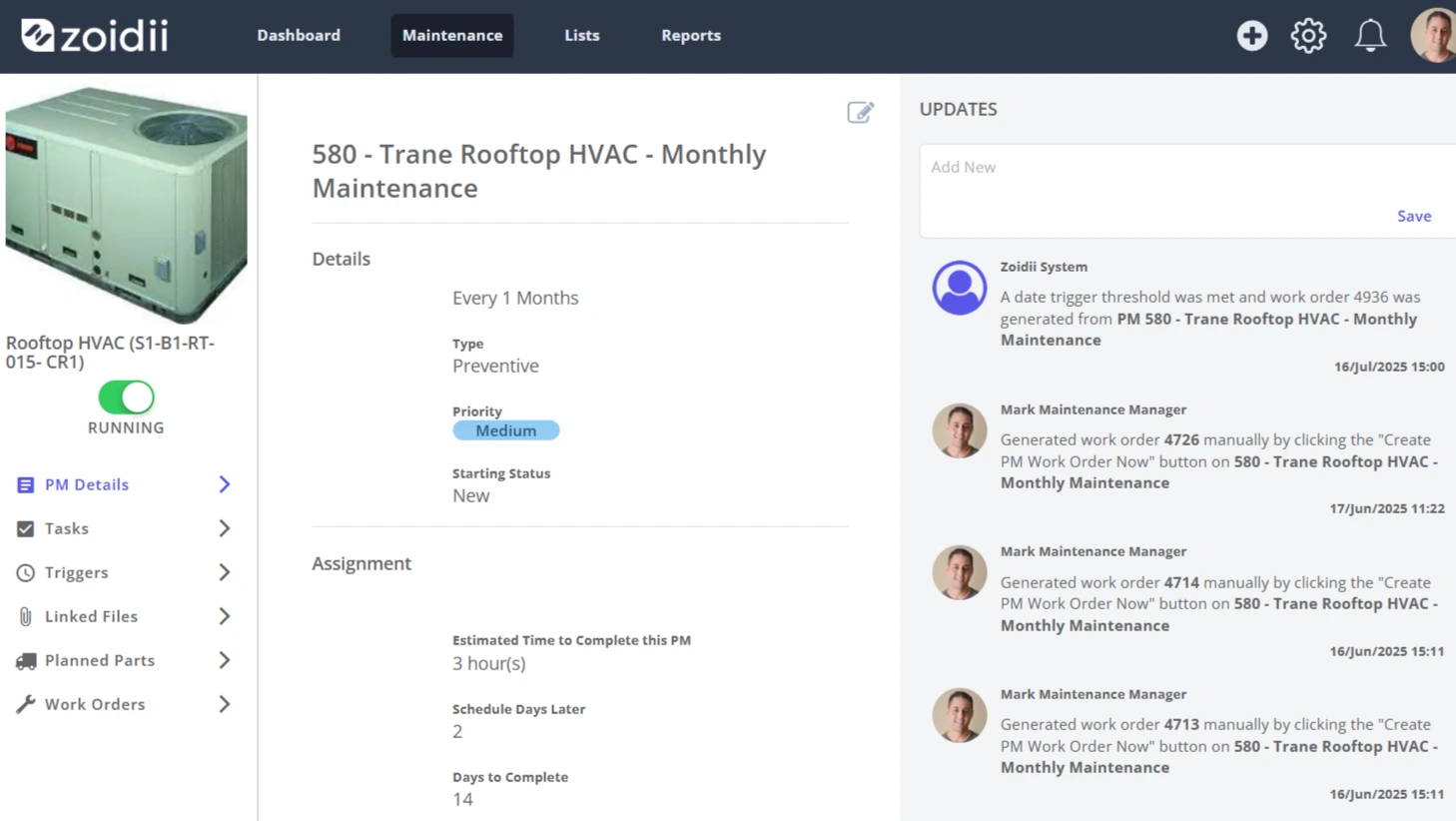
2. Preventive maintenance and checklists. Calendar- and meter-based PMs, shared checklists, and seasonal schedules (summer refresh, semester turnovers).
3. Mobile-first workflows. Technicians need to update work orders in the field, as well as add photos and comments.
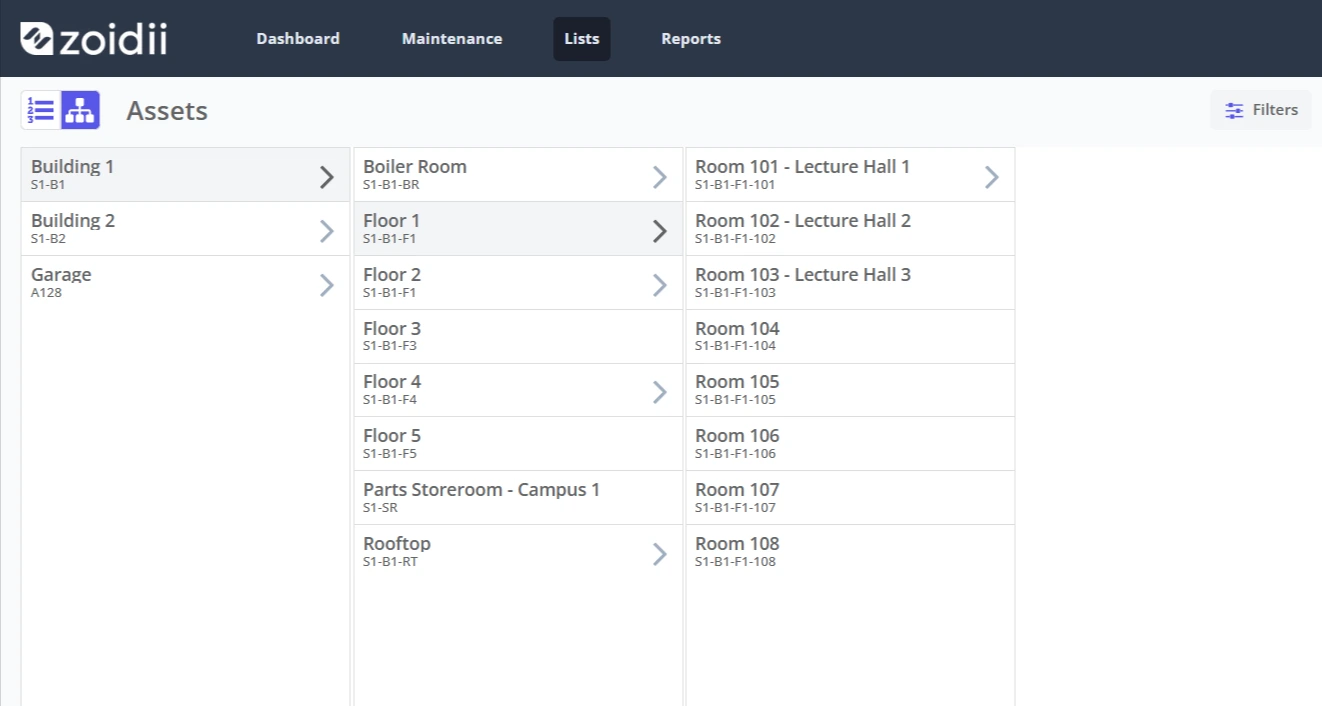
4. Asset hierarchy and campus maps. Parent/child assets, building → floor → room → asset.
5. Inventory and purchasing. Parts usage, minimum and maximum quantities, vendors, and approval workflows to ensure classrooms run smoothly.
6. Reporting and dashboards. Close rates, labor utilization, PM compliance, aging work orders, and cost by building or area.
7. Integrations and SSO. Directory sync (Okta, Google Workspace, Microsoft Entra ID), data export, and (optionally) IoT/BMS connectors.
8. Scalability. Multi-site capabilities for districts and university systems, role-based permissions, and sandbox environments for training. For more information, see our article on the benefits of a multisite-enabled CMMS.
The best CMMS platforms for education (and what they’re best at)
Below are widely adopted options that work well for education. The right choice depends on your size, needs, and appetite for change management.
1. Brightly Asset Essentials — best for districts and higher-ed that want an education-first ecosystem
Brightly (the company behind SchoolDude and FacilityDude) continues to offer Asset Essentials, a modern CMMS that sits inside a broader suite for energy, event management, and long-range capital planning.
Why it fits education:
- Education heritage (SchoolDude/FacilityDude) and workflows built around campuses and community use.
- Companion products for event management and energy data when you’re ready to expand.
2. FMX — best for schools that need maintenance and facility scheduling in one
FMX blends a user-friendly CMMS with native facility scheduling and rental management, plus floorplan-based equipment mapping. It’s popular in K-12, where athletic fields, auditoriums, and gyms are shared with the community.
Why it fits education:
- Request portals that students and staff can use without training.
- Event and rental scheduling reduces system sprawl and double data entry.
3. Zoidii — best for unlimited requesters and simple, mobile work execution
Zoidii CMMS facilitates seamless communication between requesters and technicians, and it explicitly supports unlimited free requests—ideal for campuses where anyone can identify a broken fixture.
Why it fits education:
- Low-friction intake helps you tame the backlog instead of hiding it.
- Technician comments and notifications keep requesters in the loop—useful in dorms and labs.
4. Limble CMMS — best for ease of use and quick configuration
Limble CMMS focuses on asset tracking, maintenance history, and resource planning—bread-and-butter features schools rely on—wrapped in a clean interface that’s easy to teach to new techs or student workers.
Why it fits education:
- Fast setup with PM templates and centralized asset histories.
- Clear reporting for leaders seeking trend visibility without needing a data analyst.
5. Fiix — best for analytics and cross-department coordination in higher ed
Fiix (by Rockwell Automation) positions its CMMS for education with strong reporting and purchasing/parts workflows, which can help universities coordinate across departments and building types.
Why it fits education:
- Robust reporting helps quantify campus-wide impact.
- Purchasing and parts tie costs to assets for capital planning conversations.

How to pick: a quick evaluation scorecard
Create a weighted score (0–5) for each category below, then multiply by the suggested weight. Total the scores across vendors to form a defensible recommendation.
- Usability for requesters (20%) — student/faculty portals, unlimited requesters, QR code intake.
- Technician experience (20%) — mobile app quality, photos/video, comments.
- PM & compliance (20%) — libraries, seasonal PMs, audit trails.
- Assets & maps (15%) — hierarchies, floorplans, quick lookup.
- Inventory & purchasing (10%) — parts usage, min/max, vendor management.
- Reporting & leadership views (10%) — dashboards, export, KPI tracking.
- Ecosystem & growth (5%) — energy, capital planning, or scheduling add-ons.
Pricing and total cost of ownership (TCO): what to expect
Education CMMS pricing varies based on several factors, including the number of technicians, locations/sites, feature tiers, and add-ons (such as scheduling, energy, and capital planning). Don’t just compare license fees:
- Implementation & data migration. Budget time for importing assets, PMs, and parts; ask vendors for templates and best-practice libraries.
- Change management and training. Prioritize train-the-trainer models and user-friendly request portals to drive adoption beyond maintenance.
- Integrations. SSO and data exports often create a hidden IT effort.
- Scanning & labeling. Barcodes/QRs on assets and rooms pay off—build them into rollout plans.
- Future modules. If you are considering adding scheduling, energy, or capital planning, compare multi-year costs across suites vs. point tools.
Implementation playbook (60–90 days)
- Day 0–15: Foundation
- Clean your asset list (buildings → floors → rooms → assets) and prioritize critical equipment.
- Stand up SSO (if needed) and create request forms with categories that match your org chart.
- Day 16–45: Pilot
- Start in two buildings with 3–5 techs; run all requests through the portal.
- Load seasonal PMs (fire/life safety, HVAC pre-season, playground inspections).
- Add 50–100 parts with min/max and start tracking usage.
- Day 46–90: Expand & report
- Roll out campus-wide; label assets/rooms with QR codes for instant lookups.
- Publish a dashboard that includes work order backlog hours, PM compliance, and asset heavy hitters, and provide a monthly brief to leadership.
Bottom line on CMMS for Schools and Universities
The best CMMS for education, universities, and schools isn’t one product—it’s the one that fits your workflows, staffing, and growth plans. If you need an education-first suite with optional event scheduling and energy tools, Brightly Asset Essentials belongs on your shortlist.
If you’re looking for an all-in-one solution with robust facility scheduling for K-12, FMX is definitely worth considering. For mobile-first ease and fast requester intake, evaluate Zoidii.
And if analytics and standardized processes across colleges and departments are the priority, Fiix offers the reporting muscle many higher-ed teams want.
Whichever you choose, anchor your evaluation in usability (for both techs and requesters), clean PM execution, and the ability to tell a clear story with your data. That’s how you turn a CMMS into a campus-wide win.



