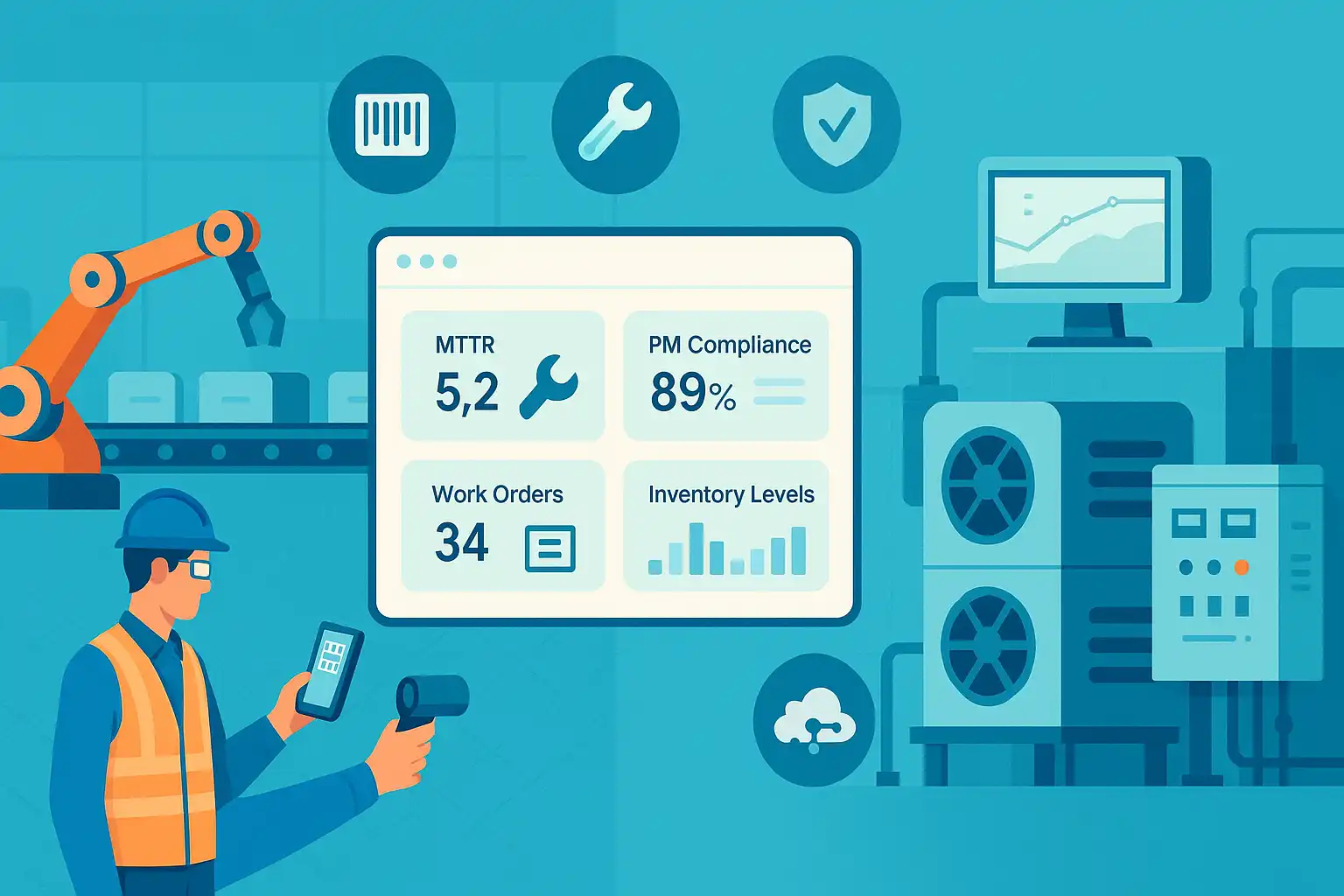
Managing maintenance across multiple facilities is not an easy task, especially when each site has its own systems, workflows, and data. That’s where multi-site CMMS software comes in.
Multi-site CMMS software allows organizations to manage maintenance across multiple locations from a single system. It gives you one connected system to manage maintenance everywhere, while still keeping site-specific data separate and secure.
Before we get into the benefits, let’s take a quick look at what multi-site functionality actually means.
What is Multi-Site CMMS?
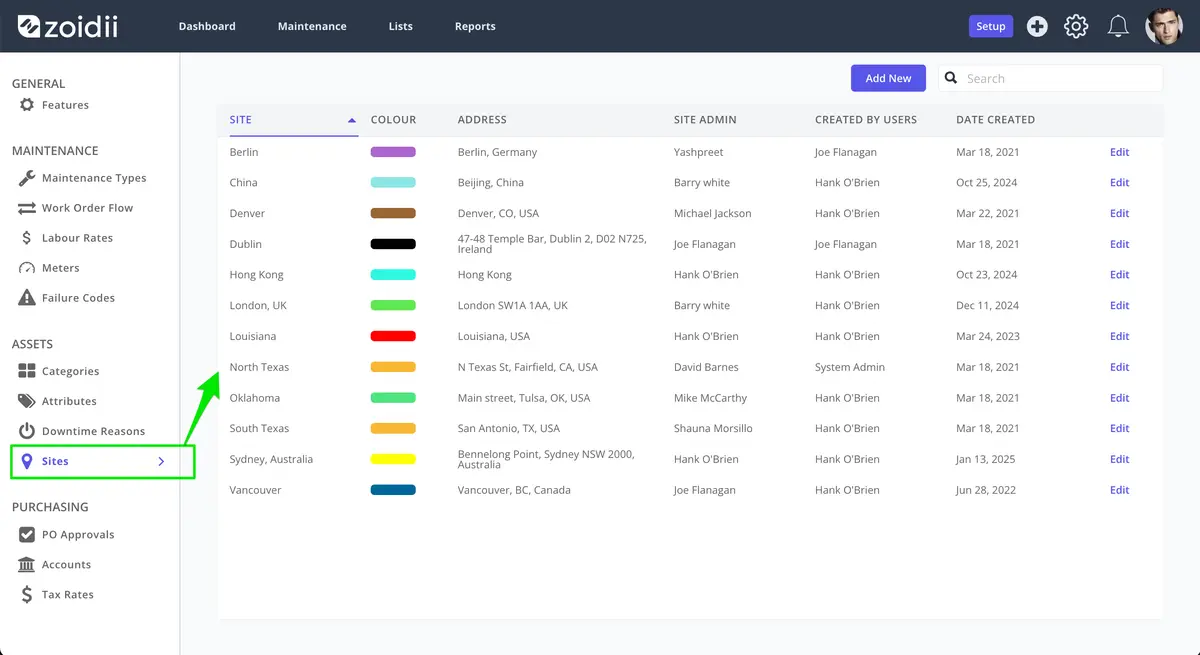
Multi-site functionality is ideal for multi-site maintenance planning, helping teams manage work across locations from a single platform while keeping each site’s data separate.
Users logging into their site only see the relevant asset work order information at their site. Multi-site CMMS software can revolutionize the way businesses manage their maintenance processes.
10 Ways Multi-Site CMMS Software Streamlines Maintenance Across Your Business
With a growing number of facilities and teams to coordinate, maintenance leaders need tools that keep everything running smoothly, without adding complexity. Multi-site CMMS software delivers exactly that.
It centralises maintenance operations while keeping each site's data distinct and secure. This enables better visibility, faster response times, and more consistent standards across the organisation.
From streamlining daily tasks to enabling high-level reporting, this software brings real-time insights and operational control to the forefront. The result? Improved efficiency, enhanced safety practices, and a measurable lift in overall productivity.
Here are ten ways multi-site CMMS software helps maintenance teams work smarter, faster, and more efficiently across every site.
1. A single point of maintenance information
Multi-site CMMS software centralizes all maintenance data in one location, making it easier for teams to work efficiently and accurately.
Faster access to data
Technicians can quickly find the information they need without having to dig through multiple systems.
Fewer errors
A single source of truth reduces miscommunications and ensures updates are consistent.
Better visibility
Having all data in one place makes it easier to spot maintenance trends and plan ahead.
Improved analysis and reporting
Teams can track performance over time, budget accurately, and identify reliability issues early.
Increased equipment uptime
With reliable insights, maintenance teams can act fast, avoiding costly breakdowns.
2. Boost site-to-site collaboration with shared CMMS data
Multi-site CMMS software provides a platform for collaboration and knowledge sharing across different sites or departments.
Maintenance personnel can communicate and share information more effectively using a common platform and standard processes, thereby improving teamwork and increasing efficiency.
Without realizing it, maintenance technicians share best practices, lessons learned, and standard operating procedures as they complete their work and log it in the Computerized Maintenance Management System (CMMS).
Technicians can search work order histories at other sites for similar issues and corresponding repair steps. As a result, the maintenance team can work more efficiently and effectively, reducing the time needed to resolve maintenance issues and increasing the organization's overall productivity.
3. Train staff faster with consistent CMMS tools
Multi-site CMMS software streamlines training and support requirements, thereby reducing the time and cost associated with maintaining separate systems.
With all maintenance data stored in one central location and enhanced mobile accessibility, training new personnel and providing support when needed is much easier.
A standard maintenance system is particularly beneficial for larger organizations with many sites, especially those where strong user adoption strategies maximize system value.

4. Standardizes the way of working
Organizations can standardize their working methods with the CMMS, reducing the risk of errors and promoting consistency throughout the organization.
A single system with the same system settings, dropdowns, maintenance checklists, and PMs helps standardize the way of working within the organization while retaining appropriate system customization options and ensuring everyone is working from the same playbook.
5. Supports business decision making
Having all maintenance data in one CMMS gives leaders the insights they need to make informed decisions that impact both operations and budgets.
Spot trends early
Identify patterns in equipment failures and recurring issues across sites.
Make smarter investments
Compare equipment performance across locations to guide future purchases.
Optimize resources
Allocate labor, parts, and time where they’ll have the biggest impact.
Connect with the bigger picture
Integrate with ERP systems to align maintenance strategy with financial goals.
Measure what matters
Corporate leaders can drill into site-specific KPIs and take action to improve underperforming locations. Ultimately, having access to actionable data will lead to cost savings and improved efficiency in maintenance operations.
6. Improves safety and compliance
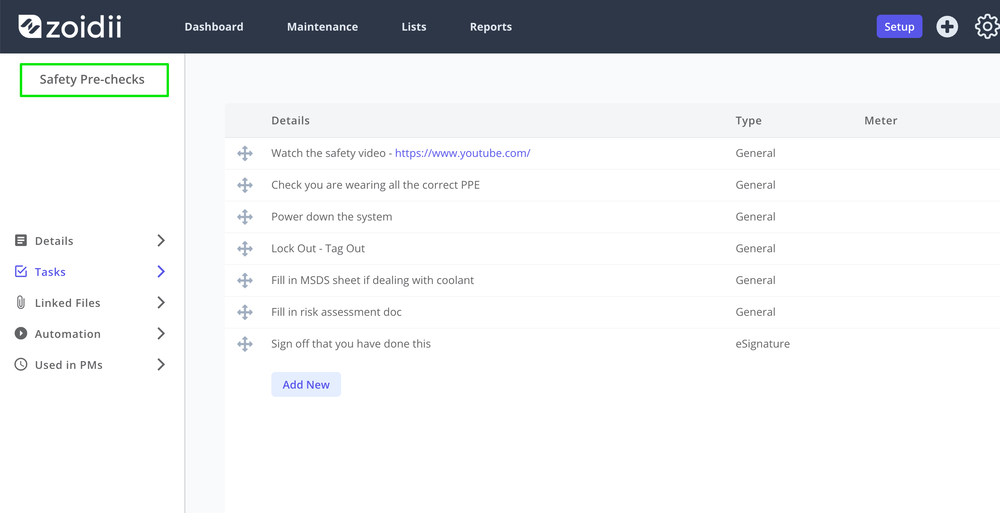
Multi-site maintenance software can help organizations improve safety and compliance across the business while meeting regulatory requirements.
Maintenance leaders can update checklists and preventive maintenance program routines to catch safety issues early, before they become serious.
7. Get better insights with maintenance reporting software and consolidated KPIs
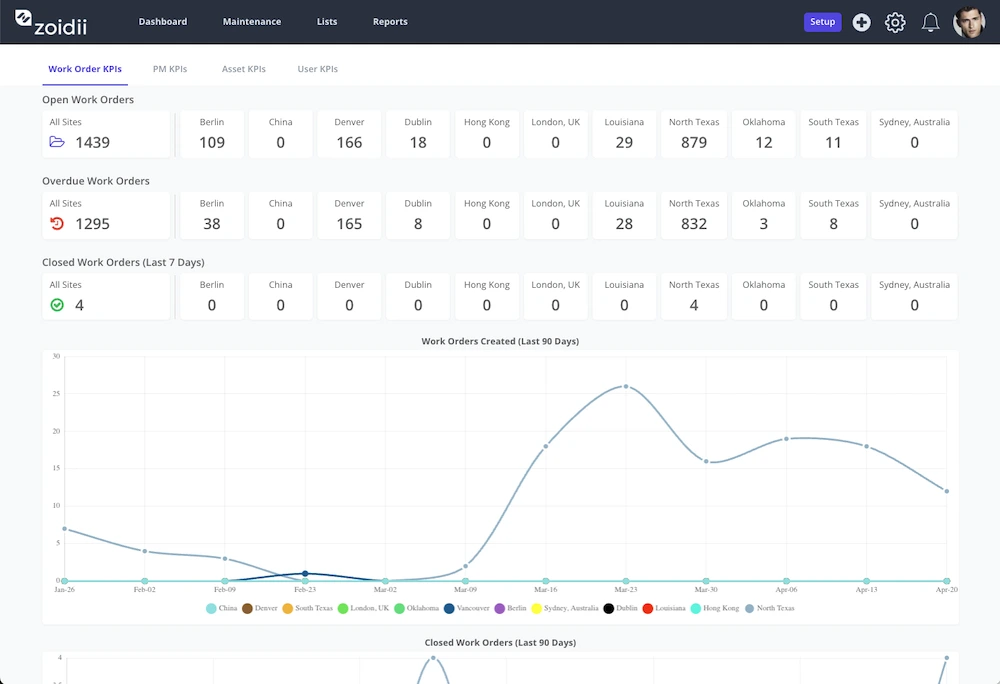
Effective maintenance reporting software helps teams benchmark performance across sites using reliable KPIs and integrated data. It makes it easier to track maintenance progress and identify areas for improvement across the organization.
Track maintenance KPIs across all sites with centralized CMMS reporting
With the ability to track KPIs across all sites, organizations can set benchmarks and goals for maintenance operations at each location.
Corporate maintenance & reliability leaders can measure each site's progress over time and make data-driven decisions to improve performance.
Organizations can regularly monitor key performance indicators (KPIs) to identify trends and patterns, and adjust maintenance strategies to optimize their operations.
8. Realize additional cost savings
Centralized maintenance software can help organizations to realize significant cost savings primarily through reduced equipment downtime.
Organizations can reduce costs and improve profitability by streamlining maintenance processes, reducing downtime, and optimizing resource allocation across all sites supported by integrated budgeting and cost management features.
For example, by tracking spare parts usage across all sites, organizations can identify patterns and make informed decisions about when to replace or repair equipment, further reducing costs and improving efficiency.
9. Sharing of resources
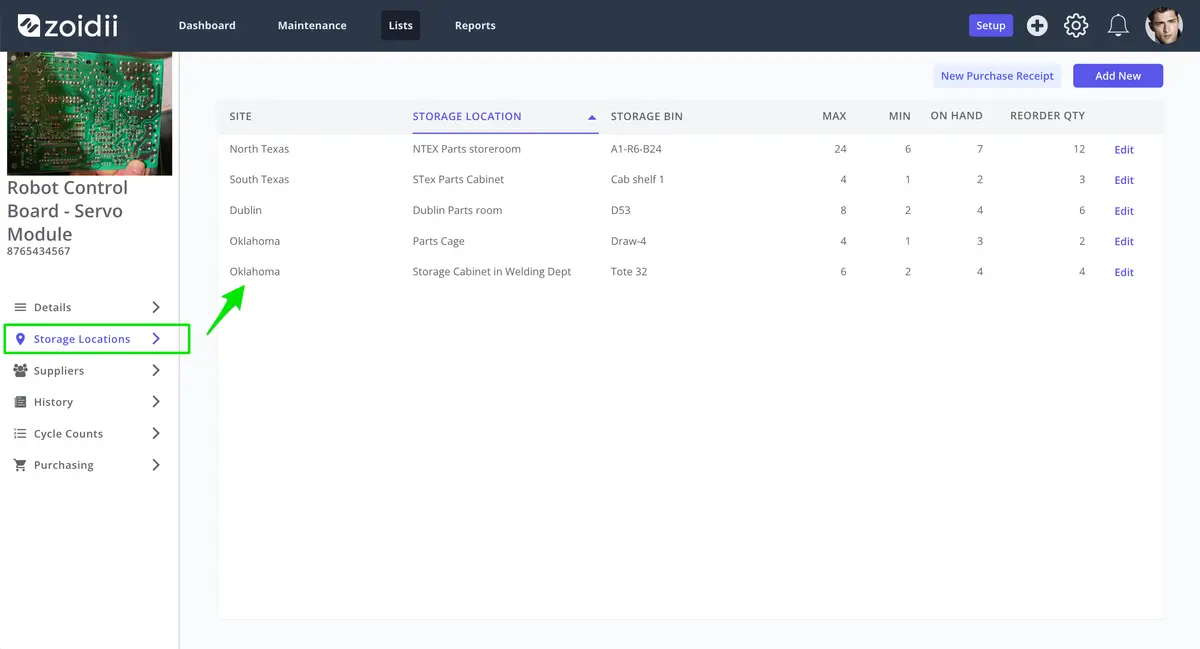
Multi-site CMMS software makes it easier for organizations to share parts, people, and information across locations. With all maintenance data in one place, teams can make smarter decisions and avoid unnecessary delays or costs.
Improve visibility across sites
Centralized data improves visibility and helps allocate resources more efficiently across sites.
Check inventory before ordering new parts
Technicians can check part inventory at other locations to avoid long lead times.
Reduce emergency spending
Internal transfers often cost less than paying emergency vendor rates.
Coordinate people and equipment more effectively
Personnel, equipment, and materials can be coordinated more effectively using shared work order systems.
Adopt a virtual storeroom model
Some businesses adopt a virtual storeroom model, letting technicians order parts from a shared inventory instead of stocking the same items everywhere.
10. Streamline CMMS rollout at new locations
When businesses grow, smooth CMMS software implementation becomes critical for getting new locations operational quickly.
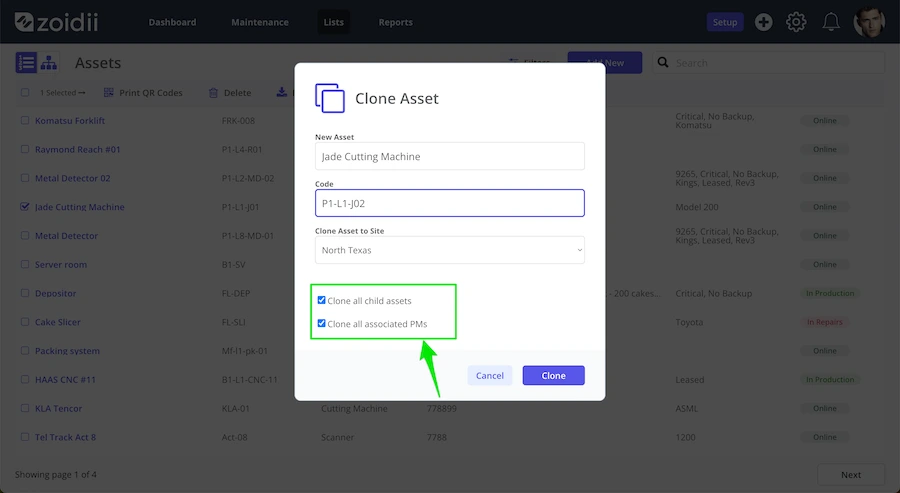
To simplify the process further, system administrators can use the copy function in the CMMS to clone like-for-like assets and PMs to the new location with efficient data migration tools for transferring existing information, significantly speeding up the implementation time.
Zoidii's clone functionality can copy an entire plant with all corresponding PMs in one click if needed, while maintaining an organized asset hierarchy at the new site.
Most parts will already exist in the CMMS added by other sites, so all you need to do is add a storage location for each component at the new site. All in all, new locations can be up and running in a CMMS in a fraction of the time.
Why Multi-Site CMMS Is Worth the Investment
Centralized maintenance software improves efficiency, safety, and decision-making across your entire operation.
Implementing a multi-site CMMS software system is an investment in the future of any organization and should be considered an essential tool for any maintenance department.
Contact us today to discover how Zoidii's multi-site CMMS can benefit your business.