A Computerized Maintenance Management System (CMMS) is essential for effective maintenance management. It can increase operational efficiency, reduce labor and equipment costs, and improve safety. When considering CMMS software, it's important to understand:
- What a CMMS is
- The benefits it provides
- The features required
- The cost considerations for implementation
- How to choose the right CMMS for your business
- Strategies for successful implementation
- Potential challenges with implementing a CMMS
- What to look for in an effective CMMS
- Best practices for maintenance management with a CMMS
CMMS Software - Definition and Core Functions
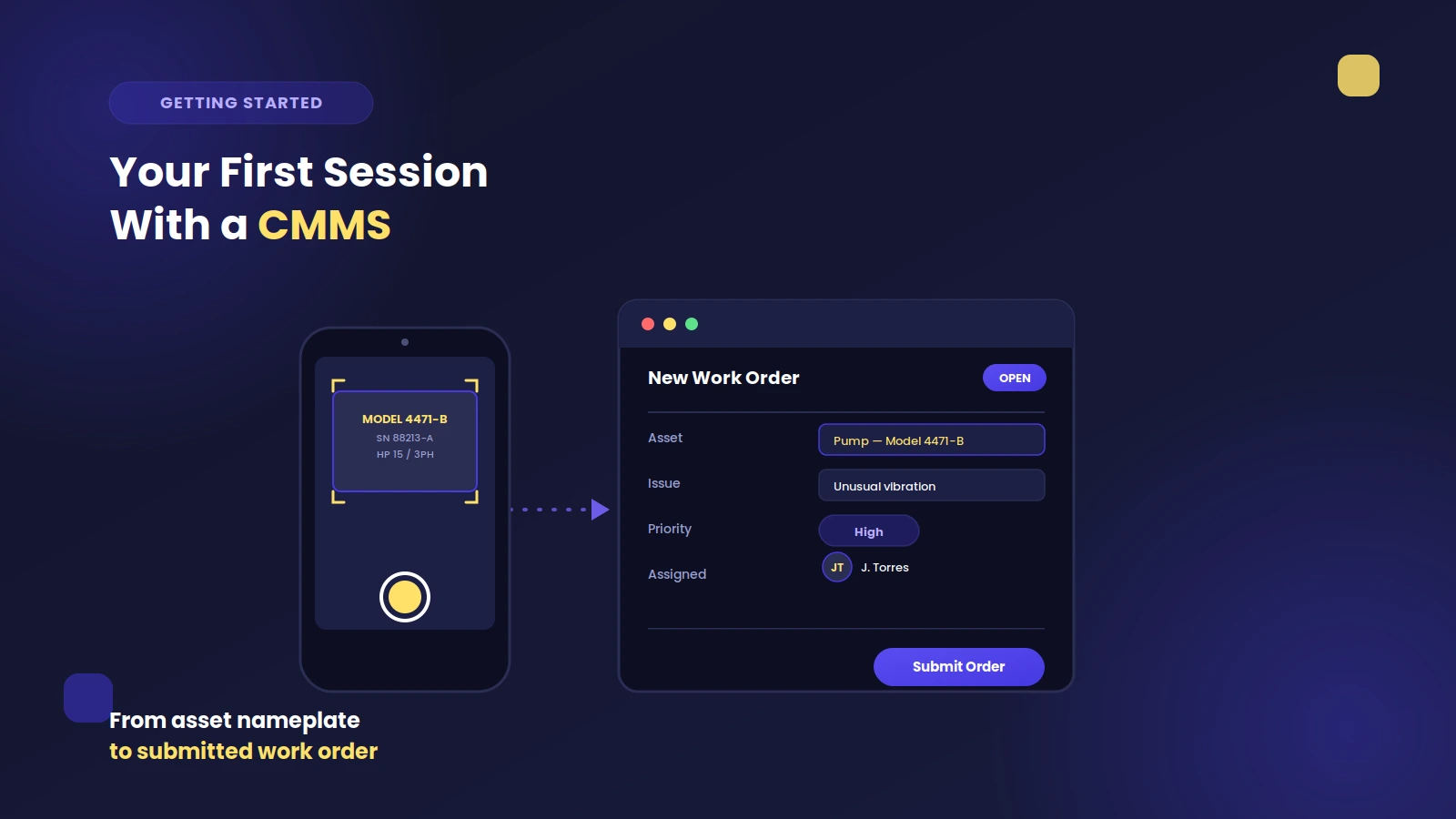
A CMMS is a software system used to manage and track the maintenance of assets and equipment. CMMS software helps simplify and streamline the maintenance process by automating many tasks associated with routine maintenance work. Maintenance folks use CMMS software to create work orders, track inventory and supplies, schedule preventive maintenance tasks, document standardized operating procedures, monitor labor costs and time spent on maintenance tasks, and generate reports.
A CMMS can also be used to track the performance of assets and equipment, identify potential problems before they become significant issues, and provide a comprehensive view of the maintenance process. Identifying and addressing minor issues before they turn into substantial issues can reduce downtime and improve the overall efficiency of the maintenance process.
CMMS Benefits for Maintenance Management
A CMMS delivers practical advantages for maintenance teams by streamlining workflows, reducing costs, and driving asset reliability. Here’s how it helps businesses thrive:
- Increases efficiency by automating routine maintenance tasks, which reduces labor costs and frees up technicians for higher-value work.
- Improves asset utilization and extends equipment life through proactive scheduling and tracking of preventive maintenance.
- Enhances safety by keeping equipment properly maintained and supporting compliance with safety standards and regulations.
- Saves time by offering quick access to maintenance records, eliminating redundant data entry, and generating comprehensive reports in just a few clicks.
- Boosts equipment uptime and operational reliability with proactive asset health management and minimized unplanned downtime.
- Facilitates better communication by centralizing maintenance information, helping teams stay aligned and complete work on schedule.
- Enables data-driven decision making with easy tracking and analysis of maintenance data, highlighting opportunities for improvement.
Features to Look for in a CMMS
A robust CMMS offers a comprehensive suite of features designed to help teams manage maintenance more efficiently, enhance equipment reliability, and streamline daily tasks.
Work Order Management and Scheduling
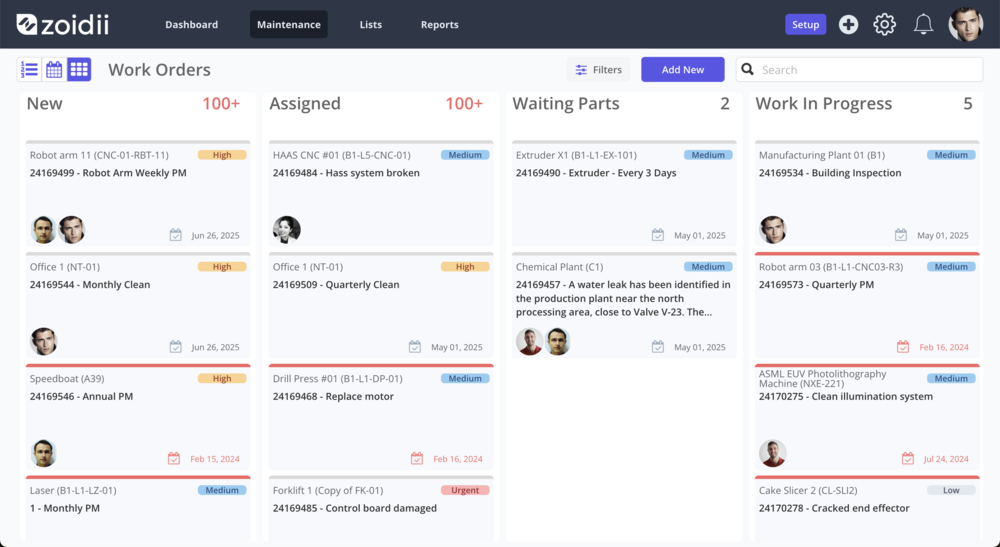
Easily track, manage, and assign work orders while scheduling preventive maintenance tasks. This ensures equipment is serviced at the right time and helps prevent costly unplanned downtime.
Labor Tracking and Cost Monitoring
Monitor labor hours and associated maintenance costs to manage resources more effectively and gain better control over your maintenance budget.
Asset Performance and Utilization Reporting
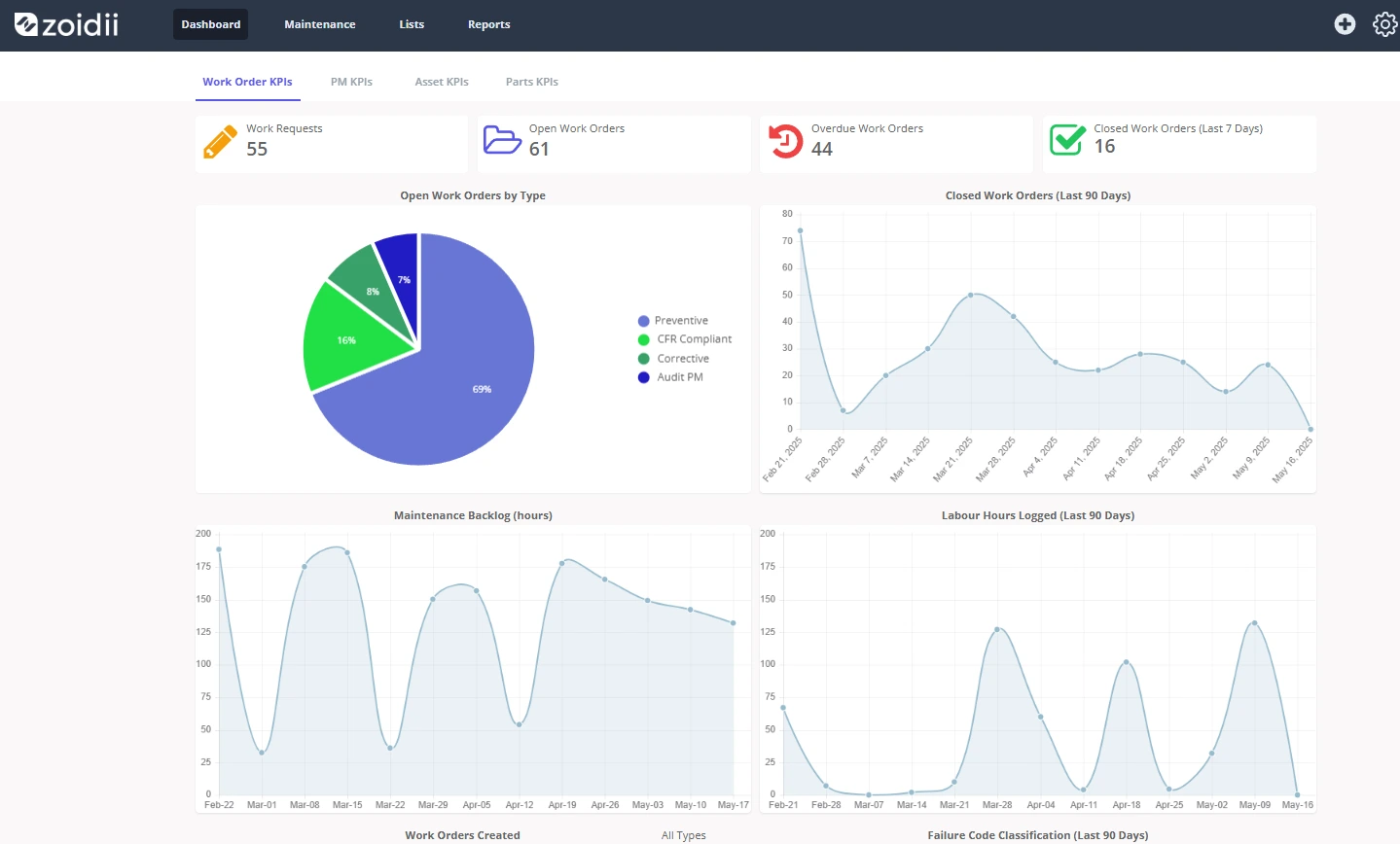
View detailed reports on asset health and usage. These insights help you spot trends, prioritize repairs, and make informed decisions to maximize uptime.
Inventory and Spare Parts Management
Keep tabs on inventory and spare parts with specialized modules for maintenance, which help prevent stockouts and support optimized parts usage.
Document and Compliance Management
Store and organize all maintenance logs, manuals, and compliance documents in a single, secure, and searchable location for easy access.
Predictive Analytics, Warranty, and Nested PMs
Some CMMS platforms provide predictive analytics and asset warranty tracking to help teams address issues before they escalate. Advanced features may also include nested PMs, making it simple to manage complex maintenance schedules.
Mobile Access for Field Technicians
Access your CMMS from any device in the field, allowing technicians to update work orders, log data, and complete tasks on the go, thereby improving accuracy and responsiveness.
Automated Workflows and Custom Reporting
Automate routine processes, generate custom reports, and configure workflows to fit your operation, ensuring that nothing gets missed and management remains proactive.
CMMS Implementation Costs and Value Calculation
The cost of implementing a CMMS depends on various factors, including:
- The size of your business
- The complexity of your maintenance tasks
- The features you need in your system
- The number of users who will be using it
- The type of support you require.
It is essential to consider the long-term costs associated with a CMMS, including ongoing maintenance and support, as well as any additional features or upgrades that may be required in the future.
You should factor in the cost of training your staff to use the system, as well as any additional hardware or software you may need to purchase for its effective use.
Calculating CMMS Value
Identifying the financial benefits is essential for justifying the investment. This involves evaluating maintenance returns by comparing the cost of the CMMS against savings from increased efficiency, reduced downtime, and optimized resource allocation. Tracking maintenance performance metrics, such as mean time between failures (MTBF) and mean time to repair (MTTR), provides concrete data to demonstrate the value of the maintenance.
How to Choose the Right CMMS for Your Business
Selecting a CMMS is a strategic decision that should be tailored to your organization’s goals, size, and unique operational needs. Consider the following key factors when evaluating your options.
Assess Core Features and Customization
Review the system’s core features to ensure they meet your workflow and reporting requirements. Look for flexibility in configuration to fit your specific processes.
Deployment Options and Accessibility
Decide whether a web-based solution, which offers easy accessibility and scalability, or a locally installed system for greater data control, is best for your business.
Pricing Models and Implementation Costs
Compare subscription-based CMMS platforms, known for lower upfront costs and automatic updates, with perpetual licenses. Don’t forget to factor in implementation, training, and ongoing support costs.
Training, Support, and User Adoption
Evaluate vendor support services, user training options, and system ease-of-use. Effective onboarding is crucial for high adoption and long-term value.
Vendor Reputation and Independent Reviews
Research vendors by comparing their features, pricing, customer support, and reviews. Seek out feedback from businesses with similar needs for additional insight.
Industry-Specific Requirements and System Scope
Consider if your operations require sector-specific features, such as manufacturing integrations, or if a comprehensive asset system is needed to cover the full asset lifecycle.
Further Resources on CMMS Software Selection
For a deeper dive into this topic, check out our guide to CMMS software selection for actionable tips and questions to ask before choosing your solution.
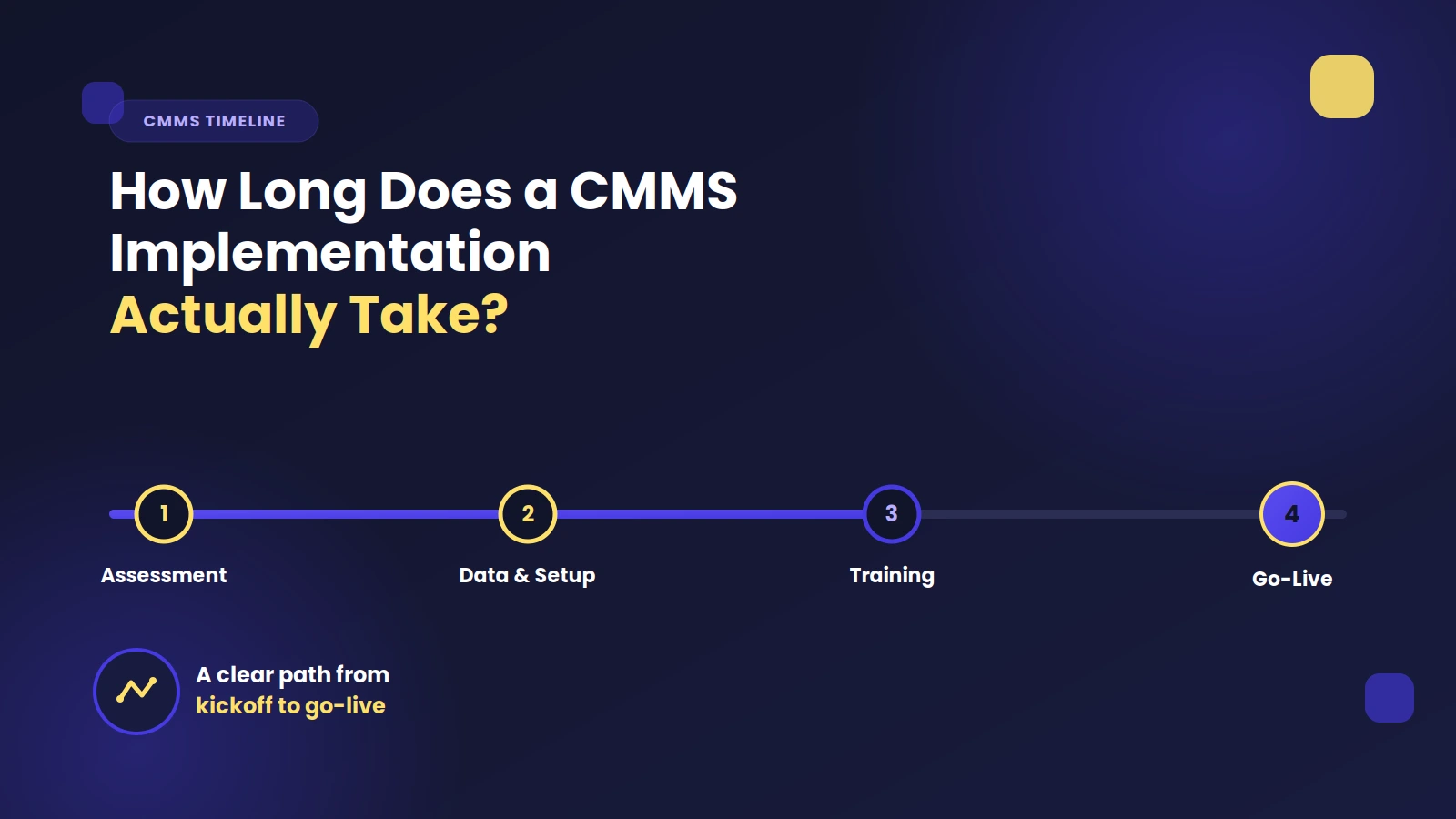
Strategies for Successful CMMS Implementation
A successful CMMS rollout depends on clear objectives, thorough planning, and ongoing engagement across your team. Focus on these practical strategies to maximize your return on investment and build lasting adoption.
- Set clear goals and define responsibilities to keep your implementation focused and measurable from day one.
- Deliver thorough user training so staff understand how to use the system confidently and efficiently.
- Standardize data entry and system configuration to ensure information remains consistent, accurate, and easy to analyze.
- Promote high engagement by communicating the benefits and involving users early, which helps boost buy-in and reduces resistance to change.
- Monitor progress against key objectives through regular check-ins and adjust your approach as needed to ensure continuous improvement.
- Plan for a structured data transfer from old systems, ensuring that critical information is preserved and migrated smoothly.
- Assign clear management responsibilities for ongoing oversight and support, making system ownership part of daily operations.
5 Potential Challenges with CMMS Implementation
Implementing a CMMS can deliver big gains, but organizations often encounter a few common hurdles along the way. Awareness of these challenges enables teams to plan ahead and minimize friction during the rollout.
- Integrating CMMS with existing systems can be complex and may require IT support or custom solutions.
- Achieving user adoption is sometimes difficult, especially if staff are resistant to new technology.
- Training users effectively is essential, as unfamiliarity can lead to costly mistakes or underutilization of the system.
- Ensuring data accuracy during migration and ongoing use is critical for reliable reporting and decision-making.
- Configuring reports and dashboards to deliver actionable insights may require initial customization and ongoing adjustments to ensure optimal performance.
What to Look for in an Effective CMMS
When selecting an effective CMMS for your business, it's essential to consider features that support the management of maintenance tasks, including inventory management, work order tracking, document management, asset tracking and monitoring, labor scheduling, preventive maintenance task scheduling, and reporting. Look for strong protection measures, including information protection protocols, to safeguard sensitive operational data. It's important to consider features that can help improve efficiencies, such as asset warranty tracking, predictive maintenance analytics, and mobile access.
A user-friendly issue reporting system can streamline the process of reporting and managing problems, while scheduled maintenance features can significantly reduce manual scheduling efforts.
Best Practices for Maintenance Management with a CMMS
When using a CMMS for maintenance management, it's essential to ensure the accuracy of data entry by having processes in place to ensure data is entered consistently across all users. Providing high-quality CMMS training is fundamental to achieving this accuracy and maximizing system utility.
It's important to have procedures in place to ensure that preventive maintenance tasks are appropriately scheduled and tracked. Additionally, an effective system for tracking and reporting on performance metrics is vital.
Making Maintenance Smarter with the Right CMMS
Choosing the right CMMS software provides your team with the structure to keep assets running, manage schedules with confidence, and clearly see the status of every task. Zoidii connects maintenance, inventory, and reporting in one easy-to-use platform, providing real clarity and control, with no guesswork or complicated workarounds.
With Zoidii, maintenance teams can cut downtime, improve planning, and respond quickly when issues arise. Every technician has what they need at their fingertips, and managers can track progress, performance, and costs without sorting through endless spreadsheets.
Ready for a maintenance system that fits your workflow? Find out how a connected approach helps your operation run smoother, day after day. Get in touch to learn more.