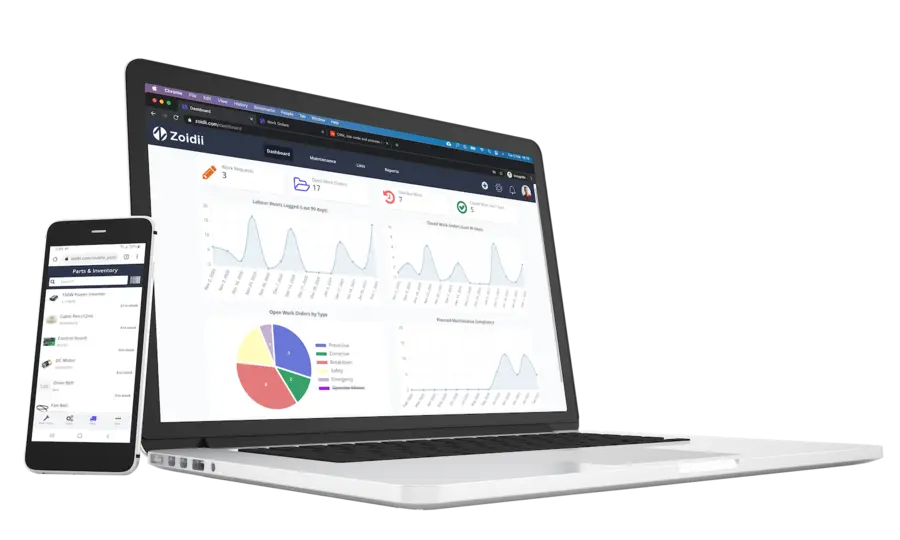
A CMMS program, or Computerized Maintenance Management System (CMMS), is software that helps businesses efficiently manage and organize their maintenance operations.
Introduction to CMMS Programs
CMMS programs have become essential for businesses of all sizes and across various industries.
They allow organizations to streamline maintenance processes (including preventive, predictive, corrective maintenance, and sometimes referred to as remedial maintenance), improve equipment reliability, reduce downtime, and enhance productivity.
By using technology, CMMS programs enable businesses to move away from manual, paper-based systems and automate their maintenance operations.
The software is a control center for managing, tracking, and storing all information related to equipment, assets, work orders, and various maintenance transactions.
Benefits of Implementing a CMMS Program
Implementing a CMMS program can bring numerous benefits to businesses:
Enhance Maintenance Operations and Maximize Uptime
Firstly, it helps improve maintenance planning and scheduling, including efficient workforce scheduling.
With a CMMS program, companies can proactively plan maintenance activities, schedule them at the most convenient times to minimize disruption, increase uptime, and ensure the necessary resources and spare parts are available.
Improve Regulatory Compliance and Audit Preparedness
A CMMS program helps ensure compliance with regulatory requirements and safety standards, significantly improving audit readiness.
It allows businesses to track and record crucial compliance-related information, such as inspection results, compliance certificates, and maintenance logs, often maintaining detailed audit logs for all changes and activities.
It can also support permit to work management and help enforce safety procedures management, which can be particularly useful in industries where regular inspections and audits are mandatory.
Tracking this information can be particularly useful in industries where regular inspections and audits are mandatory.
Centralized Database - Your Asset Registry and Maintenance Expense Tracking
One of the biggest benefits of a CMMS is keeping all maintenance data in one place.
This includes equipment history, work orders, spare parts inventory, and maintenance costs.
Having a single database makes it easy to access, analyze, and use this information to make better decisions about preventive maintenance, replacements, and resources.
Reporting, KPIs, and Downtime Tracking
A CMMS helps you track equipment performance and reliability.
Businesses can monitor metrics like mean time between failures (MTBF), OEE, and MTTR to spot recurring problems before they grow.
Many systems support root cause analysis so you can fix issues at the source and boost reliability.
Tracking downtime in your CMMS helps reduce costs and gives your team more productive time.
Key Features of a CMMS Program
A CMMS program typically offers a range of features designed to streamline maintenance operations. Some key features include:
Asset Lifecycle Management and Asset Hierarchy
A CMMS program enables comprehensive asset management throughout its lifecycle, allowing businesses to maintain a detailed asset list.
This includes establishing an asset structure, tracking relevant information such as location, warranty details, maintenance history, and even supporting equipment depreciation monitoring.
Work Order Management and Automated Workflows
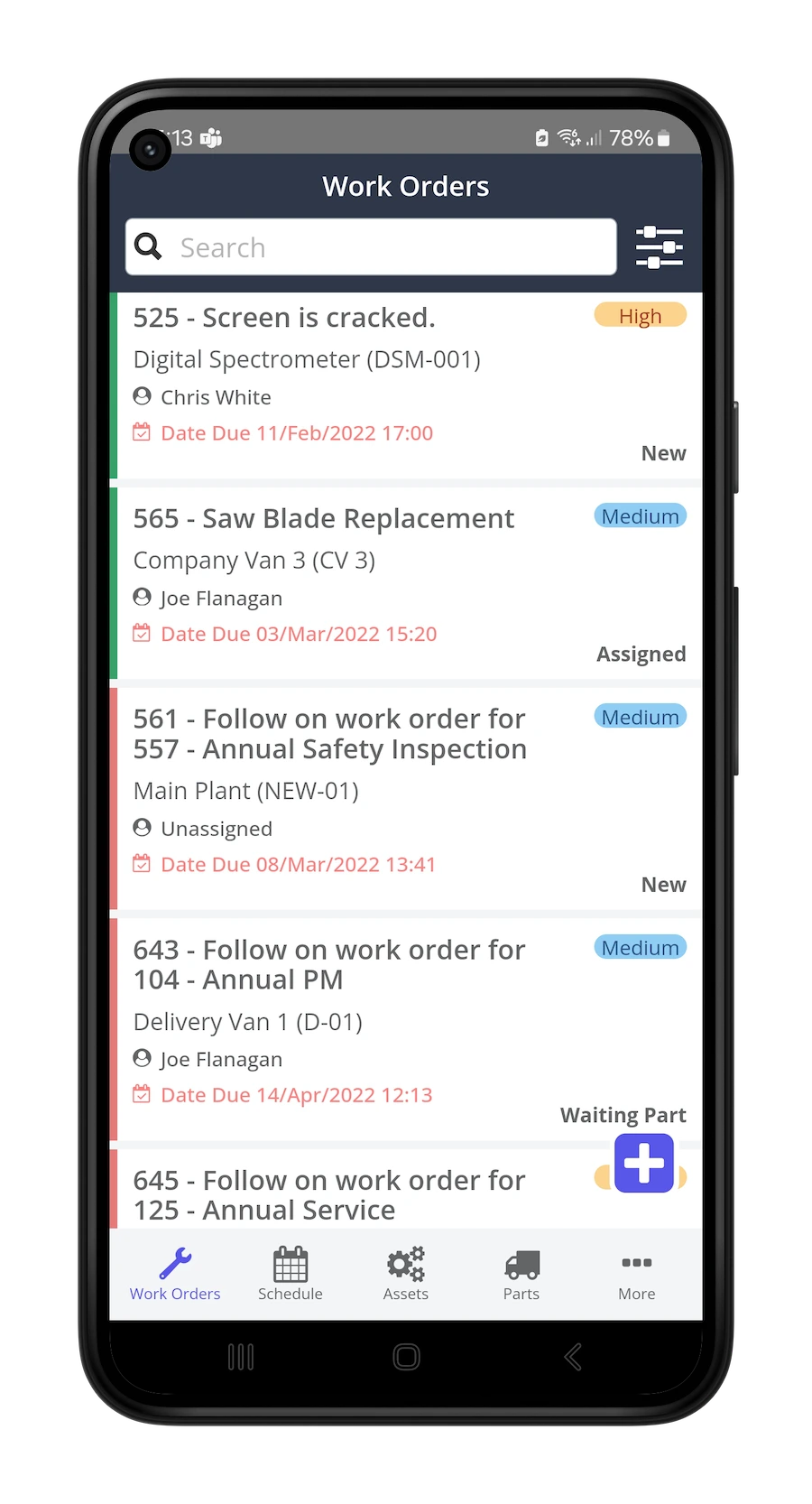
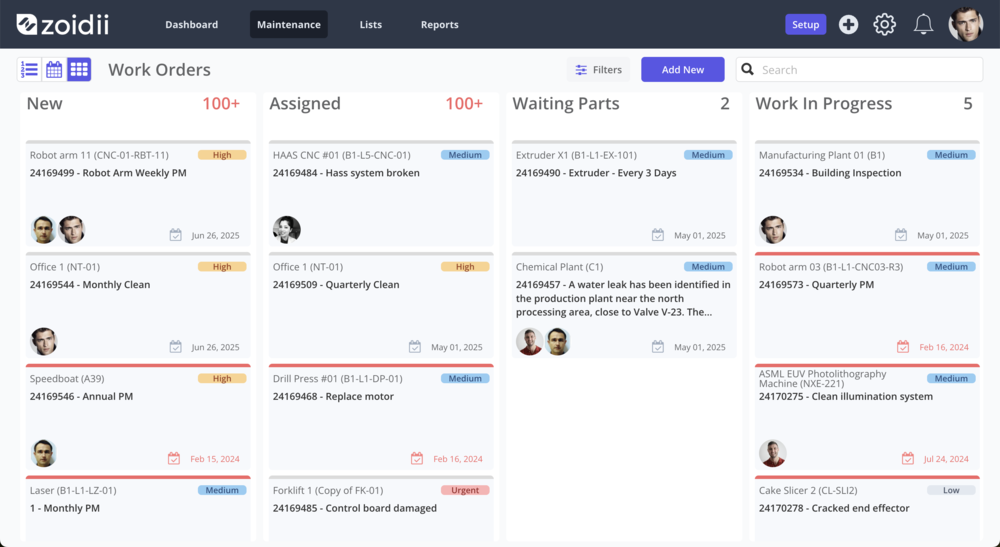
With a CMMS program, businesses can easily create, assign, and track work orders, often utilizing automated work order processes to streamline tasks, including steps for digital signature approvals where necessary.
A proper work order management system helps technicians execute maintenance tasks promptly and efficiently, including strong unplanned maintenance tracking for reactive issues.
Preventive and Predictive Maintenance
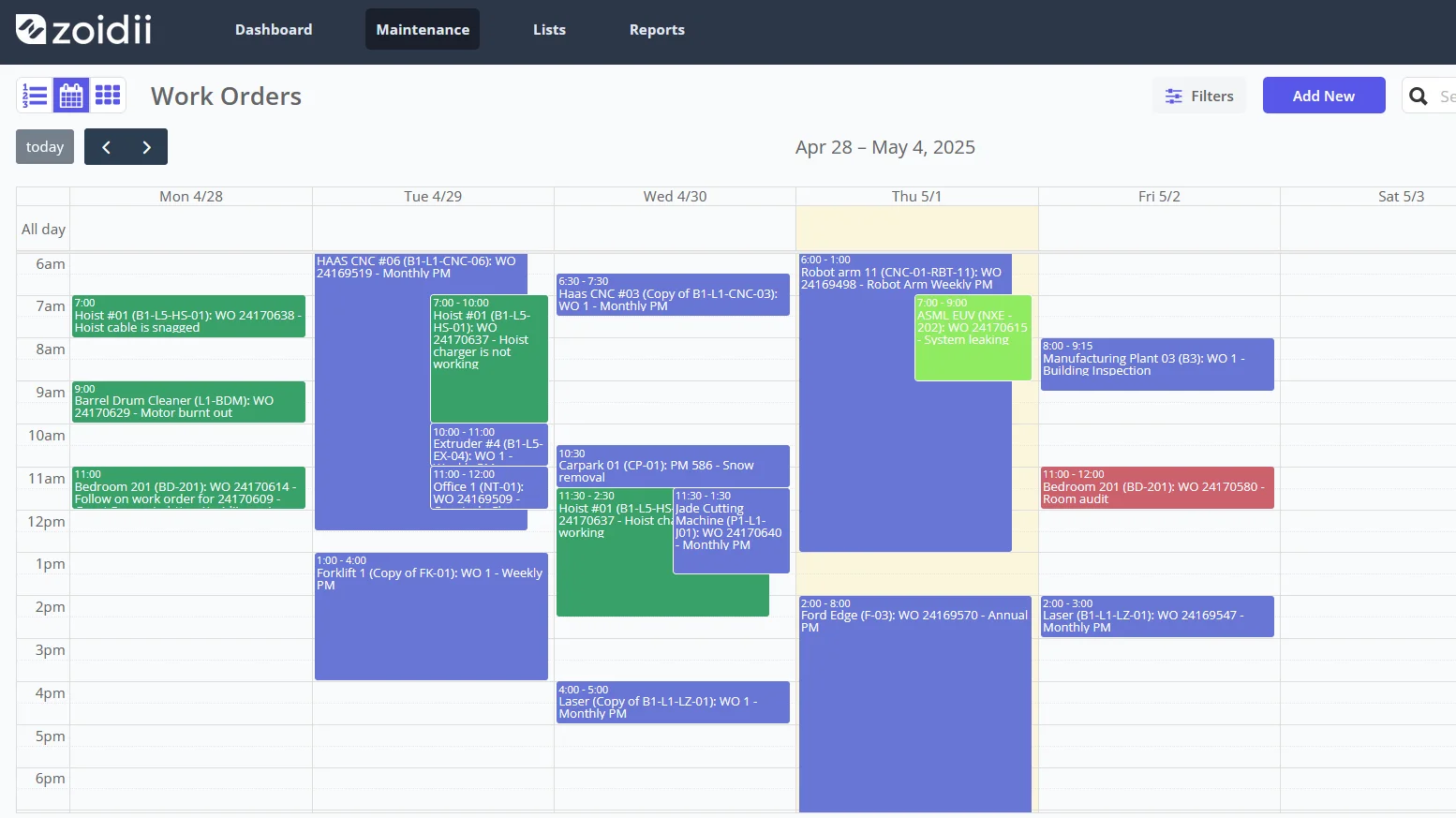
CMMS programs enable businesses to schedule and track preventative maintenance tasks based on equipment usage, manufacturer recommendations, or other criteria. Condition Monitoring and Prescriptive Maintenance
Condition Monitoring and Prescriptive Maintenance
Performing preventive maintenance on your assets helps to minimize unexpected equipment failures and improve reliability.
Maintenance Checklists for Process Control
Detail the most efficient route to get the job done, eliminating unnecessary steps and waste. The functionality of maintenance checklists ensures everyone is on the same page through step-by-step instructions for completing a process.
MRO Inventory Management and Spare Parts Optimization
A CMMS helps to keep track of spare parts inventory and manage reordering, so businesses always have what they need.
Inventory can be optimized to reduce holding costs, use regular checks for accuracy, and even automate parts purchasing.
Reporting, Analytics, and Root Cause Analysis
CMMS programs provide comprehensive reporting and analytics capabilities, giving the business insights into maintenance performance, equipment reliability, and resource utilization.
These key features make CMMS programs a critical tool for businesses striving to modernize and optimize maintenance operations.
Choosing the Right CMMS Program
Choosing the right CMMS program for your business can be a crucial decision. Here are some factors to consider during your CMMS selection process:
System Security Features and User-Friendliness
Assess your business's unique maintenance requirements and evaluate whether the CMMS program offers the necessary features, including comprehensive system protection features, to meet those needs.
Scalability and Vendor Support
- Consider whether the CMMS program can scale with your business and handle increasing volumes of data and maintenance activities.
- Determine if the CMMS program can integrate with your business's other systems, such as:
- ERP system integration (Enterprise Resource Planning)
- SCADA connectivity
- PLC data integration for direct machine data
- MES software integration (Manufacturing Execution System)
- Evaluate the CMMS program's ease of use and accessibility. It should be intuitive, with a well-designed interface that requires minimal user training.
- Consider the level of support provided by the CMMS program vendor, including technical assistance, training, and ongoing customer support.
- Carefully evaluating CMMS software based on these factors will help you find a CMMS program that best meets your business's needs and will set you up for success in your maintenance operations.
CMMS and Related Enterprise Systems
A CMMS focuses on maintenance management, but it's helpful to understand how it fits among other enterprise systems.
EAM, FM Software Comparison, and Field Service Management
For example, an EAM (Enterprise Asset Management) system often covers a broader range, from procurement to disposal, and includes financial management. A CMMS can overlap with or connect to an EAM.
When comparing with FM (Facility Management) software, a CMMS is often the foundation for maintenance within facility operations.
For organizations with technicians working in the field, a CMMS usually includes or connects to field service management tools or integrates with dedicated FSM solutions.
Implementing a CMMS Program: Best Practices
Implementing a CMMS program can be a transformative process for a business. Here are some best practices to ensure a smooth CMMS implementation:
1. Define Business Objectives and Involve the CMMS Administrator
Understand your goals and objectives for implementing a CMMS program to guide the implementation process and ensure the program aligns with your business's needs.
Engage key stakeholders, including the designated CMMS manager, from various departments and levels within your organization.
Their input and buy-in will be important for the success of the implementation, as they can provide valuable insights and support the adoption of the CMMS program.
2. Training, Phased Rollout, and Monitoring
Provide comprehensive end-user training to those using the CMMS program. Proper CMMS training will help them understand its functionality, benefits, and how it aligns with their roles and responsibilities.
Consider implementing the CMMS program in stages, focusing on specific areas or departments before rolling it out across the entire organization.
At Zoidii, we recommend splitting an implementation into three phases:
- Assets and work orders
- Checklists and PMs,
- Inventory
Continuously monitor the CMMS program's performance and effectiveness. Regularly assess key metrics and gather user feedback to identify areas for improvement and make necessary adjustments.
Following these best practices will increase the chances of a successful CMMS program implementation and maximize its benefits for your business.
Case Studies: CMMS Program Success Stories
Several businesses have successfully implemented CMMS programs and witnessed significant improvements in their maintenance operations. Here are a couple of case studies:
Manufacturing Industry: Broderick’s
Broderick's implemented a CMMS program to streamline maintenance activities and improve equipment uptime. By effectively utilizing the program's features, they reduced reactive maintenance by 60%, optimized preventative maintenance schedules, and achieved cost savings through improved resource allocation.
Read the full Broderick's CMMS case study here.
Medical Sector: Holistic Industries
Holistic Industries adopted a CMMS program to enhance its maintenance activities and ensure that critical medical equipment was always operational.
The program helped track and schedule maintenance tasks, manage equipment inventory, and generate reports for compliance audits.
Consequently, the facilities experienced reduced downtime, increased equipment availability, and improved patient care. In 2023, they reduced maintenance costs by 36% compared to 2022. Read the full Holistic Industries CMMS case study here.
These two case studies demonstrate the significant impact that CMMS programs can have on maintenance operations across different industries.

Training and Onboarding for CMMS Programs
Training and onboarding employees for a CMMS program is crucial to ensure their successful adoption and usage. Here are some tips:
Initial Training and Ongoing Support
Conduct training sessions to familiarize employees with the CMMS program's interface, functionality, and benefits.
Ensure they understand how to navigate the program, create work orders, and perform other relevant tasks.
Provide ongoing support, such as user manuals, video tutorials, and helpdesk assistance. Proper support ensures that employees have the resources to refer to and can seek guidance whenever needed.
Team Collaboration Tools and User Engagement
Encourage employees to provide feedback on the CMMS program's usability and suggest any improvements or features they would find helpful.
Utilize built-in collaboration features to ask employees to share their experiences and best practices for utilizing the program.
Recognize and reward employees who actively embrace and effectively use the CMMS program. This can motivate others to engage with it and contribute to its success.
By investing in thorough training and support, employees will gain the knowledge and skills to utilize the CMMS program to its full potential.
Common CMMS Program Mistakes to Avoid
While CMMS programs offer numerous benefits, common mistakes can hinder their effectiveness. To get the most from your CMMS, avoid these common mistakes:
Incomplete Data Entry
If maintenance data isn’t entered consistently and accurately, your reports and analysis will be off. Make sure your team enters all relevant information promptly so you get the full benefits of the program.
Low User Engagement
If employees aren’t engaged, they may miss out on the CMMS’s advantages and slip back into old, inefficient habits. Keep engagement high by regularly sharing the program’s benefits and actively involving staff in its use and ongoing improvements.
Ignoring Feedback
Not listening to user feedback can stall needed updates and slow adoption. Actively encourage suggestions and consider implementing recommendations from your team.
Underutilizing Features
Many businesses miss out by only using basic CMMS functions. Take time to explore all available features and educate employees, so you can maximize the system’s impact.
Lack of Updates
As your business grows and changes, your CMMS should, too. Regularly review and update the program to reflect new equipment, processes, or requirements.
By addressing these points, you’ll optimize your CMMS usage and get the most value from your investment.
CMMS Programs: Trends and Innovations
CMMS programs evolve as technology advances to incorporate new trends and innovations such as artificial intelligence, IoT, connected devices, and machine learning. Here are some key trends to watch for in the future.
Mobile Access and Mobile-Responsive Interface
CMMS programs increasingly offer mobile functionality, allowing users to access and use the program, often through a mobile-optimized interface, from their smartphones or tablets.
Maintenance has always been mobile, so mobile CMMS provides greater flexibility and convenience, enabling maintenance personnel to perform tasks on the go.
IoT, Predictive, and Prescriptive Maintenance
Integrating CMMS programs with IoT devices allows businesses to capture real-time equipment data and automate maintenance processes. Sensors can provide insights into equipment performance, triggering work orders automatically based on predefined parameters.
Condition Monitoring and AI-Powered Maintenance Recommendations
CMMS programs incorporate machine learning and analytics, often leveraging real-time equipment monitoring data, to help predict equipment failures and optimize maintenance activities.
By analyzing historical maintenance data and equipment performance trends, CMMS programs can recommend preventative actions before a failure occurs, sometimes evolving into prescriptive maintenance that suggests specific solutions.
The system may also offer AI-driven maintenance suggestions to guide technicians.
Cloud-based CMMS programs offer increased accessibility and scalability, eliminating the need for on-premises server infrastructure. Cloud solutions enable real-time data synchronization, improved collaboration, and streamlined software updates.
Maintenance 4.0 and Digitalizing Maintenance
These trends indicate an exciting future for CMMS programs, supporting digital transformation in maintenance and enabling concepts like Advanced Maintenance 4.0.
With increased automation, data-driven decision-making, more opportunities for integration with smart manufacturing, and improved user experiences, CMMS technology continues to advance.
Make Maintenance Simple—Start with Zoidii
In summary, CMMS software is an essential tool for streamlining maintenance, boosting equipment reliability, and improving productivity.
With the right solution, your business can make smarter, data-driven decisions and stay ahead in today’s fast-paced maintenance world.
Ready to see how easy maintenance management can be? Learn more about Zoidii, explore our solutions, or contact us for a personalized walkthrough. Let’s simplify maintenance together!