Switching to a new Computerized Maintenance Management System (CMMS) should feel like an upgrade, not a disruption. For maintenance and operations managers, a smooth rollout is everything.
It means getting your team on board quickly, seeing immediate benefits, and avoiding the operational headaches that come with a poorly planned transition.
This guide gives you nine practical tips for a quick and smooth CMMS implementation, one that gets high user adoption and a swift return on your investment.
Why a Smart Implementation Plan Matters
Moving from spreadsheets, paper binders, or an outdated system to a modern CMMS is a major step forward for any maintenance team.
Without a clear strategy, that step can feel chaotic. A disorganized rollout leads to team frustration, data entry errors, and operational delays that can cause unnecessary downtime.
A well-planned implementation does the opposite. It prevents confusion, minimizes resistance from your technicians, and ensures you start seeing a return on investment almost immediately.
Avoiding Common Rollout Pitfalls
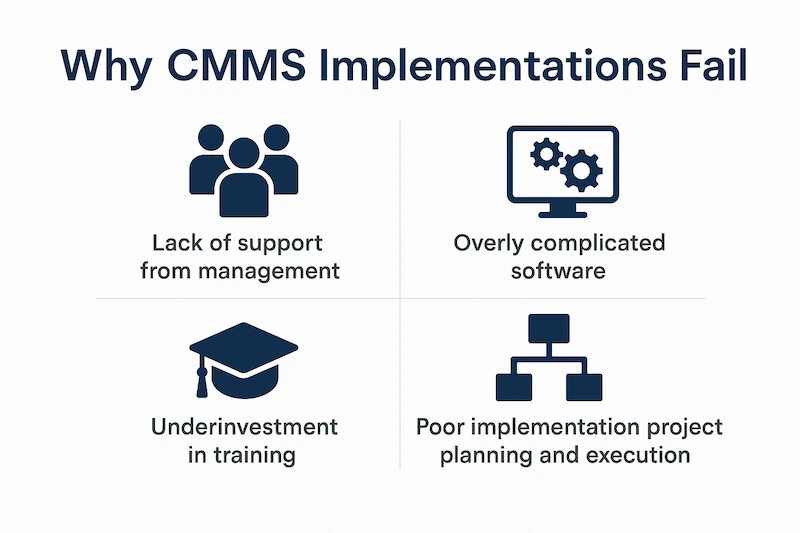
A flawed process kills momentum. Watch out for:
- Too much at once - Overloading your team with every feature on day one.
- Lack of buy-in - Skipping tech feedback leads to low adoption.
- Messy data - Dirty imports create more work later.
Setting the Stage for Success
A successful implementation starts long before you log in for the first time. It begins with defining your goals, preparing your team, and organizing your data. Setting the stage properly creates a foundation for a system that your team will actually want to use, making the entire transition smoother and faster.
1. Define Your Maintenance Goals First
A successful CMMS implementation begins with a clear idea of what you want to achieve.
Before you even look at software features, you need to define the specific problems you are trying to solve.
A CMMS is a tool, and the best way to use any tool is to know what job it needs to do.
Focus on Core Problems
What are the biggest pain points in your current maintenance process?
- Are work orders getting lost?
- Is unplanned downtime eating into your production schedule?
- Are you struggling to track parts inventory?
Establish Measurable Objectives
Once you know your problems, set specific, measurable goals.
Instead of a vague goal like "improve maintenance," aim for something concrete like "reduce equipment downtime by 20% in six months" or "achieve 95% on-time completion for all preventive maintenance tasks."
These objectives will guide your implementation and give you clear benchmarks to measure success. Using a dedicated preventive maintenance software module is often central to hitting these targets.
2. Win Your Team’s Buy-In on Day One
The single most important factor in a successful CMMS implementation is team buy-in.
You can have the best software in the world, but if your technicians don’t use it, the investment is wasted. Getting your team involved and excited from the very beginning is non-negotiable.
Communicate the 'Why'
Your team needs to see how the new CMMS will make their jobs easier, not harder. Explain the benefits from their perspective.
Frame it as a way to eliminate tedious paperwork, get clearer instructions for jobs, and stop wasting time searching for parts or information. When they see what’s in it for them, they are much more likely to embrace the change.
Involve Technicians in Selection
Don’t choose a CMMS in isolation. Involve a few of your lead technicians in the selection process.
Let them sit in on demos and give their feedback. They are the ones who will use the system every day, so their input on usability is invaluable.
When they feel like they have a voice in the decision, they become advocates for the new system.
Appoint a CMMS Champion
Designate one or two people on your team to be the official "CMMS Champions." These individuals should be tech-savvy, respected by their peers, and enthusiastic about the new system.
They will serve as the go-to resource for questions, provide informal training, and help build positive momentum during the rollout.
3. Start with Your Most Critical Assets
Trying to import data for every single piece of equipment in your facility at once is a recipe for overwhelm.
Phase your rollout for faster wins. Focusing on your most critical assets first lets you demonstrate value quickly and build momentum for the rest of the implementation.
Prioritize High-Impact Equipment
Identify the 10-20 assets that are most critical to your operations. These are the machines whose failure causes the most significant downtime or production loss.
Getting these assets into the CMMS first means you can immediately start tracking their maintenance history, scheduling PMs, and seeing the benefits of a more organized system.
Build Your Asset Hierarchy
As you add your critical assets, start building a logical asset hierarchy. This involves organizing equipment by location, system, or production line. For example, you might group all components of a packaging line together. A clear hierarchy makes it easier to find assets, assign work, and run reports later on.

4. Clean and Organize Your Data Before Migration
A CMMS is only as good as the data you put into it. Migrating messy, inconsistent, or outdated information will only create problems down the road.
Taking the time to clean and organize your existing maintenance data before you import it is one of the most important steps for a fast and smooth implementation.
Standardize Naming Conventions
Ensure you have a consistent format for naming assets, parts, and locations. For example, decide if you will call a piece of equipment "Air Handler Unit 1" or "AHU-01" and stick to it.
Standardization makes it much easier for everyone to find what they are looking for and ensures your reports are accurate.
Purge Outdated Records
Go through your existing records and get rid of anything that is obsolete. This includes decommissioned assets, old work orders that were never closed, and parts you no longer stock.
Starting with a clean slate prevents clutter and confusion in your new system.
Let Us Handle the Heavy Lifting
Data migration can be a time-consuming task. At Zoidii, we recognize you have a facility to run. Our team can manage the entire data import process for you.
With Zoidii's Implementation Services, we take your existing spreadsheets and documents and ensure all your asset, part, and PM data is cleaned, formatted, and loaded into your new system correctly.
5. Choose a CMMS That’s Easy to Use
If a CMMS is complicated and difficult to navigate, your team won’t use it. A steep learning curve is a major barrier to adoption.
The software you choose should have an intuitive interface that feels simple and straightforward from day one. This is especially important for technicians who need to access the system on the go.
Prioritize an Intuitive Interface
Look for a CMMS with a clean, uncluttered design. Can you create a work order in just a few clicks? Is the main dashboard easy to read at a glance? The system should guide users through tasks naturally, without requiring extensive training manuals.
Test on Mobile Devices
Your technicians spend their time on the plant floor, not behind a desk. A powerful and easy-to-use Mobile CMMS is essential.
During demos, make sure to test the mobile app. It should be fast, reliable, and provide full functionality, allowing techs to view work orders, log notes, and close out jobs directly from their phones.
6. Plan for Practical, Hands-On Training
Good training is about relevance. Generic, one-size-fits-all training sessions are often a waste of time.
To ensure your team feels confident using the new CMMS, your training plan should focus on the specific, real-world tasks they will perform every day.
Focus on Daily Workflows
Structure your training around your team’s daily routines. Show technicians exactly how to find their assigned work orders, how to log their time and notes, and how to close out a job when it's complete.
For supervisors, focus on how to assign work, review backlogs, and run reports.
Use Real-World Scenarios
Use actual work orders and PMs from your facility as training examples. When technicians practice on familiar equipment and tasks, the training feels more relevant and the information sticks. Role-playing a common repair or a standard PM procedure in the new system is far better than a generic software tour.
7. Create Simple Work Order and PM Checklists
Well-designed checklists are a simple way to standardize your maintenance procedures. They make work easier for technicians and ensure you capture consistent, high-quality data for every job.
A good CMMS will allow you to build clear, step-by-step instructions for any task.
Standardize Repair Procedures
For common repairs, create checklists that outline the required steps, safety precautions, and necessary tools. This ensures every technician performs the job to the same standard, which improves repair quality and consistency.
Simplify PM Task Lists
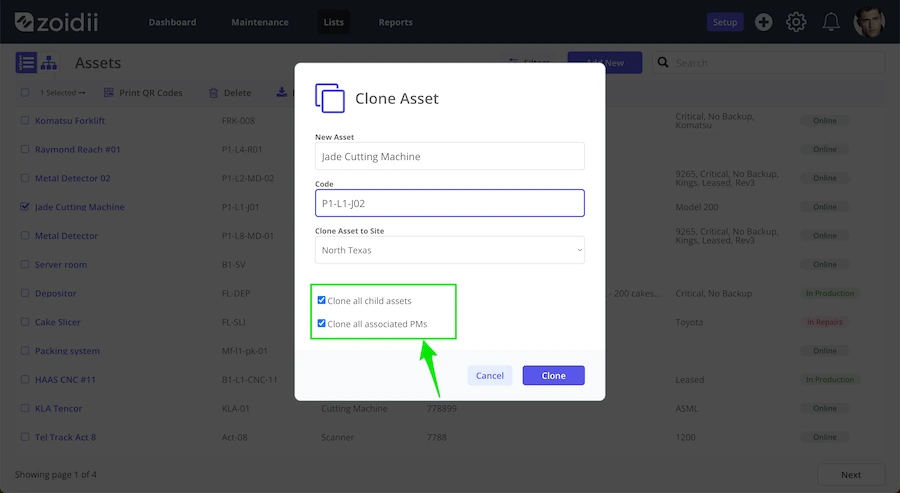
Break down complex preventive maintenance tasks into a series of simple, actionable steps. Using Maintenance Checklists in Zoidii, you can create pass-or-fail items, meter readings, and text inputs to guide technicians through the process.
This guarantees that no steps are missed and provides a detailed record of the work performed.
8. Launch in Phases, Not All at Once
A "big bang" launch where everyone starts using the new system on the same day can be risky. A phased rollout, starting with a smaller group or a single area, is a much safer and more successful approach.
This allows you to gather feedback and make adjustments before a full-scale launch.
Pilot with a Single Team
Choose one team or one production area to be your pilot group. This team will be the first to go live on the new CMMS. This smaller-scale launch allows you to work out any kinks in the process and provide focused support to the pilot users.
Gather Feedback and Adjust
During the pilot phase, actively solicit feedback from the team. What’s working well? What’s confusing? Use this feedback to make adjustments to your workflows, checklists, or training materials before you roll the system out to the rest of the facility.
Celebrate Early Wins
When the pilot team starts seeing success, share it with the entire department. Highlighting early wins, like a reduction in a specific type of failure or positive feedback from the pilot users, builds excitement and confidence for the wider launch.
Our Customer Success Stories show how other teams have achieved great results.
9. Measure, Get Feedback, and Refine
A successful CMMS implementation doesn’t end on launch day. It’s an ongoing process of improvement. To get the most value out of your new system, you need to continuously measure your performance, listen to your users, and refine how you use the software.
Track Your Initial KPIs
Remember those measurable objectives you set in Tip 1? Now is the time to start tracking them. Use your CMMS dashboard and reporting tools to monitor your initial Key Performance Indicators (KPIs).
Seeing these numbers improve provides clear proof of the system's value and helps justify the investment.
Create a Feedback Loop
Establish a simple way for your team to provide ongoing feedback. This could be a monthly check-in meeting or a dedicated suggestion box. Make it clear that you want to hear their ideas for how to use the CMMS better. This empowers your team and helps you uncover new opportunities for improvement.
Let Zoidii Guide Your Implementation
You don’t have to manage your CMMS implementation alone. Partnering with Zoidii means you get more than just software; you get a dedicated team of experts committed to your success.
We handle the entire process for you, from data migration and system configuration to team training and ongoing support, ensuring a fast, seamless, and stress-free transition.
Cut unplanned downtime by 20%. Book a personalized tour today and see Zoidii in action.
Ready to see how a simple and powerful CMMS can transform your maintenance operations? Let us show you how Zoidii can be configured to meet your specific goals. Book a tour today for a personalized, one-on-one session with one of our product experts.