Implementing CMMS software is one of the highest-leverage investments a maintenance organization can make. When done well, it transforms reactive, paper-based operations into data-driven, proactive maintenance programs that reduce downtime, extend asset life, and dramatically lower costs. Most mid-size facilities see positive ROI within just 3–6 months of a successful CMMS rollout.
But here's the reality: up to 80% of CMMS implementations fail to deliver their expected results — and the most common causes have nothing to do with the software itself. Poor goal-setting, dirty data, insufficient training, and resistance to change are what sink most CMMS projects before they ever gain traction.
This guide covers the eight most important things to get right when implementing CMMS software in 2026 — drawing on the most current implementation research, real-world failure patterns, and the practical steps that separate successful rollouts from expensive regrets.
Key Takeaways
- Up to 80% of CMMS implementations fail to deliver expected results — not because of the software, but because of poor planning, inadequate training, and weak change management. The tips in this article address every one of those failure points.
- Define measurable goals before you configure anything. A CMMS without clear KPIs becomes a digital filing cabinet. Organizations that set defined targets before go-live achieve 85–90% implementation success rates and 300–500% ROI within 24–36 months.
- Data quality determines the value of every downstream feature. Dirty, incomplete, or duplicate asset data imported into a new CMMS guarantees an unreliable system from day one. Data cleanup must happen before migration, not after.
- Role-specific training drives adoption — generic training does not. Generic all-hands CMMS training produces below 40% adoption rates. Role-specific hands-on training drives adoption above 80% within the first week.
- A phased rollout beats a big-bang launch every time. Starting with a controlled pilot in one department builds visible proof of value, surfaces real-world gaps before full deployment, and converts skeptics into advocates.
Tip 1: Define Clear Goals and KPIs Before You Touch the Software
The single most common reason CMMS implementations fail is that teams never define what success looks like before they start. Without measurable targets, the CMMS has no direction, the team has no motivation to adopt it consistently, and leadership has no way to evaluate whether the investment is working.
Before any configuration begins, define 3–5 measurable KPIs directly tied to your most pressing operational problems. For example:
- Reduce reactive maintenance from 60% to below 40% within 90 days
- Achieve 85% PM compliance within the first quarter
- Cut mean time to repair (MTTR) from 4 hours to 90 minutes
- Reduce emergency work orders by 30% in six months
- Reach 90% work order completion rate within 60 days
Tip 2: Secure Executive Buy-In and Assign a CMMS Champion
A CMMS rollout that is treated as a maintenance department project — without visible leadership support — will struggle to gain the organizational buy-in it needs to succeed. Insufficient executive support is consistently identified as one of the top reasons CMMS implementations stall or get abandoned.
Leaders set priorities, allocate resources, and signal to the broader organization what matters. When a CMMS rollout has active executive sponsorship, adoption follows more naturally across departments. When it doesn't, it becomes an uphill battle that maintenance managers fight alone.
What this looks like in practice:
- Assign an executive sponsor who will champion the project, remove blockers, and keep the initiative visible at the leadership level
- Tie CMMS goals to business outcomes leadership already cares about — cost reduction, regulatory compliance, uptime improvement, and capital expenditure visibility
- Designate a CMMS Champion — ideally a senior technician or maintenance supervisor — who owns day-to-day adoption, fields questions from the team, and serves as the go-to resource for anyone struggling with the system
Tip 3: Build a Cross-Functional Implementation Team
A CMMS implementation affects more than just the maintenance team. It touches production scheduling, procurement, IT, inventory management, safety, and finance. Involving only maintenance in the selection and rollout process means you'll miss requirements that matter to the people who depend on maintenance data — and you'll face resistance when the system affects their workflows.
Build a cross-functional implementation team that includes, at minimum:
- Maintenance manager — owns the strategy and day-to-day operational requirements
- Frontline technician representatives — the people who will use the system most, every day
- IT lead — manages integrations, security, mobile device access, and system configuration
- Procurement or inventory coordinator — ensures parts management requirements are captured
- Operations or production representative — validates how CMMS data will interact with production schedules and downtime reporting
Tip 4: Choose the Right CMMS Vendor for Your Operation
It's tempting to select a CMMS based purely on feature lists or pricing. But a successful CMMS implementation is a long-term relationship with your vendor — and the quality of that relationship determines whether your rollout succeeds or struggles.
The CMMS market in 2026 is crowded with options. When evaluating vendors, prioritize these factors over feature breadth:
Ease of use for your technicians. The single biggest driver of CMMS adoption failure is a mobile interface that technicians find difficult or cumbersome. If using the system takes longer than writing something down, teams will return to their old methods within weeks. Test this explicitly: hand a technician a mobile device and time how long it takes them to log in, find a work order, attach a photo, and close the work order without guidance. If it takes more than three minutes on a first attempt, adoption will be an ongoing battle.
Implementation support quality. A well-designed CMMS should have your first real work order created within 24 hours of setup and your first PM schedule active within a week. Vendors who quote 6–12 month implementation timelines for mid-size teams are selling professional services, not software. Look for structured onboarding, dedicated implementation support, and a clear go-live roadmap.
Scalability and integration capability. As your operation grows, your CMMS needs to grow with it. Confirm the system can handle additional users, assets, and locations — and that it can integrate with ERP, procurement, and IoT monitoring systems you may adopt in the future. A CMMS that operates in isolation creates data silos that generate more manual work over time, not less.
Ongoing customer support. Ask to speak with existing customers in your industry. Evaluate not just whether the software works, but whether the vendor actively helps you use it better over time. Zoidii is built specifically for operations teams moving off spreadsheets for the first time — simple enough to get technicians live quickly, powerful enough to support data-driven maintenance management at scale.
Tip 5: Clean Your Data Before Migration — Not After
Data quality is the foundation of every CMMS feature downstream. Asset records, maintenance histories, parts inventories, PM schedules — every one of these is only as valuable as the accuracy of the data behind it. Importing dirty, duplicate, or incomplete data into a new CMMS guarantees an unreliable system from day one, and unreliable systems get abandoned.
The principle here is simple: garbage in, garbage out. If your asset registry has inconsistent naming conventions, your maintenance history is scattered across five spreadsheets, and your inventory counts haven't been verified in two years, the CMMS will inherit every one of those problems.
Data cleanup tasks to complete before migration:
- Standardize asset naming conventions across all locations
- Remove duplicate asset records and consolidate fragmented histories
- Verify and update equipment details: manufacturer, model, serial number, installation date, warranty status
- Audit your PM schedules for tasks that are outdated, redundant, or no longer applicable
- Reconcile physical inventory against your parts list and update counts before import
Tip 6: Define User Roles and Deliver Role-Specific Training
Training is where most CMMS implementations either build momentum or lose it permanently. The temptation is to schedule a single all-hands training session, walk everyone through the system, and call it done. The research on this approach is unambiguous: generic all-hands CMMS training produces below 40% adoption rates. Role-specific, hands-on training drives adoption above 80% within the first week.
The reason is straightforward. A technician and a maintenance manager use a CMMS completely differently. A technician needs to know how to receive a work order on their mobile device, log hours, attach photos, update asset notes, and close the task. A maintenance manager needs to know how to build a PM schedule, review open work orders by priority, pull a downtime report, and manage parts reorder points. Blending these two audiences into one training session serves neither well.
Role-based training structure:
- Technicians — Mobile work order workflow: receiving, updating, attaching photos, logging time, closing tasks, submitting work requests
- Supervisors and planners — Work order creation and assignment, PM scheduling, daily dashboard review, prioritization
- Managers — Reporting and KPI tracking, asset performance analysis, parts inventory management, approval workflows
- IT/Administrators — System configuration, user permissions, integrations, data management
Tip 7: Start With a Pilot, Then Expand
Going live across an entire organization or multi-site operation at once is the highest-risk approach to CMMS implementation. It concentrates all the learning, all the friction, and all the configuration gaps into a single high-pressure moment — and if something breaks, it breaks everywhere simultaneously.
The proven alternative is a phased pilot rollout:
- Choose one department or location where the need for CMMS is clearest, the team is motivated, and quick wins are most visible
- Run the pilot for 30–60 days — creating real work orders, completing real PMs, logging real asset data
- Measure the results against your pre-implementation baseline KPIs
- Identify and fix configuration gaps based on how the system actually performed in the field
- Share the results publicly — work order completion improvements, downtime reductions, PM compliance gains — to build organizational momentum
- Expand site-by-site with a refined process and real proof of value
Tip 8: Track Performance and Optimize After Go-Live
Go-live is the midpoint of a CMMS implementation — not the finish line. The teams that see 300–500% ROI within 24–36 months are the ones that treat the CMMS as a living system that gets better over time, not a project that ends at launch.
In 2026, 65% of maintenance teams expect to adopt AI tools within the year — and the organizations best positioned to benefit from AI-driven predictive maintenance are the ones that have clean, consistent CMMS data built up over 12–24 months of disciplined system use. The CMMS data you're building today is the foundation for the analytics capabilities you'll deploy tomorrow.
Post-implementation habits that compound CMMS value:
- Monthly KPI reviews — Compare current PM compliance rate, reactive maintenance ratio, MTTR, and work order completion rate against your pre-implementation baseline. Share the numbers with the full team. Visible improvement sustains adoption. Teams that never see their results revert to old habits within 60 days, regardless of how well the launch went.
- 30/60/90-day check-ins — Structured reviews at each interval identify adoption gaps, underutilized features, and workflow adjustments needed based on real-world usage
- Quarterly user feedback loops — Ask technicians and supervisors what's working, what's creating friction, and what would make the system easier to use. The people closest to the work surface the most valuable improvements.
- Expanding feature utilization over time — Only 6% of companies use 100% of their CMMS features at go-live. That's not a failure — it's the right approach. Start with core workflows: work order management and PM scheduling. Then layer in parts inventory, reporting, and condition monitoring as the team builds confidence and the data quality improves.
- Annual PM schedule audits — Review every active PM against actual asset performance data. Remove tasks that aren't preventing failures. Add tasks for failure modes that have emerged. A PM schedule that never gets revised is accumulating waste.
Common CMMS Implementation Mistakes to Avoid
Even well-intentioned implementations fail when they run into these patterns:
No defined goals before launch. Without measurable KPIs, the implementation has no direction and no way to prove ROI. Define success before configuring anything.
Importing dirty data. Asset records full of duplicates, inconsistent naming, and outdated information make the system untrustworthy from day one. Budget time for data cleanup before migration.
Generic, one-size-fits-all training. Technicians, supervisors, and managers use a CMMS differently. Train each role on the specific tasks they'll perform daily — nothing more, nothing less.
No executive sponsor. The CMMS is treated as a maintenance-only IT project, without visible leadership support and struggles to gain cross-departmental buy-in. Assign a sponsor who has the authority to remove blockers.
Big-bang rollout. Launching everywhere at once concentrates all risk and leaves no room to learn. A pilot builds proof of value and a better-configured system before full deployment. Treating go-live as the finish line. The CMMS compounds in value over time — better data, higher adoption, more advanced features. Teams that stop optimizing after launch leave the majority of the ROI on the table.
How Zoidii Makes CMMS Implementation Easier in 2026
Most CMMS implementation failures come down to complexity — systems so feature-heavy and technically demanding that teams never get past the setup phase. Zoidii is designed to solve this problem directly.
Zoidii is a cloud-based CMMS built for operations teams moving off spreadsheets and paper-based systems for the first time. It's intuitive enough that technicians with no prior CMMS experience can pick it up the same day — and powerful enough for maintenance managers who need real reporting, asset history, and PM automation.
What makes Zoidii the right CMMS for a successful implementation:
- Fast setup — Import your assets, configure your first PM schedule, and create your first work order quickly, without months of onboarding. Read this related article on How Zoidii Uses AI to Speed CMMS Setup and Efficiency
- Mobile-first design — Technicians receive and close work orders from any mobile device on the floor, in real time, without needing to return to a desktop
- Work Order Management — Create, assign, prioritize, and track every maintenance task from request to completion
- Preventive Maintenance Scheduling — Automate recurring PMs by time interval or meter reading, with automatic alerts when tasks come due
- Asset Management — Full maintenance history for every asset, accessible by any team member from anywhere
- Parts and Inventory Control — Track spare parts, set reorder points, and attach parts to work orders at the planning stage
- Reporting and KPIs — Generate work order, downtime, and PM compliance reports to measure progress against your baseline and guide continuous improvement
- Simple, predictable pricing — No surprise costs, no lengthy implementation contracts, no features you'll never use
Start your free trial of Zoidii today →
No credit card required. Get your team set up, and your first work orders live quickly — without the friction that causes 80% of implementations to fail.
Frequently Asked Questions
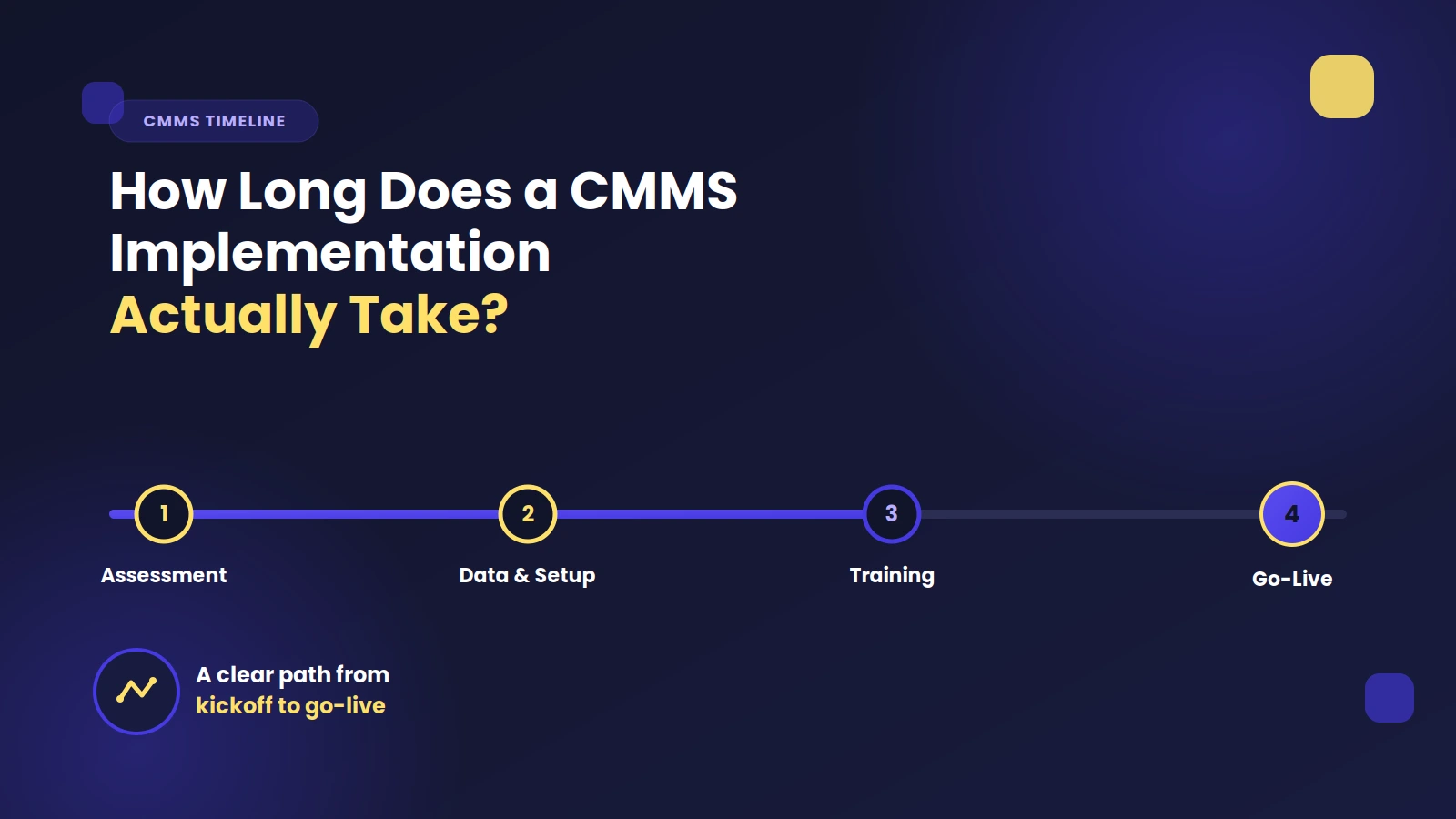
How long does a CMMS implementation take? Implementation timelines vary by organization size, data readiness, and training needs. Small to mid-size operations can be fully operational in 30–60 days with a structured rollout. Larger, multi-site operations typically take 3–6 months for full deployment. The timeline is driven almost entirely by training and adoption speed, not software setup complexity.
What is the most common reason CMMS implementations fail? Industry research consistently points to the same root causes: lack of clearly defined goals, dirty or incomplete data imported at migration, insufficient training, absent executive sponsorship, and treating go-live as the endpoint rather than the midpoint. None of these are software problems — they are planning and change management problems.
What KPIs should I track after implementing a CMMS? The four most important post-implementation KPIs are: PM compliance rate (percentage of scheduled PMs completed on time), reactive vs. preventive maintenance ratio, mean time to repair (MTTR), and work order completion rate. Set baselines before go-live and measure at 30, 60, and 90 days.
How do I get my maintenance team to actually use the CMMS? Three mechanisms drive sustained adoption: role-specific training on the tasks each person performs daily, a designated on-site champion who resolves friction quickly, and sharing visible KPI results with the full team at the 30-day mark. When people see that the system is making their work easier and the results prove it, adoption follows naturally.
What's the ROI of a well-implemented CMMS? Organizations that implement CMMS systematically achieve 300–500% ROI within 24–36 months through reduced downtime costs, lower emergency repair premiums, optimized parts inventory, and improved technician productivity. Most mid-size facilities see positive ROI within 3–6 months of a successful go-live.