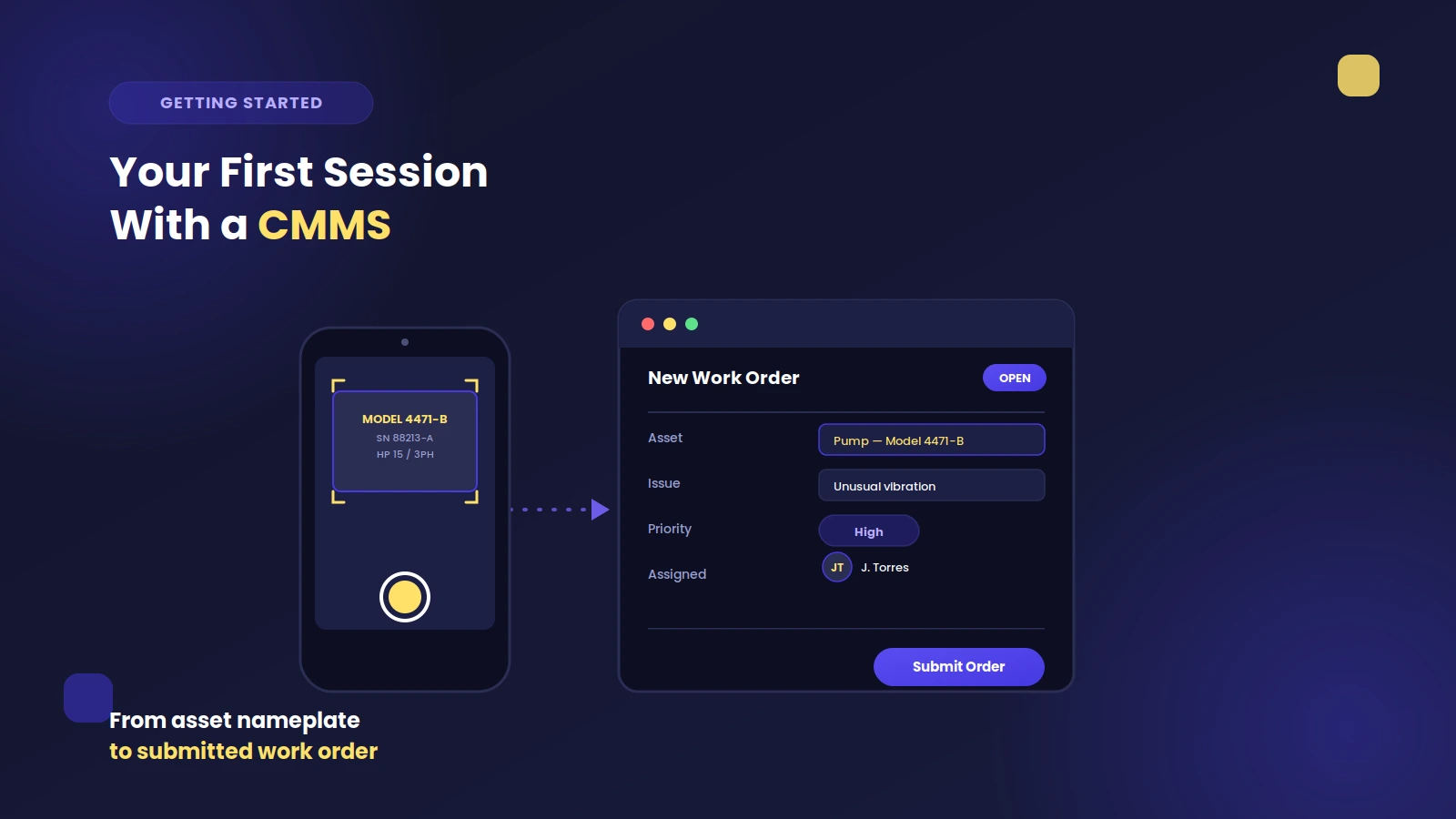
We all know how paper trails can clog our day: lost work orders, endless file hunts, surprise breakdowns. Switch to a CMMS, and get every asset detail, PM schedule, and parts list, right on your phone.
Choosing between pen and paper and a CMMS can be the difference between staying stuck and gaining real momentum. A Computerized Maintenance Management System (CMMS) is modern software that shifts your operations from messy paper stacks to a single, clean digital platform.
It lets your team work smarter, trust the data they're using, and get a firm grip on every task. Think of it as swapping guesswork for certainty. Your technicians get the information they need, exactly when they need it. Pen and paper might feel familiar, but a CMMS gives you the structure and insight to run a proactive and cost-effective maintenance department.
The True Cost of Sticking with Pen and Paper
Manual systems slow you down and waste resources every day. You'll see these expenses in the form of daily slowdowns, wasted resources, and missed opportunities.
All the little frustrations that come with a paper system add up, putting a real drain on productivity and your bottom line.
Lost Work Orders and Delays
A paper trail is fragile. A work request on a desk gets buried, a coffee-stained work order becomes unreadable, or an important repair note gets lost on its way to the right person. Every time a piece of paper goes missing, you get a delay.
A machine stays down longer than necessary, production halts, and your team scrambles to fix a problem that should have been handled hours or even days ago.
These disruptions happen because the system can't reliably track information from the initial request to the finished job.
Inaccurate Asset Histories
How can you make smart repair or replacement decisions without a complete asset history? With paper records, trying to piece together the full maintenance story of a machine is almost impossible.
You lose time hunting for missing pages. Errors slip in, and binders pile up. Without a clear, accessible history, you're just guessing. This guesswork leads to doing the wrong kind of maintenance, replacing parts too soon, or dealing with surprise breakdowns from equipment you thought was fine.
Failed Audits and Compliance
When an auditor shows up, you need to pull specific maintenance records-fast. A paper-based system turns this simple request into a stressful fire drill. You're digging through cabinets, hoping the records are complete and readable, and manually piecing together the required documents.
If you can't find what you need, you're looking at failed audits, fines, and a hit to your company's reputation. With disorganized paper records, proving you're compliant with safety, environmental, or industry standards is a constant struggle.
Wasted Technician Time
Consider how much time your technicians spend on tasks other than maintenance. They're walking back and forth to the office to grab or drop off paperwork. They're hunting for the right manual or trying to read a supervisor’s handwriting on a work order.
All this admin work is time they could be spending on preventive maintenance, important repairs, and tasks that actually improve your operations. With paper, a huge chunk of their day is wasted managing paperwork instead of managing assets.
How CMMS Software Creates a Single Source of Truth
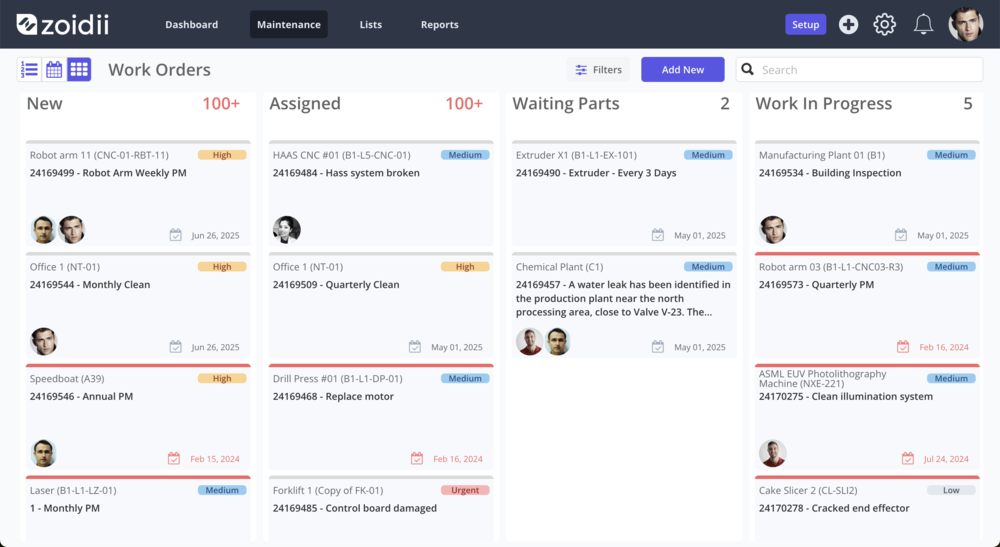
Get instant access to any work order, anytime. A CMMS puts every asset record, PM schedule, and parts list at your fingertips. This creates a single source of truth for your whole team.
Everyone works from the same up-to-date information, which cuts down on confusion, improves communication, and leads to better decisions from the shop floor to the manager’s office.
One System for Everything
Imagine having all your work orders, asset data, PM schedules, and parts inventory in one place. That's what a CMMS does at its heart. It eliminates the separate pools of information that paper systems create.
No more having one person in charge of the PM schedule while someone else manages the parts cabinet. Instead, all that data is available to anyone on the team who needs it.
This shared view makes sure nothing falls through the cracks. If you're new to the concept, you can learn more about What is a CMMS? and how it works.
Instant Information Access
Out in the field, having the right information is everything. A CMMS puts that information directly into your technicians' hands.
With a phone or tablet, they can pull up asset histories, technical manuals, safety checklists, and work order details right at the job site.
No more walking back to the office for a forgotten detail. This immediate access means your team has what it needs to do the job right the first time. A Mobile CMMS turns every technician’s device into a serious maintenance tool.
Preserving Team Knowledge
Your most experienced technicians have a ton of knowledge stored in their heads. They know the specific quirks of each machine and the quickest way to fix common issues. When they leave or retire, that knowledge usually goes with them. A CMMS gives you a way to capture this important information through Knowledge Sharing. Every completed work order, every note added, and every problem solved gets logged in the system. This builds a shared library of solutions and insights that helps the whole team for years to come.
A Direct Comparison- CMMS vs. Manual Processes
When you put them side-by-side, the advantages of a CMMS over manual processes are clear. It takes tasks that are slow and full of errors on paper and turns them into smooth, automated processes that make your whole operation run better.
Automated Work Order Management
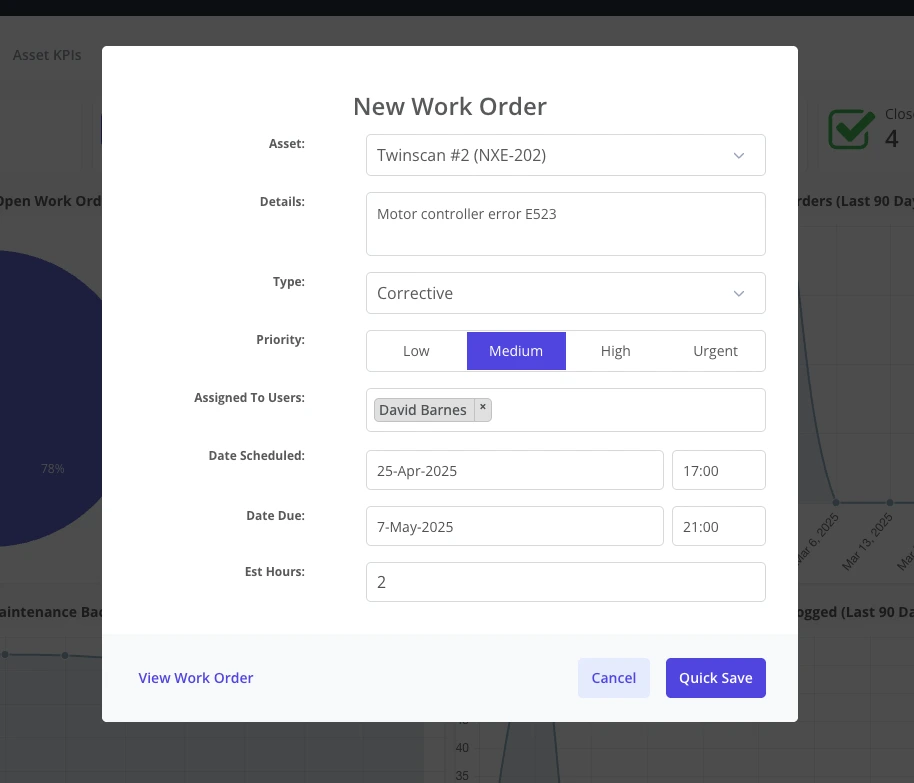
Managing work orders with pen and paper is messy. Requests fly in from phone calls, emails, and handwritten notes, making it easy for things to get lost. A CMMS swaps this chaos for a clean, digital process.
Requests come in through a simple portal, get assigned automatically, and are tracked from start to finish. Everyone can see the status of any job in real time. This organized system, run by work order software, makes sure every task gets done on schedule.
Proactive Maintenance Scheduling
A manual PM program usually depends on someone's memory, a spreadsheet, or a wall calendar. It's a reactive system where tasks are easy to forget, which leads to surprise equipment failures.
A CMMS automates the whole thing. You can set up PM schedules based on time, usage, or equipment condition, and the system automatically creates work orders when they're due.
This move to proactive maintenance, handled with preventive maintenance software, seriously cuts down on downtime and helps your assets last longer.
Accurate Inventory Control
Guessing your spare parts inventory is a recipe for disaster. With a paper system, you either run out of a necessary part during an emergency or waste money on overstocked items collecting dust on the shelf.
A CMMS gives you real-time inventory management. The system automatically subtracts parts as they're used in work orders and can even send you an alert when stock is low. This level of accuracy prevents expensive parts shortages, lowers carrying costs, and makes sure your technicians always have what they need.

Making a Smooth Transition to Digital Maintenance
Moving from paper to a digital system might feel like a huge project, but it doesn't have to be.
With a clear plan, the switch can be smooth and give you a fast return on your investment. When you break it down into simple steps, the change becomes much more manageable for you and your team.
Step 1- Document Your Current Workflow
Start by mapping out how you handle maintenance right now.
- How are work requests made?
- Who approves them?
- How are tasks assigned and completed?
Step 2- Digitize Your Essential Data
You don't need to scan decades-old paper records on day one. Just focus on the essential data you need to get going.
This usually includes your list of important assets, your spare parts inventory, and your current preventive maintenance schedules.
Most modern CMMS platforms make it easy to import this information from spreadsheets, so you can get your system up and running with good data right away.
Step 3- Empower Your Team with Training
Getting your team on board is the key to making the new system work. Good training makes sure everyone feels comfortable and confident using the CMMS.
Quality implementation services focus on practical, hands-on training that shows technicians exactly how the software makes their jobs easier. When your team sees the 'why' behind the change, they'll be the ones encouraging everyone else to use it.
Step 4- Calculate Your Potential Return
Switching to a CMMS brings real financial benefits. You can put numbers to it by looking at how much you'll save from reduced equipment downtime, improved technician productivity, and better inventory control.
Using a CMMS ROI calculator can help you figure out the financial impact and make a strong case for the switch.
See How Other Teams Upgraded from Paper
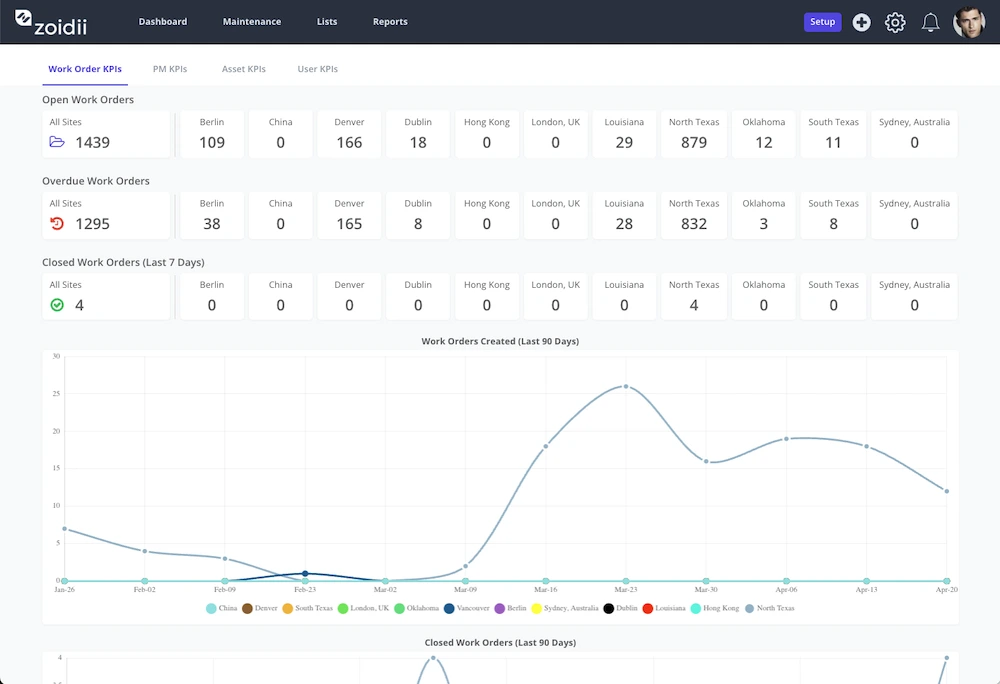
You're not the first team to think about ditching paper. Plenty of businesses have already made the switch and are now reaping the rewards of a smoother, digital operation. Reading their stories can give you the confidence that this change is not just possible-it can be a game-changer. Check out our customer success stories to see how other maintenance teams like yours moved from manual methods to Zoidii.
Ready to Empower Your Maintenance Team?
Leaving pen and paper behind is the first step toward building a more efficient, reliable, and data-driven maintenance operation.
When you give your team the right tools, you enable them to do their best work and contribute directly to the company’s success.
Book a Personalised Tour of Zoidii
See for yourself how a straightforward, effective CMMS can solve your specific challenges. Let us show you how Zoidii can eliminate the frustrations of a paper-based system and put you in control of your maintenance. Book a tour today and take the first step toward a smarter way of working.