A CMMS can be the difference between constant firefighting and a calm, planned maintenance program. The right one helps you cut downtime, control costs, stretch asset life, and keep audits painless. The wrong one becomes shelfware, or worse, locks you into clunky workflows that slow everyone down. This guide walks you through seven practical steps to confidently choose a CMMS that fits your operation—not the other way around.
Key Takeaways:
- Lead with outcomes, not features. Define 3–5 measurable goals (e.g., PM compliance, downtime reduction) and tie every requirement and demo scenario back to them.
- Map real workflows and involve the individuals who do the work. Build cross-functional input (techs, planners, stores, IT) and document current→future processes to surface integrations and data needs.
- Prioritize a tight “Must-Have” list. Turn needs into scenario-based requirements, score vendors with a common rubric, and insist on role-based, scripted demos using your data.
- Model true cost and value. Compare 3–5 year TCO (licenses, implementation, integrations, training) against quantified benefits (downtime, labor, inventory) with best/likely/worst ROI.
- Prove it, then scale. Run a time-boxed pilot with clear success criteria, negotiate smart terms (SLAs, data rights, renewal caps), and launch with a 90-day plan, training, and governance.
1. Start with outcomes, not features
Before reviewing product pages, determine what success looks like. Features are easy to list; outcomes are what matter. Define your top three outcomes for the next 12–24 months. Examples:
- Reduce unplanned downtime by 50%.
- Increase preventive maintenance (PM) compliance from 60% to 90%.
- Increase wrench time by 20%
- Shorten time-to-close work orders by 30%.
- Pass regulatory audits within 2 hours vs. 2 weeks.
Finally, map outcomes to the operational pains you want to eliminate, such as missing parts at the start of a job, incomplete asset history, technician time spent on paperwork, lost work orders, or tedious compliance reporting. When evaluating vendors later, ask, “Show me how your system removes this pain,” not “Do you have feature X?”
Deliverables from Step 1
- 3–5 outcomes with target KPIs and current baselines
- A short list of pains to eliminate
- An “in-scope” boundary (start with Plant A only? Include facilities and fleet? inventory too?)

2. Assemble the right team and map your workflows
CMMS success is cross-functional. Involve the people who will live in the system.
Core team
- Maintenance leadership (planner/scheduler, supervisor)
- Hands-on technicians from different shifts
- Reliability/engineering
- Stores/inventory
- EHS/compliance
- IT and cybersecurity
- Finance/procurement
- Work intake: who can submit requests, how are they triaged, and SLA targets
- PM program: generation, assignment, escalation rules
- Parts management: min/max levels, kitting, cycle counts, vendor lead times
- Asset lifecycle: hierarchy, asset logbooks, manuals/schematics
- Mobile execution: what needs to happen in the field
- Reporting and meetings: what dashboards drive your daily/weekly cadence
Deliverables from Step 2
- RACI for selection and implementation
- “Current vs. future” workflow swimlanes
- List of required integrations and data sources
3. Translate needs into clear, prioritized requirements
With outcomes and workflows in hand, write requirements that vendors can actually respond to. Categorize each as Must-Have, Should-Have, or Nice-to-Have. Keep the Must-Have list tight; five to ten is plenty.
Typical Must-Haves to consider
- Work management: request portal, approvals, priorities, SLA/response rules, scheduling capabilities
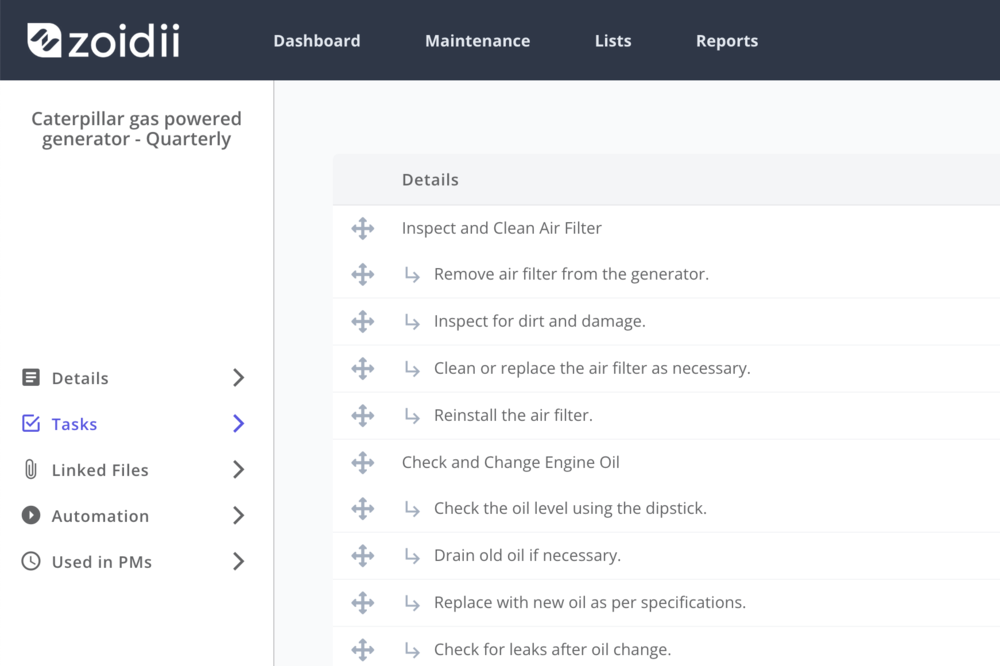
- PM & condition-based maintenance: calendars, meter triggers, nested PMs,
- Asset hierarchy & history: locations, components, parts used
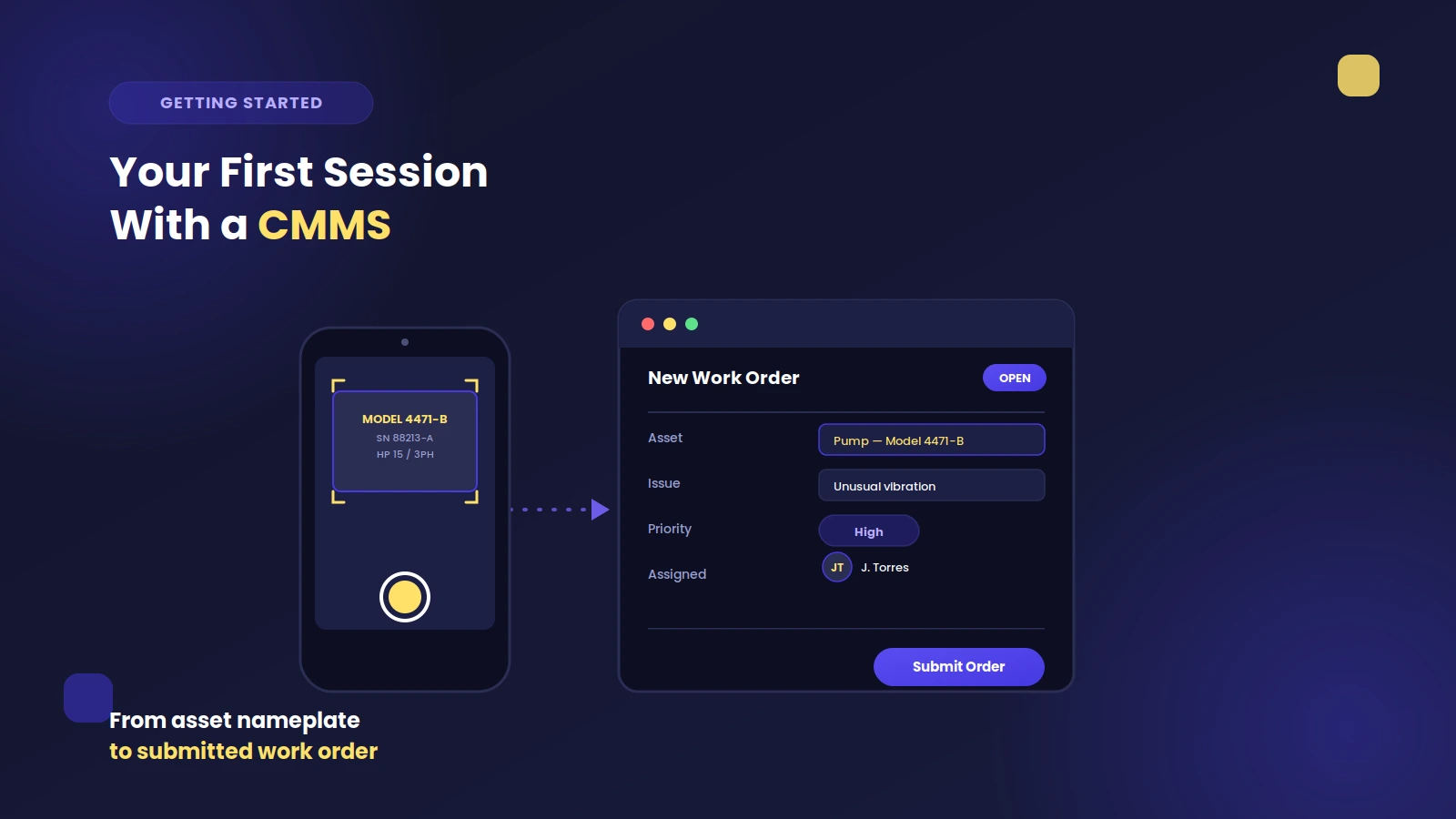
- Mobile: barcode/QR code support, photo/video, voice dictation, e-signatures
- Inventory & purchasing: min/max, kitting, vendor catalogs, reorders, costs, GL codes
- Reporting & KPIs: real-time dashboards, exports (PDF and CSV), API access
- Security & compliance: SSO (SAML/OIDC), role-based access, audit trails, e-signature/21 CFR Part 11 (if applicable)
- Deployment: cloud (SaaS) vs. on-prem, data residency, backup & disaster recovery
Deliverables from Step 3
- Prioritized requirement matrix with scenarios
- Nonfunctional requirements (uptime SLAs, support response times, data ownership)
4. Shortlist vendors and run scripted demos
Cast a wide net, then quickly narrow. Use a lightweight RFI (Request for Information) to screen for deployment model, security posture, domain fit (manufacturing vs. facilities vs. fleet), and a pricing ballpark. Shortlist 2–3 vendors for deeper evaluation.
Make the demos work for you
- Send each vendor a scripted demo based on your scenarios (from Step 3).
- Require them to use your sample data (a subset of assets, parts, and PMs).
- Request role-based views: requester, technician, planner, manager, and storeroom clerk.
- Observe usability: clicks to complete common tasks, search speed, and how the maintenance backlog is managed.
- Validate security/compliance: data encryption at rest/in transit, SSO, audit logs, change control, retention policies, and any certifications you require.
- Ask about the product roadmap and how customer requests are managed/prioritized.
Deliverables from Step 4
- 2–3 vendor scorecards with comments
- Red/amber/green risk register per vendor (e.g., audit gaps, limited reporting)
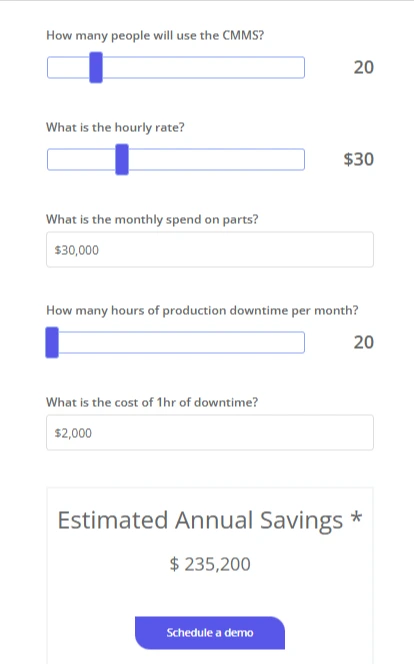
5. Model total cost of ownership and ROI
Sticker price rarely equals true cost. Build a simple TCO model over 3–5 years.
Include:
- Licenses: per-user, per-site, or asset-based; mobile and API access fees
- Implementation: vendor services, partner fees, internal time
- Data work: cleanup, migration, deduplication, BOM creation
- Integrations: initial build + ongoing maintenance
- Hardware (if any): tablets/mobile phones
- Training & change management: initial + refresher sessions
- Support: premium tiers, dedicated Customer Success Manager, after-hours coverage
- Risks: contingency for scope creep or longer ramp
- Reduced unplanned downtime (value of production hours or service capacity recovered)
- Lower maintenance overtime and callouts
- Optimized PMs (fewer unnecessary tasks; better labor utilization)
- Inventory right-sizing (carrying cost reduction, fewer stockouts)
Deliverables from Step 5
- 3–5 year TCO via ROI calculator or spreadsheet per vendor
- ROI summary with best/likely/worst scenarios and payback estimate
6. Prove it with a pilot
A focused pilot de-risks your decision and builds user buy-in.
Scope
- 1–2 areas or lines, 30–50 assets, a subset of parts, and a dozen PMs
- 4–8 technicians across shifts
- Live use for 4–8 weeks
- PM compliance improvement (e.g., +20 points)
- Time to create/close a work order reduced by X%
- Technician satisfaction (quick survey before/after)
- Migrate real data, not dummy lorem ipsum
- Use production-like mobile devices and network conditions
- Hold a weekly review to capture issues, workarounds, and requests
- Keep using the scorecard so results flow into your selection decision
Deliverables from Step 6
- Pilot report vs. success criteria
- Updated risks and mitigation plan
7. Negotiate smartly and plan for long-term success
With evidence in hand, you’re ready to finalize—and set yourself up for a smooth rollout.
Commercials
- Lock in transparent pricing: what counts as a “user,” API costs, data import/setup fees
- Tie a portion of payment to milestones (data migration complete, pilot success, go-live)
- Negotiate renewal caps and exit clauses (including data extraction format and support)
- Confirm service levels: uptime, response times, incident handling, maintenance windows
- Name an internal project lead and a vendor engagement manager
- Build a 90-day plan: data cleanup, training, parallel run, go-live
- Create standard templates (PM checklists, failure codes, parts naming conventions)
- Define data governance: who can create assets, add/edit parts, and change PM frequencies
- Establish cadence: daily standups during rollout; weekly KPI reviews post-go-live
- Plan training by role (requester, tech, planner, storeroom, supervisor) with job aids and short videos; schedule refreshers at 30/90 days
- Standup dashboards aligned with Step 1 outcomes
- Hold a monthly “CMMS council” to manage requests and prioritize enhancements
- Have a quarterly customer success call with your vendor
Deliverables from Step 7
- Signed MSA/SOW with service levels and data rights
- 90-day implementation plan with owners and dates
- Training and governance playbook
Common pitfalls to avoid
- Letting the tool dictate your process. If you bend core workflows to match software, you’ll pay forever. Customize lightly; configure heavily.
- Underestimating data work. Clean asset hierarchies, standardized part names, and accurate PMs are make-or-break.
- Skipping the pilot. A polished demo can conceal gaps, missed functionality, or reporting limitations.
- Ignoring change management. Technicians must see the benefits (less paperwork, faster parts, fewer repeat jobs) from the very beginning.
FAQs
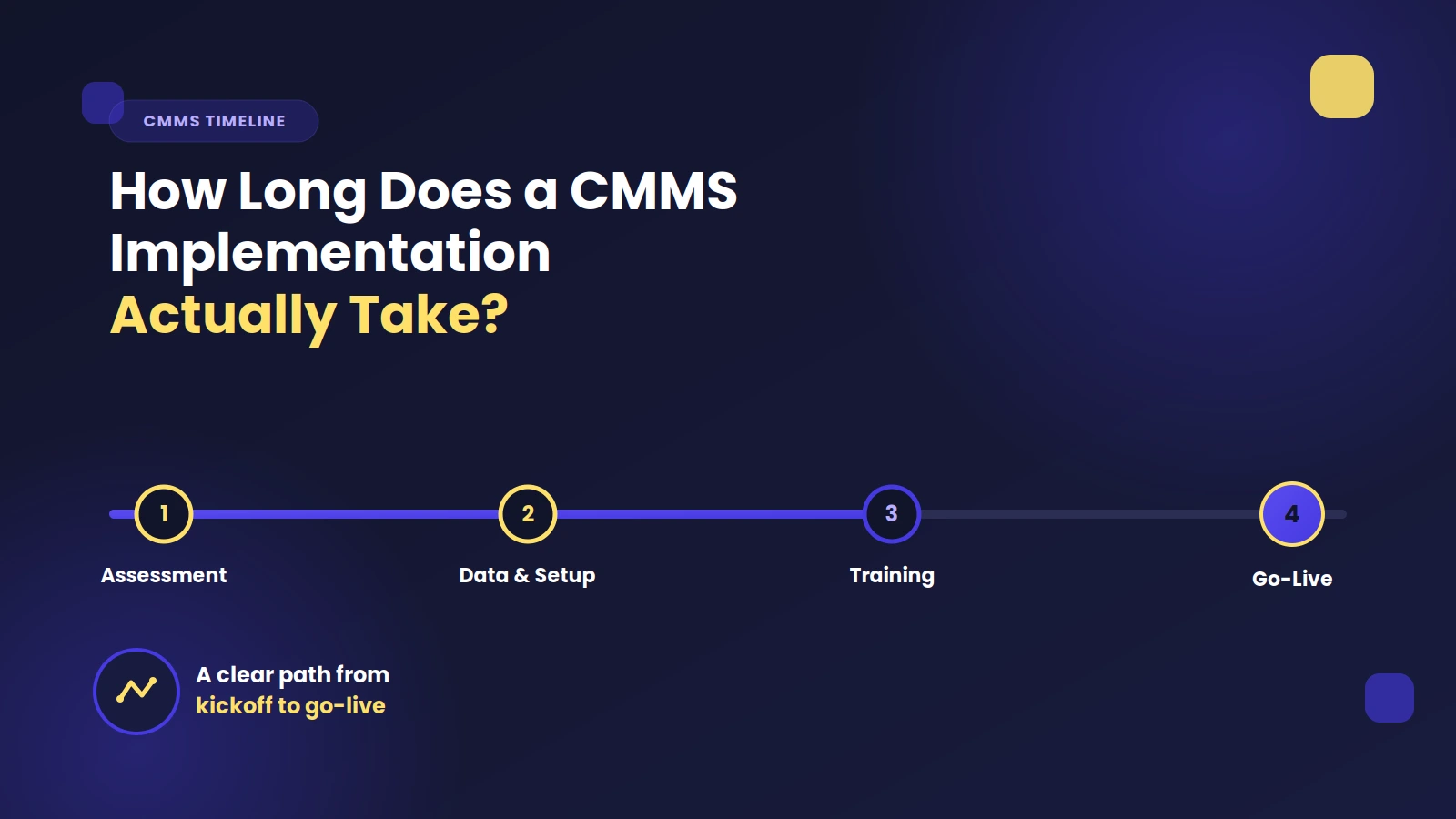
1) How long does a typical CMMS implementation take? For a single site with a focused scope, plan for 8–12 weeks from kickoff to go-live: 2–4 weeks for data cleanup/migration, and 2–3 weeks for training and pilot stabilization. Multi-site rollouts are often staggered by plant in 6–10 week waves.
2) What data do we need ready before we start? At minimum: asset register and hierarchy. It’s also beneficial to have a PM list and frequencies, as well as parts/stock with minimum and maximum levels.
3) Cloud (SaaS) or on-prem—how should we decide? Choose SaaS for faster deployment, lower infrastructure overhead, and continuous updates. Consider on-premise only if you have strict data residency requirements, air-gapped networks, or regulatory constraints that SaaS can’t meet. Either way, insist on SSO, audit trails, encryption, and clear backup details.
4) How many licenses do we actually need? Start with those who create, assign, or complete work on a daily basis: technicians, planners, supervisors, and storeroom staff. Casual requesters can often use a free portal. Right-size during the pilot: track actual logins and tasks to adjust counts before signing multi-year terms.
5) What are the most common reasons CMMS projects fail—and how do we avoid them? Top culprits: unclean data, unclear ownership, over-customization, and insufficient training. Mitigate with a 90-day plan, a named internal owner, configuration over customization, role-based training with job aids, and a monthly CMMS council that reviews KPIs and prioritizes improvements.
Final thought
A CMMS is not just software—it’s the operating system for your maintenance culture.
If you anchor the selection to outcomes, prove value with a pilot, and invest in data and training, you’ll pick a system that helps your team do its best work every day—and shows the results on the bottom line.