

If you’re the person who actually turns wrenches, closes work orders, or keeps facilities humming, “digital transformation” can sound like someone else’s project. What you care about is simple: fewer headaches, less busywork, and clearer proof that you’re doing great work. That’s exactly where a modern CMMS (Computerized Maintenance Management System) shines. Below are nine practical, day-to-day benefits for end users—the techs, supervisors, planners, and coordinators who live in the system—drawn from real-world practice.
1) Make life easier
A good CMMS removes friction from the job. Instead of chasing information or repeating data entry, you tap into a single place that knows the asset, the work order, the parts, and the steps.
How it feels in the field
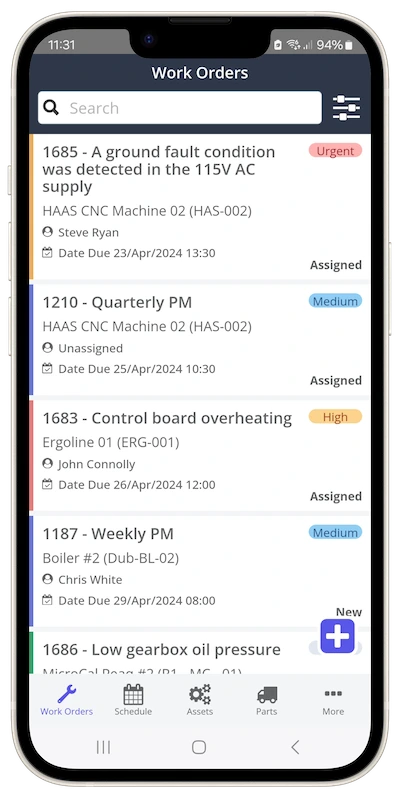
- Scan a QR code and instantly see the asset’s history, manuals, and open work orders.
- Follow a checklist that already lists torque specs, LOTO steps, and tolerances.
- Snap a photo or dictate a quick note—done, no extra paperwork after your shift.
2) Easily makes the argument for more resources
Maintenance is often asked to “do more with less.” A CMMS turns that into a data conversation instead of a plea.
What changes with data
- You can show growing backlog in weeks, not anecdotes.
- You can point to PM compliance dips and connect them to the rising number of failures.
- You can quantify overtime, stock-outs, and repeat failures by asset.
3) Eliminate the stress from audits
Audits used to mean binders, sticky notes, and late nights recreating records. With a CMMS, the evidence is already organized and traceable.
What auditors love (and you will too)
- Time-stamped work orders with signatures and checklists attached.
- Calibration and inspection trails linked to the asset and SOPs.
- Permits, LOTO steps, and safety acknowledgments in the job record.
4) Learn from others
No one wants to fix the same problem three different ways. A CMMS captures tribal knowledge, so the next person doesn’t have to start at zero.
How knowledge compiles
- Work order comments, photos, and meter trends live with the asset.
- Failure codes and corrective actions reveal patterns that drive better fixes.
- Job plans evolve as techs add tips that actually work in your environment.
5) Make fewer mistakes
People aren’t the problem—poor systems are. A CMMS integrates quality control into the workflow, ensuring the right steps are taken in the correct order.
Built-in guardrails
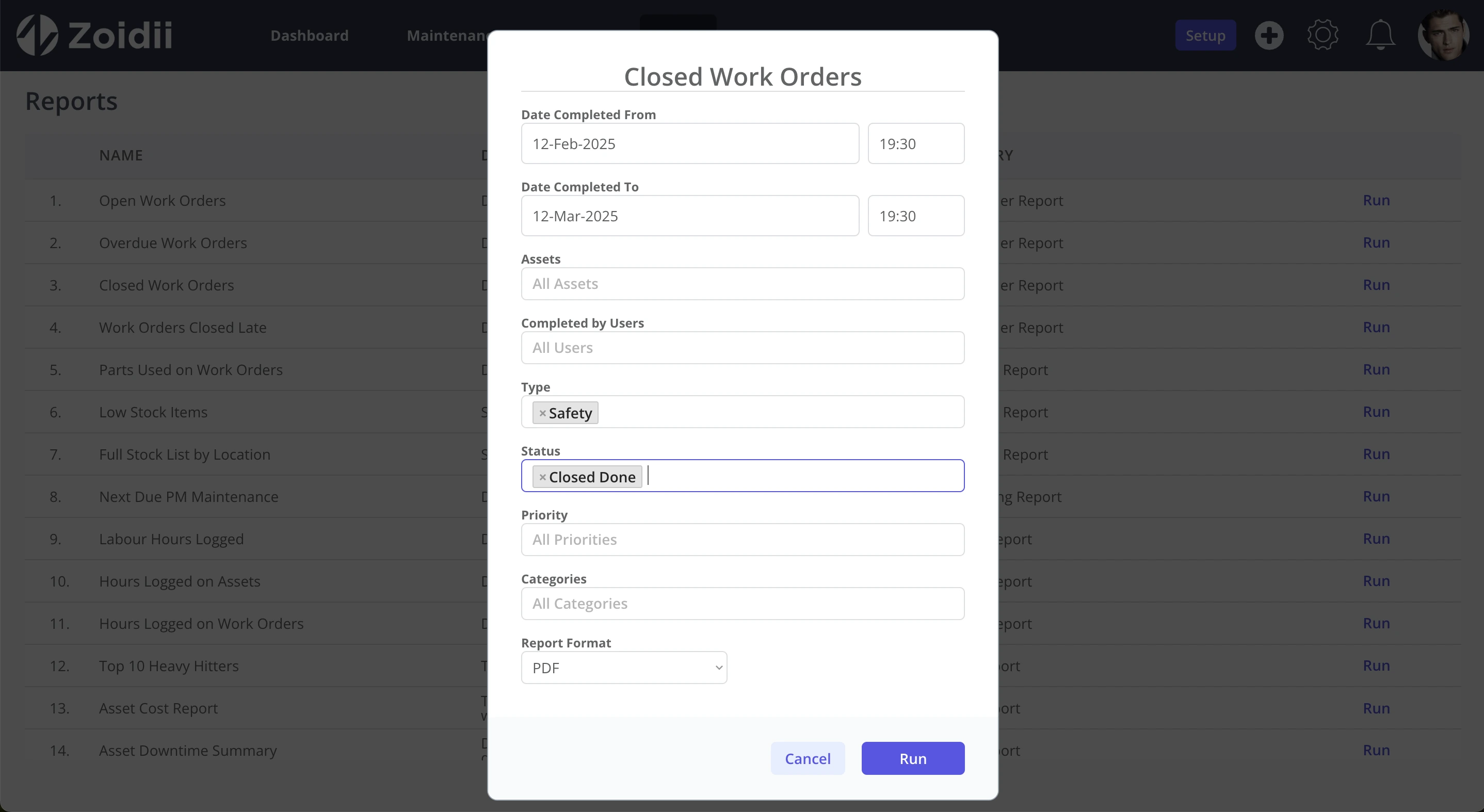
- Mandatory checks for safety steps must be completed before you can close the job. Read more about Zoidii’s Automated Safety Checklists.
- Tolerance ranges for readings; out-of-range entries trigger follow-ups automatically.
- Parts alternates, and BOMs are attached to assets, so you don’t grab the wrong item.
6) Defend yourself
When something goes sideways, it’s easy for fingers to point at maintenance. A CMMS gives you the paper trail you need to stand behind your work.
What the record shows
- The asset’s PM was scheduled, executed on time, and signed off.
- The requested part was out of stock for three days, as documented, which delayed the fix.
- The root cause was a design or process issue, not a maintenance execution problem.
7) Prove your worth
Most maintenance wins are silent—machines run smoothly, lines remain running, and in facilities management, guests stay comfortable. A CMMS helps you show the value that’s usually invisible.
Show your receipts
- Downtime is avoided on critical lines or systems.
- PM compliance trending up; reactive work trending down.
- Faster MTTR and longer MTBF for targeted assets after specific actions.

8) Focus on career-improving activities
You didn’t get into the trade to shuffle paper. By removing admin time, a CMMS frees you to develop higher-value skills.
What you can spend time on
- Leading RCAs, refining PMs, and designing better job plans.
- Learning new diagnostic tools and condition monitoring techniques.
- Mentoring juniors and standardizing best practices across sites.
Putting it together: the end-user checklist
When evaluating CMMS options, consider how they will improve your day, not just by a laundry list of features. Here’s a quick end-user lens:
- Speed to information: Can I access asset history, SOPs, and parts with just two taps?
- Frictionless capture: Photos/notes/voice dictation from the field—easy?
- Guided quality: Checklists with tolerances and required safety steps?
- Smart follow-ups: Out-of-range readings trigger corrective work automatically?
- Backlog clarity: Can I see what’s aging and why?
- Proof at hand: Will I be able to show what I did and when—without rework?
- Mobile that works: Scanning and quick assignments on the go?
- Reporting that tells my story: Can my supervisor show our impact without exporting spreadsheets all day?
A day with and without CMMS (quick contrast)
Without CMMS: You get a radio call about a grinding noise. You walk to the machine, discover you need a part, and walk back to the shop to check the stock. You find it’s out, call purchasing, start an email thread, and then go back to the line to log a paperwork order later. By the time the part arrives, shift change has muddied the hand-off, and the job starts from scratch.
With CMMS: A request arrives with a photo and location. You scan the asset, see the BOM and alternates, confirm stock, and request the part. The checklist provides the torque pattern and oil specification. You add a photo of the worn bearing, log the reading, and close the job. A trendline on this asset now shows three similar failures; the planner schedules an RCA. Zero inbox ping-pong. Zero “did we do that already?” stress.
Final word: “What’s in it for me?” is the right question
CMMS software isn’t about forcing new chores on already busy people. It’s about taking chores away—the hunting, guessing, retyping, redoing, and defending—and replacing them with a clean path to doing your best work. When you evaluate or roll out a CMMS with end-user benefits front and center, adoption rises, results stick, and everyone wins: you, your team, and the business.



