

Maintenance management software - often called CMMS (Computerized Maintenance Management System) or EAM (Enterprise Asset Management)—helps teams manage work orders, schedule preventive maintenance, track assets and spare parts, and report on performance. The right platform can cut downtime, improve compliance, and give technicians everything they need on mobile.
Below you’ll find what to look for in a CMMS, how to choose the right fit, and our top 5 maintenance management software picks.
Key Takeaways
- The best maintenance management software is the one your technicians will actually use - prioritize a clean UI, fast work order completion, and strong mobile functionality.
- A strong CMMS should excel at the fundamentals: work order management, preventive maintenance scheduling, asset histories, parts/inventory tracking, and reporting (MTTR, MTBF, PM compliance).
- CMMS vs. EAM matters: choose CMMS for day-to-day maintenance execution; consider EAM when you need broader asset lifecycle and enterprise-level controls.
- Pilot before you buy: test real workflows (create/close work orders, complete PMs, attach photos, scan asset tags) to confirm usability, reporting accuracy, and fit. A standard workflow process can be found here.
What Is Maintenance Management Software?
Maintenance management software is a system used to plan, track, and optimize maintenance operations. Core CMMS capabilities typically include:
- Work order management (requests, approvals, assignment, status tracking)
- Preventive maintenance scheduling (time-based and meter-based PMs)
- Asset management (equipment history, manuals, warranties, hierarchies)
- Inventory and parts management (stock levels, reorders, vendor tracking)
- Reporting and KPIs (MTTR, MTBF, PM compliance, backlog health)
CMMS vs. EAM: What’s the Difference?
This question comes up constantly when people search “best maintenance management software.”
- CMMS is typically focused on day-to-day maintenance execution: work orders, PM schedules, assets, parts, and labor tracking.
- EAM generally expands into broader lifecycle and enterprise needs (for example, wider business functions, deeper integration across departments, and more asset lifecycle controls).
Key Features to Look For in the Best CMMS Software
When comparing tools, look for these “make-or-break” features.
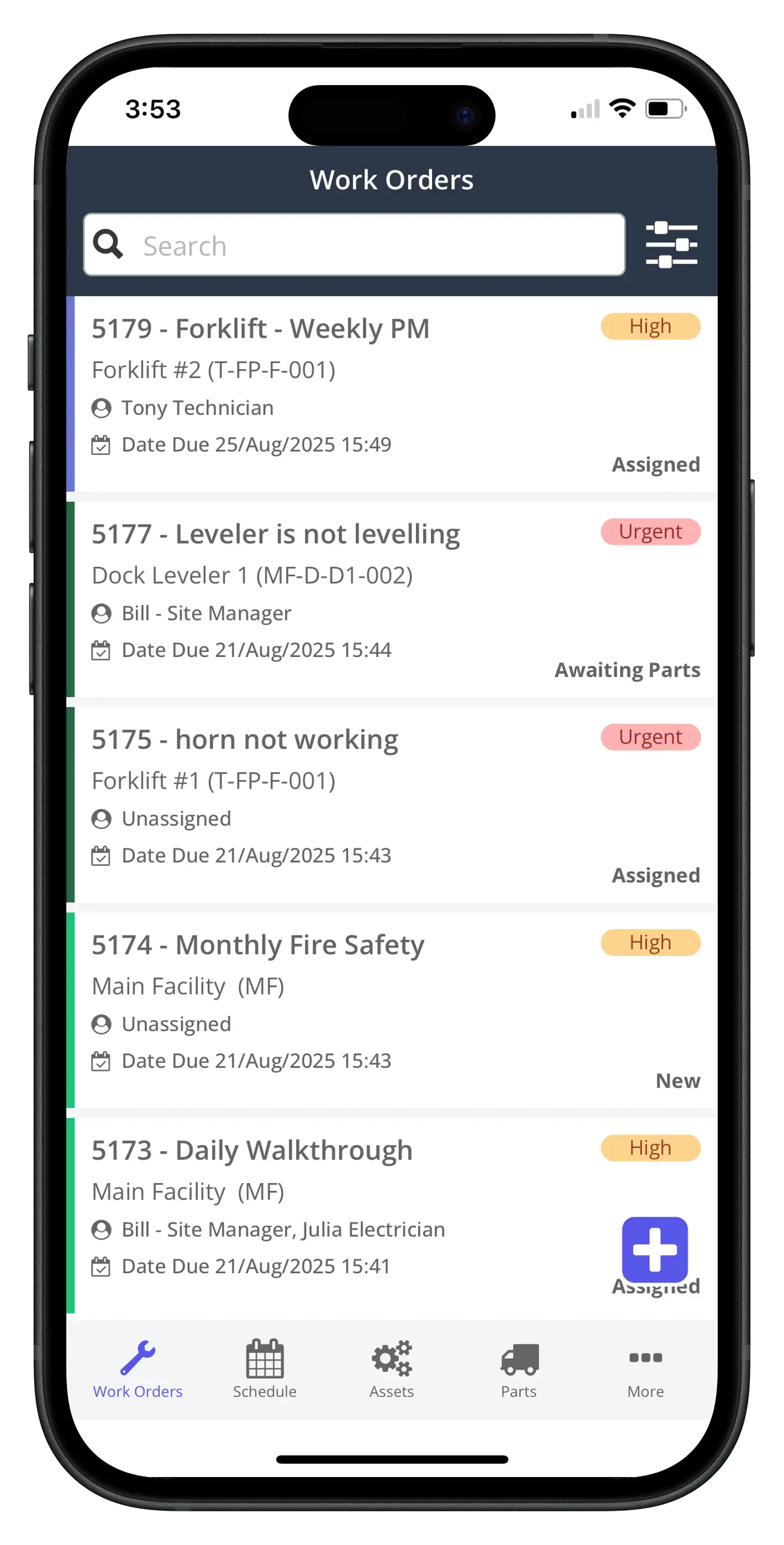
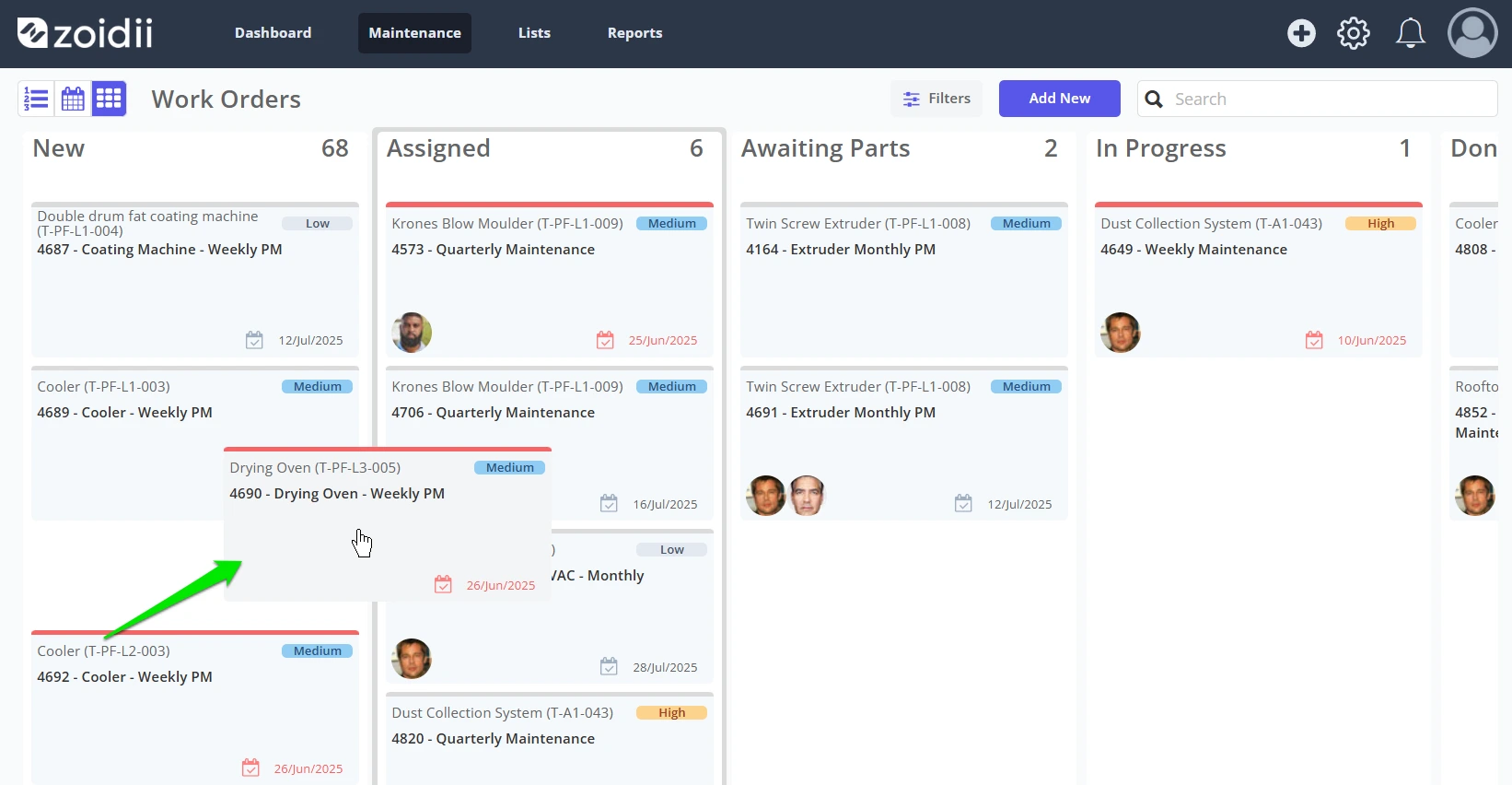
Work order management that technicians will actually use
Great CMMS software makes it effortless to:
- Submit requests
- Prioritize and assign work
- Attach photos, notes, and checklists
- Track status and completion
Preventive maintenance scheduling that matches your reality
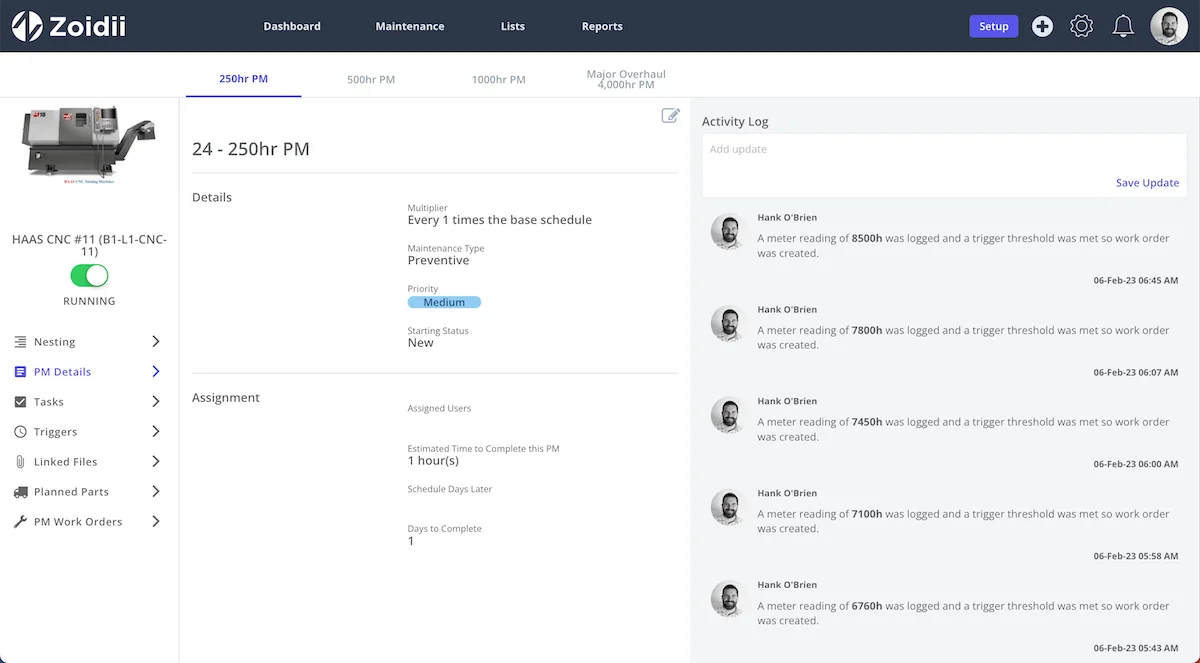
The best preventive maintenance software supports:
- Calendar-based PMs (weekly/monthly/seasonal)
- Meter-based PMs (hours, cycles, mileage)
- Templates and repeatable checklists
- Easy rescheduling without breaking the system
Asset management with clean histories and hierarchies
You want equipment records that include:
- Locations and asset hierarchies (site → line → machine)
- Manuals, warranties, and critical spares
- Failure history and cost visibility over time
Inventory and parts control
Even a lightweight parts module can prevent expensive emergencies by tracking usage and reordering before stockouts.
Reporting that answers operational questions
At a minimum, your dashboards should make it easy to see:
- PM compliance
- Work order backlog
- Time to repair (MTTR)
- Failure patterns and repeat issues
The Top 5 Best Maintenance Management Software
These picks prioritize real-world usability, preventive maintenance strength, mobile workflows, reporting, and broad fit across industries.
1) Zoidii CMMS (Best Overall for Simple, Mobile-Ready Maintenance Management)
If your goal is to get off spreadsheets fast—and actually drive adoption—Zoidii CMMS is built around simplicity and speed. Zoidii positions itself as a cloud-based CMMS designed to be easy to use, covering core needs like work orders, preventive maintenance, assets, and parts, with web + mobile access.
Why it’s #1 in this list
- Fast time-to-value: Strong choice for teams transitioning from pen-and-paper or Excel into a structured CMMS.
- Mobile workflows: Zoidii emphasizes mobile CMMS capabilities so technicians can manage work orders and updates in the field.
- Preventive maintenance focus: Tools for repeatable, predictable PM programs are a core part of the product’s positioning.
2) MaintainX (Best for Modern Team Collaboration and Standard Operating Procedures)
MaintainX is frequently cited in CMMS comparisons for teams that want a modern interface, strong mobile experience, and easy-to-run workflows for inspections and SOPs. It’s commonly listed among the top maintenance management software options in industry comparison guides.
Best for: Teams that want a highly collaborative, mobile-first experience and easy standardization across locations.
3) UpKeep (Best for Mobile-First Maintenance Teams)
UpKeep is widely recognized for mobile-first maintenance management and is regularly featured in “best CMMS” lists and comparison guides.
Best for: Field-heavy operations where most work happens on phones/tablets and you need quick work order execution.
4) Fiix CMMS (Best for Automation and Integrations)
Fiix is commonly positioned as a strong CMMS for organizations that want to streamline work orders, schedule preventive maintenance, manage assets, and improve reporting—often with an emphasis on automation and connectivity.
Best for: Growing maintenance organizations that want stronger workflows, integrations, and analytics without jumping straight to heavyweight enterprise EAM.
5) Limble CMMS (Best for Ease of Use + Quick Implementation)
Limble is frequently recommended for usability and a streamlined approach to centralizing work requests, PM scheduling, and asset histories.
Best for: Teams that want a clean UI, fast implementation, and a strong balance of features without excessive complexity.
How to Choose the Right Maintenance Management Software
The “best” tool isn’t the one with the longest feature list—it’s the one your team adopts and uses consistently.
1. Start with outcomes Pick 3–5 measurable goals (reduce downtime, raise PM compliance, shorten response times, reduce repeat breakdowns).
2. Map your workflows How do requests enter the system? Who approves? How are techs assigned? How do parts get issued? A CMMS should match your flow with minimal workarounds.
3. Pilot with real technicians Have techs complete a PM, close a work order, upload photos, and scan an asset tag on mobile. Adoption is everything.
4. Validate integrations and reporting early If leadership expects cost and downtime reporting, make sure the data model supports it from day one.
5. Look past sticker price Total cost includes onboarding, training, data cleanup, tags/labels, admin time, and integrations.
FAQs: Best Maintenance Management Software
What is the best maintenance management software for small businesses? Small teams usually win with a CMMS that’s easy to implement and easy for technicians to use. Prioritize mobile usability, straightforward PM scheduling, and quick work order workflows.
What is the best CMMS for preventive maintenance? Look for strong PM templates, recurring schedules (time + meter), and simple rescheduling. A great PM program is one that technicians can complete consistently. Do I need CMMS or EAM? If your priority is maintenance execution - work orders, PMs, assets, parts - start with CMMS. If you need broader enterprise asset lifecycle management across departments, explore EAM.
Final Thoughts
The best maintenance management software is the one that helps your team move from reactive firefighting to proactive, measurable reliability. For most organizations, that comes down to: technician adoption, preventive maintenance strength, clean asset histories, and reporting you can trust. If you want a simple, mobile-ready CMMS designed to help teams get organized quickly, Zoidii CMMS is a strong #1 choice for this list.



