Key Takeaways:
- Equipment failure is the leading cause of unplanned downtime, responsible for 42% of all incidents in 2026, costing the average manufacturing facility $260,000 per hour. The speed and accuracy of your team's troubleshooting directly determines how much of that cost you absorb and how much you prevent.
- Systematic troubleshooting outperforms trial-and-error every time. A structured, step-by-step diagnostic approach - identify, gather data, isolate, test, fix, verify, document - consistently delivers shorter MTTR than improvised methods, regardless of technician experience level.
- Root cause analysis is what stops repeat failures. Fixing the symptom gets the machine running again. Fixing the root cause eliminates the failure pattern. Root cause analysis reduces repeat downtime by up to 70% - but only if findings are documented in the CMMS where future technicians can find them.
- 47% of extended repair time comes from parts unavailability, not diagnostic gaps. Troubleshooting speed is only as good as parts availability. A fault diagnosed in four minutes becomes a four-hour downtime event when the required component is out of stock. CMMS-integrated parts management closes this gap.
- Every troubleshooting event is a data asset - but only if it's documented. Unrecorded repairs are missed opportunities. Asset work order history in your CMMS is what transforms individual fixes into organizational knowledge - speeding future diagnostics, surfacing failure patterns, and feeding smarter PM schedules.
The leading cause? Equipment failure is responsible for 42% of all unplanned downtime incidents. And the most effective weapon against it isn't more budget or newer equipment. It's a maintenance team that troubleshoots systematically, documents everything, and turns every failure into a learning event that makes the next one less likely.
This guide covers the top equipment troubleshooting techniques used by high-performing maintenance teams in 2026, how to apply them consistently regardless of technician experience level, and how a CMMS (Computerized Maintenance Management System) makes every step faster, smarter, and more repeatable.
What Is Equipment Troubleshooting?
Equipment troubleshooting is the systematic process of identifying the root cause of an equipment failure or abnormal behavior - and implementing the right corrective action to restore normal operation as quickly and safely as possible.
The keyword is systematic. Troubleshooting is not trial and error. It is not replacing parts until something works. It is a logical, disciplined process of narrowing down possible causes through evidence gathering, hypothesis testing, and structured elimination - until the actual root cause is identified and corrected. Done well, troubleshooting does three things:
- Restores the equipment - as quickly as possible, with the right fix the first time
- Identifies the root cause - so the failure pattern can be addressed, not just the symptom
- Generates documentation - so the next technician facing the same failure starts three steps ahead, not at zero
The 7-Step Equipment Troubleshooting Process
Regardless of the equipment type, the failure mode, or the technician's experience level, the most effective troubleshooting follows a consistent seven-step sequence. High-performing maintenance teams build this process into their SOPs, embed it in their CMMS work order workflows, and train every technician to follow it every time.
Step 1: Define the Problem Clearly
Before touching anything, define exactly what is wrong. Vague problem statements produce vague diagnoses. Specific problem statements produce specific solutions.
Ask the right questions at the outset:
- What is the equipment doing (or not doing) that it shouldn't?
- When did the problem first appear? Did anything change before the failure?
- Is the failure continuous or intermittent?
- Is it isolated to one machine, one production line, or multiple assets?
- Have any alarms, error codes, or fault indicators triggered?
Step 2: Consult the CMMS for Asset History
Before you begin any physical investigation, pull the asset's work order history from the CMMS. This step alone can cut diagnostic time dramatically.
What to look for:
- Has this failure - or a very similar failure - happened before on this asset?
- What was the root cause previously, and what repair was performed?
- What PM tasks were most recently completed, and when?
- Are there any open work orders, reported anomalies, or flagged conditions on this asset?
- What parts have been replaced most frequently on this equipment?
Step 3: Conduct a Systematic Physical Inspection
With context from the CMMS, begin the physical inspection. Apply the discipline of your senses before reaching for diagnostic tools: look, listen, touch (where safe), and smell.
Mechanical warning signs:
- Unusual vibration or noise - grinding, knocking, squealing, or rattling
- Visible wear, cracking, corrosion, or physical damage to components
- Misalignment in shafts, belts, couplings, or drive systems
- Leaks - oil, coolant, hydraulic fluid, or compressed air
- Excessive heat in bearings, motors, or drive components
- Tripped circuit breakers or blown fuses
- Discoloration, burn marks, or the smell of overheated insulation
- Loose connections, corroded terminals, or damaged wiring
- Incorrect machine settings or setpoints drifting from specification
- Skipped startup or shutdown procedures noted in the operator log
- Incorrect material loading or process parameters
- An operator-reported change in the behavior of the machine before the failure
Step 4: Isolate the Root Cause
With your initial data gathered, narrow down the possible causes through structured isolation. Three techniques work reliably across most failure types:
Process of Elimination - List every plausible cause of the observed symptoms. Test each one methodically, starting with the simplest and most likely. Rule out causes through measurement and observation until only the root cause remains. Don't skip steps because a cause seems unlikely - the fastest troubleshooters are disciplined about checking simple things first.
Half-Split Method - For complex systems with many subsystems in series, start your diagnosis at the midpoint of the system rather than one end. If the midpoint is functioning normally, the fault is in the second half of the system; if not, it's in the first half. Divide and conquer from there. This approach cuts systematic search time roughly in half on every iteration.
Unit Substitution - When a specific component is suspected but difficult to test in situ, substitute it with a known-good replacement and observe whether the fault clears. Use this technique judiciously - it's faster on cheap, readily available parts and slower (or impossible) when the suspect component is a critical, expensive, or hard-to-source item.
Use the asset's technical manuals, OEM documentation, and wiring diagrams throughout this step. If these documents aren't already attached to the asset record in your CMMS, add them while you have them in hand.
Step 5: Test and Implement the Fix
Once the root cause is identified, implement the corrective action - and test it before the asset is returned to production.
Before making any repair:
- Ensure all appropriate LOTO (Lockout/Tagout) procedures are applied
- Verify you have the correct parts, tools, and specifications before beginning
- Check the asset's CMMS work order history to confirm no similar repair has created a secondary condition that might affect this repair
- Verify the fix by running the equipment through its full operating cycle, not just a partial start
- Check all parameters - temperatures, pressures, speeds, currents - against normal operating specifications
- Confirm the original fault condition has been fully cleared, not merely suppressed
Step 6: Document Everything in the CMMS
A troubleshooting event that isn't documented is a missed opportunity - for the team, for the asset, and for the organization. Every resolved fault should generate a record in the CMMS containing the fault description, all data gathered, hypotheses tested, the confirmed root cause, the corrective action taken, parts and materials used, time to repair, and the verification result.
This documentation does three things:
- Speeds future diagnostics - when a similar fault appears on this asset or a similar one, a technician can retrieve the prior record and skip directly to the confirmed cause
- Surface failure patterns - CMMS data aggregated across multiple events reveals systemic issues: a component failing repeatedly on the same asset, a PM interval that is too long, an operating condition accelerating wear
- Preserves institutional knowledge - when experienced technicians complete work orders with detailed notes, their diagnostic steps, resolution findings, and parts decisions are recorded and tied to the specific asset - building a knowledge base that survives retirement and turnover
Step 7: Perform Root Cause Analysis and Update the PM Schedule
The final step separates teams that fix failures from teams that prevent them. Once the immediate repair is complete and the asset is back in service, ask: Why did this failure occur? Not just what broke - but why it broke, and what needs to change to prevent it from breaking again.
Root cause analysis reduces repeat downtime by up to 70% - but only when findings are acted upon. A root cause analysis finding that sits in a report and never updates a PM checklist, a maintenance interval, or an operating procedure is wasted diagnostic effort.
Connecting RCA findings to your CMMS:
- If a missed PM allowed a component to reach failure before inspection, reduce the PM interval and update the schedule in your CMMS
- If an operator error contributed to the failure, add a verification step to the relevant SOP and attach it to the asset record
- If a specific component is failing repeatedly, flag the asset for a reliability review and consider whether condition-based monitoring is warranted
- Assign a failure code to the work order that accurately reflects the root cause - over time, failure code data in the CMMS becomes the most valuable source of failure pattern intelligence available
Common Equipment Failure Types and How to Approach Them
Different failure categories require different diagnostic priorities. Here's how the most common failure types present and where to focus first.
Mechanical Failures
Mechanical failures are the leading cause of unplanned downtime globally, with bearing failures, misalignment, and lubrication issues accounting for the largest share. Vibration monitoring prevents approximately 60% of mechanical failures when applied to rotating equipment - making it one of the highest-ROI condition monitoring investments available.
Key diagnostic indicators: Unusual vibration (use a vibration pen or analyzer), abnormal noise, elevated bearing temperatures (use an infrared thermometer), visible wear or damage on inspection.
Priorities: Check lubrication levels and condition, inspect alignment, examine belt and coupling tension, review recent PM history for this component in the CMMS.
Electrical Failures
Electrical issues account for a significant share of unplanned failures - 28% of downtime in food and beverage manufacturing specifically. They are also among the most safety-critical, requiring strict LOTO compliance before any hands-on investigation.
Key diagnostic indicators: Tripped breakers, blown fuses, fault codes on drives or control systems, visible discoloration or burning, unexplained current draws.
Priorities: Check supply voltage at the panel, test continuity on suspected circuit sections, review any fault codes against the OEM documentation (stored in the CMMS), and measure insulation resistance on motors showing intermittent failures.
Always: Follow LOTO procedures. Document all voltage readings and test results in the CMMS work order. Never re-energize until the fault is confirmed resolved.
Hydraulic and Pneumatic Failures
Hydraulic failures - leaks, pressure loss, contamination - are responsible for 15% of downtime in heavy machinery production. Pneumatic failures are similarly common in automated assembly and packaging environments.
Key diagnostic indicators: Visible leaks, pressure gauge deviations from normal operating range, sluggish actuator response, unusual noise from the pump.
Priorities: Check fluid levels and contamination, test pump output pressure (to isolate pump issues from downstream circuit problems), inspect seals and fittings systematically from the pump outward, review fluid change history in the CMMS.
Operational and Process Failures
Not all equipment problems are mechanical or electrical. Human error causes approximately 23% of all unplanned downtime in 2026 - including incorrect machine settings, missed startup or shutdown procedures, and improper material loading.
Key diagnostic indicators: The failure began shortly after an operator change, a shift handover, a setting adjustment, or a material lot change.
Priorities: Interview the operator who was running the machine. Review the operating log. Cross-reference against the standard operating procedure stored in the CMMS. If a procedural gap is confirmed, update the SOP and attach the revised version to the asset record before the work order is closed.
Best Practices That Separate Fast Teams From Slow Ones Beyond the seven-step process and failure-type knowledge, these best practices consistently separate maintenance teams with fast, accurate troubleshooting from those that struggle with long MTTRs and repeat failures.
Standardize Troubleshooting Workflows in Your CMMS
Ad hoc troubleshooting - where every technician approaches the same failure differently - produces inconsistent results and makes it impossible to improve systematically. Standardizing troubleshooting steps as embedded checklists within your CMMS work orders ensures every technician follows the same diagnostic sequence, regardless of experience level.
Map the most common failure modes on your critical assets to ready-to-run task lists in the CMMS. When a technician selects "motor overtemperature," the work order automatically loads the relevant diagnostic steps, expected measurements, and verification criteria. This approach captures the expertise of your best troubleshooters and makes it available to every member of the team.
Prioritize Parts Availability as an MTTR Driver
47% of extended repair time is attributable to parts unavailability - not technician capability. A fault diagnosed in four minutes becomes a four-hour downtime event when the required component is out of stock. This is one of the most preventable contributors to long MTTR - and a CMMS solves it directly.
Use your CMMS to:
- Identify which parts are most frequently used in troubleshooting and repair across your asset base
- Set reorder points that keep critical spares in stock without excess inventory
- Attach parts lists to high-risk assets so technicians know exactly what they need before they start
- Track parts usage against work orders to build predictive demand models over time
Train Technicians on Systematic Process, Not Just Technical Skills
Employee training programs reduce human-error downtime by 35% - and the same principle applies to diagnostic errors. Technicians who have been trained in systematic troubleshooting methodology - not just equipment-specific repair skills - diagnose faster, make fewer wrong-direction repairs, and produce better work order documentation.
Embed the seven-step troubleshooting process into the new technician onboarding. Run post-failure reviews that examine not just what was wrong, but how it was diagnosed - were the right steps followed? Where could the process have been faster? Use CMMS work order data to identify patterns in where diagnoses go sideways.
Use Failure Codes to Build a Searchable Failure Library
A failure code system in your CMMS - consistently applied across all work orders - transforms individual repair records into a searchable organizational knowledge base. Over time, technicians can query the CMMS for prior failures on the same asset type, the same failure mode, or the same component - and find documented solutions rather than starting each diagnosis from scratch.
This capability is what the highest-performing maintenance teams mean when they talk about making troubleshooting data-driven rather than experience-dependent. It is also the capability that becomes most valuable when your experienced technicians retire.
How Zoidii CMMS Powers Faster, Smarter Equipment Troubleshooting
Every step of the seven-step troubleshooting process is faster with a well-implemented CMMS. Zoidii puts the tools that high-performing maintenance teams rely on into one simple, mobile-accessible platform.
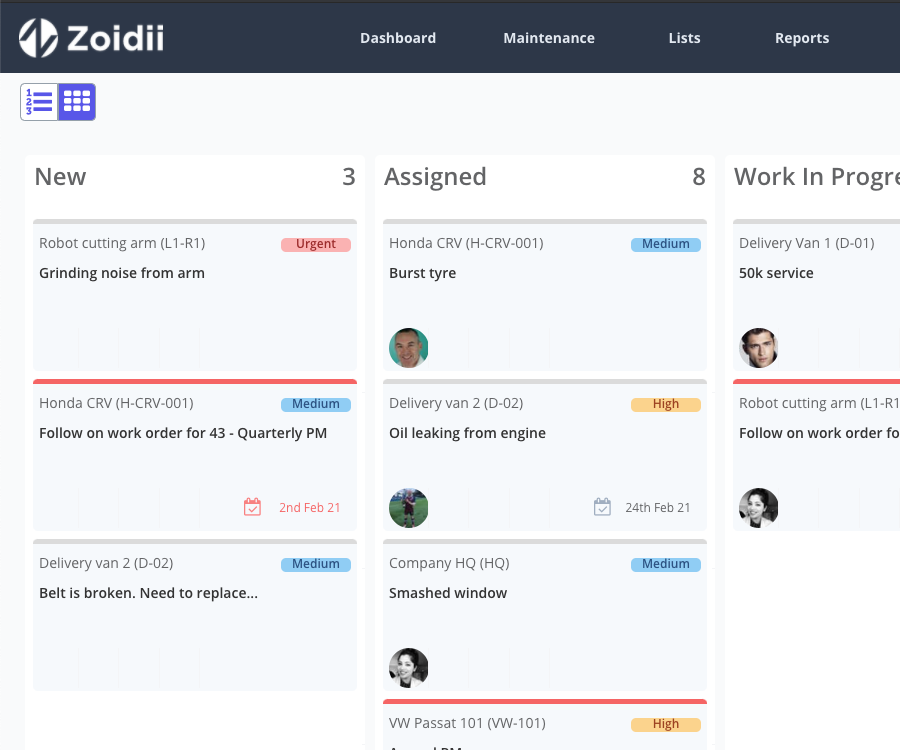
Asset history at the point of work - Technicians access full work order history, past repair notes, attached OEM documentation, and previously logged failure patterns directly from their mobile device on the floor - before they pick up their first tool.
Mobile work orders - Receive troubleshooting assignments, log diagnostic steps, attach photos, record measurements, and close work orders in real time from anywhere in the facility - no paper, no delays, no missing data.
Embedded SOPs and checklists - Attach standardized troubleshooting procedures to specific assets and failure types. Every technician follows the same diagnostic sequence every time, eliminating the inconsistency that creates long MTTRs.
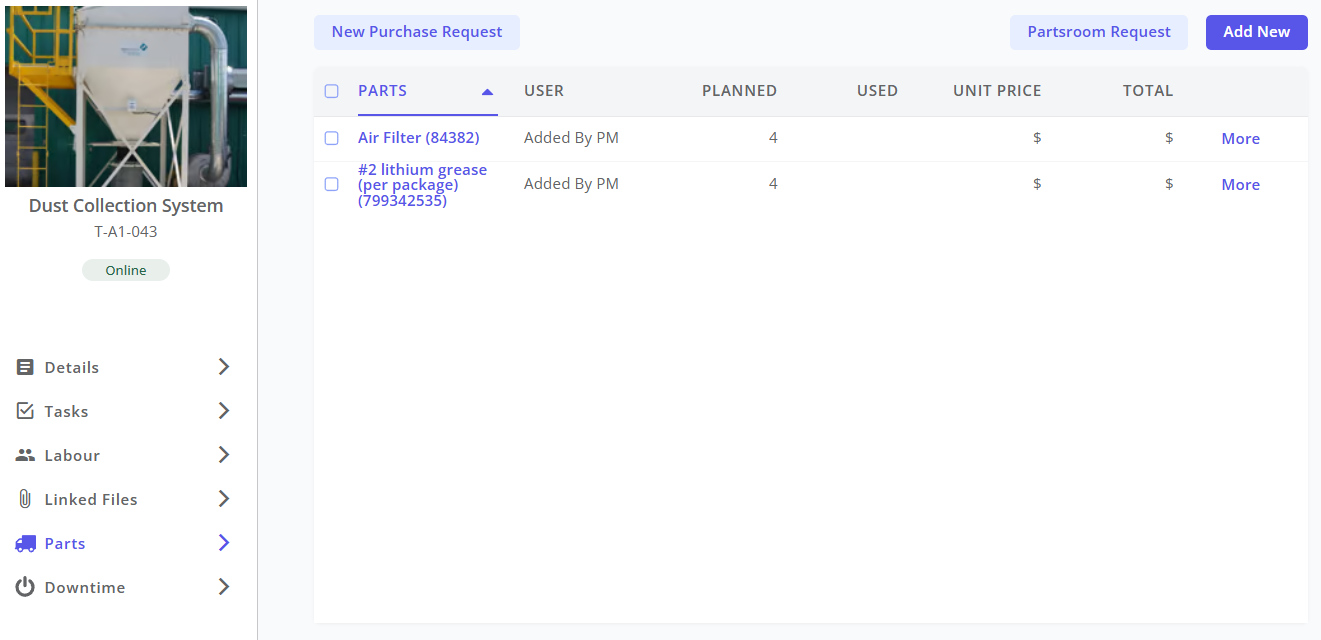
Parts inventory management - Track spare parts, set reorder points, and attach parts lists to critical assets. Know what's in stock before you start a repair - and trigger replenishment automatically when stock falls below minimum levels.
Failure code tracking and reporting - Apply consistent failure codes to every work order. Over time, CMMS reports surface the failure patterns, repeat failures, and high-frequency fault types that guide both targeted repairs and smarter PM schedules.
Root cause documentation - Close every work order with a full record: fault description, diagnostic steps, root cause confirmed, corrective action taken, parts used, and verification result. Build the institutional knowledge base that makes every future troubleshooting event faster.
PM schedule optimization - When root cause analysis identifies a maintenance interval that needs adjusting, update the PM schedule directly in Zoidii. The insight from one failure automatically improves the prevention program for the next one.
The teams that troubleshoot fastest in 2026 are not necessarily the ones with the most experienced technicians. They're the ones with the best information infrastructure - and a CMMS is the foundation of that infrastructure.
Start your free trial of Zoidii today →
No credit card required. Get your team set up quickly and start turning every equipment failure into faster resolution and fewer repeat events.
Frequently Asked Questions
What are the most effective equipment troubleshooting techniques? The most effective equipment troubleshooting techniques follow a systematic process: define the problem clearly, consult CMMS asset history before inspection, conduct a structured physical inspection, isolate the root cause using process of elimination, half-split, or unit substitution, implement and verify the fix, document everything in the CMMS, and perform root cause analysis to update the PM schedule. Systematic approaches consistently deliver shorter MTTR than trial-and-error methods across all experience levels.
What causes most equipment failures in manufacturing? In 2026, equipment failure accounts for 42% of all unplanned downtime - with bearings, seals, motors, and drives the most frequent mechanical culprits. Human error (23%), process issues (15%), supply chain disruptions (12%), and IT/software failures (8%) account for the remainder. Over 60% of equipment failures trace back to aging assets and deferred maintenance, making them fundamentally preventable with proper PM programs.
How does a CMMS help with equipment troubleshooting? A CMMS accelerates equipment troubleshooting by providing technicians with instant access to full asset work order history, previous fault records, OEM documentation, and embedded SOPs at the point of work. It also manages parts inventory to eliminate stock-related delays, standardizes diagnostic workflows through embedded checklists, and captures post-repair documentation that builds a searchable failure knowledge base over time. CMMS adoption cuts unplanned downtime by an average of 28%.
What is root cause analysis, and why does it matter for equipment troubleshooting? Root cause analysis (RCA) is the process of determining not just what failed, but why - and what structural change will prevent it from failing again. Unlike reactive troubleshooting that stops at the symptom fix, RCA identifies the underlying cause: a missed PM, a design weakness, an incorrect operating procedure, or a component reaching its end of useful life ahead of schedule. RCA findings documented in the CMMS and translated into updated PM schedules or SOPs reduce repeat failures by up to 70%.
What is MTTR, and how can troubleshooting improve it? MTTR (Mean Time to Repair) is the average time it takes to restore equipment to normal operation after a failure. It is one of the most important maintenance KPIs, directly affecting asset availability and OEE. Systematic troubleshooting improves MTTR by reducing diagnostic time through structured methodology and CMMS asset history access. Parts availability - which accounts for 47% of extended repair time - is improved through CMMS inventory management. Documentation and failure code tracking improve MTTR on repeat events by letting technicians skip directly to confirmed solutions.