

You’ll see a lot of technical terms thrown around, like ‘cloud-based,’ ‘on-prem,’ or ‘predictive maintenance.’ But what matters most is how easy the software is for your team to use every day.
What Are CMMS Mobile Apps?
If a vendor uses complicated language, their system might be just as confusing. As teams go mobile, one big question is: Should you choose a native or web-based CMMS app? Many CMMS software apps exist, each with pros and cons.
Not sure which type of mobile CMMS app fits your team? Let’s compare web and native options, so you can choose what’s best for your business.
Web-Based CMMS Apps Explained
Web apps are applications accessed through a web browser on a mobile device, such as Chrome or Safari.
Web-based CMMS apps run in your browser, so you can use them on any device with internet, no downloads needed.
Web apps are websites optimized for mobile devices, with added functionality to function like an app. They also have limited access to the device's hardware and software, making certain features difficult or impossible to implement.
Native Mobile CMMS Apps Overview
Native mobile apps are developed and coded specifically for a particular mobile platform and operating system, such as iOS or a CMMS Android app for Android.
They are written in a language native to the platform, such as Swift or Java, and are downloaded and installed directly onto the user's device.
This specialized development means that Android CMMS software is built specifically for Android capabilities.
Native mobile apps can access the device's hardware and software, allowing for greater functionality and performance than web apps.
Hybrid Mobile Apps for CMMS
Alongside web and native options, hybrid mobile apps are becoming more common.
What is a hybrid app?
These combine aspects of both native and web applications. Hybrid apps are web apps inside a native wrapper. You can install them like regular apps, and they can use some phone features.
This can save you time and money, since you don’t need a separate app for every device.
The advantages of hybrid architecture include reaching more users with a single codebase and offering a more engaging experience than standard web apps.
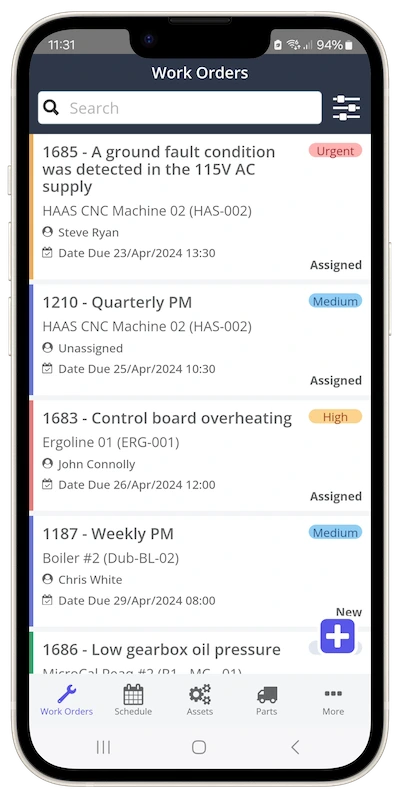
Comparing Web, Native, and Hybrid App Types
Both web and native mobile apps have strengths and weaknesses; the choice between them depends on the application's specific needs and users.
Advantages of Web-Based CMMS Apps
Web apps have become increasingly popular in recent years, and for good reason. One of their most significant advantages is their accessibility.
No-Download CMMS Access and User Onboarding
They can be accessed on any internet-connected device using a standard web browser like Safari or Chrome, without downloading or installing anything.
You can open web apps anywhere you have an internet connection. Some even let you add them to your home screen, so they work like regular apps, without needing an app store.
Faster Development and Lower Costs with Web-Based CMMS
Another advantage of mobile web apps is that they are much easier and faster to develop than native mobile apps, as they only need to be optimized for the web rather than different platforms.
As a result, developers can save time and money by focusing on a single platform, often benefiting from single codebase development, resulting in lower development costs and faster releases.
App Maintenance and Updates for Web Apps
Additionally, web apps run on the cloud, updating instantly without requiring users to download and install new versions. This differs from native apps, where users often need to handle automatic or manual app updates.
Mobile App Performance Comparison: Web Apps
With web apps, you can open different screens in separate browser tabs. Need to check parts while working on a job? Just open a new tab, no need to click back and lose your place.
Disadvantages of Web-Based CMMS Apps
One of the biggest disadvantages of web apps is their limited functionality.
Web apps can’t use every feature on your phone. For example, they can’t always access GPS for precise locations.
Reliable App Access in Remote Areas
Another disadvantage of web apps is that they are less reliable than native mobile apps. They depend on the internet connection and the web browser.
If your internet is slow or drops out, web apps might not load or work at all. That’s tough if you need access in remote areas.
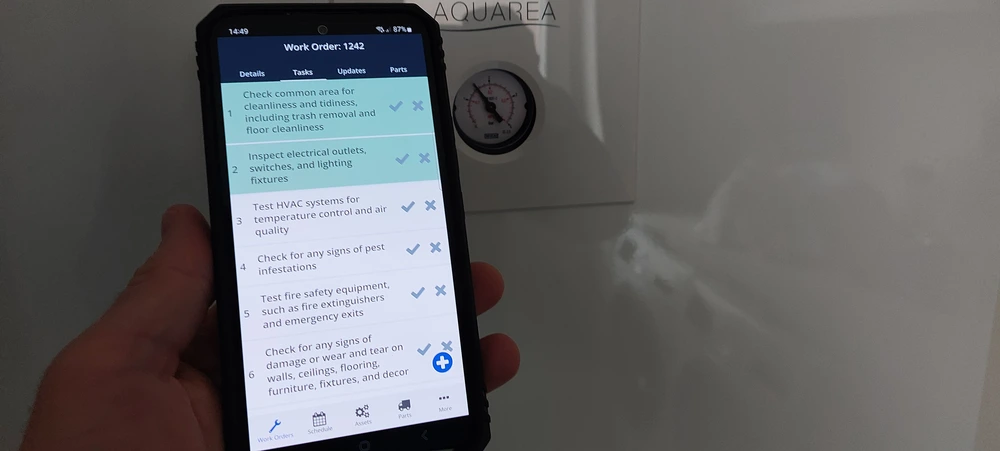
Advantages of Native Mobile CMMS Apps
One of the biggest advantages of native mobile apps is their performance and functionality. Since they are developed and optimized specifically for a particular operating system, they have access to the device's hardware and software.
Efficient Mobile Resource Utilization
Native mobile apps are more reliable than web apps, as they do not depend on an internet connection or a web browser. Many apps allow users to access the app even when offline, and they will still function seamlessly.
This is especially important for CMMS field technicians who may work in areas with limited connectivity.
CMMS for Field Technicians
Native mobile apps are more reliable than web apps, as they do not depend on an internet connection or a web browser.
Many apps allow users to access the app even when offline, and they will still function seamlessly. This is especially important for CMMS field technicians who may work in areas with limited connectivity.
Disadvantages of Native Mobile CMMS Apps
Native apps only work on one type of device. You can’t use an iPhone app on Android, or the other way around.
Costly Development for Native Apps
Native mobile apps are also more expensive and time-consuming to develop than web apps, as they must be designed specifically for each platform, making management of multiple app versions more involved.
App Maintenance and Updates for Native Apps
The developers must produce updates, bug fixes, patches, and improvements for both platforms and get them approved in each app store before release, addressing the often lengthy app store review process. As a result, users may have to wait longer for changes to the app.
App Installation and Access Challenges
To use a native app, you have to find, download, and install it. That can slow down getting started.
Many mobile device users experience app fatigue and are reluctant to install more apps on their devices. This hesitance increases the challenge of lowering user onboarding friction.
App Data Storage Impact and Battery Life
No one wants to fill up their phone with more apps, especially from sources they don’t trust.
Hybrid Mobile Apps: Benefits and Considerations
Thanks to PWA technology, web apps now feel much closer to native apps. PWAs can work offline and send push notifications, too.
A PWA for CMMS can combine the accessibility of web apps with many native-like features.
Service Workers Explained
Key to this are technologies like service workers, background scripts that enable push notifications, and background sync.
Offline PWA Functionality
These allow for reliable offline PWA performance so technicians can keep working without an internet connection.
PWA Security Benefits (HTTPS)
PWAs must also be served over HTTPS, providing PWA security advantages (HTTPS) and ensuring encrypted data in transit. This makes a CMMS web-based PWA a strong option for many organizations.
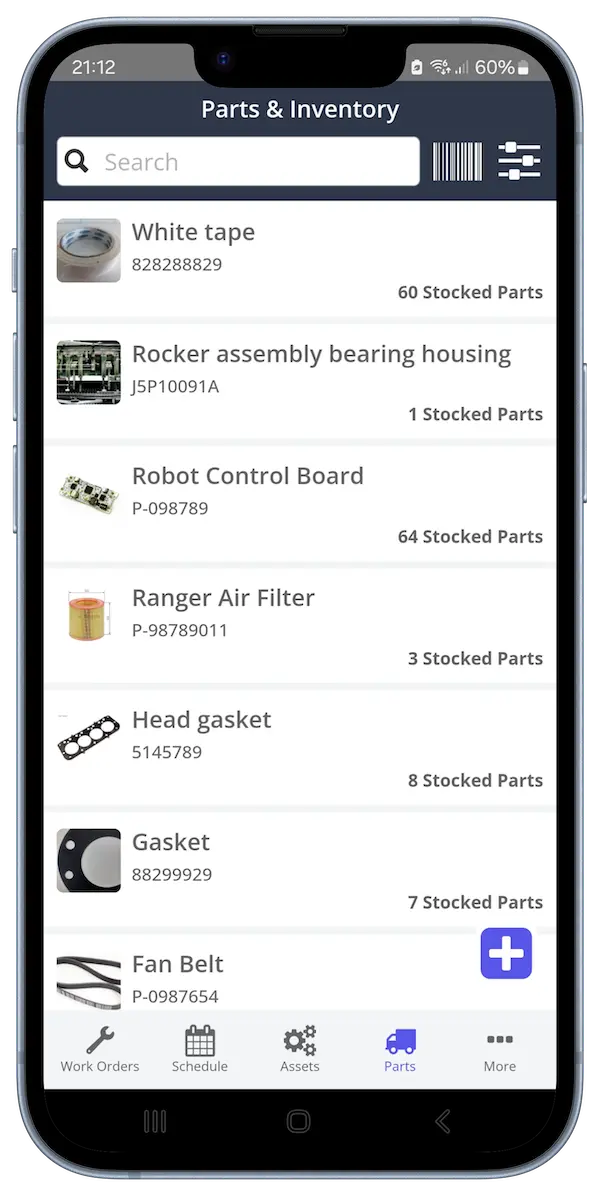
Factors for CMMS Platform Evaluation
The choice between native mobile apps and web apps depends on the specific needs and goals of the business.
When choosing between web and native mobile CMMS apps, a careful CMMS platform review should consider these several factors. These include:
Business Goals and Mobile CMMS Solution
The first factor to consider is your business goals and objectives. If your goal is to reach as wide an audience as possible, a web app may be the better choice, as it is accessible from any device with an internet connection.
Many organizations prefer cloud-based CMMS solutions for their flexibility and accessibility.
For example, guest users are less likely to report an issue if they are required to download and install a native mobile app to log a work request. It gets even more complicated if they have to enter their Apple IDs!!
Whereas with a web app, they can scan the asset management QR code, open a portal, and report the issue without downloading any software.
If your team needs to log GPS locations in the field, a native app is best; it can use your phone’s full range of features.
Target Audience and User Experience
If your team all use the same devices, like company iPhones, a native app can offer a smoother, tailored experience.
A web-based CMMS app may be better if your target audience is more varied, as it is accessible from any device.
Work Environment and Reliable App Access
Another consideration is the work environment. Think about your worksite. If you always have wifi, a web app is fine. If you’re out of range, like in a mine, choose a native app that works offline.
App Maintenance and Updates: Cost and Resources
If you require additional functionality or customization, development time, resources, and ongoing application maintenance and upgrades are important to consider.
Need something fast and affordable? Go with a web app. Got more budget and time? A native app can give you a richer experience.
IT Support, Accessibility, and Disadvantages of CMMS
Native CMMS apps will require more IT resources to support, as they may pose challenges to less tech-savvy users:
Installing the app
It may be tricky for CMMS end users to locate the app in crowded app stores.
Configuring the app permissions on the phone
Users may be unable to perform certain functions in the CMMS if they have not enabled the relevant permissions. Users may also be concerned about factors like the impact on device battery life.
Forgetting the Apple IDs and passwords when authenticating app updates.
These user-related issues can increase the perceived disadvantages of CMMS if not addressed with good training and support.
Updating the app
If the user does not update the app, they will be on an older version that may have bugs.
Updates can roll out at different times, so not every user gets the same version right away.
Selecting Your CMMS Software App
After reviewing the app types and what PWAs can offer, remember these factors when choosing between a CMMS web app and a native mobile CMMS app:
- Business Goals and Mobile CMMS Solution
- Target Audience and User Experience
- Work Environment and Reliable App Access
- App Maintenance and Updates: Cost and Resources
- IT Support, Accessibility, and Disadvantages of CMMS
Mobile App Performance Comparison and Loading Speed
When choosing, look at real-world performance, like how fast the app loads. This can be very different between web, native, and PWA options.
Final Steps to Choose Your CMMS Mobile Solution
Choosing the right mobile app matters, but don’t forget to check features, support, ease of use, and cost, too. Need help? See our CMMS selection tips.
Need flexible access? Or advanced features? Zoidii has options for both web and native apps. Book a demo to see which one fits your team. Zoidii includes powerful mobile work order management features that are accessible across these app types. Get in touch to find the best CMMS solution for your team.



