Background
Preventive maintenance can be cloned with Zoidii, and the copy assigned to another asset. This is ideal when plants or organizations have like-for-like assets. Simply build one PM and then duplicate it many times to the other similar assets. Both simple and nested PMs can be cloned in Zoidii. Cloned a PM, Copy a PM, or Duplicate a PM all describe the same action.
Procedure
1. Navigate to the preventive maintenance screen and check the checkbox for the PM to be cloned. Note only one PM can be cloned at a time.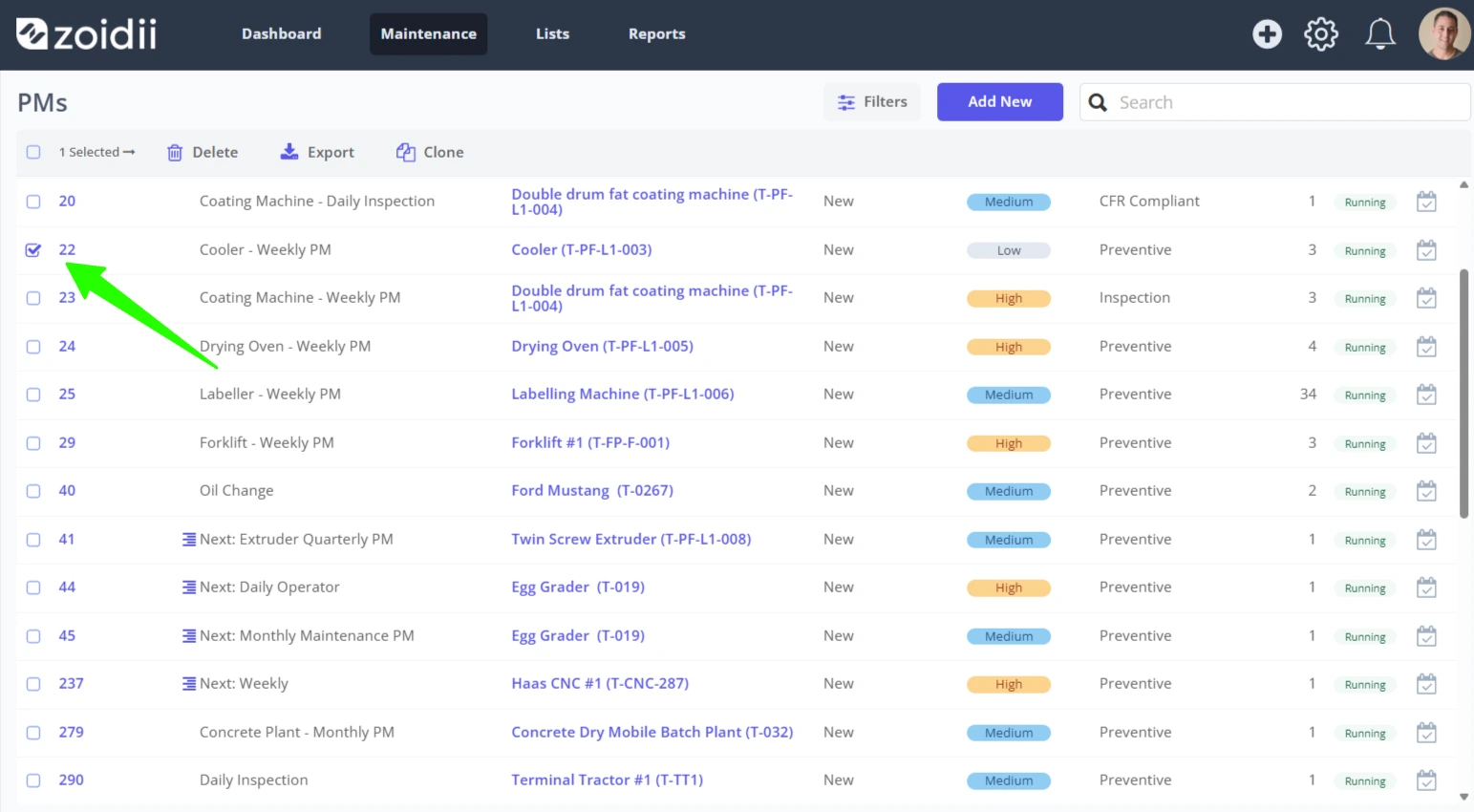
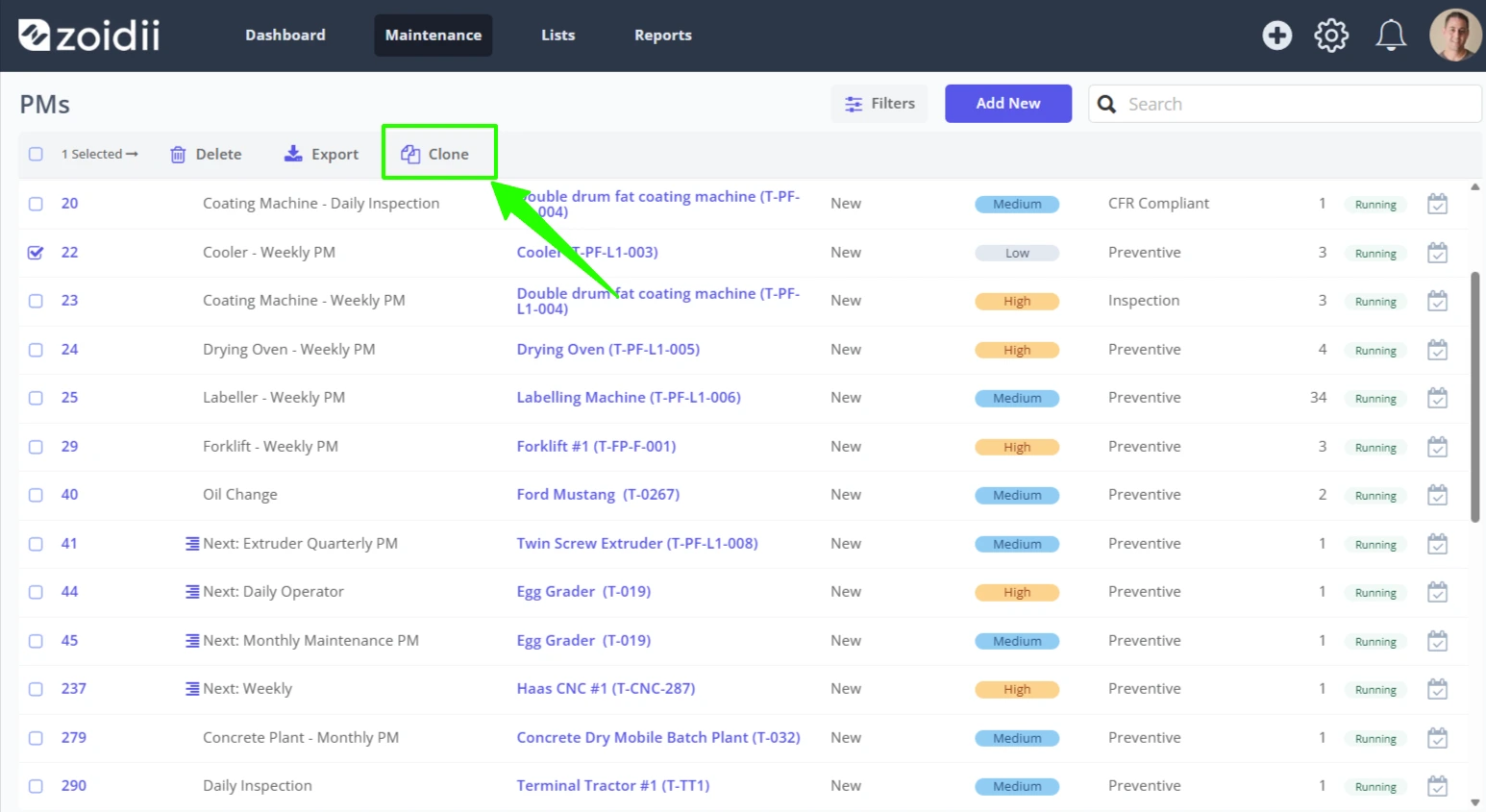
2. Click Clone
Note:- The Clone button is only visible when one PM has been selected.
3. If the PM is to be cloned to an asset at another site, select the Site from the list. Otherwise, skip this step.
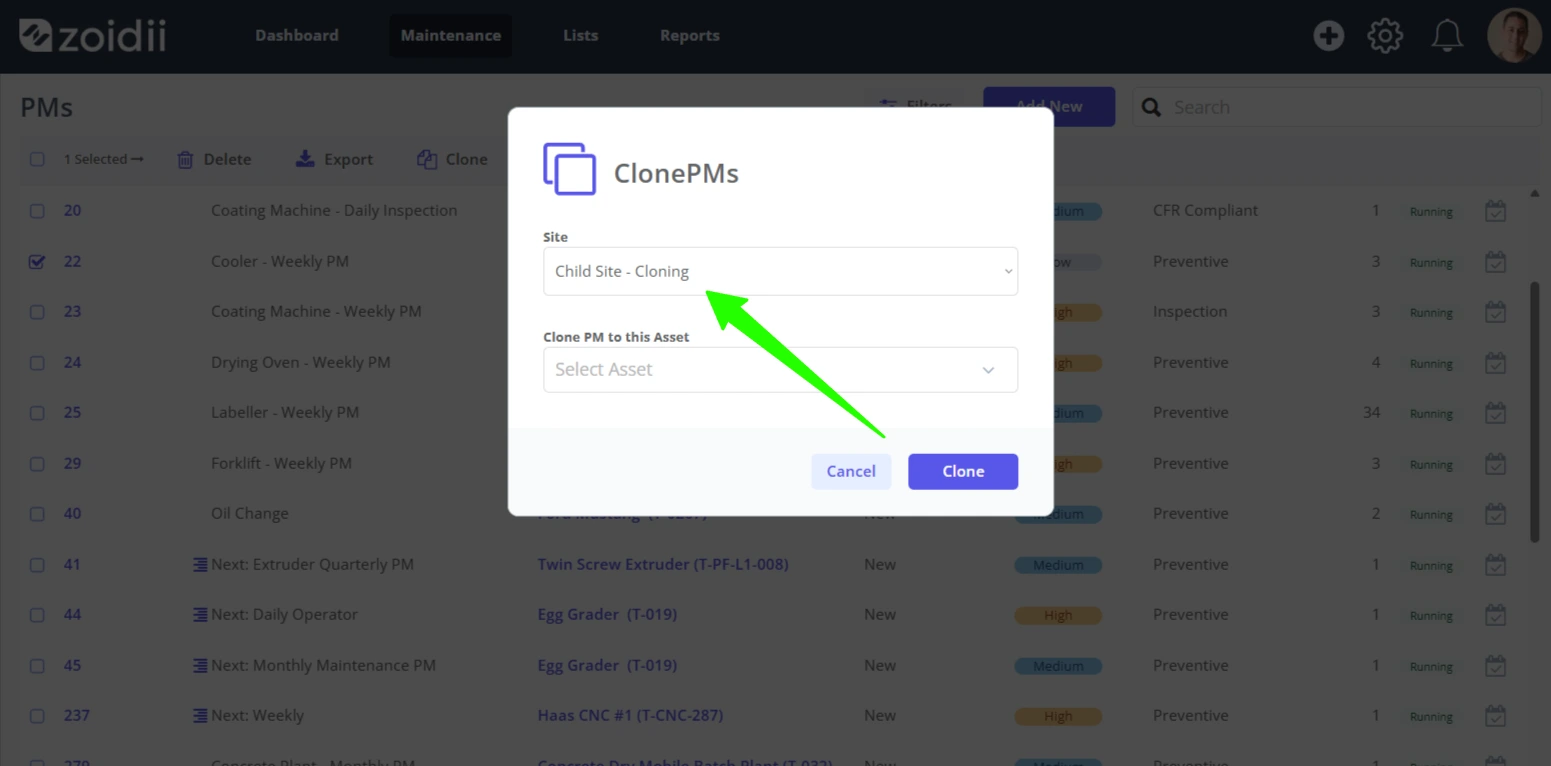
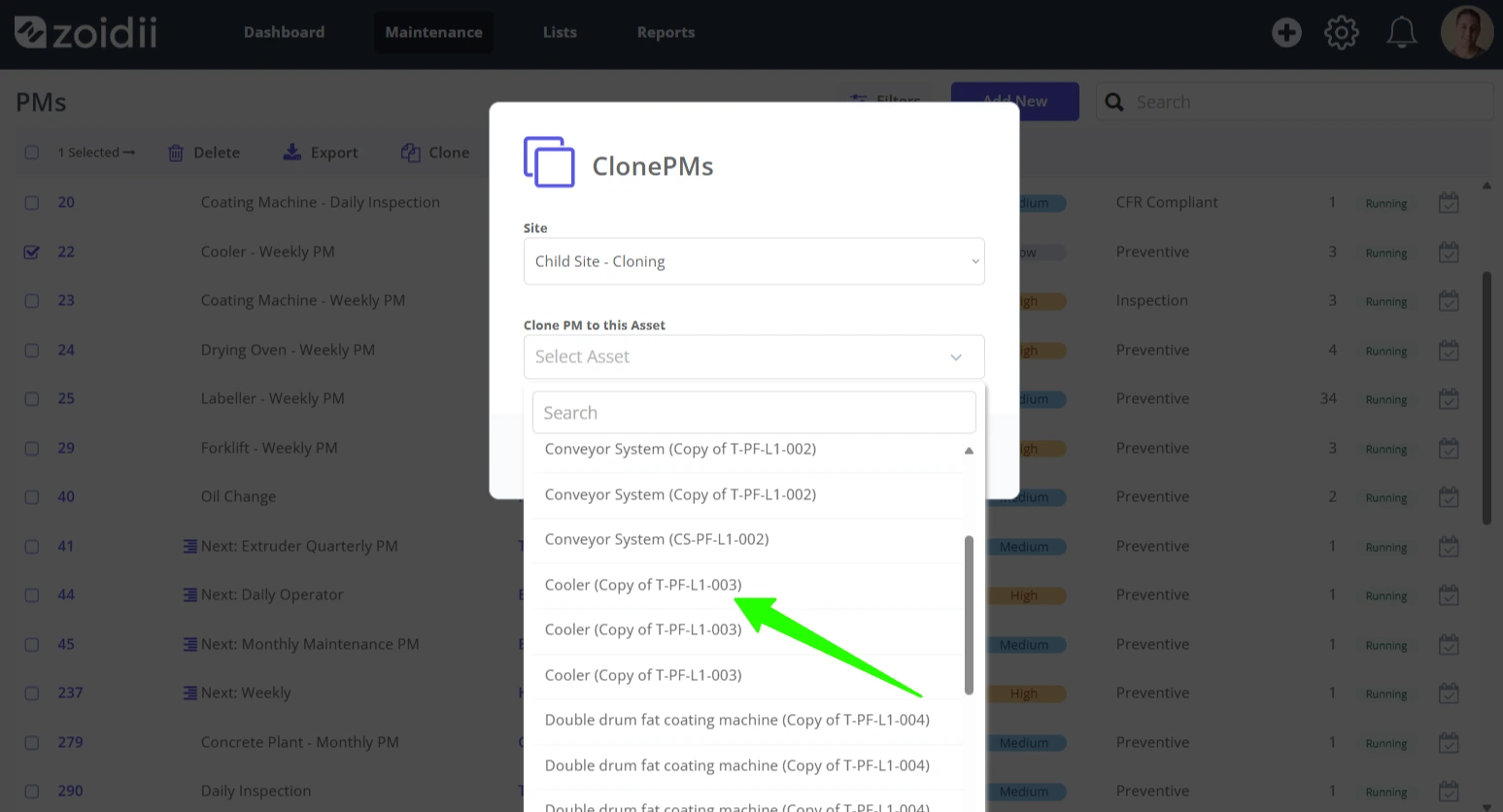
4. Select the asset from the list
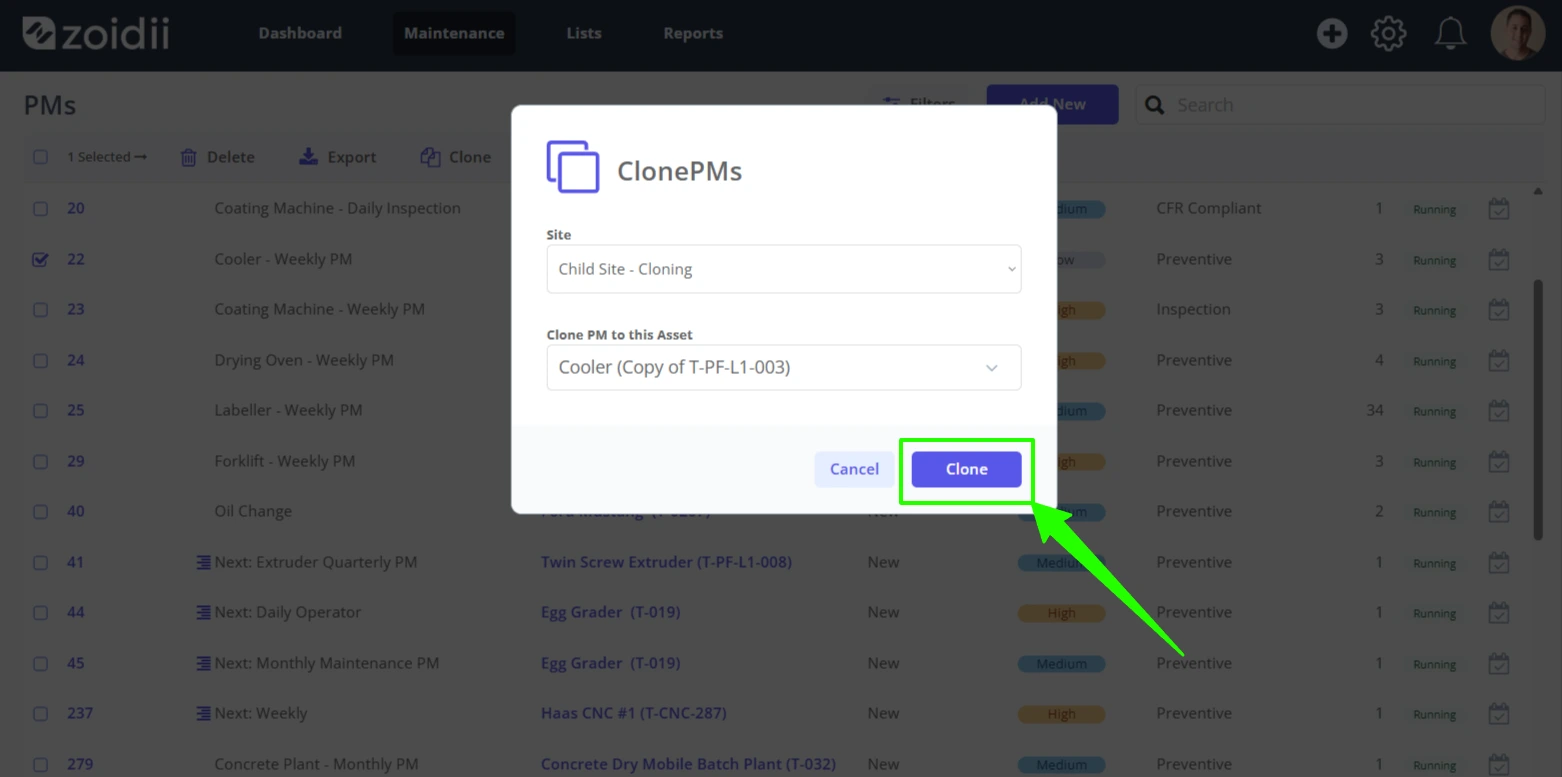
5. Click Clone to create the new PM. The new PM will be a direct copy of the original PM assigned to the chosen asset.
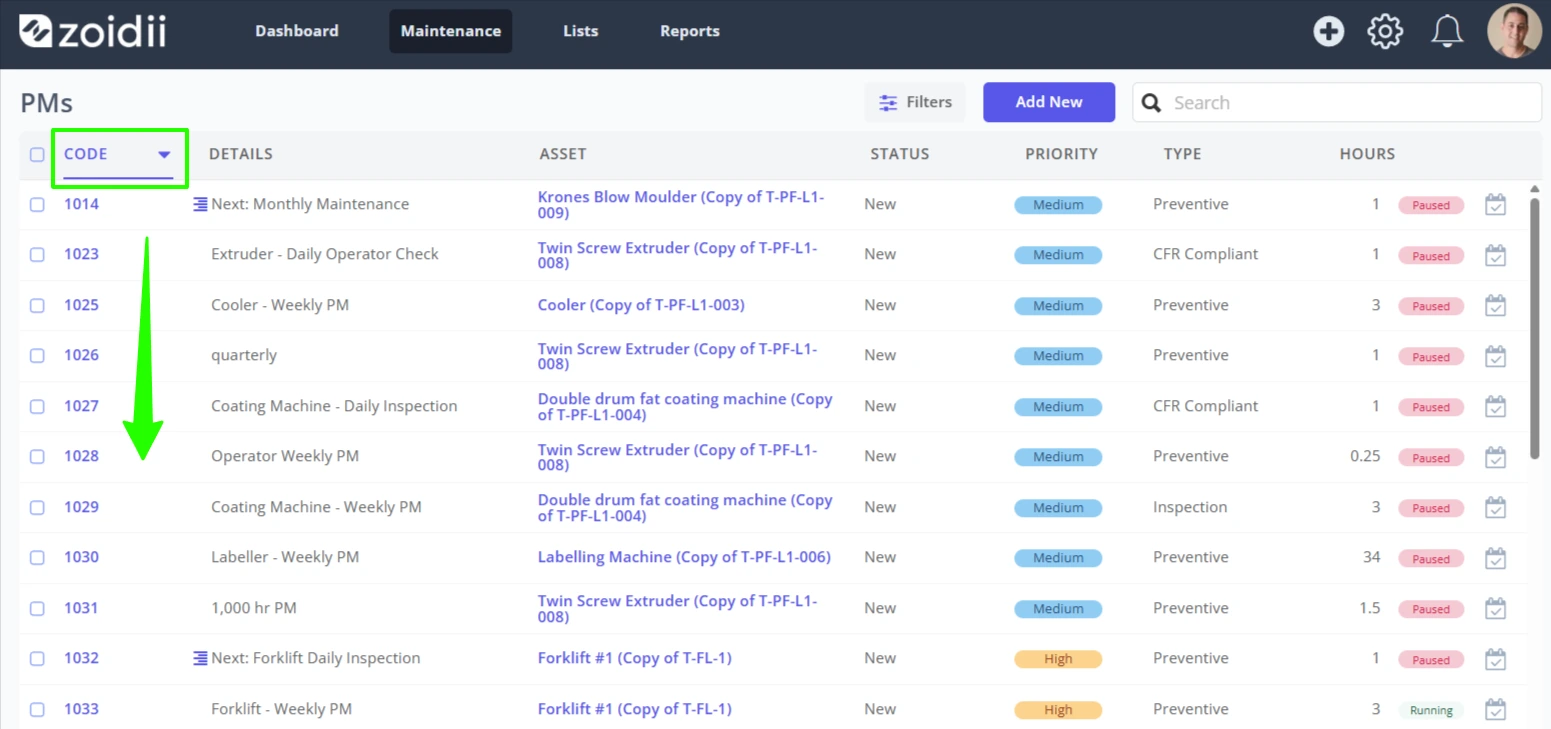
6. As the cloned PM will be assigned the next PM code, it will show up last on the list. You can order the PM Code column in descending order to view it without having to search too hard for it.
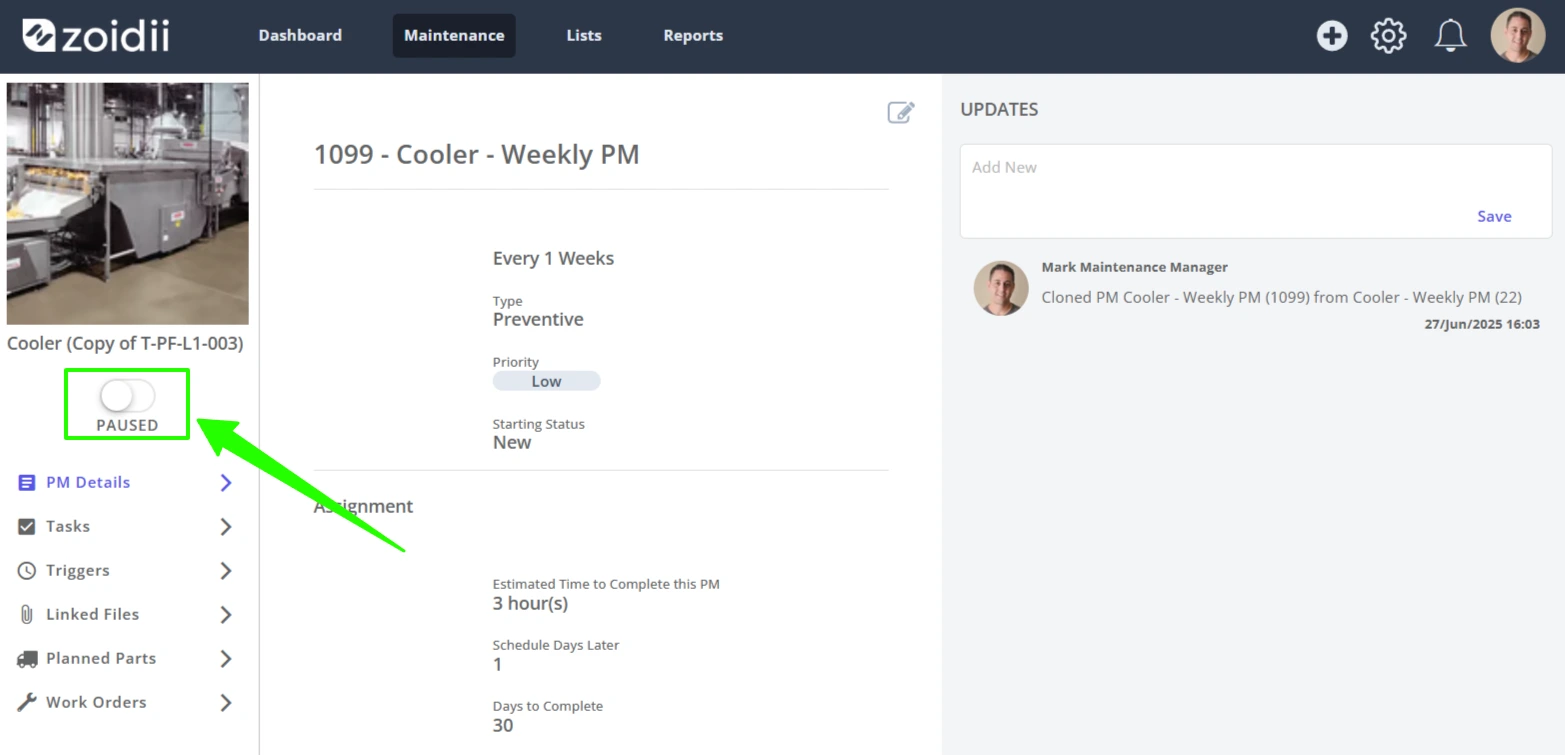
7. The cloned PM is automatically put into the Paused state so system administrators can review the PM, adjust triggers accordingly etc.
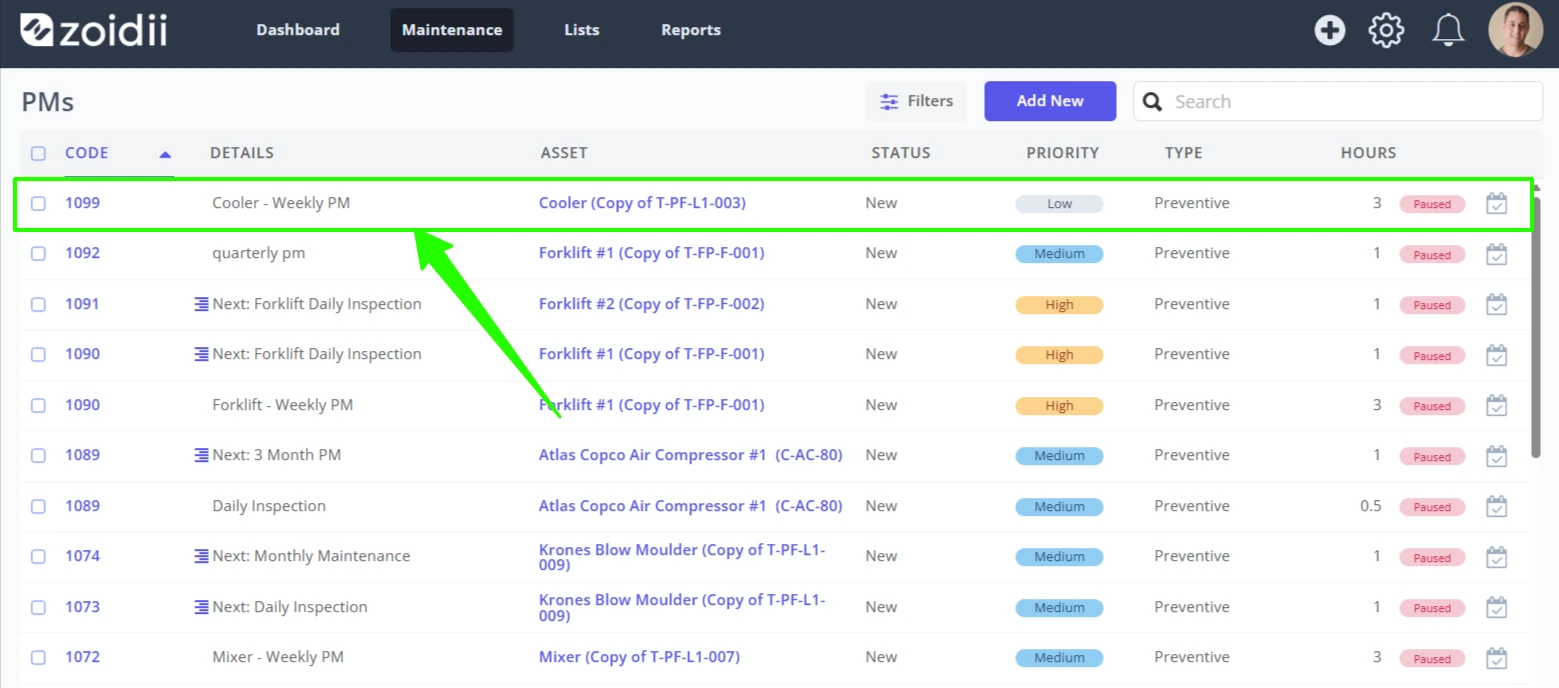
8. Once the PM is reviewed and verified correct, click the toggle to activate