Background
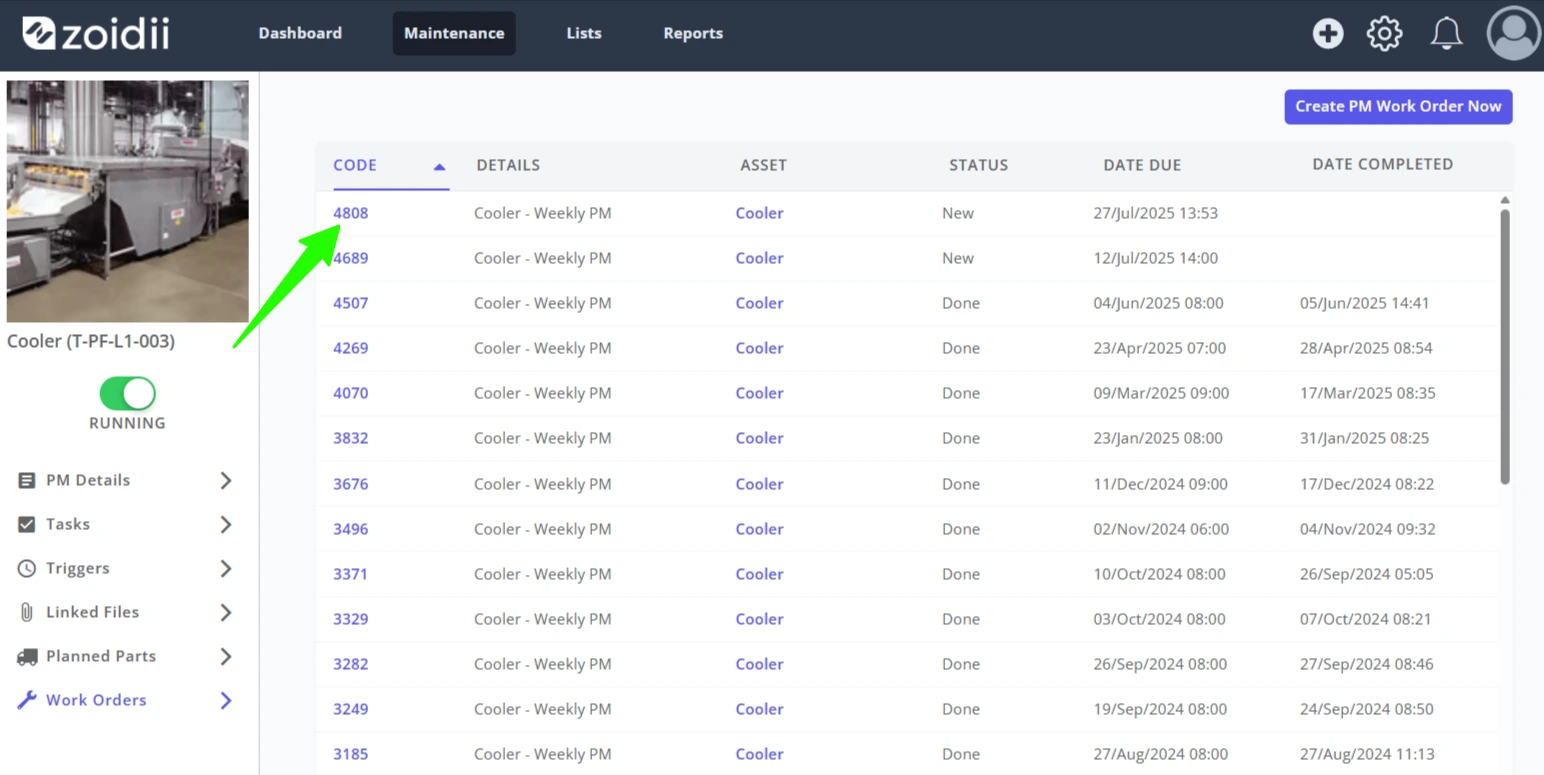
PMs are also called templates for work orders. When a certain threshold is met, the system triggers the PM work order based on the PM template. It is possible to manually trigger PMs if needed.Note:- Manually triggering a PM does not alter the PM triggers in any way.
Procedure to Manually Trigger a PM
1. Click Maintenance in the top navigation bar, and select PMs from the dropdown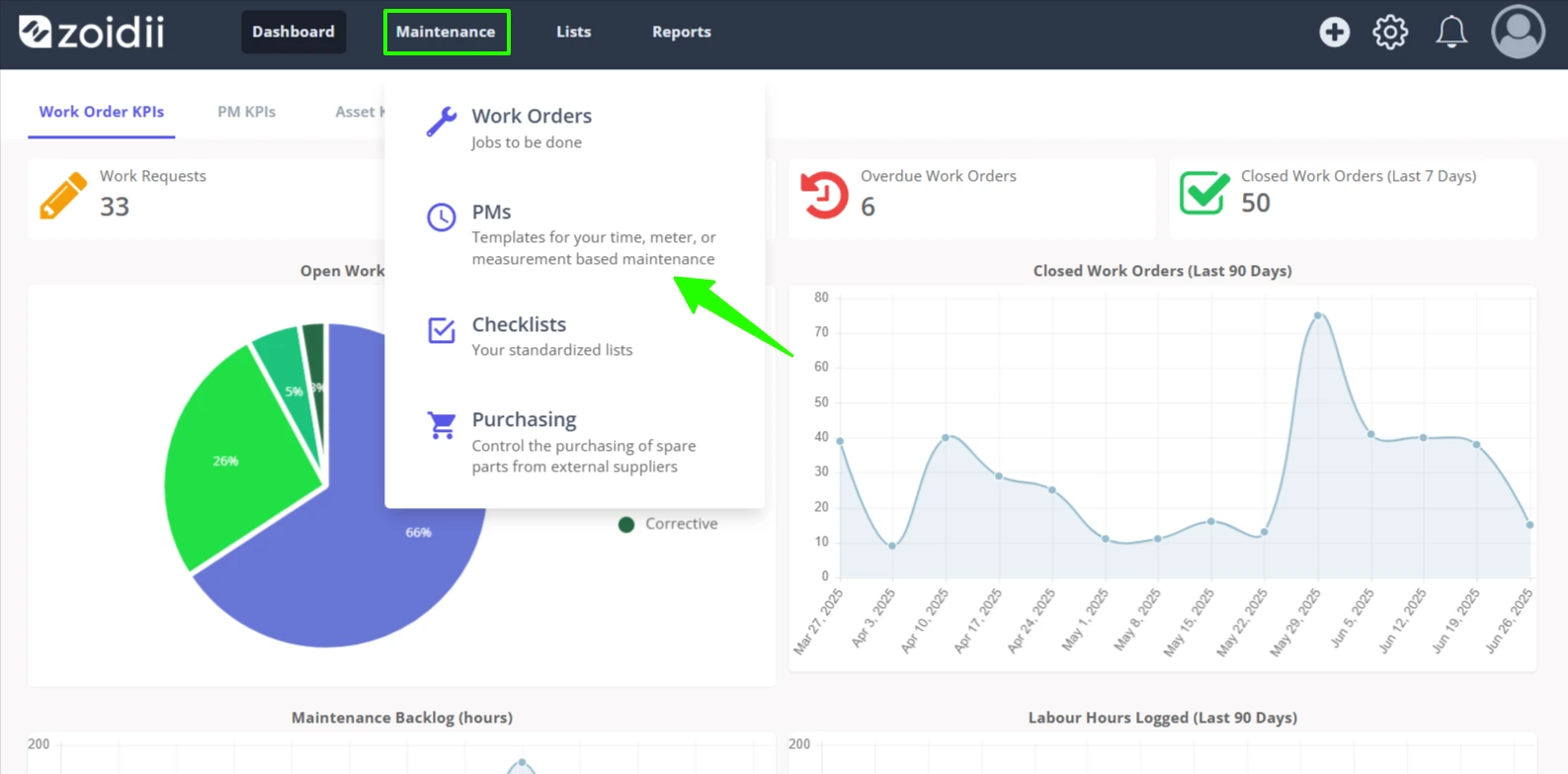
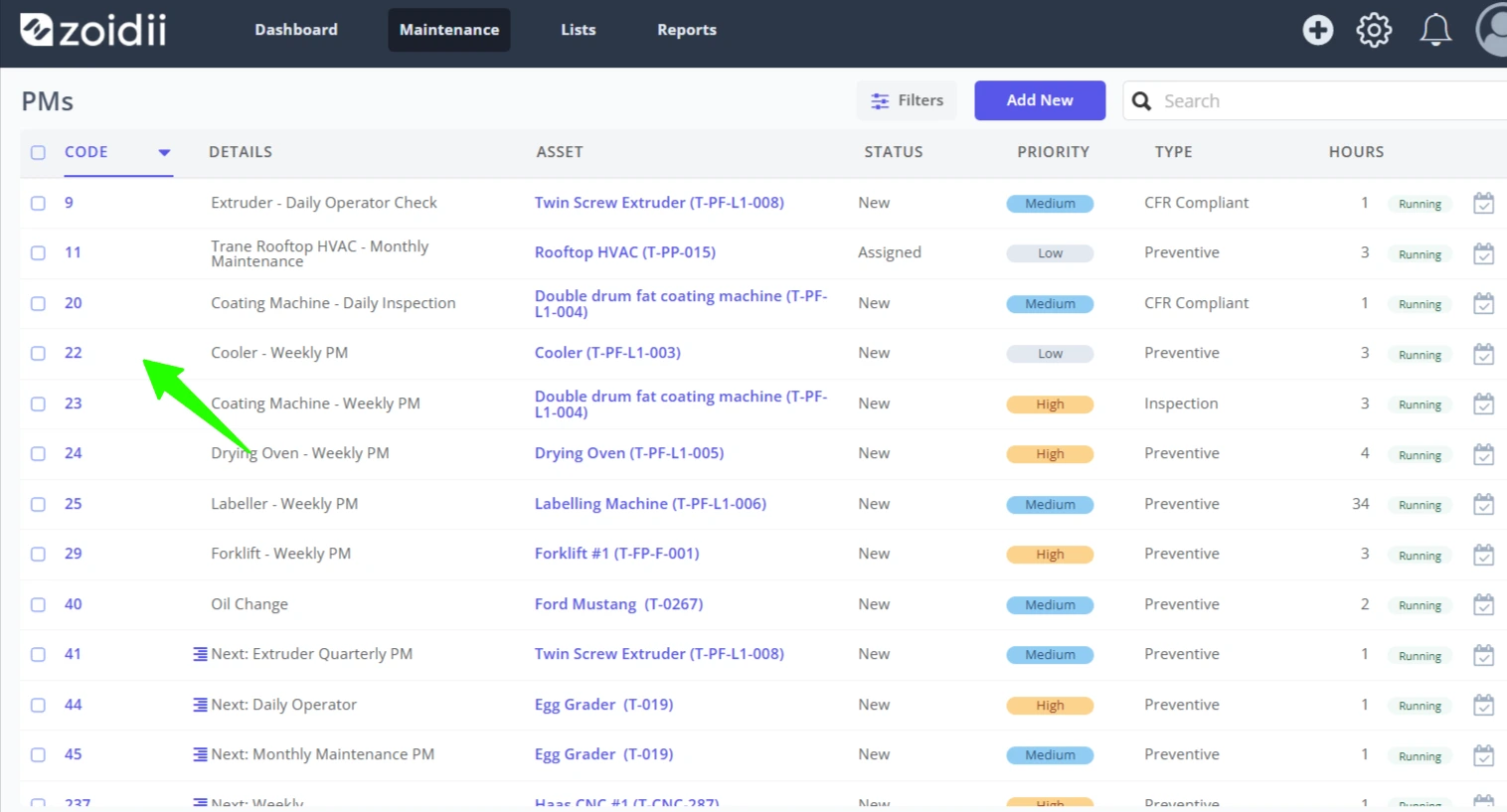
2. Select the PM line item from the PM list, and click through to the PM record
3. In the PM record, select the Work Orders tab
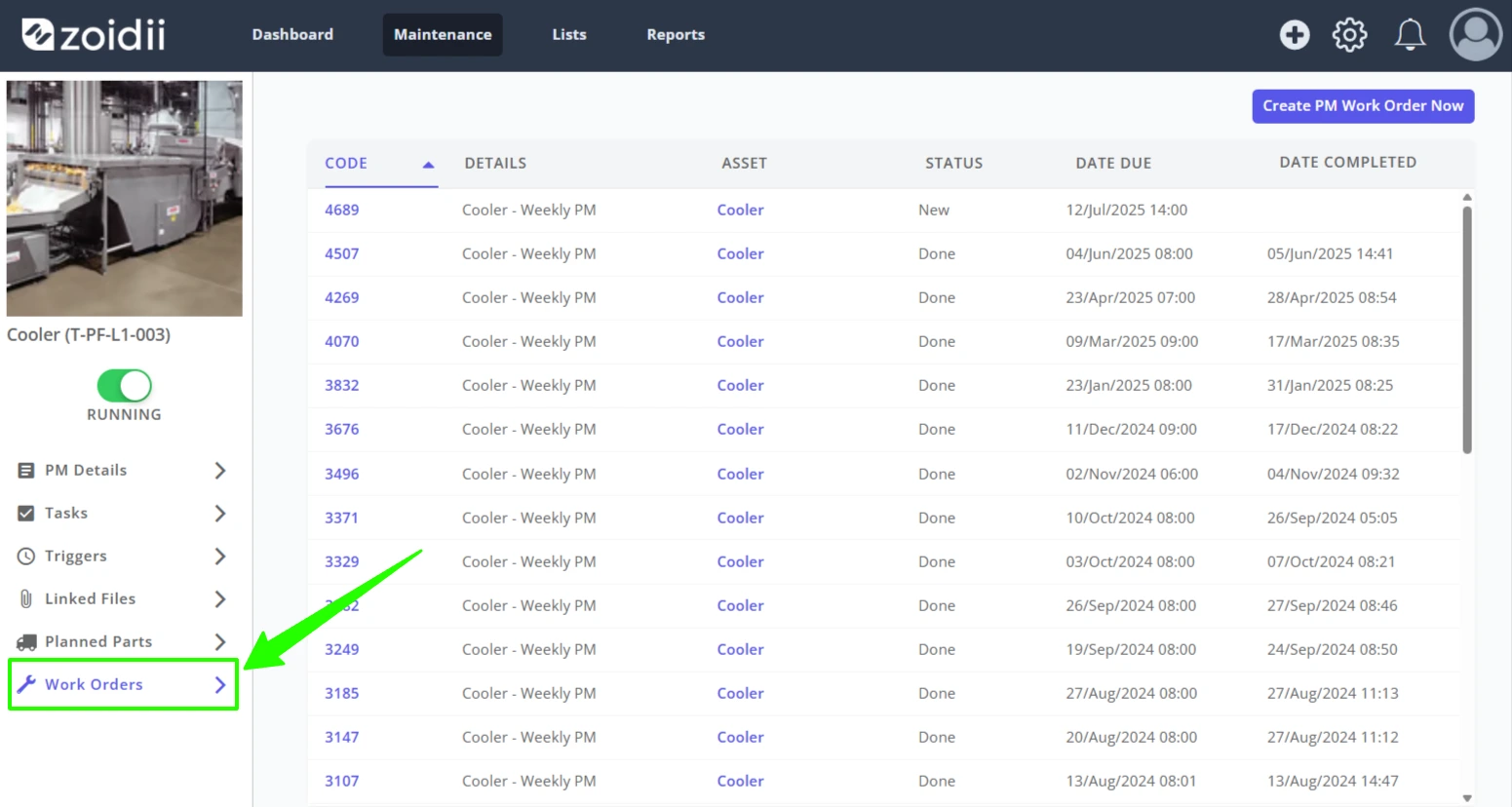
4. Click Create PM Work Order Now
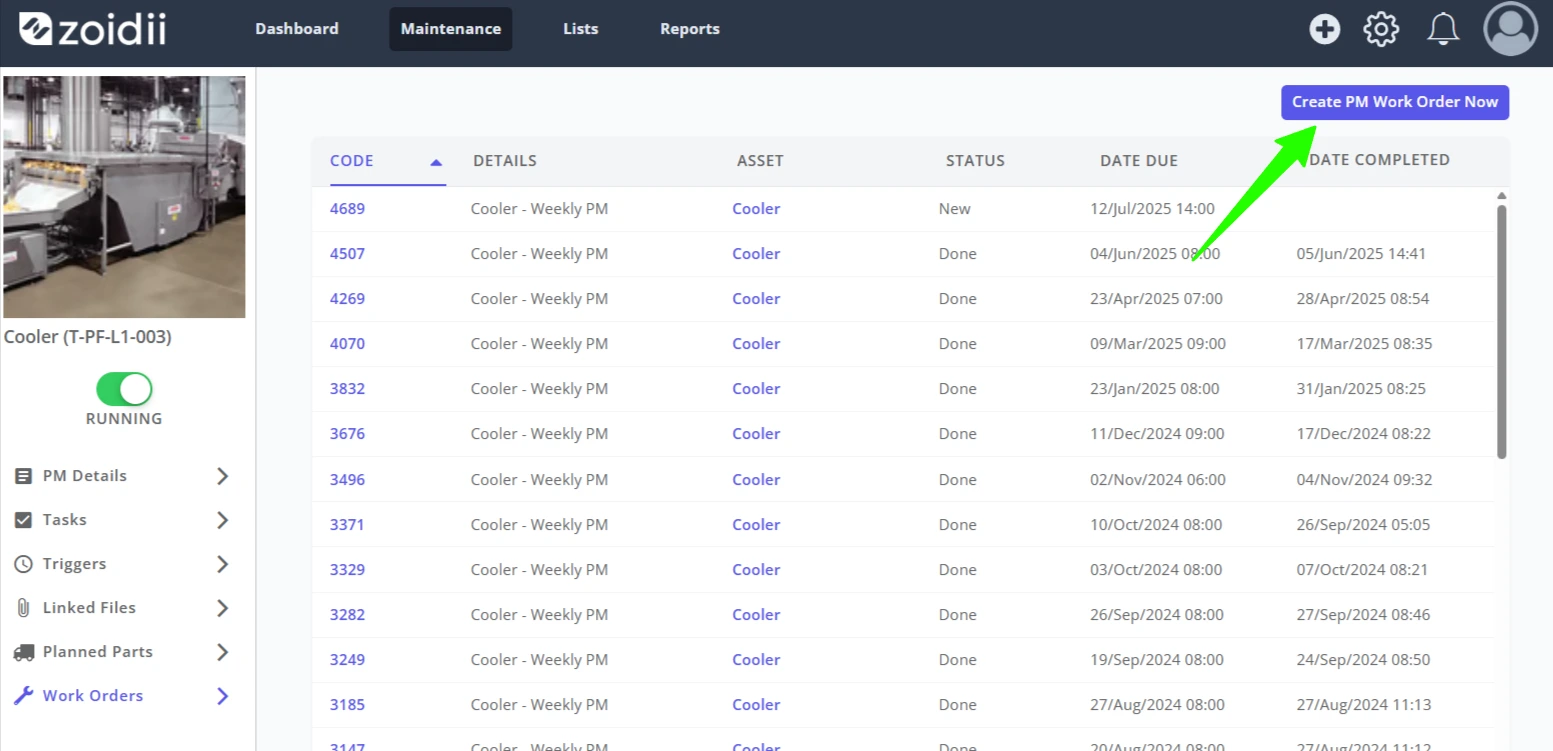
5. The new work order is created and visible in the PM Work Orders list