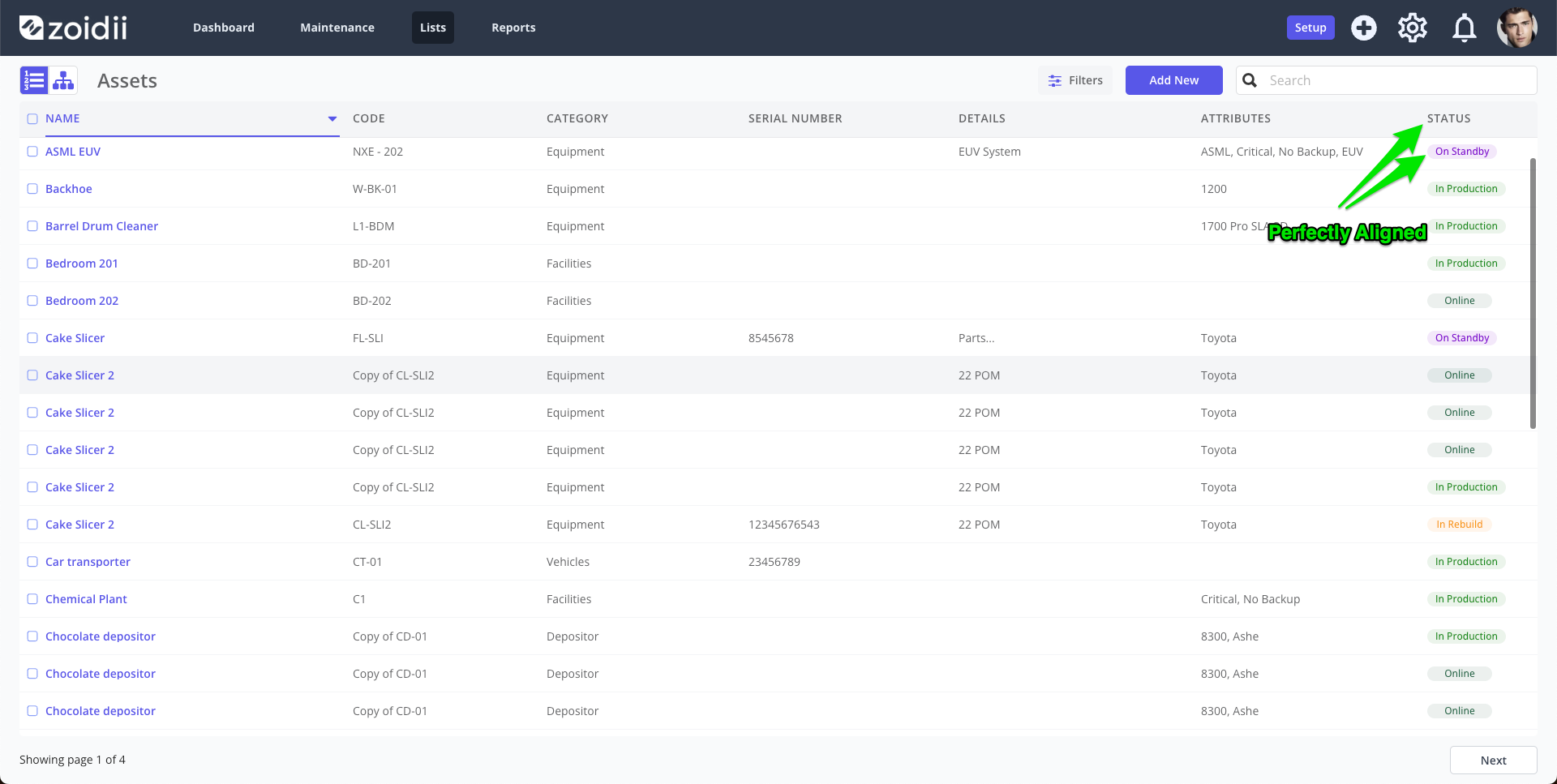
Issue:-
When the scrollbar appears in list views, the column headers and data tables are misaligned.
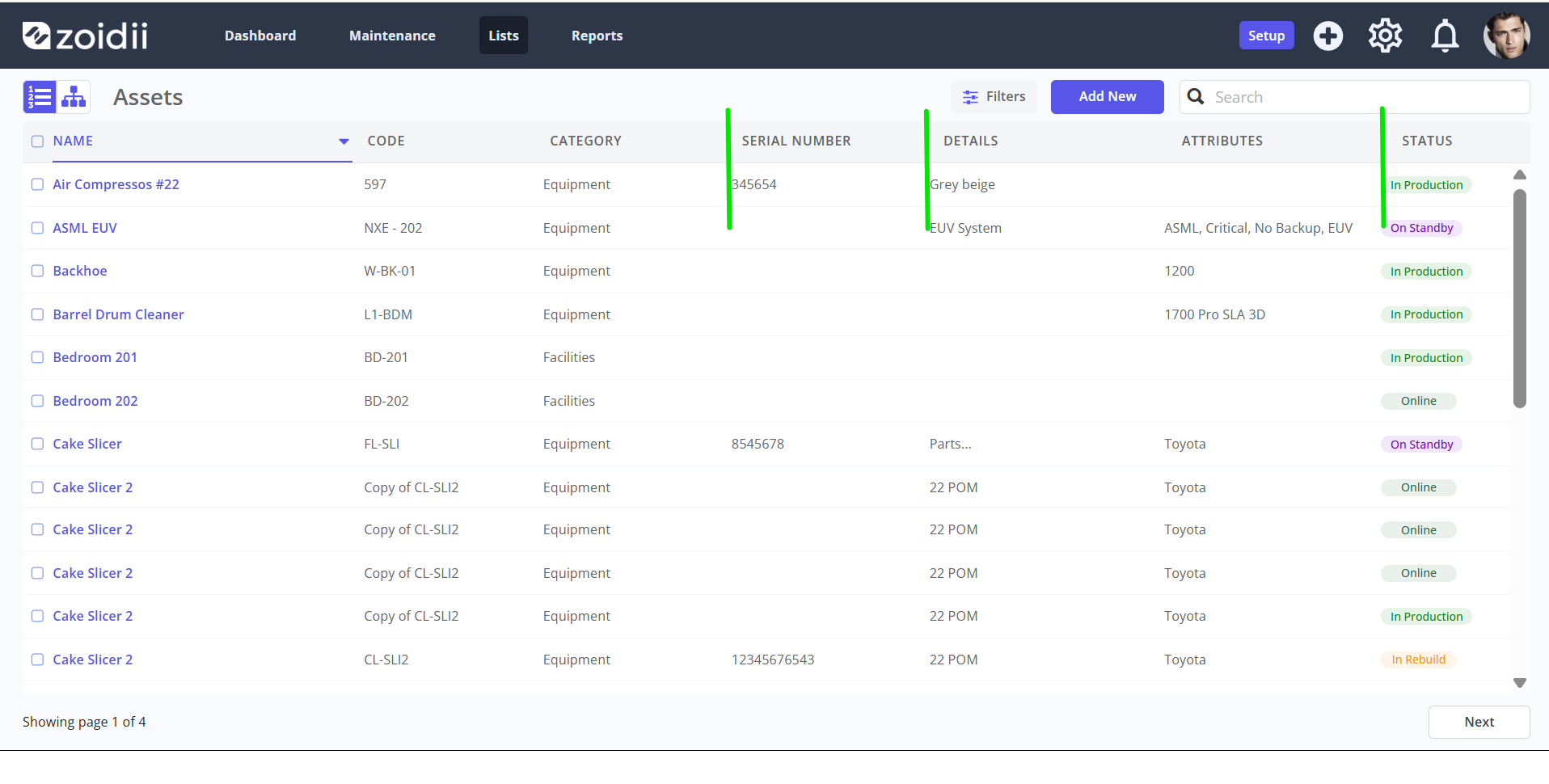
Zooming in, you will notice the offset more prominent on the right-hand side of the screen:
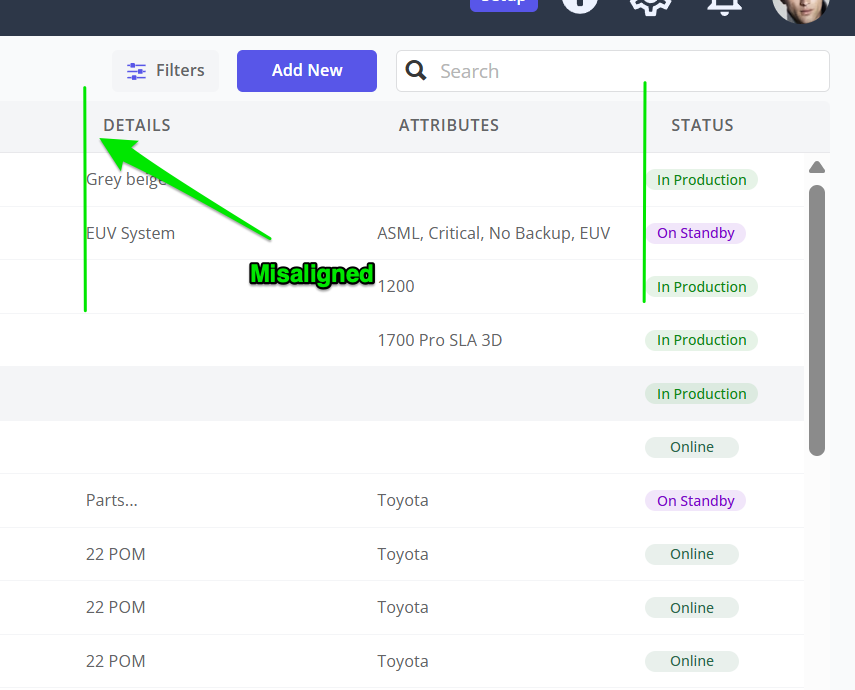
When the scrollbar is visible, it is pushing content to the left to make room. It is happening on other websites on your browser without you noticing on pages such as YouTube, Facebook, Gmail, etc.
This is a common issue on Windows forums.
On Mac computers, the scrollbar sits above the content. On Windows systems, by default, the scrollbar sits to the right of the content.
To align the lists, you need to switch the scrollbar to sit on top of the content.
Solution
1. In your browser address bar, open up the flags page by typing
- Edge type: edge://flags
- Chrome type: chrome://flags
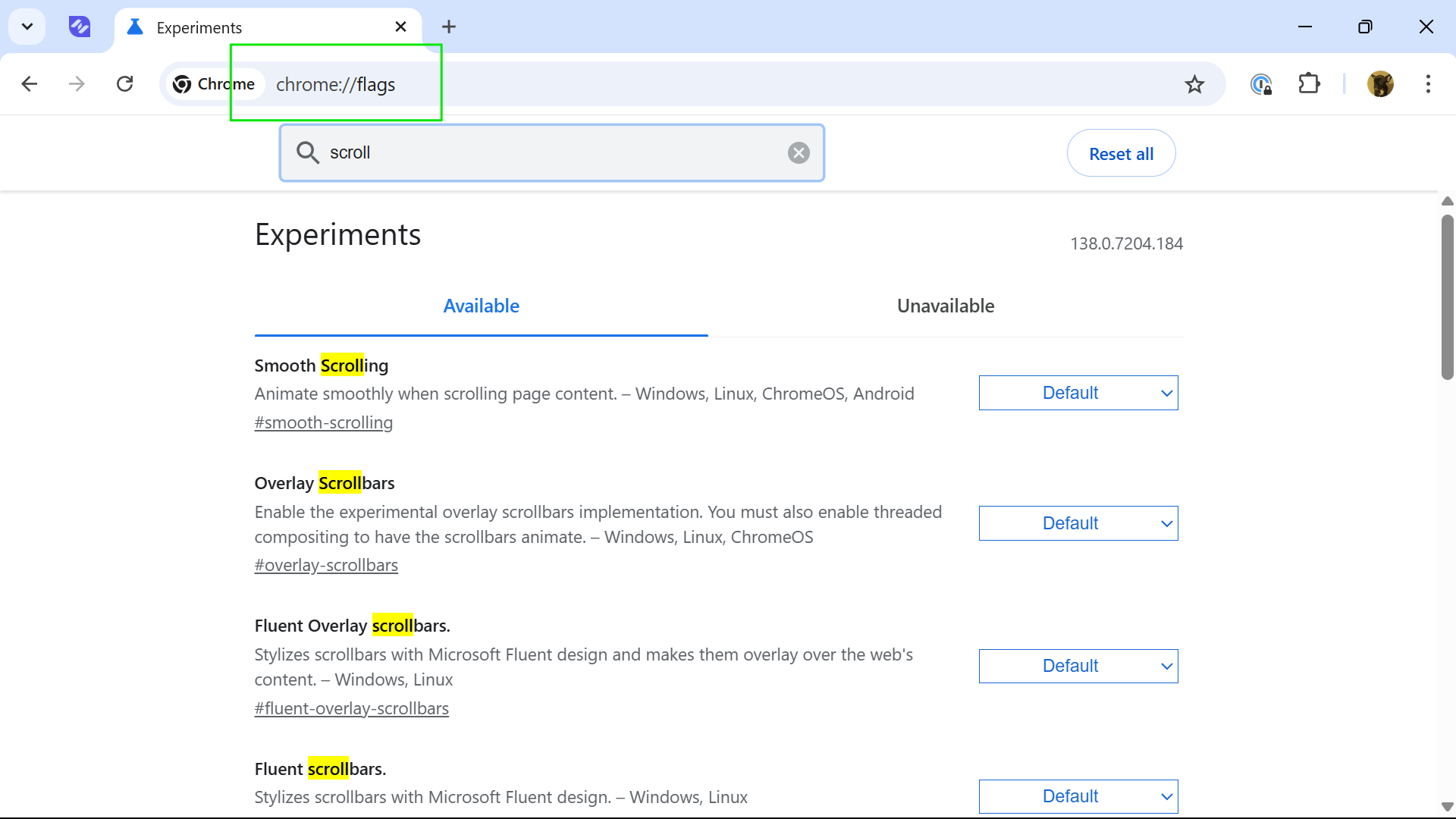
2. Search for Scrollbar
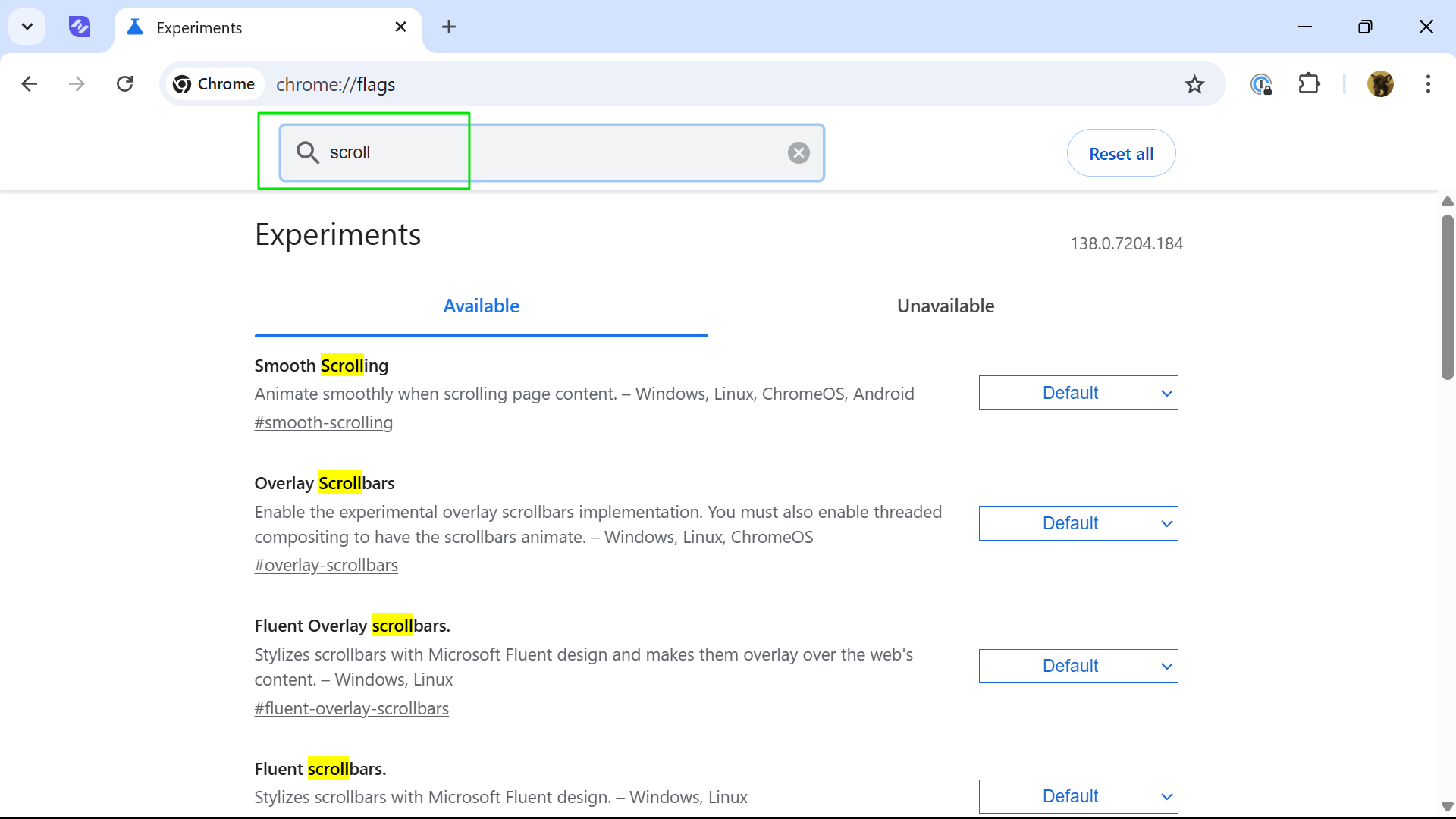
3. Switch Overlay Scrollbars and Fluent Overlay Scrollbars to Enabled
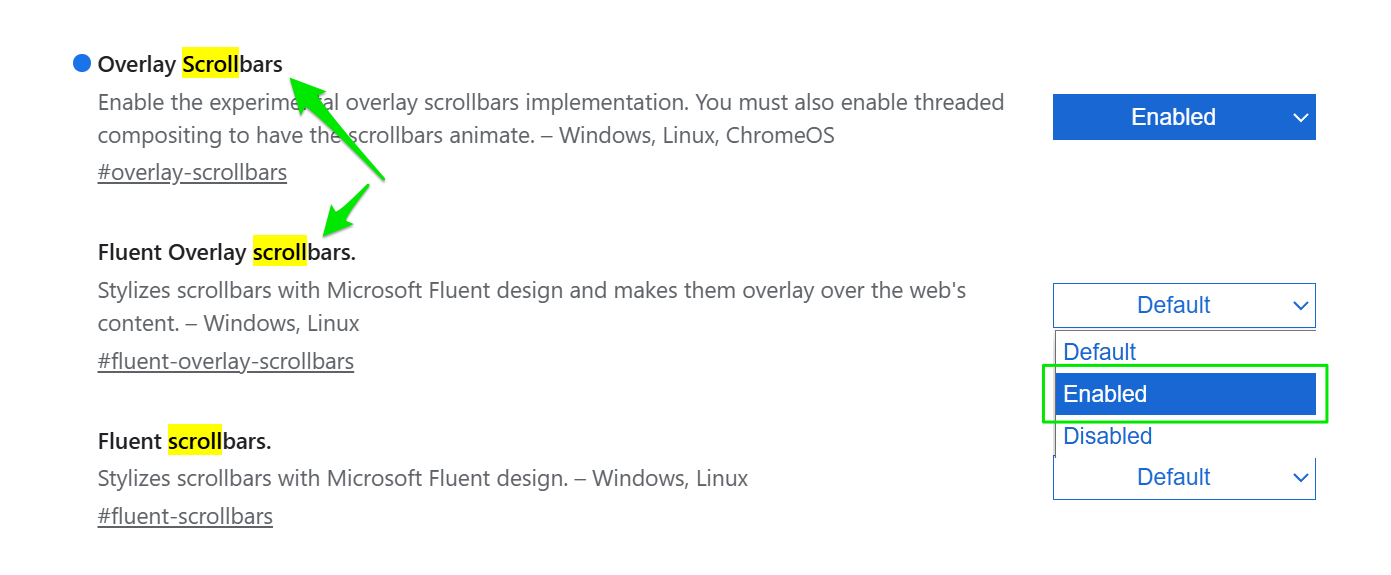
4. Relaunch your browser. The headers and data on the list screens should now be aligned.