CMMS software significantly reduces the time and effort required for audit preparation. With just a few clicks, maintenance personnel can provide auditors the maintenance records, work order history, and equipment performance data they need.
Here are some suggestions to make audits stress-free:
1. Use work order filtering and the print function to present work order histories
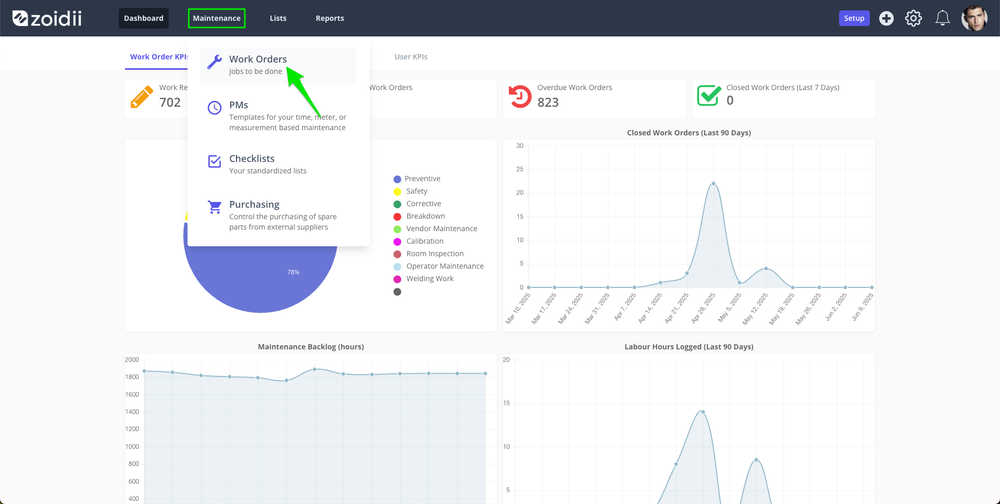
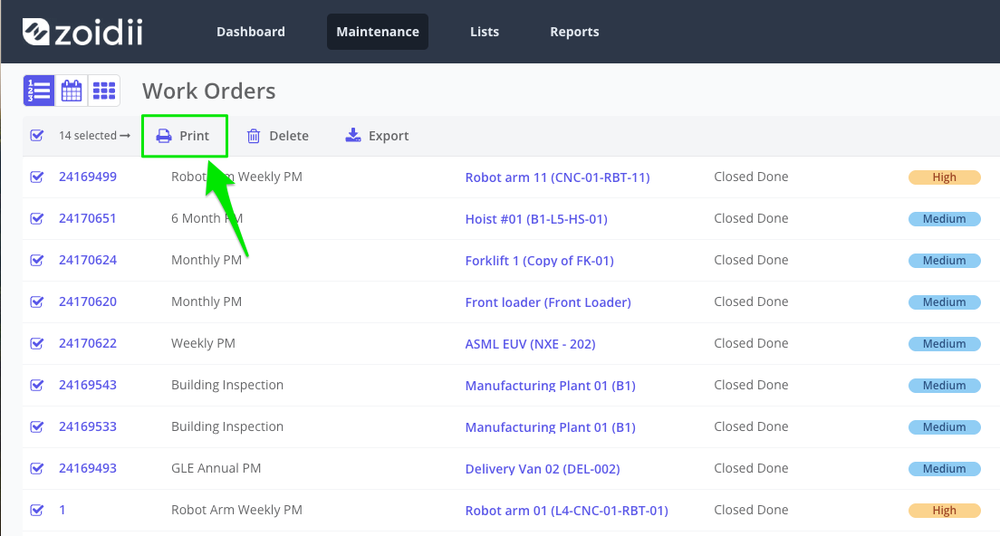
Utilizing the work order printout is a great way to prepare the data for review by the auditor. Say an auditor requests all the preventive maintenance records for this year:1. Navigate to the work order screen - list view
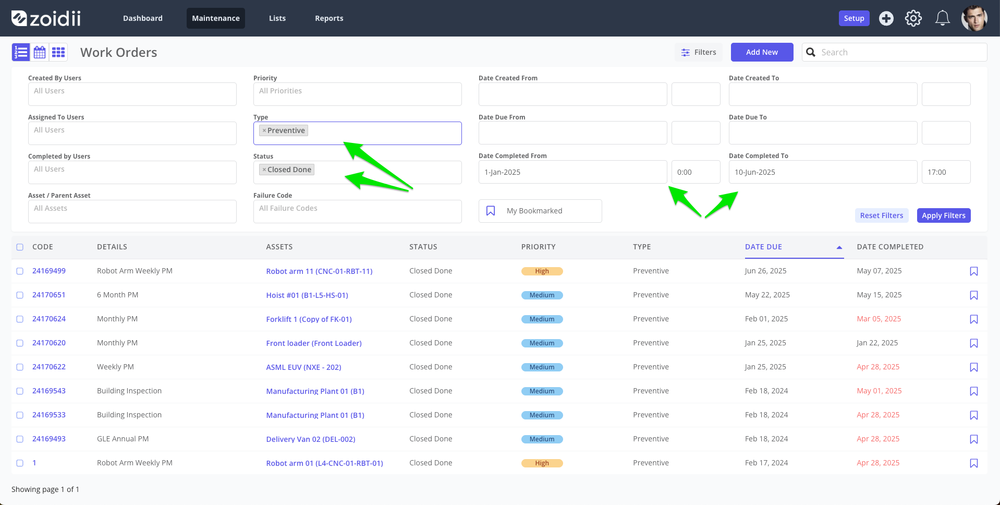
2. Filter by the required assets, maintenance types, dates etc
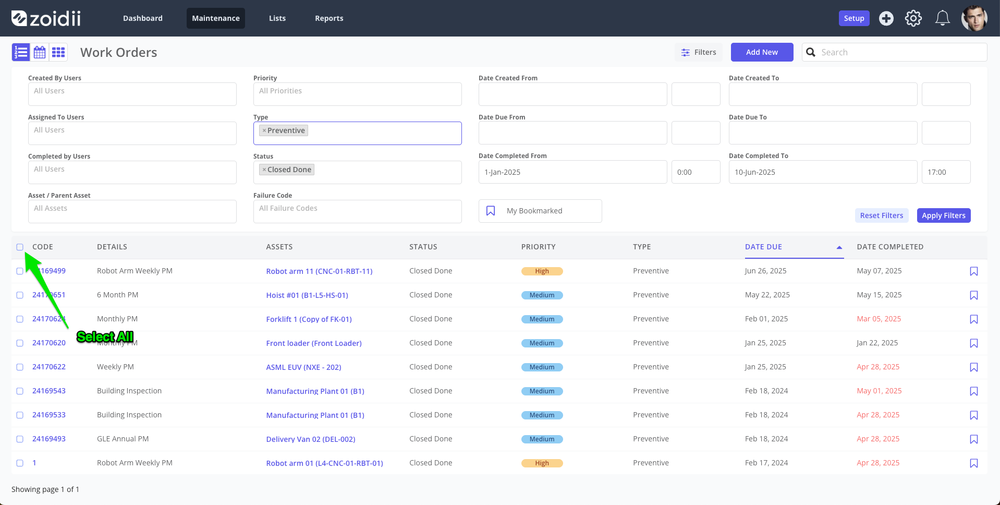
3. Click the Select All checkbox
4. Click Print in the list header
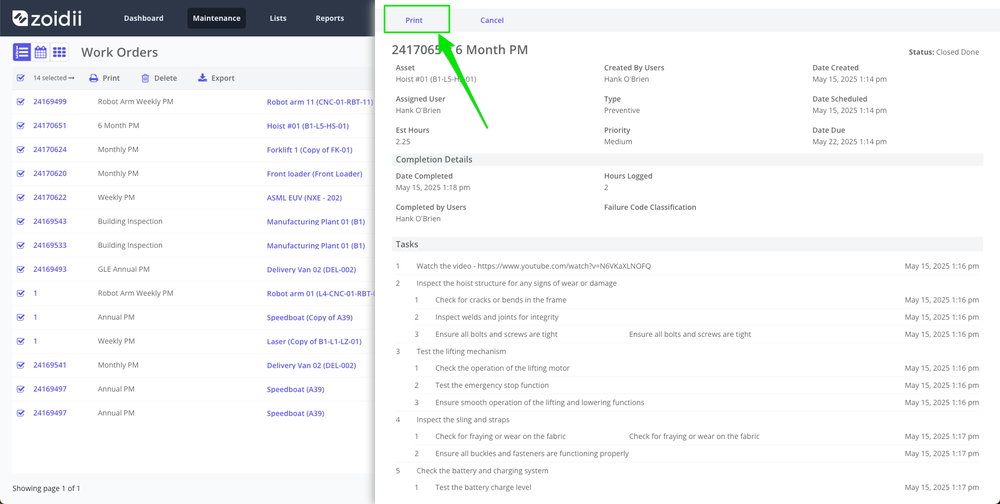
5. The print view outlines the work order details, tasks signed off, and parts used. Click Print again to print to paper or PDF
2. Electronic Signatures
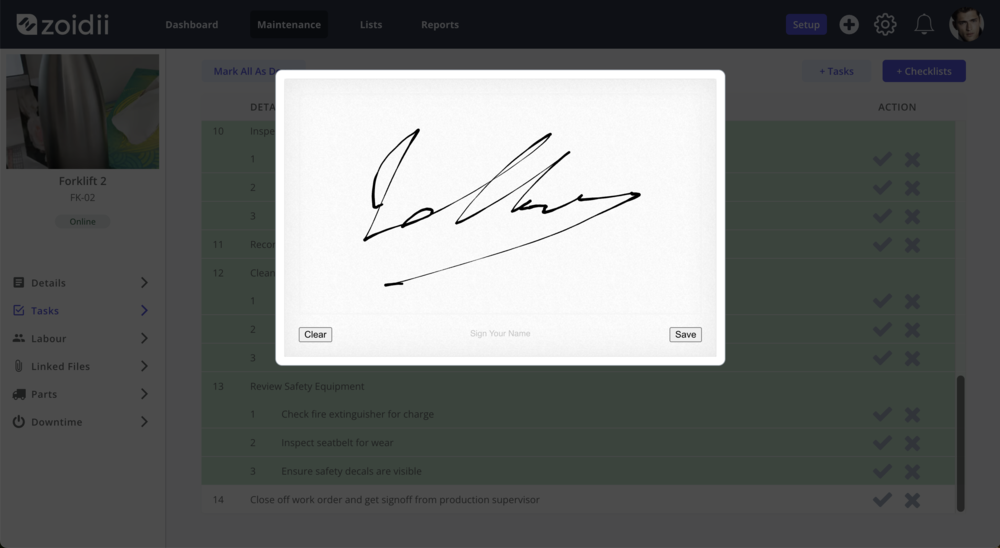
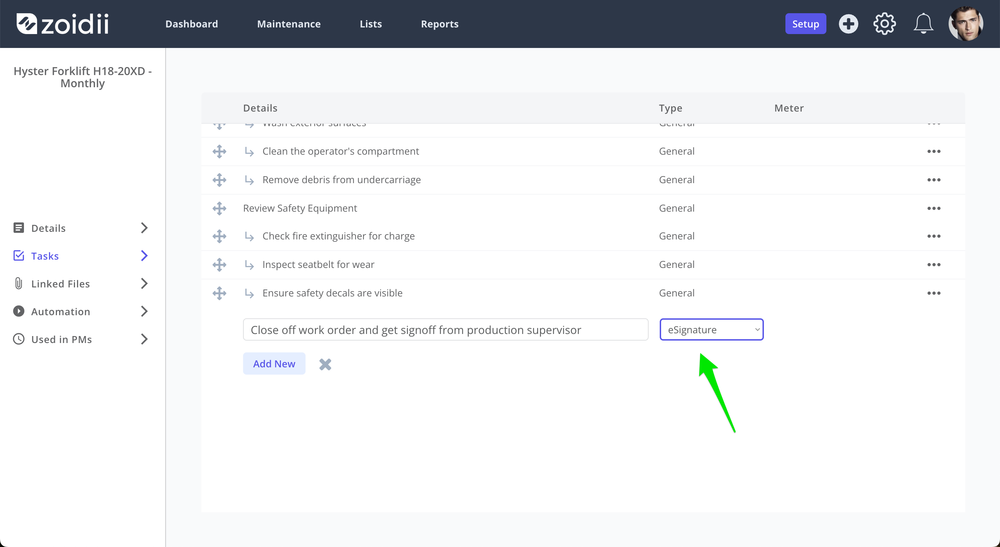
Zoidi supports electronic signatures, allowing authorized personnel to digitally sign off on work orders and documentation, further enhancing accountability and compliance.1. In the checklist screen, add a task of type eSignature
2. When the checklist is used on a work order, the technician will be prompted to provide or secure the eSignature as follows