Background
Zoidii has been designed to be simple and easy to use. Accordingly, general Done/Not done tasks and Pass/Fail tasks have been incorporated into one task type. Click the tick icon when the task is done or signed off as passed. Click the X icon when the task as failed or is to be signed off as not done.
Prerequisites
- A work order exists in the system as per the Create a Work Order Procedure
Procedure to Complete Work Order Tasks
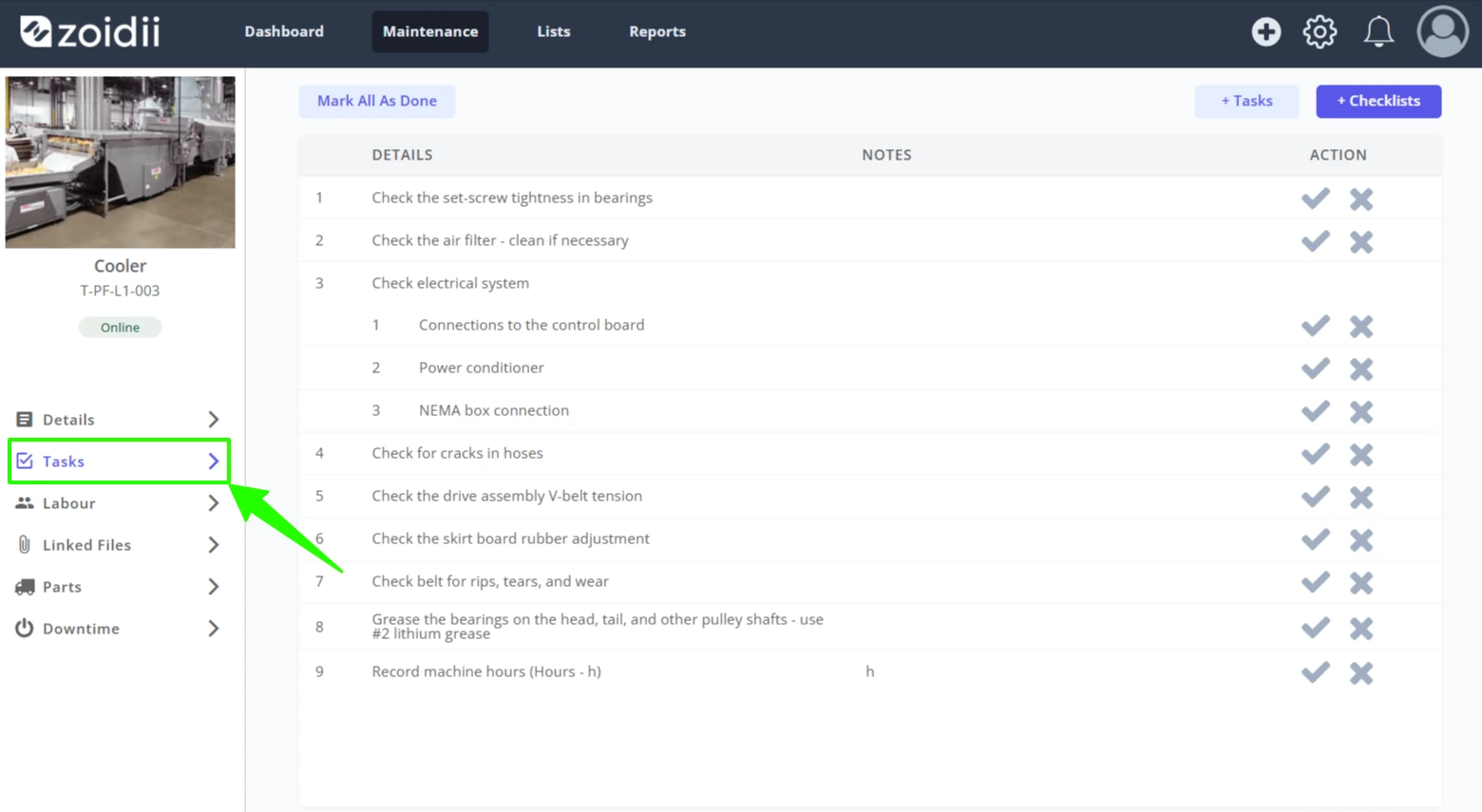
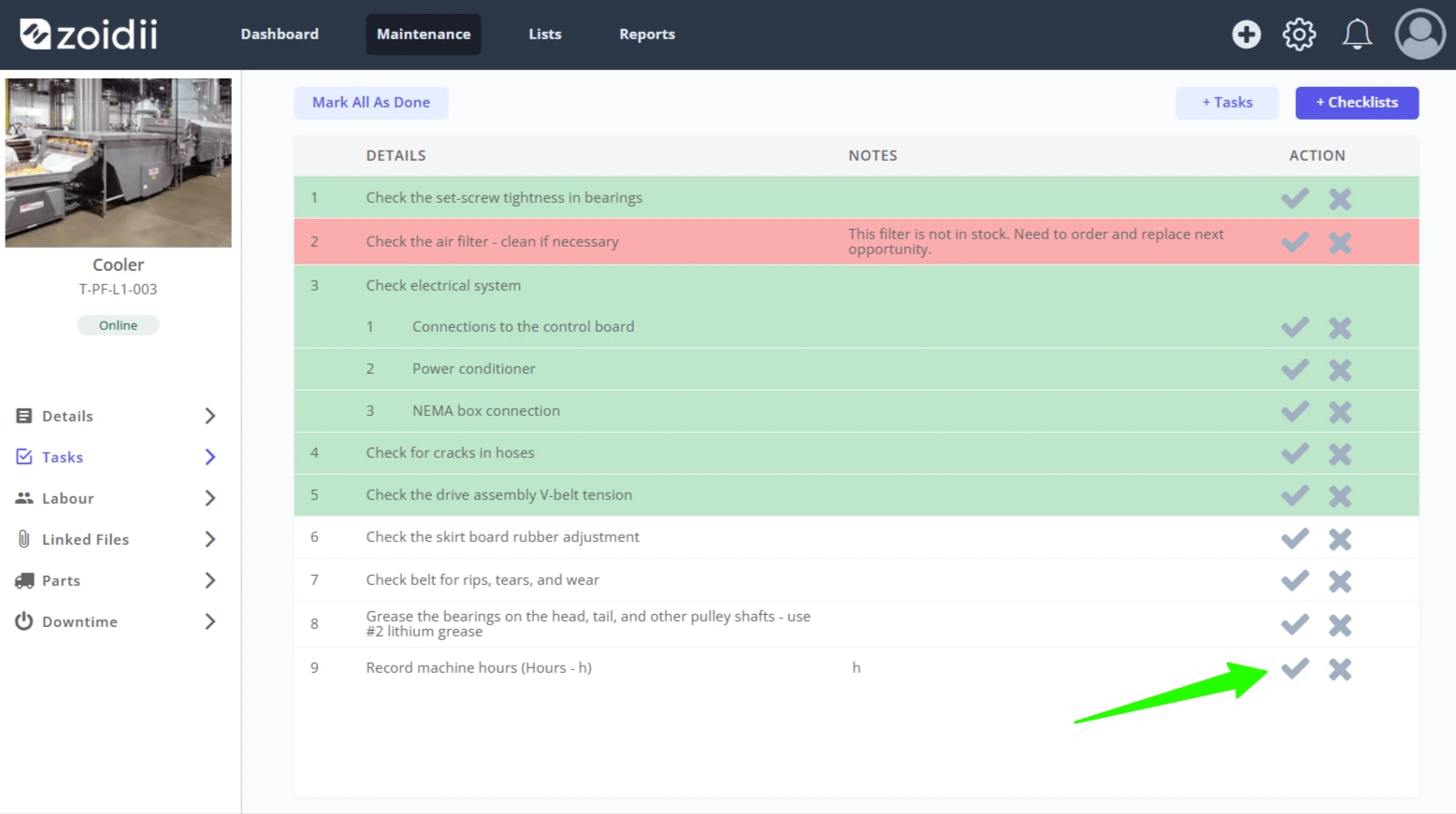
1. Locate the work order in the system, and open the work order Tasks tab
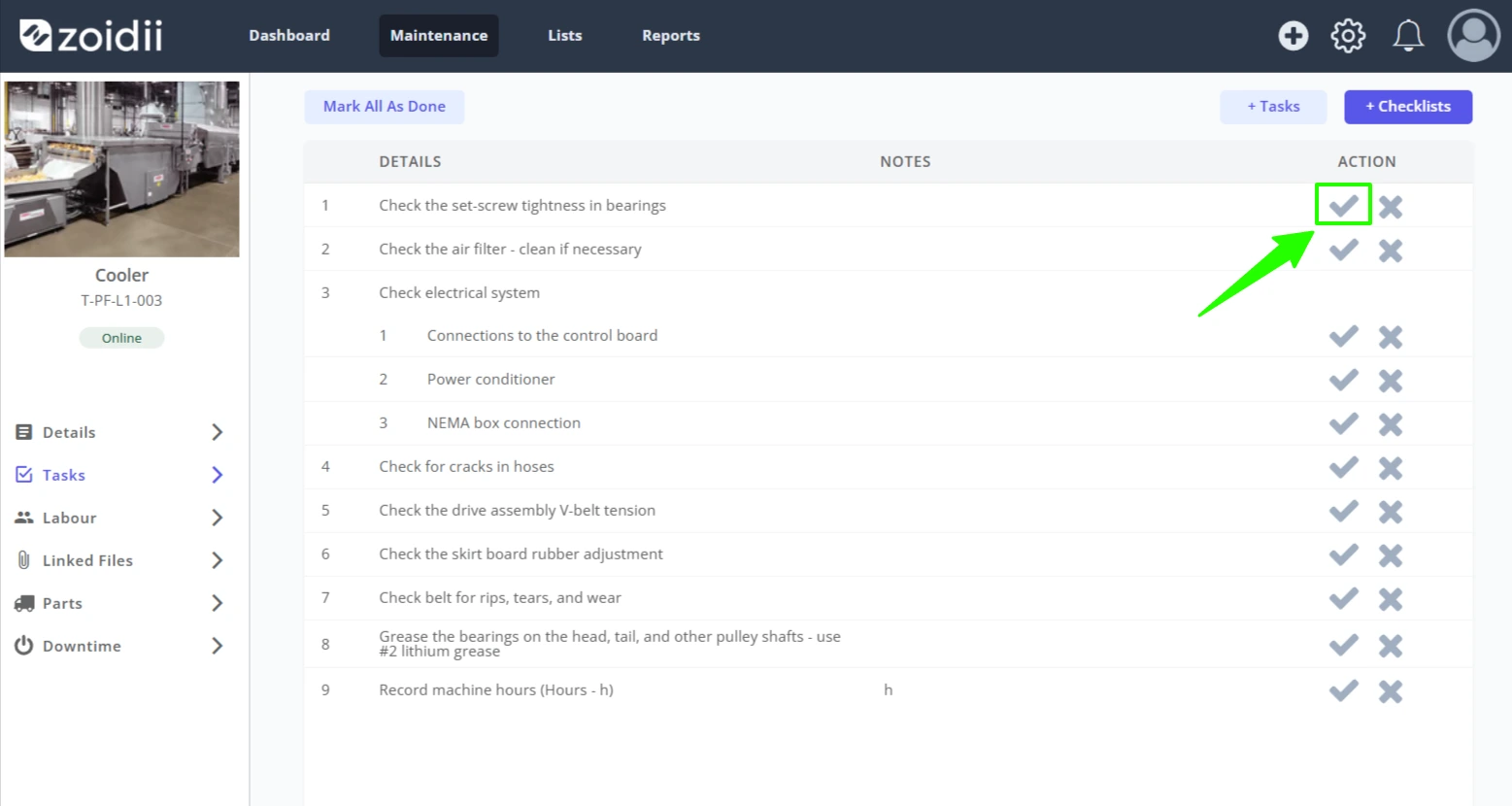
2. If the task is done, or has passed the inspection, click the Tick icon
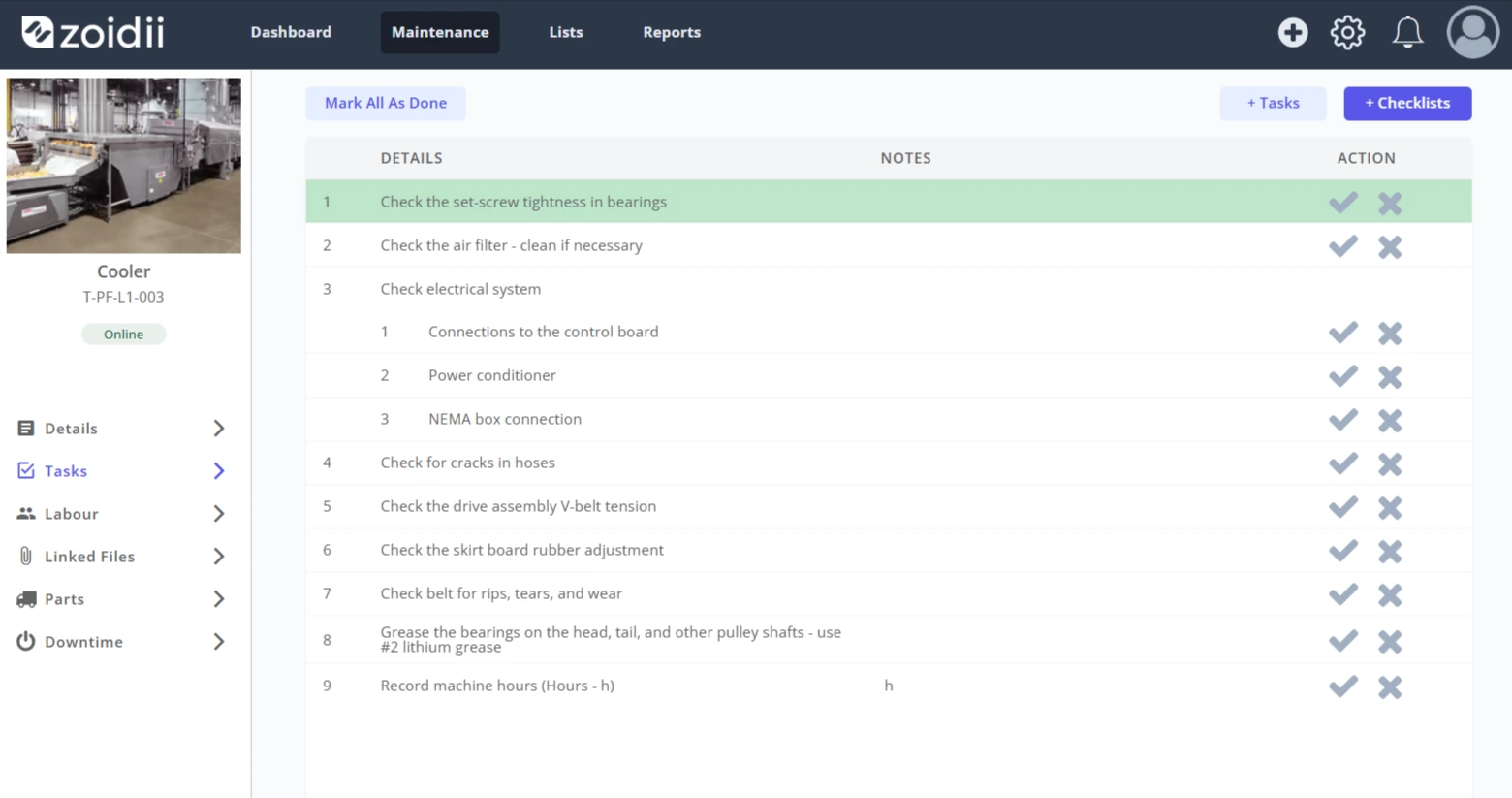
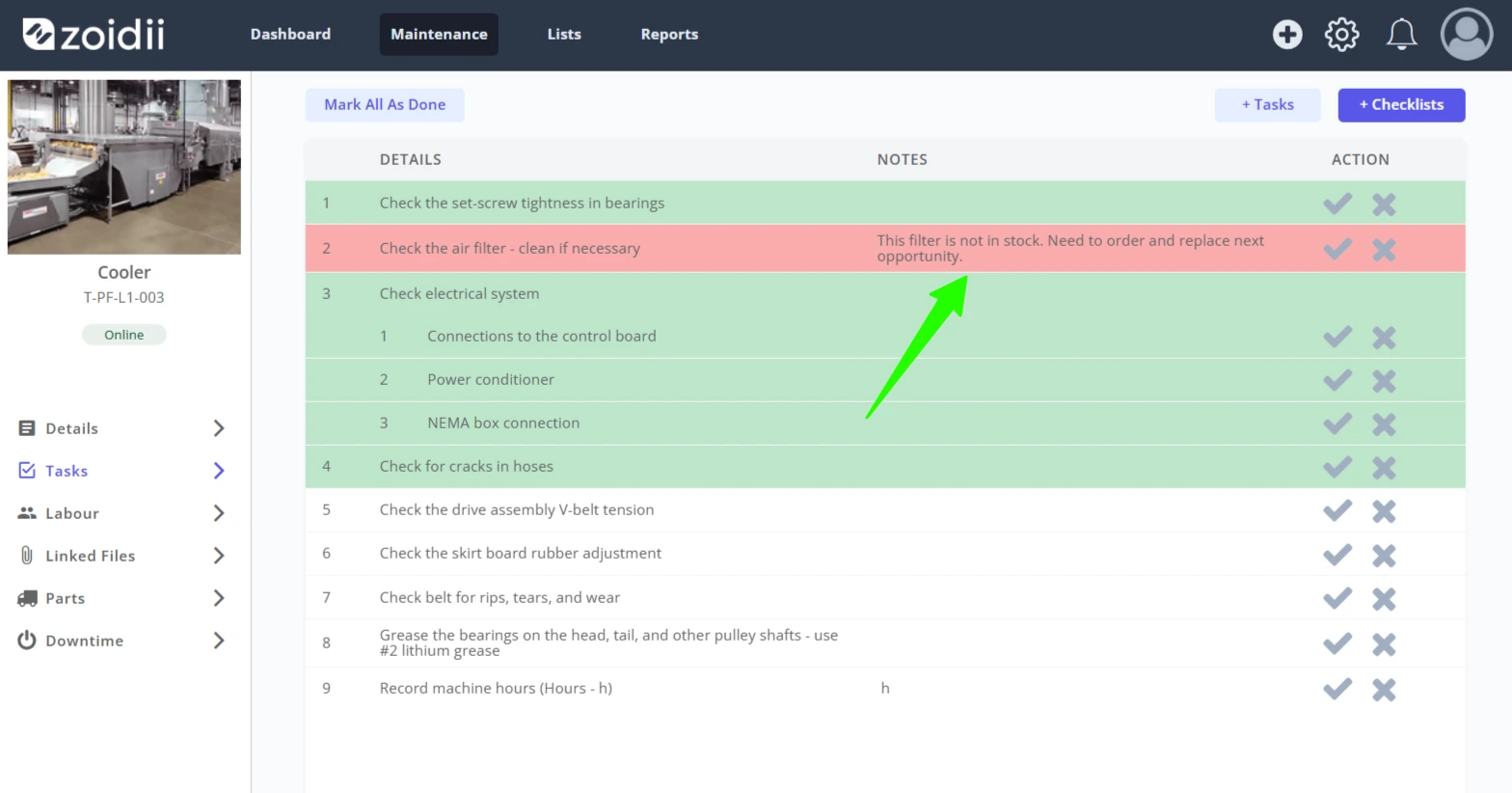
3. The task is highlighted green when the task is signed off as Done/Passed
4. If the task is to be skipped, or has failed the inspection, click the X icon.
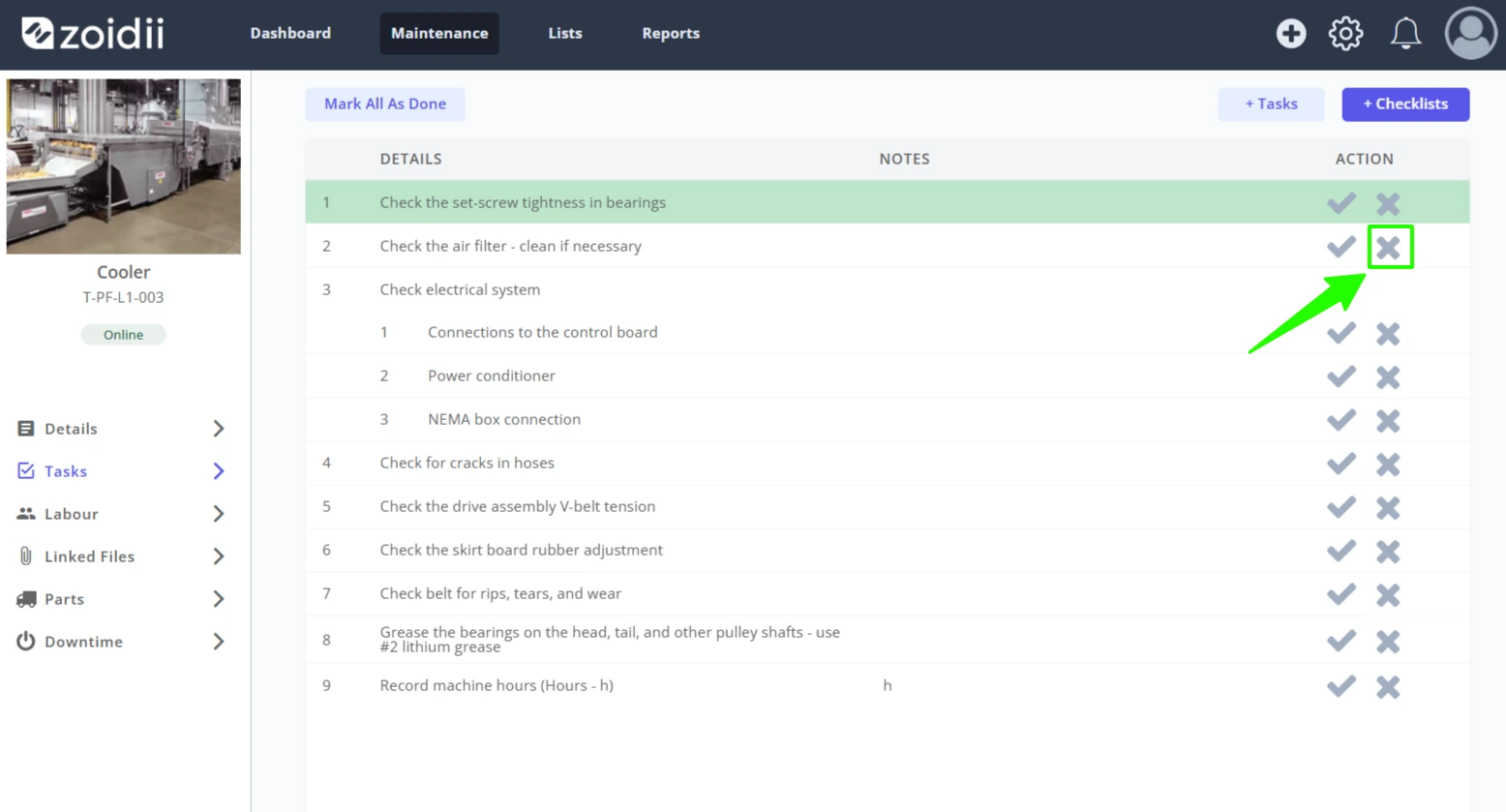
5. For this example, the air filter is beyond cleaning so should be replaced. The X is clicked and the task is marked as not done/failed
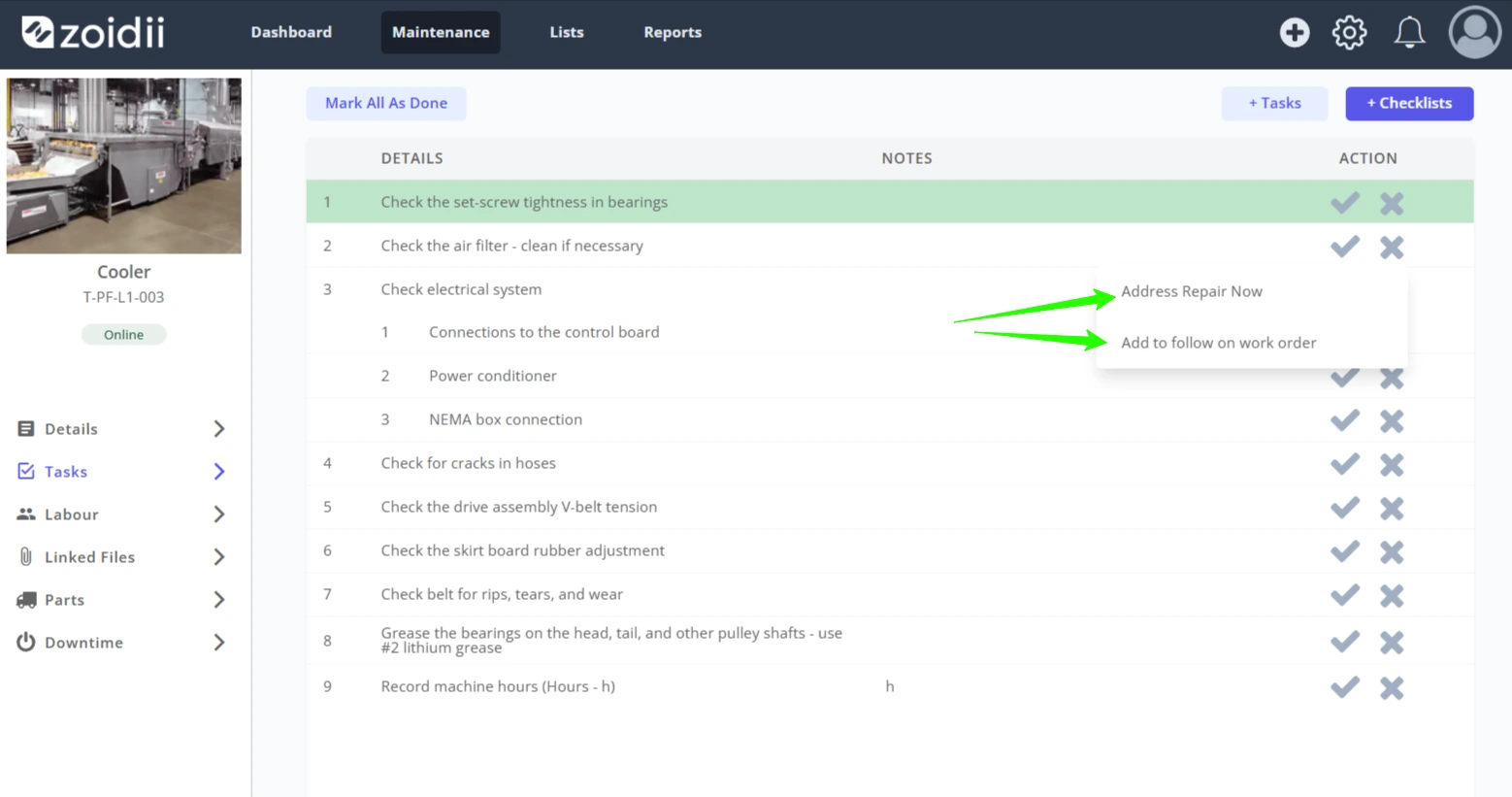
6. The technician has 2 choices - address the issue now, or add the issue to a follow on work order to be addressed later. For this example, the technician doesn't have a replacement in stock, so chooses to add the issue to a follow on work order
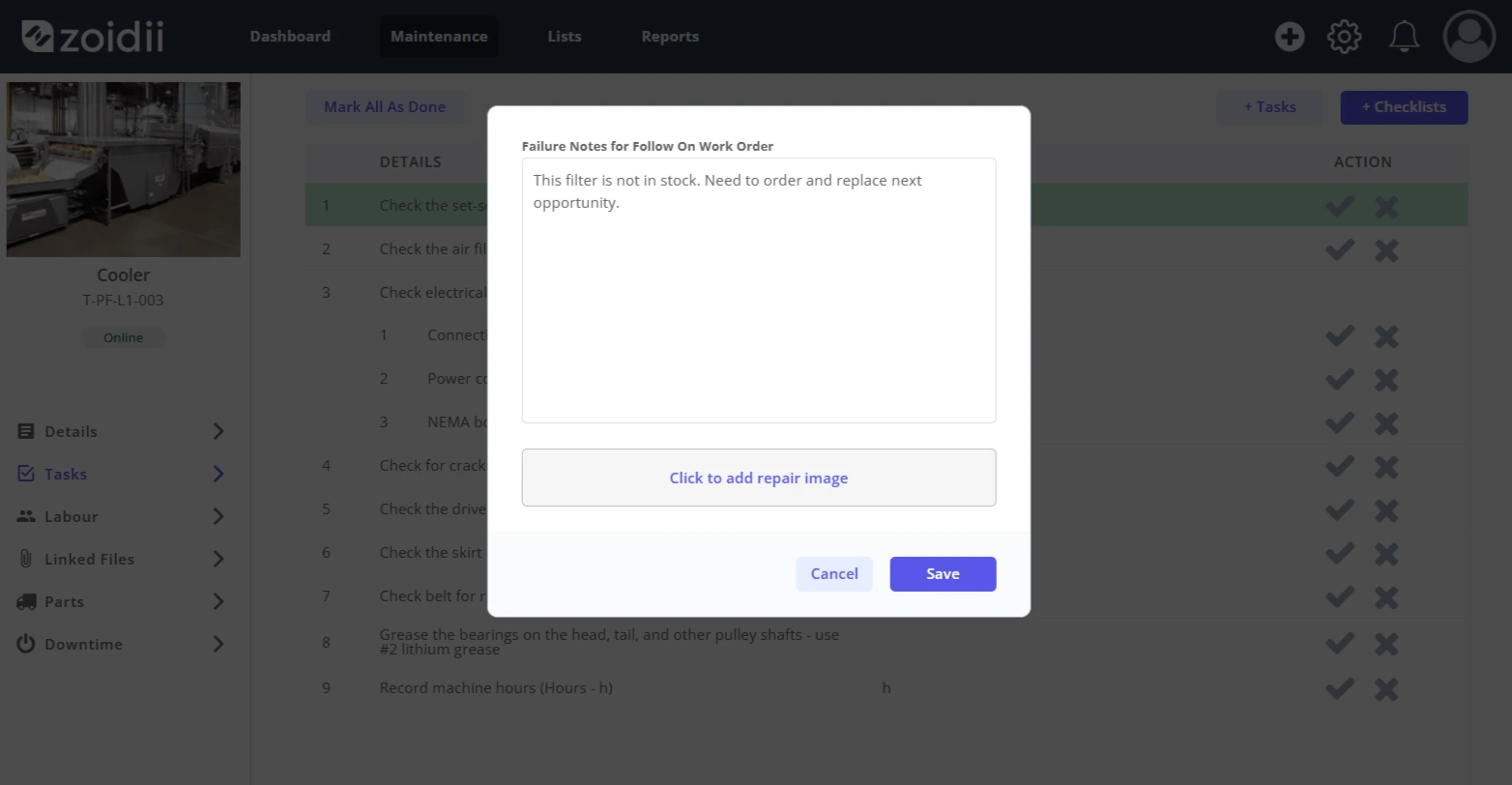
Note:- The follow on work order is not created until the work order is marked as Done
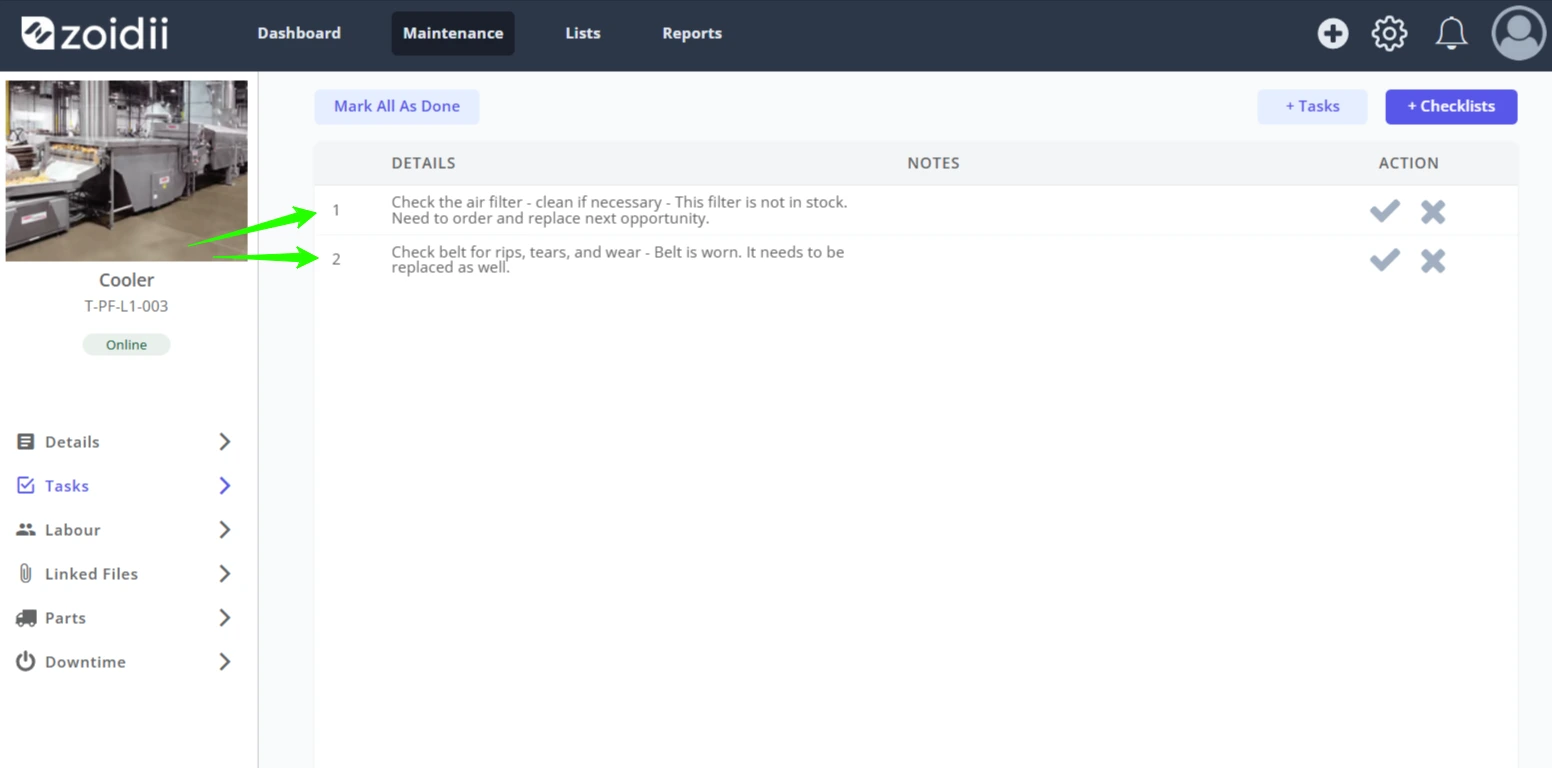
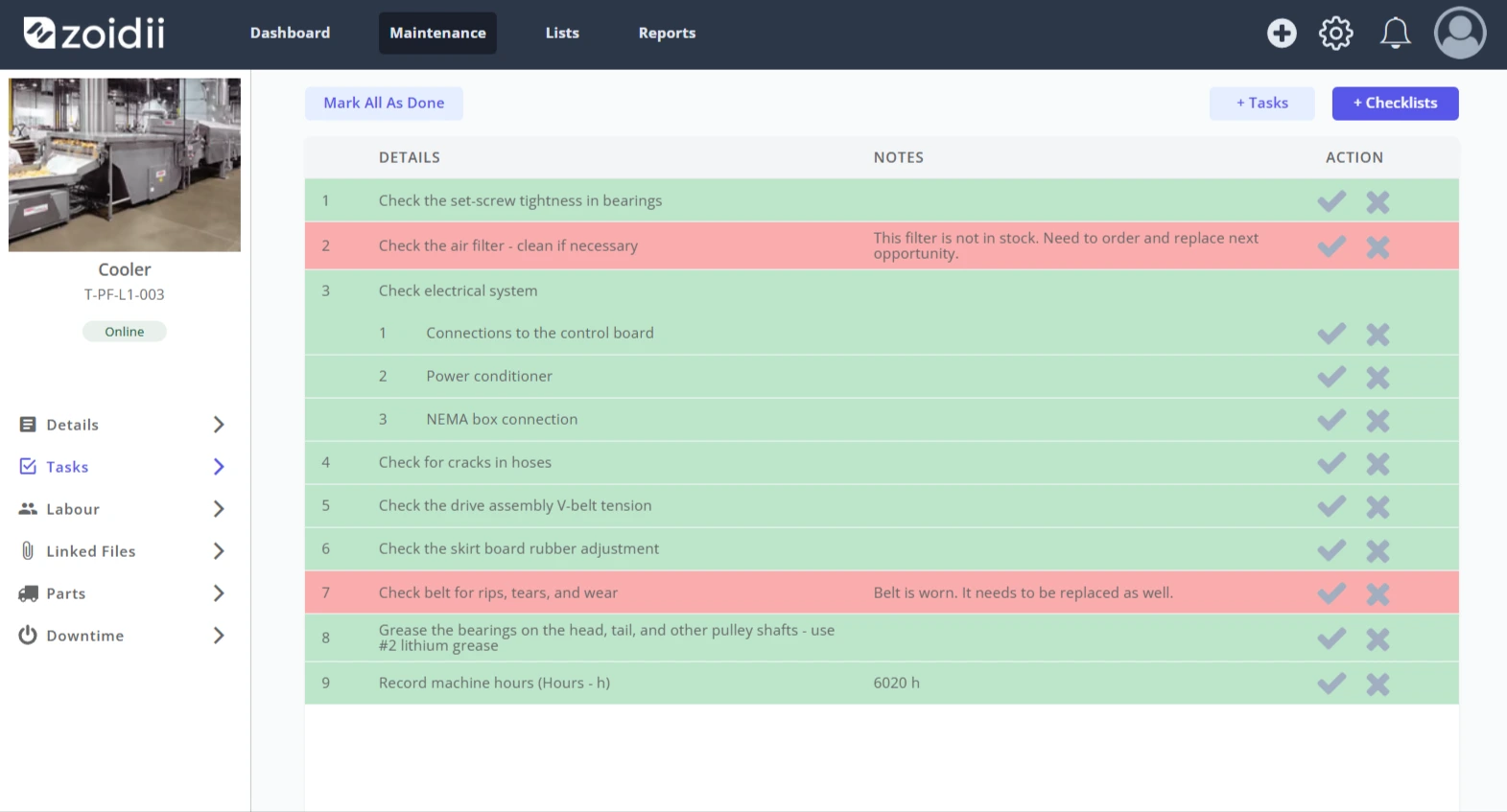
7. Click Save when done. The failed task is highlighted red
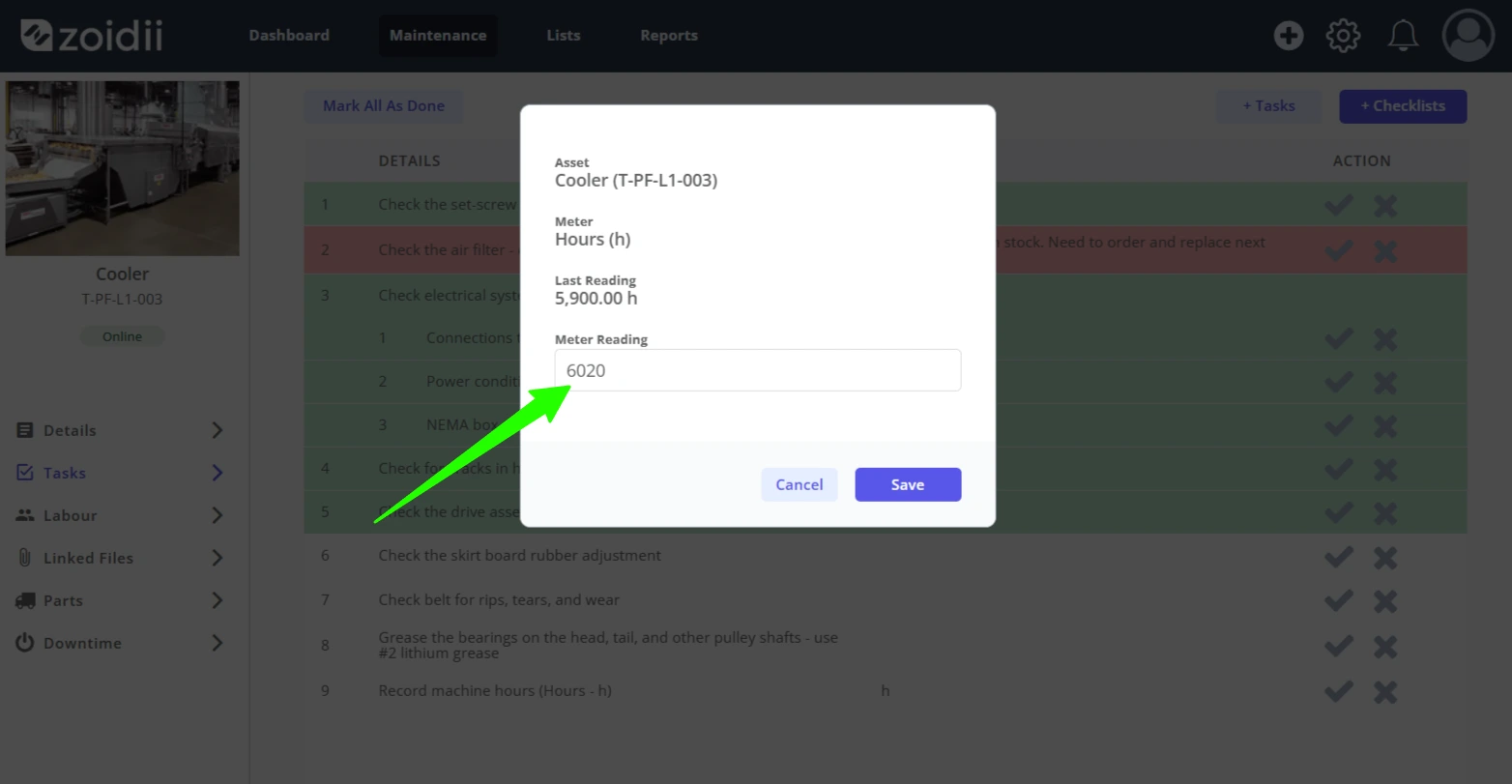
8. When closing off meter readings, click the tick icon
9. Add the meter reading and click Save New
10. Close off any remaining tasks in the Tasks tab as required.
11. When the work order is closed, any failed tasks that have been marked failed for the follow on work order, will be added to one single follow-on work order. In this example, work order #37 is the follow-on work order for PM work order #35
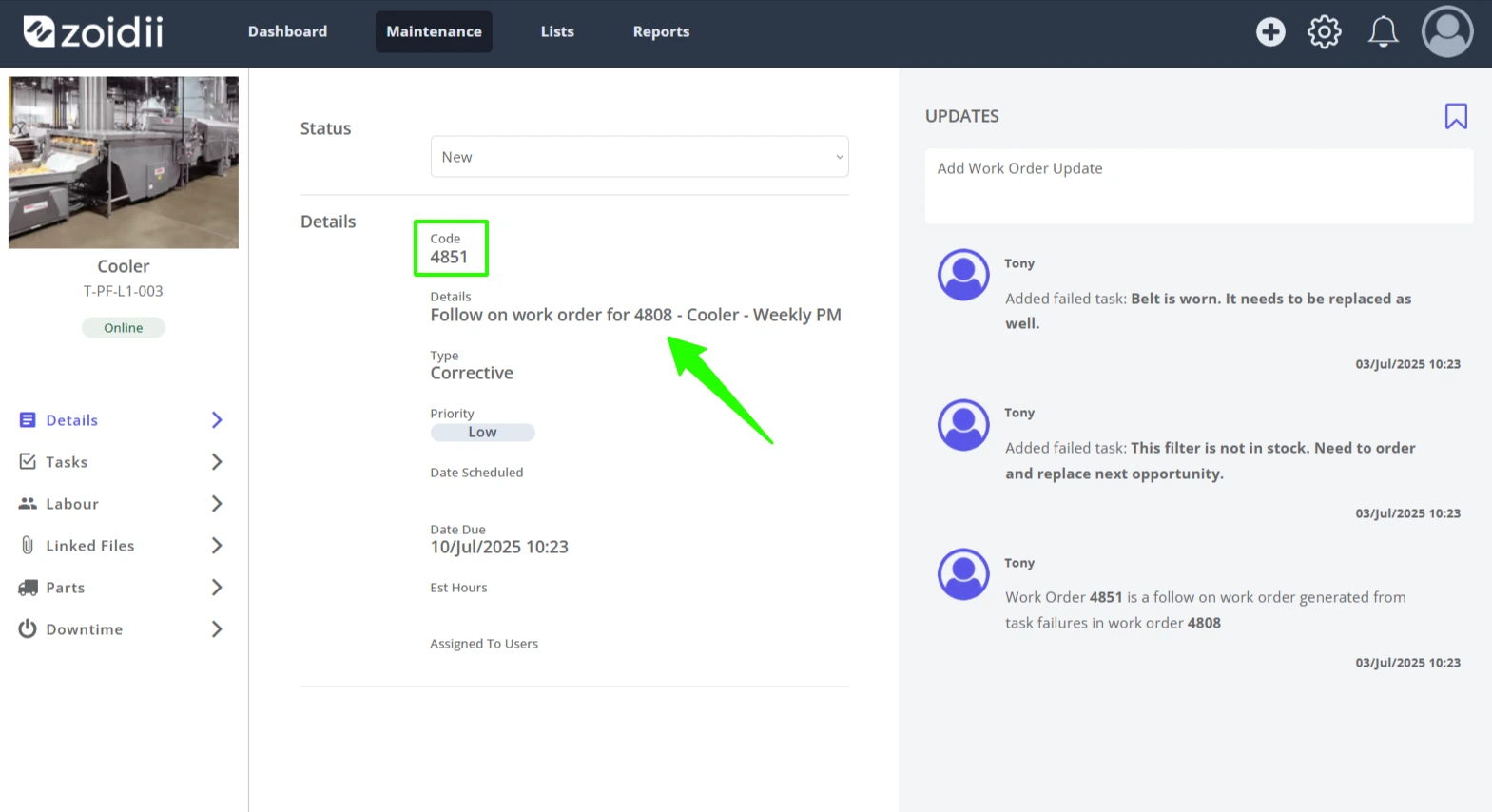
12. The failed tasks appear in the Tasks tab of the follow on work order