

Background
Vehicle manufacturers typically recommend a combination of time and meter-based PM. For example, service the vehicle every 10,000 miles or 1 year, whichever comes first.Note:- Zoidii PM triggers are set to fire when any of the trigger conditions are met
Prerequisites
Review the following two procedures:Procedure
1. Follow the Create a Time-Based PM or the Create a Meter-Based PM procedure until Step 3: Add Triggers. Click Add New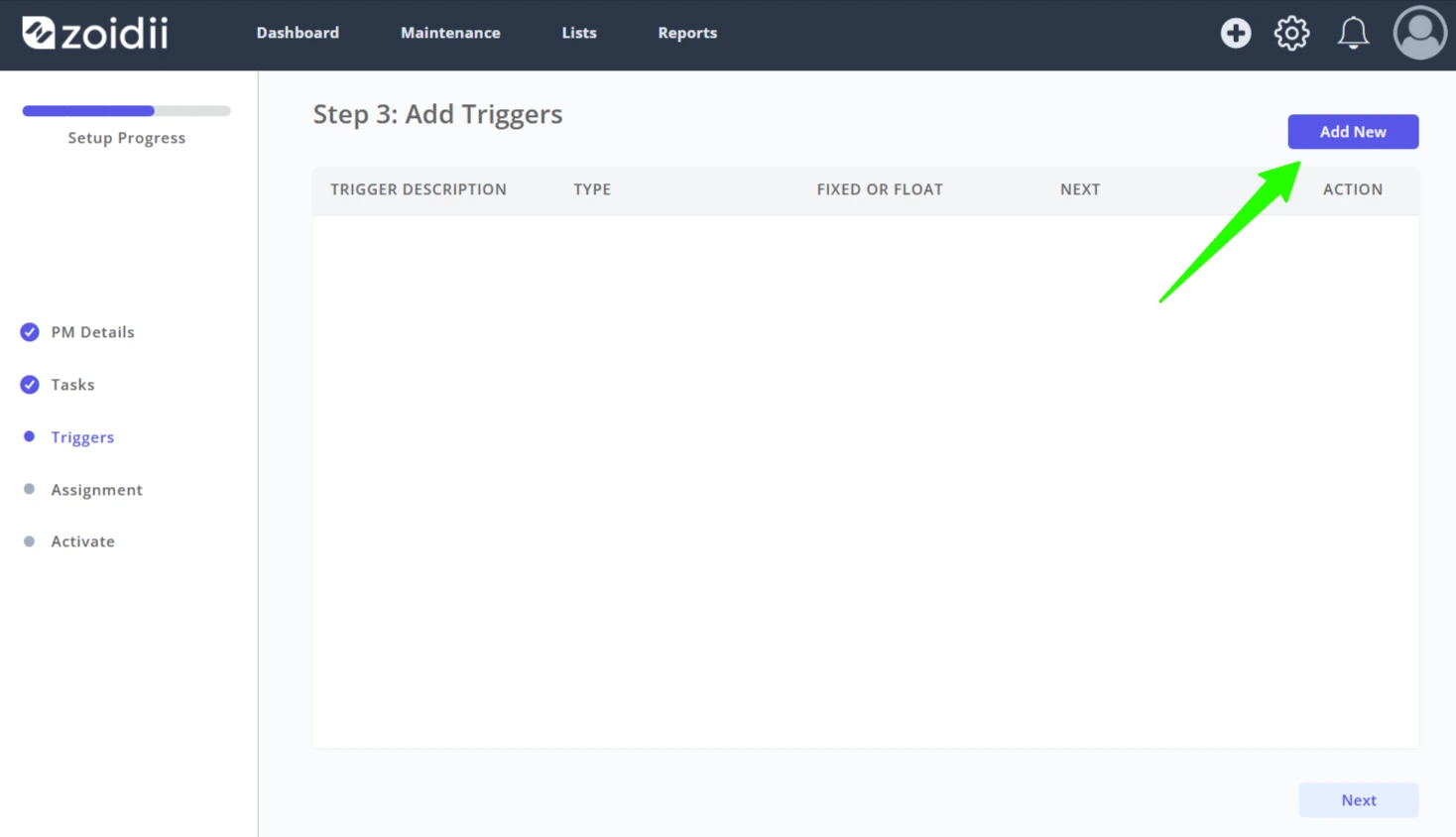
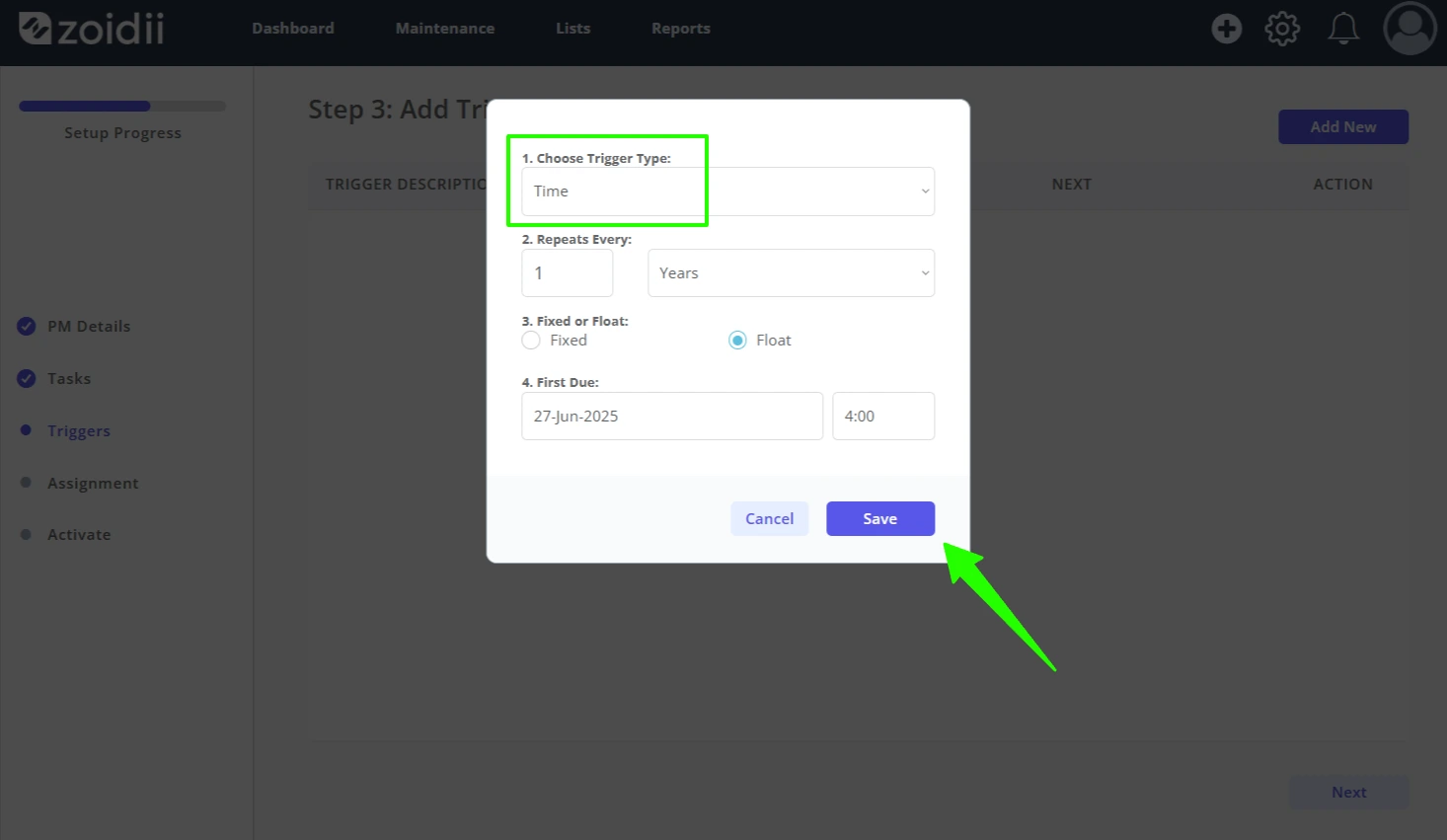
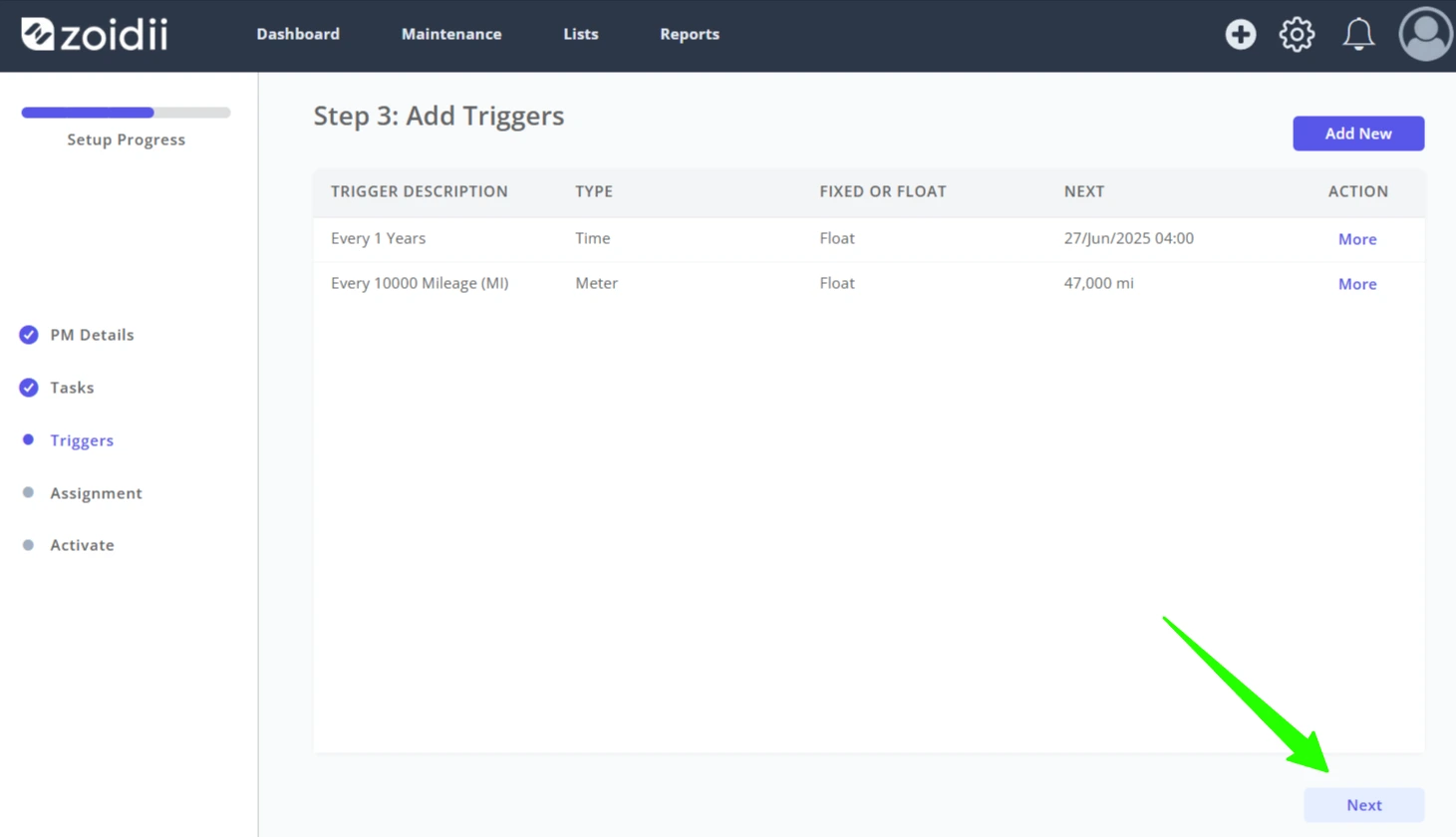
2. Configure a floating Time-Based trigger with the First due on date set for the next time the PM is due. Click Save New when done
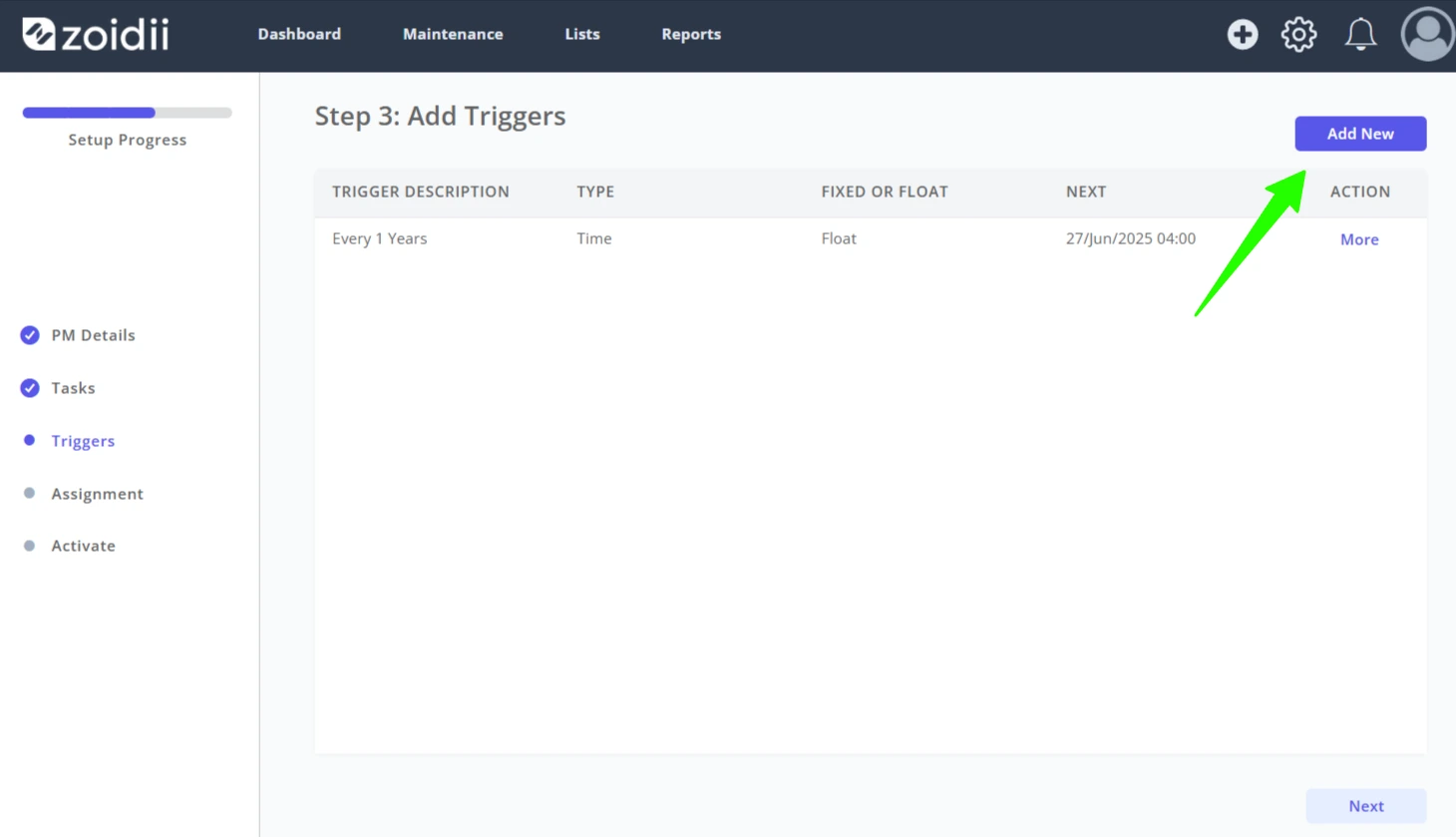
3. Repeat the process and click Add New again
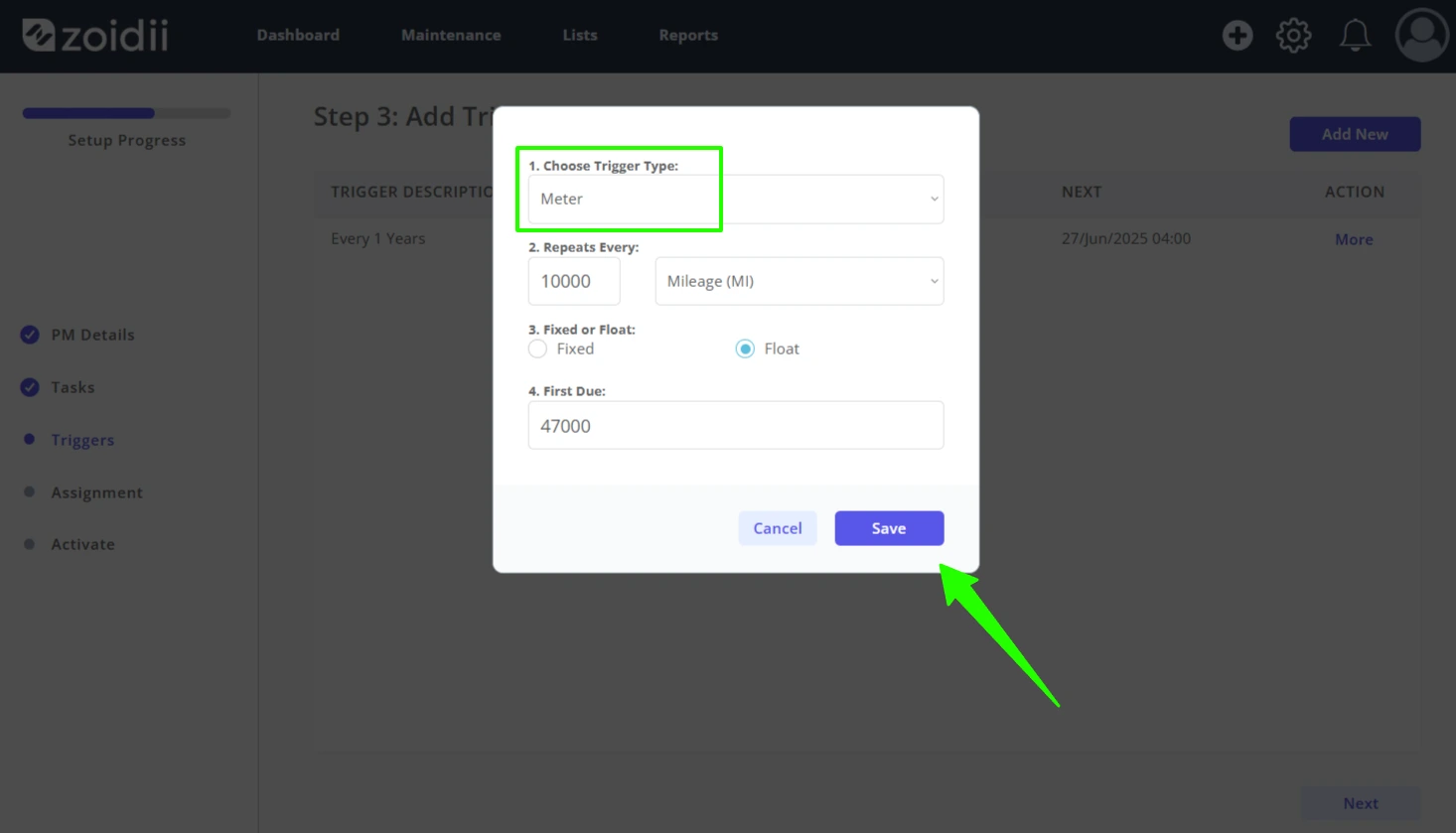
4. Configure a floating Meter-Based trigger with the PM set to fire at the next due meter point. Click Save New when done
5. PM triggers are set to fire when any of the trigger conditions are met.
In this example, the PM will trigger when a meter reading of 47,001 or greater is logged, or when the date and time pass April 2nd at 10am. Also, as both triggers are set to Float, both triggers will be adjusted when the corresponding work order is closed.
6. Click Next when done
7. Continue with step 4 of the Create a Time-Based PM or the Create a Meter-Based PM procedure