

Background
System administrators can delete work orders in the work order list section of the CMMS. Zoidii never fully deletes key records from the database. Rather, the work orders are soft deleted which means they can be recovered if needed
Procedure
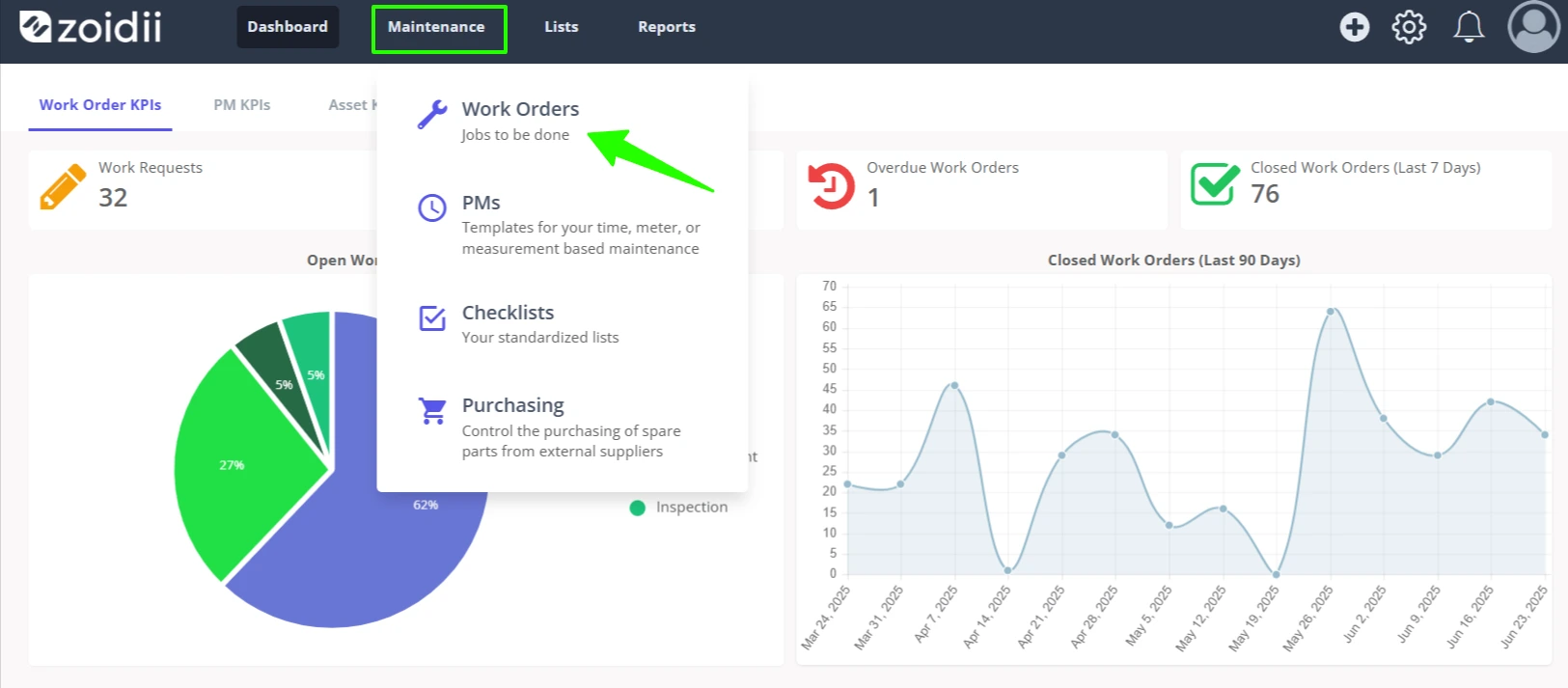
1. Navigate to the work orders list screen by clicking Work Orders in the Maintenance main menu
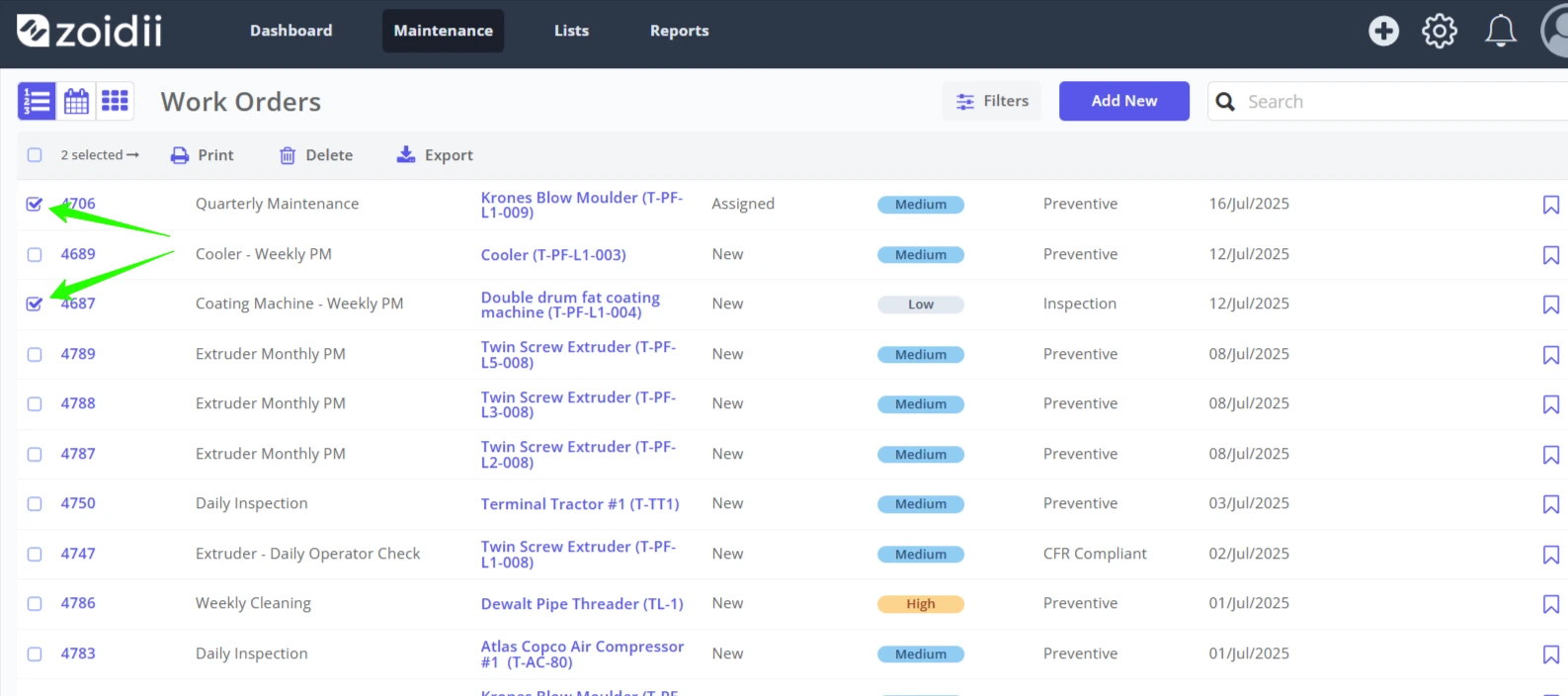
2. Check the checkboxes for the work orders to be deleted
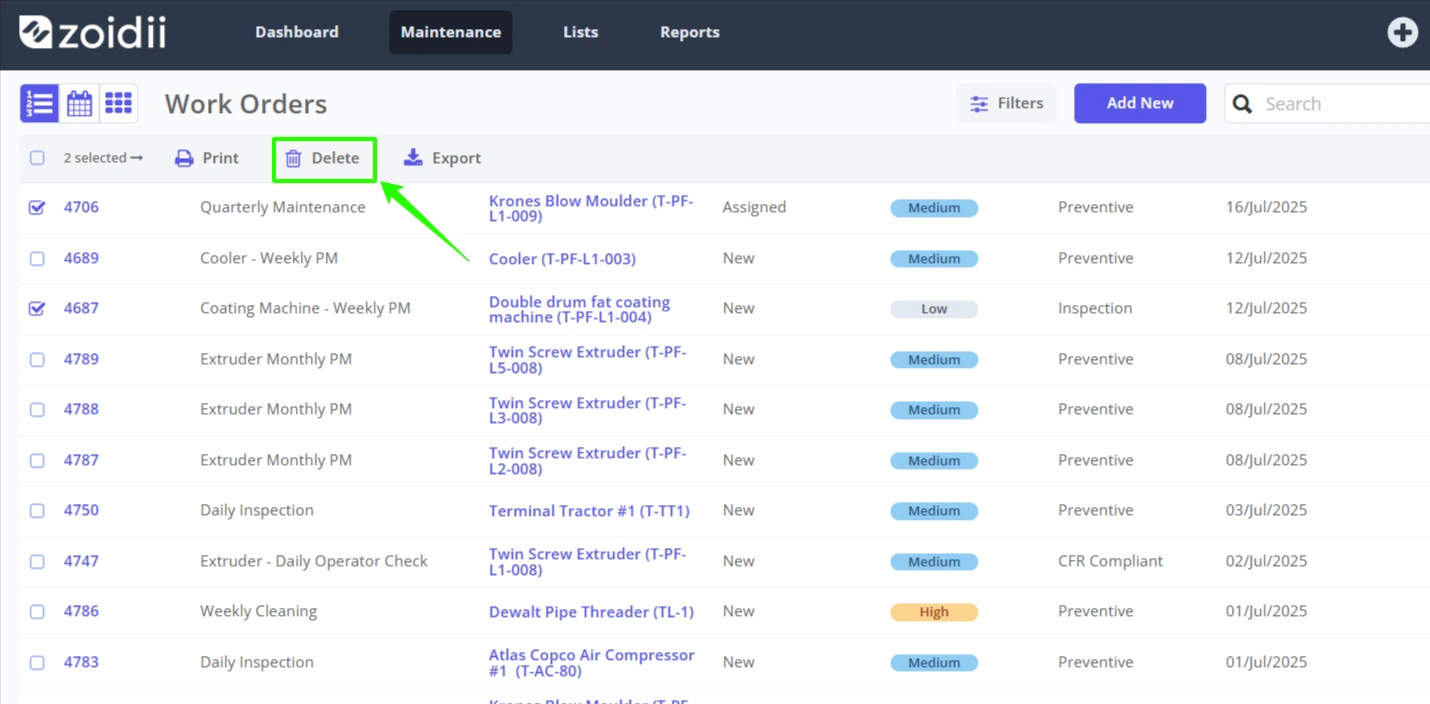
3. Click Delete
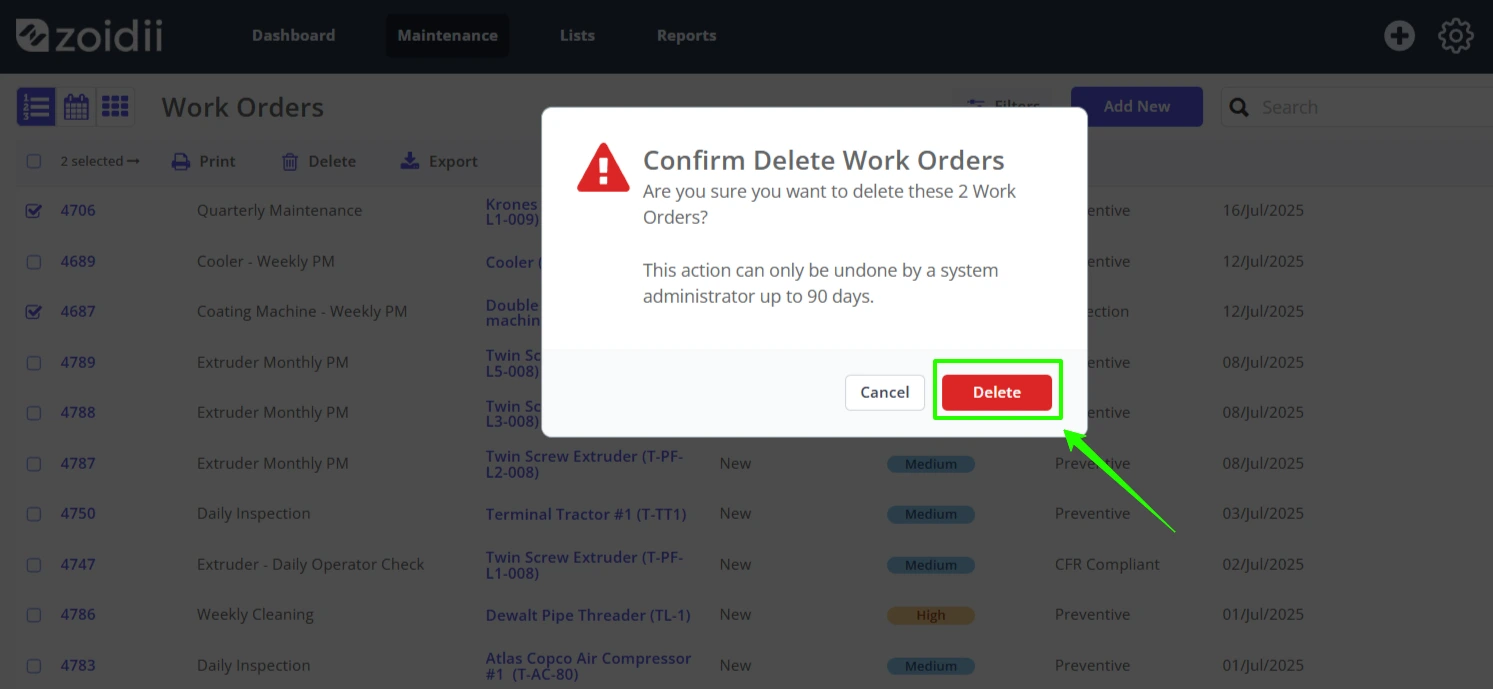
4. Confirm the delete action by clicking the red Delete button
5. The work orders are now soft deleted in the system. They are not available to view on the work order lists. They can be recovered by Zoidii tech support if needed.