Background
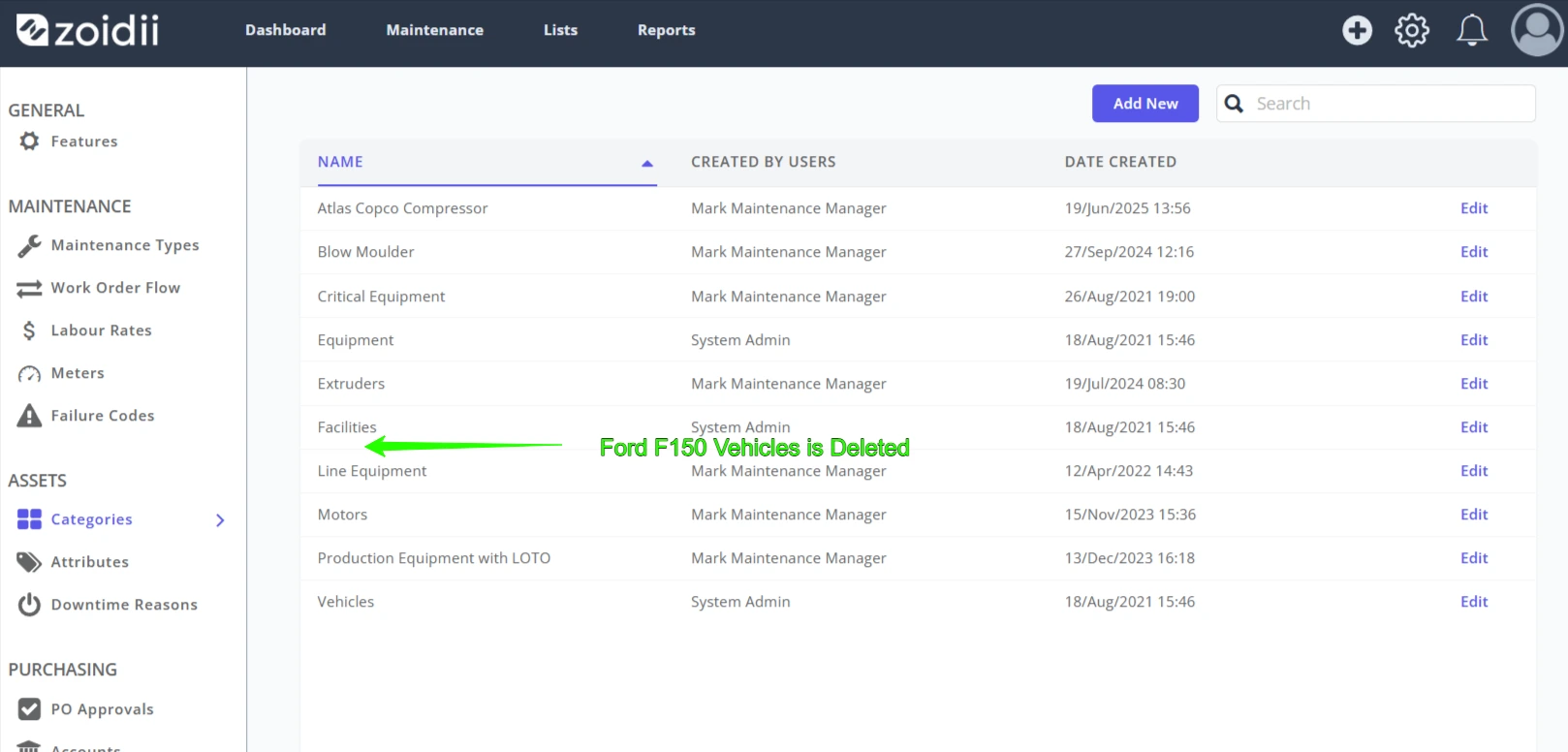
System administrators can delete asset categories in the settings section of the CMMS. As asset categories leave no related history in the database, they are permanently deleted and cannot be recovered.
Procedure
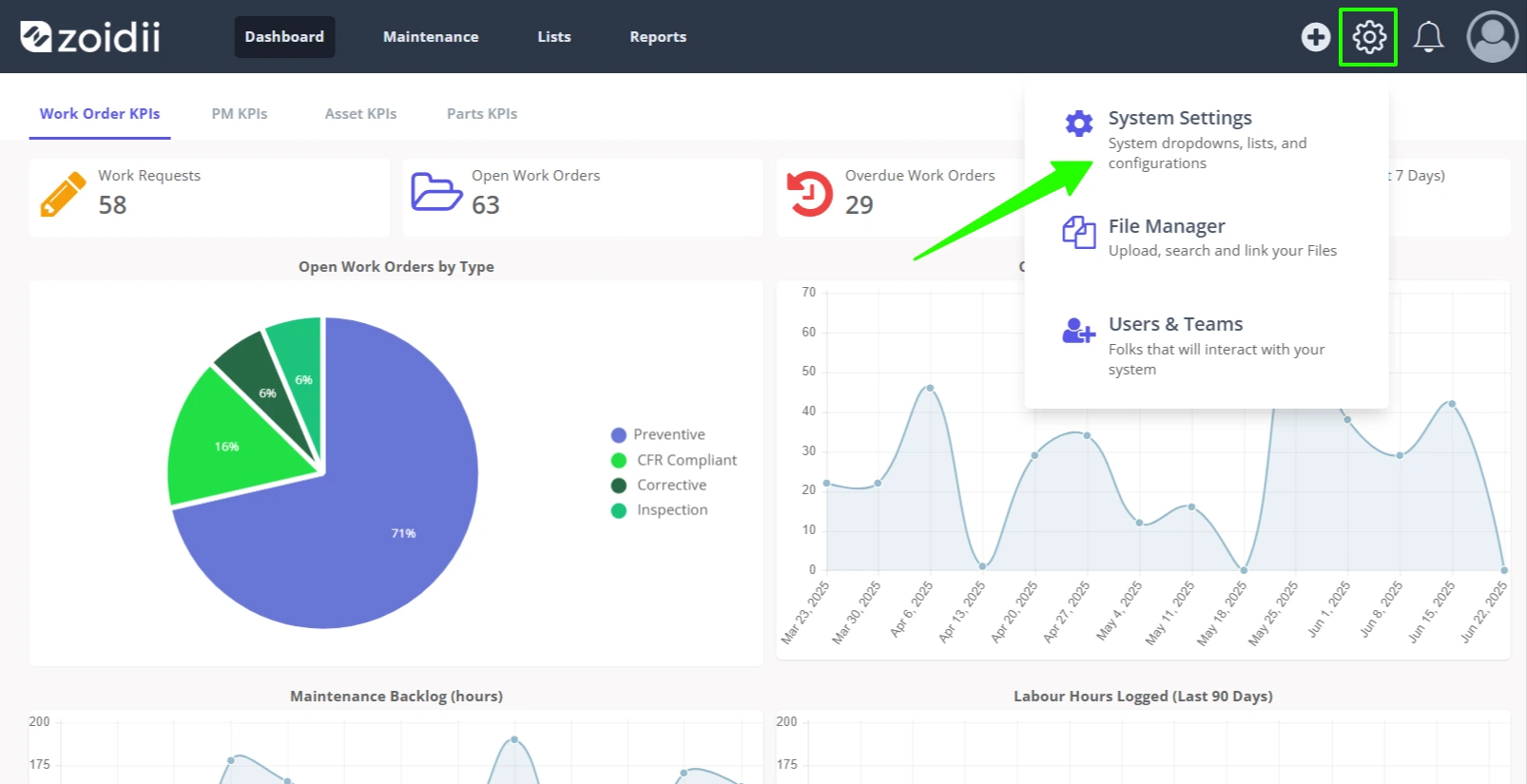
1. On the top right-hand side, click the settings menu icon. Select System Settings
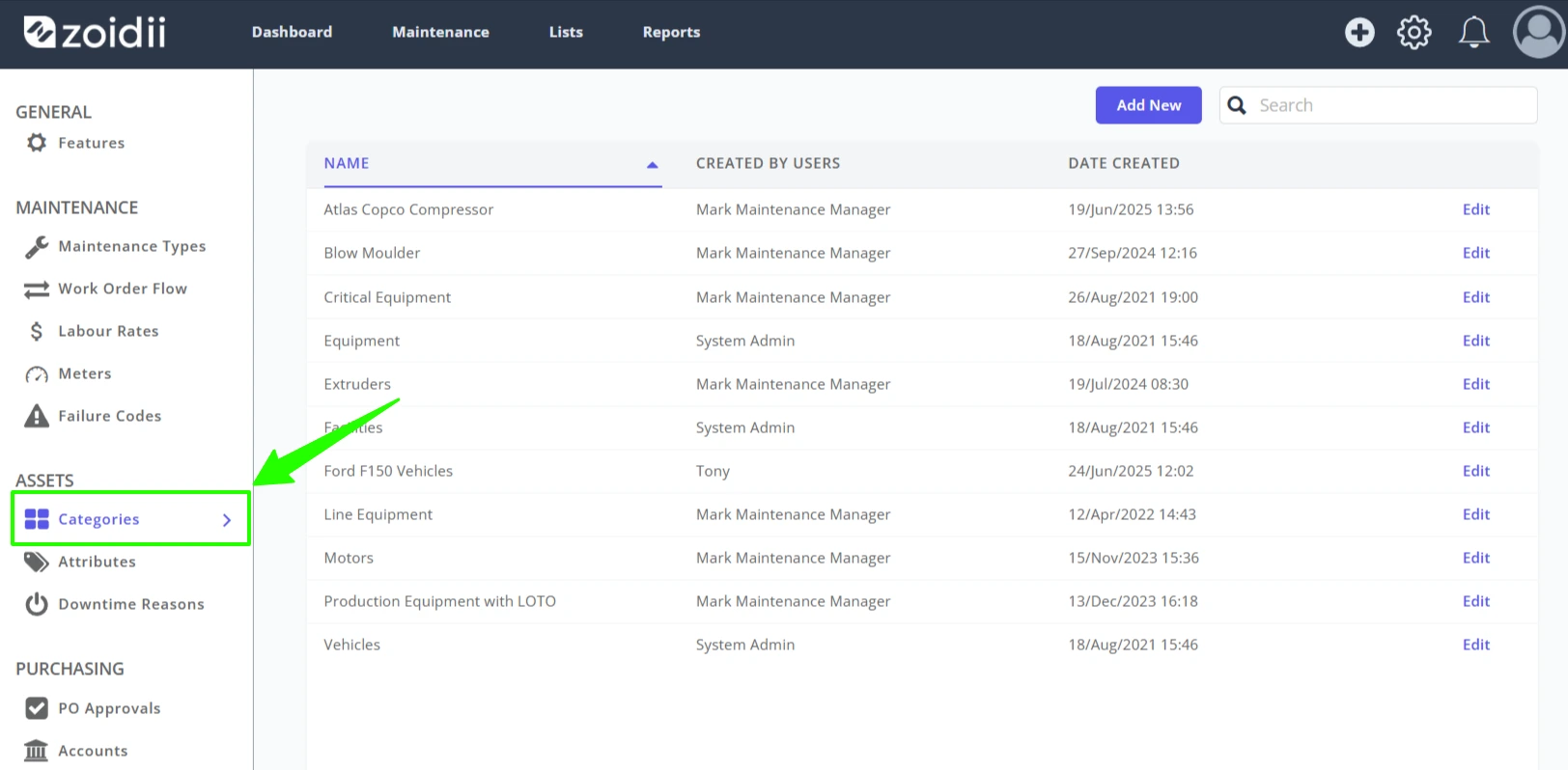
2. Click into the Categories tab
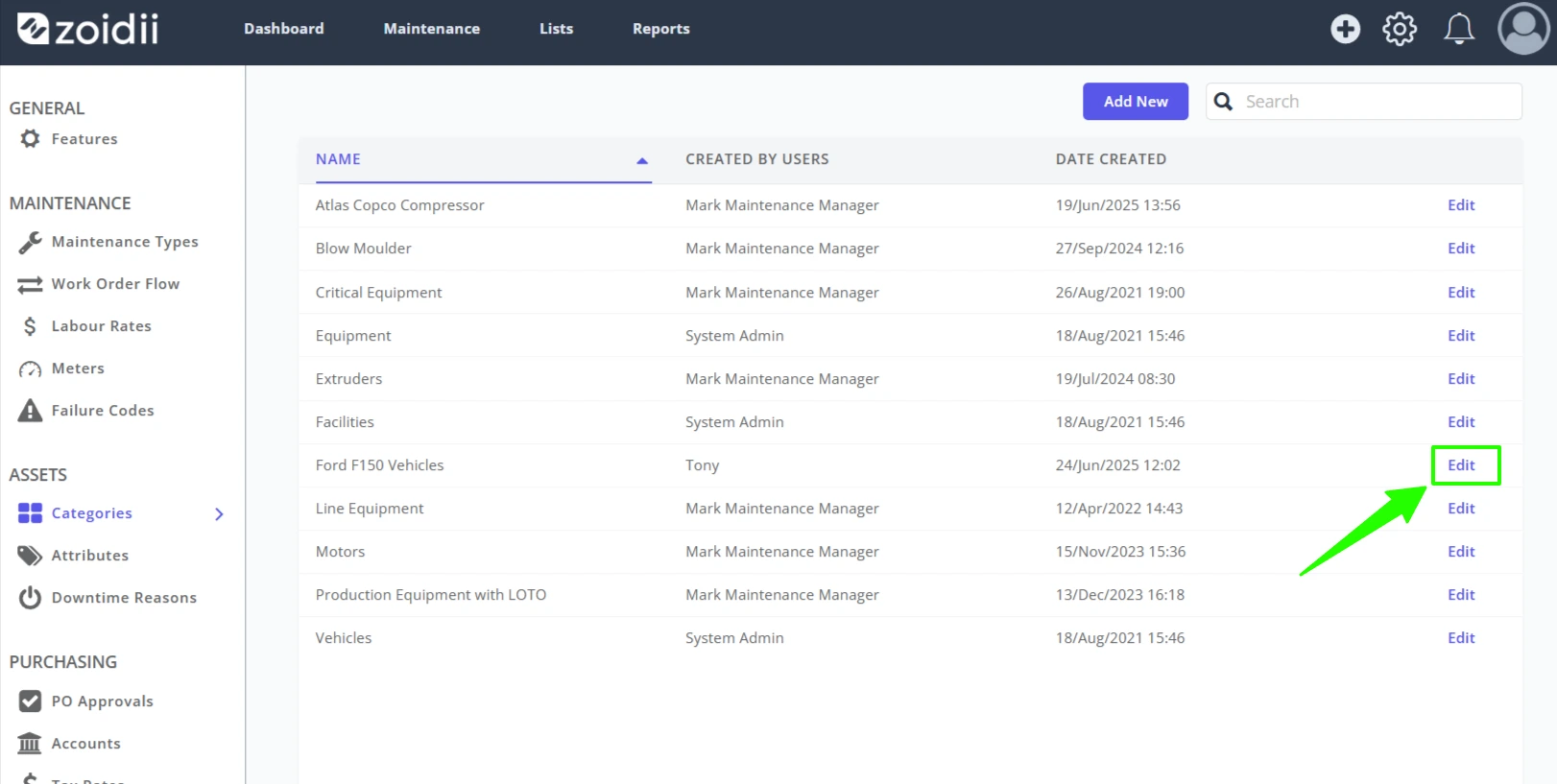
3. Click Edit opposite the asset category to be deleted
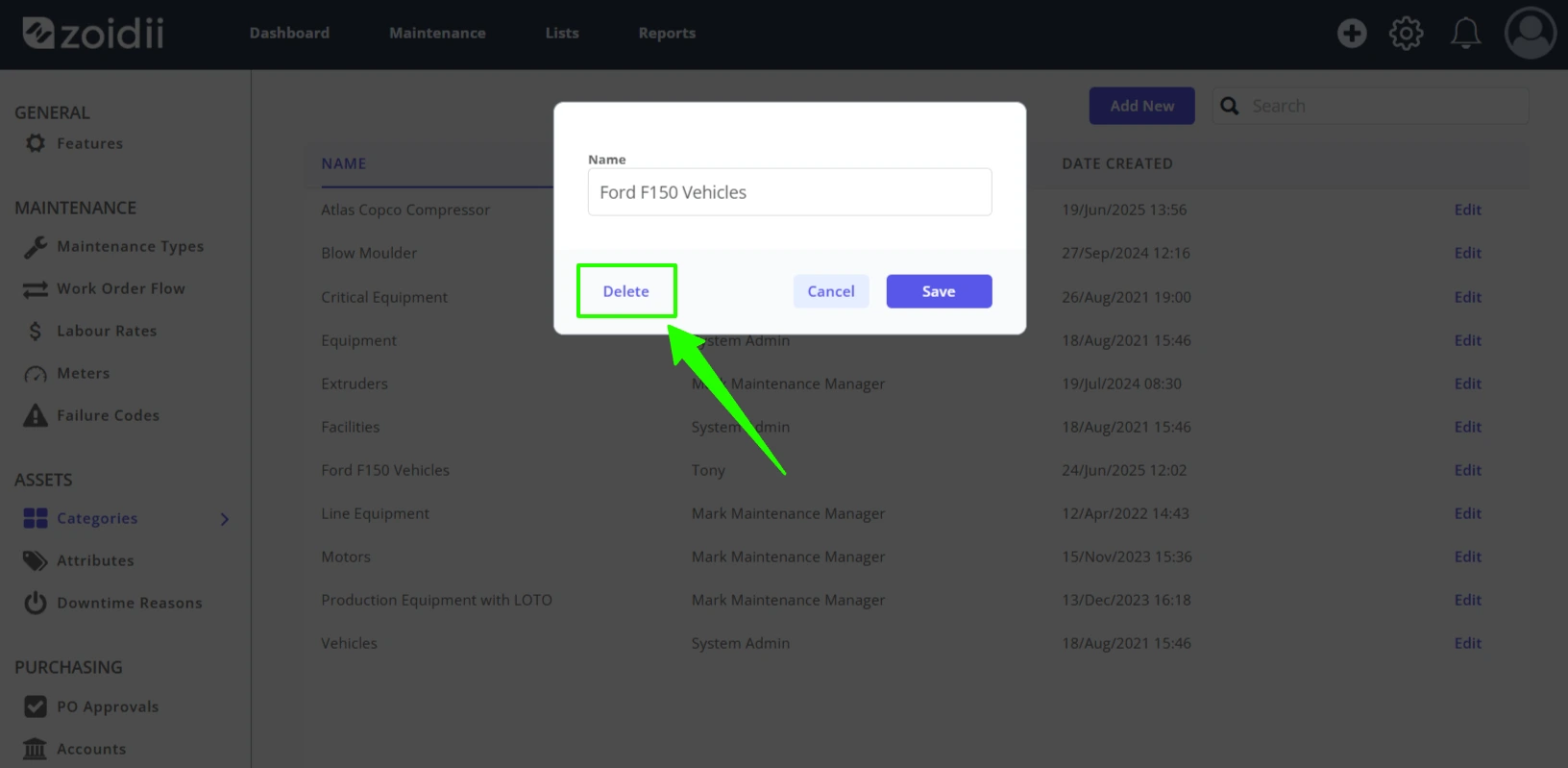
4. Click Delete in the popup window
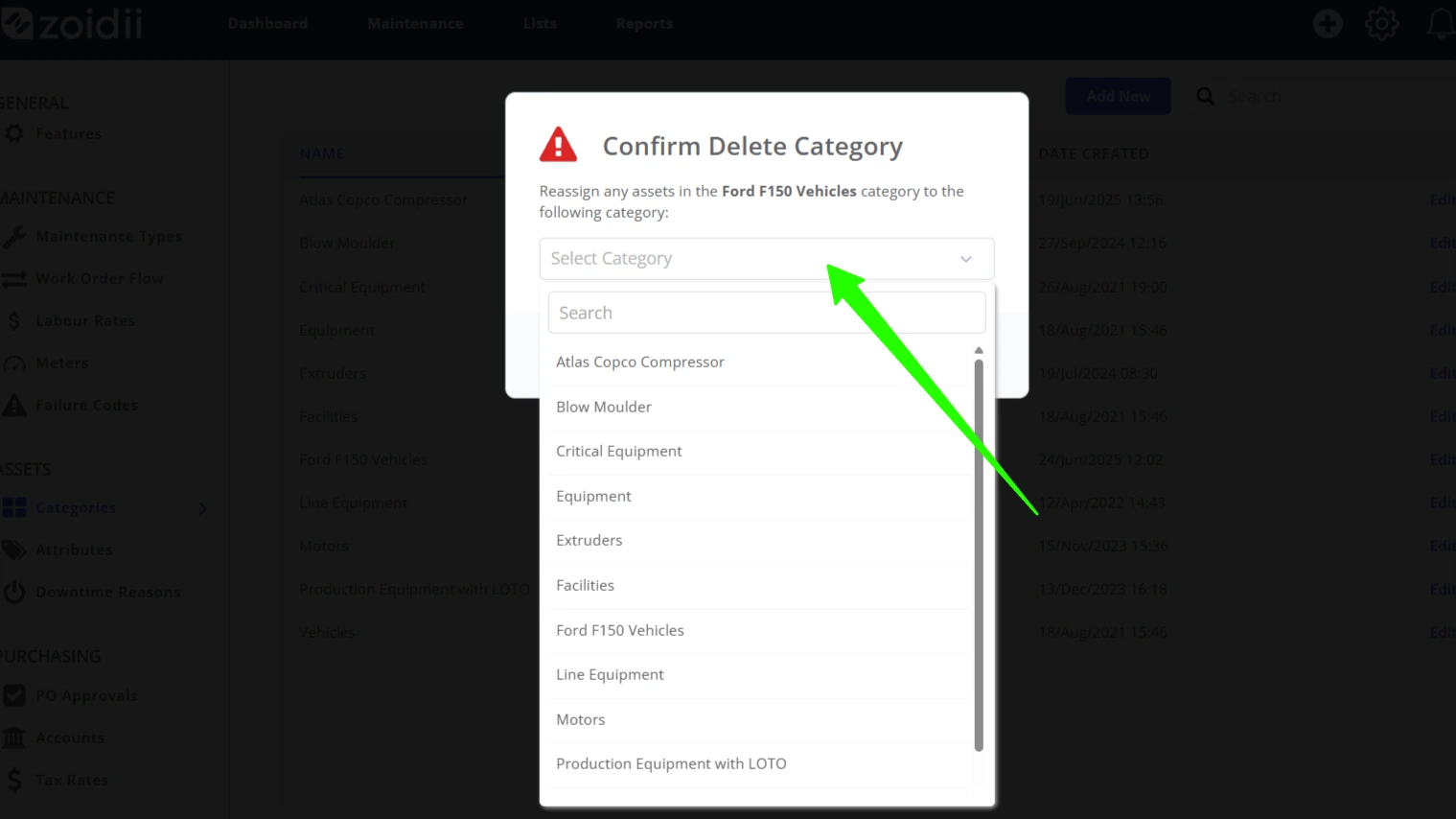
5. Any assets currently assigned must be reassigned to another category. This prevents having a gap in the database when the asset category is deleted. Select the reassign category from the dropdown menu.
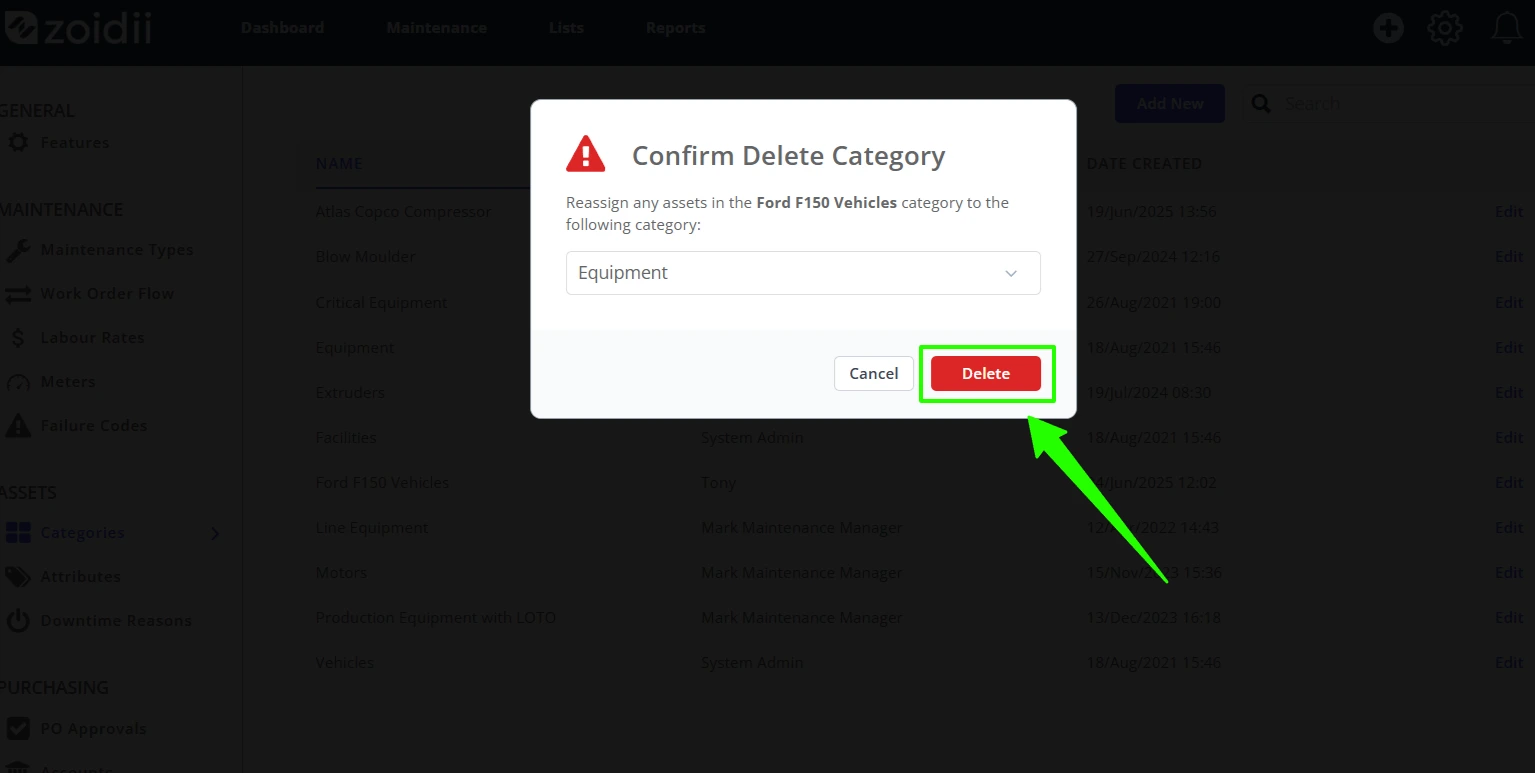
6. In this example, the assets will be reassigned to the default equipment category. Click Delete to reassign the assets and permanently delete the category.
7. The action is complete, and the category is permanently deleted