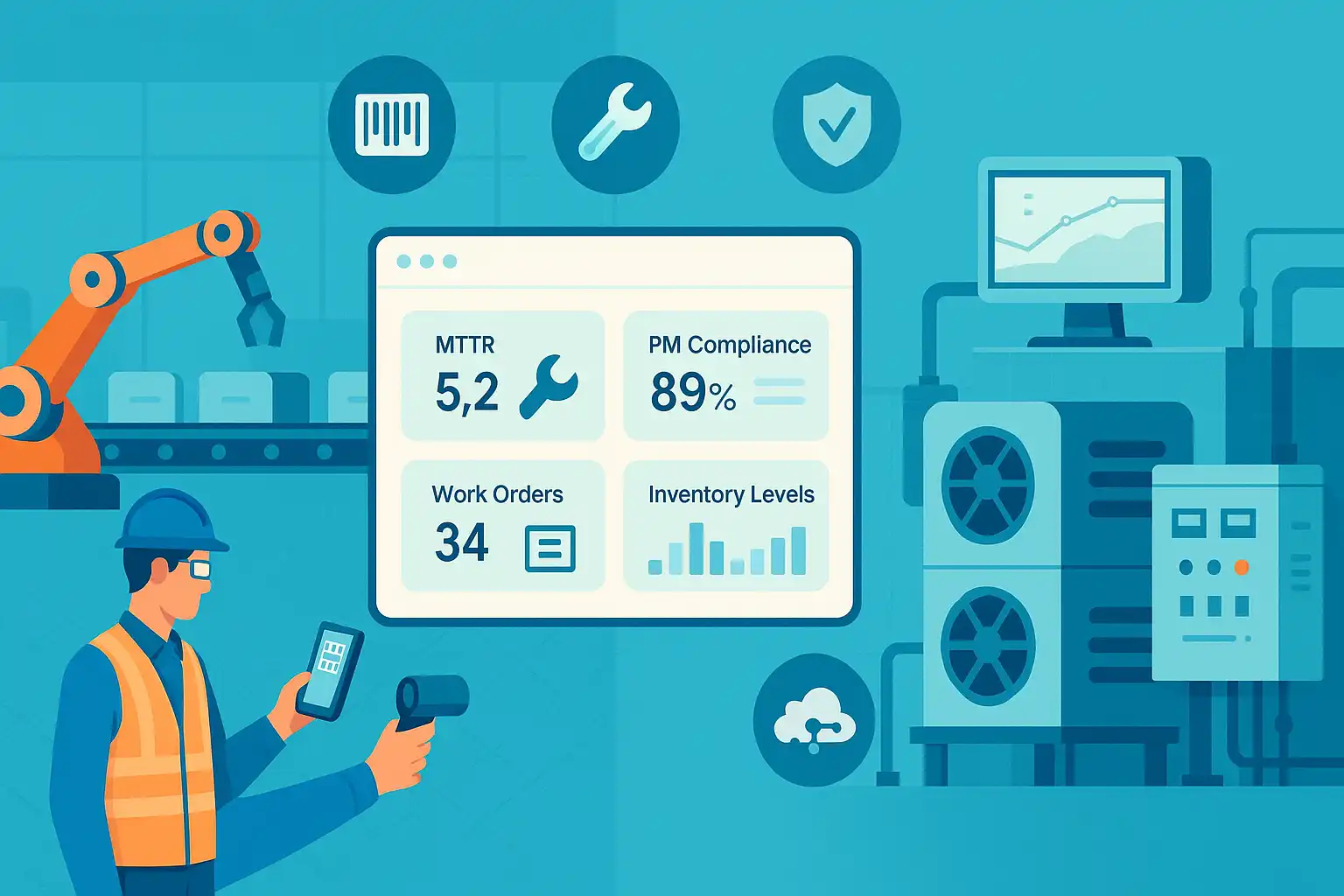
If you rely on equipment or facilities to deliver products and services, maintenance is not a “nice-to-have”—it’s mission-critical. A Computerized Maintenance Management System (CMMS) enables organizations to transition from reactive firefighting to a predictable, data-driven maintenance program. Below is a practical guide to what CMMS is, why it matters, and how to choose, implement, and adopt it successfully.
What Is Computerized Maintenance Management Software (CMMS)?
A CMMS is software that centralizes maintenance information and streamlines maintenance operations: assets, work orders, preventive schedules, parts, vendors, costs, and reports. In short, it’s the digital backbone of your maintenance program. CMMS tools help maintenance teams plan work, track activity, and demonstrate performance—often improving uptime, effortless audit compliance, and safety along the way. While CMMS focuses on day-to-day maintenance execution, it often overlaps with enterprise asset management (EAM) capabilities in larger suites—the common denominator: a single source of truth for maintenance data and processes.
Benefits of Using CMMS Software
Higher equipment uptime. Preventive and condition-based maintenance schedules reduce unplanned downtime and extend asset life by making maintenance timely rather than reactive.
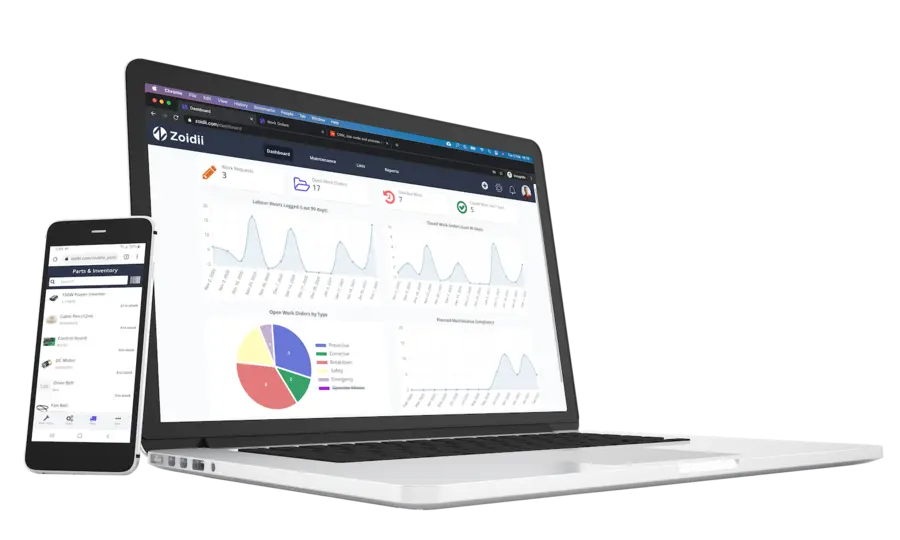
Better visibility and control. You can view open work orders, backlog, labor assignments, asset histories, and cost trends in one place, enabling faster decision-making and resource allocation.
Stronger compliance and safety. CMMS maintains auditable records of inspections, calibration, and repairs. That paper trail helps satisfy regulatory requirements in industries like food & beverage, pharmaceuticals, and utilities.
Improved communication. Technicians, planners, and requesters collaborate through standardized work requests, checklists, and mobile updates, reducing lost information and rework.
Actionable reporting. Dashboards and KPIs (e.g., mean time to repair, work completion rates, parts usage) make it easier to justify budgets and facilitate continuous improvement.
How Can CMMS Software Help Improve Your Business Efficiency?
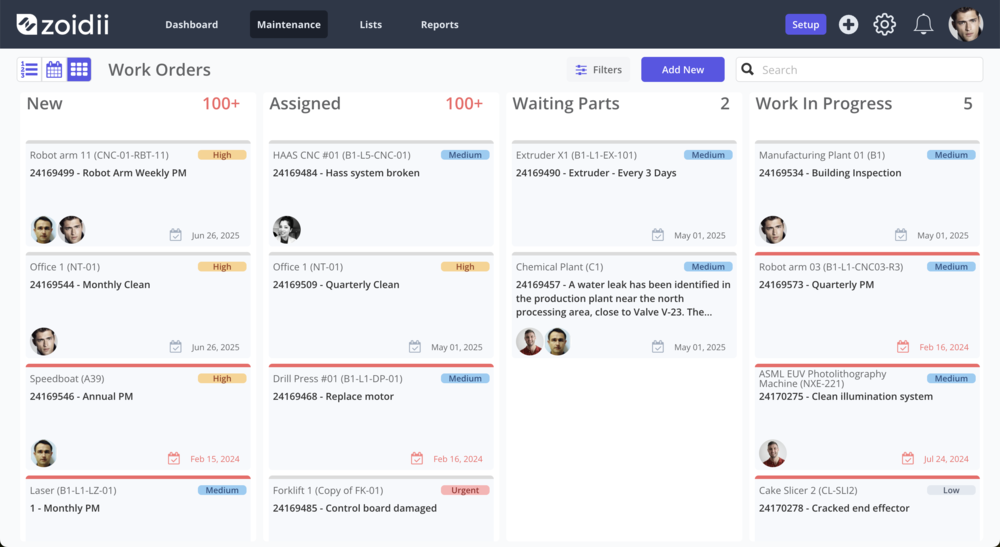
A CMMS streamlines the full maintenance workflow:
- Intake: Users submit standardized work requests (often via QR codes or a portal), which can be automatically routed for approval or triage.
- Planning & scheduling: Planners assign labor, parts, and procedures; calendars and backlogs ensure the right work gets done at the right time.
- Execution (mobile-first): Technicians receive prioritized work orders on mobile devices, complete checklists, add photos/notes, and close jobs in the field so nothing falls through the cracks.
- Closeout & learning: Work order data (time, failure codes, parts, costs) rolls into asset histories and reports, creating feedback loops that improve future maintenance plans.
How Can CMMS Software Help Reduce Costs?
- Prevent break-fix premiums. Proactive maintenance reduces emergency callouts, rush shipping for parts, and lost production hours.
- Optimize inventory. Integration between work orders and parts usage reveals true consumption patterns, allowing you to right-size stock levels and avoid both stockouts and dead inventory.
- Cut administrative waste. Digital workflows replace manual spreadsheets and whiteboards, reducing the need for double entry and errors.
- Extend asset life. Tracking conditions and failures over time helps you intervene earlier and plan replacements more intelligently.
What CMMS Software Options Are Available?
There are dozens of credible CMMS platforms. Here are representative, widely used options (non-exhaustive) to help you explore the landscape:
- Fiix (Rockwell Automation): Cloud CMMS with strong work order management, scheduling, and mobile capabilities; emphasizes ease of use and integrations.
- Zoidii: A mobile-first CMMS known for quick technician adoption, robust work order workflows, and analytics.
- eMaint (Fluke Reliability): CMMS/EAM with broad functionality (work orders, PMs, assets, inventory) and an emphasis on connected reliability/IIoT.
- Limble CMMS: Modern CMMS and asset platform focused on usability, asset histories, work-parts integration, and guided evaluation content.
- Enterprise suites: Larger organizations may also consider IBM Maximo or SAP EAM, which extend into enterprise asset management and broader operations.
What Features Should You Look for When Choosing a CMMS Software Solution?
Most teams benefit from the following core capabilities:
- Work order management: Easy creation, prioritization, assignment, and closeout with procedures, checklists, photos, and failure codes.
- Preventive & condition-based maintenance: Calendar/meter-based PMs, triggers, and escalations to keep schedules on track.
- Asset management & histories: Centralized asset records with maintenance logs, documents, meter readings, and lifecycle costs.
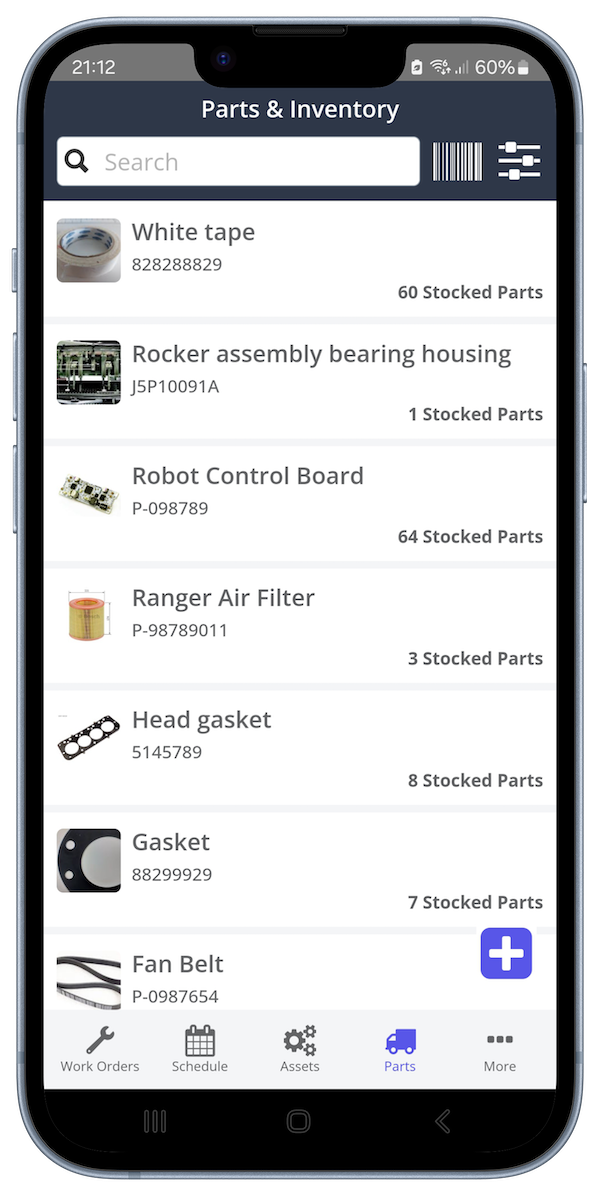
- Parts & Inventory: Link parts to assets and work; manage minimum and maximum levels; track consumption to reduce stockouts.
- Mobile apps: Field-ready work with an intuitive interface to eliminate paperwork.
- Requests portal & QR codes: Lightweight intake for non-maintenance staff, providing quick access to submit requests in the field.
- Dashboards & reporting: KPIs, cost tracking, and exportable reports for audits and management reviews.
- Integrations & APIs: Connect to ERP, SCADA/IIoT, purchasing, and SSO—critical as you mature.
- Security & multi-site support: Role-based access, audit logs, and the ability to manage multiple plants or facilities.
What Are the Steps to Implementing a CMMS System?
Implementing a CMMS system requires careful planning and execution. First, businesses should assess their current processes and identify areas for improvement. Understanding your needs at the outset will help determine which features are most important in the system. Next, businesses should select a vendor that best meets their needs and budget requirements. After choosing the vendor, project owners should create a detailed plan for implementing the system.
The implementation plan should include the following:
- Configuring the application.
- Training employees on the system.
- Setting up user accounts.
- Testing the CMMS system before going live.
What Challenges Do Businesses Face When Implementing a CMMS System?
- Dirty or incomplete data. Inconsistent asset names, missing BOMs, and outdated PM procedures lead to bad reports and low trust.
- Process ambiguity. If you digitize broken processes, you’ll get digital chaos. Clarify intake, prioritization, and scheduling rules first.
- Change resistance. Techs may see CMMS as “extra clicks.” Without clear WIIFM (“what’s in it for me”), adoption lags.
- Under-resourced rollout. Implementation is real work—plan time for data prep, configuration, and training.
- Over-customization. Excess fields and workflows create friction. Start simple; add complexity only when justified.
- Integration hurdles. Connecting to ERP or sensors introduces IT/security stakeholders, as well as longer timelines.

How Can You Ensure the Successful Adoption of Your CMMS System?
1) Lead with outcomes, not features. Tie CMMS tasks to goals technicians care about: fewer call-backs, less overtime, safer jobs. 2) Design for the frontline. Involve technicians early and utilize mobile-first workflows with minimum required fields to expedite closeout. 3) Establish data standards. Establish naming conventions, asset hierarchies, and failure codes to ensure data integrity and trustworthiness. 4) Train by role and reinforce. Short, scenario-based training beats slide decks. Provide quick-reference guides and on-the-job coaching. 5) Start small, prove value, scale. Pilot on a critical area, measure improvements (e.g., backlog reduction), showcase wins, then expand. 6) Monitor KPIs and feedback loops. Track completion rates, PM compliance, MTTR, and parts turns. Review monthly with the team and take action based on the insights you gain. 7) Keep the system clean. Audit duplicate assets, stale PMs, and unused fields quarterly. Treat the CMMS like production equipment—treat it with the same level of maintenance.
Final Thoughts
CMMS software provides maintenance teams with the structure and insight to transition from a reactive to a proactive approach. The biggest wins come from pairing solid software with disciplined processes, clean data, and a change-management plan centered on the people doing the work. Start with clear goals, select the right-sized tool, pilot it thoughtfully, and let the data guide your next improvement. With that approach, your CMMS becomes more than a system of record—it becomes a system of results.