In manufacturing, maintenance performance is production performance. When a filler line goes down, a CNC cell stops, or a critical compressor trips, the cost shows up immediately in throughput, scrap, overtime, and missed ship dates.
That’s why more plants are standardizing on computerized maintenance management software—not as an “IT project,” but as the operating system for reliability.
Today’s best computerized maintenance management software does more than digitize work orders. It helps you build a repeatable maintenance system: preventive schedules tied to asset criticality, spare parts aligned to failure modes, compliance documentation captured at the point of work, and analytics that expose chronic problems before they become downtime.
This guide explains what computerized maintenance management software is, what benefits matter most in manufacturing, the major solution types, and how to choose the right platform—plus three Zoidii customer examples.
Note:- the correct term is computerized maintenance management system, but the "system" is often swapped out for "software"!
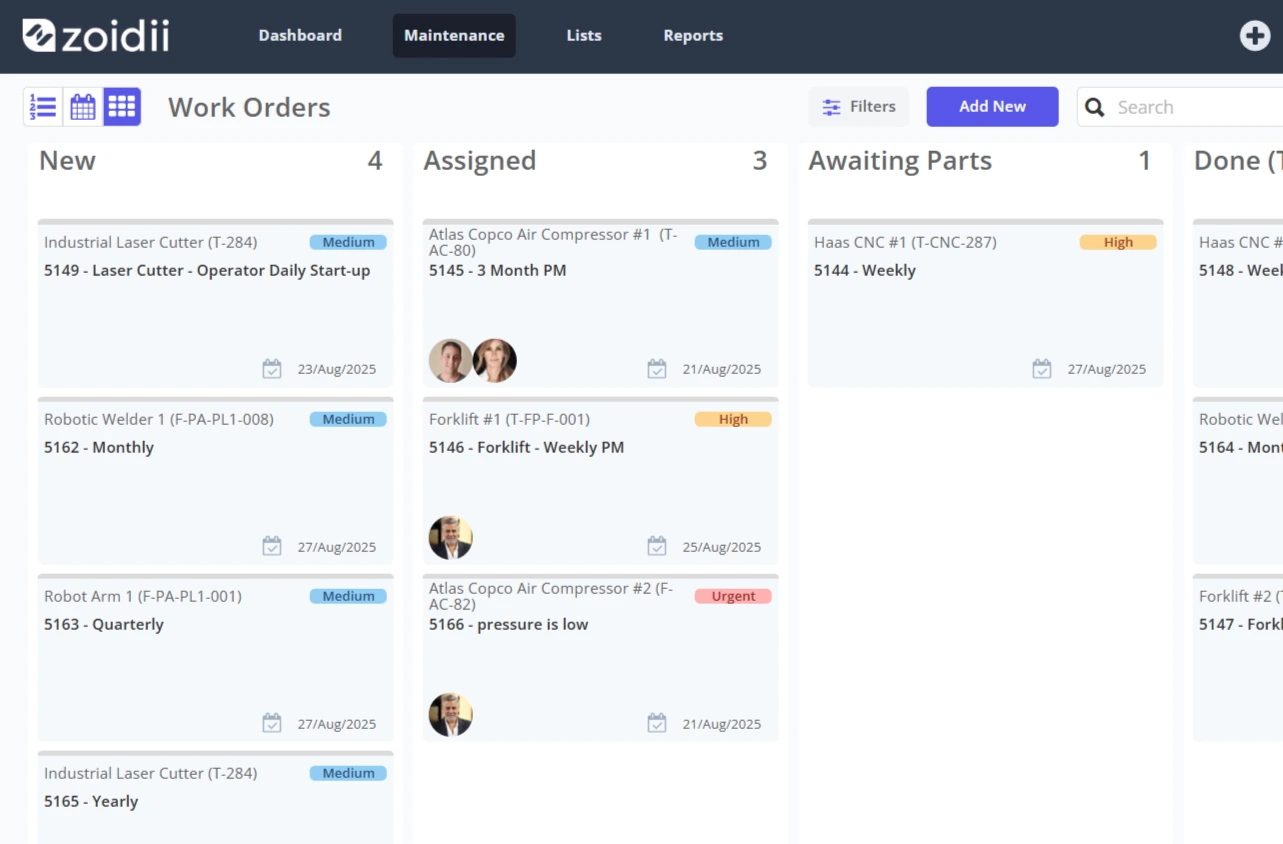
Definition: What is computerized maintenance management software?
Computerized maintenance management software (CMMS) is a system that centralizes maintenance operations—assets, work orders, preventive maintenance (PM), inventory, labor, and reporting—so maintenance teams can plan, execute, and improve work consistently.
In a manufacturing environment, computerized maintenance management software typically supports:
- Asset hierarchy and criticality (line → cell → machine → component)
- Work management (requests, work orders, scheduling, mobile execution)
- PM and inspections (time-based, meter-based, condition-triggered)
- Spare parts / MRO inventory (min/max, kitting, usage history)
- Compliance and safety workflows (permits, checklists, audit trails)
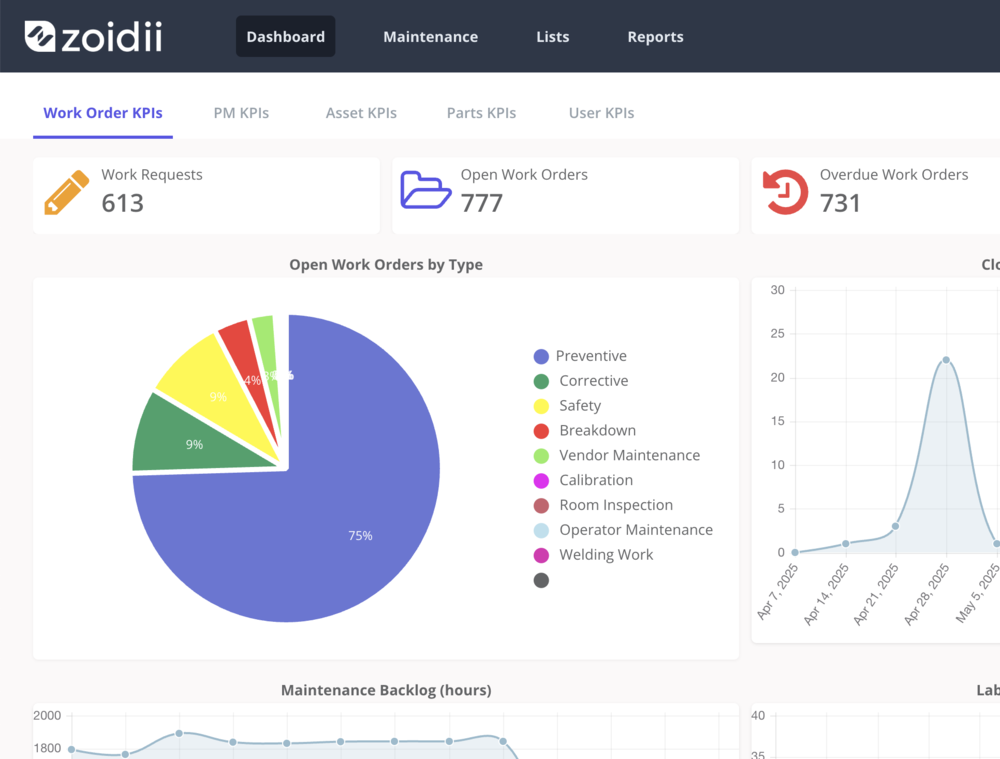
- Reliability analytics (MTTR, MTBF, repeat failures, backlog health)
Key benefits of computerized maintenance management software in manufacturing
1. Reduced unplanned downtime (and better schedule attainment)
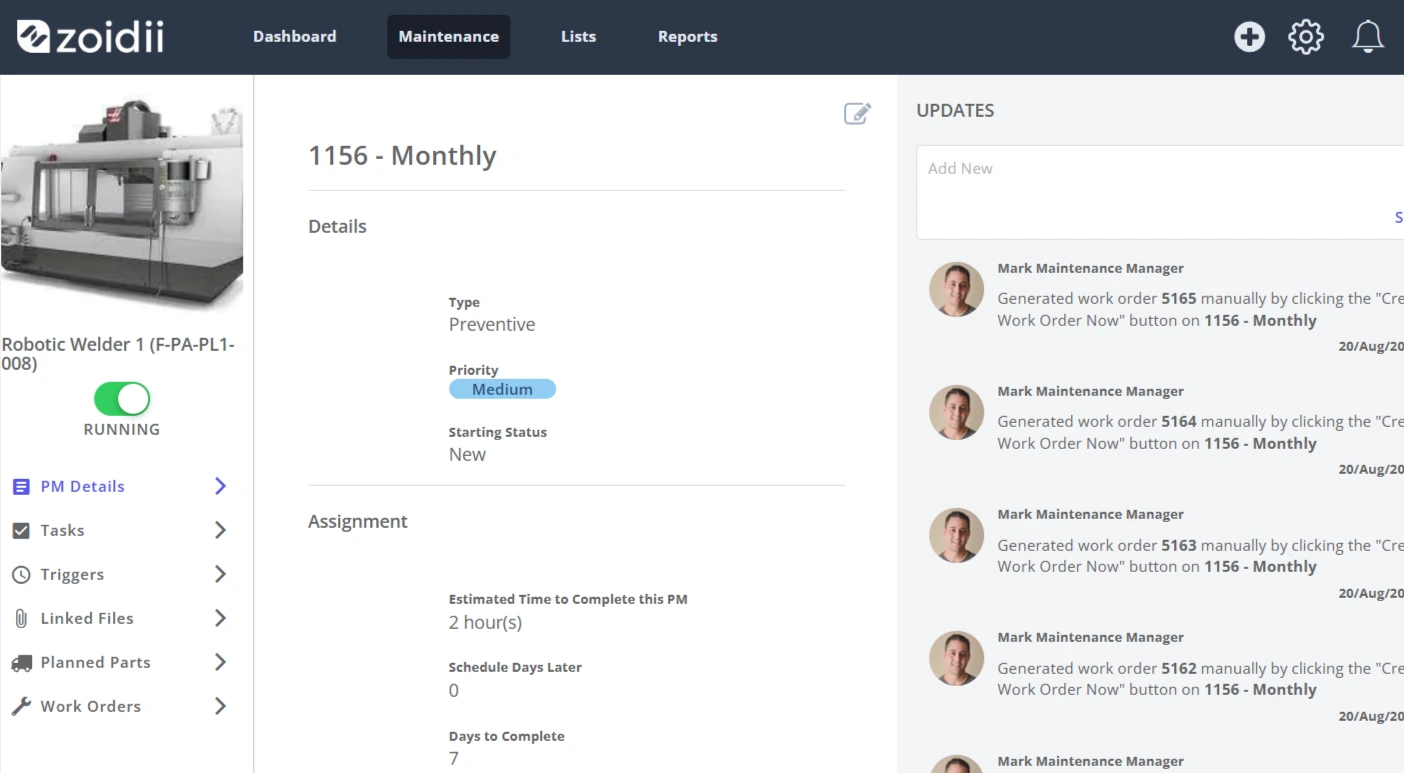
The fastest wins come from improving PM compliance and eliminating repeat failures. Computerized maintenance management software helps by automating PM schedules, enforcing standard job plans, and making work history searchable by asset and failure code.
Actionable KPI targets
- Planned work % (trend up quarter-over-quarter)
- PM compliance % by critical asset group
- Top 10 repeat failure assets (drive RCA)
2. Higher wrench time and faster response
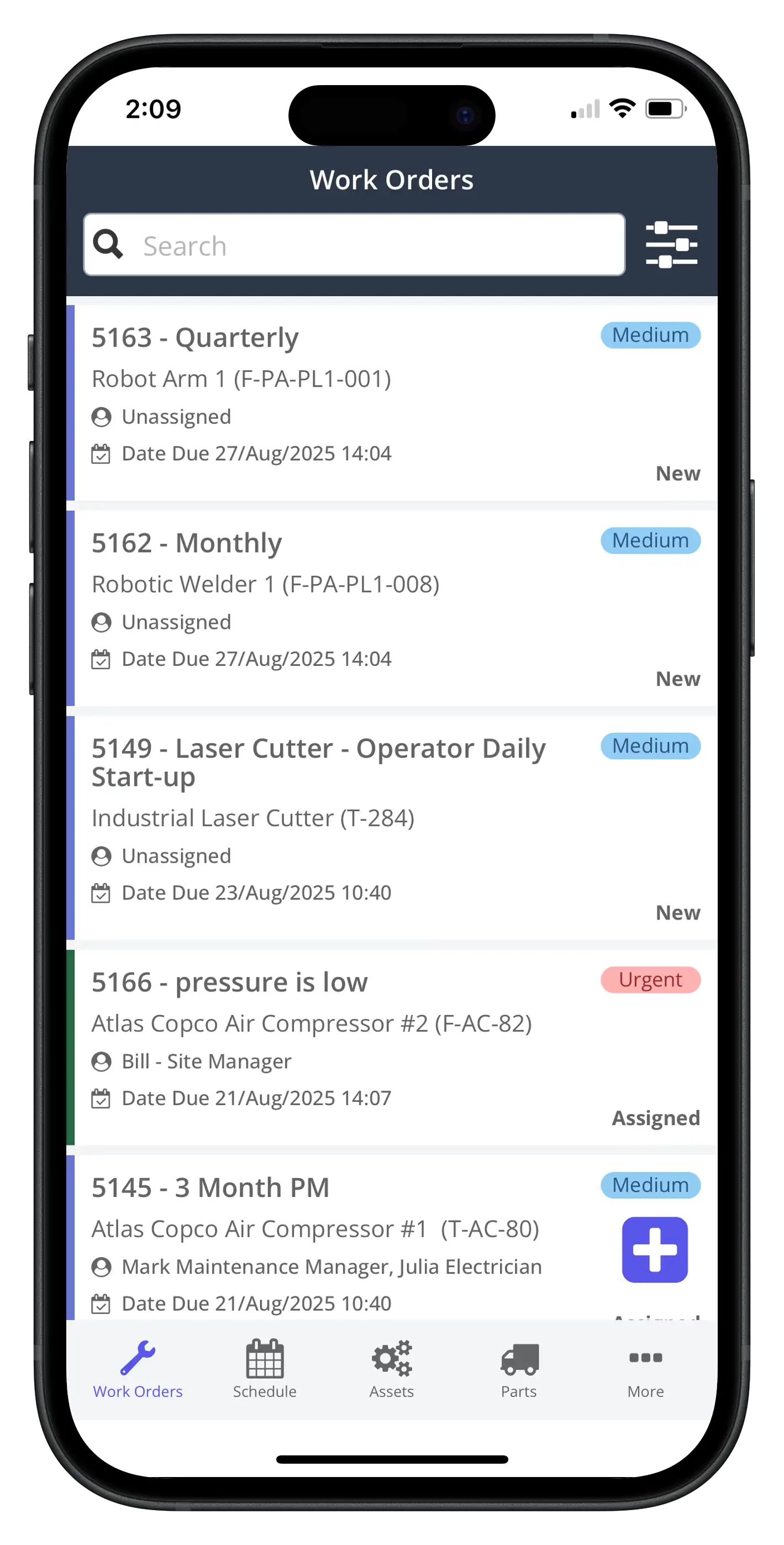
Mobile-first computerized maintenance management software reduces admin overhead: technicians get work packages, drawings, SOPs, and parts lists in one place, while supervisors gain real-time visibility into status and bottlenecks.
What to implement
- Standard priority definitions (impact × urgency)
- Dispatch rules by trade/zone/shift
- “Ready-to-work” criteria (parts + permit + LOTO info)
3. Better spare parts control and fewer stockouts
MRO inventory is a hidden driver of downtime. Strong computerized maintenance management software links parts usage to specific work orders and assets so you can rationalize SKUs, set min/max based on actual consumption, and justify critical spares.
Quick win
- Start with ABC classification: critical spares for A-assets first.
4. Stronger compliance and audit readiness
Whether you’re managing food safety documentation, GMP validation evidence, safety inspections, or internal audits, computerized maintenance management software creates an audit trail: who did what, when, using which procedure and parts.
5. A foundation for reliability and asset management maturity
If you’re aligning maintenance to broader asset management practices, ISO 55000:2024 emphasizes lifecycle-oriented, proactive asset management principles—areas where a CMMS becomes a core enabling system. ISO
6. Improved OT/maintenance cyber hygiene through asset visibility
Plants are under pressure to maintain accurate OT asset inventories (controllers, gateways, connected devices). While CMMS is not a cybersecurity tool, disciplined asset records and change history can complement OT asset inventory programs and governance.
Types of solutions (with examples)
Not all computerized maintenance management software is built the same. Use these categories to frame your shortlist.
1. Core CMMS (maintenance execution focus)
Best for: single plants or multi-site manufacturers prioritizing work orders + PM + inventory.
Typical CMMS capabilities:
- Work orders, PM scheduling, inspections
- Parts and purchasing workflows
- Technician mobile app
- Dashboards for downtime, labor, backlog
2. Enterprise Asset Management (EAM)
Best for: complex, asset-intensive enterprises that need advanced reliability workflows and deeper ERP integration.
What’s often stronger:
- Asset lifecycle, reliability engineering tools
- Multi-site governance and standardization
- Integration patterns for procurement and finance
3. Asset Performance Management (APM) + Predictive Maintenance layers
Best for: manufacturers pursuing condition-based and predictive maintenance at scale.
Common components:
- Sensor/historian ingestion
- Analytics/FDD, anomaly detection
- Automated triggers into CMMS work orders
4. Industry-specific / regulated manufacturing configurations
Best for: food & beverage, pharma/biotech, chemicals—where compliance, safety, and validation are as important as uptime.
What to look for:
- Strong audit trails and role-based controls
- Configurable checklists, e-signatures (where required)
- Calibration/validation workflows (if relevant)
CMMS case studies (manufacturing and industrial operations)
Below are three examples of outcomes from computerized maintenance management software shared in Zoidii’s published materials.
Case study 1: Broderick’s — shifting from reactive to proactive maintenance
Broderick’s reported that four months after go-live, reactive maintenance was reduced by 60%. In a related Zoidii manufacturing article referencing the same story, Broderick’s outcomes included MTTR down 18% and downtime due to technician error cut in half. ZoidiiWhat decision-makers should note
- Early wins came from adoption and standard work, not “complex AI”
- Metrics tied directly to production pain: reactive work, MTTR, error-driven downtime
Case study 2: Holistic Industries — measurable cost reduction in year one
Holistic Industries reported a 36% reduction in maintenance costs in year one after implementing Zoidii CMMS. ZoidiiWhat decision-makers should note
- Cost reduction is often a byproduct of improved planning (less emergency work, better parts control)
- A CMMS ROI story is stronger when you track cost per asset area/line and correlate with downtime trends
Case study 3: Tricel — building best-in-class asset management practices
Tricel’s Zoidii case study positions the organization as becoming a “best-in-class asset management” operation and highlights using CMMS data to optimize preventive maintenance to reduce emergency downtime. ZoidiiWhat decision-makers should note
- Even without headline numbers, the strategic value is clear: using CMMS data as the engine for PM optimization and maturity
How to choose the right computerized maintenance management software
1. Define your “manufacturing outcomes” first (not features)
Before demos, write 5–7 measurable outcomes your plant leadership cares about:- Reduce unplanned downtime on bottleneck assets by X%
- Increase planned maintenance % from A → B
- Improve PM compliance to Y% for critical assets
- Reduce stockouts of critical spares by Z%
- Cut maintenance cost per unit / per run hour
2. Validate fit for your maintenance operating model
Your CMMS must match how you run maintenance:- Central planning vs supervisor dispatch
- Multi-shift coverage and escalation rules
- Contractor-heavy vs in-house
- Line-centric vs asset-centric scheduling
Bottleneck conveyor motor shows vibration trend → inspection task → parts kit → scheduled downtime window → closeout with failure code + photo evidence.
3. Prioritize data model and usability (adoption beats configuration)
A powerful computerized maintenance management software platform fails if techs won’t use it.Look for:
- Simple work order creation and closure
- Offline mobile capability (if your plant has dead zones)
- Fast asset search (QR codes, location-based lists)
- Easy attachments (photos, SOPs, lockout docs)
4. Make integrations a first-class requirement
In manufacturing, CMMS value grows when it connects to the rest of the stack:- ERP/procurement for POs and parts
- IoT/historian/SCADA for meters, triggers, runtime data
- BI tools for plant dashboards
5. Build a realistic 12-month rollout plan
Most plants succeed with a phased approach:Phase 1 (4–8 weeks): critical assets + work orders + PM basics Phase 2 (next 8–12 weeks): inventory + purchasing + standard job plans Phase 3: reliability analytics, condition monitoring links, multi-site governance
Minimum viable dataset
- Critical asset register + hierarchy
- PM library for bottleneck systems
- Parts list for top failure modes
- Standard failure codes (simple is fine)
6. Compare total cost of ownership (TCO), not license price
Budget for:- Implementation/configuration
- Data cleanup and migration
- Integrations
- Training + change management
- Ongoing admin/reporting ownership
Conclusion: Turn maintenance into a measurable competitive advantage
For manufacturing leaders, computerized maintenance management software is the practical lever for improving uptime, cost control, and execution discipline—especially when it’s implemented around real production outcomes, not generic feature checklists.
Call-to-action: If you’re evaluating computerized maintenance management software, shortlist 2–3 platforms and run a pilot on one line or one critical asset group. Score each solution on (1) adoption by technicians, (2) impact on planned work and downtime drivers, and (3) data quality and reporting clarity.
Then scale what works across the plant (and across sites) with confidence.