

A CMMS is a system of record and execution for maintenance. It centralizes asset data, orchestrates work orders, schedules preventive and predictive maintenance, tracks parts and costs, and provides analytics to support informed decision-making. If maintenance were a building, the CMMS would be the foundation.
What a CMMS manages:
- Assets & locations: machines, facilities, utilities, vehicles, tools; organized into site/area/line/machine hierarchies.
- Work: corrective (break/fix), preventive (time or meter-based), predictive (sensor/condition-based), inspections, calibrations, safety tasks.
- Resources: technicians, contractors, skills, certifications, shifts, and crews.
- Materials: spare parts, consumables, lubricants, kits, and reorder points across storerooms.
- Data: work history, downtime, failure codes, MTBF, MTTR, PM compliance, labor and parts cost, audit trails.
CMMS vs. EAM vs. CAFM (quick distinctions)
- CMMS focuses on maintenance execution and day-to-day reliability.
- EAM (Enterprise Asset Management) covers the broader asset lifecycle (acquisition to disposal) with deeper financial planning and governance.
- CAFM/IWMS solutions tend to focus on space, real estate, and workplace services; they may include maintenance, but are not typically maintenance-first.
What are the Benefits of CMMS Software?
A well-implemented CMMS produces improvements you can measure in weeks—not just on dashboards, but on the shop floor and in the field.
1) Less unplanned downtime
Preventive and condition-based work replaces guesswork with discipline. When failures do happen, clear priorities, checklists, and parts availability shrink time-to-repair.2) Extended asset life
Timely lubrication, alignment, and inspections prevent accelerated wear. Failure codes and trend data reveal the root causes, enabling you to address the underlying issue, not just the symptom.3) Higher labor productivity
Mobile apps, pre-kitted jobs, and standardized procedures lift wrench time. Techs spend less time hunting for information, waiting on approvals, or re-typing notes. Read more about the 6 ways to increase wrench time with your maintenance team.4) Optimized inventory
Min/max controls, usage trends, and alternates reduce stockouts and carrying costs. Critical parts stay on hand; slow-movers don’t gather dust.5) Audit-ready compliance and safer work
Electronic records, checklists, signatures, and controlled documents streamline audits, making them faster and more reliable. Built-in safety steps (like Lockout/Tagout) reduce risk. For more information, see our “CMMS Software for Effortless Audit Compliance” blog post.6) Actionable visibility
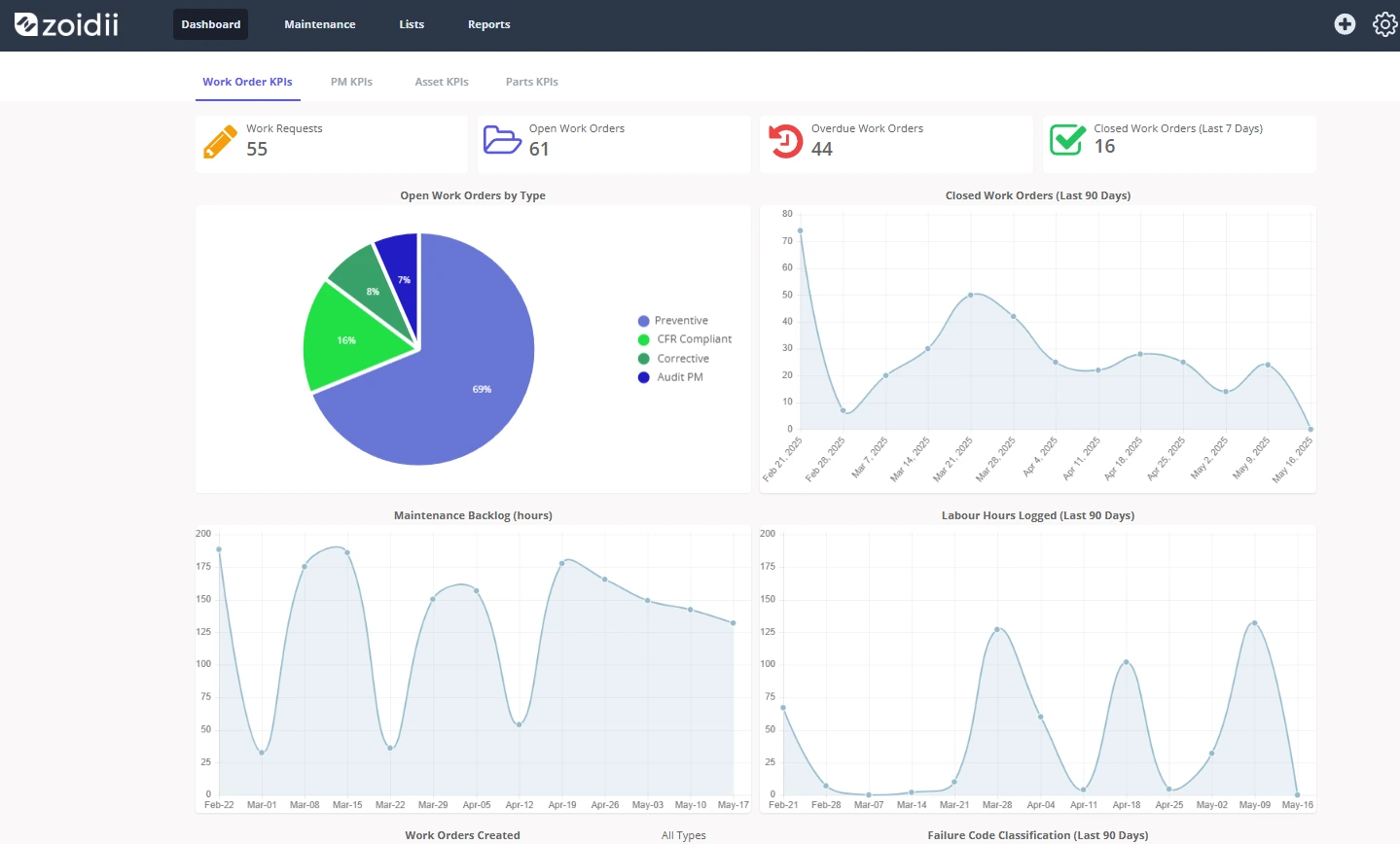
Dashboards and reports expose your top downtime drivers, aging backlog, and work mix (reactive vs. planned). You can see where effort pays off and where adjustments are needed.7) Better cost control
Labor and parts tie directly to assets and work orders. You can compare costs by line, site, or asset class and make data-driven decisions about repair versus replacement.8) Knowledge capture
Photos, notes, and fixes become reusable knowledge tied to assets and PMs. Onboarding speeds up; tribal knowledge stays in-house.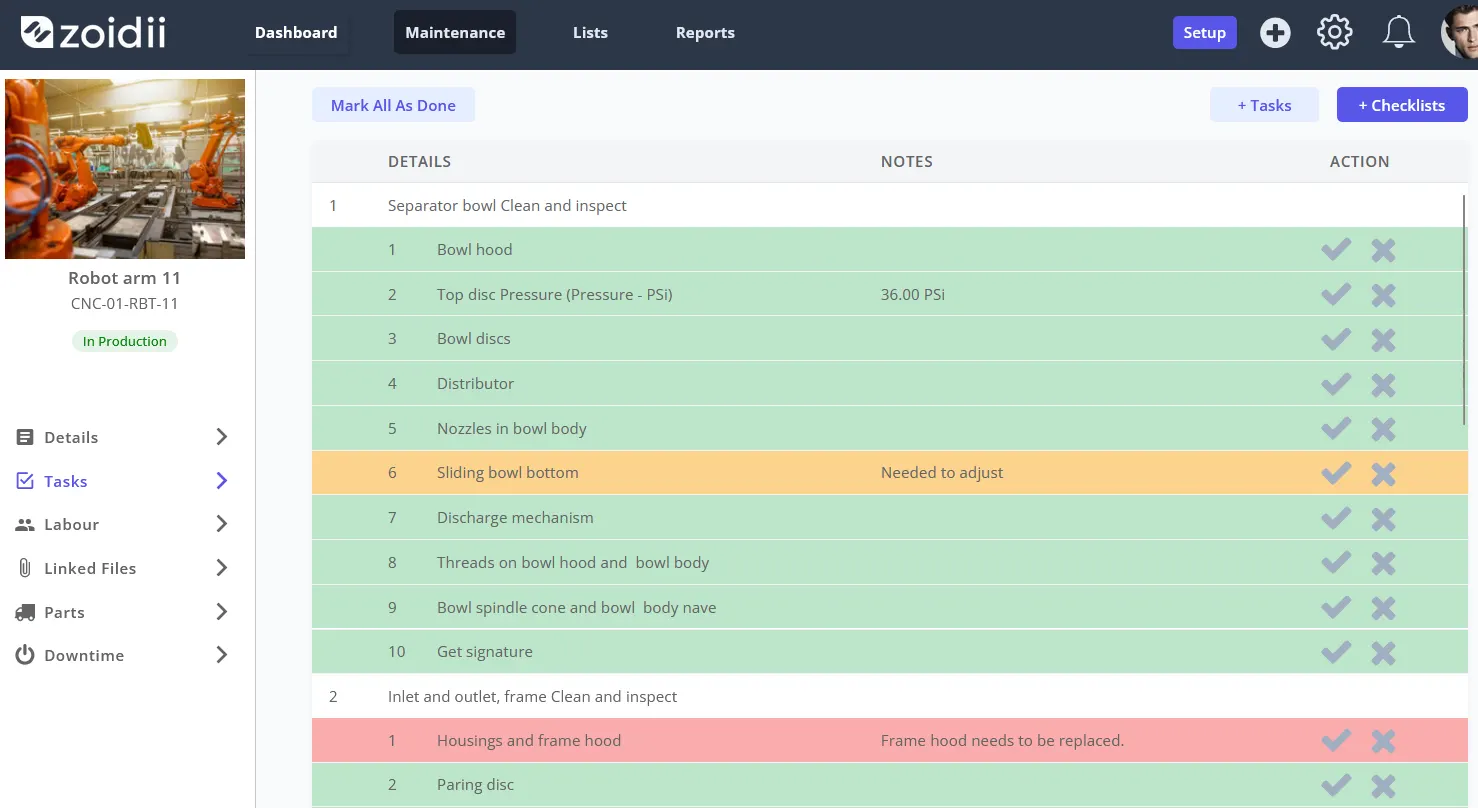
How does CMMS Software Help Your Business?
CMMS value is evident across various functions, including operations, finance, EHS, and leadership, not just in maintenance.
Protect production and service levels
Coordinated PMs and quick corrective work protect throughput and ensure a positive customer experience. Fewer line stoppages and faster mean time to repair (MTTR) directly translate to increased revenue.Strengthen regulatory posture
For industries with calibrations, sanitation, or environmental controls, the CMMS provides traceable, time-stamped records and signed checklists. Audits go from stressful events to routine reviews.Improve financial predictability
With clean histories, you can forecast maintenance expenses, justify spares, and identify assets nearing the end of their life. Finance sees not just what was spent, but why—by asset and failure mode.Enable strategic planning
Recurring problems become visible patterns. Reliability teams can launch RCAs (root cause analyses), redesign PMs, and propose design improvements that are effective and lasting.Elevate teams
Less busywork and clearer processes improve morale. Techs spend more time solving problems and learning new skills, which helps with retention in tight labor markets.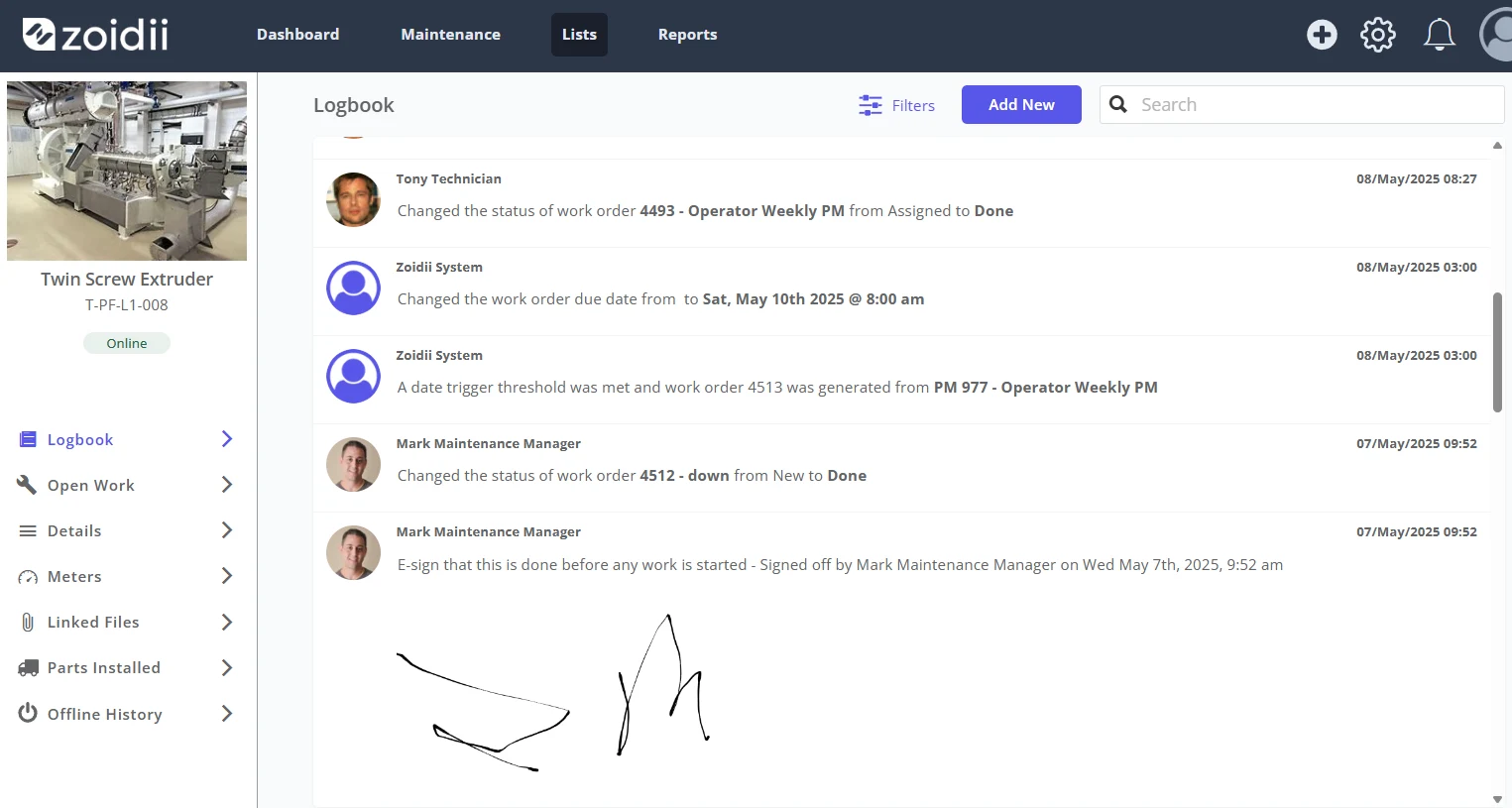
What Can CMMS Software Do for You? (Day-to-Day)
To make the benefits concrete, here’s what the CMMS changes in the workflow.
Service request to work order in minutes
A line operator or building occupant submits a request, accompanied by a photo and location. The CMMS notifies the maintenance team, and the planner then converts it into a work order with the correct checklist and parts.Preventive maintenance that actually happens
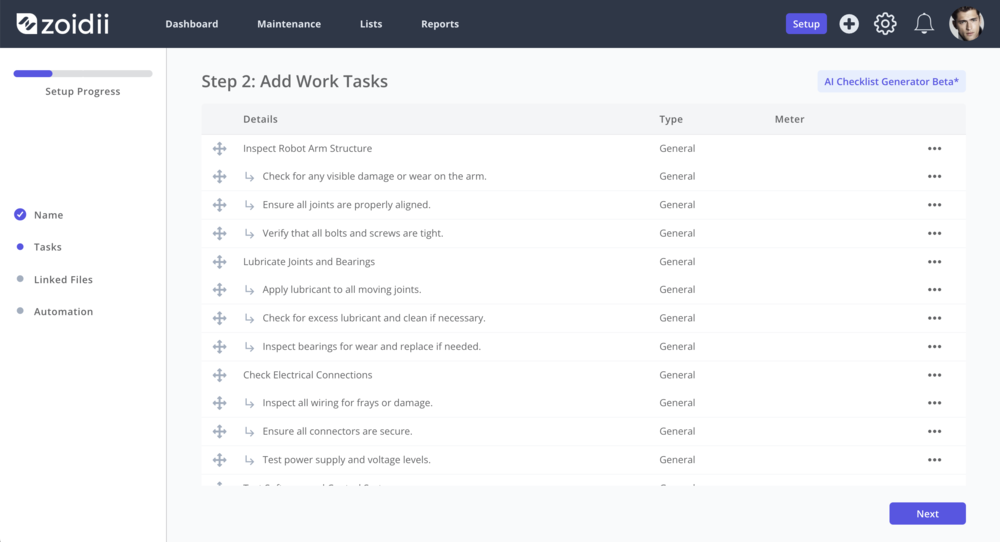
Calendar or meter triggers generate PMs. A technician opens the job on their mobile device, follows a checklist, records readings, and attaches photos. Out-of-tolerance values automatically create follow-up corrective work.Parts at the right place, right time
The storeroom receives low-stock alerts and issues POs before stockouts. Techs see a history of parts on the asset record and BOMs, avoiding wrong-part delays.Scheduling with eyes wide open
Drag-and-drop calendars balance workload across crews and shifts. Critical work rises to the top, and urgent requests don’t derail planned work entirely.Analytics that drive action
Leaders review backlog (in weeks), PM compliance, top failure codes, and cost by asset. They prune low-value PMs, add condition triggers, and focus improvements where ROI is highest.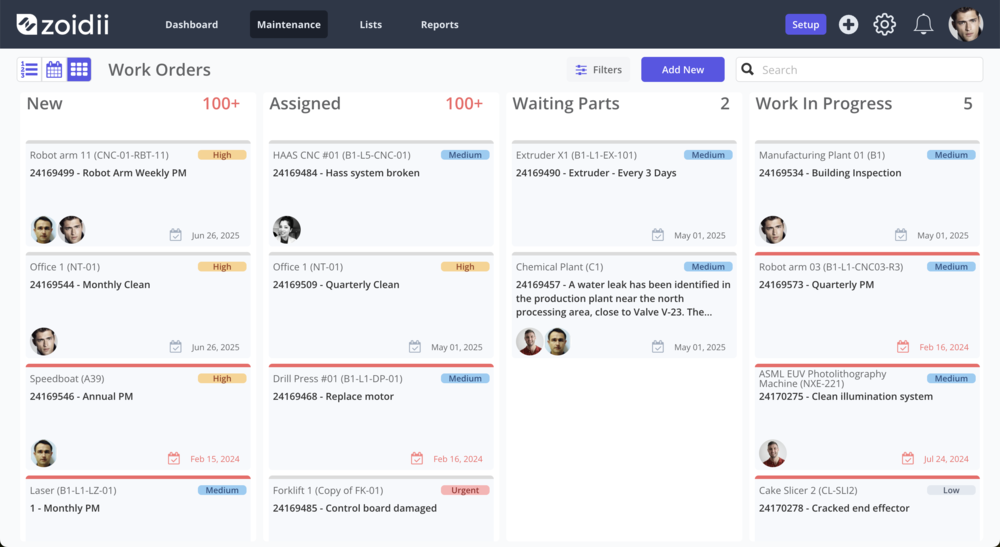
The Main Advantages of CMMS Software
Think of these as the structural advantages a CMMS provides versus spreadsheets, email, and paper.
- Single source of truth: Assets, work, parts, labor, and costs live together, not scattered across files and inboxes.
- Standardization by design: Job plans, checklists, and safety steps create repeatable quality and reduce variability.
- Traceability: Every action is time-stamped and attributed to its origin. You can reconstruct events without guesswork.
- Scalability: Multi-site hierarchies, templates, and permissions enable the replication of standards across plants and buildings.
- Mobile-first execution: Work occurs where the asset is, utilizing photos, videos, and QR codes.
- Security and control: Role-based permissions, SSO, and audit logs ensure data safety and that access is granted appropriately.
The Top Reasons to Invest in CMMS Software
If you need to make a business case, anchor it to outcomes the organization cares about.
- Downtime is costly. Even modest reductions—10–20%—often cover the subscription multiple times over.
- Compliance risk is rising. Regulators and customers expect electronic records and controlled procedures.
- Labor is scarce. A CMMS increases wrench time and captures expert knowledge to onboard faster.
- Inventory needs discipline. Min/max controls and usage trends prevent stockouts on critical spares and reduce bloated shelves.
- You’re scaling. New sites or acquired facilities can quickly adopt the same templates, codes, and processes.
- Finance needs visibility. Tie spend to assets and failure modes; repair/replace decisions with confidence.
- Digital strategy demands it. IoT, analytics, and connected operations depend on a reliable maintenance backbone.
Simple ROI frame:
Annual Benefits = (Downtime avoided × cost/hour) + (Labor savings) + (Inventory savings) + (Deferred capex) + (Compliance risk avoided)
Annual Costs = (Software) + (Implementation/training) + (Process change & integrations)
ROI (%) = (Benefits–Costs)÷Costs(Benefits – Costs) ÷ Costs(Benefits–Costs)÷Costs × 100 Start with conservative assumptions on downtime cost and labor productivity; the numbers usually speak for themselves. You can easily estimate ROi with Zoidii’s ROI Calculator.
The Benefits of Cloud-Based CMMS Solutions
On-premise CMMS still fits specialized, air-gapped scenarios, but cloud (SaaS) has become the default for most organizations.
Faster time-to-value
Spin up a pilot in days, not months. No servers to buy or maintain; new sites can be added quickly and easily.Lower total cost of ownership
Subscription pricing shifts spending from capital expenditures to operating expenditures. The vendor handles upgrades, backups, and disaster recovery; IT overhead shrinks.Continuous improvements
Automatic updates deliver features and security patches without weekend outage windows.Work anywhere
Web and mobile access enable technicians to complete work from the field, while leaders can check KPIs on the go.Enterprise-grade security
Encryption at rest/in transit, SSO/MFA, role-based access, and audit logs are table stakes. Reputable vendors also offer backups, regional hosting options, and documented incident response.Finding the Right CMMS Solution for Your Business
The “best” CMMS is the one your people actually use and that fits how you operate. Use this checklist to evaluate vendors and mitigate risks associated with your rollout.
1) Clarify your must-haves
- Environment: Multi-site? Mixed facilities and production? Any regulated processes (GxP, food safety, aviation)?
- Work profile: Heavy PM program? Lots of calibrations? Field service and contractors?
- Asset classes: Rotating equipment, building systems, vehicles, instruments—any special handling?
- Data sources: Do you need meters from BAS/SCADA/IoT on day one, or can this be implemented later?
2) Prioritize usability (especially mobile)
If technicians can’t navigate on a small screen, adoption will lag. Look for:- Clean, uncluttered work order screens.
- QR scanning and photo/voice note capture.
- Simple, role-based permissions to keep noise low.
3) Validate scheduling and planning
Ask to see:- Drag-and-drop calendars.
- Backlog views with priorities and aging.
- PM compliance tracking.
4) Inspect inventory and purchasing flows
Evaluate:- Min/max settings, stock valuation, and alternates.
- Multi-location tracking (bins, shelves, cages).
- Reorder workflows, RFQs/POs, and receiving.
5) Check analytics depth without exporting everything
You shouldn’t need to live in spreadsheets. Look for:- Downtime trends.
- MTTR/MTBF by asset class.
- Cost breakdowns by asset/line/site.
- Failure code reports and RCA support.
6) Assess security and governance
Confirm:- SSO/MFA, role-based access, and field-level permissions if needed.
- Audit logs and e-signatures when required.
- Backup and disaster recovery posture; data residency options.
7) Evaluate implementation approach and support
Successful projects pair software with service. Ask for:- Data loaders/templates and guidance on hierarchy, IDs, and codes.
- Training tailored to technicians, planners, and requesters.
- A clear RACI (who approves what, who schedules, who closes).
- Named success managers, SLAs, and a roadmap you can review.
8) Pilot with your real data
A meaningful 6–12 week pilot using a targeted set of assets will quickly reveal the truth. Define KPIs in advance (e.g., PM compliance ↑ to 90%, backlog ↓ to 3 weeks, stockouts ↓ to near-zero for A-class parts). Iterate before you scale.Bringing It All Together
CMMS software is more than a database or a reporting tool. It’s a practical, day-to-day assistant that:
- Tells you what needs to be done and when.
- Provides you with the how, including standard procedures and safety guidelines.
- Ensures you have the right parts before you start.
- Records who did the work and what it cost.
- Shows leaders why certain assets deserve attention or capital.
Conclusion: Reasons to Invest Now
If you’ve been running maintenance with spreadsheets, email, and best intentions, you’re already doing the hard part: keeping assets alive. A CMMS makes all of that easier, more reliable, and more measurable. The benefits are tangible—less downtime, better labor productivity, fewer stockouts, audit readiness—and the case only gets stronger as you scale, integrate sensors, and push for continuous improvement. Start by defining a few business-tied KPIs, pilot with a focused scope, and choose a cloud-based CMMS your technicians actually like to use. You’ll feel the difference quickly: less firefighting, more foresight—and a maintenance function that finally gets the visibility and credit it deserves.
CMMS Software: Frequently Asked Questions (FAQ)
1) What’s the difference between CMMS and EAM? A CMMS focuses on maintenance execution (work orders, PMs, parts, labor, asset history). EAM (Enterprise Asset Management) covers the broader asset lifecycle (planning, risk, governance, capital projects). Most organizations begin with a CMMS and integrate it with an ERP; some later add EAM capabilities if they require more comprehensive financial and lifecycle controls.
2) How long does CMMS implementation take, realistically? A focused pilot at one site or department can show results in 6–12 weeks. Full rollouts depend on data quality, integrations, training scope, and the number of sites. The fastest path is to clean a subset of asset/part data, standardize a few PMs and checklists, train by role, and iterate before scaling.
3) What data do we need to get started? Begin with the essentials:
- Asset register with unique IDs, locations, and criticality
- Parts catalog (descriptions, stock levels, vendors)
- A short list of PMs/checklists for critical assets
- User roles/permissions (requesters, techs, planners, approvers)
- You can enrich later with BOMs, meters, historical work orders, and more detailed KPIs.
5) How do we measure ROI and prove the business case? Track a handful of KPIs tied to outcomes: PM compliance, backlog (weeks), MTTR/MTBF on critical assets, planned vs. reactive work, and cost by asset/line/site. Quantify benefits as downtime avoided, labor productivity gains, inventory savings, deferred capital, and reduced audit risk—then compare to subscription, implementation, and change-management costs.
6) How do we drive technician adoption and avoid “another system no one uses”? Design with end users, not just for them. Keep screens simple by requiring only essential fields, embedding safety steps and tolerances into checklists, and celebrating quick wins. Assign a planner/scheduler, standardize failure codes (using short and meaningful terms), and review KPIs monthly to track progress and maintain a tight loop.



