Background
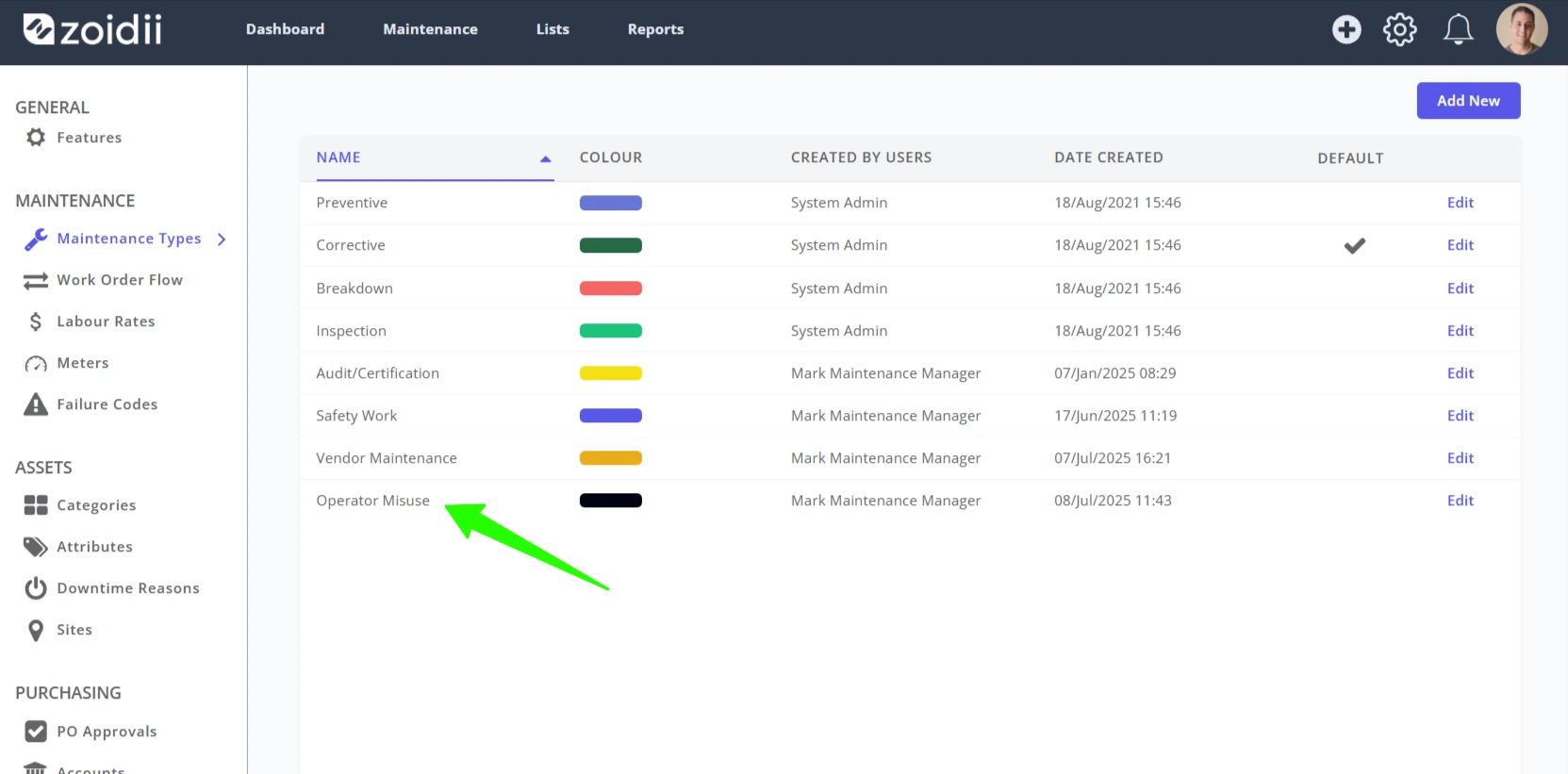
Maintenance Types are used to classify different work types. Zoidii ships with four example maintenance types: Preventive, Breakdown, Corrective, and Safety.
Maintenance Types help differentiate the work in the CMMS. Users can filter by maintenance type to view only the jobs relevant to their role. This means that multiple teams at the facilities, outside of maintenance, can use the CMMS to manage their work. For example, the safety team could use the CMMS to schedule and execute their safety inspections. The sanitation team could use the CMMS to track cleaning and wiping down of equipment.
Examples of Maintenance Types
Core Maintenance Types
- Breakdown - Repairs performed after equipment failure.
- Corrective - Actions taken to fix faults after detection during inspections or operations.
- Preventive - Scheduled inspections, servicing, or part replacements to prevent breakdowns.
- Condition-Based Maintenance (CBM) — Maintenance triggered by asset condition data (e.g., vibration, temperature).
- Safety - inspections and checks performed as part of safety efforts.
Strategic
- Operator maintenance or TPM - daily checks performed by operators to maximize uptime and efficiency.
- Reliability-Centered Maintenance (RCM) — Prioritizes maintenance activities based on the reliability and risk profile of assets.
- Predictive Maintenance (PdM) — Uses condition monitoring and sensor data to predict when maintenance should occur.
Specialized
- Lubrication - Scheduled lubrication tasks to prevent wear and tear, oftentimes performed by dedicated lubrication teams.
- Sanitation, Cleaning, & Housekeeping — Regular cleaning to maintain equipment and safety standards.
- Calibration - Regular calibration of instruments and sensors for accuracy.
- Vendor maintenance - jobs performed by outside vendors
- Regulatory/Compliance Maintenance — Inspections and maintenance required by safety or legal regulations (e.g., OSHA, ISO).
- Shutdown/Turnaround Maintenance — Major overhauls or upgrades done during planned shutdowns
Procedure
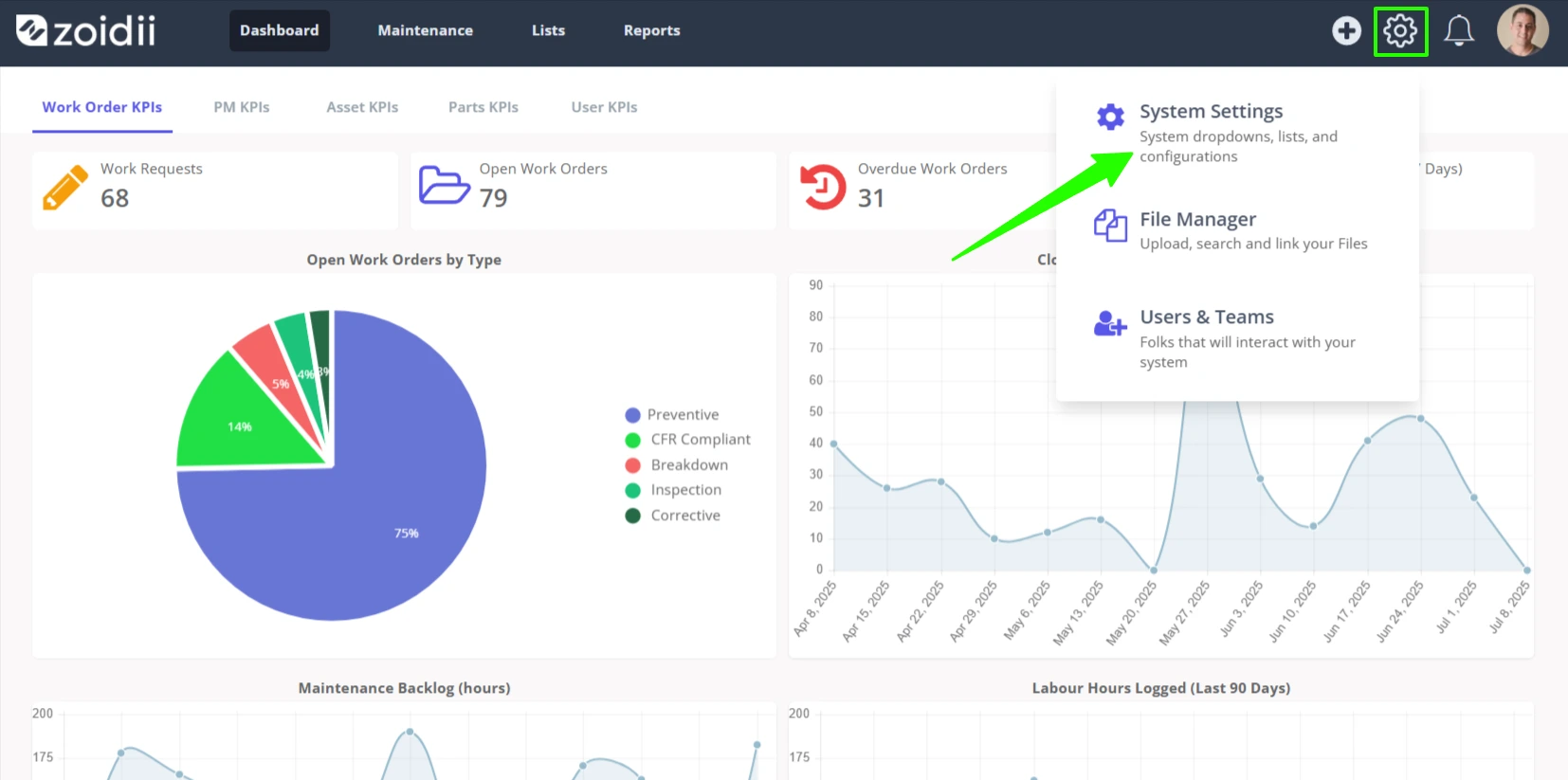
1. In the top navigation bar, click the Settings icon. Then select System Settings
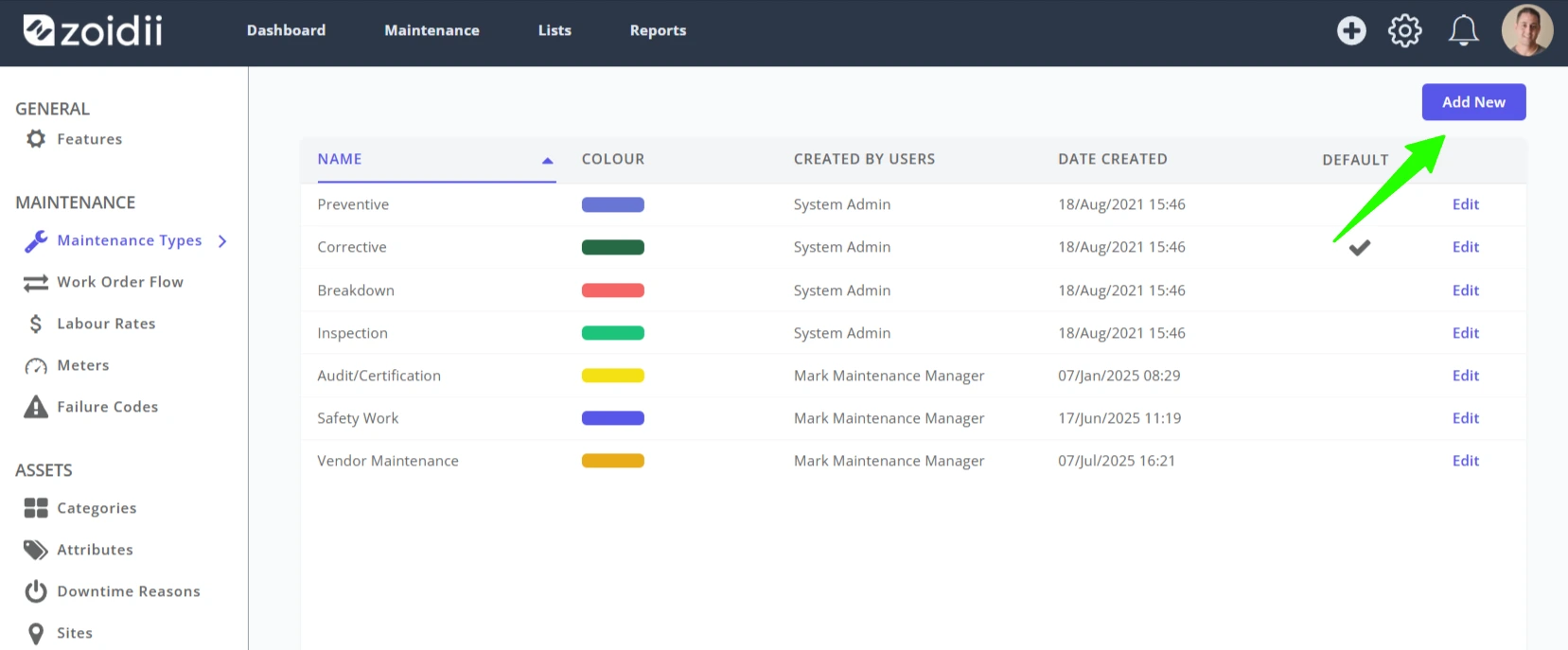
2. Click Add New on the top right-hand side
3. In the popup window, add the maintenance type Name
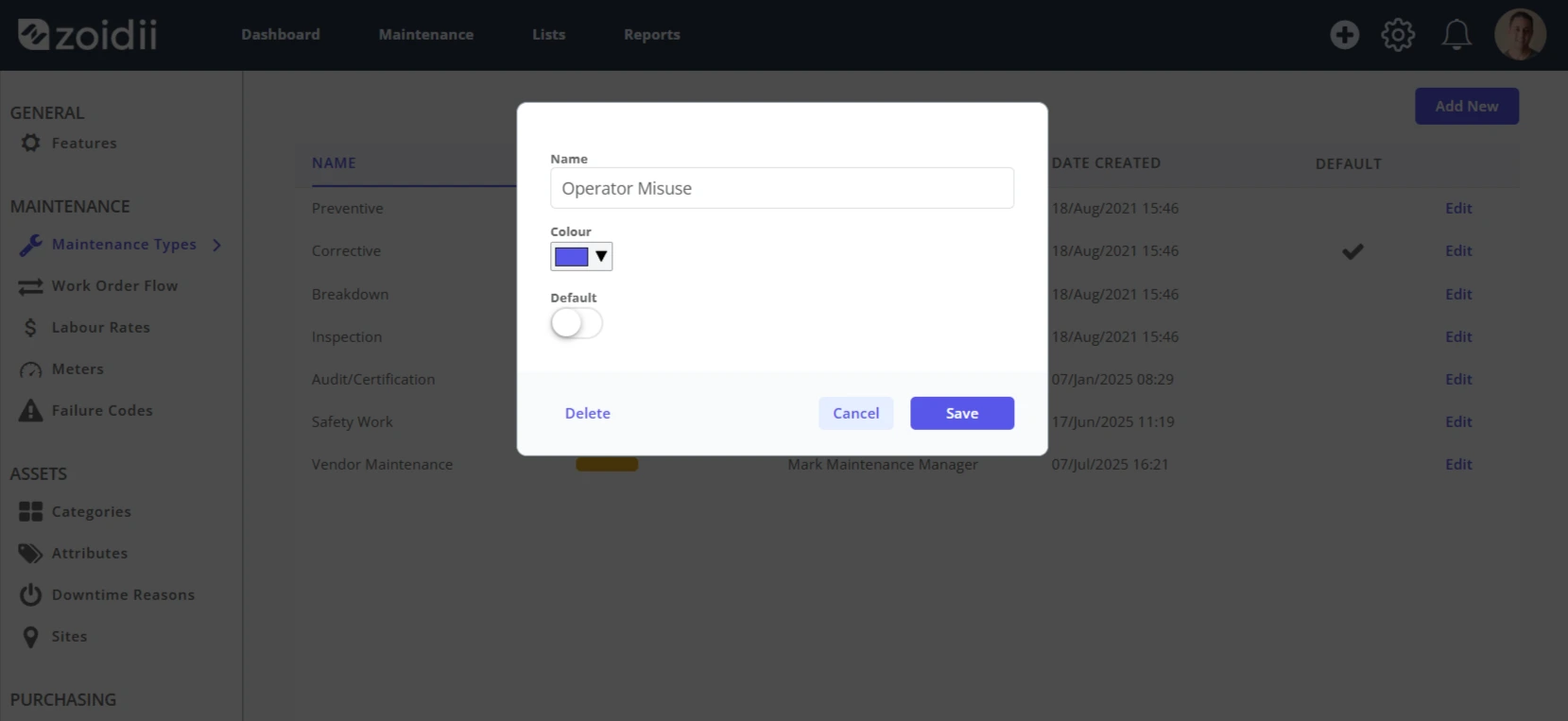
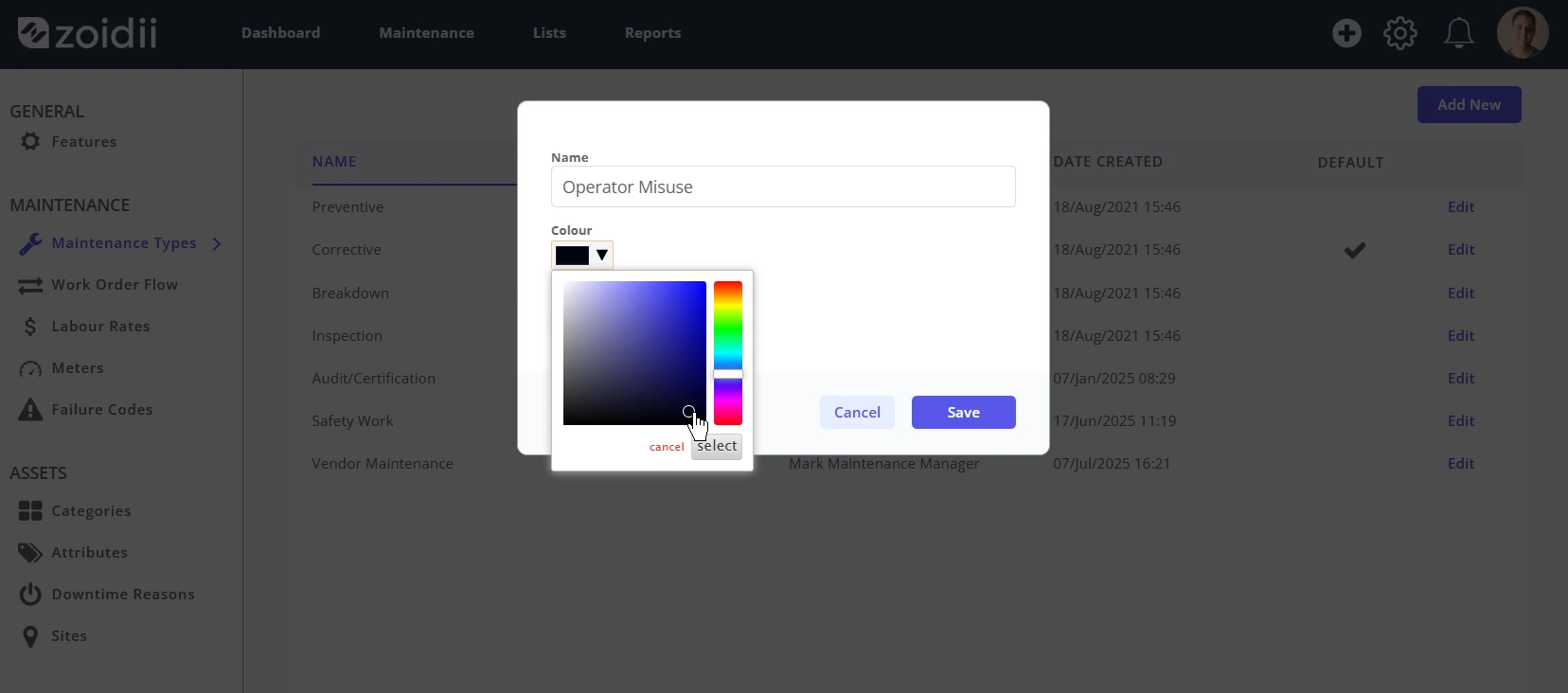
4. Click the colour selector to assign a color to the maintenance type. This makes it easier to see the different types of work throughout the app. Be sure to click Select to lock in the color before clicking Save.
5. Click Save to add
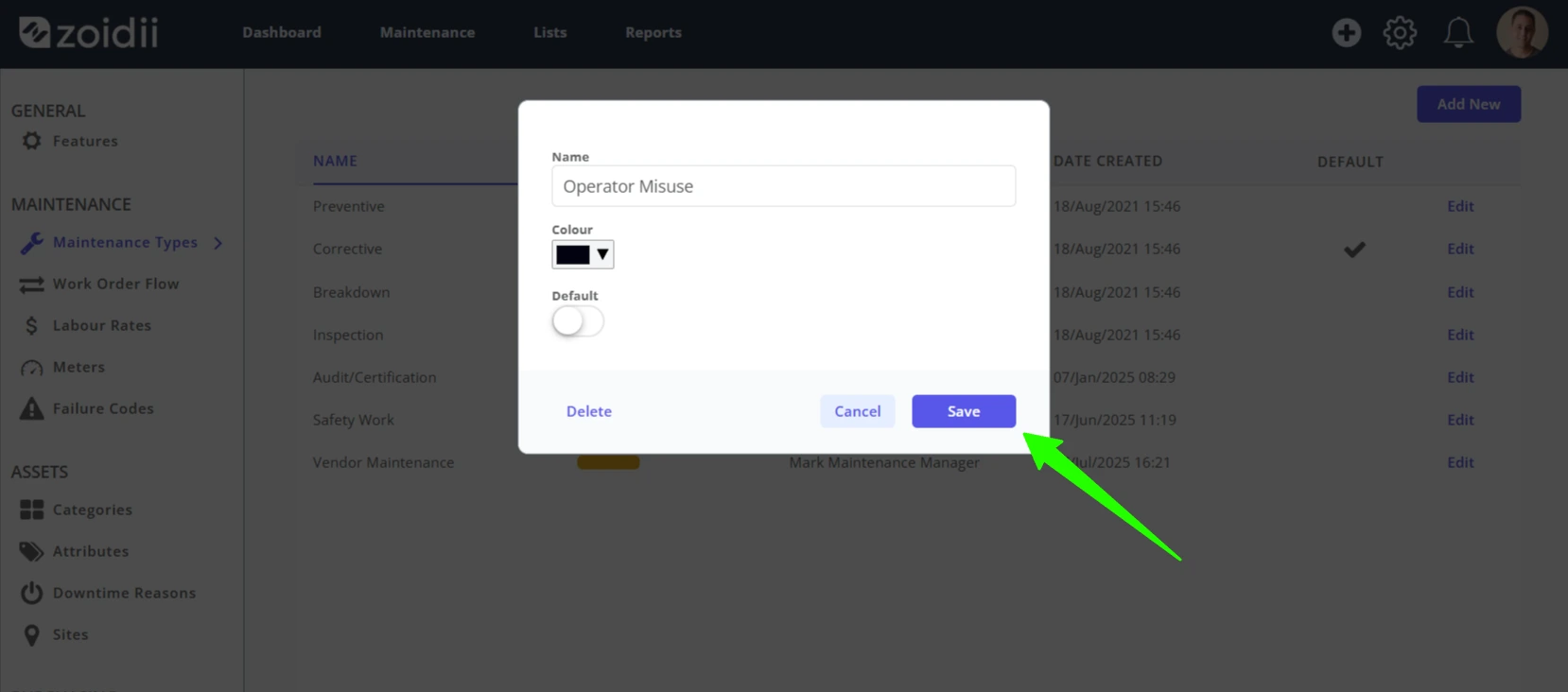
6. The new maintenance type will be visible on the maintenance type lists throughout the app.