Background
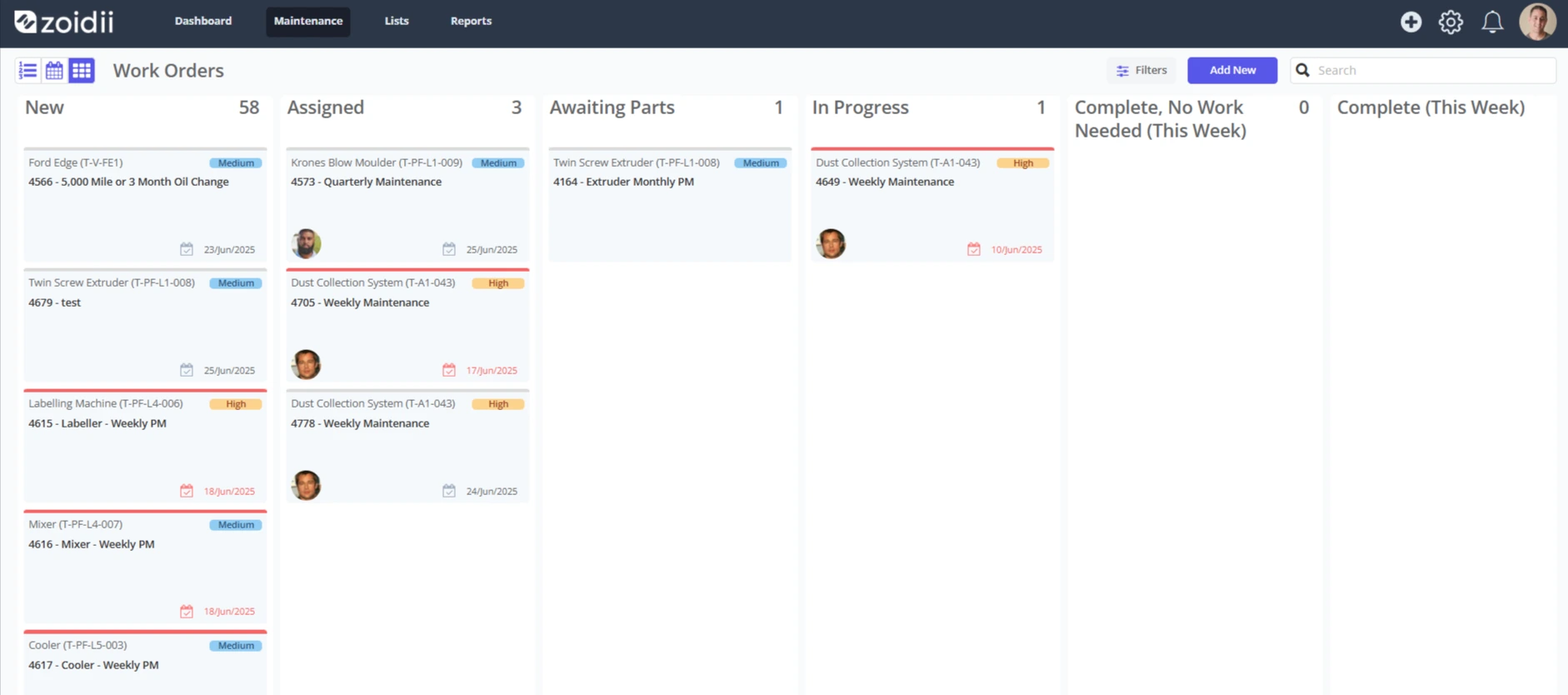
Work Order Statuses are used to help define the work order lifecycle. During the life of a work order, it will transition from New to Done through several statuses. Zoidii ships with four standard work order statuses: New, Assigned, Work in Progress, and Done.
Example flow: Request → Triage & Assign → Plan & Schedule → Execute → Close → Review
This procedure outlines how to add more statuses/states.
Procedure
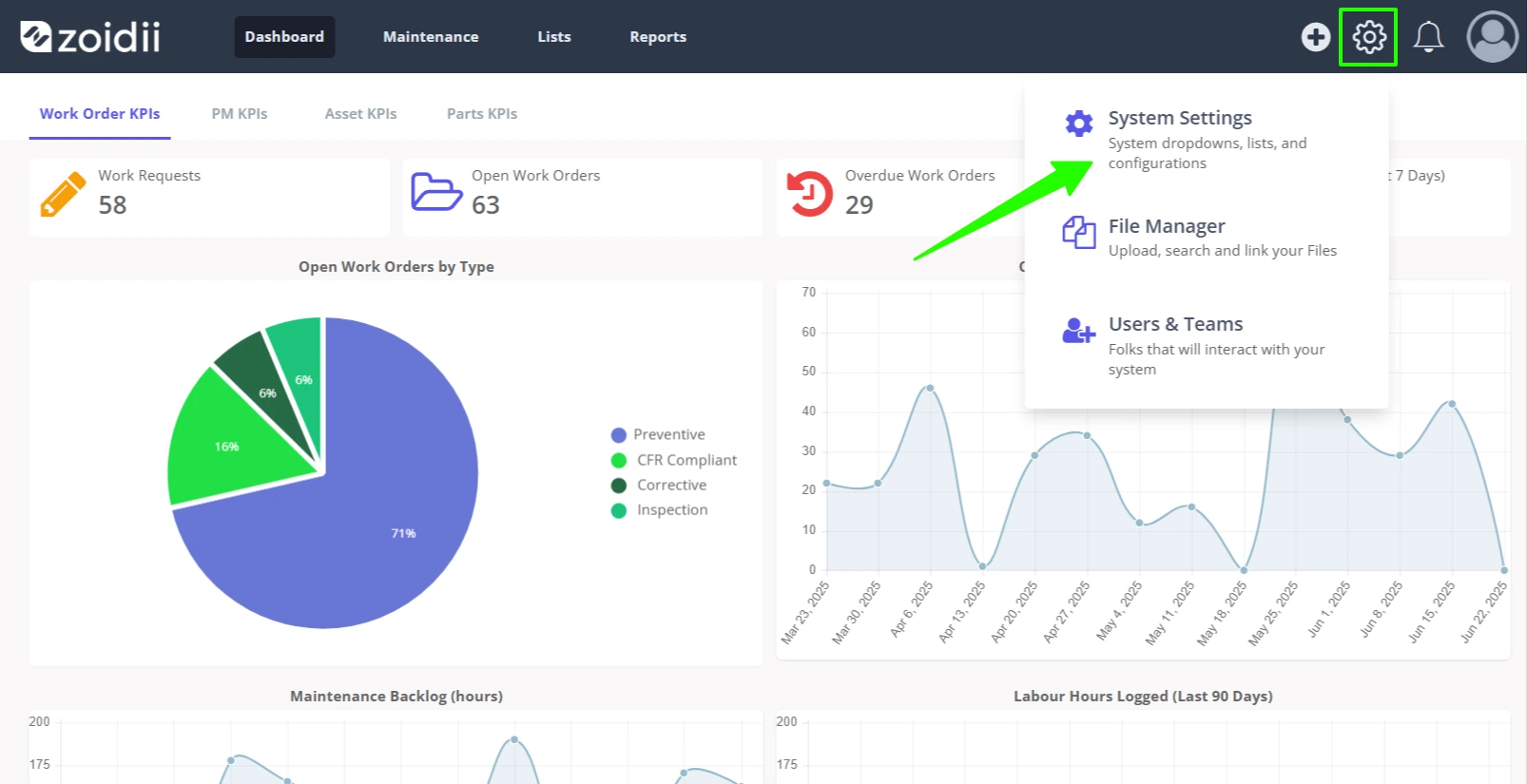
1. In the top navigation bar, click the Settings icon. Then select System Settings.
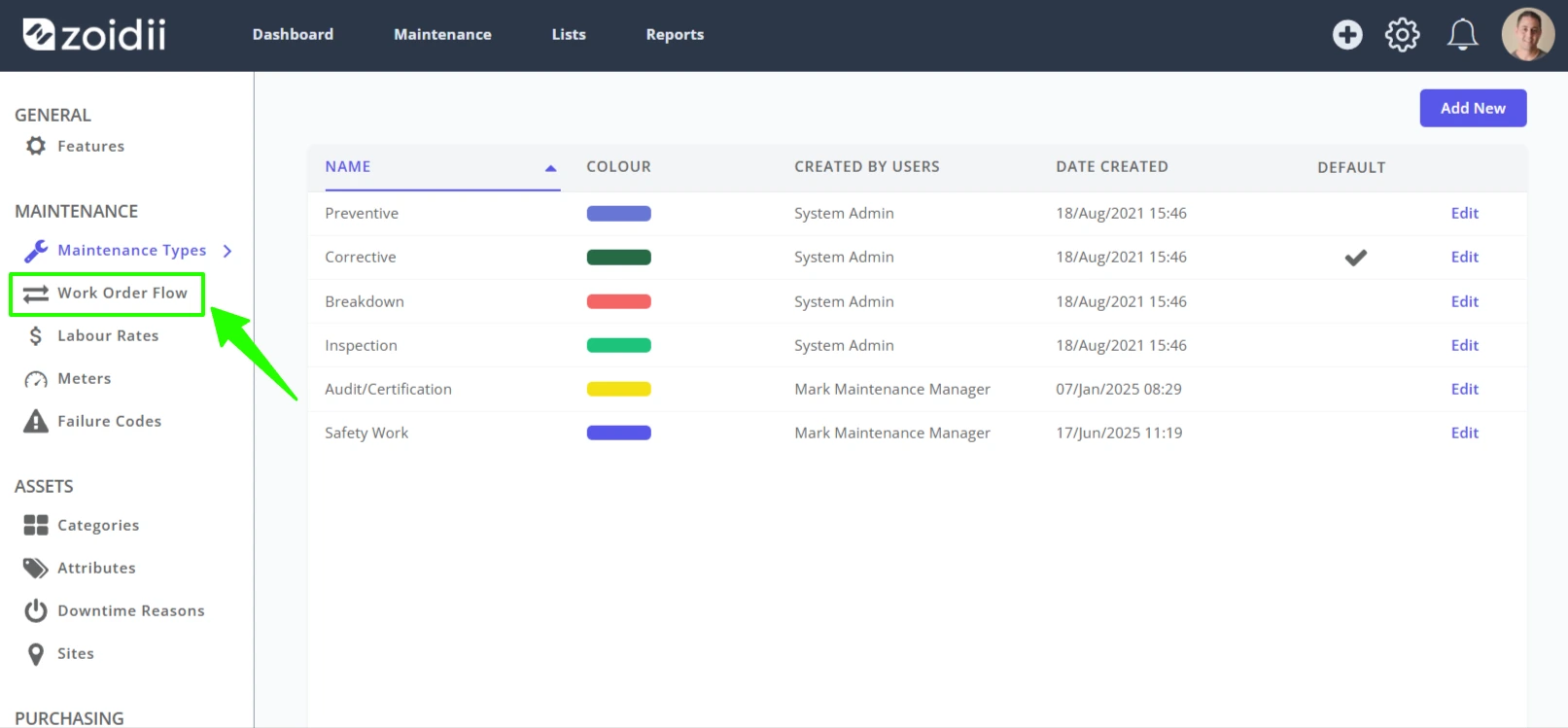
2. In the System Settings screen, click Work Order Flow.
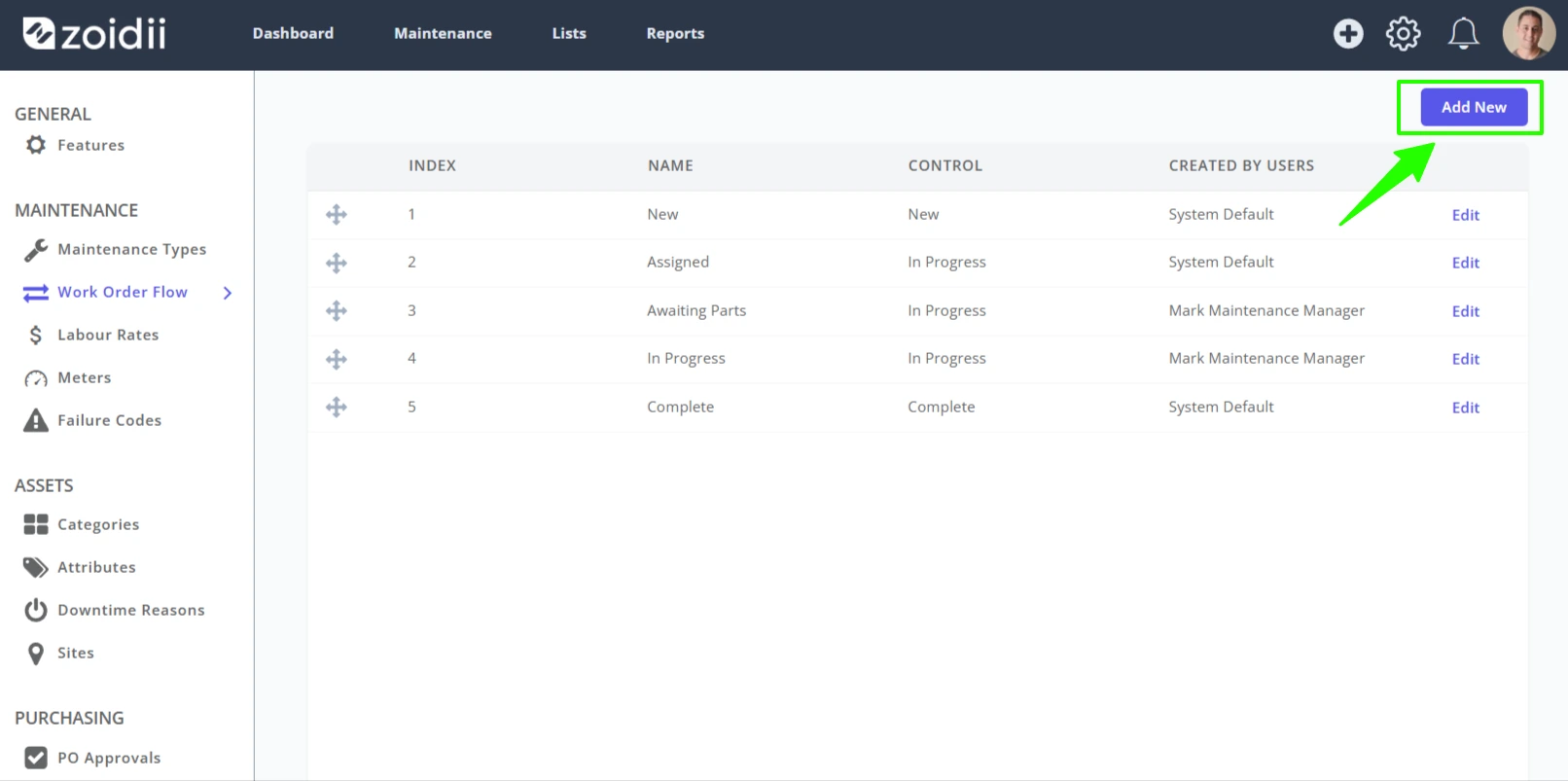
3. Click Add New
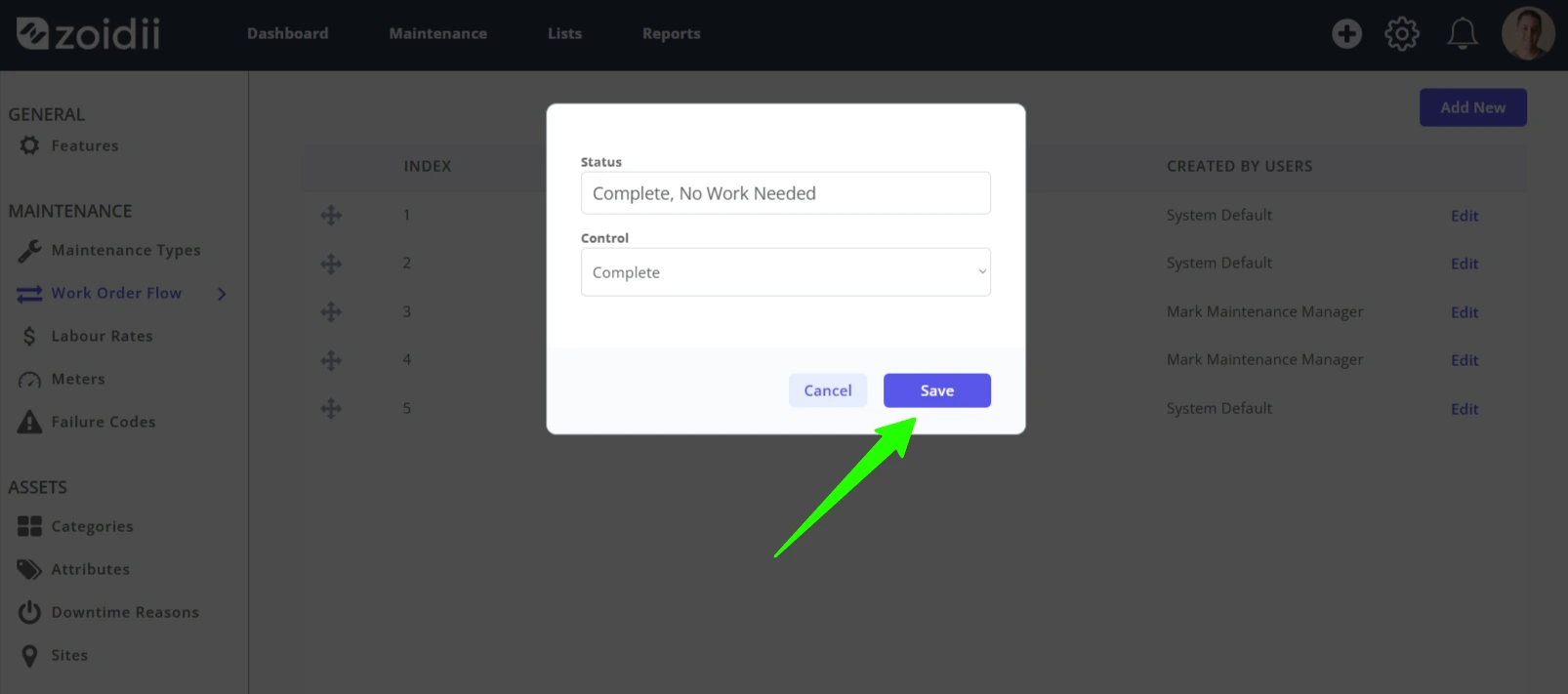
4. Fill in the new work order status, and click Save.
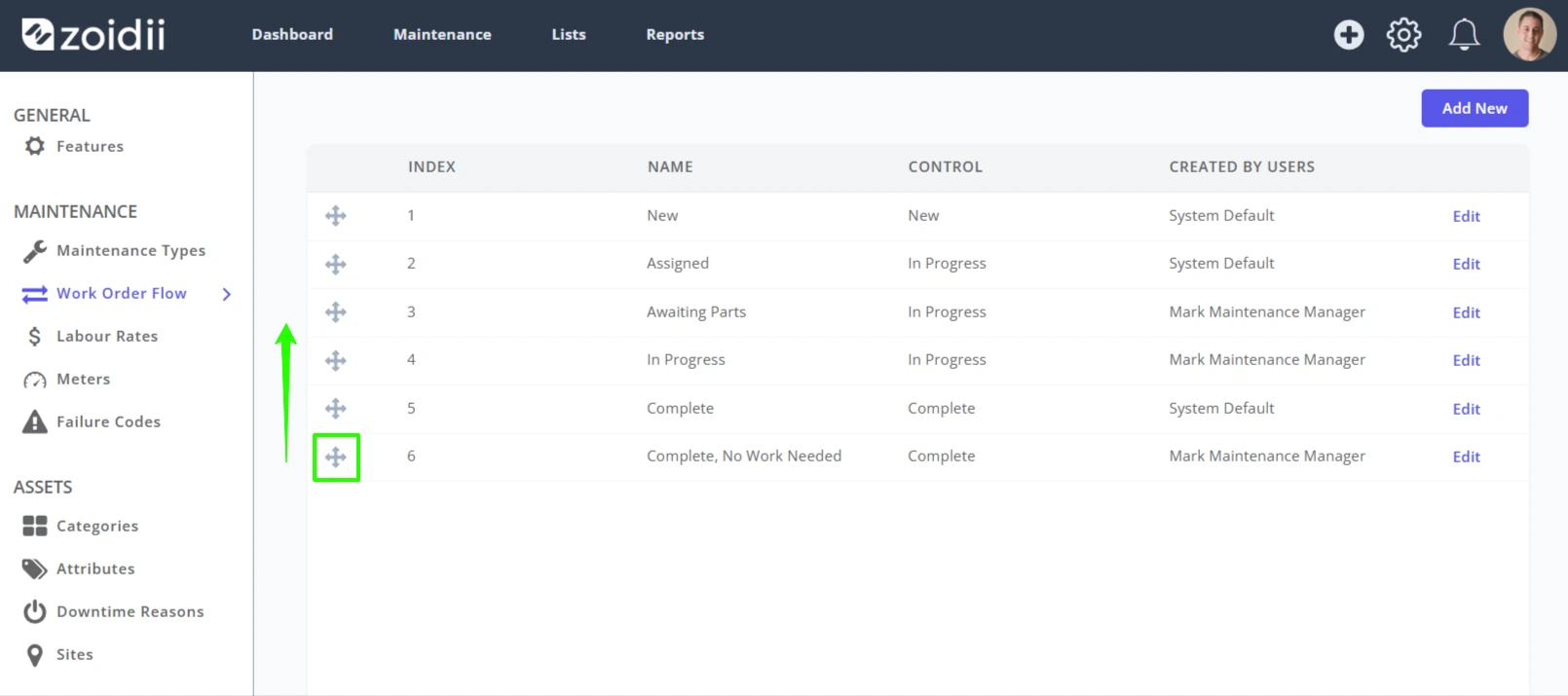
5. Drag and drop the new state into its position in the work order workflow.
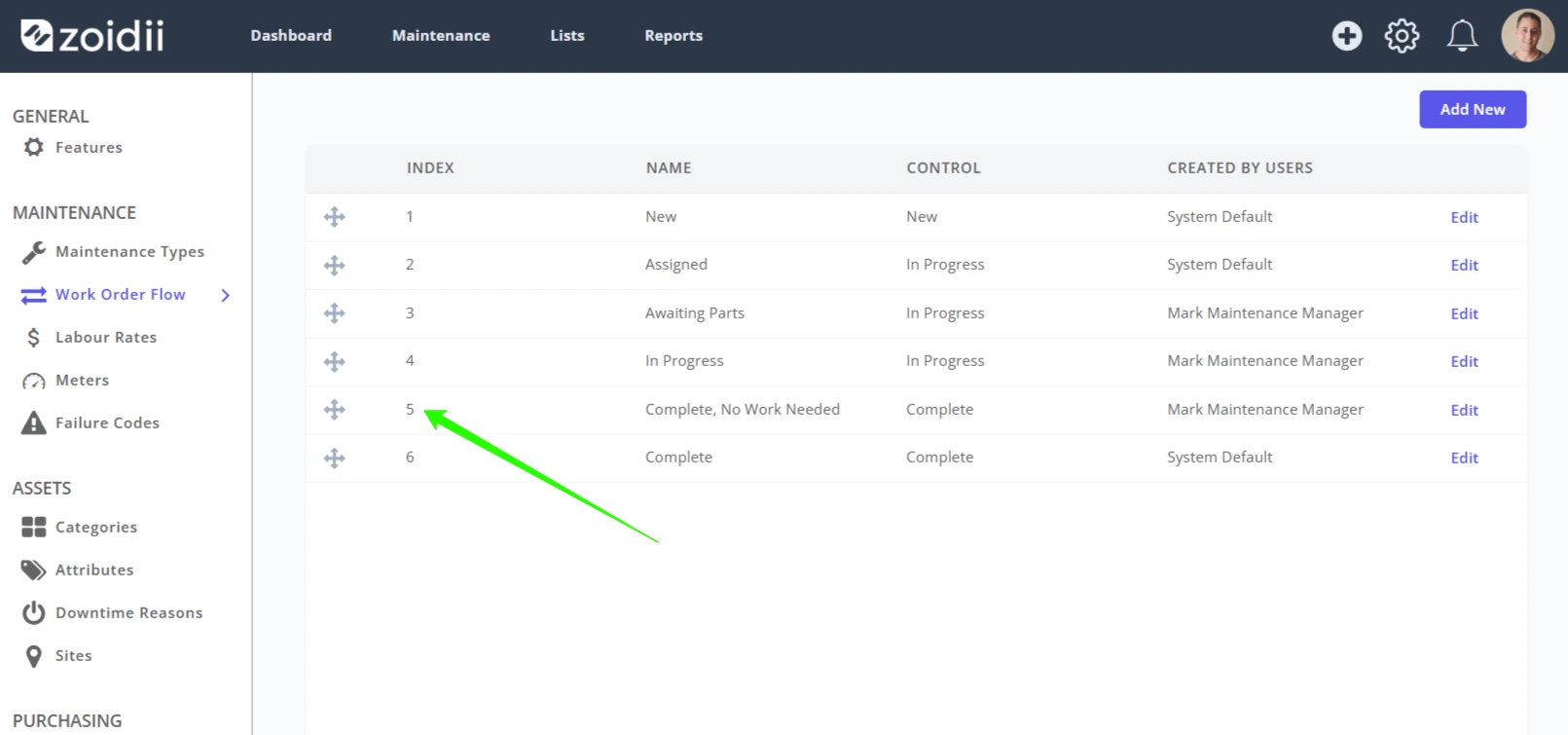
In this example, Complete, No Work Needed is placed in position #5 before Complete.
6. Creating a new work order status also creates a new swimlane in the kanban view.