

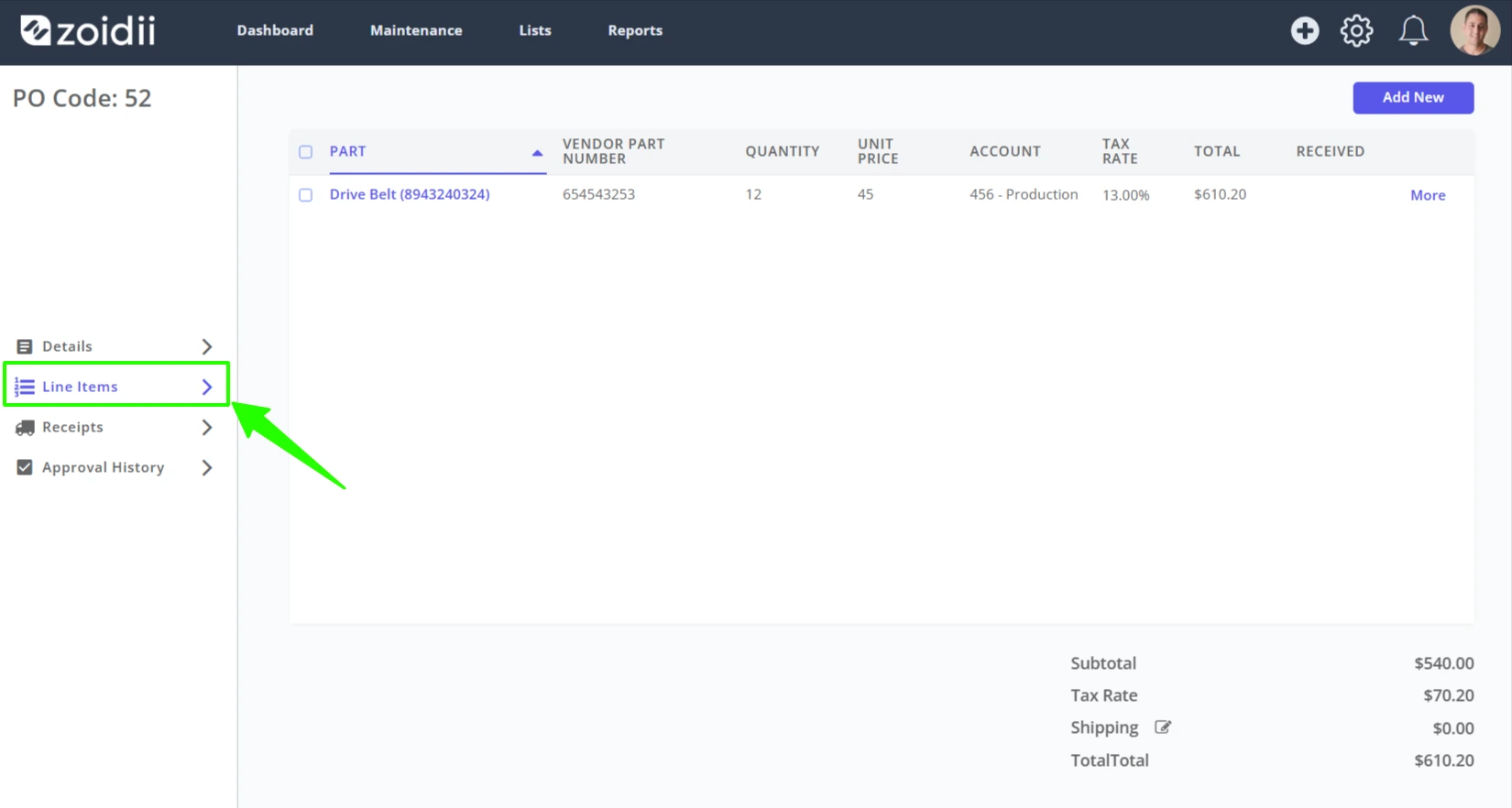
1. Open the purchase order and click into the Line Items tab
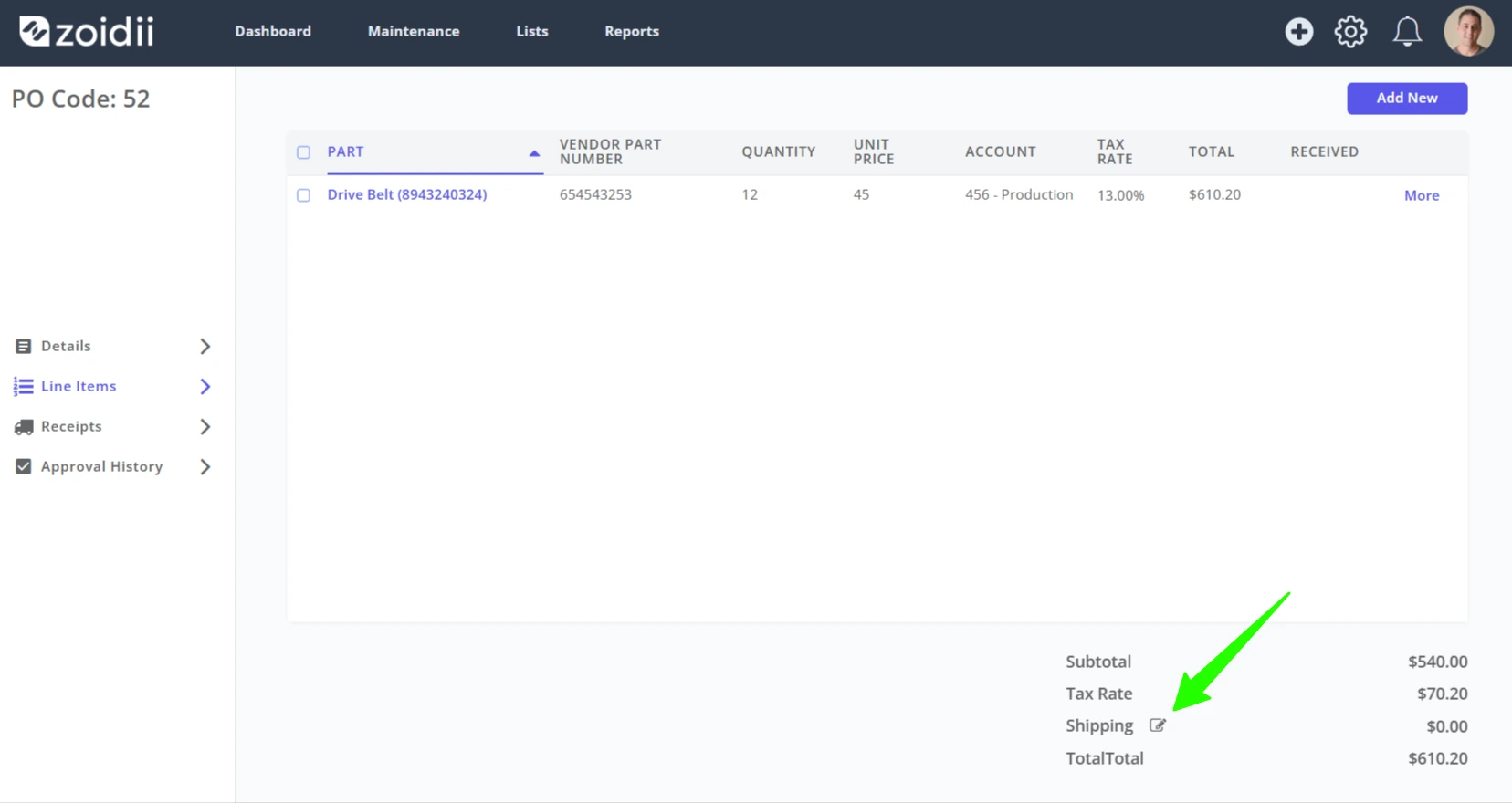
2. Click the edit icon beside shipping
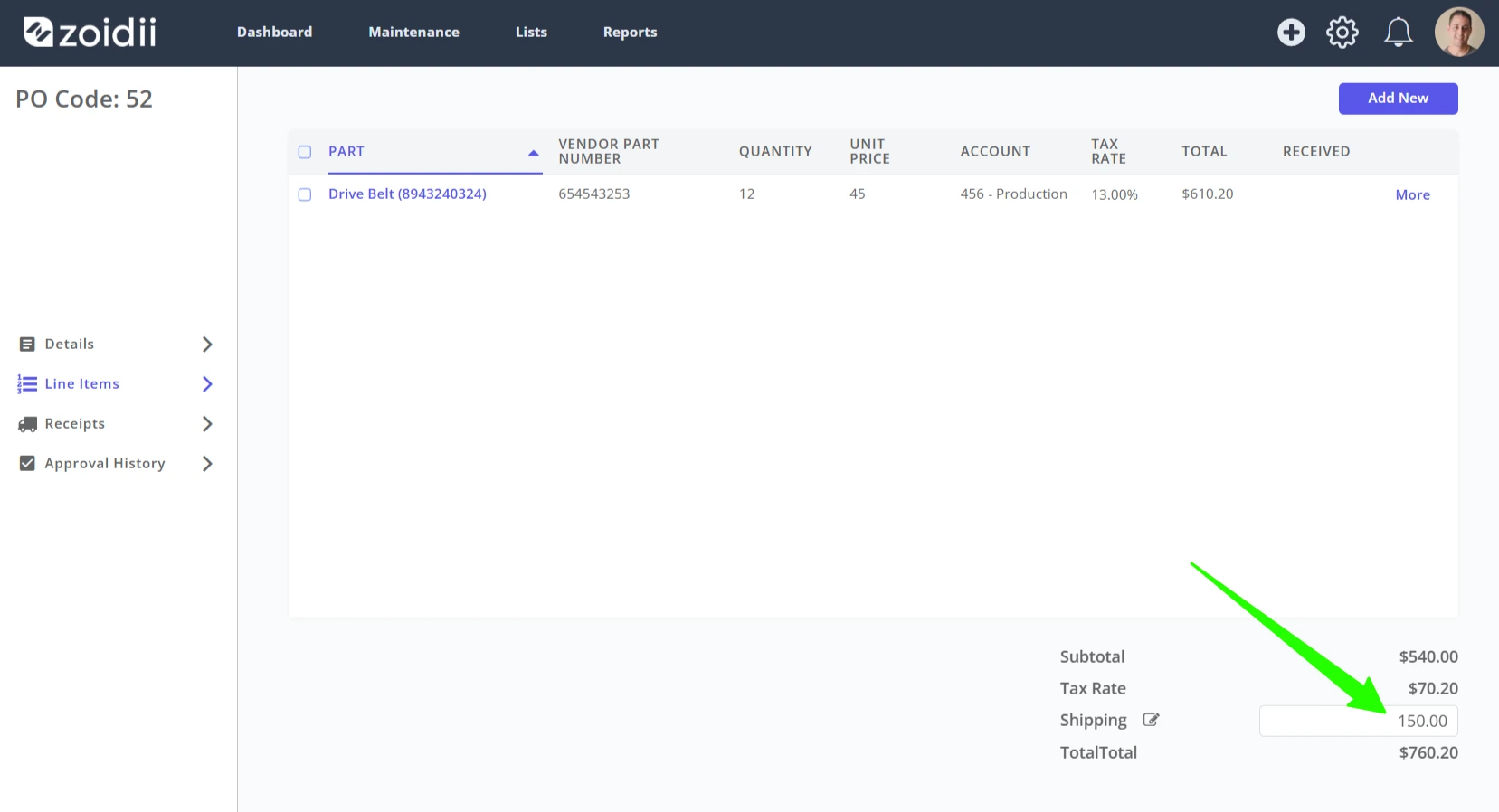
3. Add the expected shipping costs
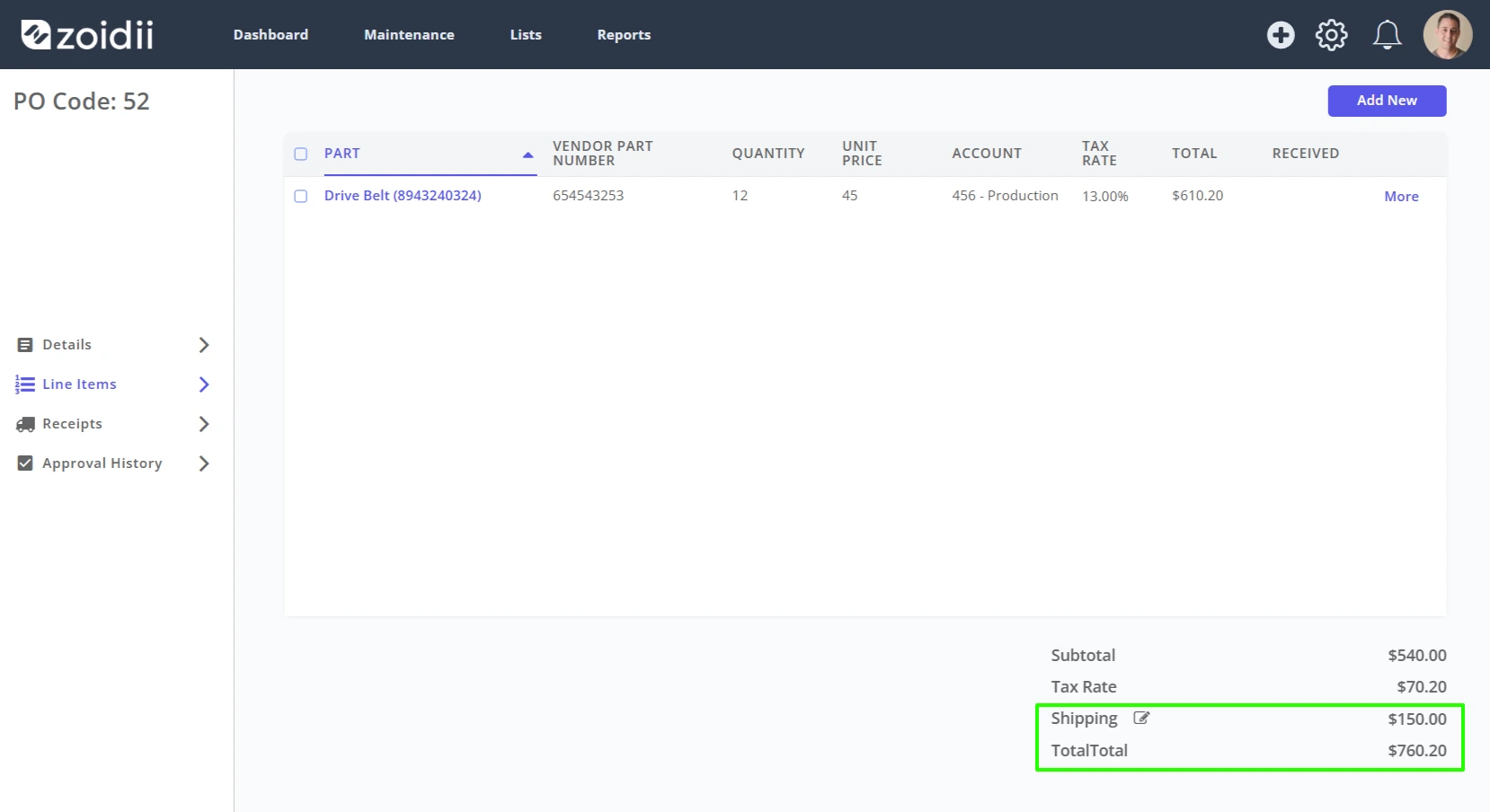
4. Click enter on your keyboard to save
Search for answers or browse our knowledge base
1. Open the purchase order and click into the Line Items tab
2. Click the edit icon beside shipping
3. Add the expected shipping costs
4. Click enter on your keyboard to save