Background
The Purchasing module ships with the Enterprise tier CMMS. Purchase requests are generated in two ways:- Manually by the user in the CMMS
- Automatically by the CMMS when stock falls below min values
Procedure
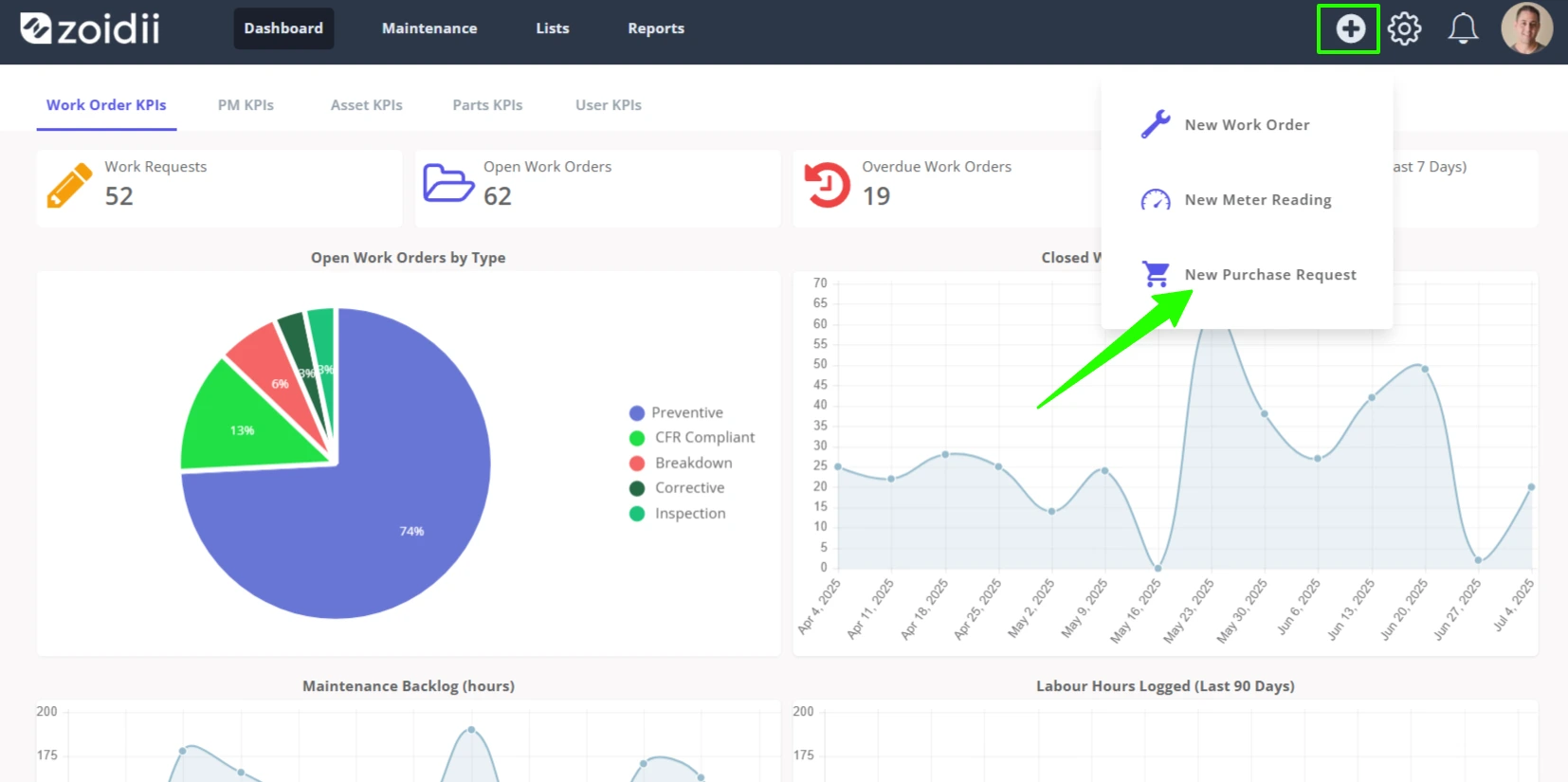
1. To create a purchase request, do one of the following:1.1 Click New Purchase Request in the Quick Add section in the header navigation bar.
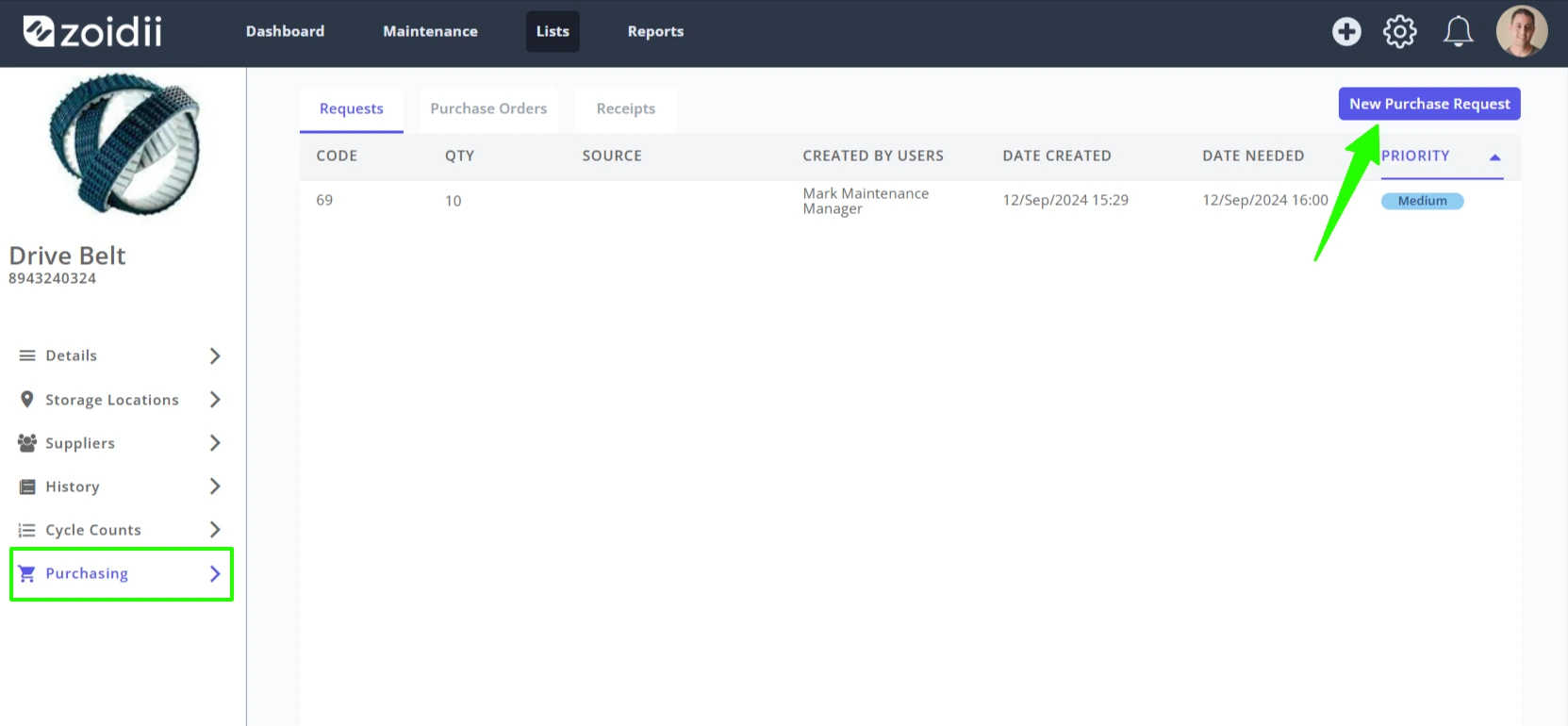
1.2 Click New Purchase Request in the Purchasing tab of the part record
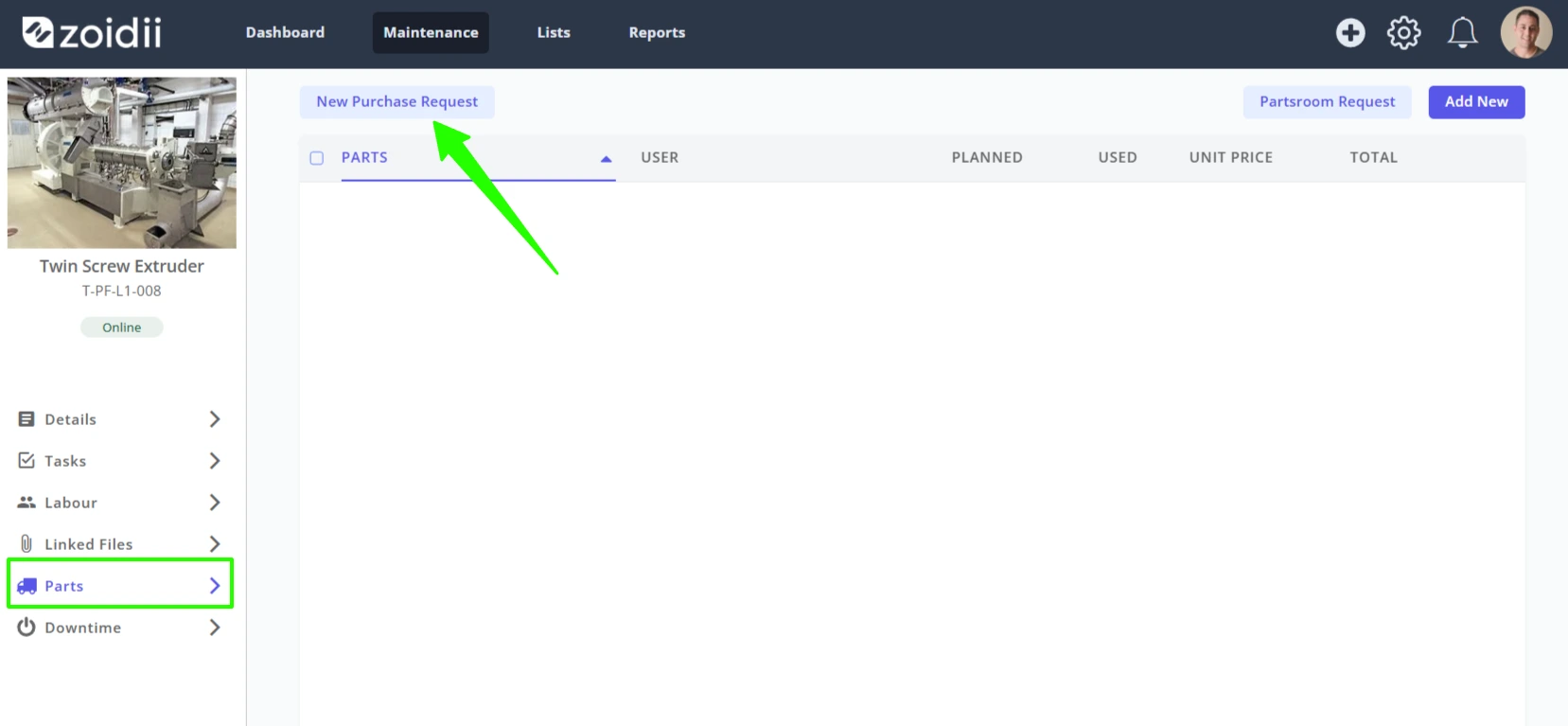
1.3 Click New Purchase Request in the work order parts tab. When the purchase request is created in the work order, it is automatically associated with the work order and work order asset.
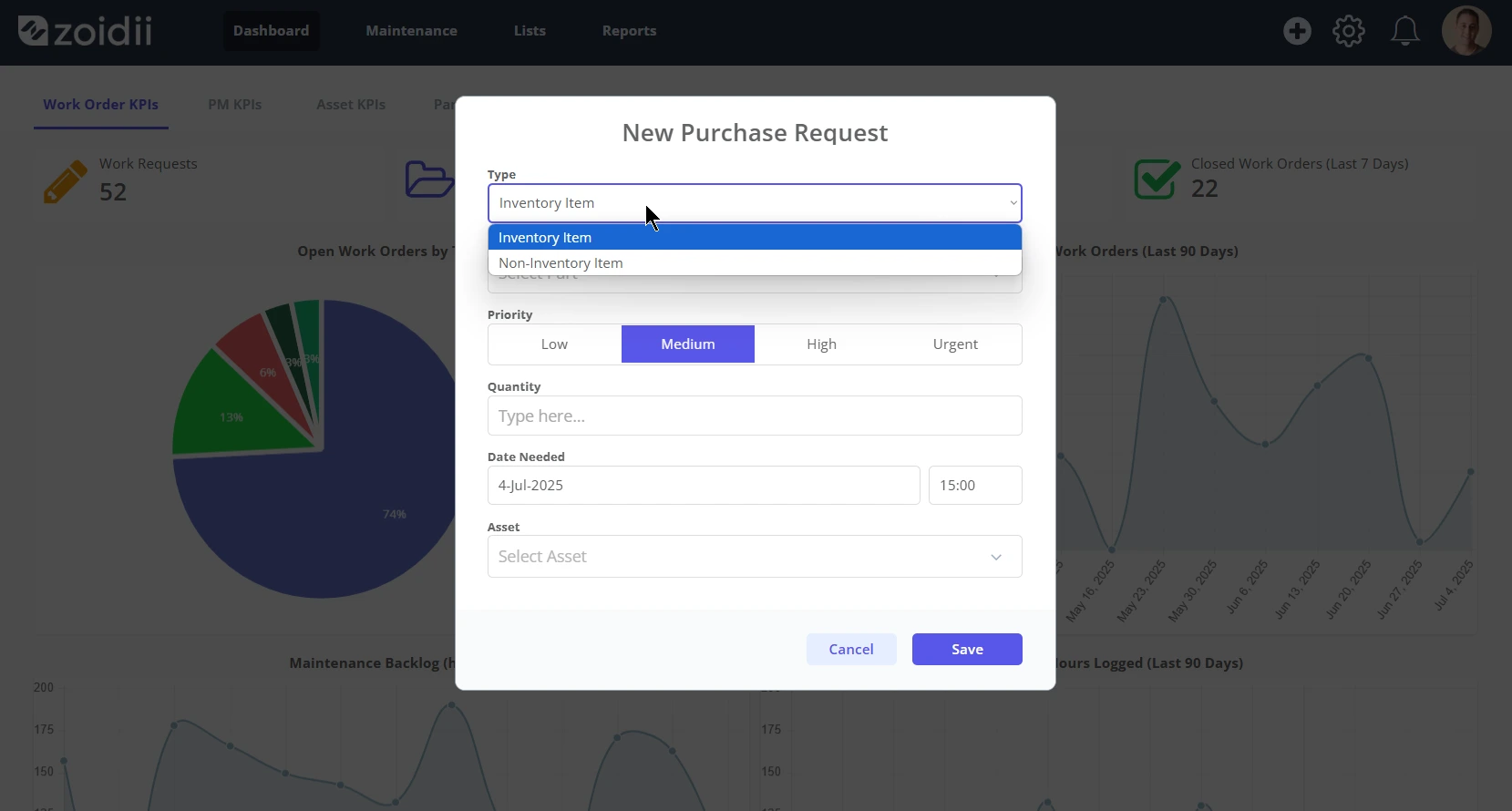
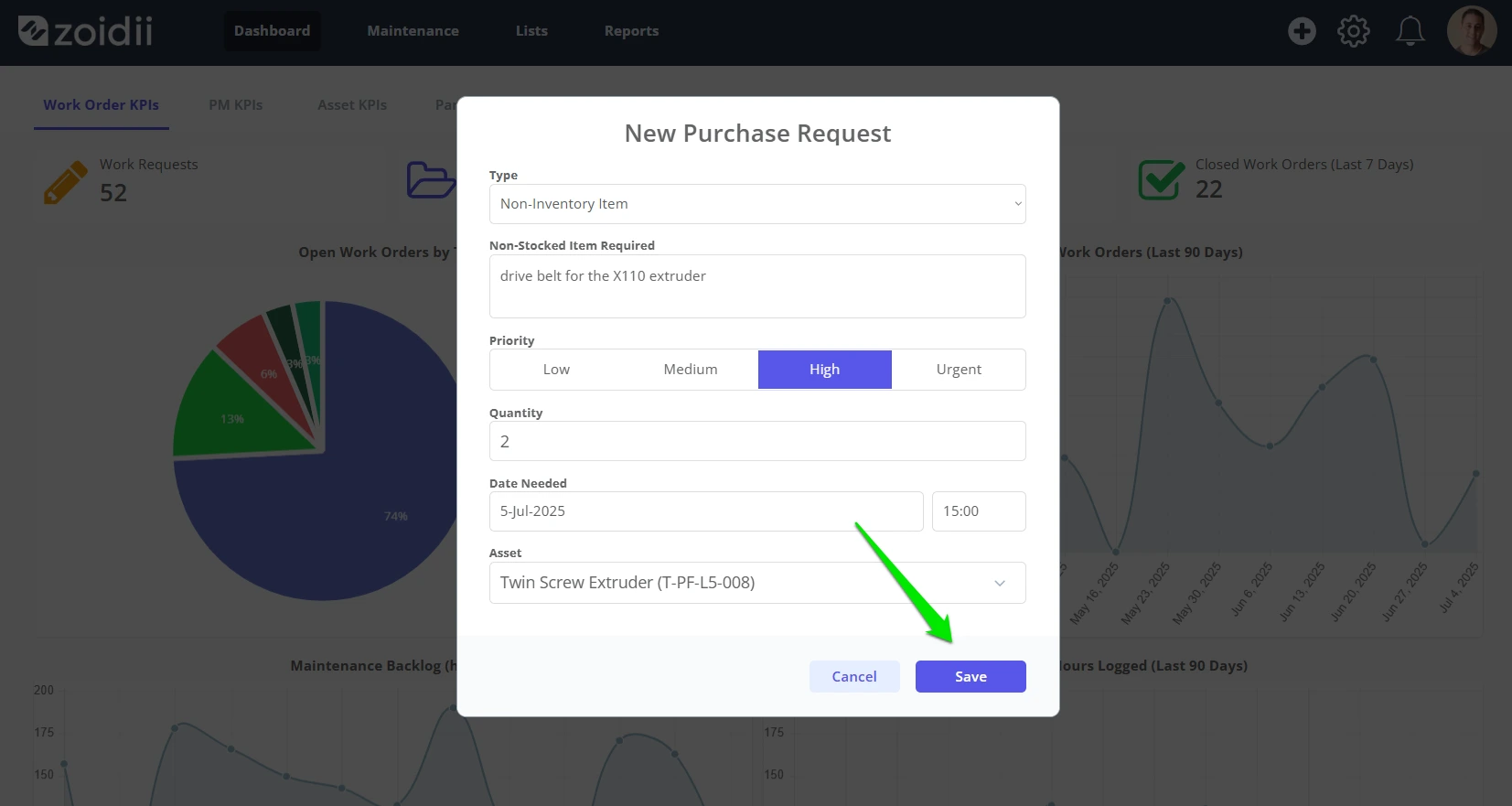
2. Chose the inventory item type in the dropdown
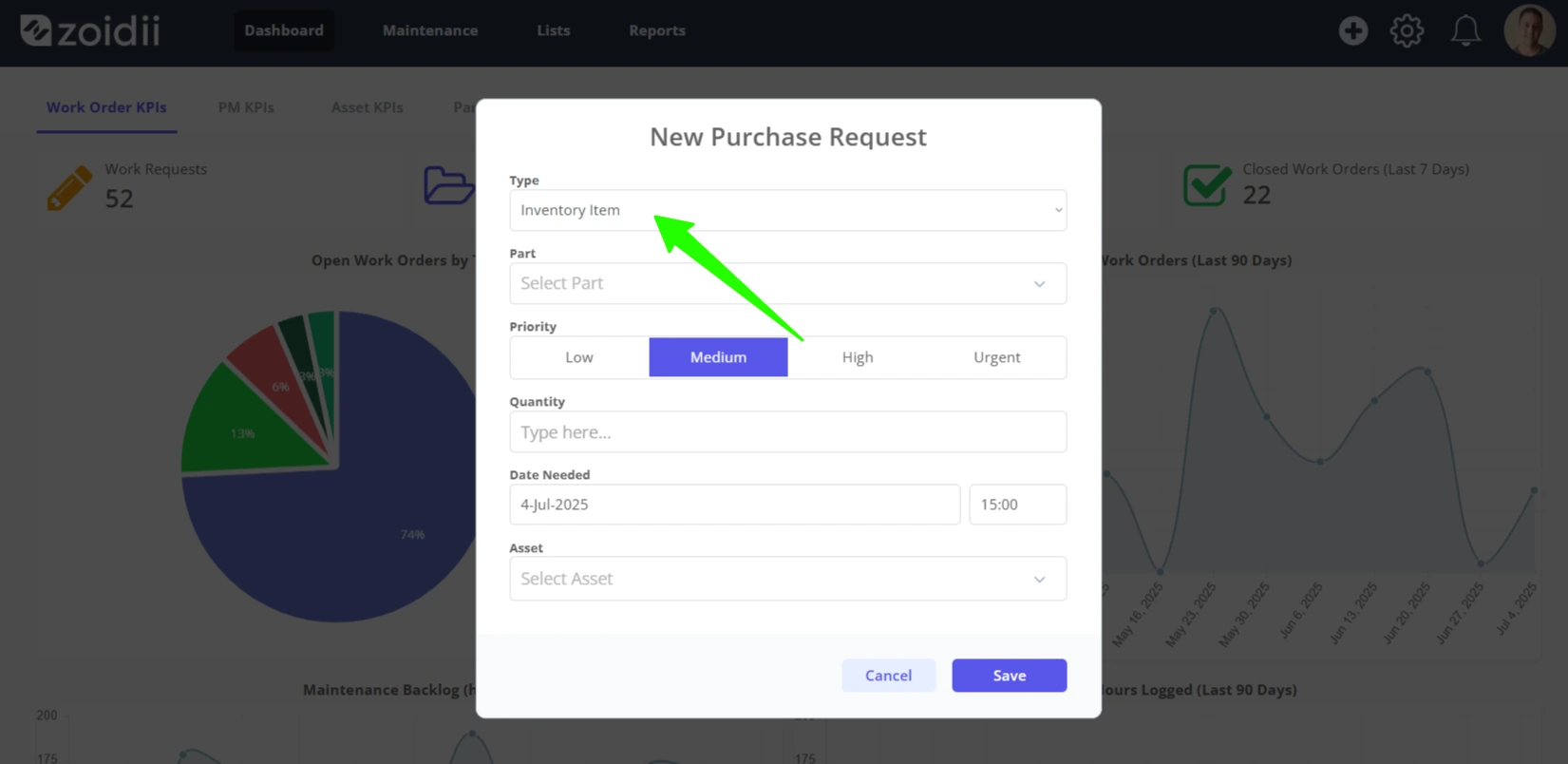
- Inventory item - something that is stocked in the storeroom and available to view in the parts section of the CMMS
- Non-stock item - something that is not normally stocked in the storeroom or available to view in the parts section of the CMMS
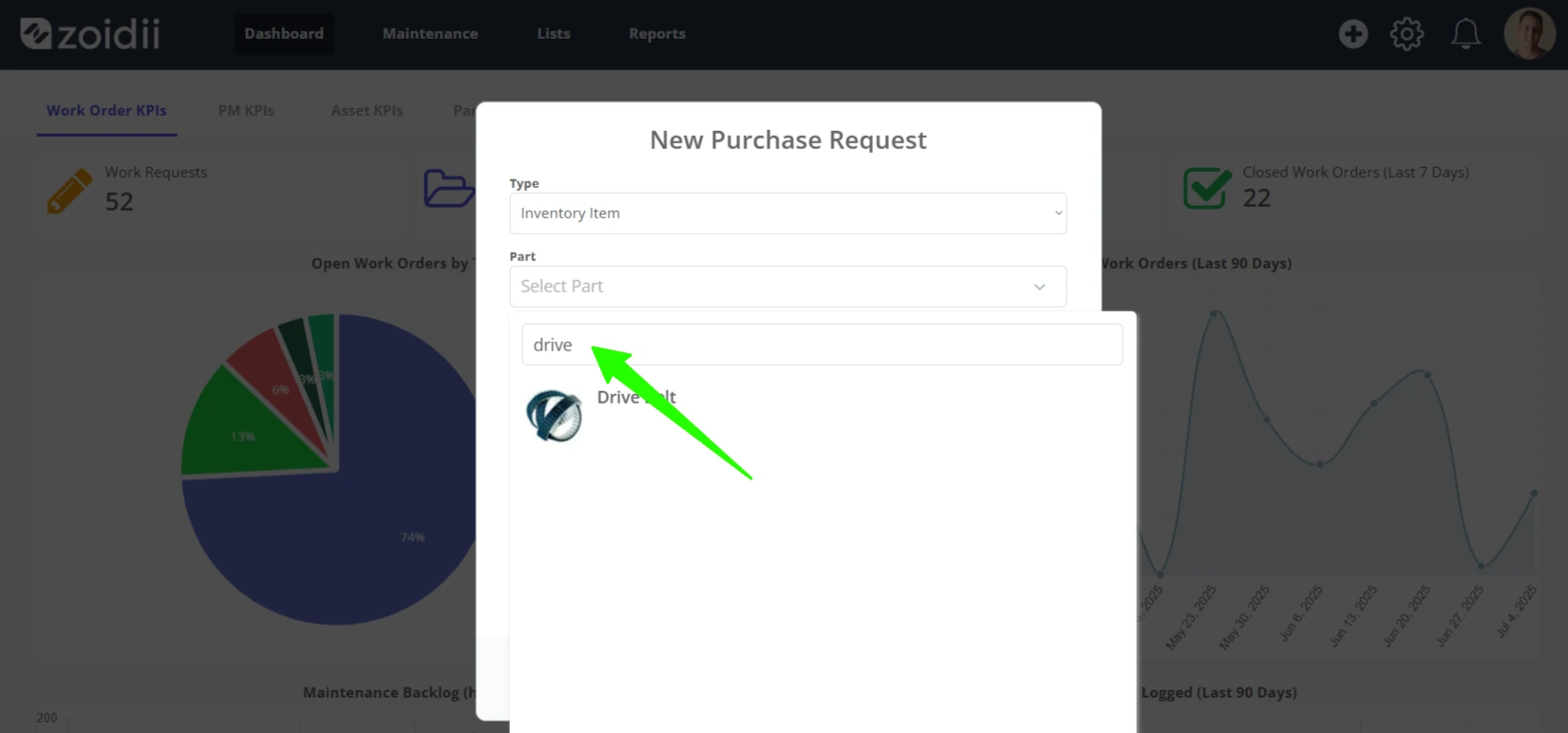
3.1 For inventory items, select the part from the parts list. Use the search to find the part quickly.
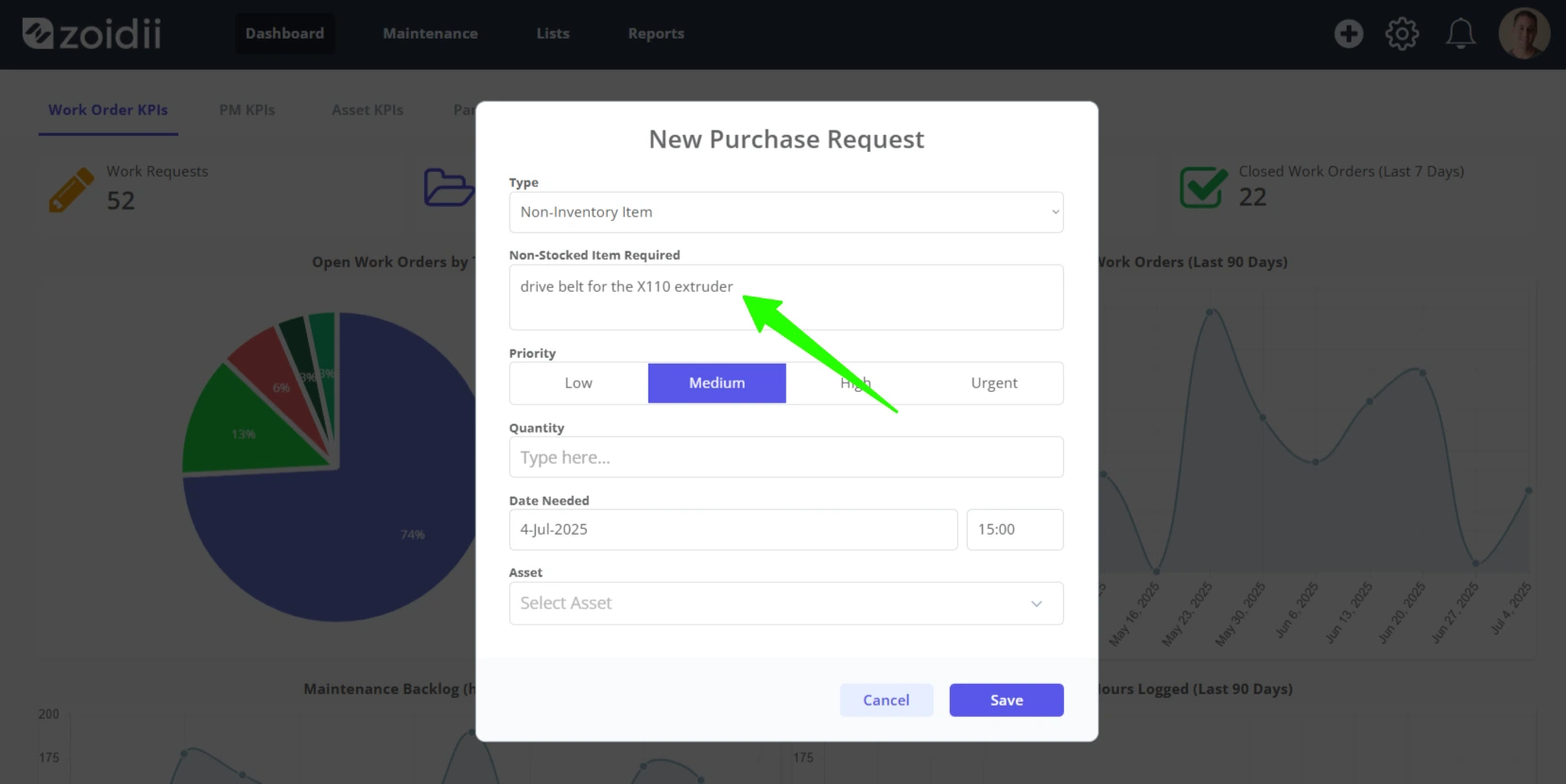
3.2 For non-inventory items, add as much details as possible to the Non-Stocked Item Required field
4. Assign the purchase request a Priority
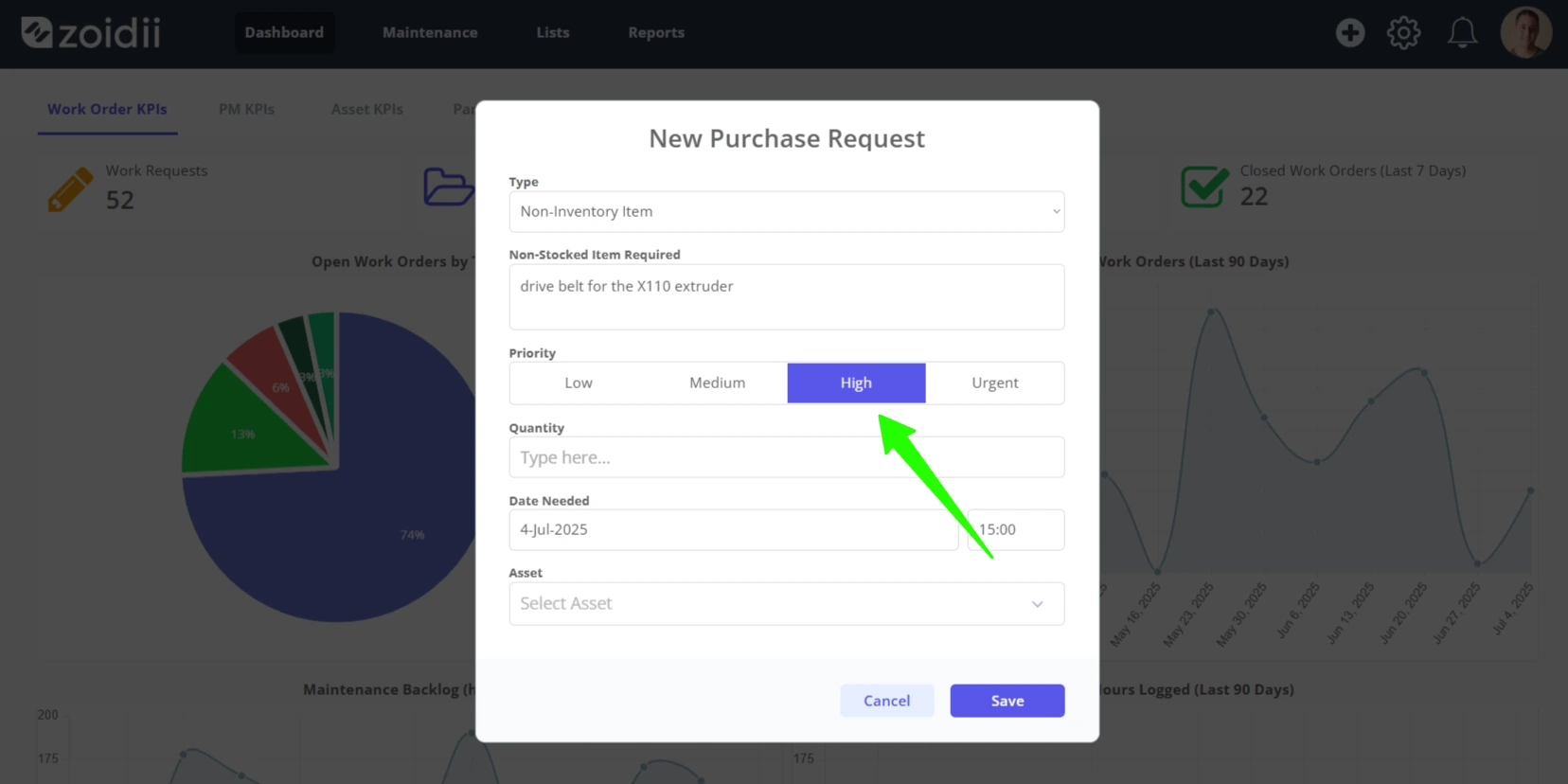
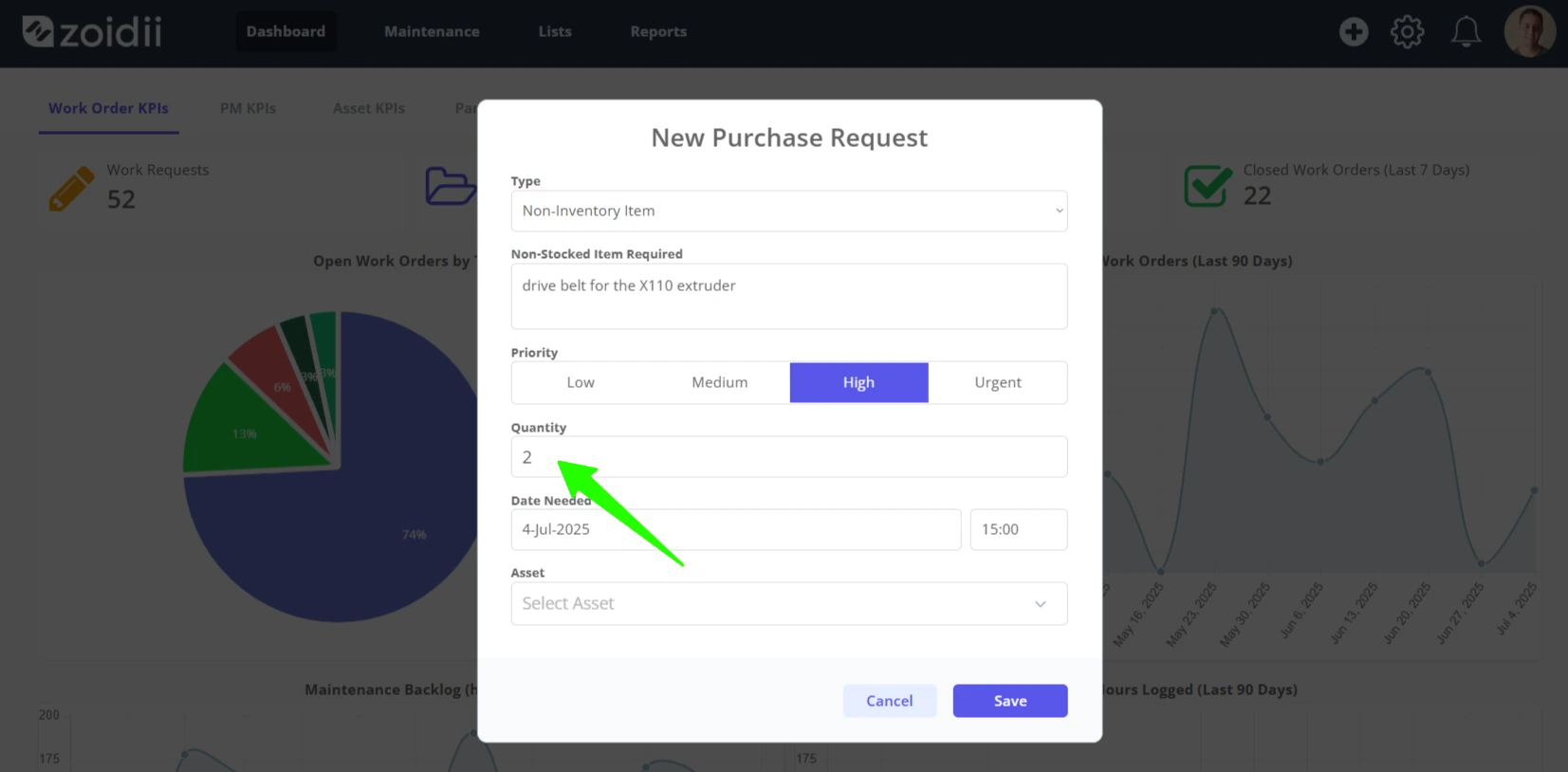
5. Enter the Quantity Required
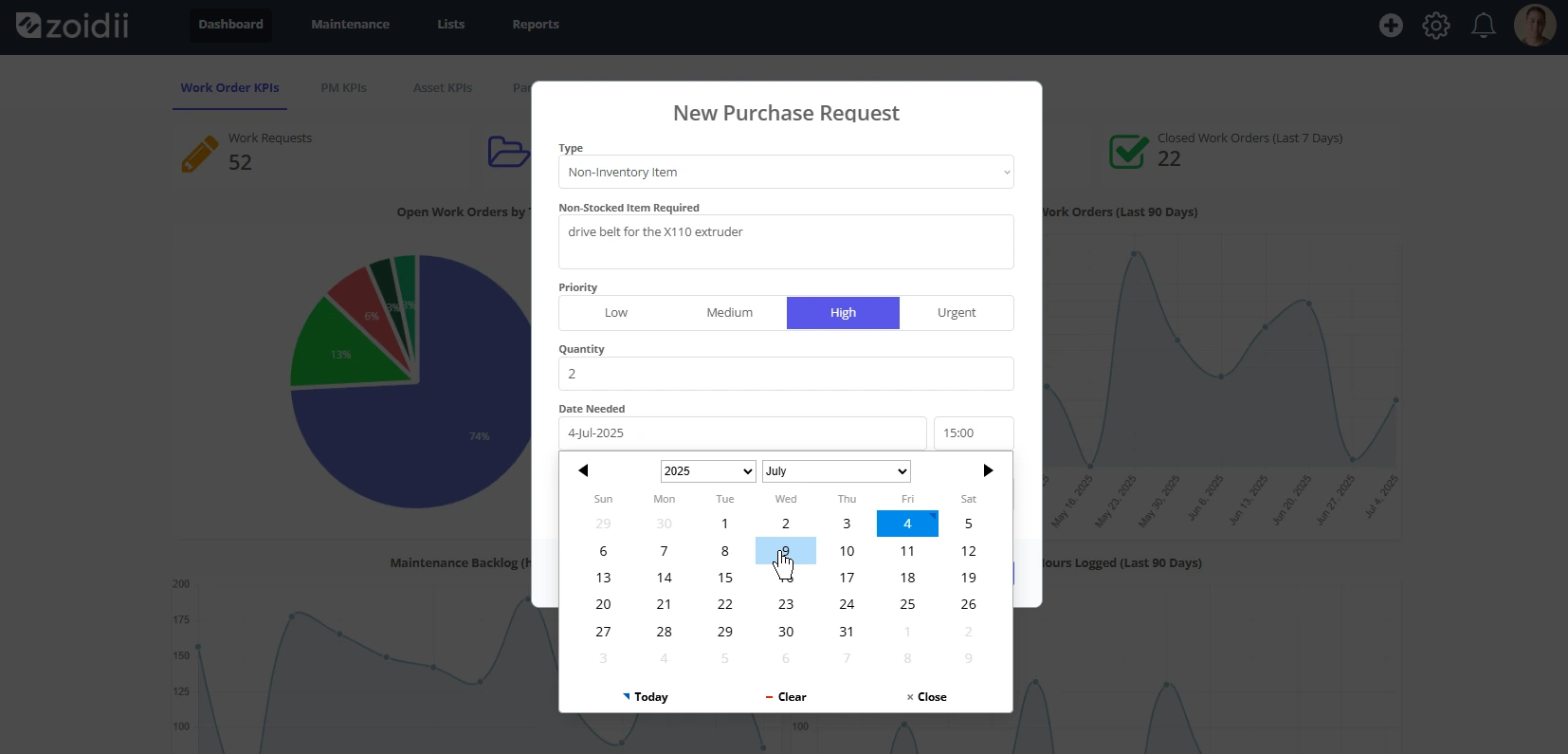
6. Select the Needed By date
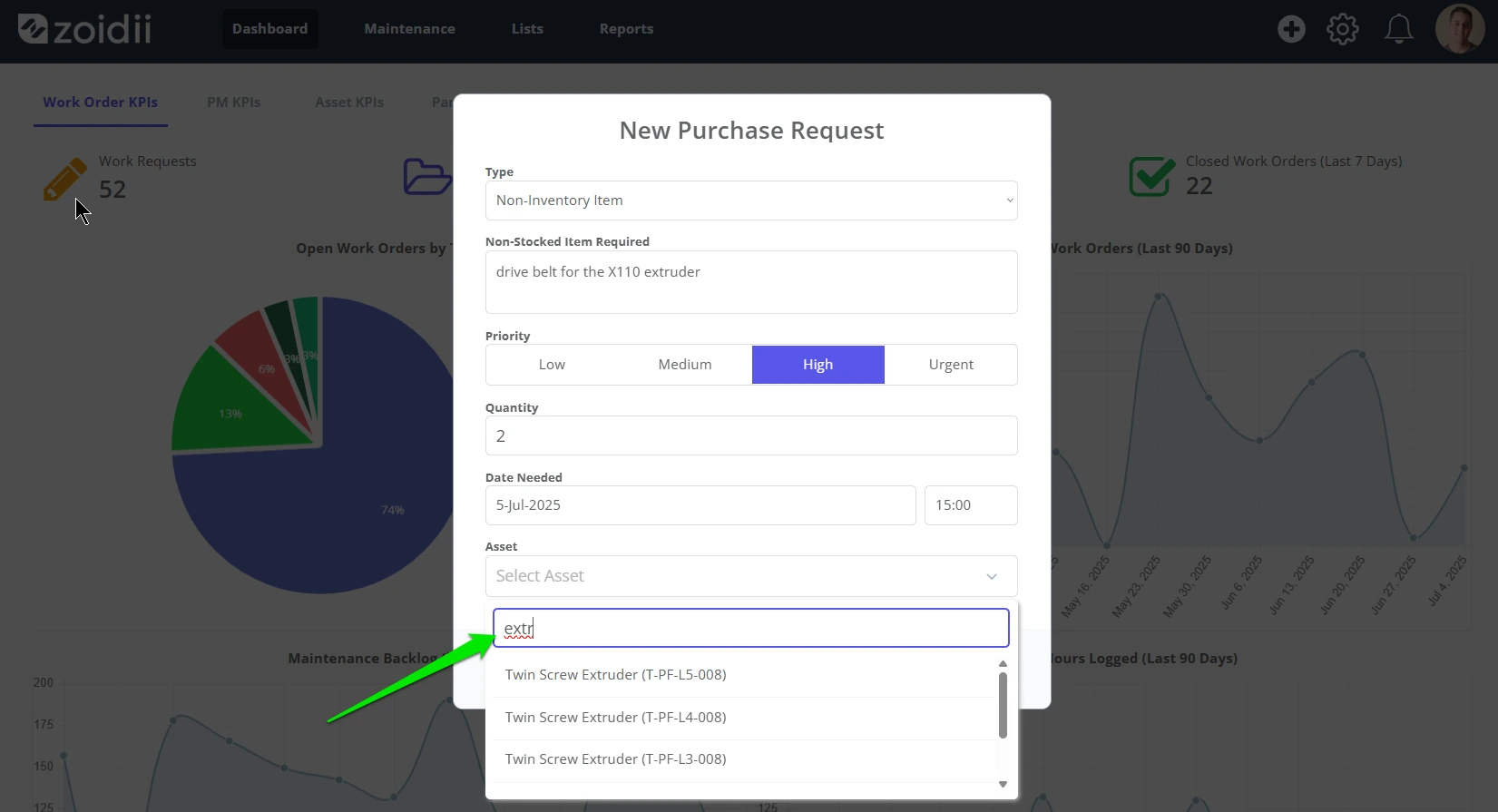
7. Assign the purchase request to an Asset if required - "This part is needed for this asset"
8. Click Save New when done
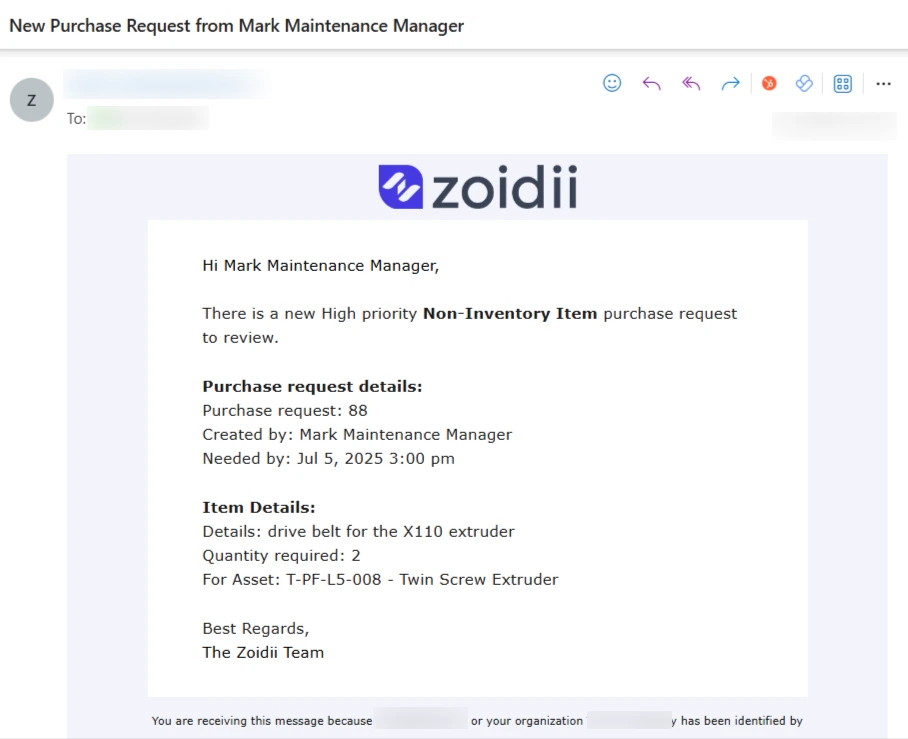
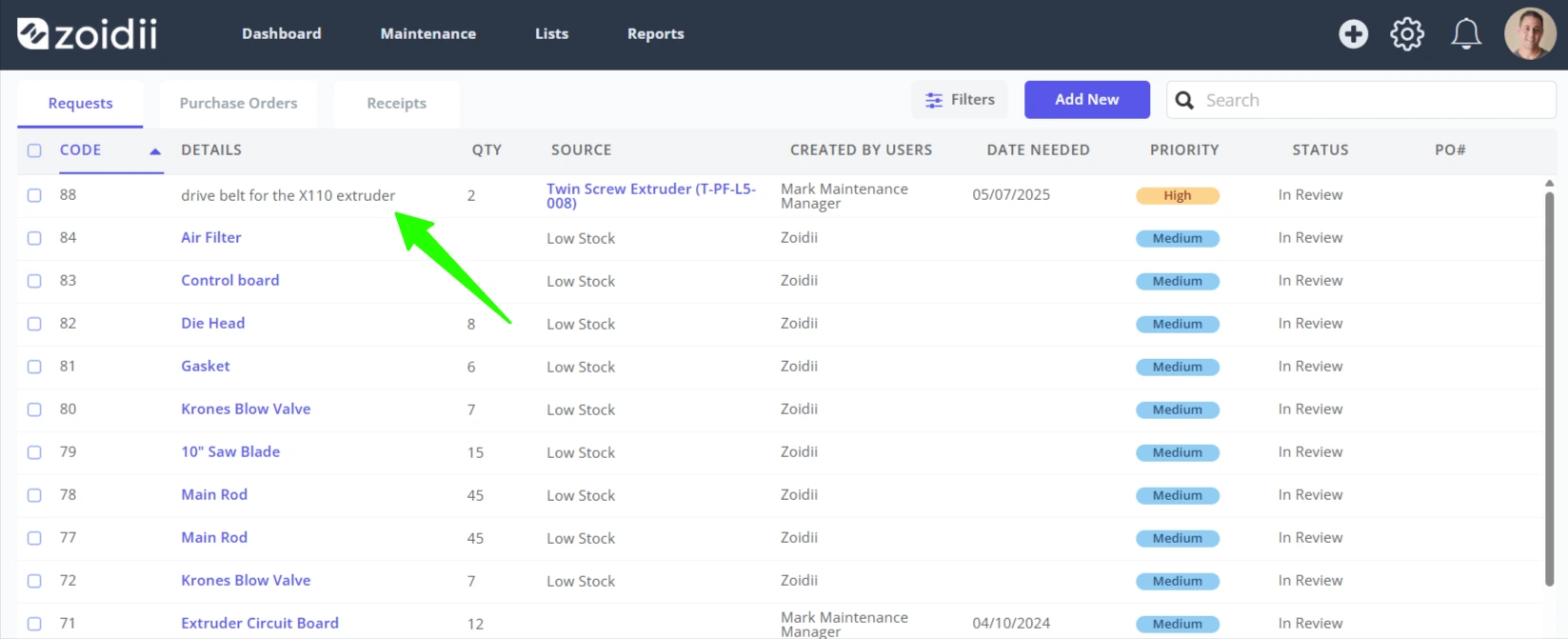
9. The new purchase request is sent to the relevant folks for review.
10. Purchasing administrators in the CMMS will also receive a notification letting them know a new purchase request has been submitted.