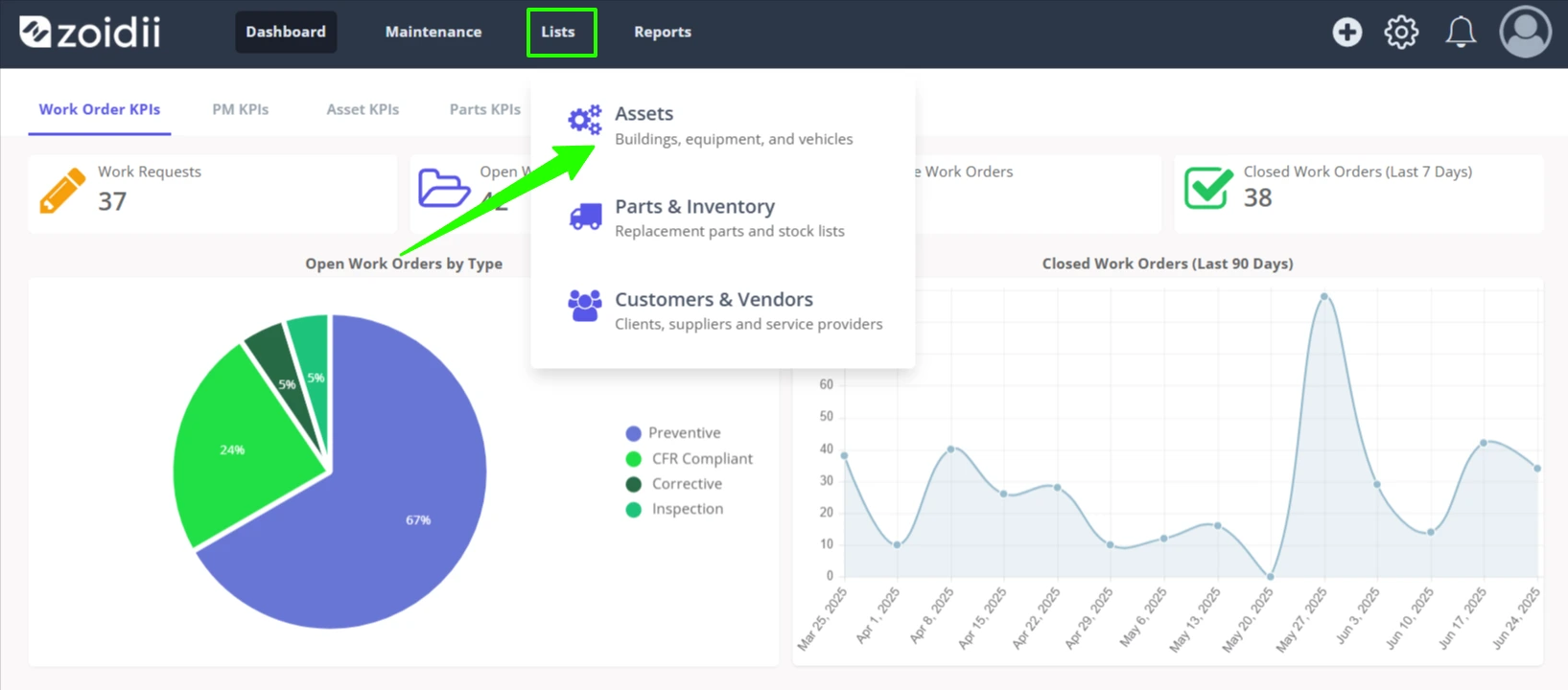
1. In the top navigation bar, click Lists and select Assets from the dropdown menu
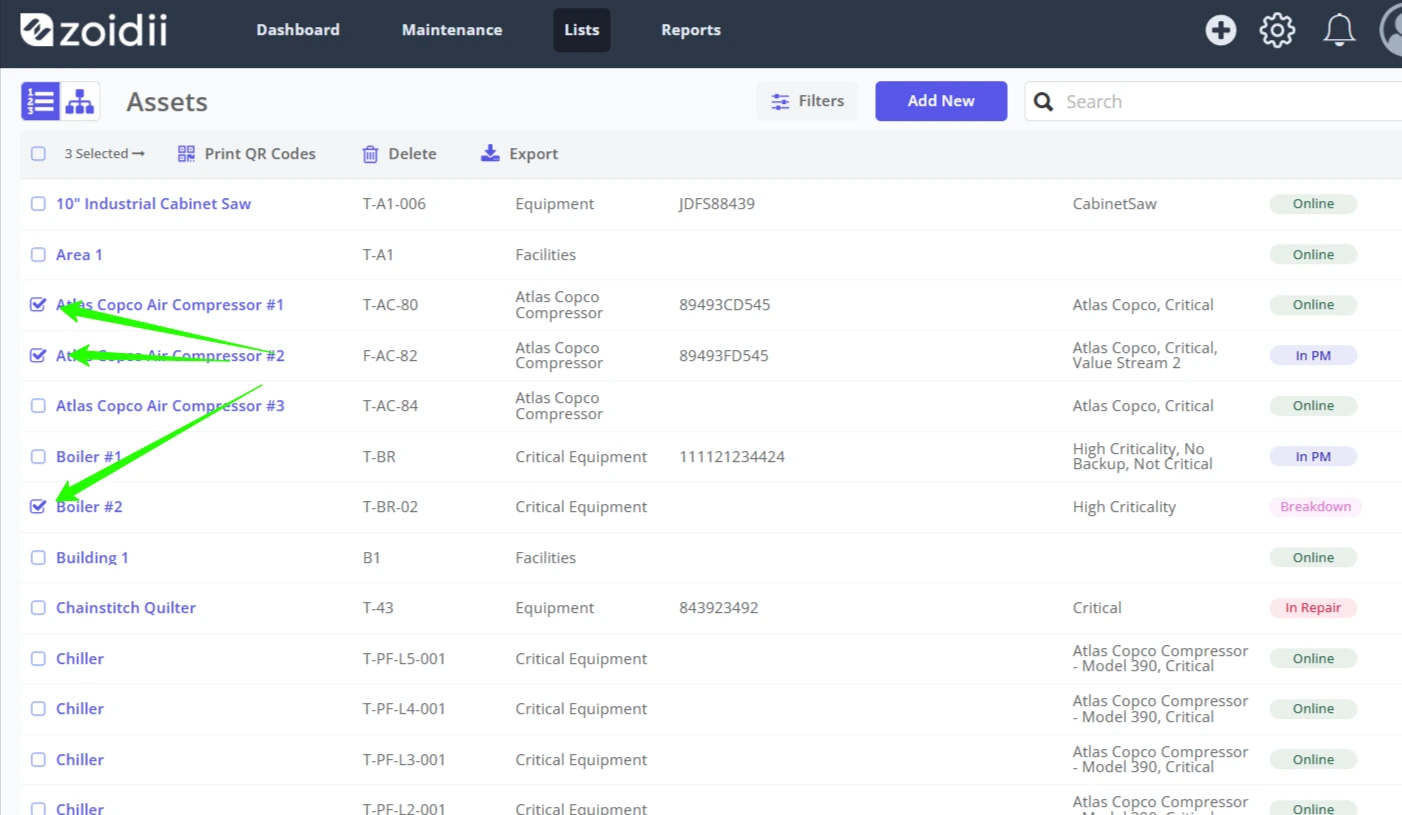
2. In the asset list, check the checkbox on the asset line item to print a QR code for that asset
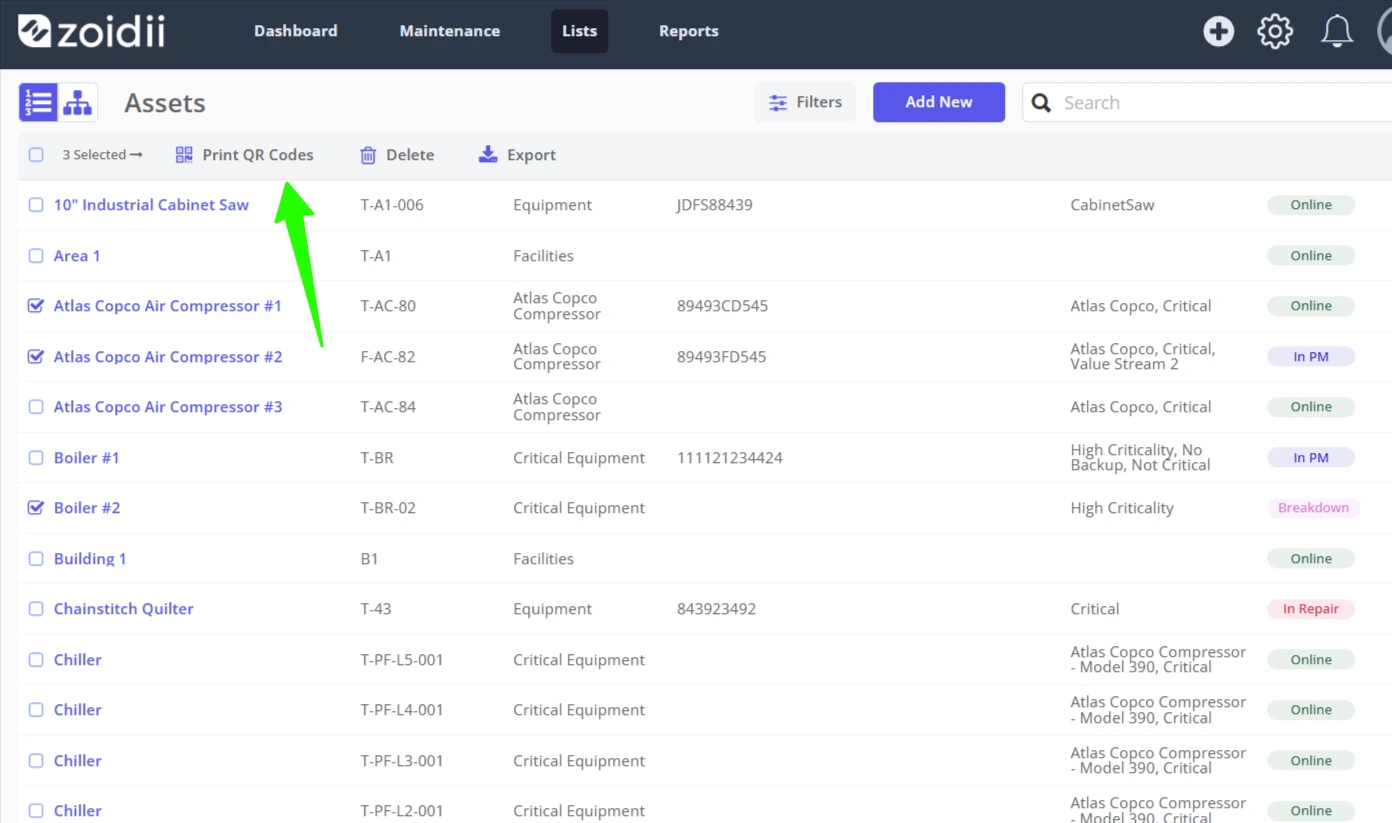
3. In this example, 3 assets have been selected. Click Print QR Codes
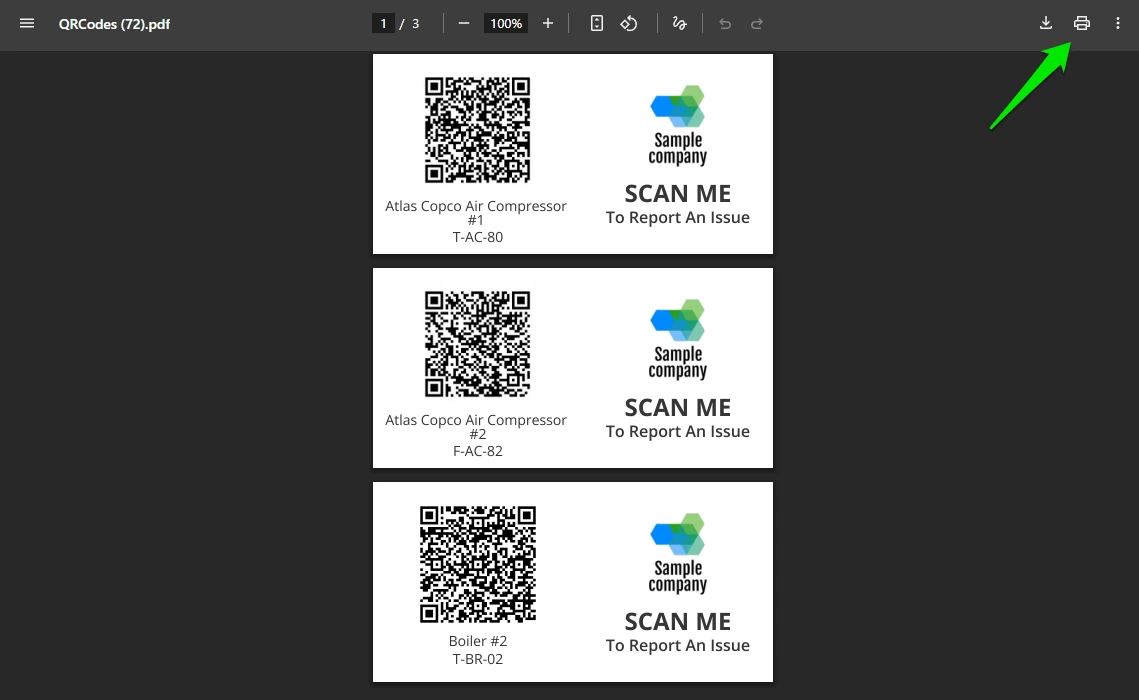
4. Click Print. The QR codes are outputted in PDF format to the downloads folder on your computer.
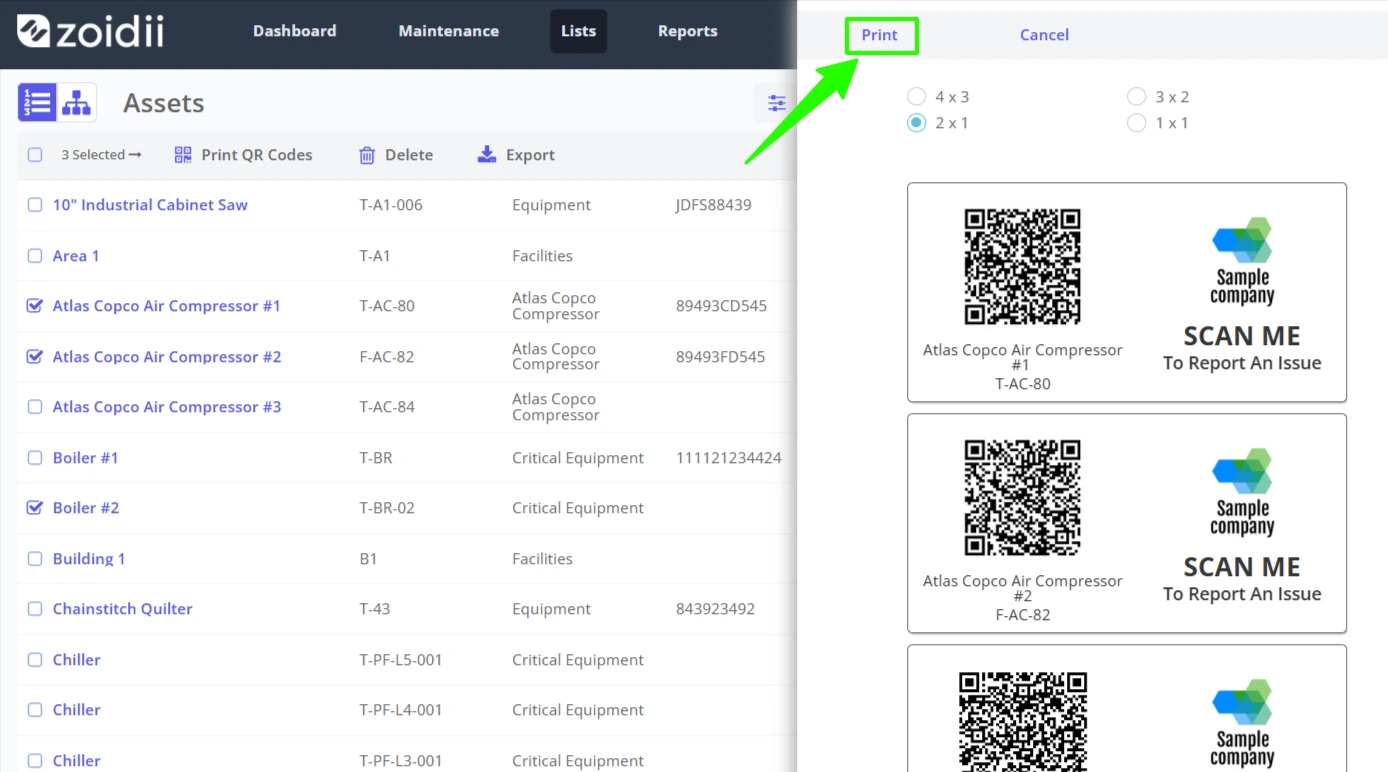
5. Click Print