Background
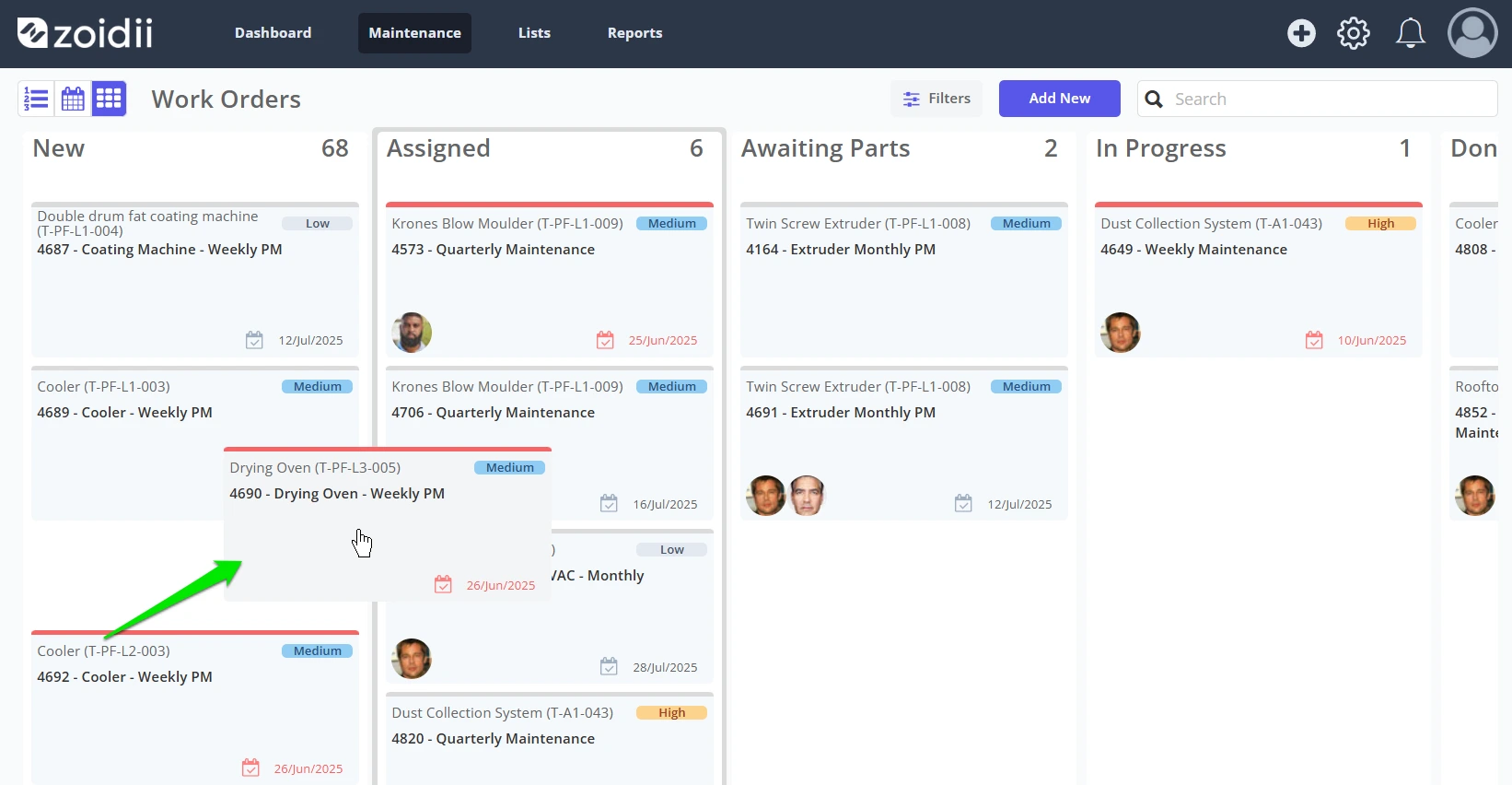
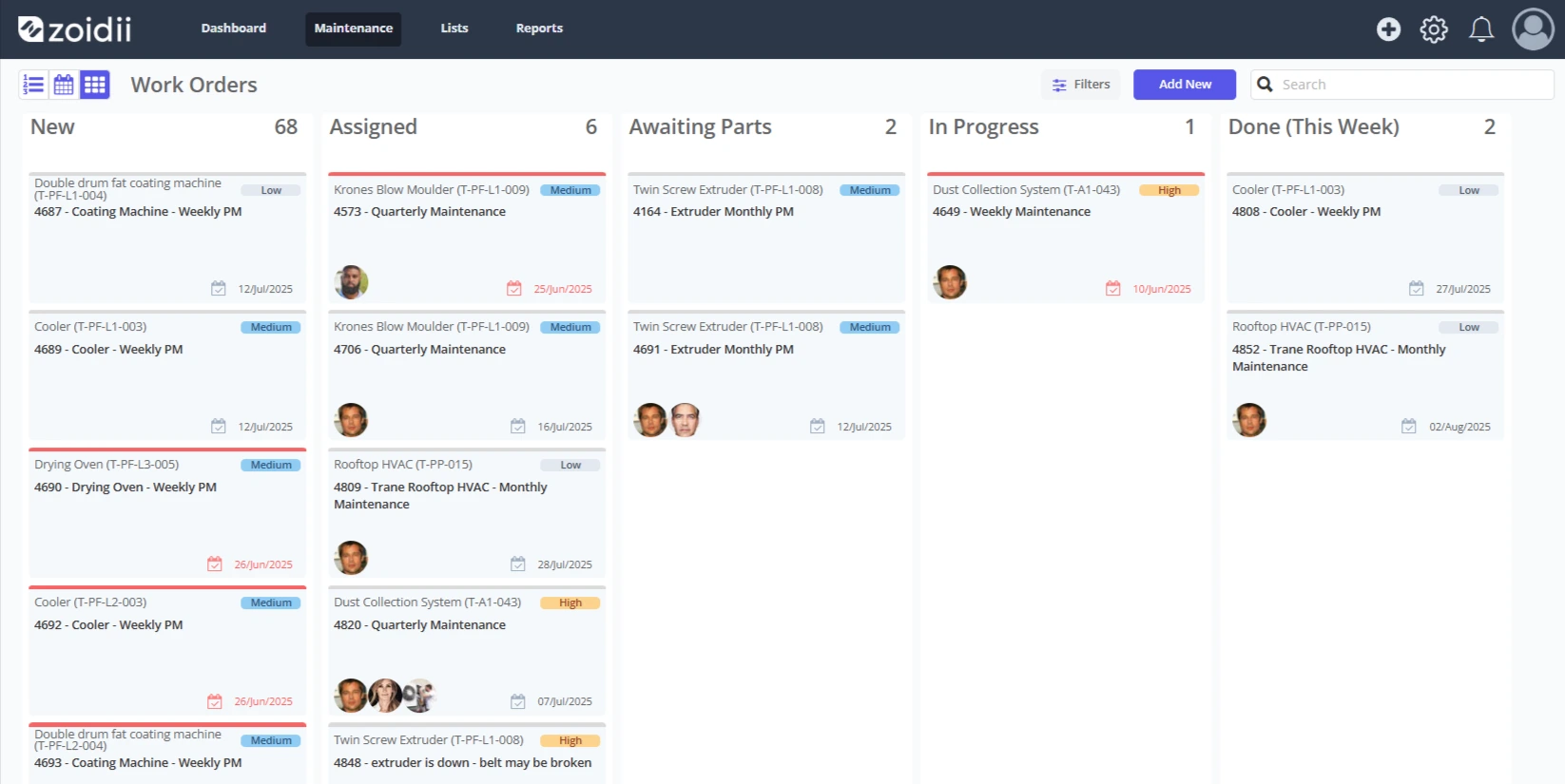
Kanban boards visually depict work at various stages of a process using cards to represent work items and columns to represent each stage of the process. The work order kanban view is designed to give a visual representation of work orders in each work order status.
Kanban Overview
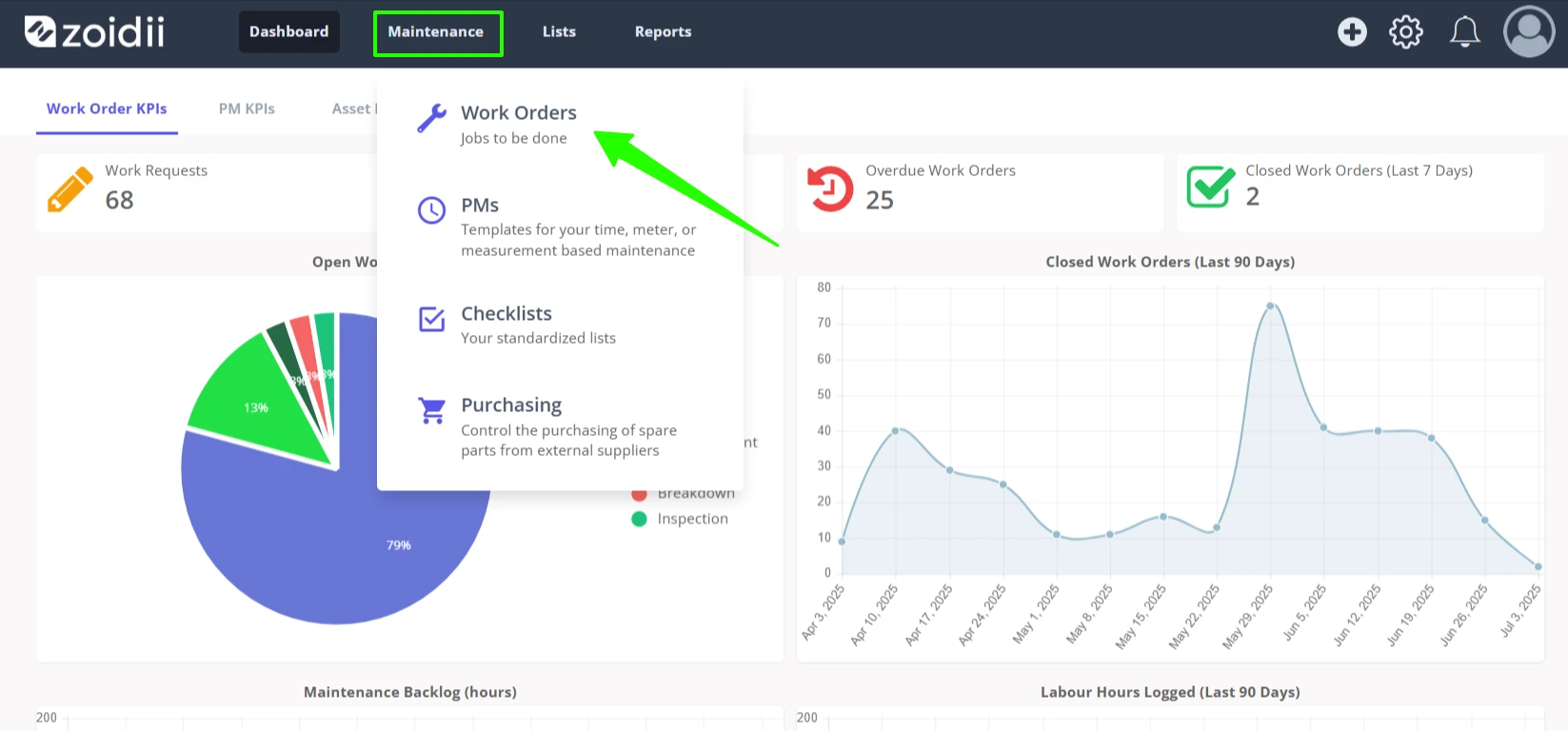
1. In the top navigation bar, click Maintenance and select Work Orders from the dropdown menu
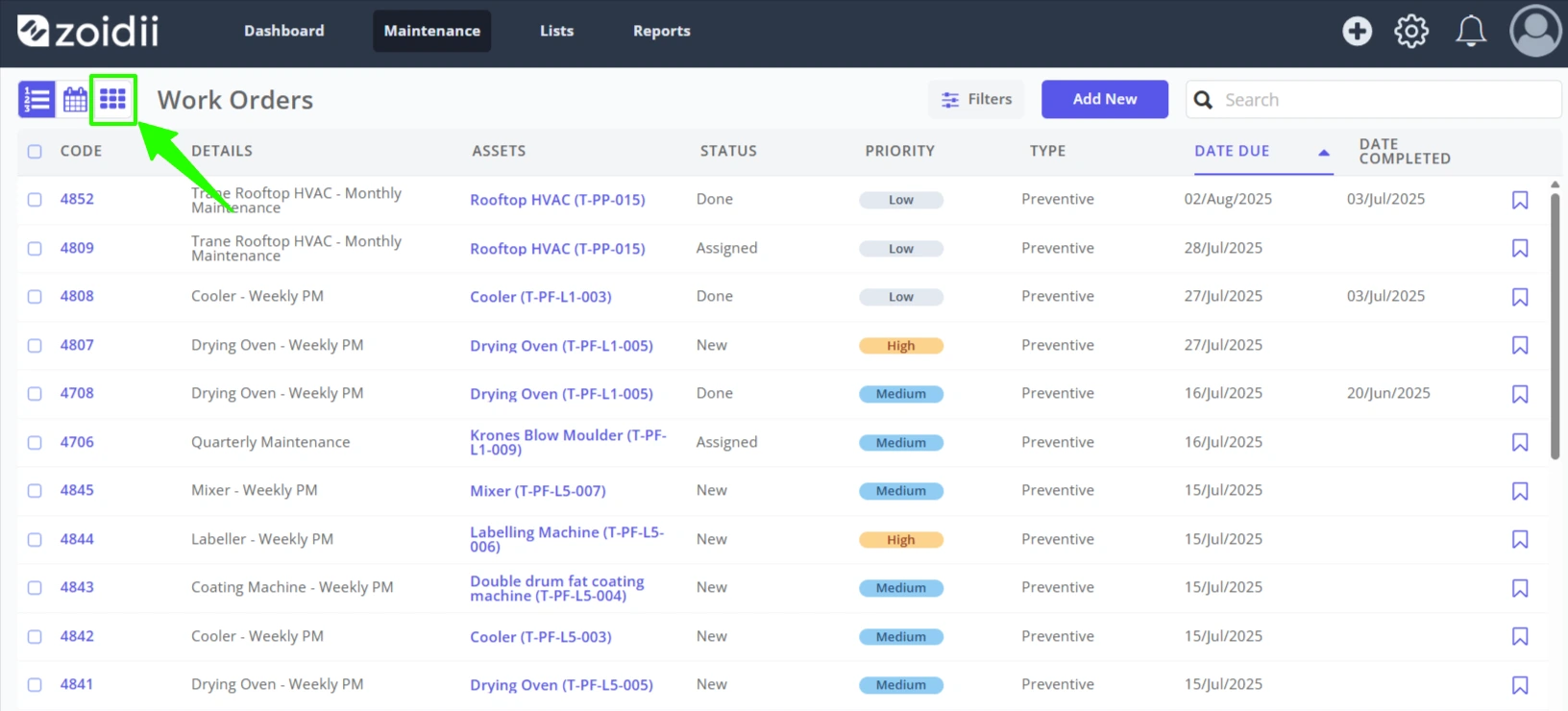
2. Click the KanbanView icon on the top left-hand side of the screen
3. The Kanban visually depicts the work orders in each status
4. Drag and drop work orders within the same column to reorder them, or drag and drop work orders across swimlanes to change the work order status