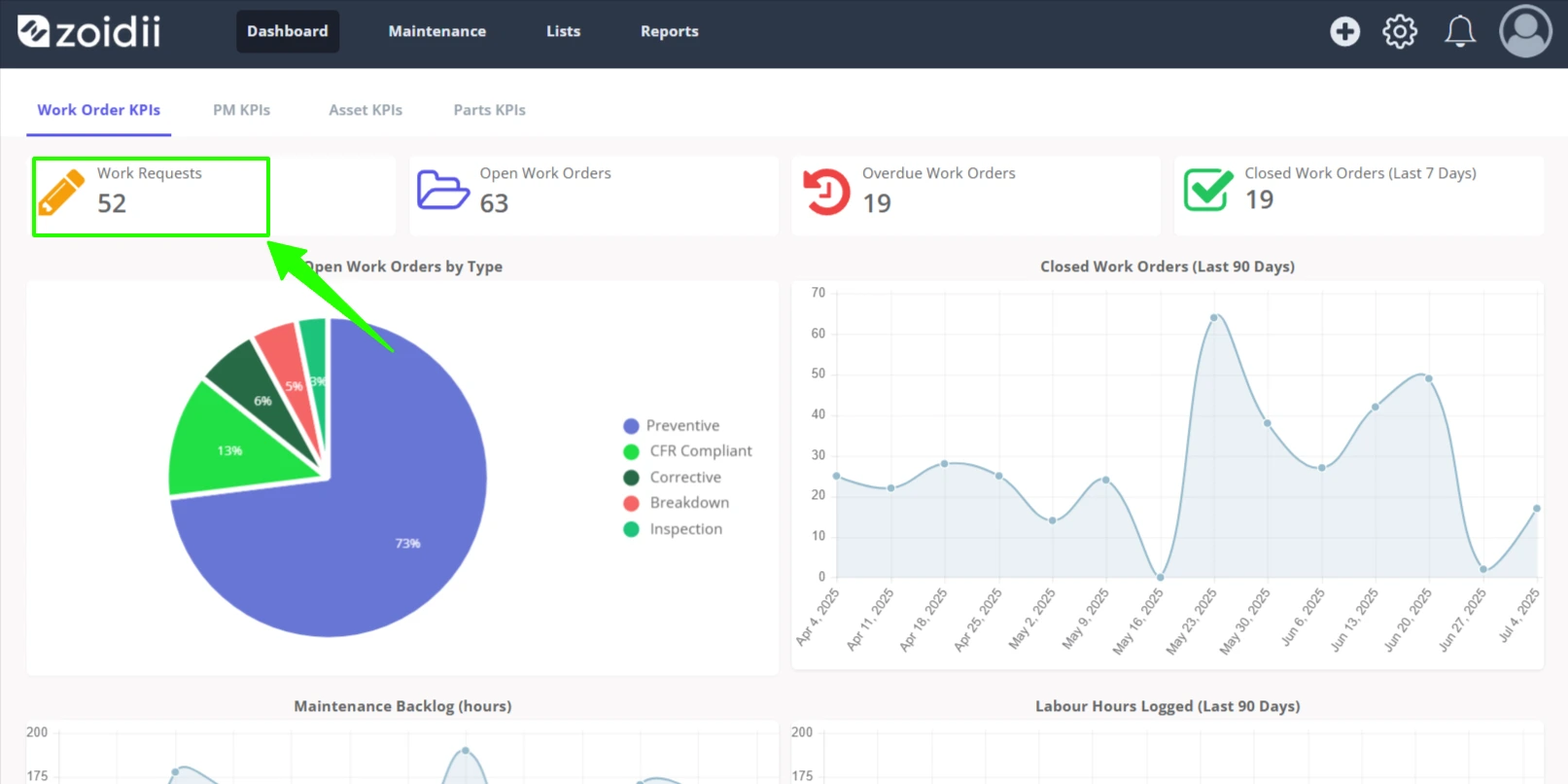
Q1. What is the guest request portal?
A. The guest request portal allows folks outside the maintenance team to report issues to the maintenance team. You do not need to create a user account for them in advance - they simply need access to the unique guest request portal for your company.Q2. How is the Guest Request Portal turned on?
A. The guest request portal is turned on in the System Settings - Guest Request page. Simply toggle the switch to activate.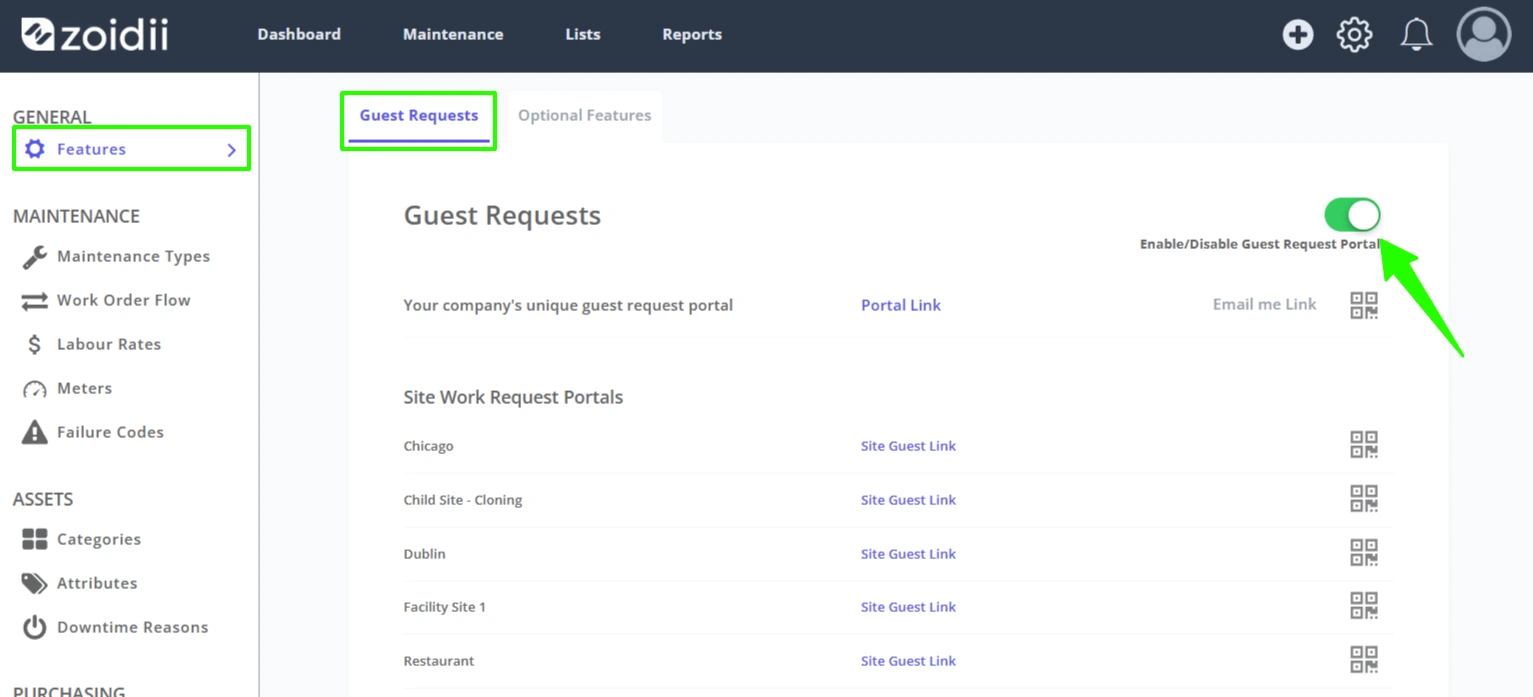
Q3. How is the guest request portal accessed?
A. The guest portal can be accessed in several ways:- Via the guest request link
- Scan the guest request QR code
- Scan the asset QR code
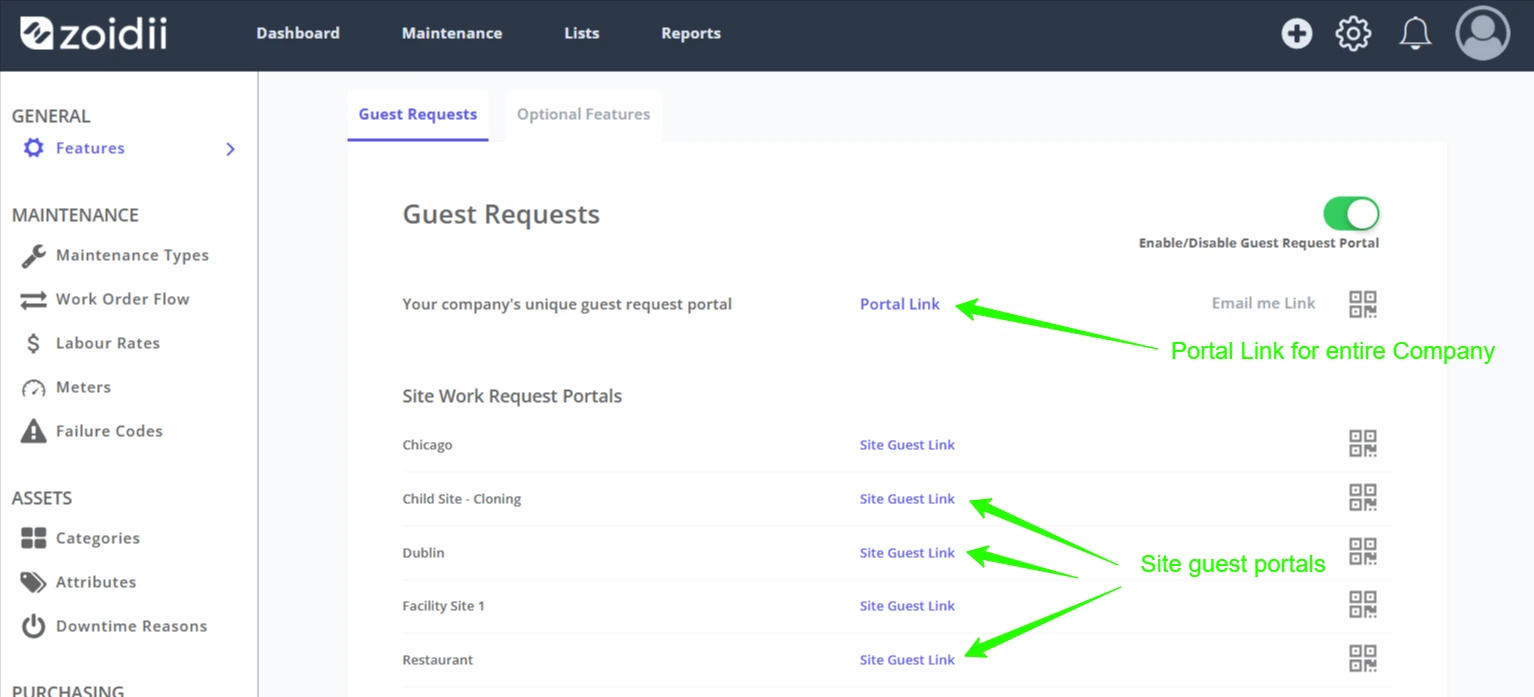
1. Via the unique guest request link.
The link can be circulated within the business via email or posted on the company intranet. Guest users click that unique link to access it. Multi-site users can distribute guest request links for each site.Note: With this method, the user must find the asset from the list.
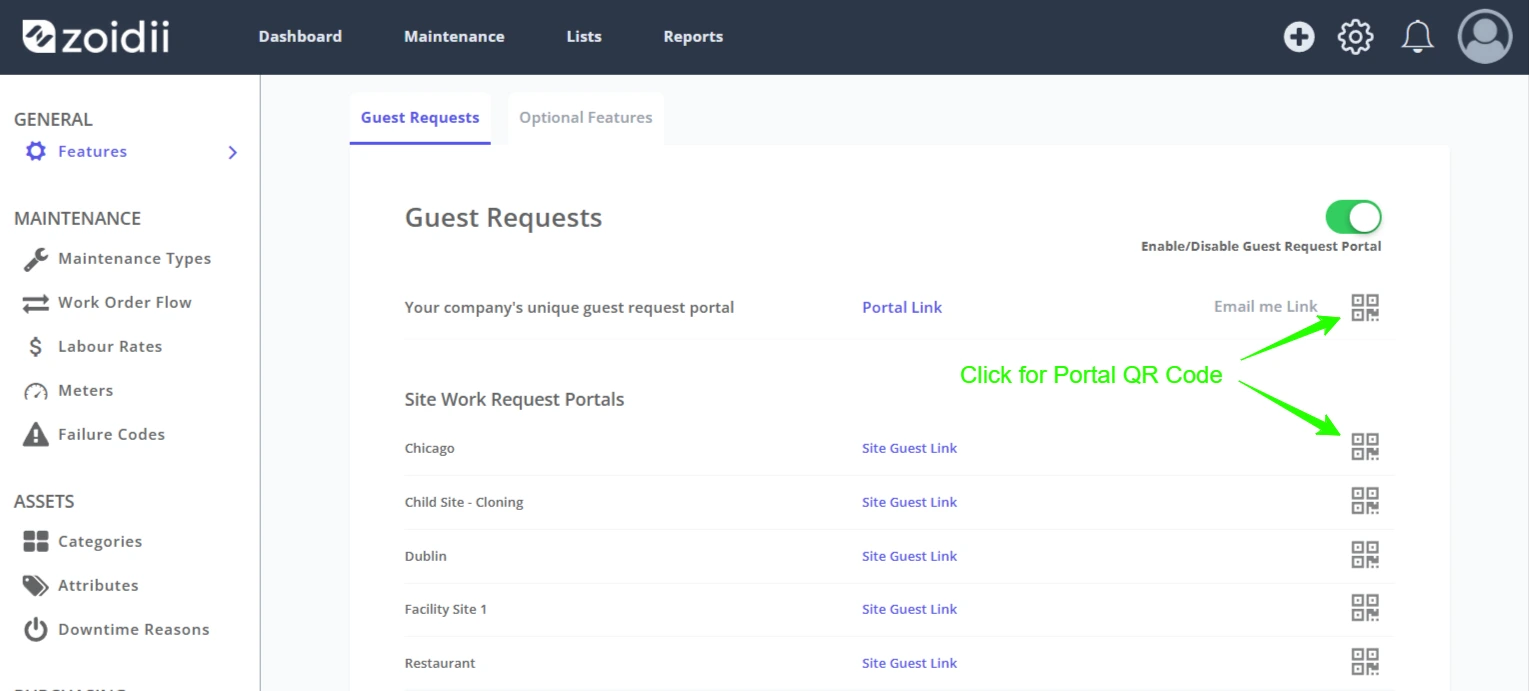
2. Guest Request QR Code
Click the QR code icon to print a QR code with the guest request portal link. Print the QR codes and apply to locations throughout the facility. Guest users can scan the link to log a guest work request. Multi-site users can distribute guest request QR codes for each site.Note: With this method, the user must find the asset from the list.
3. Via the asset QR code.
This method is more precise but takes more time to implement. System administrators can print unique QR codes and apply them to each asset. The guest user can then use their mobile device to scan the QR code and go to the guest request page with that asset preloaded into the asset field.Select the assets and click Print QR Codes
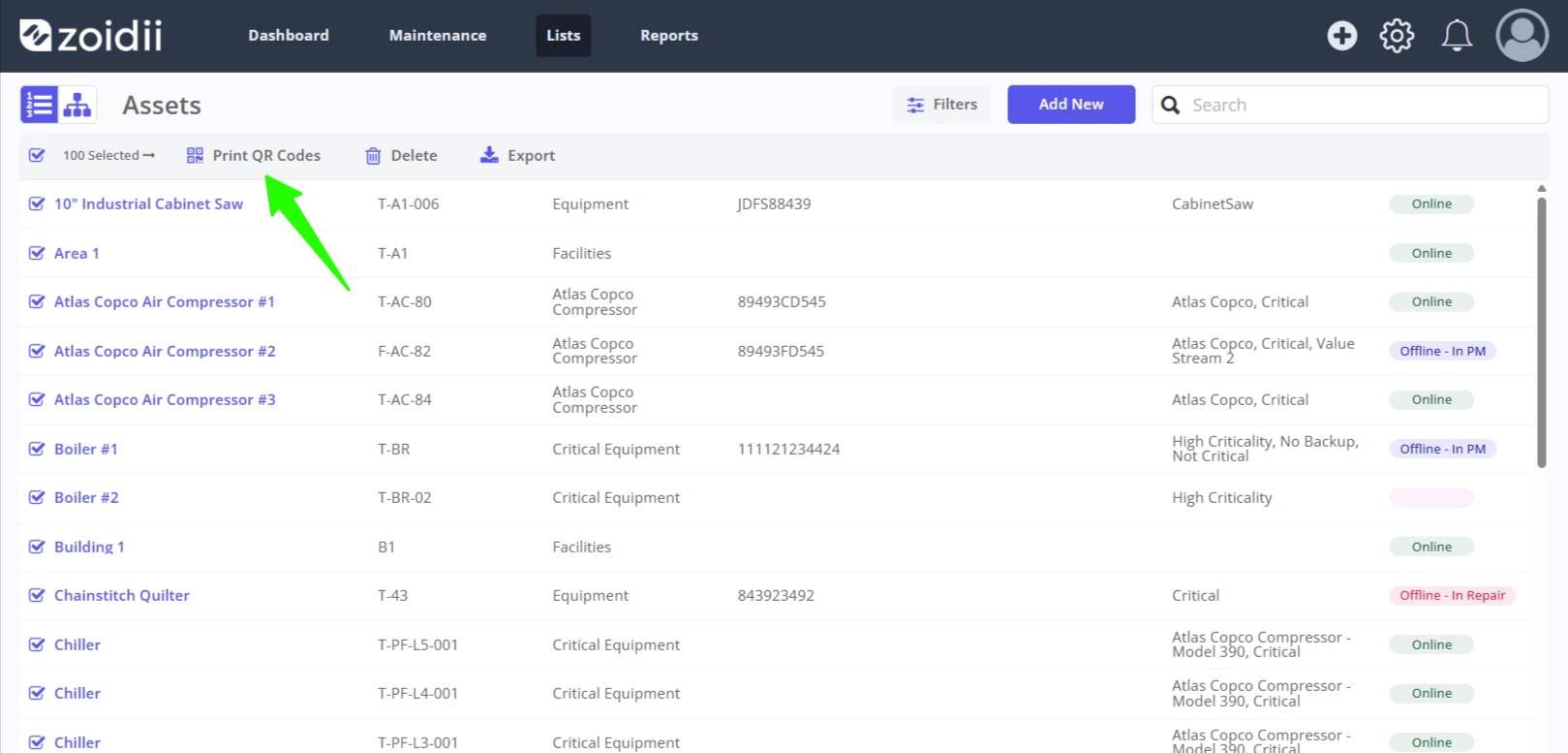
Select the size and click Print
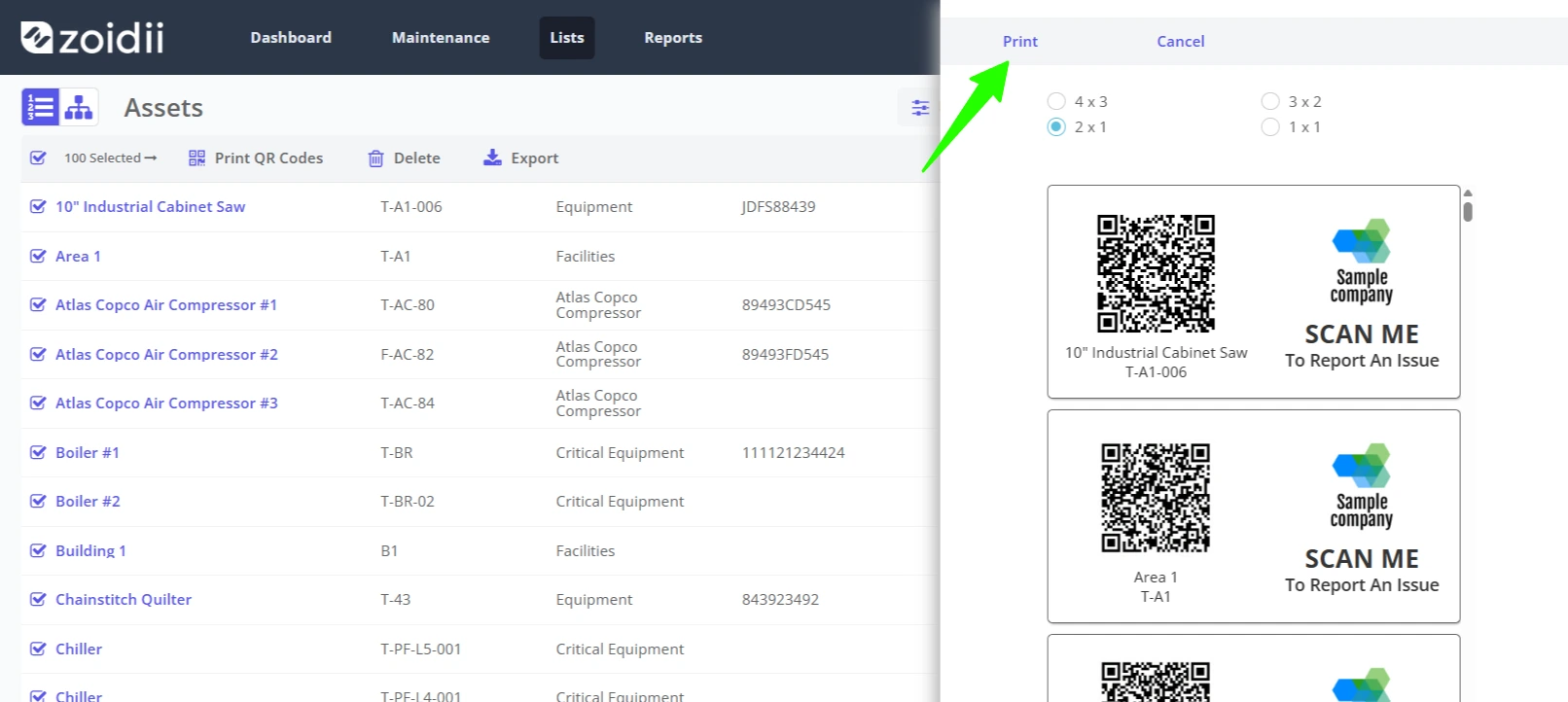
Q4. Does the guest requestor receive update notifications?
A. Yes, the guest request user is notified when the guest request is received, updated through the work request flow (assigned, work in progress, etc.), and closed.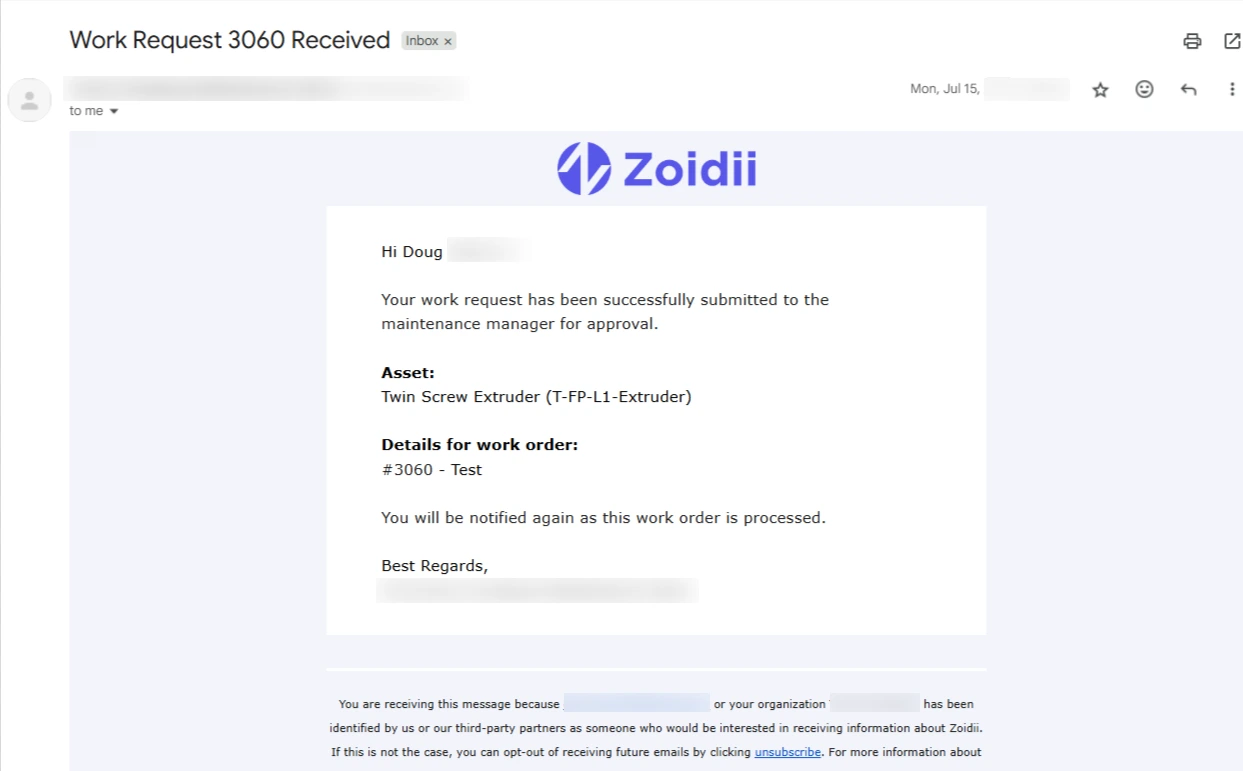
Q5. How does the maintenance team know a guest request is submitted?
A. The maintenance team will be informed in several ways:1. Those users with guest request notifications turned on in their user notification preferences will receive the following:
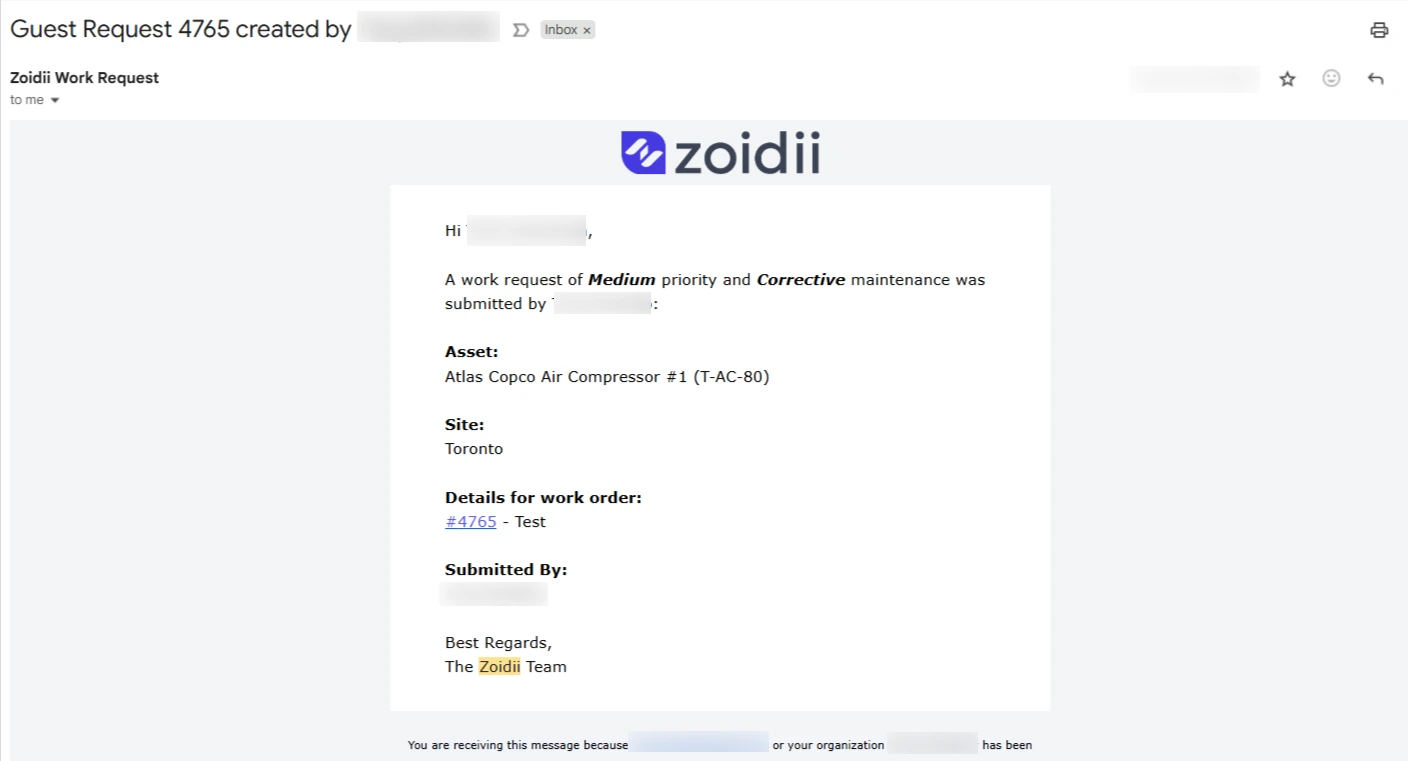
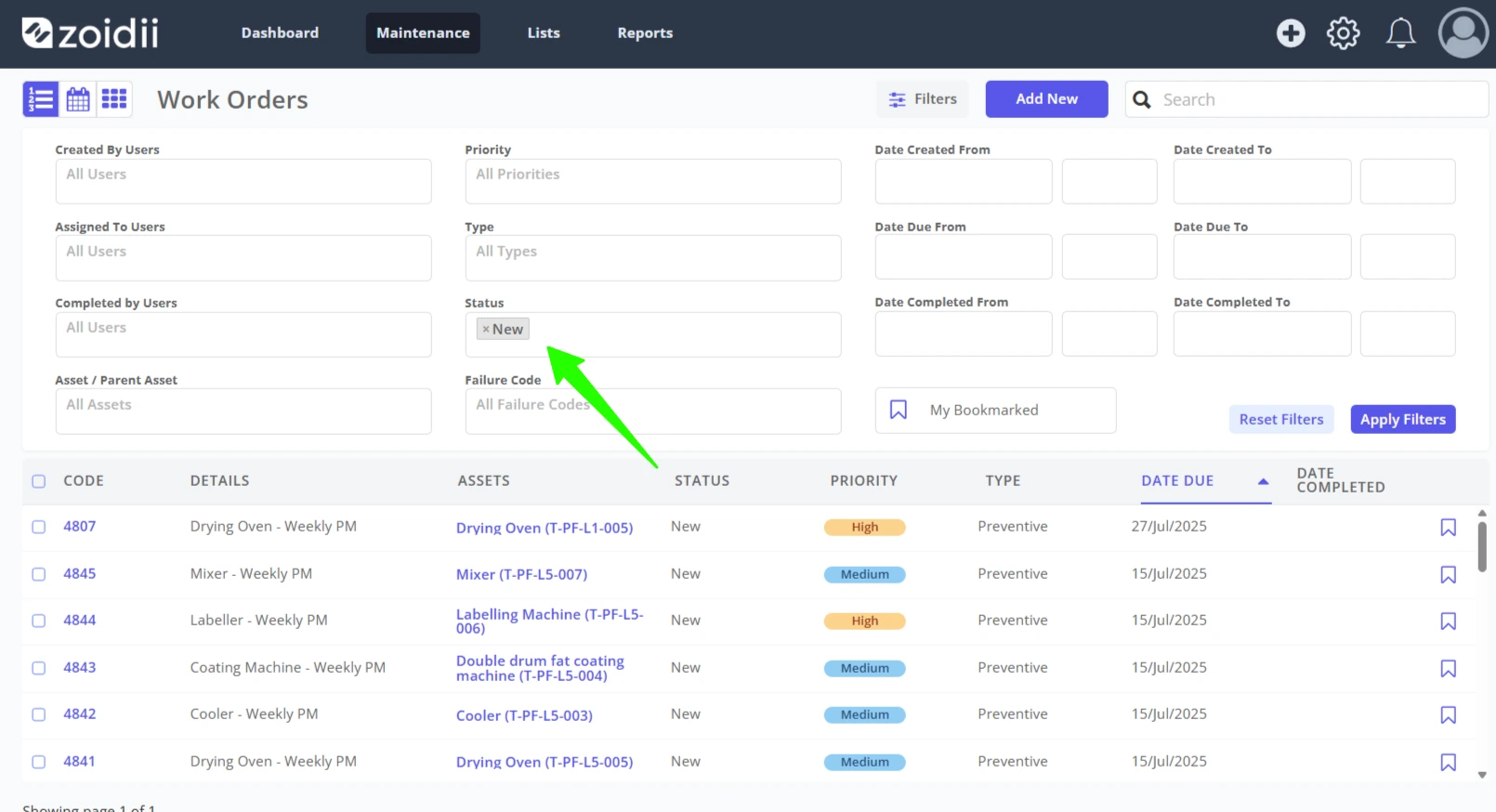
2. In the work order list, use the work order filters to filter by NEW work orders only
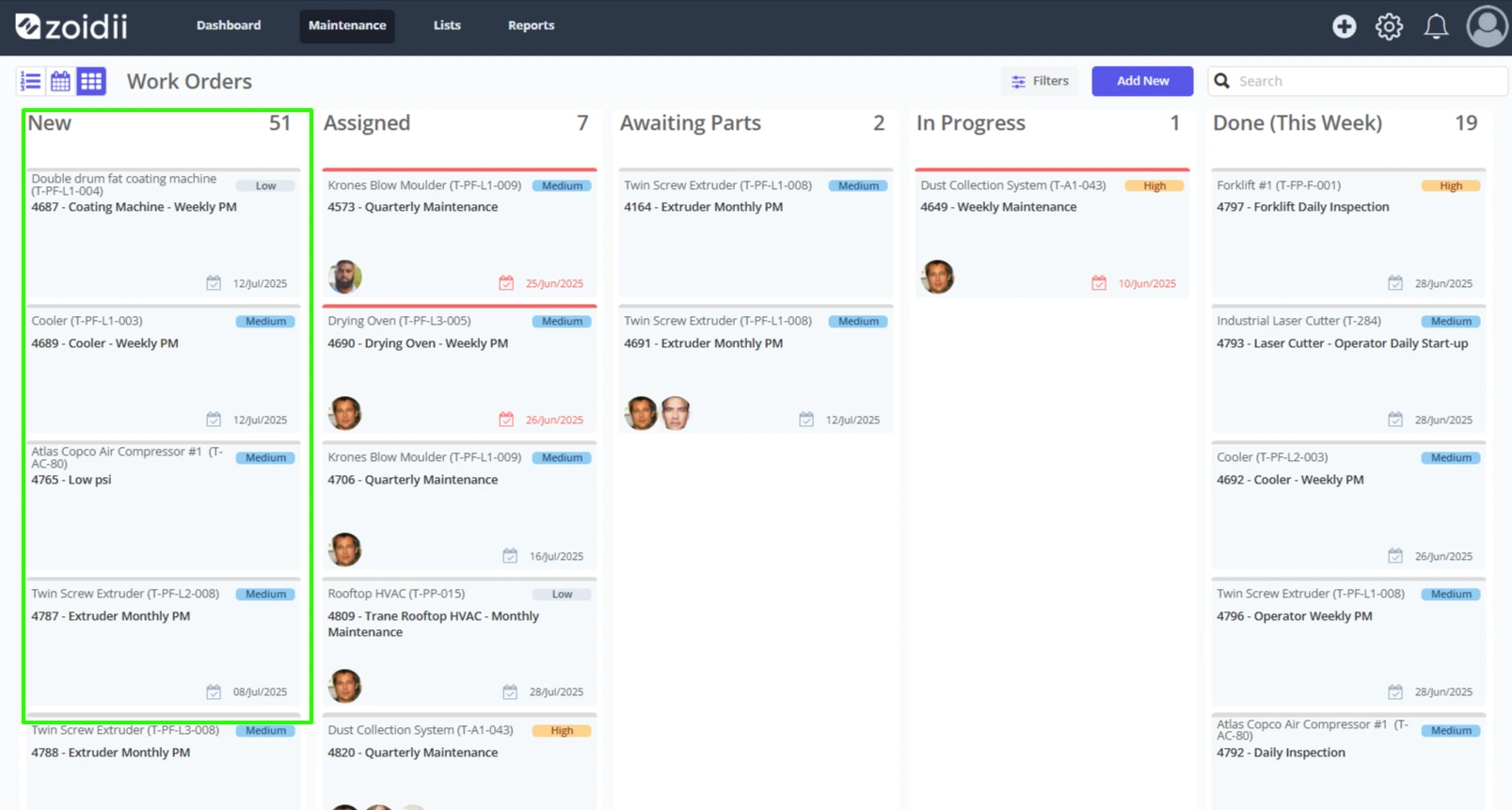
3. In the work order kanban view
4. On the dashboard