

Zoidii Logo

Need help with Zoidii?

Search for answers or browse our knowledge base

← Back to Help Centre

Add Repair Notes or Images to Work Orders

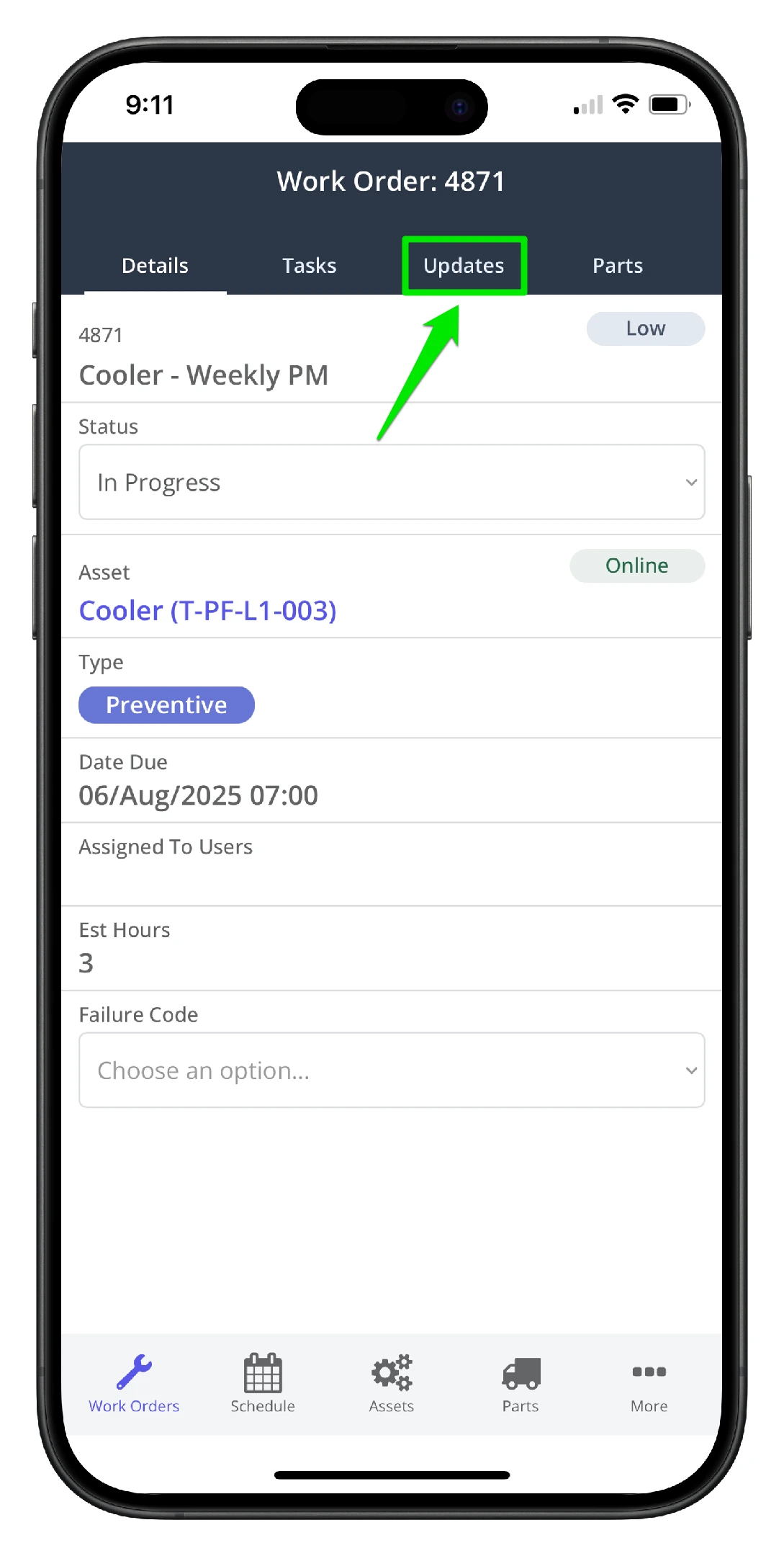
1. Navigate to the work order Updates Tab
Add Repair Notes or Images to Work Orders - 1

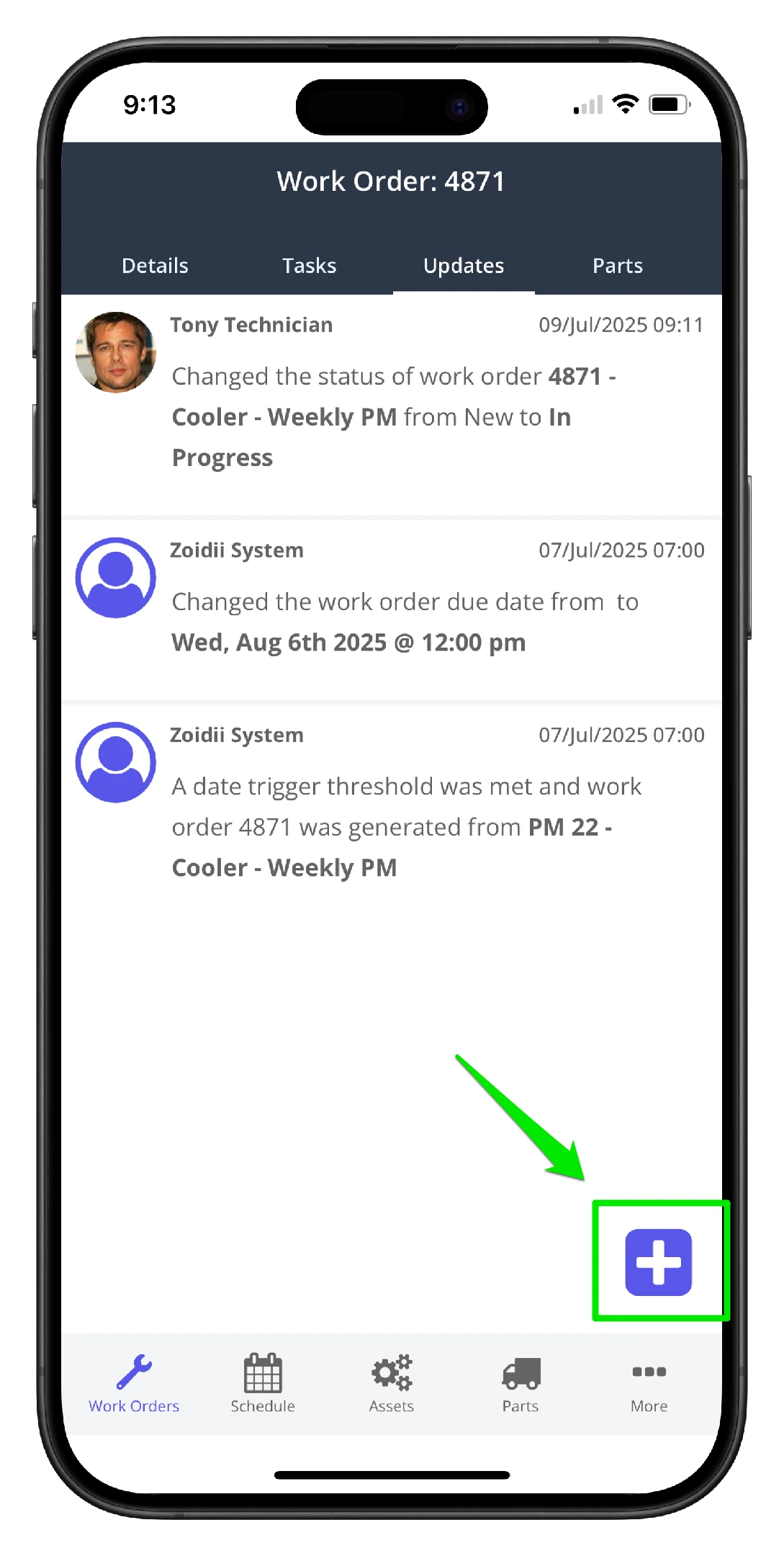
2. Click Add New on the lower left hand side
Add Repair Notes or Images to Work Orders - 2

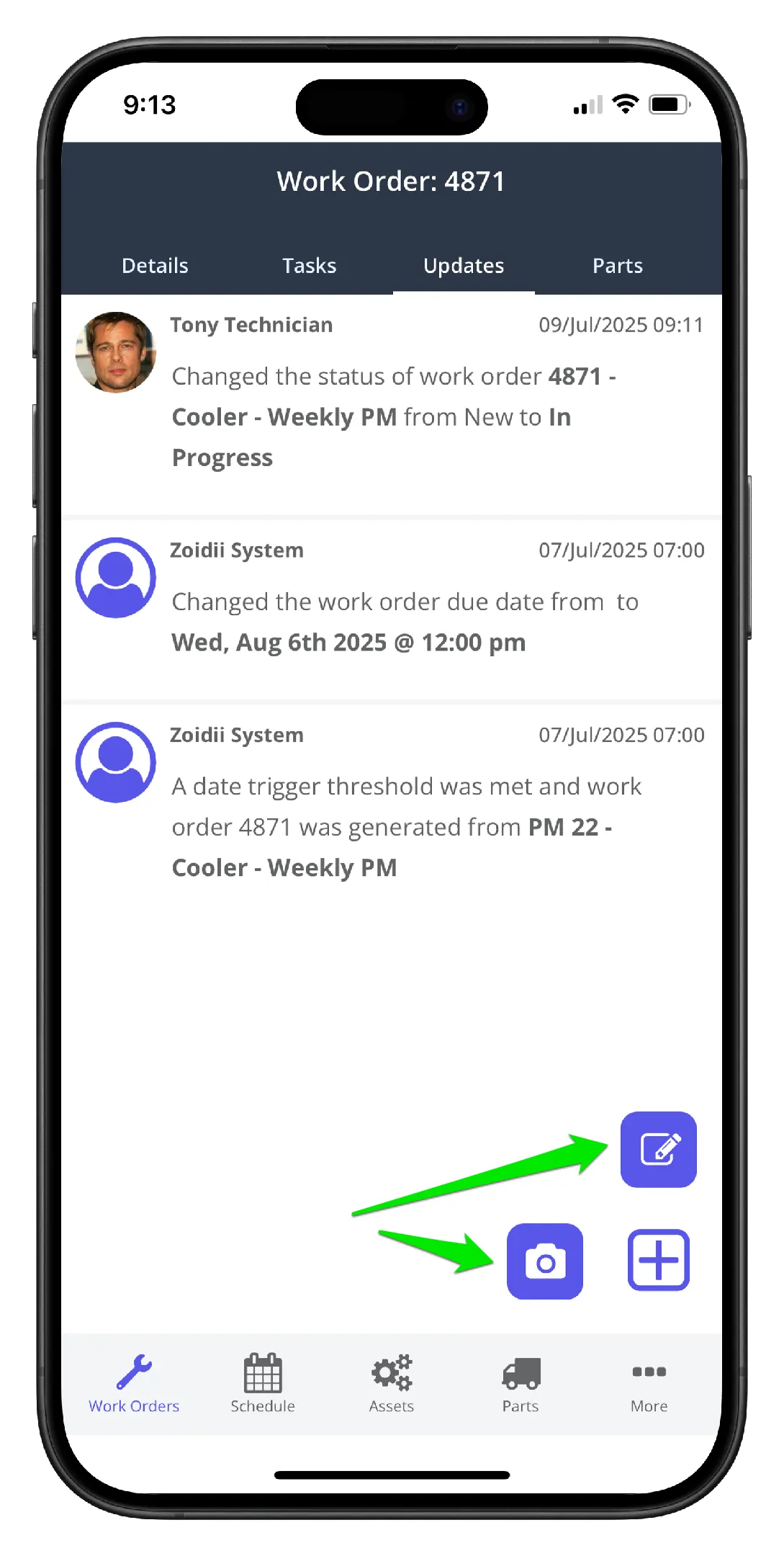
3. Click the camera icon to add an image update, click the note icon to add a text update
Add Repair Notes or Images to Work Orders - 3

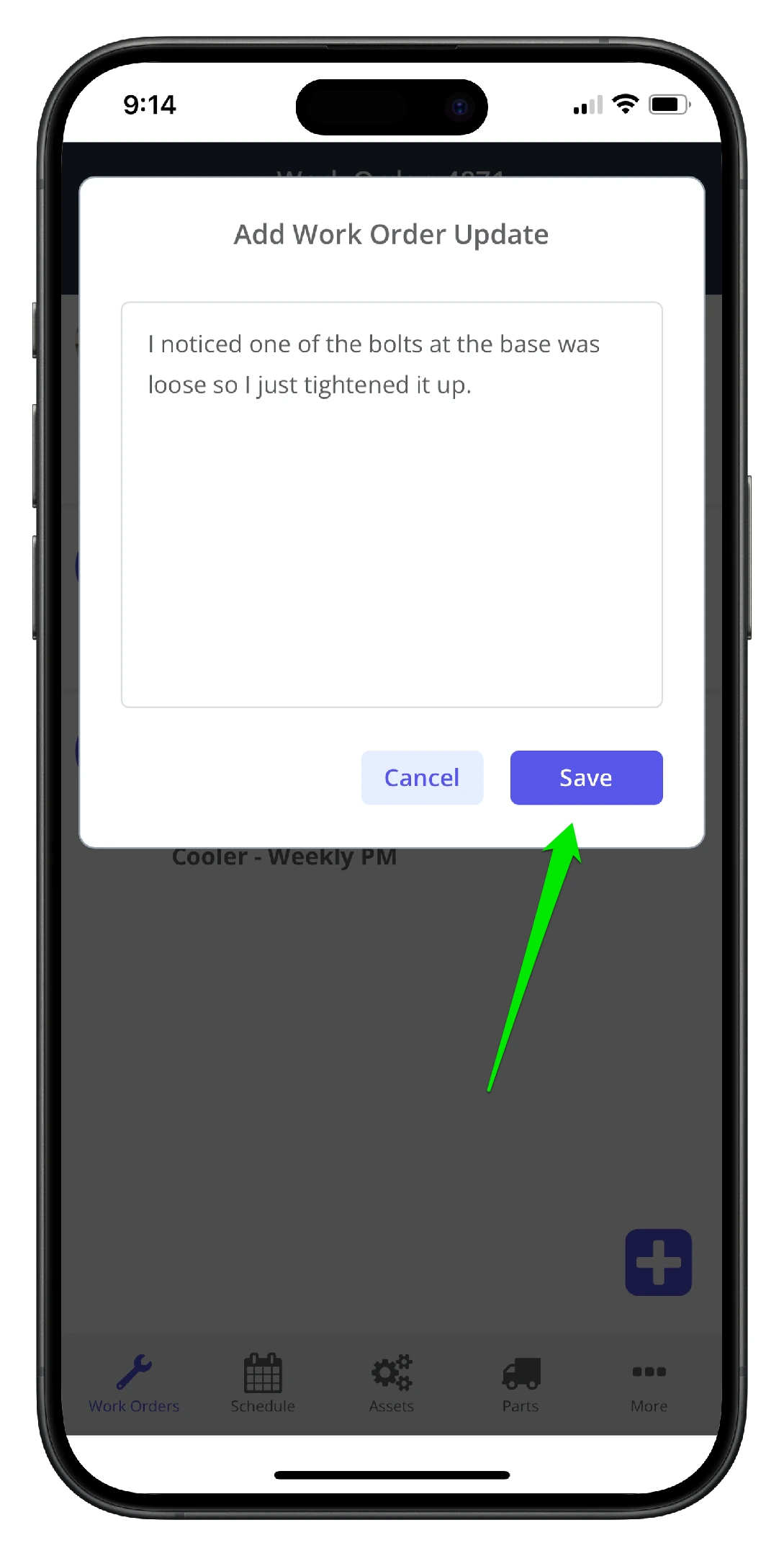
4. In this example, note was selected. Add the note to the work order update field, and click Save
Add Repair Notes or Images to Work Orders - 4

5. The update is available to view in the work order updates list.
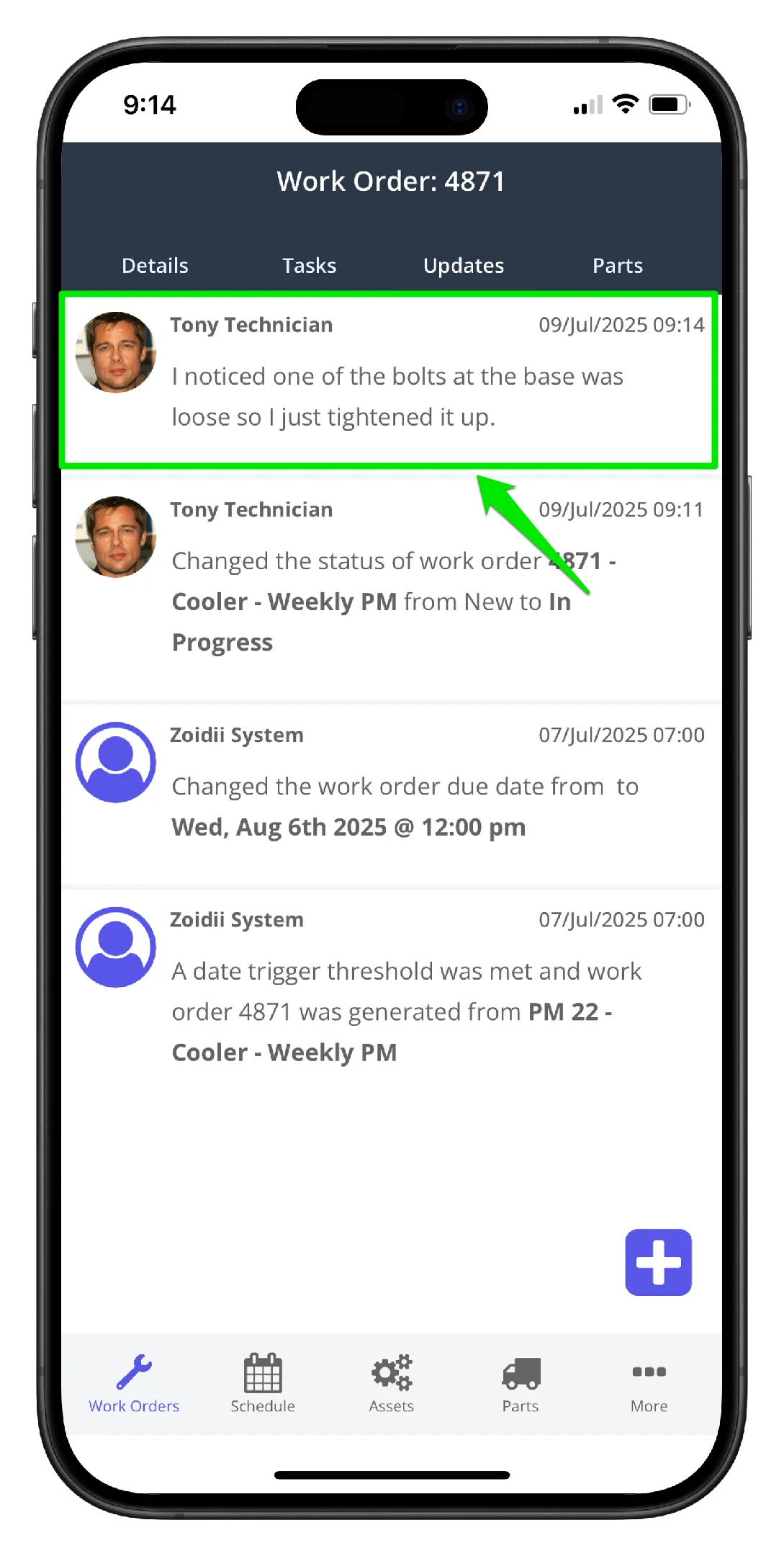
Add Repair Notes or Images to Work Orders - 5
Did you find this article useful?

On the same topic